HYUNDAI IX35 2014 Manual Online
IX35 2014
HYUNDAI
HYUNDAI
https://www.carmanualsonline.info/img/35/56237/w960_56237-0.png
HYUNDAI IX35 2014 Manual Online
Page 693 of 1534
4 203
Features of your vehicle
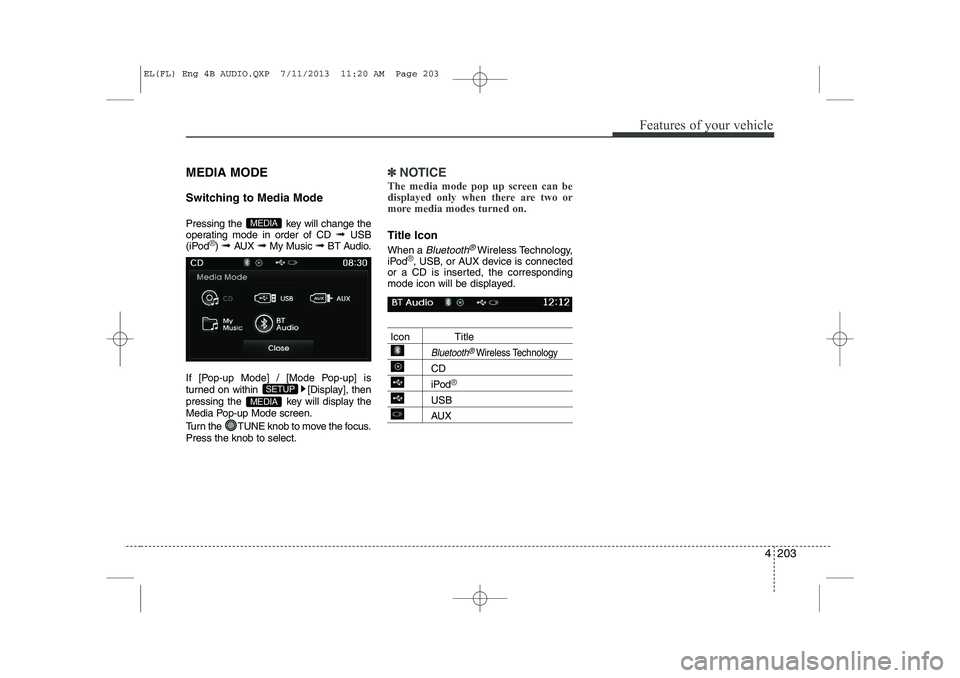
MEDIA MODE
Switching to Media Mode
Pressing the key will change the
operating mode in order of CD ➟ USB
(iPod
®) ➟ AUX ➟ My Music ➟BT Audio.
If [Pop-up Mode] / [Mode Pop-up] is
turned on within [Display], then
pressing the key will display the
Media Pop-up Mode screen.
Turn the TUNE knob to move the focus. Press the knob to select.
✽✽ NOTICE
The media mode pop up screen can be
displayed only when there are two or
more media modes turned on.
Title Icon When a
Bluetooth®Wireless Technology,
iPod®, USB, or AUX device is connected
or a CD is inserted, the corresponding
mode icon will be displayed.
Icon Title
Bluetooth®Wireless Technology
CD
iPod®
USB
AUX
MEDIA
SETUP
MEDIA
EL(FL) Eng 4B AUDIO.QXP 7/11/2013 11:20 AM Page 203
Page 694 of 1534
Features of your vehicle
204
4
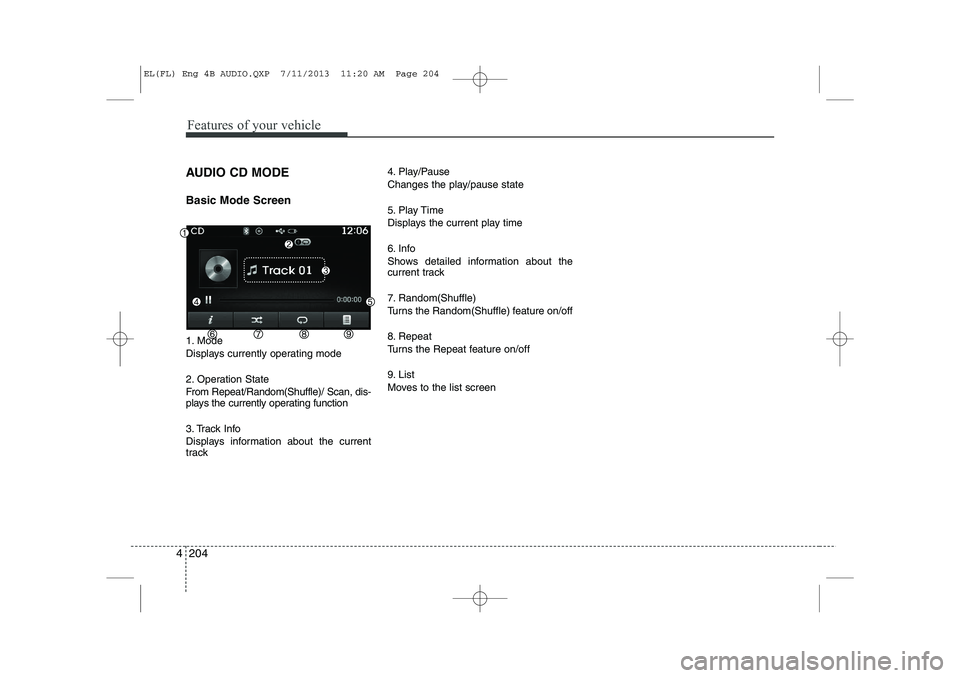
AUDIO CD MODE Basic Mode Screen
1. Mode
Displays currently operating mode
2. Operation State
From Repeat/Random(Shuffle)/ Scan, dis-
plays the currently operating function
3. Track Info
Displays information about the current
track 4. Play/Pause
Changes the play/pause state
5. Play Time
Displays the current play time
6. Info
Shows detailed information about the
current track
7. Random(Shuffle)
Turns the Random(Shuffle) feature on/off
8. Repeat
Turns the Repeat feature on/off
9. List
Moves to the list screen
EL(FL) Eng 4B AUDIO.QXP 7/11/2013 11:20 AM Page 204
Page 697 of 1534
4 207
Features of your vehicle
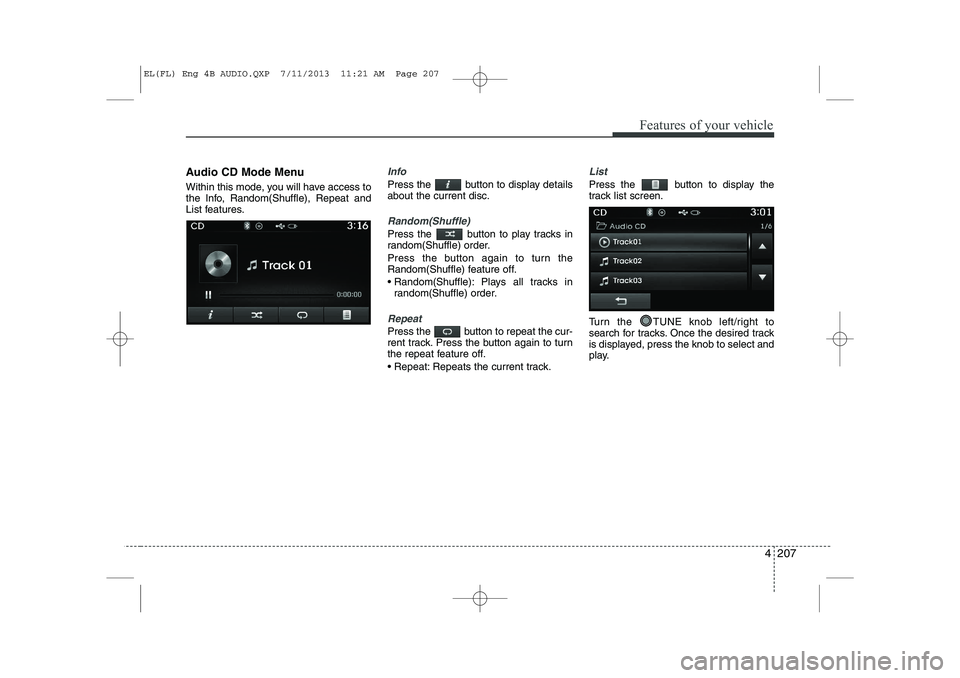
Audio CD Mode Menu
Within this mode, you will have access to
the Info, Random(Shuffle), Repeat and
List features.Info
Press the button to display details about the current disc.
Random(Shuffle)
Press the button to play tracks in
random(Shuffle) order.
Press the button again to turn the
Random(Shuffle) feature off.
Random(Shuffle): Plays all tracks inrandom(Shuffle) order.
Repeat
Press the button to repeat the cur-
rent track. Press the button again to turn
the repeat feature off.
Repeat: Repeats the current track.
List
Press the button to display the
track list screen.
Turn the TUNE knob left/right to
search for tracks. Once the desired track
is displayed, press the knob to select and
play.
EL(FL) Eng 4B AUDIO.QXP 7/11/2013 11:21 AM Page 207
Page 698 of 1534
Features of your vehicle
208
4
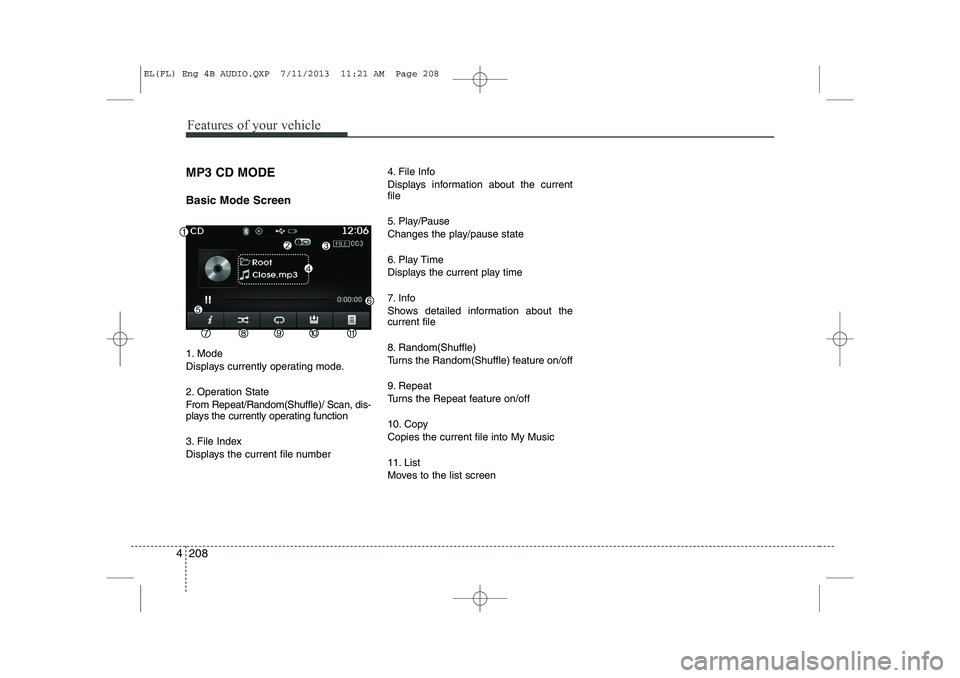
MP3 CD MODE Basic Mode Screen
1. Mode
Displays currently operating mode.
2. Operation State
From Repeat/Random(Shuffle)/ Scan, dis-
plays the currently operating function
3. File Index
Displays the current file number 4. File Info
Displays information about the current file
5. Play/Pause
Changes the play/pause state
6. Play Time
Displays the current play time
7. Info
Shows detailed information about the current file
8. Random(Shuffle)
Turns the Random(Shuffle) feature on/off
9. Repeat
Turns the Repeat feature on/off
10. Copy Copies the current file into My Music
11. List
Moves to the list screen
EL(FL) Eng 4B AUDIO.QXP 7/11/2013 11:21 AM Page 208
Page 699 of 1534
4 209
Features of your vehicle
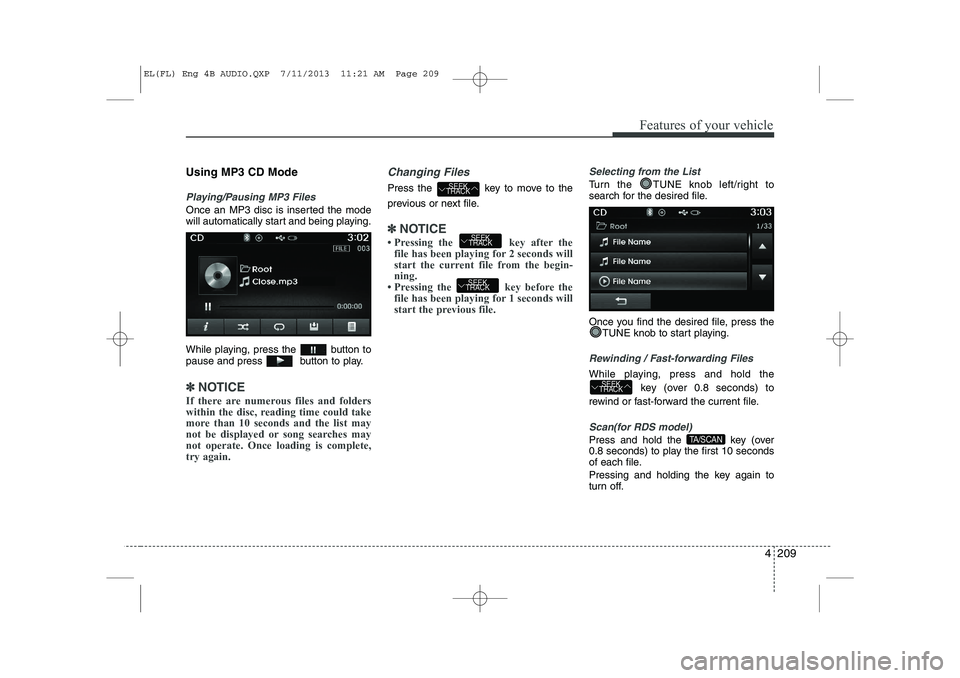
Using MP3 CD Mode
Playing/Pausing MP3 Files
Once an MP3 disc is inserted the mode
will automatically start and being playing.
While playing, press the button to
pause and press button to play.
✽✽NOTICE
If there are numerous files and folders
within the disc, reading time could take
more than 10 seconds and the list may
not be displayed or song searches maynot operate. Once loading is complete,try again.
Changing Files
Press the key to move to the
previous or next file.
✽✽ NOTICE
Page 700 of 1534
Features of your vehicle
210
4
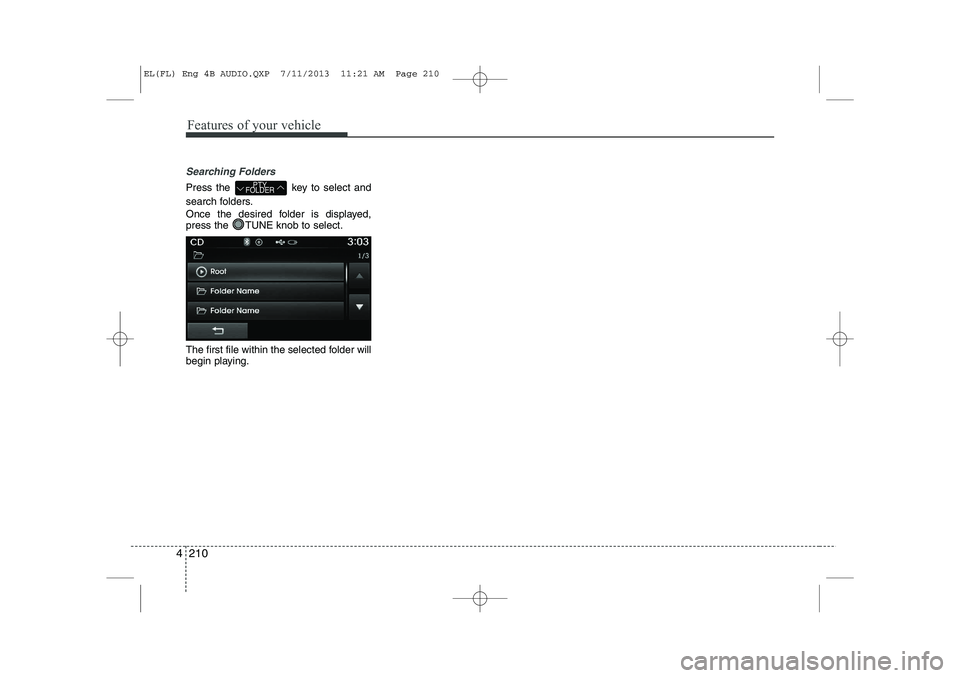
Searching Folders
Press the key to select and
search folders.
Once the desired folder is displayed,
press the TUNE knob to select.
The first file within the selected folder will
begin playing.PTY
FOLDER
EL(FL) Eng 4B AUDIO.QXP 7/11/2013 11:21 AM Page 210
Page 701 of 1534
4 211
Features of your vehicle
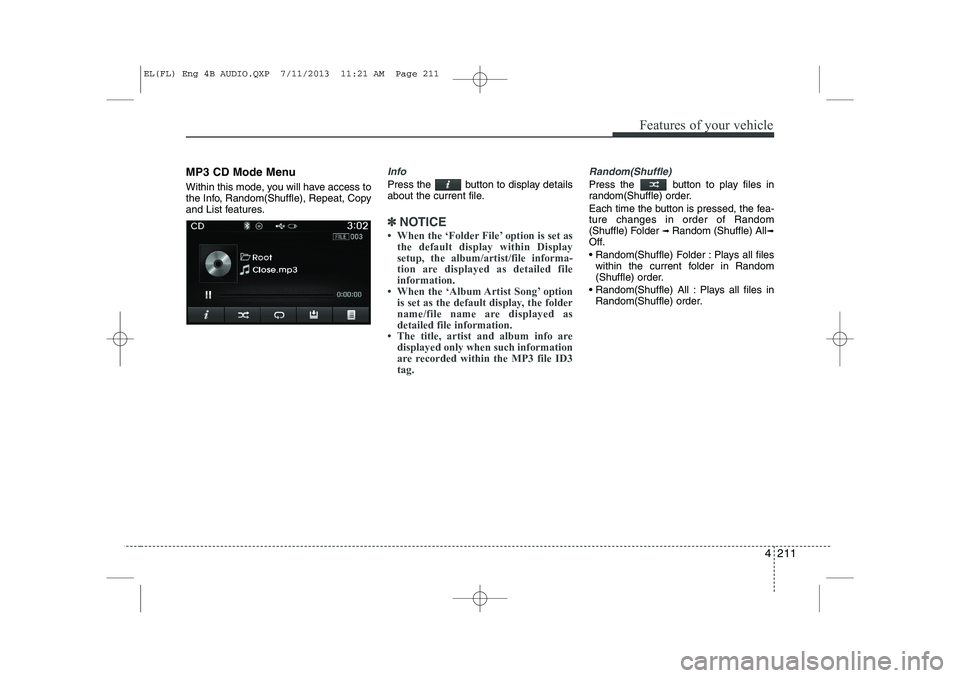
MP3 CD Mode Menu
Within this mode, you will have access to
the Info, Random(Shuffle), Repeat, Copy
and List features.Info
Press the button to display details
about the current file.
✽✽NOTICE
Page 702 of 1534
Features of your vehicle
212
4
Repeat
Press the button to repeat the cur-
rent file or folder.
Each time the button is pressed, the fea- ture changes in order of Repeat ➟
Repeat
Folder ➟Off.
Repeat: Repeats the current file.
Repeat Folder: Repeats all files within the current Folder.
Copying Files
Press the button to copy the cur- rent file into My Music.
✽✽ NOTICE
Selecting another feature during copy- ing will display a pop-up asking whether
you wish to cancel copying. To cancel,
select 'Yes’.
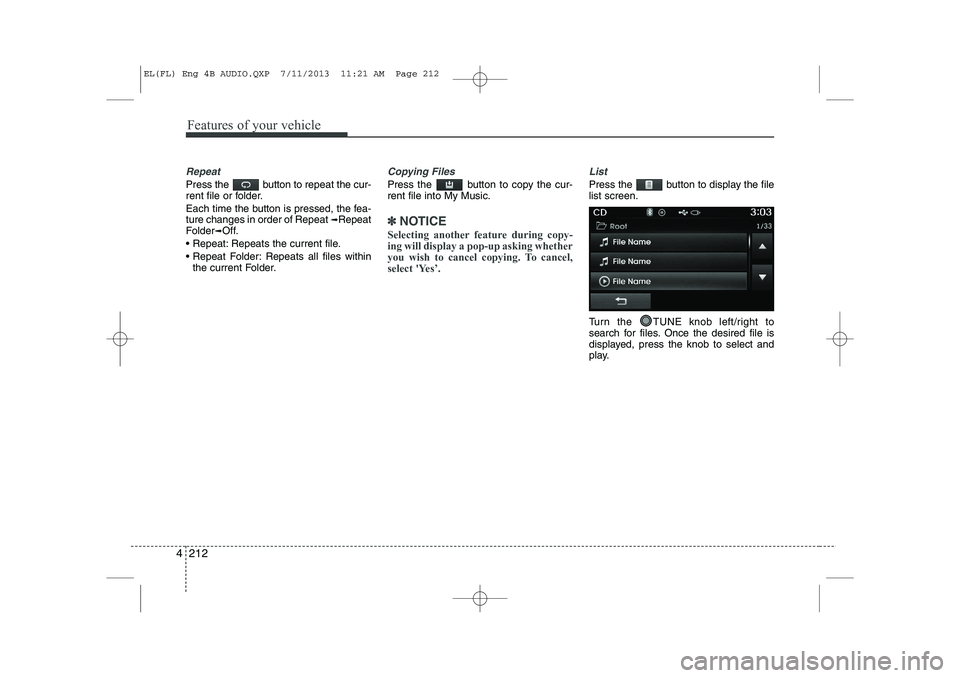
List
Press the button to display the file list screen.
Turn the TUNE knob left/right to
search for files. Once the desired file is
displayed, press the knob to select and
play.
EL(FL) Eng 4B AUDIO.QXP 7/11/2013 11:21 AM Page 212
Page 705 of 1534
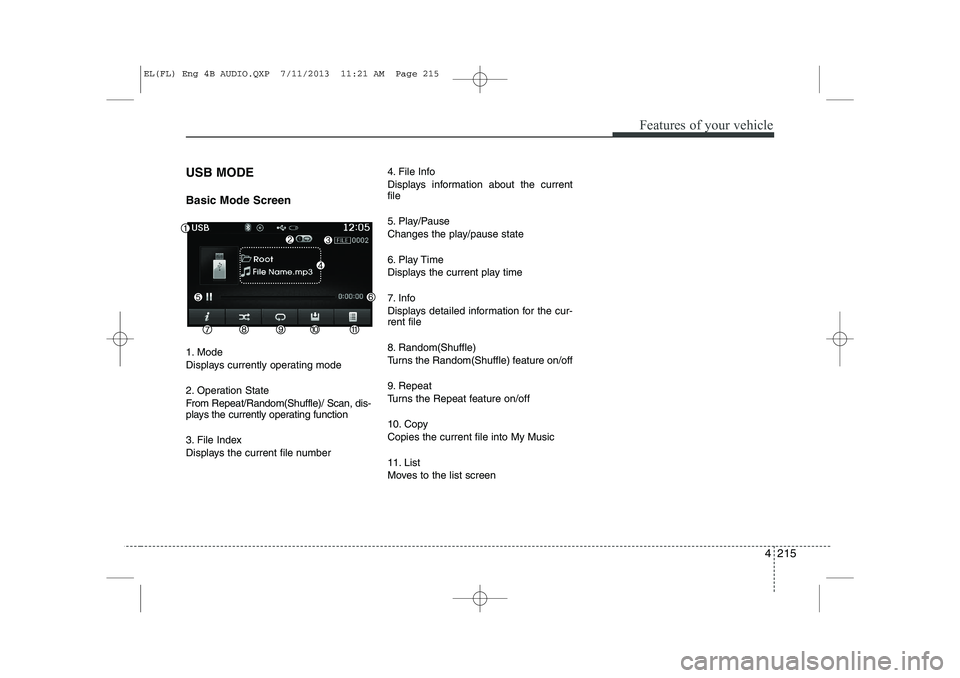
4 215
Features of your vehicle
USB MODE Basic Mode Screen
1. Mode
Displays currently operating mode
2. Operation State
From Repeat/Random(Shuffle)/ Scan, dis-
plays the currently operating function
3. File Index
Displays the current file number4. File Info
Displays information about the current file
5. Play/Pause
Changes the play/pause state
6. Play Time
Displays the current play time
7. Info
Displays detailed information for the cur- rent file
8. Random(Shuffle)
Turns the Random(Shuffle) feature on/off
9. Repeat
Turns the Repeat feature on/off
10. Copy Copies the current file into My Music
11. List
Moves to the list screen
EL(FL) Eng 4B AUDIO.QXP 7/11/2013 11:21 AM Page 215
Page 707 of 1534
4 217
Features of your vehicle
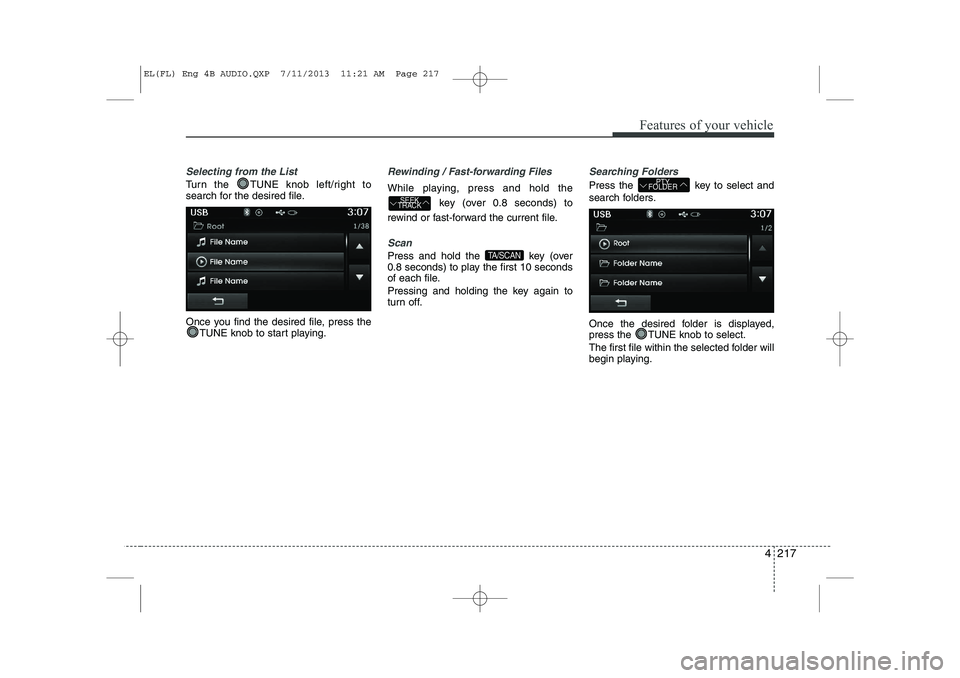
Selecting from the List
Turn the TUNE knob left/right to
search for the desired file.
Once you find the desired file, press theTUNE knob to start playing.
Rewinding / Fast-forwarding Files
While playing, press and hold the
key (over 0.8 seconds) to
rewind or fast-forward the current file.
Scan
Press and hold the key (over
0.8 seconds) to play the first 10 seconds
of each file.
Pressing and holding the key again to
turn off.
Searching Folders
Press the key to select and
search folders.
Once the desired folder is displayed,
press the TUNE knob to select.
The first file within the selected folder will
begin playing.PTY
FOLDER
TA/SCAN
SEEK
TRACK
EL(FL) Eng 4B AUDIO.QXP 7/11/2013 11:21 AM Page 217