display HYUNDAI IX35 2014 Owners Manual
[x] Cancel search | Manufacturer: HYUNDAI, Model Year: 2014, Model line: IX35, Model: HYUNDAI IX35 2014Pages: 1534, PDF Size: 39.76 MB
Page 708 of 1534
Features of your vehicle
218
4
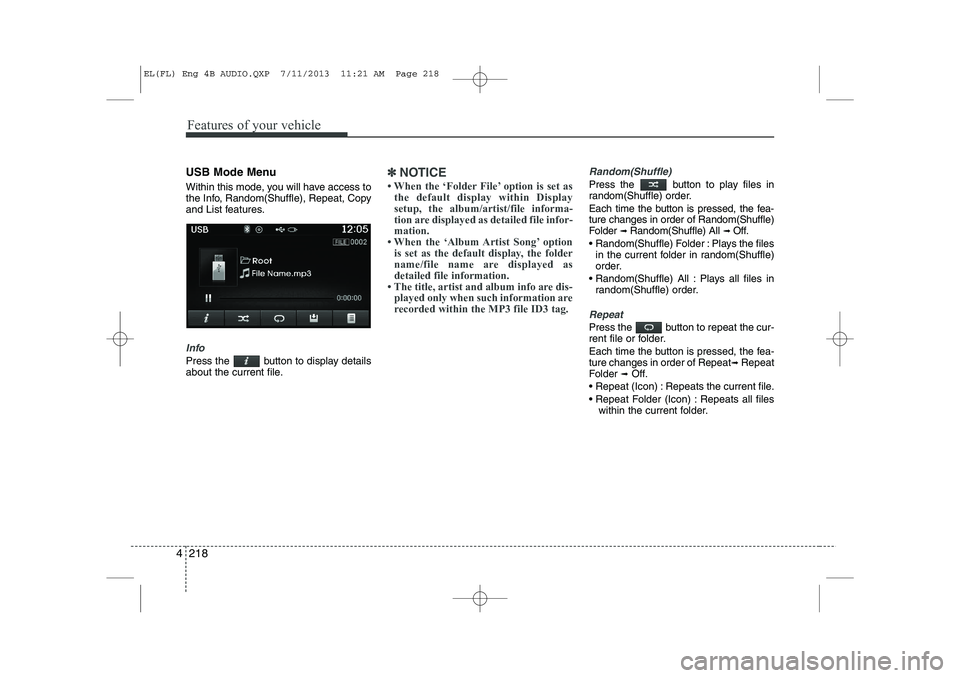
USB Mode Menu
Within this mode, you will have access to
the Info, Random(Shuffle), Repeat, Copy
and List features.
Info
Press the button to display details
about the current file.
✽✽
NOTICE
Page 709 of 1534
4 219
Features of your vehicle
Copying Files
Press the button to copy the cur- rent file into My Music.
✽✽NOTICE
Selecting another feature during copy- ing will display a pop-up asking whether
you wish to cancel copying. To cancel,
select 'Yes’.
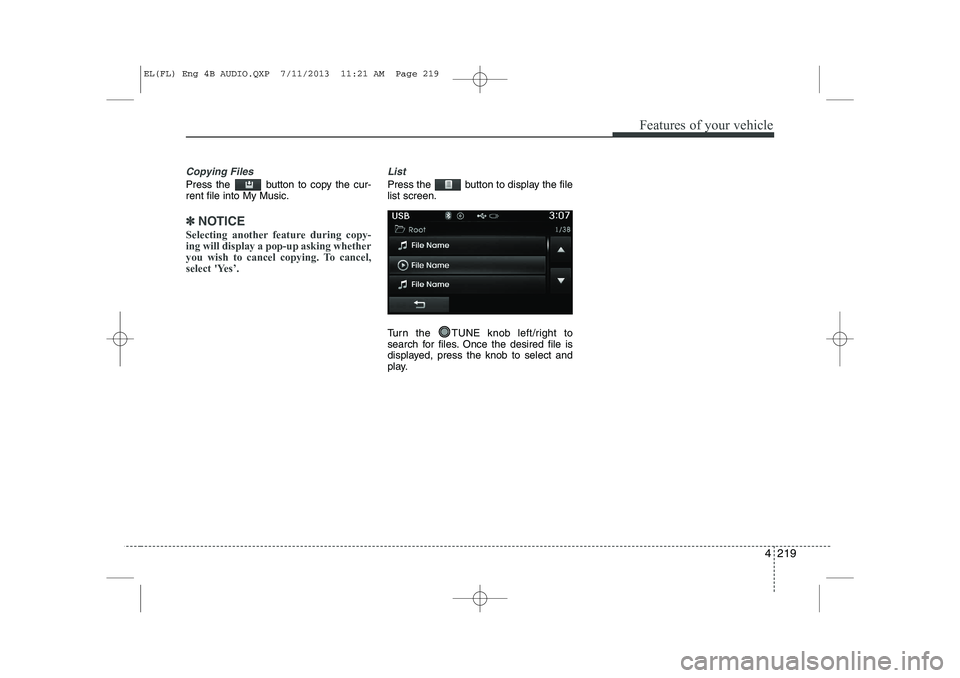
List
Press the button to display the file list screen.
Turn the TUNE knob left/right to
search for files. Once the desired file is
displayed, press the knob to select and
play.
EL(FL) Eng 4B AUDIO.QXP 7/11/2013 11:21 AM Page 219
Page 711 of 1534
4 221
Features of your vehicle
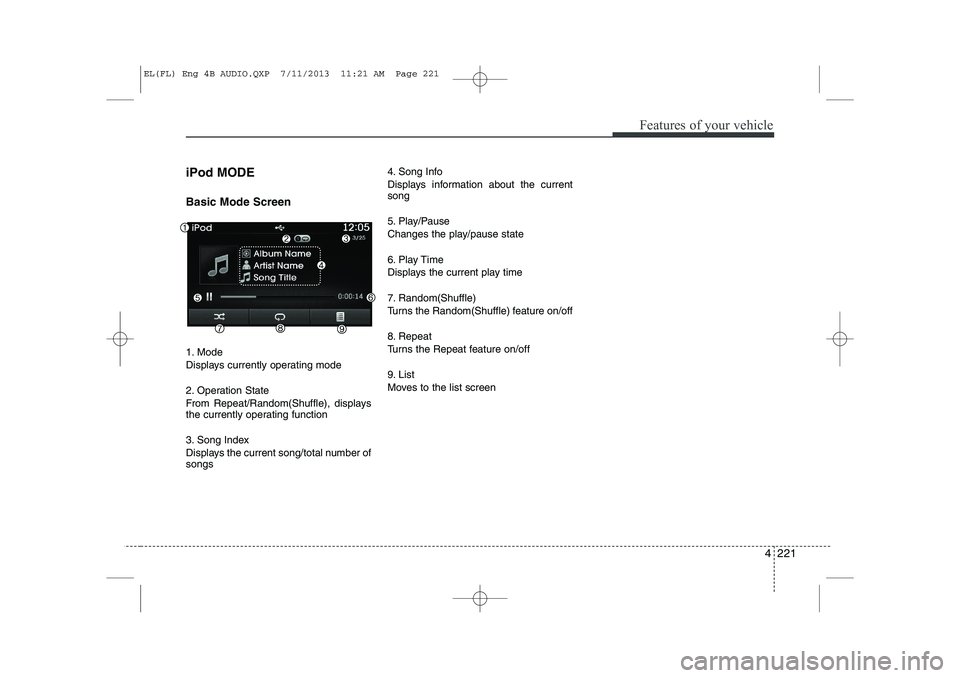
iPod MODE Basic Mode Screen
1. Mode
Displays currently operating mode
2. Operation State
From Repeat/Random(Shuffle), displays
the currently operating function
3. Song Index
Displays the current song/total number of songs4. Song Info
Displays information about the current song
5. Play/Pause
Changes the play/pause state
6. Play Time
Displays the current play time
7. Random(Shuffle)
Turns the Random(Shuffle) feature on/off
8. Repeat
Turns the Repeat feature on/off
9. List
Moves to the list screen
EL(FL) Eng 4B AUDIO.QXP 7/11/2013 11:21 AM Page 221
Page 713 of 1534
4 223
Features of your vehicle
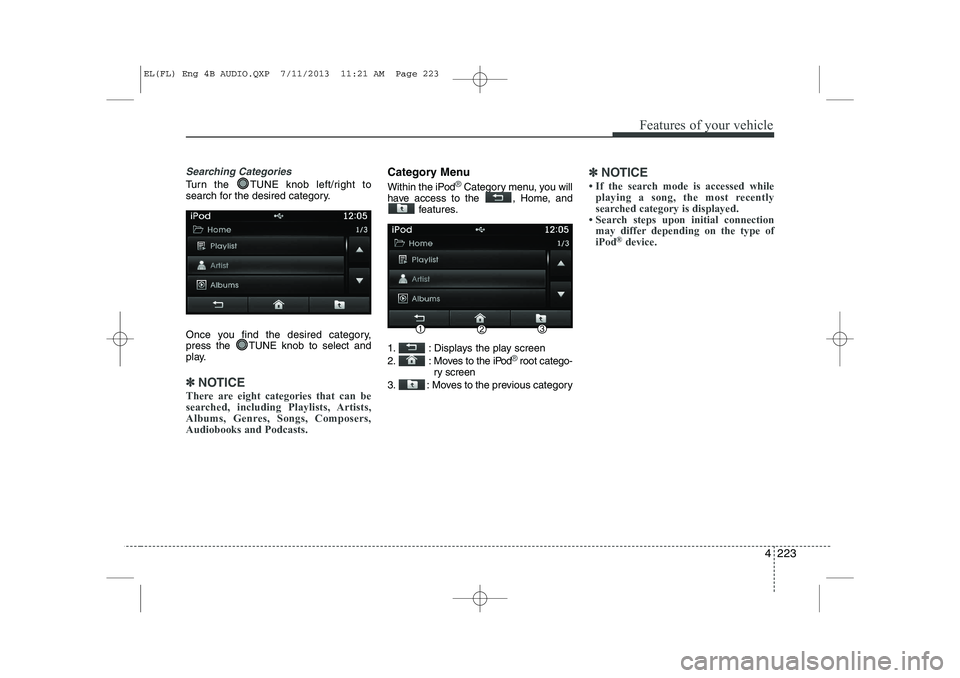
Searching Categories
Turn the TUNE knob left/right to
search for the desired category.
Once you find the desired category,
press the TUNE knob to select and
play.
✽✽NOTICE
There are eight categories that can be
searched, including Playlists, Artists,
Albums, Genres, Songs, Composers,Audiobooks and Podcasts.
Category Menu
Within the iPod®Category menu, you will
have access to the , Home, and features.
1. : Displays the play screen
2. : Moves to the iPod
®root catego-
ry screen
3. : Moves to the previous category
✽✽ NOTICE
Page 714 of 1534
Features of your vehicle
224
4
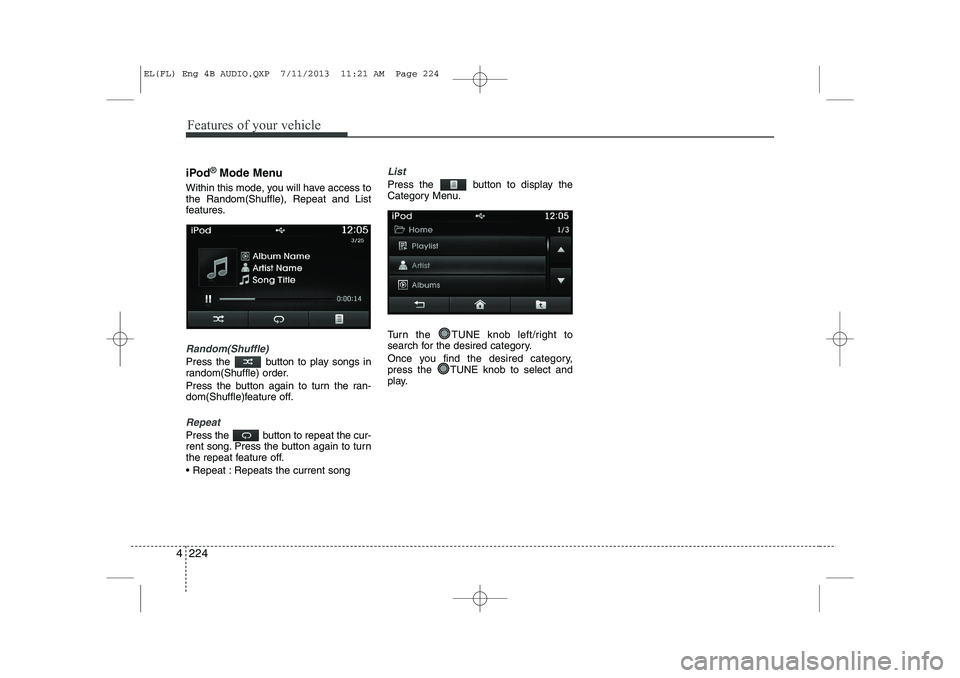
iPod®Mode Menu
Within this mode, you will have access to the Random(Shuffle), Repeat and List
features.
Random(Shuffle)
Press the button to play songs in
random(Shuffle) order.
Press the button again to turn the ran-
dom(Shuffle)feature off.
Repeat
Press the button to repeat the cur-
rent song. Press the button again to turn
the repeat feature off.
Repeat : Repeats the current song
List
Press the button to display the
Category Menu.
Turn the TUNE knob left/right to
search for the desired category.
Once you find the desired category,
press the TUNE knob to select and
play.
EL(FL) Eng 4B AUDIO.QXP 7/11/2013 11:21 AM Page 224
Page 716 of 1534
Features of your vehicle
226
4
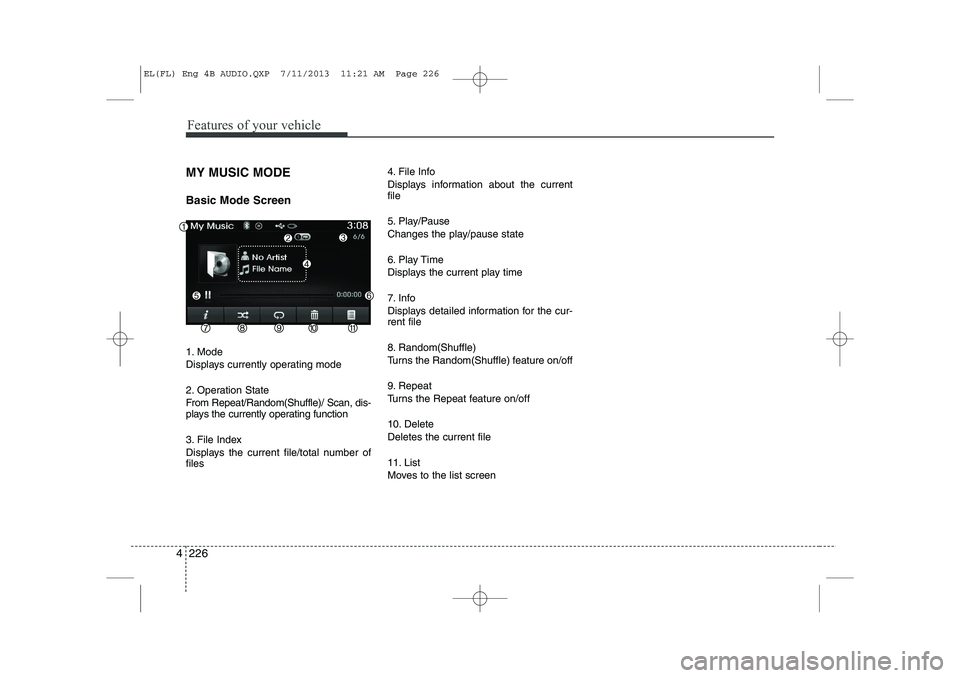
MY MUSIC MODE Basic Mode Screen
1. Mode
Displays currently operating mode
2. Operation State
From Repeat/Random(Shuffle)/ Scan, dis-
plays the currently operating function
3. File Index
Displays the current file/total number of files 4. File Info
Displays information about the current file
5. Play/Pause
Changes the play/pause state
6. Play Time
Displays the current play time
7. Info
Displays detailed information for the cur- rent file
8. Random(Shuffle)
Turns the Random(Shuffle) feature on/off
9. Repeat
Turns the Repeat feature on/off
10. Delete Deletes the current file
11. List
Moves to the list screen
EL(FL) Eng 4B AUDIO.QXP 7/11/2013 11:21 AM Page 226
Page 718 of 1534
Features of your vehicle
228
4
Rewinding / Fast-forwarding Files
While playing, press and hold the
key (over 0.8 seconds) to
rewind or fast-forward the current file.
Scan(for RDS model)
Press and hold the key (over
0.8 seconds) to play the first 10 seconds
of each file.
Pressing and holding the key again to
turn off. My Music Mode Menu
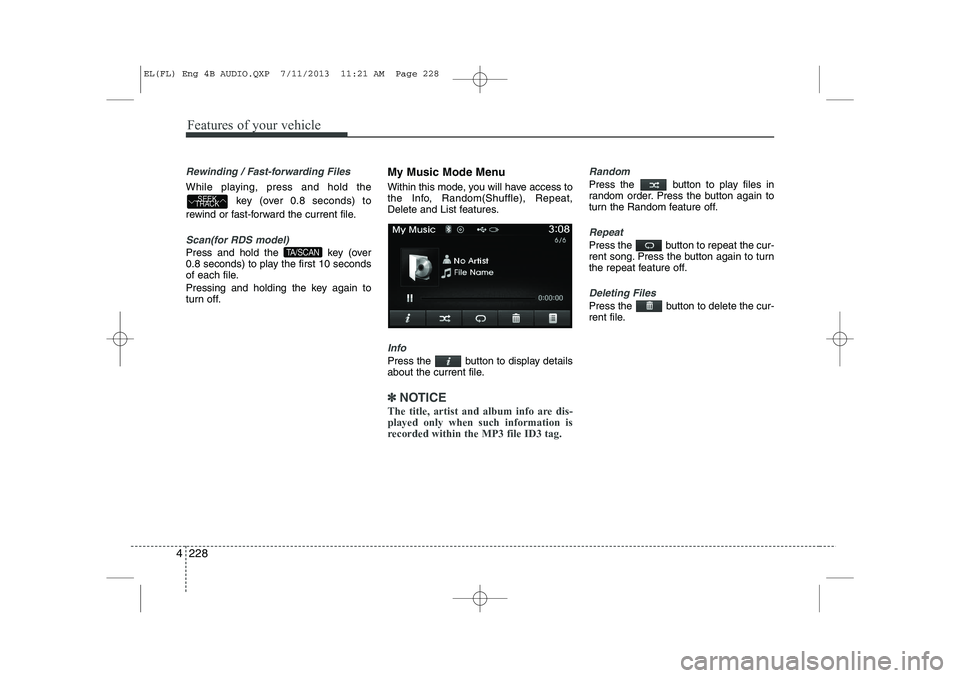
Within this mode, you will have access to
the Info, Random(Shuffle), Repeat,
Delete and List features.
Info
Press the button to display details
about the current file.
✽✽
NOTICE
The title, artist and album info are dis- played only when such information is
recorded within the MP3 file ID3 tag.
Random
Press the button to play files in
random order. Press the button again to
turn the Random feature off.
Repeat
Press the button to repeat the cur-
rent song. Press the button again to turn
the repeat feature off.
Deleting Files
Press the button to delete the cur-
rent file.
TA/SCAN
SEEK
TRACK
EL(FL) Eng 4B AUDIO.QXP 7/11/2013 11:21 AM Page 228
Page 719 of 1534
4 229
Features of your vehicle
List
Press the button to display the file list screen.
Turn the TUNE knob left/right to
search for files. Once the desired file is
displayed, press the knob to select and
play.List Menu
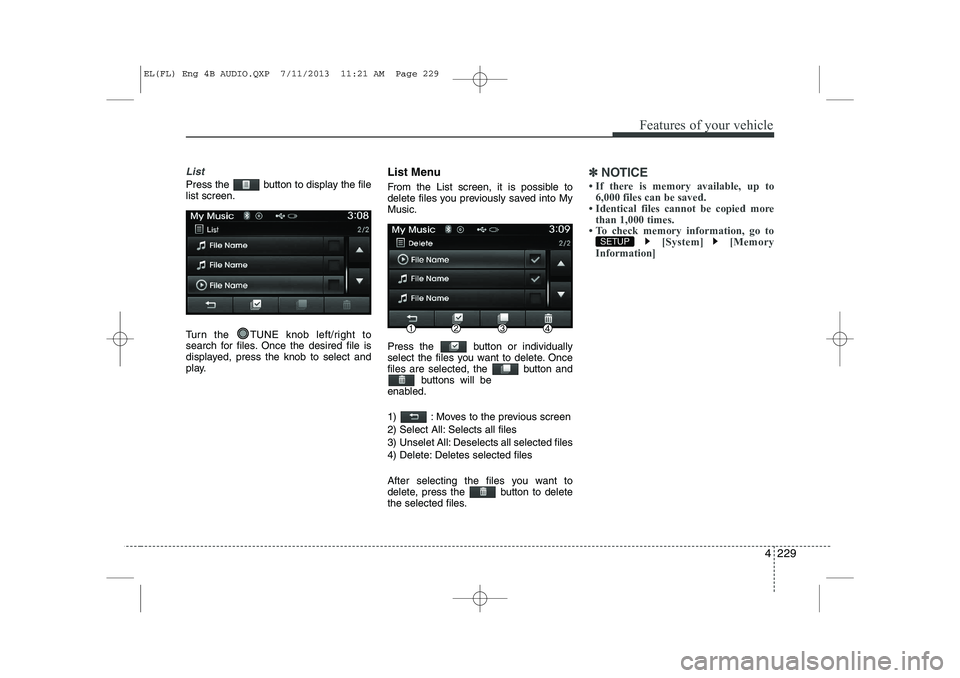
From the List screen, it is possible to
delete files you previously saved into MyMusic.
Press the button or individually
select the files you want to delete. Once
files are selected, the button and
buttons will be
enabled.
1) : Moves to the previous screen
2) Select All: Selects all files
3) Unselet All: Deselects all selected files
4) Delete: Deletes selected files
After selecting the files you want to
delete, press the button to delete
the selected files.✽✽ NOTICE
Page 725 of 1534
4 235
Features of your vehicle
Pairing a Bluetooth®Wireless
Technology De vice
What is
Bluetooth®Wireless
Technology Pairing?
Pairing refers to the process of synchro-
nizing your
Bluetooth®Wireless
Technology phone or device with the car
audio system for connection. Pairing is
necessary to connect and use the
Bluetooth®Wireless Technology feature. Pairing Key / Key on
the Steering Remote Controller
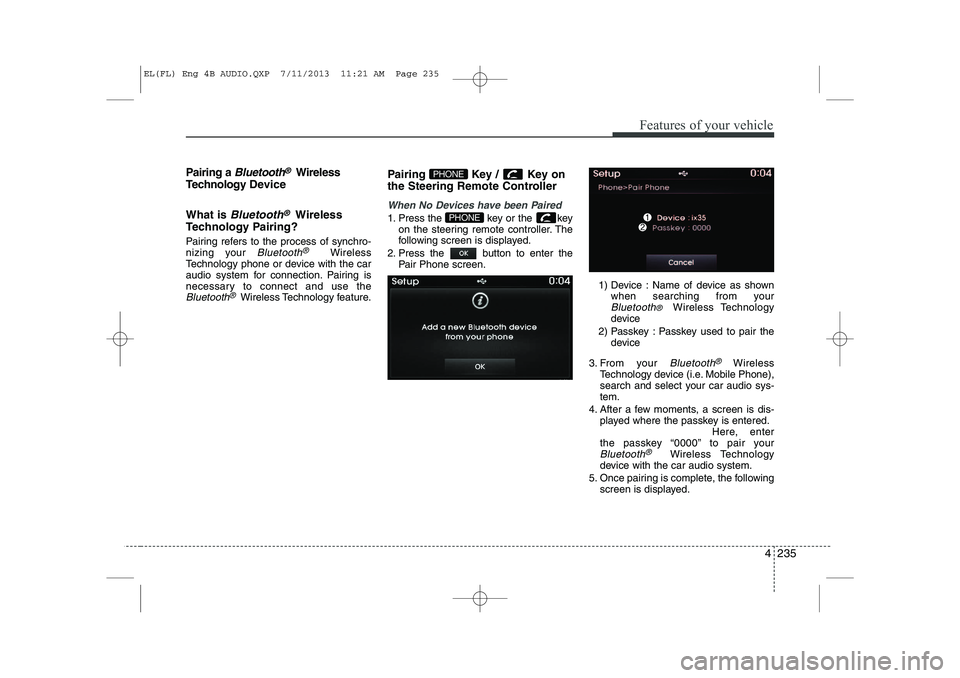
When No Devices have been Paired
1. Press the key or the key
on the steering remote controller. The
following screen is displayed.
2. Press the button to enter the Pair Phone screen.
1) Device : Name of device as shownwhen searching from your
Bluetooth® Wireless Technology
device
2) Passkey : Passkey used to pair the device
3. From your
Bluetooth®Wireless
Technology device (i.e. Mobile Phone),
search and select your car audio sys-tem.
4. After a few moments, a screen is dis- played where the passkey is entered. Here, enter
the passkey “0000” to pair your
Bluetooth®Wireless Technology
device with the car audio system.
5. Once pairing is complete, the following screen is displayed.
PHONE
PHONE
EL(FL) Eng 4B AUDIO.QXP 7/11/2013 11:21 AM Page 235
Page 726 of 1534
Features of your vehicle
236
4
✽✽
NOTICE
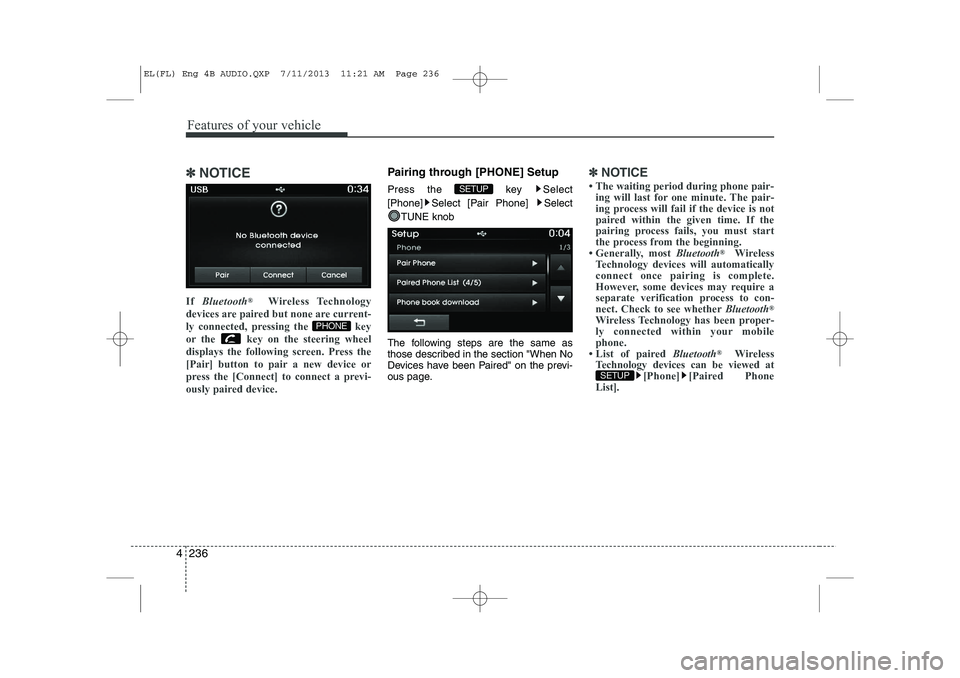
If Bluetooth ®
Wireless Technology
devices are paired but none are current-
ly connected, pressing the key
or the key on the steering wheel
displays the following screen. Press the
[Pair] button to pair a new device or
press the [Connect] to connect a previ-
ously paired device.Pairing through [PHONE] Setup
Press the key Select
[Phone] Select [Pair Phone] Select
TUNE knob
The following steps are the same as
those described in the section "When No
Devices have been Paired" on the previ-
ous page.✽✽ NOTICE