audio HYUNDAI IX35 2015 Repair Manual
[x] Cancel search | Manufacturer: HYUNDAI, Model Year: 2015, Model line: IX35, Model: HYUNDAI IX35 2015Pages: 550, PDF Size: 9.92 MB
Page 286 of 550
4 201
Features of your vehicle
Language Support (Unicode Support)1. English: 94 characters
2. Special characters and Symbols : 986
characters
❈ Languages other than Korean and
English (including Chinese) are not
included.
3. Text Display (Based on Unicode) - File name: Maximum 64 Englishcharacters
- Folder name: Max 32 English charac- ters❈ Using the scroll feature allows you
to see the entire name of files with
names that are too long to be dis-
played at once. Compatibility by Disc Type
1. Playing MIXED CDs: First plays the
audio CD, then plays the compressed
file(s).
2. Playing EXTRA CDs: First plays the audio CD, then plays the compressed
file(s).
3. Playing multisession CDs: Plays in order of sessions
- MIXED CD : CD type in which both MP3 and audio CD files are recog-
nized in one disc.
- Multisession CD CD type that includes more than two sessions.
Different from Extra CDs, multises-
sion CDs are recorded by sessions
and have no media limitation.
Precautions upon Writing CDs1. In all cases except when creating mul- tisession discs, check the close ses-
sion option before creating the disc.
Though product malfunctions will not
occur, some time may be required for
the device to check whether the ses-
sion state is closed (approximately 25
seconds). (Additional time may also be
required depending on the number of
folders or files.)
2. Changing the MP3/WMA file exten- sions or changing files of other exten-
sions to MP3/WMA may result in prod-
uct malfunction.
3. When naming files with MP3/WMA file extensions, write using only Korean
and English. (Languages other than
Korean and English are not supported
and are displayed as blank.)
4. Unauthorized use or duplication of music files are prohibited by law.
5. Prolonged use of CD-R/CD-RW discs that do not satisfy related standards
and/or specifications could result in
product malfunction.
6. Unauthorized use or duplication of MP3/WMA files is prohibited by law.
EL(FL) UK 4B AUDIO.QXP 3/13/2015 4:19 PM Page 201
Page 287 of 550
Features of your vehicle202
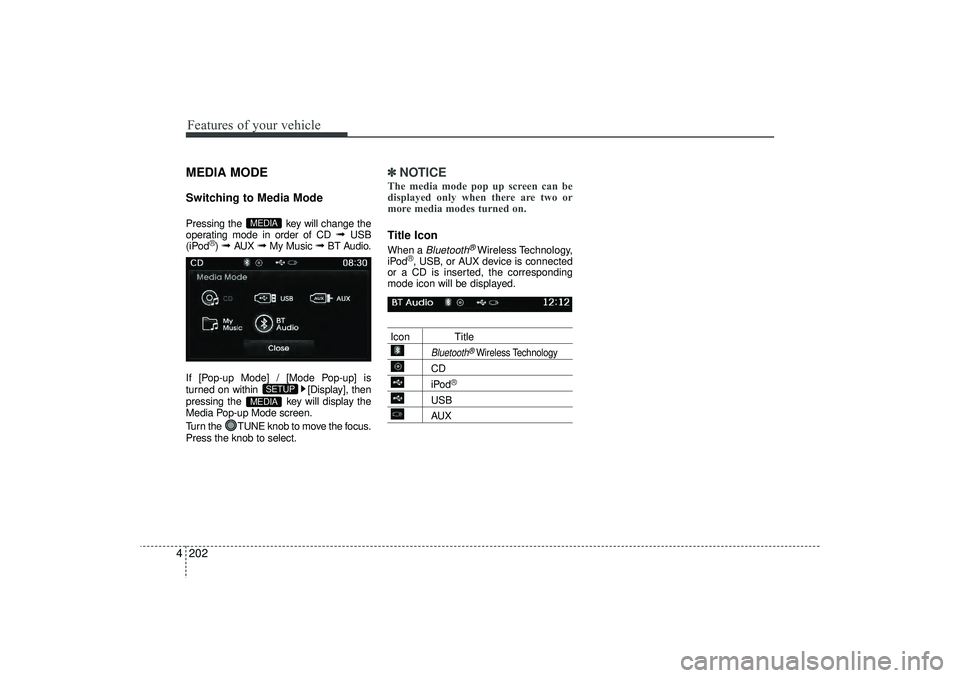
4MEDIA MODESwitching to Media ModePressing the key will change the
operating mode in order of CD
➟
USB
(iPod
®) ➟
AUX
➟
My Music
➟
BT Audio.
If [Pop-up Mode] / [Mode Pop-up] is
turned on within [Display], then
pressing the key will display the
Media Pop-up Mode screen.
Turn the TUNE knob to move the focus.
Press the knob to select.
✽ ✽ NOTICE The media mode pop up screen can be
displayed only when there are two or
more media modes turned on.Title Icon When a
Bluetooth
®Wireless Technology,
iPod
®, USB, or AUX device is connected
or a CD is inserted, the corresponding
mode icon will be displayed.
Icon Title
Bluetooth
®Wireless Technology
CDiPod
®
USBAUX
MEDIA
SETUP
MEDIA
EL(FL) UK 4B AUDIO.QXP 3/13/2015 4:19 PM Page 202
Page 288 of 550
4 203
Features of your vehicle
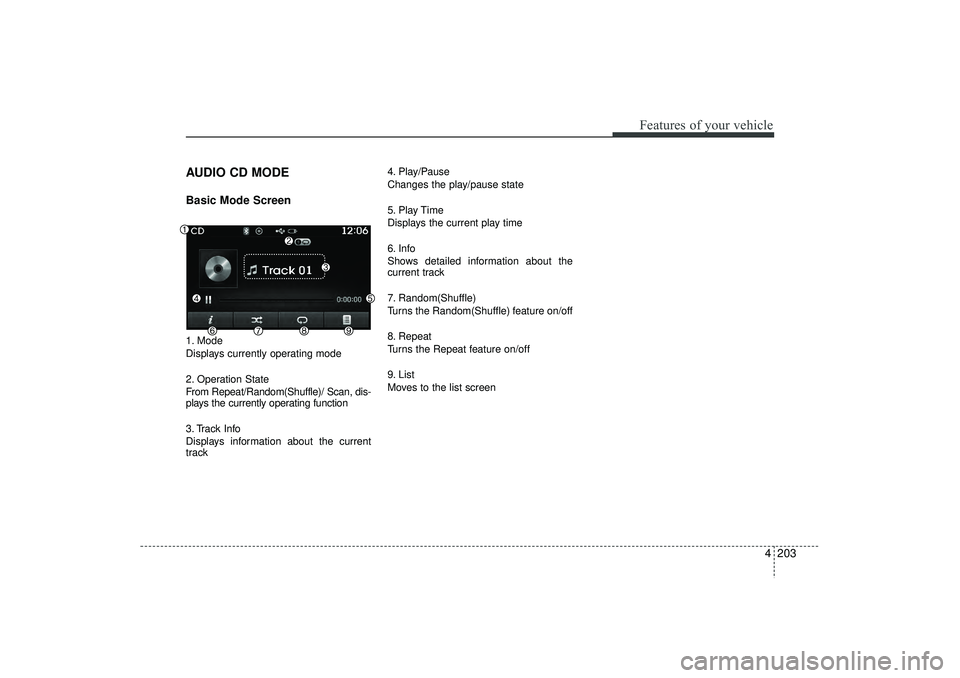
AUDIO CD MODEBasic Mode Screen1. Mode
Displays currently operating mode
2. Operation State
From Repeat/Random(Shuffle)/ Scan, dis-
plays the currently operating function
3. Track Info
Displays information about the current
track4. Play/Pause
Changes the play/pause state
5. Play Time
Displays the current play time
6. Info
Shows detailed information about the
current track
7. Random(Shuffle)
Turns the Random(Shuffle) feature on/off
8. Repeat
Turns the Repeat feature on/off
9. List
Moves to the list screen
EL(FL) UK 4B AUDIO.QXP 3/13/2015 4:19 PM Page 203
Page 289 of 550
Features of your vehicle204
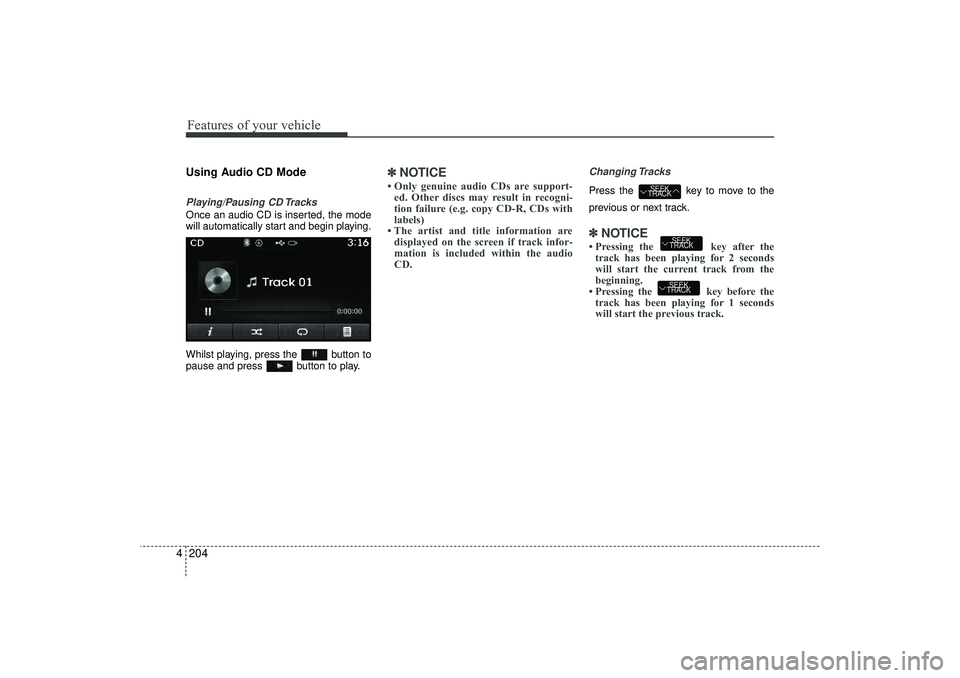
4Using Audio CD ModePlaying/Pausing CD TracksOnce an audio CD is inserted, the mode
will automatically start and begin playing.
Whilst playing, press the button to
pause and press button to play.
✽ ✽
NOTICE • Only genuine audio CDs are support-
ed. Other discs may result in recogni-
tion failure (e.g. copy CD-R, CDs with
labels)
• The artist and title information are displayed on the screen if track infor-
mation is included within the audio
CD.
Changing TracksPress the key to move to the
previous or next track.✽ ✽ NOTICE • Pressing the key after the
track has been playing for 2 seconds
will start the current track from the
beginning.
• Pressing the key before the track has been playing for 1 seconds
will start the previous track.
SEEK
TRACKSEEK
TRACK
SEEK
TRACK
EL(FL) UK 4B AUDIO.QXP 3/13/2015 4:19 PM Page 204
Page 290 of 550
4 205
Features of your vehicle
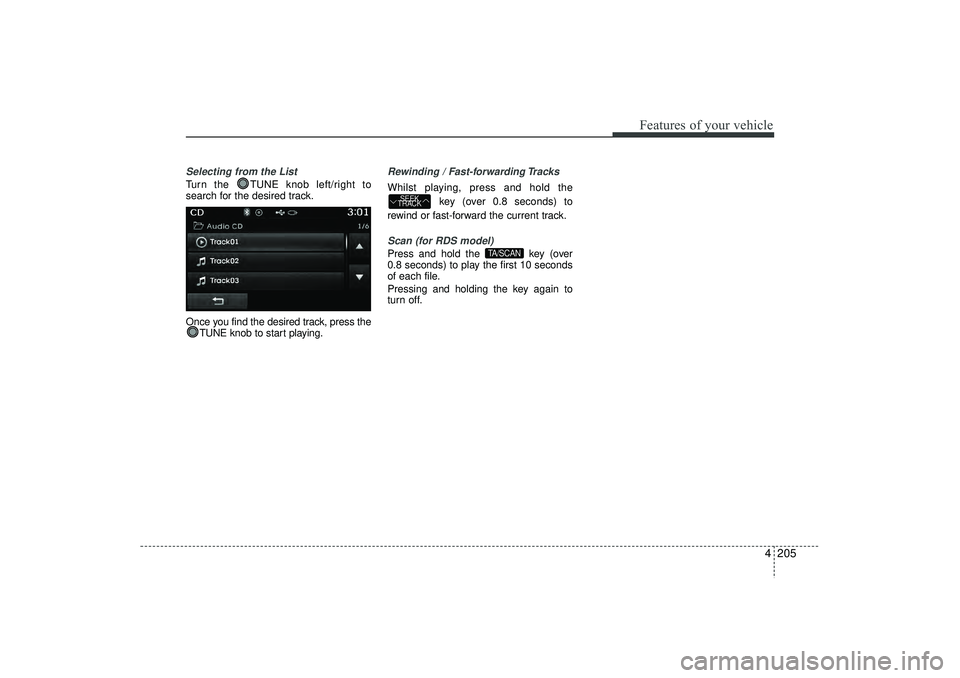
Selecting from the ListTurn the TUNE knob left/right to
search for the desired track.
Once you find the desired track, press theTUNE knob to start playing.
Rewinding / Fast-forwarding TracksWhilst playing, press and hold the
key (over 0.8 seconds) to
rewind or fast-forward the current track.Scan (for RDS model)Press and hold the key (over
0.8 seconds) to play the first 10 seconds
of each file.
Pressing and holding the key again to
turn off.
TA/SCAN
SEEK
TRACK
EL(FL) UK 4B AUDIO.QXP 3/13/2015 4:19 PM Page 205
Page 291 of 550
Features of your vehicle206
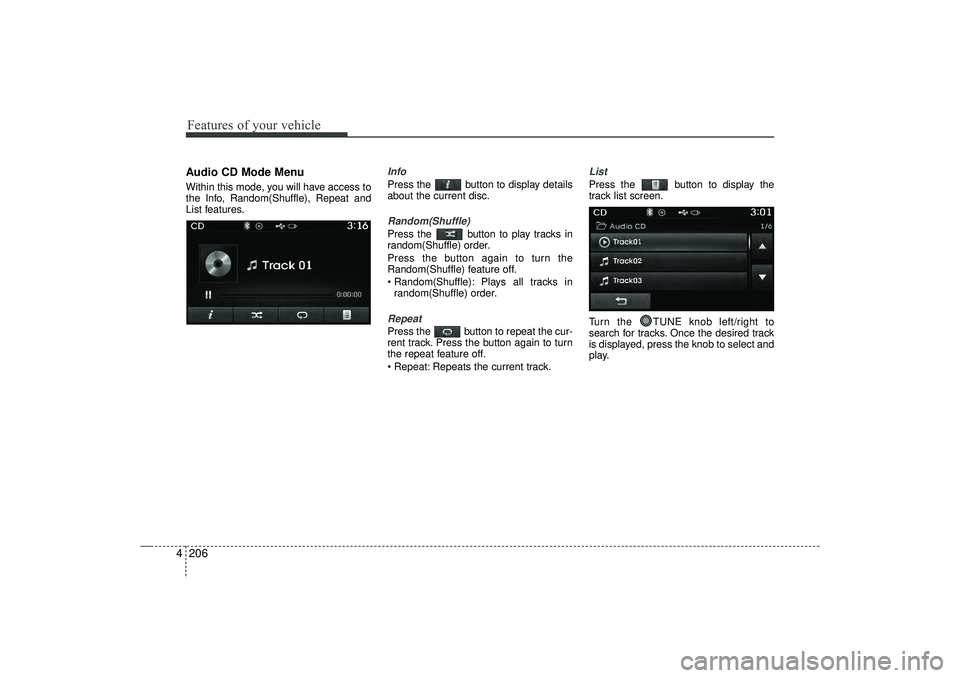
4Audio CD Mode MenuWithin this mode, you will have access to
the Info, Random(Shuffle), Repeat and
List features.
InfoPress the button to display details
about the current disc.Random(Shuffle)Press the button to play tracks in
random(Shuffle) order.
Press the button again to turn the
Random(Shuffle) feature off.
Random(Shuffle): Plays all tracks in
random(Shuffle) order.RepeatPress the button to repeat the cur-
rent track. Press the button again to turn
the repeat feature off.
Repeat: Repeats the current track.
ListPress the button to display the
track list screen.
Turn the TUNE knob left/right to
search for tracks. Once the desired track
is displayed, press the knob to select and
play.
EL(FL) UK 4B AUDIO.QXP 3/13/2015 4:19 PM Page 206
Page 292 of 550
4 207
Features of your vehicle
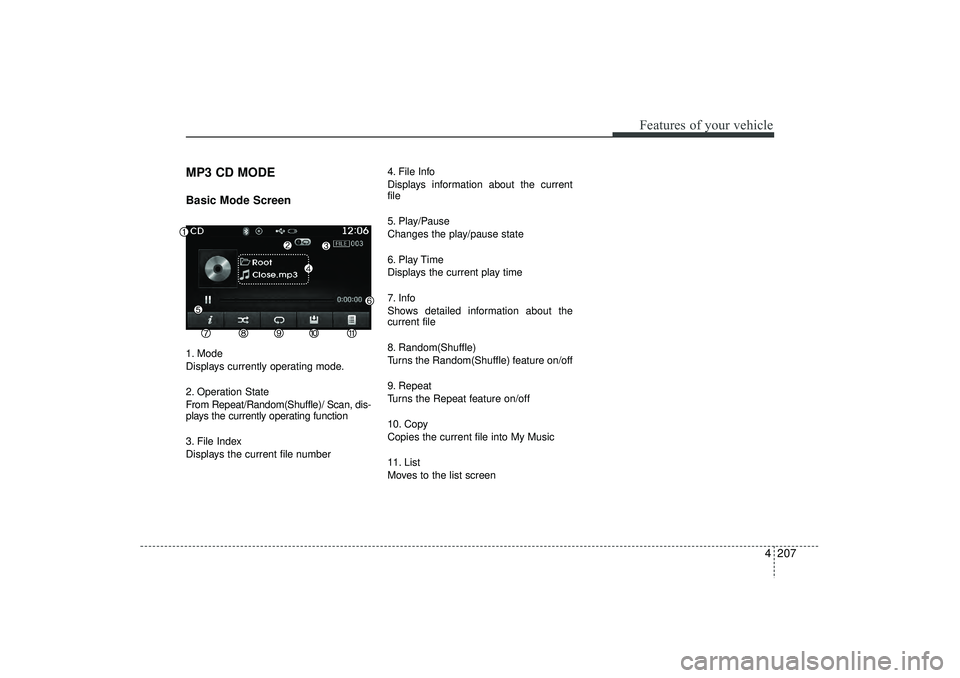
MP3 CD MODEBasic Mode Screen1. Mode
Displays currently operating mode.
2. Operation State
From Repeat/Random(Shuffle)/ Scan, dis-
plays the currently operating function
3. File Index
Displays the current file number4. File Info
Displays information about the current
file
5. Play/Pause
Changes the play/pause state
6. Play Time
Displays the current play time
7. Info
Shows detailed information about the
current file
8. Random(Shuffle)
Turns the Random(Shuffle) feature on/off
9. Repeat
Turns the Repeat feature on/off
10. Copy
Copies the current file into My Music
11. List
Moves to the list screen
EL(FL) UK 4B AUDIO.QXP 3/13/2015 4:19 PM Page 207
Page 293 of 550
Features of your vehicle208
4Using MP3 CD ModePlaying/Pausing MP3 FilesOnce an MP3 disc is inserted the mode
will automatically start and being playing.
Whilst playing, press the button to
pause and press button to play.✽ ✽
NOTICE If there are numerous files and folders
within the disc, reading time could take
more than 10 seconds and the list may
not be displayed or song searches may
not operate. Once loading is complete,
try again.
Changing FilesPress the key to move to the
previous or next file.✽ ✽ NOTICE • Pressing the key after the
file has been playing for 2 seconds will
start the current file from the begin-
ning.
• Pressing the key before the file has been playing for 1 seconds will
start the previous file.
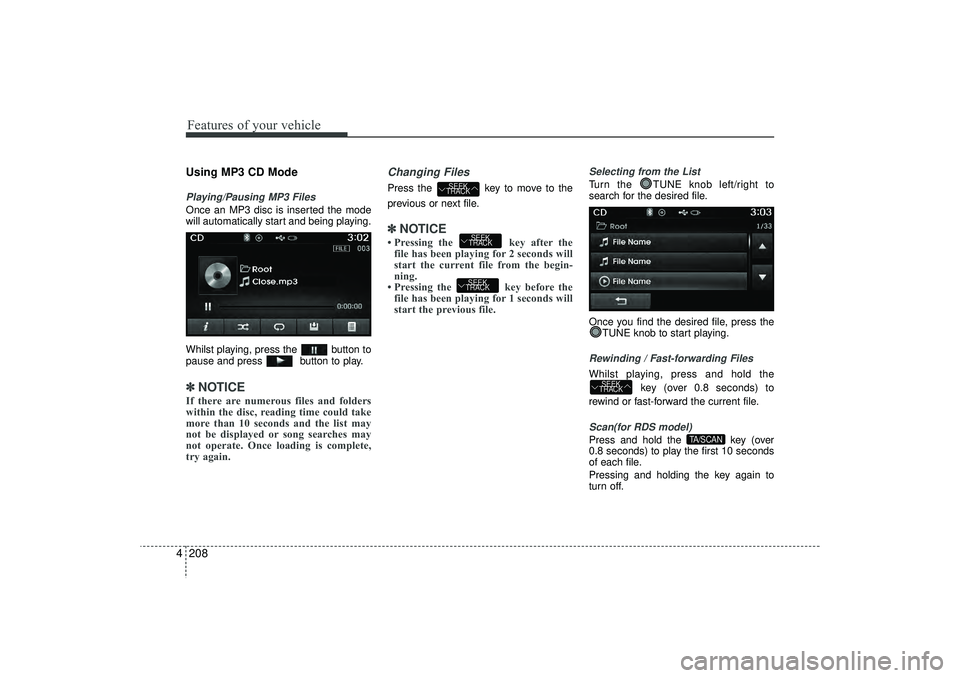
Selecting from the ListTurn the TUNE knob left/right to
search for the desired file.
Once you find the desired file, press the
TUNE knob to start playing.Rewinding / Fast-forwarding FilesWhilst playing, press and hold the
key (over 0.8 seconds) to
rewind or fast-forward the current file.Scan(for RDS model)Press and hold the key (over
0.8 seconds) to play the first 10 seconds
of each file.
Pressing and holding the key again to
turn off.
TA/SCAN
SEEK
TRACK
SEEK
TRACKSEEK
TRACK
SEEK
TRACK
EL(FL) UK 4B AUDIO.QXP 3/13/2015 4:19 PM Page 208
Page 294 of 550

4 209
Features of your vehicle
Searching FoldersPress the key to select and
search folders.
Once the desired folder is displayed,
press the TUNE knob to select.
The first file within the selected folder will
begin playing.
PTY
FOLDER
EL(FL) UK 4B AUDIO.QXP 3/13/2015 4:19 PM Page 209
Page 295 of 550
Features of your vehicle210
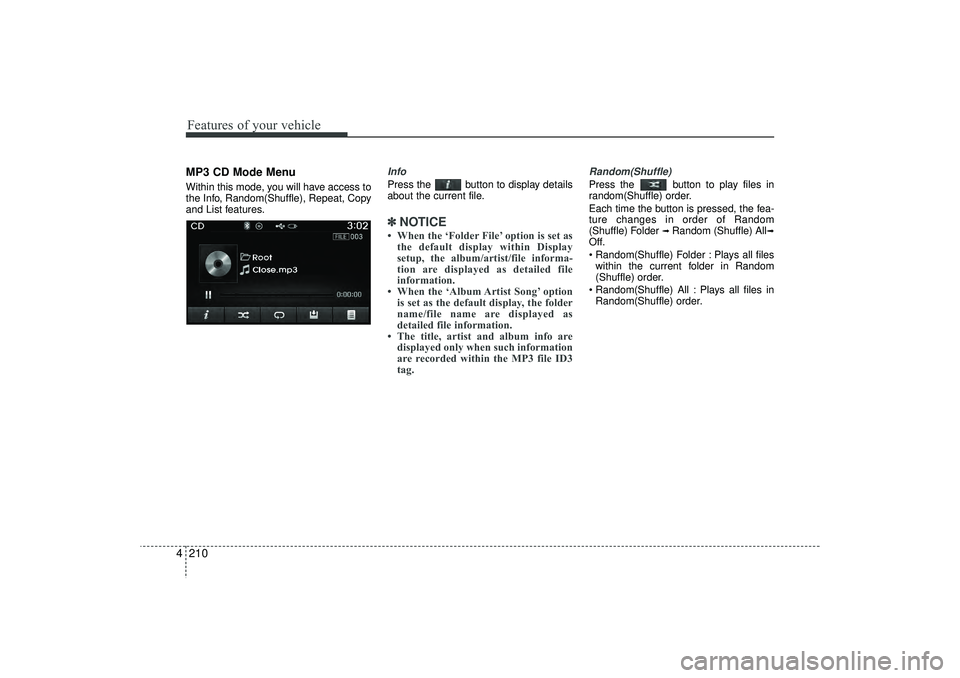
4MP3 CD Mode MenuWithin this mode, you will have access to
the Info, Random(Shuffle), Repeat, Copy
and List features.
InfoPress the button to display details
about the current file.✽ ✽
NOTICE • When the ‘Folder File’ option is set as
the default display within Display
setup, the album/artist/file informa-
tion are displayed as detailed file
information.
• When the ‘Album Artist Song’ option is set as the default display, the folder
name/file name are displayed as
detailed file information.
• The title, artist and album info are displayed only when such information
are recorded within the MP3 file ID3
tag.
Random(Shuffle)Press the button to play files in
random(Shuffle) order.
Each time the button is pressed, the fea-
ture changes in order of Random
(Shuffle) Folder
➟ Random (Shuffle) All
➟
Off.
Random(Shuffle) Folder : Plays all files
within the current folder in Random
(Shuffle) order.
Random(Shuffle) All : Plays all files in Random(Shuffle) order.
EL(FL) UK 4B AUDIO.QXP 3/13/2015 4:19 PM Page 210