display HYUNDAI IX35 2016 Owner's Manual
[x] Cancel search | Manufacturer: HYUNDAI, Model Year: 2016, Model line: IX35, Model: HYUNDAI IX35 2016Pages: 550, PDF Size: 9.92 MB
Page 170 of 550
485
Features of your vehicle
Front/Rear parking assist system
type (if equipped)The front/rear parking assist system
detects the object distance by using the
front/rear sensor and front side sensor.
When you select the smart parking assist
system*, the front/rear parking assist
system will be operated.
When it is the step controlling the steer-
ing wheel if you cancel the front/rear
parking assist system, the smart parking
assist system will be cancelled.
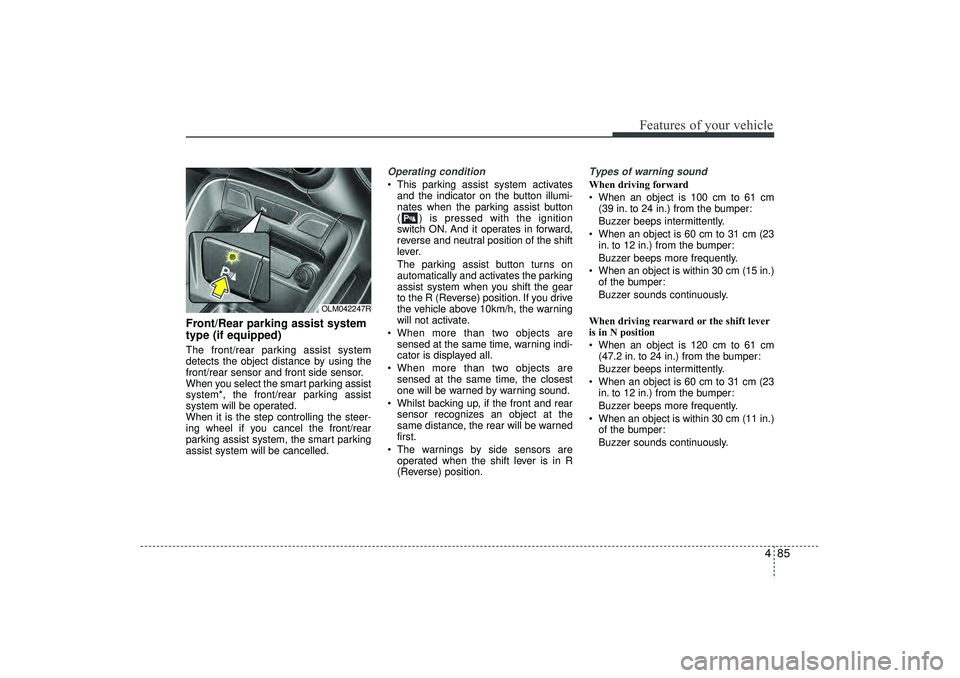
Operating condition This parking assist system activatesand the indicator on the button illumi-
nates when the parking assist button
( ) is pressed with the ignition
switch ON. And it operates in forward,
reverse and neutral position of the shift
lever.
The parking assist button turns on
automatically and activates the parking
assist system when you shift the gear
to the R (Reverse) position. If you drive
the vehicle above 10km/h, the warning
will not activate.
When more than two objects are sensed at the same time, warning indi-
cator is displayed all.
When more than two objects are sensed at the same time, the closest
one will be warned by warning sound.
Whilst backing up, if the front and rear sensor recognizes an object at the
same distance, the rear will be warned
first.
The warnings by side sensors are operated when the shift lever is in R
(Reverse) position.
Types of warning soundWhen driving forward
When an object is 100 cm to 61 cm (39 in. to 24 in.) from the bumper:
Buzzer beeps intermittently.
When an object is 60 cm to 31 cm (23 in. to 12 in.) from the bumper:
Buzzer beeps more frequently.
When an object is within 30 cm (15 in.) of the bumper:
Buzzer sounds continuously.
When driving rearward or the shift lever
is in N position
When an object is 120 cm to 61 cm (47.2 in. to 24 in.) from the bumper:
Buzzer beeps intermittently.
When an object is 60 cm to 31 cm (23 in. to 12 in.) from the bumper:
Buzzer beeps more frequently.
When an object is within 30 cm (11 in.) of the bumper:
Buzzer sounds continuously.
OLM042247R
EL(FL) UK 4A.QXP 2/9/2015 9:05 PM Page 85
Page 176 of 550
491
Features of your vehicle
Operation wayBefore operating the smart parking assist
system, confirm the condition that is pos-
sible to use. For safety, always operate it
by applying the brake pedal under any
condition, for example before each step,
whilst pressing the ON/OFF button of this
system or shifting the lever, etc.
When vehicle is parked by using the
smart parking assist system, general
steps are followings
1. The smart parking assist system select
2. Parking mode select
3. Parking space search : Direct way driv-ing
4. Search complete : Automatic search by sensor
However, before parking, real parking
environment confirmations are needed
for driver. 5. Steering wheel support (Rear Parking
type)
(1) Operate shift lever by display in cluster
(2) Always drive slowly with applying to brake
6. Smart parking assist system complete
7. If required, move vehicle to manual operation
According to parking space, select
mode, and surrounding environment, the
sequence of display or situation could be
changed. Refer to next operation way.
(Continued)
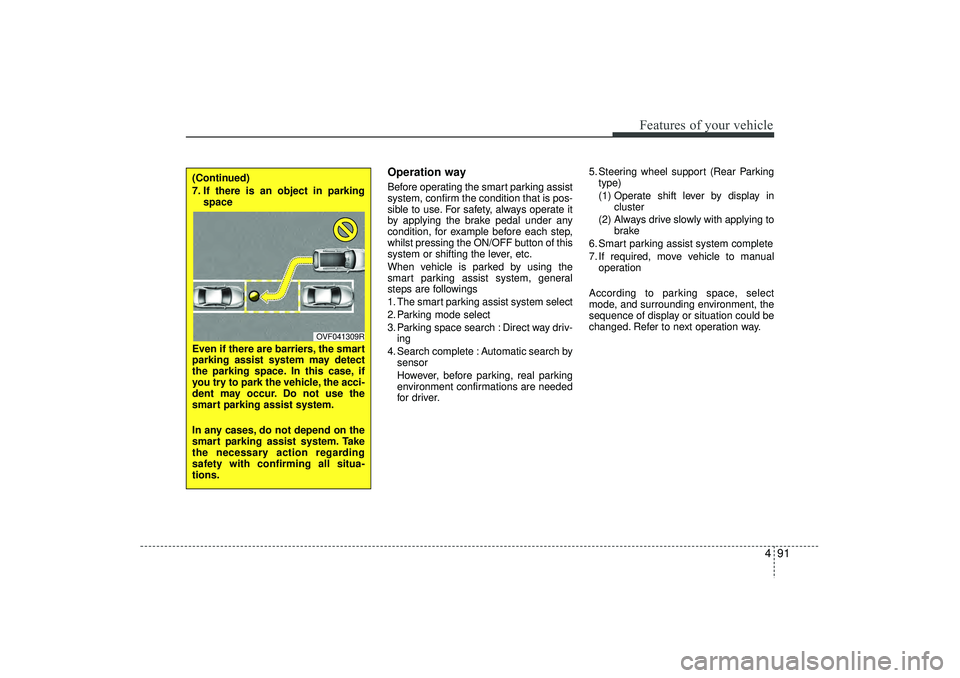
7. If there is an object in parking space
Even if there are barriers, the smart
parking assist system may detect
the parking space. In this case, if
you try to park the vehicle, the acci-
dent may occur. Do not use the
smart parking assist system.
In any cases, do not depend on the
smart parking assist system. Take
the necessary action regarding
safety with confirming all situa-
tions.
OVF041309R
EL(FL) UK 4A.QXP 2/9/2015 9:05 PM Page 91
Page 177 of 550
Features of your vehicle92
41. Smart parking assist system
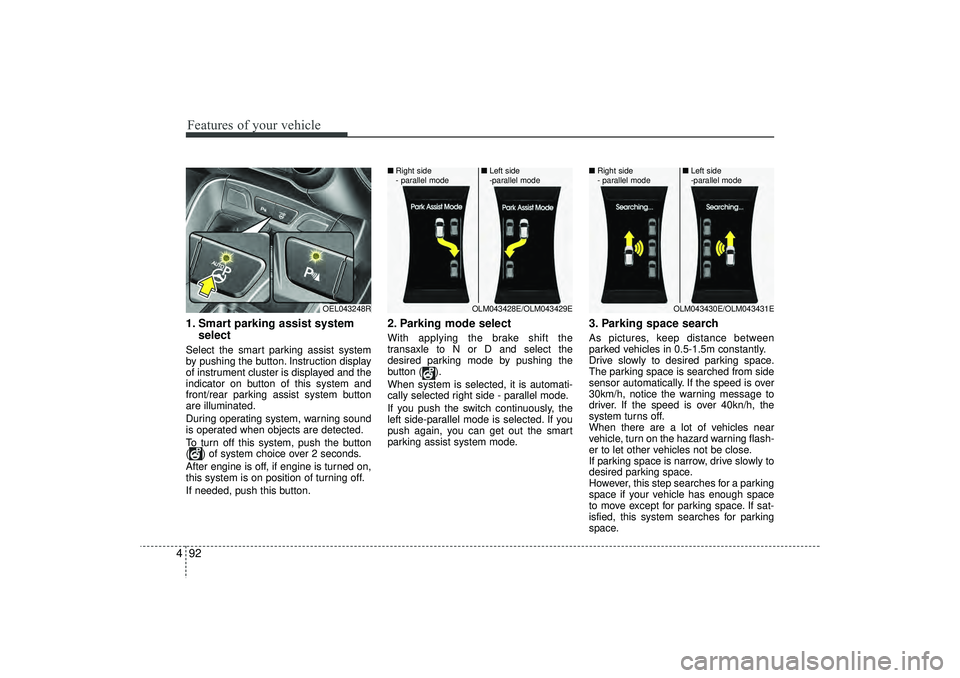
selectSelect the smart parking assist system
by pushing the button. Instruction display
of instrument cluster is displayed and the
indicator on button of this system and
front/rear parking assist system button
are illuminated.
During operating system, warning sound
is operated when objects are detected.
To turn off this system, push the button
( ) of system choice over 2 seconds.
After engine is off, if engine is turned on,
this system is on position of turning off.
If needed, push this button.
2. Parking mode selectWith applying the brake shift the
transaxle to N or D and select the
desired parking mode by pushing the
button ( ).
When system is selected, it is automati-
cally selected right side - parallel mode.
If you push the switch continuously, the
left side-parallel mode is selected. If you
push again, you can get out the smart
parking assist system mode.
3. Parking space searchAs pictures, keep distance between
parked vehicles in 0.5-1.5m constantly.
Drive slowly to desired parking space.
The parking space is searched from side
sensor automatically. If the speed is over
30km/h, notice the warning message to
driver. If the speed is over 40kn/h, the
system turns off.
When there are a lot of vehicles near
vehicle, turn on the hazard warning flash-
er to let other vehicles not be close.
If parking space is narrow, drive slowly to
desired parking space.
However, this step searches for a parking
space if your vehicle has enough space
to move except for parking space. If sat-
isfied, this system searches for parking
space.
OEL043248R
OLM043428E/OLM043429E
■
Right side
- parallel mode ■
Left side
-parallel mode
OLM043430E/OLM043431E
■
Right side
- parallel mode ■
Left side
-parallel mode
EL(FL) UK 4A.QXP 2/9/2015 9:06 PM Page 92
Page 183 of 550
Features of your vehicle98
4
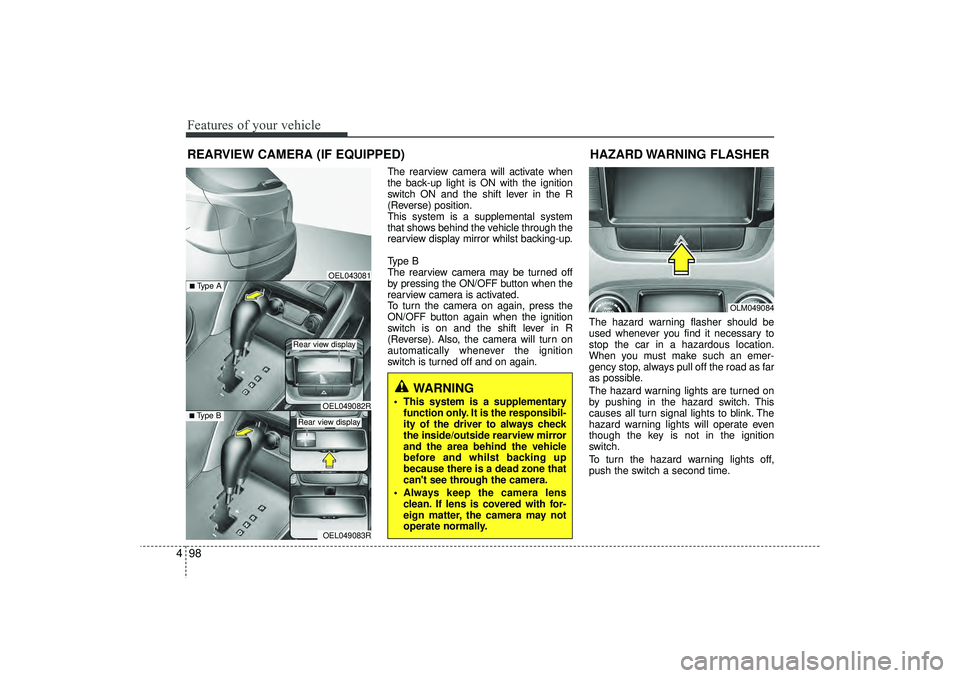
The rearview camera will activate when
the back-up light is ON with the ignition
switch ON and the shift lever in the R
(Reverse) position.
This system is a supplemental system
that shows behind the vehicle through the
rearview display mirror whilst backing-up.
Type B
The rearview camera may be turned off
by pressing the ON/OFF button when the
rearview camera is activated.
To turn the camera on again, press the
ON/OFF button again when the ignition
switch is on and the shift lever in R
(Reverse). Also, the camera will turn on
automatically whenever the ignition
switch is turned off and on again. The hazard warning flasher should be
used whenever you find it necessary to
stop the car in a hazardous location.
When you must make such an emer-
gency stop, always pull off the road as far
as possible.
The hazard warning lights are turned on
by pushing in the hazard switch. This
causes all turn signal lights to blink. The
hazard warning lights will operate even
though the key is not in the ignition
switch.
To turn the hazard warning lights off,
push the switch a second time.
REARVIEW CAMERA (IF EQUIPPED)
WARNING
This system is a supplementary
function only. It is the responsibil-
ity of the driver to always check
the inside/outside rearview mirror
and the area behind the vehicle
before and whilst backing up
because there is a dead zone that
can't see through the camera.
Always keep the camera lens clean. If lens is covered with for-
eign matter, the camera may not
operate normally.
OEL043081
OLM049084
HAZARD WARNING FLASHER
OEL049083R
■Type B
OEL049082R
■Type A
Rear view display Rear view display
EL(FL) UK 4A.QXP 2/9/2015 9:06 PM Page 98
Page 209 of 550
Features of your vehicle124
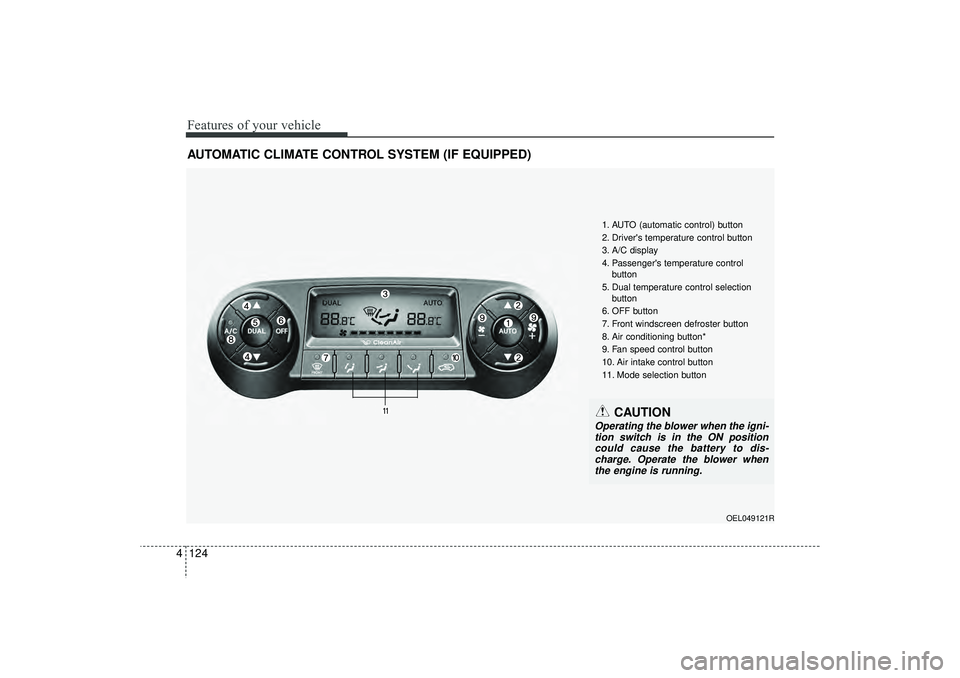
4AUTOMATIC CLIMATE CONTROL SYSTEM (IF EQUIPPED)
OEL049121R
1. AUTO (automatic control) button
2. Driver's temperature control button
3. A/C display
4. Passenger's temperature control
button
5. Dual temperature control selection button
6. OFF button
7. Front windscreen defroster button
8. Air conditioning button*
9. Fan speed control button
10. Air intake control button
11. Mode selection button
CAUTION
Operating the blower when the igni- tion switch is in the ON position could cause the battery to dis-charge. Operate the blower whenthe engine is running.
EL(FL) UK 4A.QXP 2/9/2015 9:08 PM Page 124
Page 210 of 550
4 125
Features of your vehicle
Automatic heating and air condi-
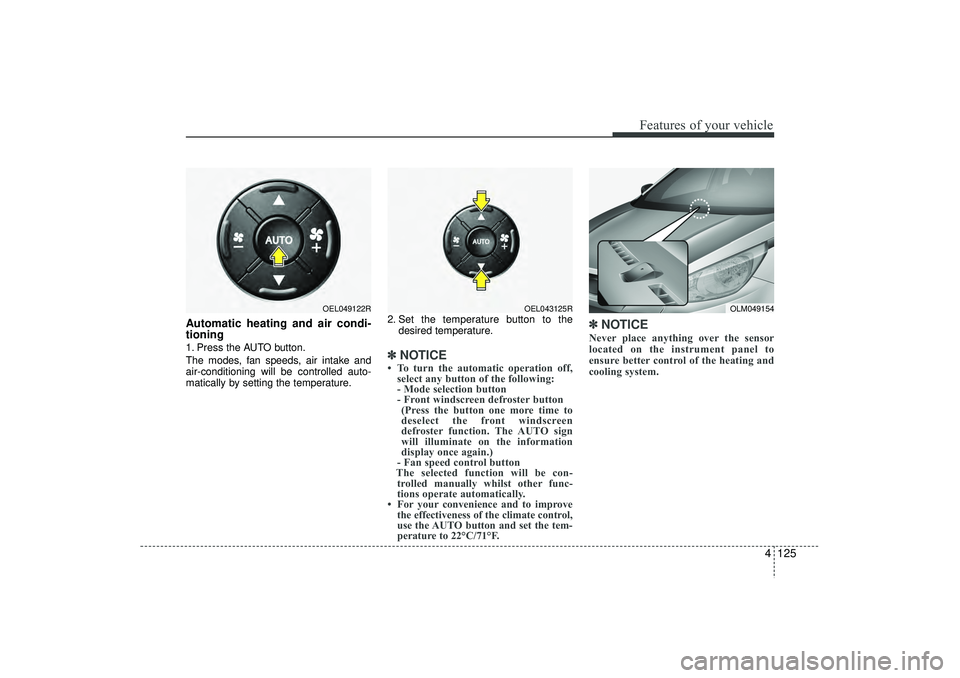
tioning1. Press the AUTO button.
The modes, fan speeds, air intake and
air-conditioning will be controlled auto-
matically by setting the temperature.2. Set the temperature button to the
desired temperature.
✽ ✽NOTICE• To turn the automatic operation off,
select any button of the following:
- Mode selection button
- Front windscreen defroster button (Press the button one more time to
deselect the front windscreen
defroster function. The AUTO sign
will illuminate on the information
display once again.)
- Fan speed control button
The selected function will be con- trolled manually whilst other func-
tions operate automatically.
• For your convenience and to improve the effectiveness of the climate control,
use the AUTO button and set the tem-
perature to 22°C/71°F.
✽ ✽ NOTICENever place anything over the sensor
located on the instrument panel to
ensure better control of the heating and
cooling system.
OLM049154
OEL049122R
OEL043125R
EL(FL) UK 4A.QXP 2/9/2015 9:08 PM Page 125
Page 213 of 550
Features of your vehicle128
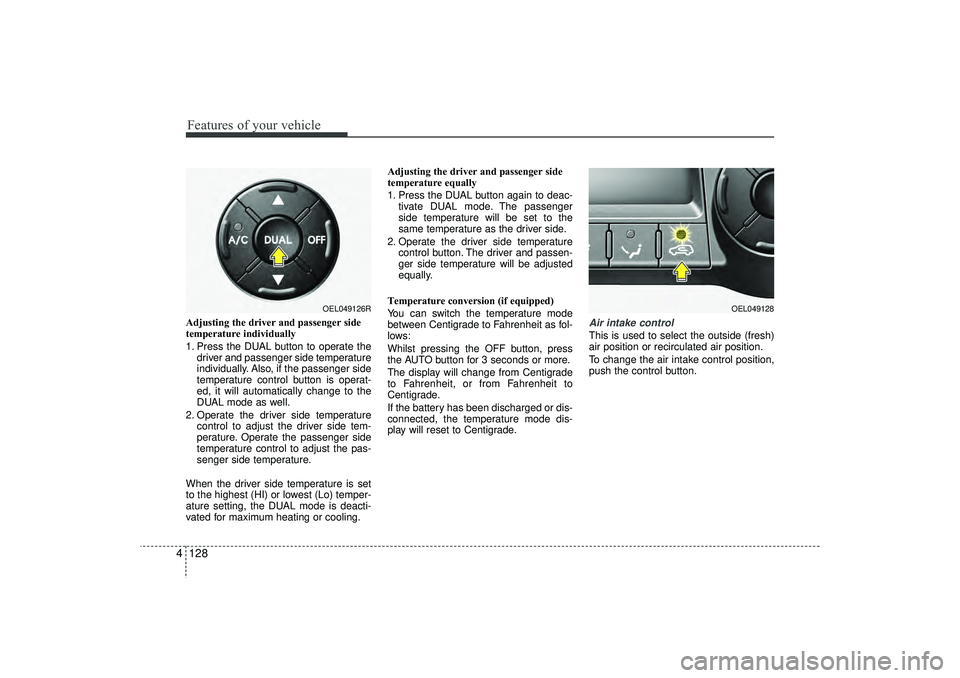
4Adjusting the driver and passenger side
temperature individually
1. Press the DUAL button to operate the
driver and passenger side temperature
individually. Also, if the passenger side
temperature control button is operat-
ed, it will automatically change to the
DUAL mode as well.
2. Operate the driver side temperature control to adjust the driver side tem-
perature. Operate the passenger side
temperature control to adjust the pas-
senger side temperature.
When the driver side temperature is set
to the highest (HI) or lowest (Lo) temper-
ature setting, the DUAL mode is deacti-
vated for maximum heating or cooling. Adjusting the driver and passenger side
temperature equally
1. Press the DUAL button again to deac-
tivate DUAL mode. The passenger
side temperature will be set to the
same temperature as the driver side.
2. Operate the driver side temperature control button. The driver and passen-
ger side temperature will be adjusted
equally.
Temperature conversion (if equipped)
You can switch the temperature mode
between Centigrade to Fahrenheit as fol-
lows:
Whilst pressing the OFF button, press
the AUTO button for 3 seconds or more.
The display will change from Centigrade
to Fahrenheit, or from Fahrenheit to
Centigrade.
If the battery has been discharged or dis-
connected, the temperature mode dis-
play will reset to Centigrade.
Air intake controlThis is used to select the outside (fresh)
air position or recirculated air position.
To change the air intake control position,
push the control button.
OEL049126R
OEL049128
EL(FL) UK 4A.QXP 2/9/2015 9:08 PM Page 128
Page 225 of 550
Features of your vehicle140
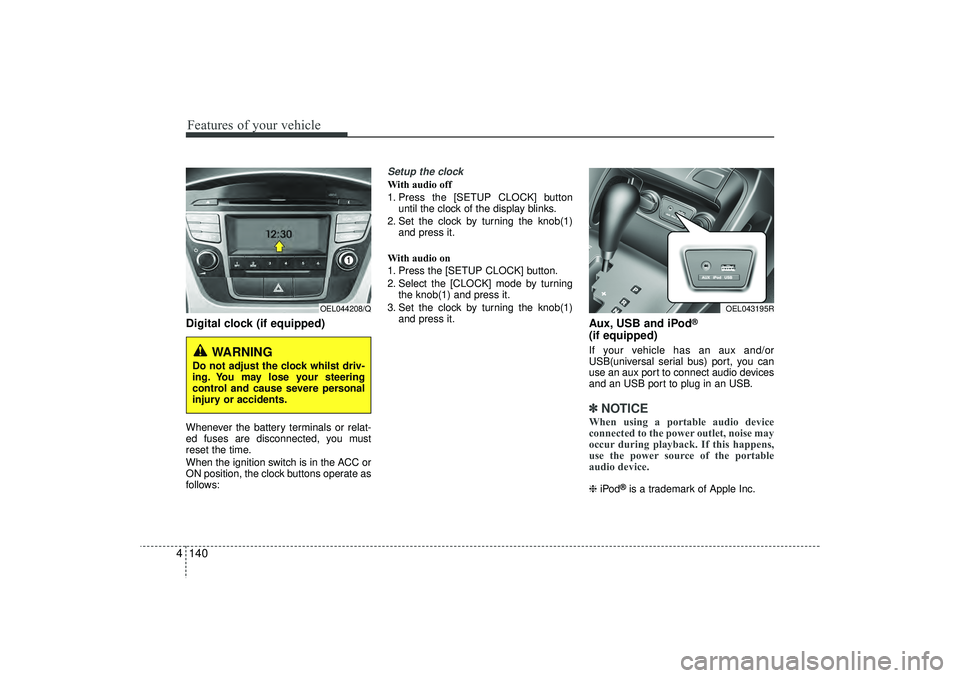
4Digital clock (if equipped)Whenever the battery terminals or relat-
ed fuses are disconnected, you must
reset the time.
When the ignition switch is in the ACC or
ON position, the clock buttons operate as
follows:
Setup the clockWith audio off
1. Press the [SETUP CLOCK] button
until the clock of the display blinks.
2. Set the clock by turning the knob(1) and press it.
With audio on
1. Press the [SETUP CLOCK] button.
2. Select the [CLOCK] mode by turning the knob(1) and press it.
3. Set the clock by turning the knob(1) and press it.
Aux, USB and iPod
®
(if equipped)If your vehicle has an aux and/or
USB(universal serial bus) port, you can
use an aux port to connect audio devices
and an USB port to plug in an USB.✽ ✽NOTICEWhen using a portable audio device
connected to the power outlet, noise may
occur during playback. If this happens,
use the power source of the portable
audio device. ❈ iPod
®is a trademark of Apple Inc.
WARNING
Do not adjust the clock whilst driv-
ing. You may lose your steering
control and cause severe personal
injury or accidents.
OEL044208/Q
OEL043195R
EL(FL) UK 4A.QXP 2/9/2015 9:09 PM Page 140
Page 234 of 550
4 149
Features of your vehicle
Caring for disc If the temperature inside the car is toohigh, open the car windows to ventilate
before using the system.
It is illegal to copy and use MP3/WMA files without permission. Use CDs that
are created only by lawful means.
Do not apply volatile agents, such as benzene and thinner, normal cleaners
and magnetic sprays made for ana-
logue disc onto CDs.
To prevent the disc surface from get- ting damaged, hold CDs by the edges
or the centre hole only.
Clean the disc surface with a piece of soft cloth before playback (wipe it from
the centre to the outside edge).
Do not damage the disc surface or attach pieces of sticky tape or paper.
Make certain only CDs are inserted into the CD player (Do not insert more
than one CD at a time).
Keep CDs in their cases after use to protect them from scratches or dirt.
Depending on the type of CD-R/CD- RW CDs, certain CDs may not operate
normally according to manufacturing
companies or making and recording
methods. In such circumstances, con-
tinued use may cause malfunctions to
your audio system.
✽ ✽ NOTICE -
Playing an
Incompatible Copy
Protected Audio CD
Some copy protected CDs, which do not
comply with international audio CD
standards (Red Book), may not play on
your car audio. Please note that inabili-
ties to properly play a copy protected
CD may indicate that the CD is defec-
tive, not the CD player.
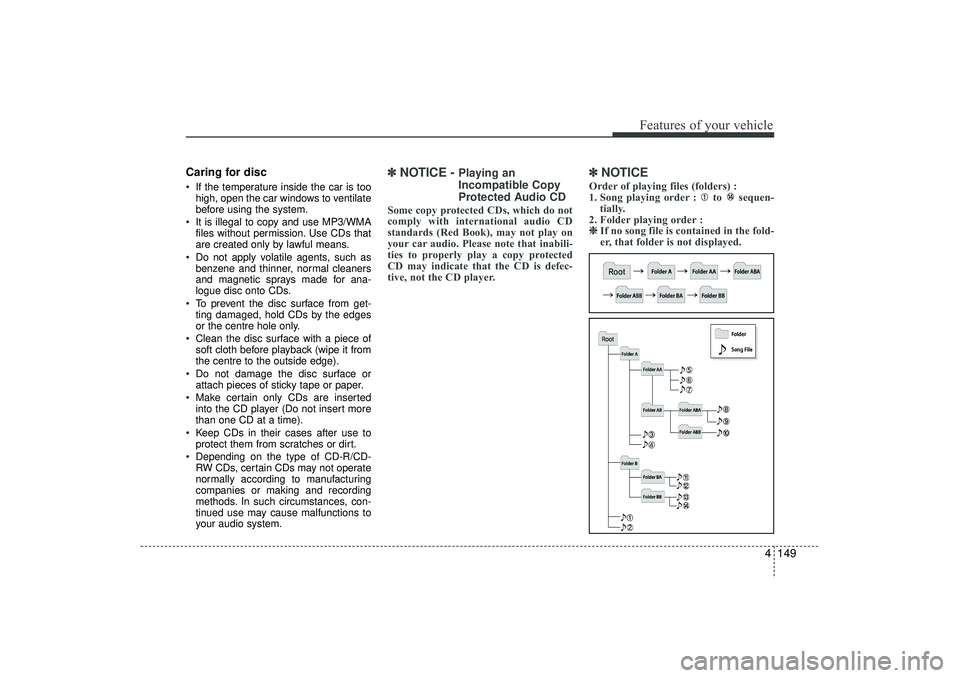
✽ ✽NOTICE Order of playing files (folders) :
1. Song playing order : to sequen-
tially.
2. Folder playing order : ❈ ❈ If no song file is contained in the fold-
er, that folder is not displayed.
EL(FL) UK 4B AUDIO.QXP 3/13/2015 4:19 PM Page 149
Page 241 of 550
Features of your vehicle156
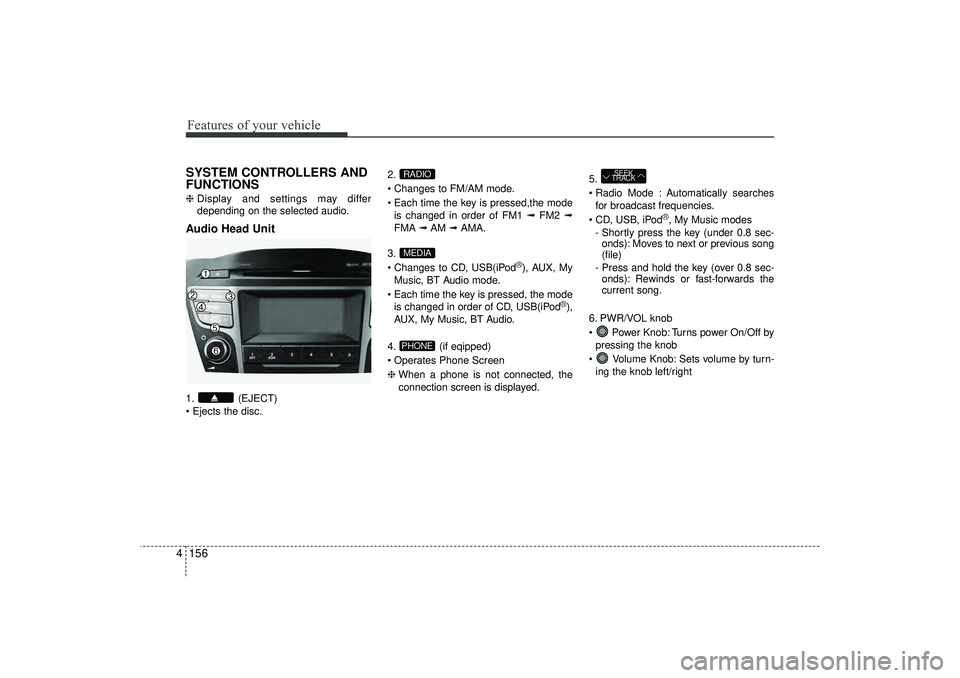
4SYSTEM CONTROLLERS AND
FUNCTIONS❈ Display and settings may differ
depending on the selected audio.Audio Head Unit1. (EJECT)
Ejects the disc. 2.
Changes to FM/AM mode.
Each time the key is pressed,the mode
is changed in order of FM1 ➟ FM2 ➟
FMA ➟AM ➟AMA.
3.
Changes to CD, USB(iPod
®), AUX, My
Music, BT Audio mode.
Each time the key is pressed, the mode is changed in order of CD, USB(iPod
®),
AUX, My Music, BT Audio.
4. (if eqipped)
Operates Phone Screen
❈ When a phone is not connected, the
connection screen is displayed. 5.
Radio Mode : Automatically searches
for broadcast frequencies.
CD, USB, iPod
®, My Music modes
- Shortly press the key (under 0.8 sec- onds): Moves to next or previous song
(file)
- Press and hold the key (over 0.8 sec- onds): Rewinds or fast-forwards the
current song.
6. PWR/VOL knob
Power Knob: Turns power On/Off by pressing the knob
Volume Knob: Sets volume by turn- ing the knob left/right
SEEK
TRACK
PHONEMEDIARADIO
EL(FL) UK 4B AUDIO.QXP 3/13/2015 4:19 PM Page 156