ESP HYUNDAI IX35 2016 Owner's Guide
[x] Cancel search | Manufacturer: HYUNDAI, Model Year: 2016, Model line: IX35, Model: HYUNDAI IX35 2016Pages: 550, PDF Size: 9.92 MB
Page 272 of 550
4 187
Features of your vehicle
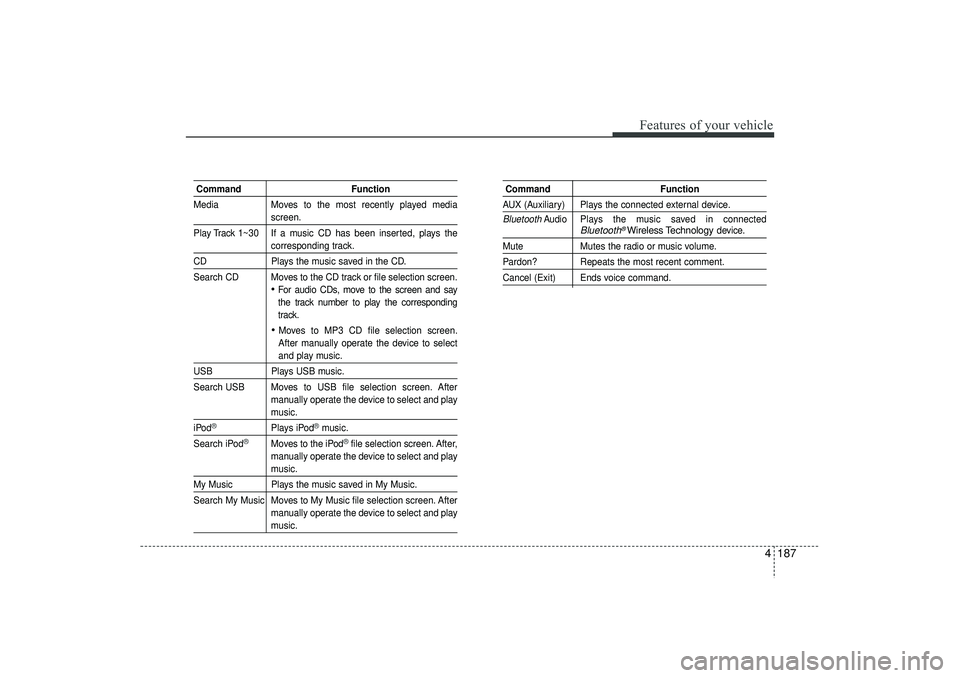
CommandFunction
Media Moves to the most recently played media
screen.
Play Track 1~30 If a music CD has been inserted, plays thecorresponding track.
CD Plays the music saved in the CD.
Search CD Moves to the CD track or file selection screen.
For audio CDs, move to the screen and say
the track number to play the corresponding
track. Moves to MP3 CD file selection screen.
After manually operate the device to selectand play music.
USB Plays USB music.
Search USB Moves to USB file selection screen. After manually operate the device to select and play
music.
iPod
®
Plays iPod
®music.
Search iPod
®
Moves to the iPod
®file selection screen. After,
manually operate the device to select and play
music.
My Music Plays the music saved in My Music.
Search My Music Moves to My Music file selection screen. After manually operate the device to select and play
music.
Command FunctionAUX (Auxiliary) Plays the connected external device.Bluetooth
Audio Plays the music saved in connected
Bluetooth
®Wireless Technology
device.
Mute Mutes the radio or music volume.Pardon? Repeats the most recent comment.Cancel (Exit) Ends voice command.
EL(FL) UK 4B AUDIO.QXP 3/13/2015 4:19 PM Page 187
Page 273 of 550
Features of your vehicle188
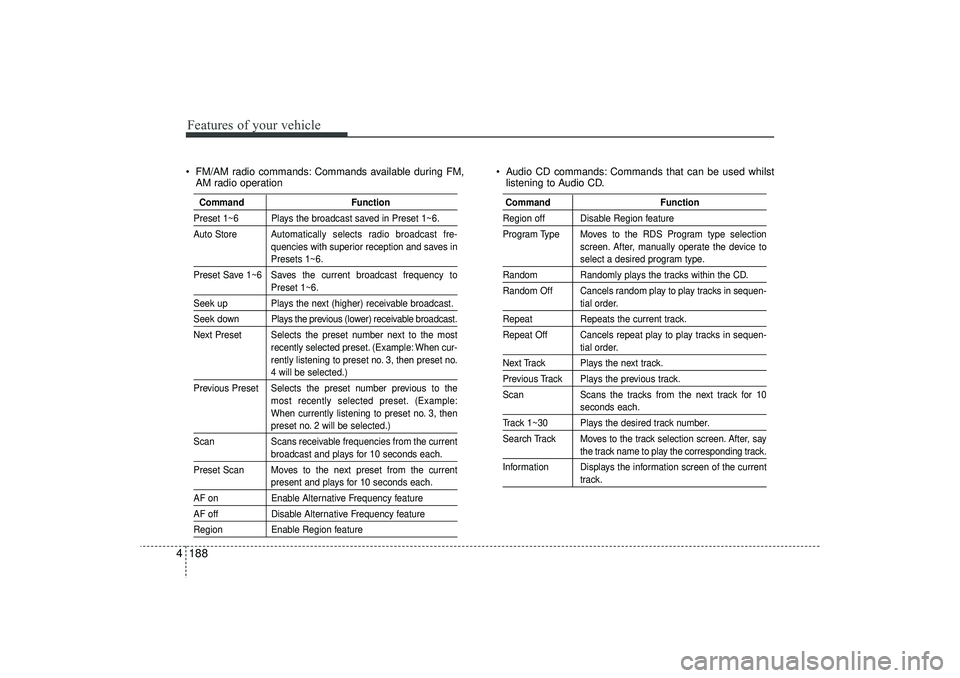
4 FM/AM radio commands: Commands available during FM,
AM radio operation Audio CD commands: Commands that can be used whilst
listening to Audio CD.
Command FunctionPreset 1~6 Plays the broadcast saved in Preset 1~6.
Auto Store Automatically selects radio broadcast fre-
quencies with superior reception and saves in
Presets 1~6.
Preset Save 1~6 Saves the current broadcast frequency toPreset 1~6.
Seek up Plays the next (higher) receivable broadcast.Seek down Plays the previous (lower) receivable broadcast.
Next Preset Selects the preset number next to the most recently selected preset. (Example: When cur-
rently listening to preset no. 3, then preset no.
4 will be selected.)
Previous Preset Selects the preset number previous to the most recently selected preset. (Example:
When currently listening to preset no. 3, thenpreset no. 2 will be selected.)
Scan Scans receivable frequencies from the currentbroadcast and plays for 10 seconds each.
Preset Scan Moves to the next preset from the currentpresent and plays for 10 seconds each.
AF on Enable Alternative Frequency featureAF offDisable Alternative Frequency featureRegionEnable Region feature
Command FunctionRegion off Disable Region feature
Program Type Moves to the RDS Program type selection
screen. After, manually operate the device to
select a desired program type.
Random Randomly plays the tracks within the CD.
Random Off Cancels random play to play tracks in sequen-
tial order.
Repeat Repeats the current track.
Repeat Off Cancels repeat play to play tracks in sequen-
tial order.
Next Track Plays the next track.Previous Track Plays the previous track.
Scan Scans the tracks from the next track for 10
seconds each.
Track 1~30 Plays the desired track number.
Search Track Moves to the track selection screen. After, say
the track name to play the corresponding track.
Information Displays the information screen of the currenttrack.
EL(FL) UK 4B AUDIO.QXP 3/13/2015 4:19 PM Page 188
Page 287 of 550
Features of your vehicle202
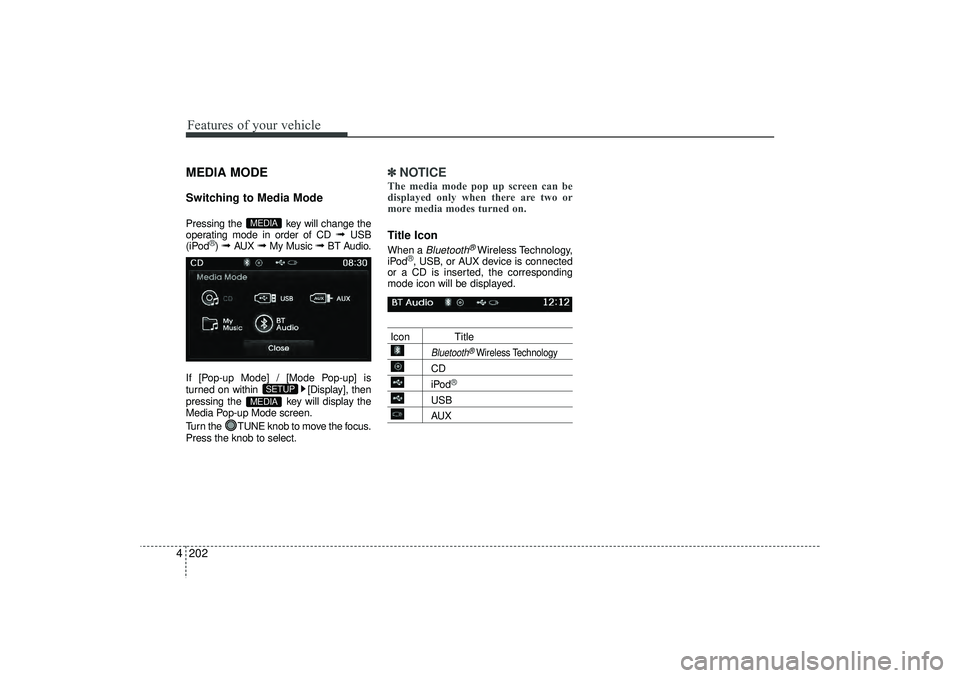
4MEDIA MODESwitching to Media ModePressing the key will change the
operating mode in order of CD
➟
USB
(iPod
®) ➟
AUX
➟
My Music
➟
BT Audio.
If [Pop-up Mode] / [Mode Pop-up] is
turned on within [Display], then
pressing the key will display the
Media Pop-up Mode screen.
Turn the TUNE knob to move the focus.
Press the knob to select.
✽ ✽ NOTICE The media mode pop up screen can be
displayed only when there are two or
more media modes turned on.Title Icon When a
Bluetooth
®Wireless Technology,
iPod
®, USB, or AUX device is connected
or a CD is inserted, the corresponding
mode icon will be displayed.
Icon Title
Bluetooth
®Wireless Technology
CDiPod
®
USBAUX
MEDIA
SETUP
MEDIA
EL(FL) UK 4B AUDIO.QXP 3/13/2015 4:19 PM Page 202
Page 293 of 550
Features of your vehicle208
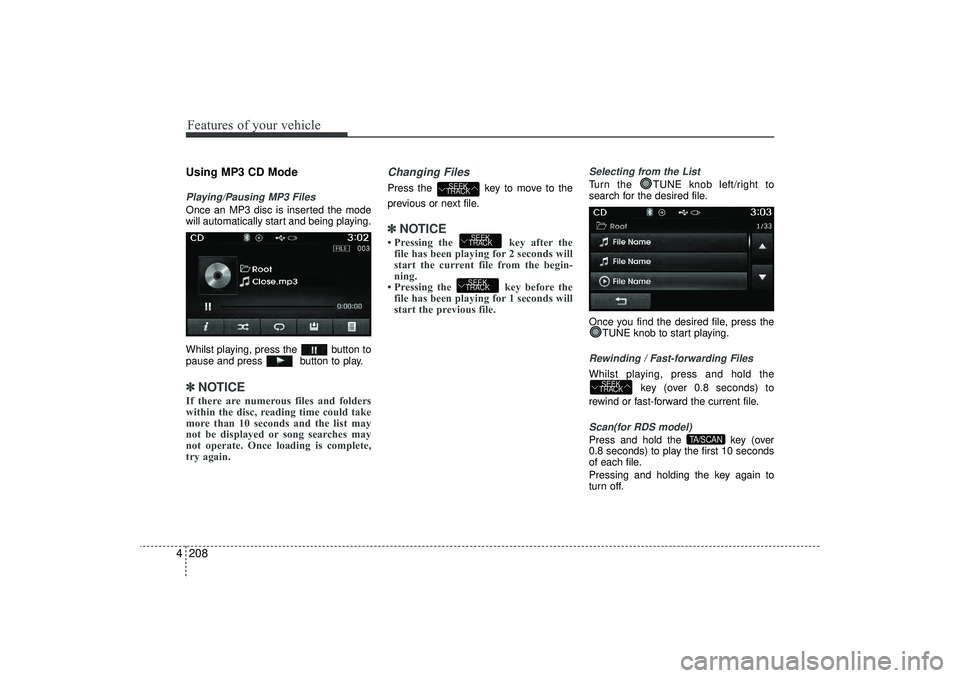
4Using MP3 CD ModePlaying/Pausing MP3 FilesOnce an MP3 disc is inserted the mode
will automatically start and being playing.
Whilst playing, press the button to
pause and press button to play.✽ ✽
NOTICE If there are numerous files and folders
within the disc, reading time could take
more than 10 seconds and the list may
not be displayed or song searches may
not operate. Once loading is complete,
try again.
Changing FilesPress the key to move to the
previous or next file.✽ ✽ NOTICE • Pressing the key after the
file has been playing for 2 seconds will
start the current file from the begin-
ning.
• Pressing the key before the file has been playing for 1 seconds will
start the previous file.
Selecting from the ListTurn the TUNE knob left/right to
search for the desired file.
Once you find the desired file, press the
TUNE knob to start playing.Rewinding / Fast-forwarding FilesWhilst playing, press and hold the
key (over 0.8 seconds) to
rewind or fast-forward the current file.Scan(for RDS model)Press and hold the key (over
0.8 seconds) to play the first 10 seconds
of each file.
Pressing and holding the key again to
turn off.
TA/SCAN
SEEK
TRACK
SEEK
TRACKSEEK
TRACK
SEEK
TRACK
EL(FL) UK 4B AUDIO.QXP 3/13/2015 4:19 PM Page 208
Page 296 of 550
4 211
Features of your vehicle
RepeatPress the button to repeat the cur-
rent file or folder.
Each time the button is pressed, the fea-
ture changes in order of Repeat
➟Repeat
Folder
➟Off.
Repeat: Repeats the current file.
Repeat Folder: Repeats all files within the current Folder.
Copying FilesPress the button to copy the cur-
rent file into My Music.✽ ✽ NOTICE Selecting another feature during copy-
ing will display a pop-up asking whether
you wish to cancel copying. To cancel,
select 'Yes’.
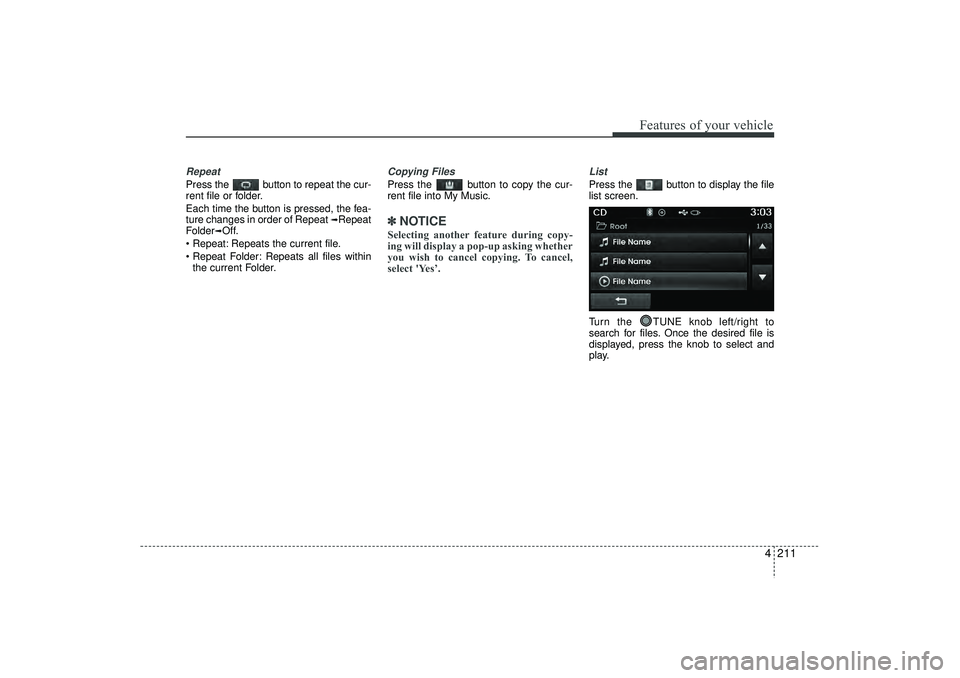
ListPress the button to display the file
list screen.
Turn the TUNE knob left/right to
search for files. Once the desired file is
displayed, press the knob to select and
play.
EL(FL) UK 4B AUDIO.QXP 3/13/2015 4:19 PM Page 211
Page 300 of 550
4 215
Features of your vehicle
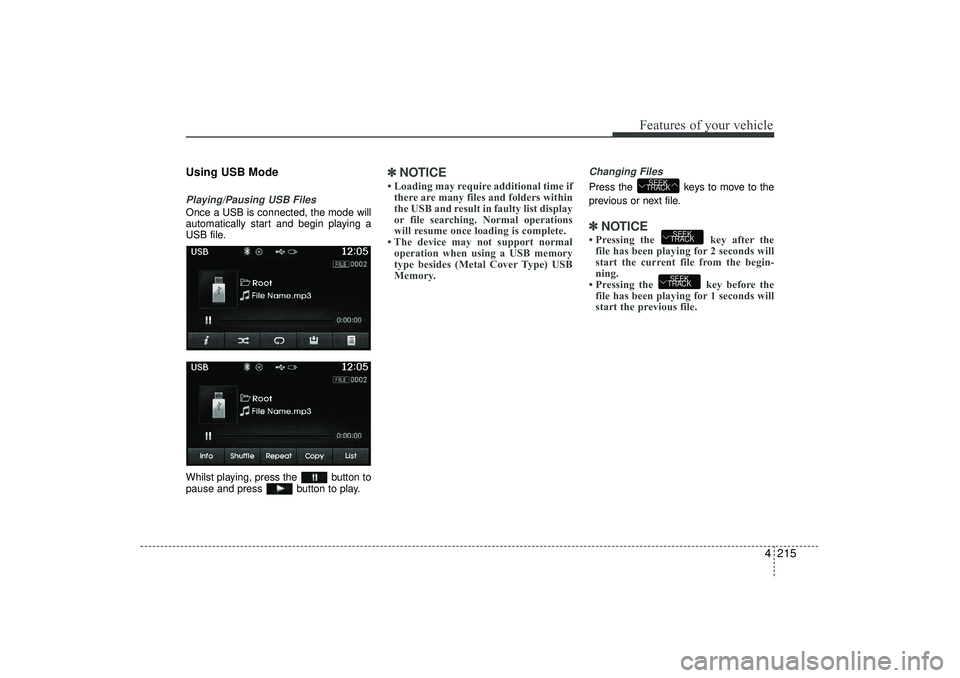
Using USB ModePlaying/Pausing USB FilesOnce a USB is connected, the mode will
automatically start and begin playing a
USB file.
Whilst playing, press the button to
pause and press button to play.
✽ ✽NOTICE • Loading may require additional time if
there are many files and folders within
the USB and result in faulty list display
or file searching. Normal operations
will resume once loading is complete.
• The device may not support normal operation when using a USB memory
type besides (Metal Cover Type) USB
Memory.
Changing FilesPress the keys to move to the
previous or next file.✽ ✽ NOTICE • Pressing the key after the
file has been playing for 2 seconds will
start the current file from the begin-
ning.
• Pressing the key before the file has been playing for 1 seconds will
start the previous file.
SEEK
TRACKSEEK
TRACK
SEEK
TRACK
EL(FL) UK 4B AUDIO.QXP 3/13/2015 4:19 PM Page 215
Page 303 of 550
Features of your vehicle218
4Copying FilesPress the button to copy the cur-
rent file into My Music.✽ ✽
NOTICE Selecting another feature during copy-
ing will display a pop-up asking whether
you wish to cancel copying. To cancel,
select 'Yes’.
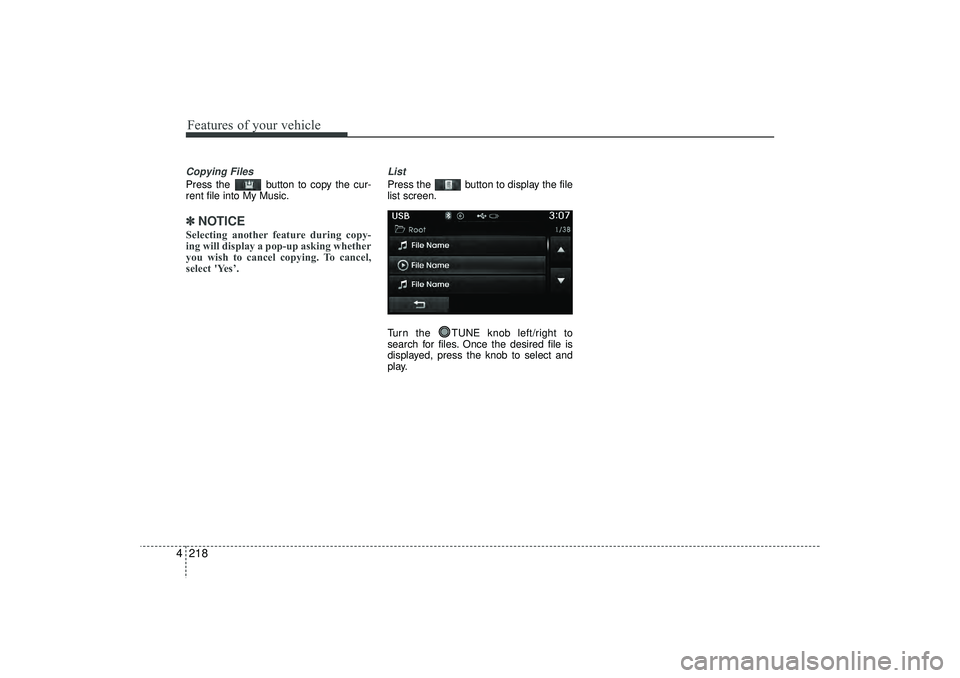
ListPress the button to display the file
list screen.
Turn the TUNE knob left/right to
search for files. Once the desired file is
displayed, press the knob to select and
play.
EL(FL) UK 4B AUDIO.QXP 3/13/2015 4:19 PM Page 218
Page 311 of 550
Features of your vehicle226
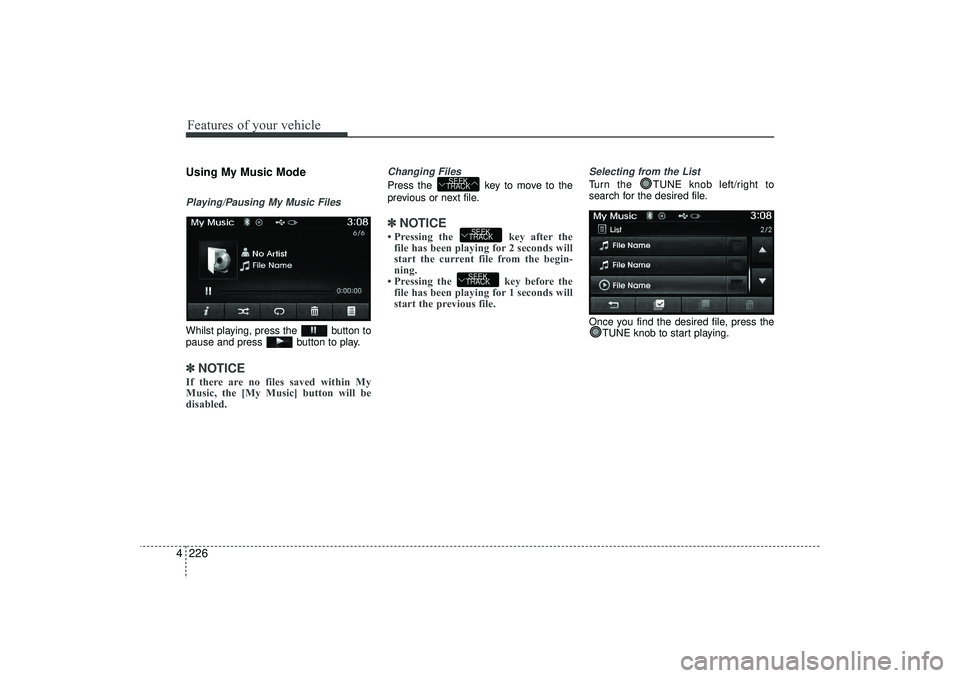
4Using My Music ModePlaying/Pausing My Music FilesWhilst playing, press the button to
pause and press button to play.✽ ✽
NOTICE If there are no files saved within My
Music, the [My Music] button will be
disabled.
Changing FilesPress the key to move to the
previous or next file.✽ ✽NOTICE • Pressing the key after the
file has been playing for 2 seconds will
start the current file from the begin-
ning.
• Pressing the key before the file has been playing for 1 seconds will
start the previous file.
Selecting from the ListTurn the TUNE knob left/right to
search for the desired file.
Once you find the desired file, press the
TUNE knob to start playing.
SEEK
TRACKSEEK
TRACK
SEEK
TRACK
EL(FL) UK 4B AUDIO.QXP 3/13/2015 4:19 PM Page 226
Page 312 of 550
4 227
Features of your vehicle
Rewinding / Fast-forwarding FilesWhilst playing, press and hold thekey (over 0.8 seconds) to
rewind or fast-forward the current file.Scan(for RDS model)Press and hold the key (over
0.8 seconds) to play the first 10 seconds
of each file.
Pressing and holding the key again to
turn off.
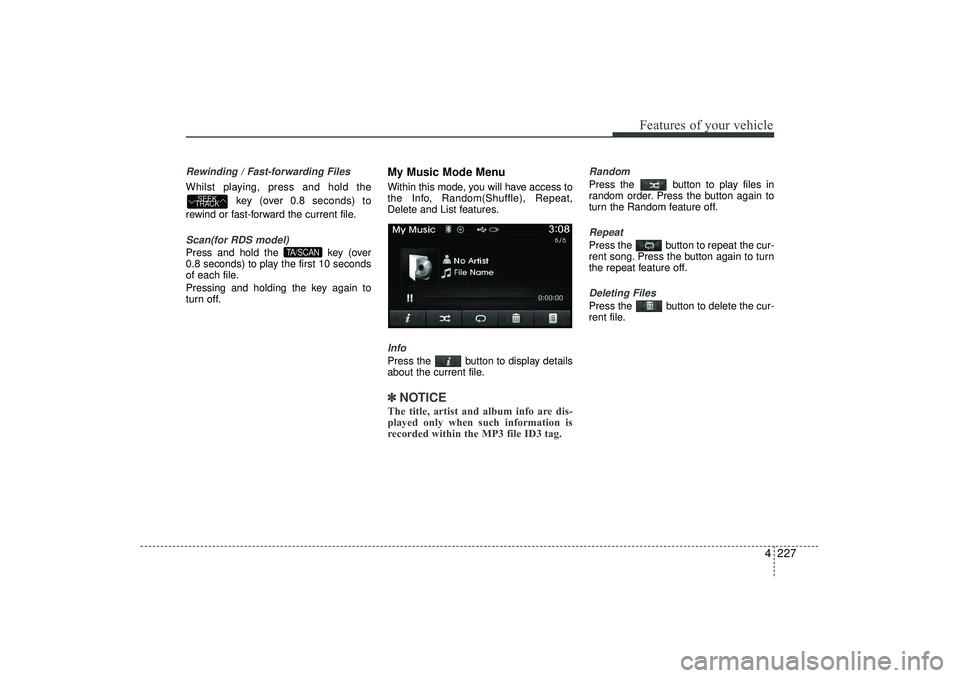
My Music Mode MenuWithin this mode, you will have access to
the Info, Random(Shuffle), Repeat,
Delete and List features.InfoPress the button to display details
about the current file.✽ ✽ NOTICE The title, artist and album info are dis-
played only when such information is
recorded within the MP3 file ID3 tag.
RandomPress the button to play files in
random order. Press the button again to
turn the Random feature off.RepeatPress the button to repeat the cur-
rent song. Press the button again to turn
the repeat feature off.Deleting FilesPress the button to delete the cur-
rent file.
TA/SCAN
SEEK
TRACK
EL(FL) UK 4B AUDIO.QXP 3/13/2015 4:19 PM Page 227
Page 315 of 550
Features of your vehicle230
4Bluetooth
®Wireless
Technology AUDIO MODE
Using
Bluetooth
®Wireless
Technology Audio Mode
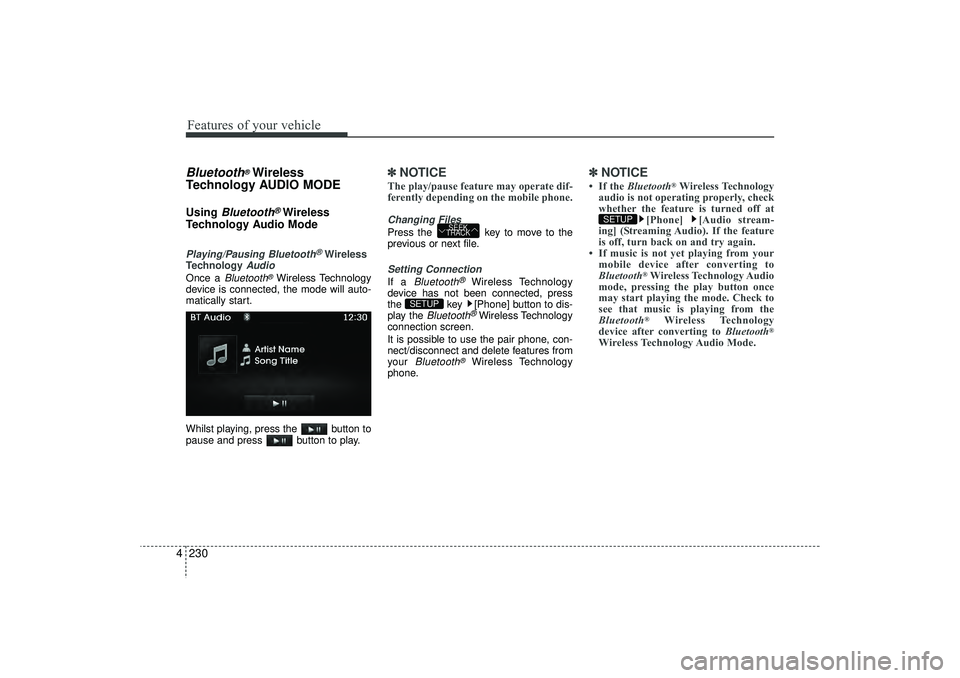
Playing/Pausing Bluetooth
®Wireless
Technology
Audio
Once a
Bluetooth
®Wireless Technology
device is connected, the mode will auto-
matically start.
Whilst playing, press the button to
pause and press button to play.
✽ ✽ NOTICE The play/pause feature may operate dif-
ferently depending on the mobile phone.Changing FilesPress the key to move to the
previous or next file.Setting ConnectionIf a
Bluetooth
®
Wireless Technology
device has not been connected, press
the key [Phone] button to dis-
play the
Bluetooth
®Wireless Technology
connection screen.
It is possible to use the pair phone, con-
nect/disconnect and delete features from
your
Bluetooth
®
Wireless Technology
phone.
✽ ✽ NOTICE • If the Bluetooth
®Wireless Technology
audio is not operating properly, check
whether the feature is turned off at [Phone] [Audio stream-
ing] (Streaming Audio). If the feature
is off, turn back on and try again.
• If music is not yet playing from your mobile device after converting to
Bluetooth
®Wireless Technology Audio
mode, pressing the play button once
may start playing the mode. Check to
see that music is playing from the
Bluetooth®
Wireless Technology
device after converting to Bluetooth
®
Wireless Technology Audio Mode.SETUP
SETUP
SEEK
TRACK
EL(FL) UK 4B AUDIO.QXP 3/13/2015 4:19 PM Page 230