Transmission Hyundai Kona 2018 Owner's Guide
[x] Cancel search | Manufacturer: HYUNDAI, Model Year: 2018, Model line: Kona, Model: Hyundai Kona 2018Pages: 523, PDF Size: 33.6 MB
Page 281 of 523
5-27
Driving your vehicle
5
Always apply the parking brakewhen leaving the vehicle. Do not
depend on placing the transmis-
sion in P (Park) to keep the vehicle
from moving.
Exercise extreme caution when driving on a slippery surface. Be
especially careful when braking,
accelerating or shifting gears. On a
slippery surface, an abrupt change
in vehicle speed can cause the
drive wheels to lose traction and
may cause loss of vehicle controlresulting in an accident.
Optimum vehicle performance and economy is obtained by smoothlydepressing and releasing the
accelerator. Information
- Kickdown
Mechanism (if equipped)
Use the kickdown mechanism for
maximum acceleration. Depress the
accelerator pedal beyond the pressure
point. The dual clutch transmission
will shift to a lower gear depending on
the engine speed.
i
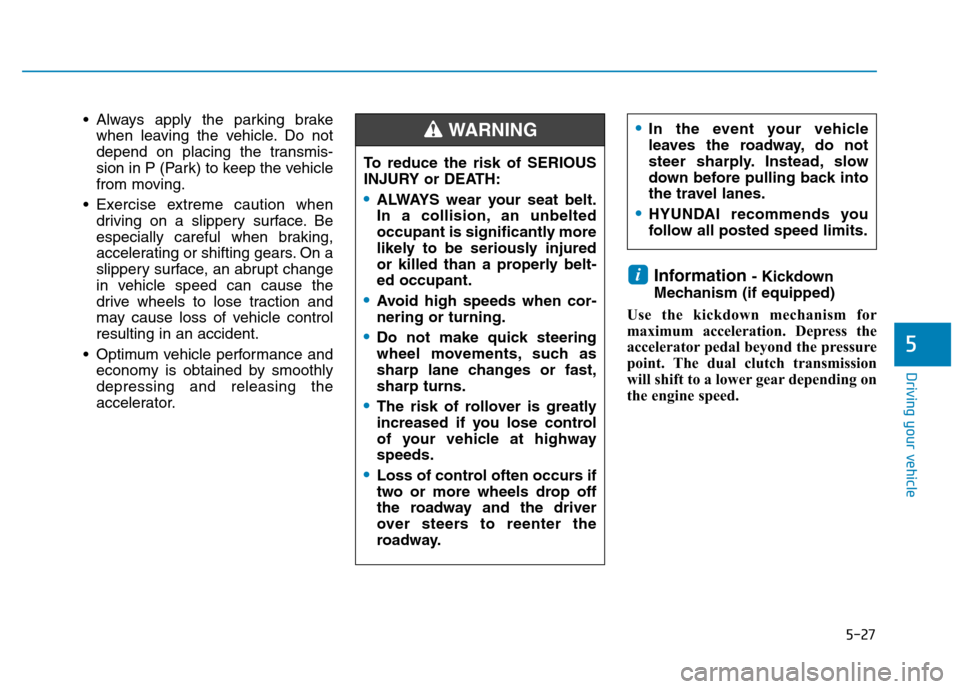
To reduce the risk of SERIOUS
INJURY or DEATH:
ALWAYS wear your seat belt.
In a collision, an unbelted
occupant is significantly more
likely to be seriously injured
or killed than a properly belt-ed occupant.
Avoid high speeds when cor- nering or turning.
Do not make quick steering
wheel movements, such as
sharp lane changes or fast,sharp turns.
The risk of rollover is greatly
increased if you lose control
of your vehicle at highwayspeeds.
Loss of control often occurs if
two or more wheels drop off
the roadway and the driver
over steers to reenter the
roadway.
WARNING In the event your vehicle
leaves the roadway, do not
steer sharply. Instead, slow
down before pulling back into
the travel lanes.
HYUNDAI recommends you
follow all posted speed limits.
Page 284 of 523
5-30
Driving your vehicle
Do not apply the acceleratorpedal while the parking brake is
engaged. If you depress theaccelerator pedal with the park-
ing brake engaged, a warning
will sound. Damage to the park-
ing brake may occur.
Driving with the parking brake on can overheat the braking systemand cause premature wear or
damage to brake parts. Make surethe parking brake is released and
the Brake Warning Light is off
before driving. Check the Parking
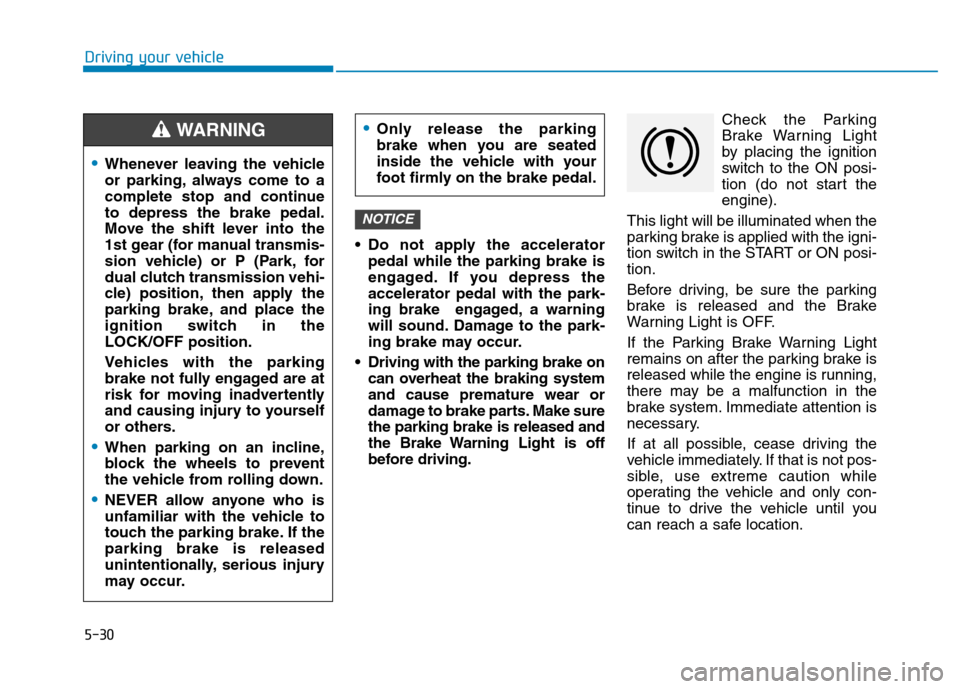
Brake Warning Light
by placing the ignition
switch to the ON posi-
tion (do not start theengine).
This light will be illuminated when the
parking brake is applied with the igni-
tion switch in the START or ON posi-tion.
Before driving, be sure the parking
brake is released and the Brake
Warning Light is OFF.
If the Parking Brake Warning Light
remains on after the parking brake is
released while the engine is running,
there may be a malfunction in the
brake system. Immediate attention is
necessary.
If at all possible, cease driving the
vehicle immediately. If that is not pos-
sible, use extreme caution while
operating the vehicle and only con-
tinue to drive the vehicle until you
can reach a safe location.
NOTICE
Whenever leaving the vehicle
or parking, always come to a
complete stop and continueto depress the brake pedal.
Move the shift lever into the
1st gear (for manual transmis-
sion vehicle) or P (Park, for
dual clutch transmission vehi-
cle) position, then apply the
parking brake, and place the
ignition switch in theLOCK/OFF position.
Vehicles with the parking
brake not fully engaged are at
risk for moving inadvertently
and causing injury to yourself
or others.
When parking on an incline,
block the wheels to prevent
the vehicle from rolling down.
NEVER allow anyone who is
unfamiliar with the vehicle to
touch the parking brake. If theparking brake is released
unintentionally, serious injury
may occur.
Only release the parking
brake when you are seated
inside the vehicle with your
foot firmly on the brake pedal.WARNING
Page 293 of 523
5-39
Driving your vehicle
5
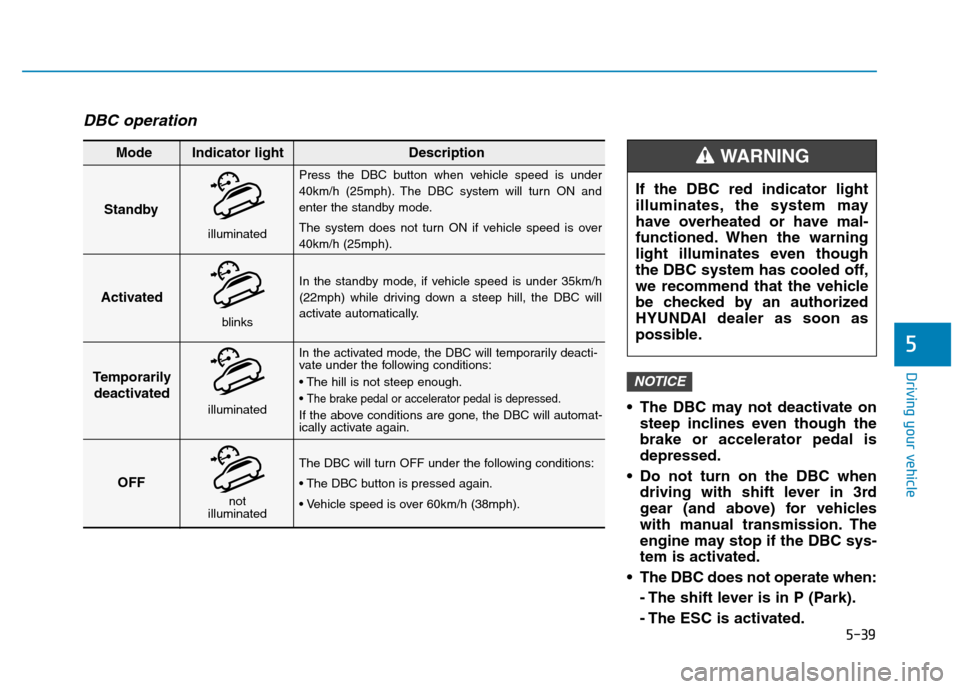
DBC operation
The DBC may not deactivate onsteep inclines even though the brake or accelerator pedal isdepressed.
Do not turn on the DBC when driving with shift lever in 3rd
gear (and above) for vehicles
with manual transmission. The
engine may stop if the DBC sys-
tem is activated.
The DBC does not operate when:
- The shift lever is in P (Park).
- The ESC is activated.
NOTICE
Standby Press the DBC button when vehicle speed is under
40km/h (25mph). The DBC system will turn ON and
enter the standby mode.
The system does not turn ON if vehicle speed is over 40km/h (25mph).
In the standby mode, if vehicle speed is under 35km/h
(22mph) while driving down a steep hill, the DBC will
activate automatically.
In the activated mode, the DBC will temporarily deacti-
vate under the following conditions:
The brake pedal or accelerator pedal is depressed.
If the above conditions are gone, the DBC will automat-
ically activate again.
The DBC will turn OFF under the following conditions:
Activated
Temporarily deactivated
OFF
Mode Indicator light Description
blinks
illuminated
not
illuminated
illuminated
If the DBC red indicator light
illuminates, the system may
have overheated or have mal-
functioned. When the warning
light illuminates even though
the DBC system has cooled off,
we recommend that the vehicle
be checked by an authorized
HYUNDAI dealer as soon as
possible.
WARNING
Page 302 of 523
5-48
Driving your vehicle
Auto stop
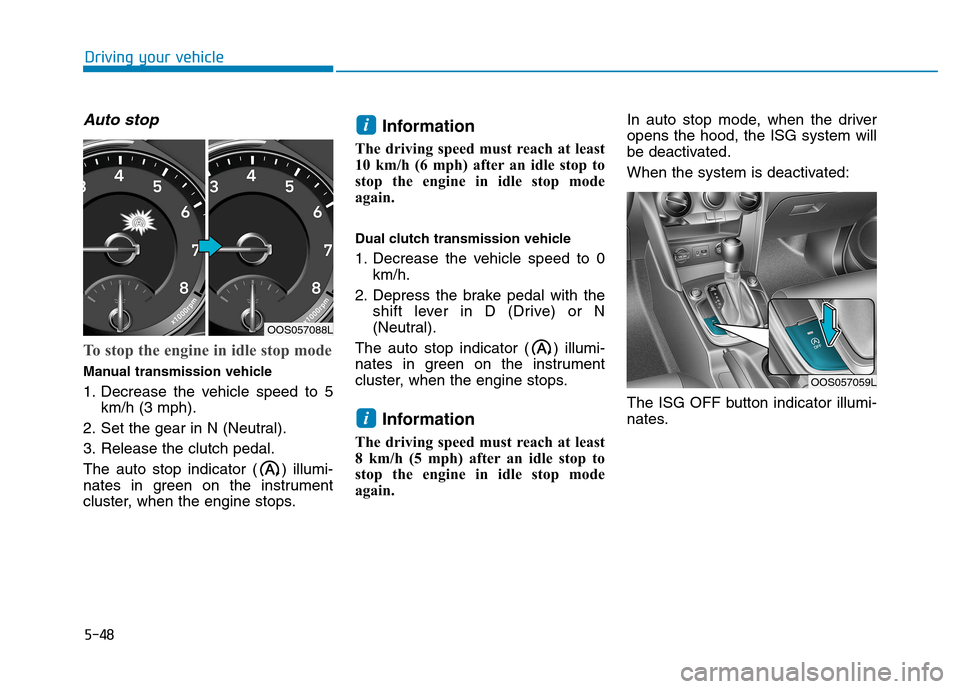
To stop the engine in idle stop mode
Manual transmission vehicle
1. Decrease the vehicle speed to 5km/h (3 mph).
2. Set the gear in N (Neutral).
3. Release the clutch pedal.
The auto stop indicator ( ) illumi-
nates in green on the instrument
cluster, when the engine stops. Information
The driving speed must reach at least
10 km/h (6 mph) after an idle stop to
stop the engine in idle stop mode
again.
Dual clutch transmission vehicle
1. Decrease the vehicle speed to 0 km/h.
2. Depress the brake pedal with the shift lever in D (Drive) or N
(Neutral).
The auto stop indicator ( ) illumi-
nates in green on the instrument
cluster, when the engine stops.
Information
The driving speed must reach at least
8 km/h (5 mph) after an idle stop to
stop the engine in idle stop mode
again. In auto stop mode, when the driveropens the hood, the ISG system will
be deactivated.
When the system is deactivated:
The ISG OFF button indicator illumi-
nates.
i
i
OOS057059L
OOS057088L
Page 303 of 523
5-49
Driving your vehicle
5
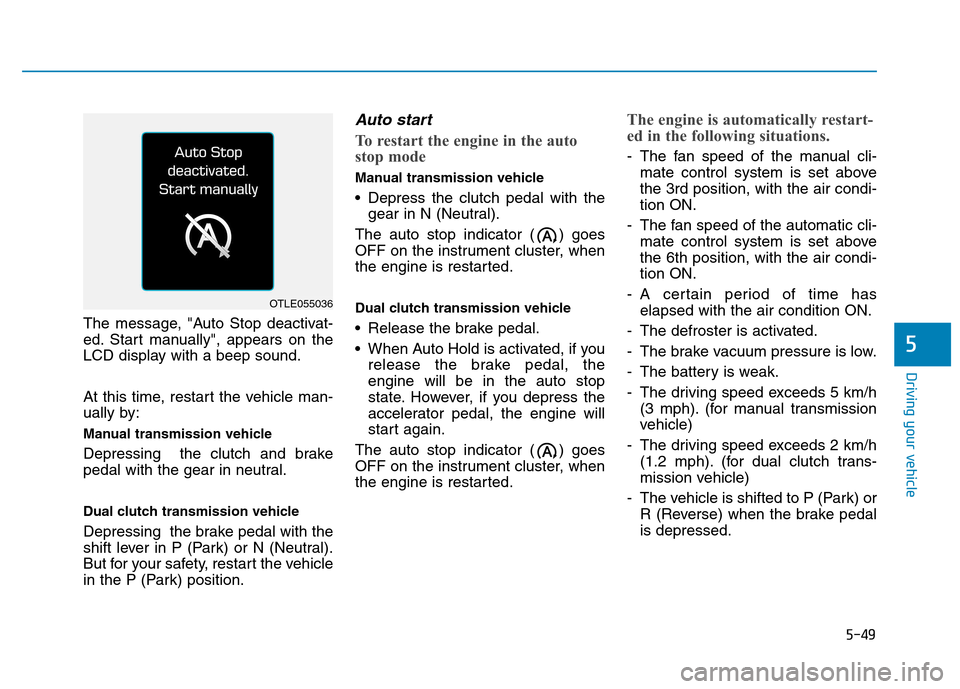
The message, "Auto Stop deactivat-
ed. Start manually", appears on the
LCD display with a beep sound.
At this time, restart the vehicle man-
ually by:
Manual transmission vehicle
Depressing the clutch and brake
pedal with the gear in neutral.
Dual clutch transmission vehicle
Depressing the brake pedal with the
shift lever in P (Park) or N (Neutral).
But for your safety, restart the vehicle
in the P (Park) position.
Auto start
To restart the engine in the auto
stop mode
Manual transmission vehicle
Depress the clutch pedal with thegear in N (Neutral).
The auto stop indicator ( ) goes
OFF on the instrument cluster, when
the engine is restarted.
Dual clutch transmission vehicle
Release the brake pedal.
When Auto Hold is activated, if you release the brake pedal, the engine will be in the auto stop
state. However, if you depress the
accelerator pedal, the engine will
start again.
The auto stop indicator ( ) goes
OFF on the instrument cluster, when
the engine is restarted.
The engine is automatically restart-
ed in the following situations.
- The fan speed of the manual cli- mate control system is set above the 3rd position, with the air condi-tion ON.
- The fan speed of the automatic cli- mate control system is set abovethe 6th position, with the air condi-tion ON.
- A certain period of time has elapsed with the air condition ON.
- The defroster is activated.
- The brake vacuum pressure is low.
- The battery is weak.
- The driving speed exceeds 5 km/h (3 mph). (for manual transmission
vehicle)
- The driving speed exceeds 2 km/h (1.2 mph). (for dual clutch trans-
mission vehicle)
- The vehicle is shifted to P (Park) or R (Reverse) when the brake pedalis depressed.
OTLE055036
Page 304 of 523
5-50
Driving your vehicle
- The door is opened or seat belt isunfastened when the brake pedal is depressed.
The auto stop indicator ( ) blinks
in green for 5 seconds on the instru-
ment cluster and a message "Auto
Start" will appear on the LCD display.The auto start is temporarily deac-
tivated in the following situations.
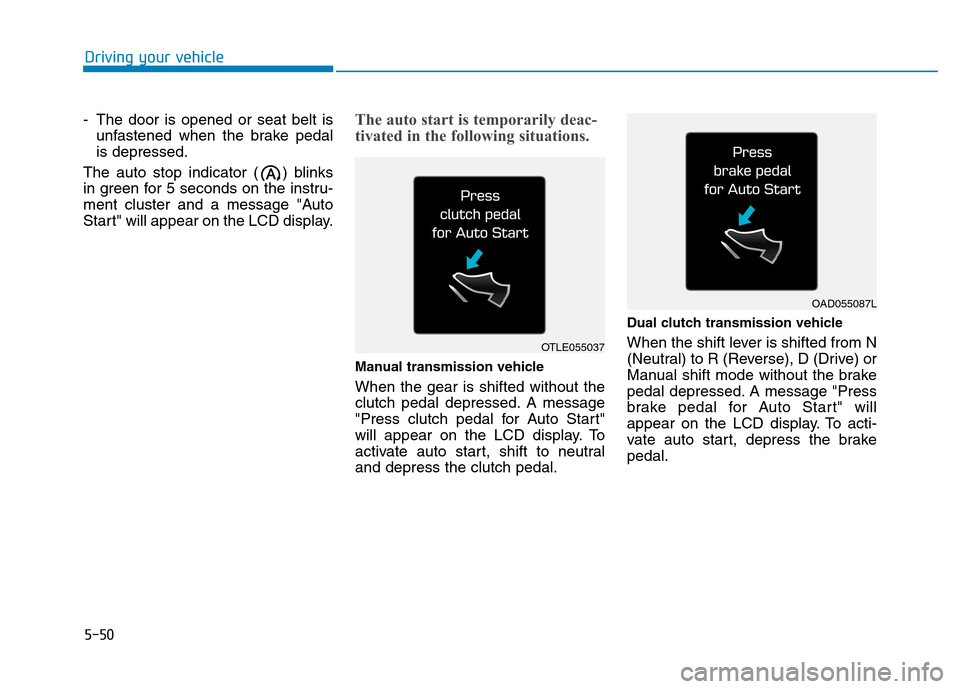
Manual transmission vehicle When the gear is shifted without the
clutch pedal depressed. A message
"Press clutch pedal for Auto Start"
will appear on the LCD display. To
activate auto start, shift to neutraland depress the clutch pedal. Dual clutch transmission vehicle
When the shift lever is shifted from N
(Neutral) to R (Reverse), D (Drive) or
Manual shift mode without the brake
pedal depressed. A message "Press
brake pedal for Auto Start" will
appear on the LCD display. To acti-
vate auto start, depress the brakepedal.
OTLE055037
OAD055087L
Page 307 of 523
5-53
Driving your vehicle
5
DDRRIIVV EE MM OODDEE IINN TTEEGG RRAA TTEEDD CC OO NNTTRR OO LL SS YY SSTT EEMM (( IIFF EE QQ UUIIPP PPEEDD ))
The drive mode may be selected
according to the driver's preferenceor road condition. The system resets to be in the COM-
FORT mode (except if it is in ECO
mode), when the engine is restarted.
Information
If there is a problem with the instru-
ment cluster, the drive mode will be in
COMFORT mode and may not
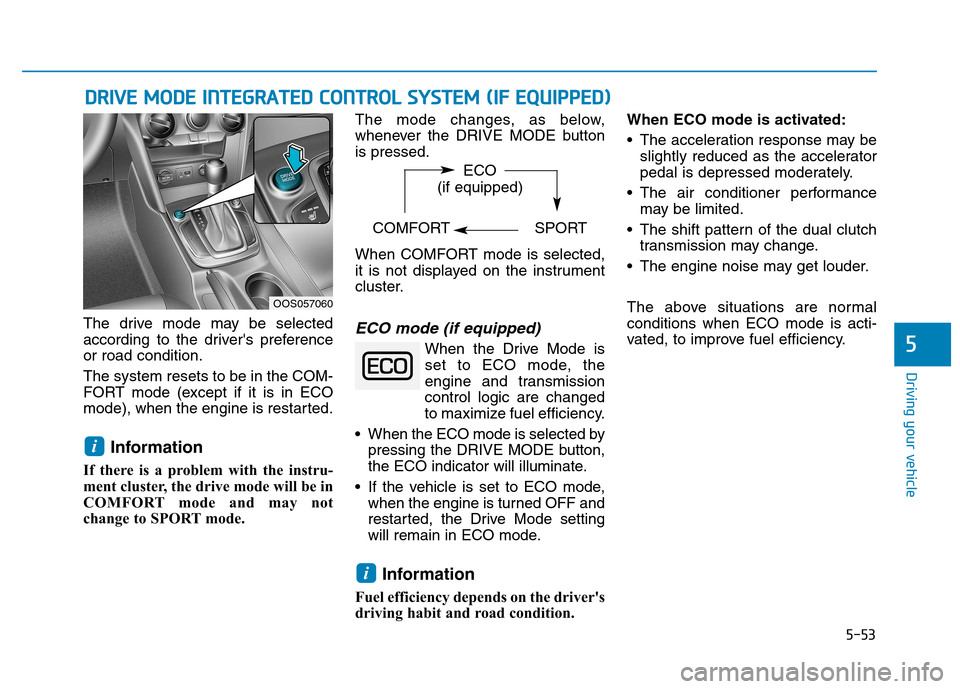
change to SPORT mode. The mode changes, as below,
whenever the DRIVE MODE buttonis pressed.
When COMFORT mode is selected,
it is not displayed on the instrument
cluster.ECO mode (if equipped)
When the Drive Mode is
set to ECO mode, the
engine and transmission
control logic are changed
to maximize fuel efficiency.
When the ECO mode is selected by pressing the DRIVE MODE button,
the ECO indicator will illuminate.
If the vehicle is set to ECO mode, when the engine is turned OFF and
restarted, the Drive Mode setting
will remain in ECO mode.
Information
Fuel efficiency depends on the driver's
driving habit and road condition. When ECO mode is activated:
The acceleration response may be
slightly reduced as the accelerator
pedal is depressed moderately.
The air conditioner performance may be limited.
The shift pattern of the dual clutch transmission may change.
The engine noise may get louder.
The above situations are normal conditions when ECO mode is acti-
vated, to improve fuel efficiency.
i
i
OOS057060 ECO
(if equipped)
COMFORT SPORT
Page 308 of 523
5-54
Driving your vehicle
Limitation of ECO mode opera- tion:
If the following conditions occur while
ECO mode is operating, the system
operation is limited even though
there is no change in ECO indicator.
When the coolant temperature islow:The system will be limited until
engine performance becomes nor-mal.
When driving up a hill: The system will be limited to gain
power when driving uphill because
engine torque is restricted.
When driving the vehicle with the dual clutch transmission gear shift
lever in manual shift mode: The system will be limited due to the shift location.
When the accelerator pedal is deeply depressed for a few seconds: The system will be limited, judging
that the driver wants to speed up.SPORT mode
SPORT mode managesthe driving dynamics byautomatically adjusting the
steering effort, the engine
and transmission control
logic for enhanced driving
performance.
When SPORT mode is selected by pressing the DRIVE MODE button,
the SPORT indicator will illuminate.
Whenever the engine is restarted, the Drive Mode will revert back to
COMFORT mode. If SPORT mode
is desired, re-select SPORT mode
from the DRIVE MODE button.
When SPORT mode is activated:
- The engine rpm will tend to remainraised over a certain length of time
even after releasing the accelerator
- Upshifts are delayed when accel- erating
Information
In SPORT mode, the fuel efficiency
may decrease.
COMFORT mode
COMFORT mode is a
base mode.
When COMFORT mode is selected
by pressing the DRIVE MODE but-
ton, the COMFORT indicator will illu-
minate.
If the vehicle is set to COMFORT
mode, when the engine is turned
OFF and restarted, the Drive Mode
setting will remain in COMFORT
mode.
i
Page 344 of 523
5-90
Driving your vehicle
Cruise Control operation
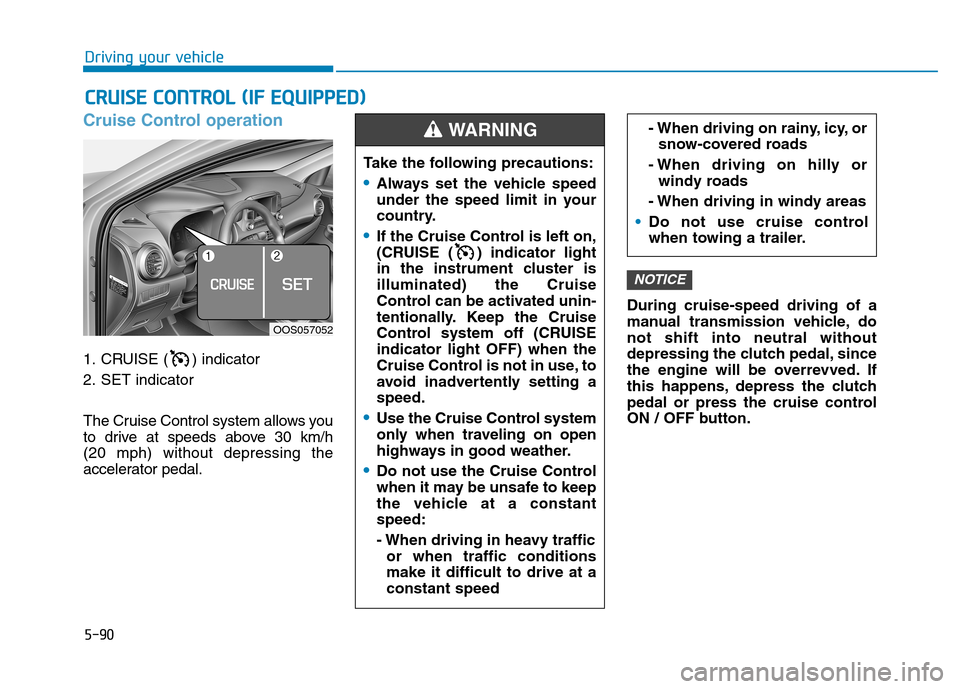
1. CRUISE ( ) indicator
2. SET indicator
The Cruise Control system allows you
to drive at speeds above 30 km/h (20 mph) without depressing the
accelerator pedal.During cruise-speed driving of a
manual transmission vehicle, donot shift into neutral without
depressing the clutch pedal, since
the engine will be overrevved. If
this happens, depress the clutch
pedal or press the cruise control
ON / OFF button.
NOTICE
CC
RR UU IISS EE CC OO NNTTRR OO LL (( IIFF EE QQ UUIIPP PP EEDD ))
Take the following precautions:
Always set the vehicle speed
under the speed limit in your
country.
If the Cruise Control is left on,
(CRUISE ( ) indicator light
in the instrument cluster isilluminated) the Cruise
Control can be activated unin-
tentionally. Keep the Cruise
Control system off (CRUISEindicator light OFF) when the
Cruise Control is not in use, to
avoid inadvertently setting aspeed.
Use the Cruise Control system
only when traveling on open
highways in good weather.
Do not use the Cruise Control
when it may be unsafe to keep
the vehicle at a constantspeed:
- When driving in heavy traffic
or when traffic conditions make it difficult to drive at aconstant speed
- When driving on rainy, icy, orsnow-covered roads
- When driving on hilly or windy roads
- When driving in windy areas
Do not use cruise control
when towing a trailer.
WARNING
OOS057052
Page 346 of 523
5-92
Driving your vehicle
To set Cruise Control speed
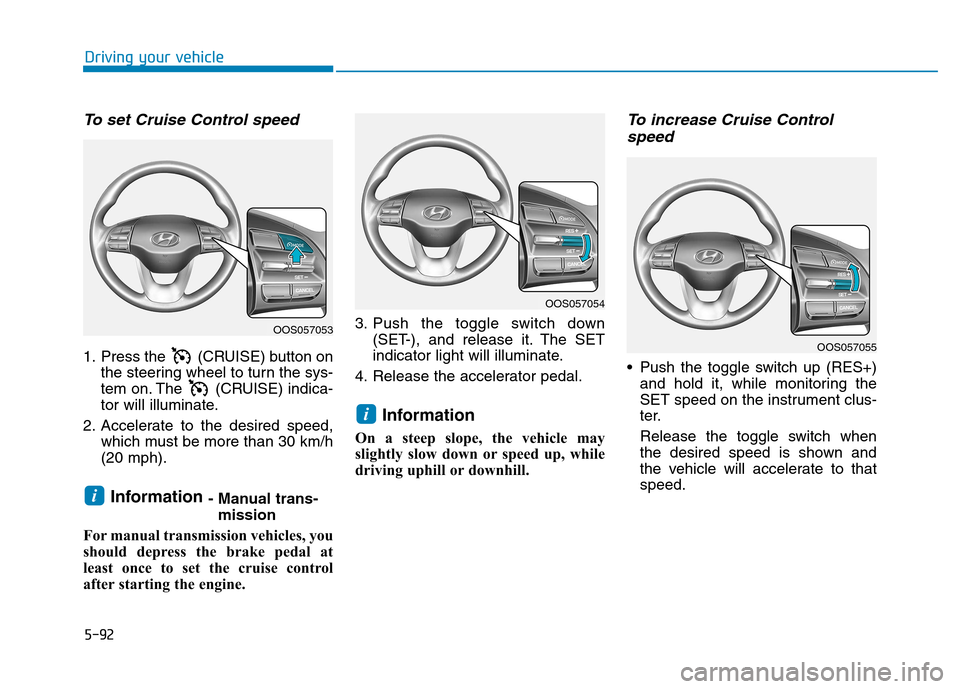
1. Press the (CRUISE) button onthe steering wheel to turn the sys-
tem on. The (CRUISE) indica-
tor will illuminate.
2. Accelerate to the desired speed, which must be more than 30 km/h(20 mph).
Information - Manual trans-
mission
For manual transmission vehicles, you
should depress the brake pedal at
least once to set the cruise control
after starting the engine. 3. Push the toggle switch down
(SET-), and release it. The SET
indicator light will illuminate.
4. Release the accelerator pedal.
Information
On a steep slope, the vehicle may
slightly slow down or speed up, while
driving uphill or downhill.
To increase Cruise Control speed
Push the toggle switch up (RES+) and hold it, while monitoring the
SET speed on the instrument clus-
ter.
Release the toggle switch when
the desired speed is shown and
the vehicle will accelerate to thatspeed.
i
i
OOS057053
OOS057054
OOS057055