Drive mode Hyundai Kona 2018 Service Manual
[x] Cancel search | Manufacturer: HYUNDAI, Model Year: 2018, Model line: Kona, Model: Hyundai Kona 2018Pages: 523, PDF Size: 33.6 MB
Page 319 of 523
5-65
Driving your vehicle
5
FCA warning message and
system control
The FCA produces warning mes-
sages and warning alarms in accor-
dance with the collision risk levels,
such as abrupt stopping of the vehi-
cle in front, insufficient braking dis-
tance, or pedestrian detection. Also,
it controls the brakes in accordance
with the collision risk levels.
The driver can select the initial warn-
ing activation time in the User
Settings in the LCD display. The
options for the initial Forward
Collision Warning include Early,
Normal or Late initial warning time.
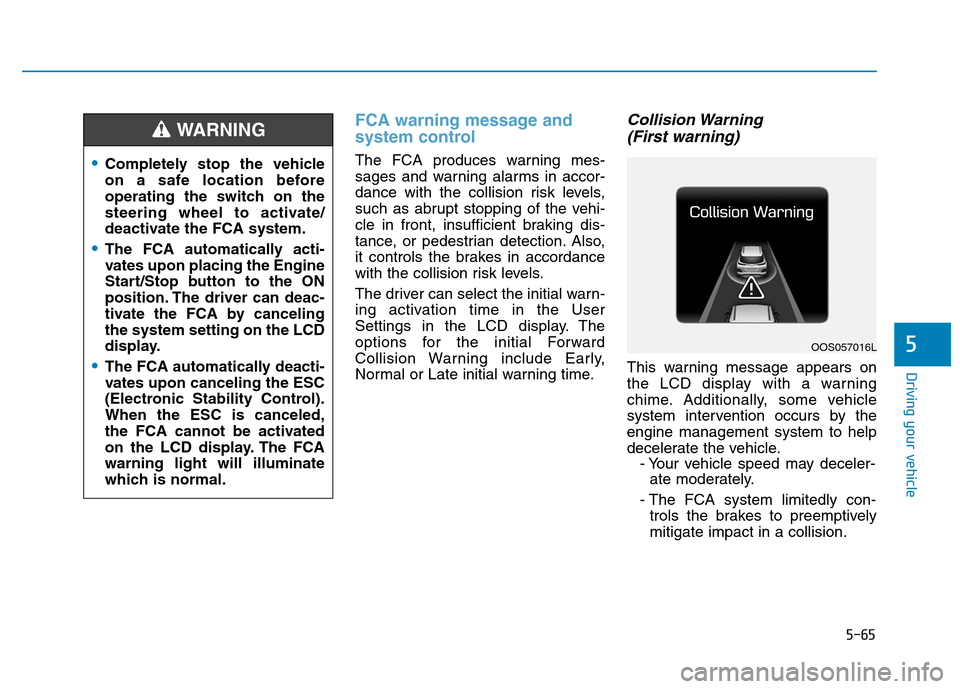
Collision Warning (First warning)
This warning message appears on
the LCD display with a warning
chime. Additionally, some vehicle
system intervention occurs by theengine management system to help
decelerate the vehicle. - Your vehicle speed may deceler-ate moderately.
- The FCA system limitedly con- trols the brakes to preemptivelymitigate impact in a collision.
Completely stop the vehicle
on a safe location before
operating the switch on the
steering wheel to activate/
deactivate the FCA system.
The FCA automatically acti-
vates upon placing the Engine
Start/Stop button to the ON
position. The driver can deac-
tivate the FCA by cancelingthe system setting on the LCD
display.
The FCA automatically deacti-
vates upon canceling the ESC
(Electronic Stability Control).When the ESC is canceled,
the FCA cannot be activated
on the LCD display. The FCAwarning light will illuminate
which is normal.
WARNING
OOS057016L
Page 332 of 523
5-78
Driving your vehicle
Note that the vehicle speed must be
at least approximately 60 km/h (40mph) to ENABLE the LKA system.
The indicator in the cluster display
will illuminate green.The color of indicator willchange depending on thecondition of LKA system.
- White : Sensor does not detect
lane markers or vehiclespeed is under 60 km/h(40mph).
- Green : Sensor detects lane mark- ers and the system is able
to control vehicle steering.
Information
If the indicator (white) is activated
from the previous ignition cycle, the
system will turn ON without any addi-
tional control. If you press the LKA
button again, the indicator on the
cluster goes off. LKA activation
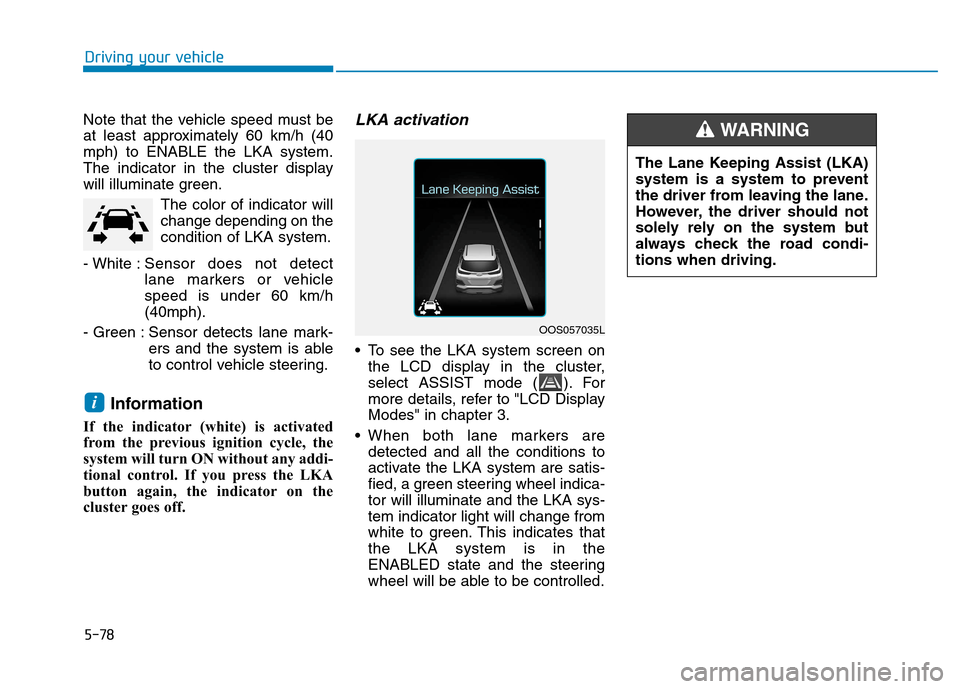
To see the LKA system screen on the LCD display in the cluster,
select ASSIST mode ( ). For
more details, refer to "LCD DisplayModes" in chapter 3.
When both lane markers are detected and all the conditions to
activate the LKA system are satis-
fied, a green steering wheel indica-tor will illuminate and the LKA sys-tem indicator light will change from
white to green. This indicates thatthe LKA system is in the
ENABLED state and the steering
wheel will be able to be controlled.
i
OOS057035L The Lane Keeping Assist (LKA)
system is a system to prevent
the driver from leaving the lane.
However, the driver should not
solely rely on the system but
always check the road condi-tions when driving.
WARNING
Page 337 of 523
5-83
Driving your vehicle
5
Driving on a steep grade, over ahill, or when driving on a curved road.
The adverse road conditions cause excessive vehicle vibrations while
driving.
The surrounding of the inside rear view mirror temperature is highdue to direct sunlight, etc.
When front visibility is poor
The windshield or the LKAS cam- era lens is blocked with dirt or
debris.
The windshield glass is fogged up; a clear view of the road is obstruct-ed.
Placing objects on the dashboard, etc.
The sensor cannot detect the lane because of fog, heavy rain or snow.LKA system function change
The driver can change LKA to Lane
Departure Warning (LDW) system orchange the LKA system mode
between Standard LKA and Active
LKA from the LCD display. Go to the"User Settings Driver Assistance
Lane Keeping Assist Lane
Departure Warning/Standard
LKA/Active LKA". The system is automatically set to Standard LKA if a function is notselected.
Lane Departure Warning
LDW system alerts the driver with a
visual warning and a warning alarm
when the system detects the vehicle
departing the lane. The steeringwheel will not be controlled.
Standard LKA
The Standard LKA mode guides the
driver to help keep the vehicle within
the lanes. It rarely controls the steer-
ing wheel, when the vehicle drives
well inside the lanes. However, it
starts to control the steering wheel,
when the vehicle is about to deviate
out of the lanes.
Active LKA
The Active LKA mode provides more
frequent steering wheel control in
comparison with the Standard LKA
mode. Active LKA can reduce the dri-
ver’s fatigue to assist the steering for
maintaining the vehicle in the middle
of the lane.
Page 338 of 523
5-84
Driving your vehicle
The Driver Attention Warning (DAW)
system displays the condition of the
driver's fatigue level and inattentive
driving practices.
System setting and activation
System setting
The Driver Attention Warning(DAW) system is set to be in the
OFF position, when your vehicle is
first delivered to you from the fac-
tory.
To turn ON the Driver Attention Warning (DAW) system, turn on
the engine, and then select "UserSettings Driver Assistance
Driver Attention Warning High
Sensitivity/Normal Sensitivity" on
the LCD display. The driver can select the Driver
Attention Warning (DAW) system
mode.
- Off : The Driver Attention Warning(DAW) system is deactivated.
- Normal Sensitivity : The Driver Attention Warning (DAW) system
alerts the driver of his/her fatigue
level or inattentive driving prac-
tices.
- High Sensitivity : The Driver Attention Warning (DAW) system
alerts the driver of his/her fatigue
level or inattentive driving prac-
tices faster than Normal mode.
The set-up of the Driver Attention Warning (DAW) system will bemaintained, as selected, when the
engine is re-started.
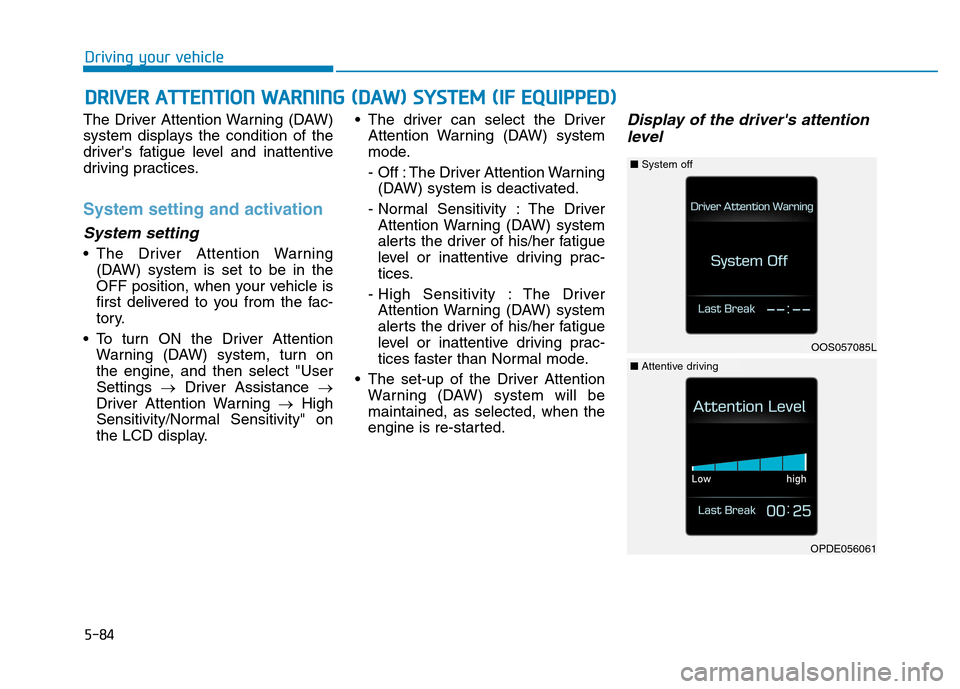
Display of the driver's attention
level
DD RRIIVV EERR AA TTTTEENN TTIIOO NN WW AARRNN IINN GG (( DD AA WW )) SS YY SSTT EEMM (( IIFF EE QQ UUIIPP PP EEDD ))
OOS057085L
■System off
OPDE056061
■Attentive driving
Page 339 of 523
5-85
Driving your vehicle
5
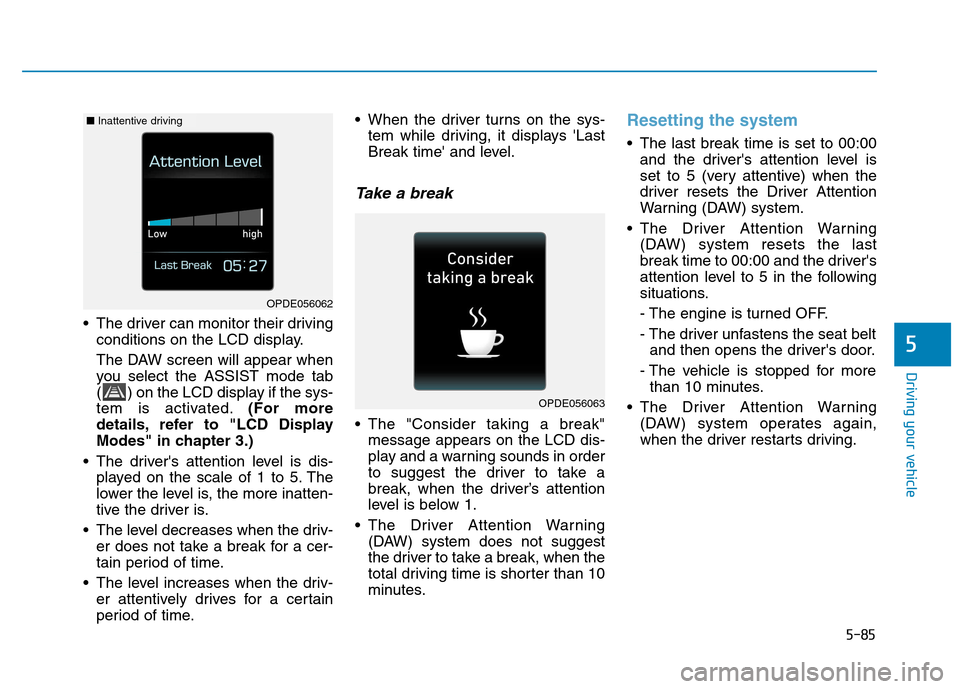
The driver can monitor their drivingconditions on the LCD display.
The DAW screen will appear when
you select the ASSIST mode tab
( ) on the LCD display if the sys-
tem is activated. (For more
details, refer to "LCD Display
Modes" in chapter 3.)
The driver's attention level is dis- played on the scale of 1 to 5. The
lower the level is, the more inatten-
tive the driver is.
The level decreases when the driv- er does not take a break for a cer-
tain period of time.
The level increases when the driv- er attentively drives for a certain
period of time. When the driver turns on the sys-
tem while driving, it displays 'Last
Break time' and level.
Take a break
The "Consider taking a break"message appears on the LCD dis-
play and a warning sounds in order
to suggest the driver to take a
break, when the driver’s attention
level is below 1.
The Driver Attention Warning (DAW) system does not suggest
the driver to take a break, when the
total driving time is shorter than 10
minutes.
Resetting the system
The last break time is set to 00:00and the driver's attention level is
set to 5 (very attentive) when the
driver resets the Driver Attention
Warning (DAW) system.
The Driver Attention Warning (DAW) system resets the last
break time to 00:00 and the driver's
attention level to 5 in the following
situations.
- The engine is turned OFF.
- The driver unfastens the seat beltand then opens the driver's door.
- The vehicle is stopped for more than 10 minutes.
The Driver Attention Warning (DAW) system operates again,
when the driver restarts driving.
OPDE056063
OPDE056062
■Inattentive driving
Page 342 of 523
5-88
Driving your vehicle
Speed Limit Control operation
You can set the speed limit when you
do not want to drive over a specificspeed.
If you drive over the preset speed
limit, the warning system operates
(set speed limit will blink and chime
will sound) until the vehicle speed
returns within the speed limit.Information
While speed limit control is in opera-
tion, the cruise control system cannot
be activated.
Speed limit control switch
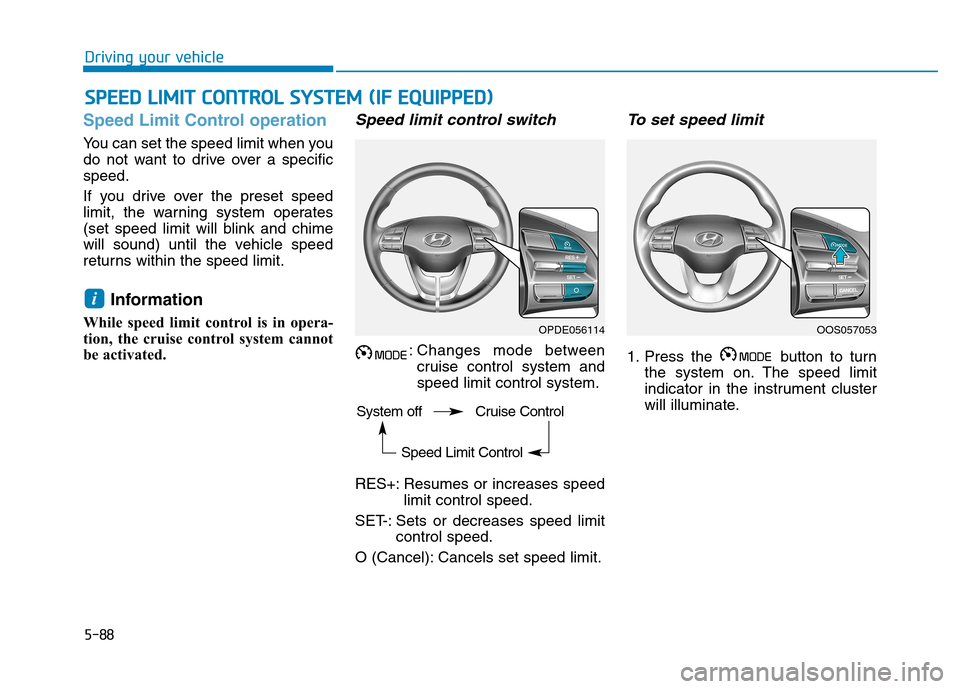
: Changes mode between cruise control system andspeed limit control system.
RES+: Resumes or increases speed limit control speed.
SET-: Sets or decreases speed limit control speed.
O (Cancel): Cancels set speed limit.
To set speed limit
1. Press the button to turn the system on. The speed limit
indicator in the instrument cluster
will illuminate.
i
SSPP EEEEDD LL IIMM IITT CC OO NNTTRR OO LL SS YY SSTT EEMM (( IIFF EE QQ UUIIPP PPEEDD ))
OPDE056114OOS057053
System off Cruise Control Speed Limit Control
Page 352 of 523
5-98
Driving your vehicle
If you believe your brakes may bewet, apply them lightly while driv-
ing until normal braking operation
returns.
Hydroplaning
If the road is wet enough and you are
going fast enough, your vehicle may
have little or no contact with the road
surface and actually ride on the
water. The best advice is SLOW
DOWN when the road is wet.
The risk of hydroplaning increas- es as the depth of tire tread
decreases, refer to "Tire Tread" in
chapter 7.
Driving in flooded areas
Avoid driving through flooded areas
unless you are sure the water is nohigher than the bottom of the wheel
hub. Drive through any water slowly.
Allow adequate stopping distance
because brake performance may bereduced.
After driving through water, dry the
brakes by gently applying them sev-
eral times while the vehicle is moving
slowly.
Highway driving
Tires
Adjust the tire inflation, as specified.
Under-inflation may overheat or
damage the tires.
Do not install worn-out or damaged
tires, which may reduce traction or
fail the braking operation.
Information
Never over-inflate your tires above the
maximum inflation pressure, as speci-
fied on your tires.
Fuel, engine coolant and engine oil
Driving at higher speeds on the high-
way consumes more fuel and is less
efficient than driving at a slower,
more moderate speed. Maintain a
moderate speed in order to conserve
fuel when driving on the highway.
Be sure to check both the engine
coolant level and the engine oil
before driving.
Drive belt
A loose or damaged drive belt may
overheat the engine.
i
Page 380 of 523
6-13
What to do in an emergency
6
TPMS
The TPMS cannot alert you to
severe and sudden tire dam-
age caused by external fac-
tors such as nails or roaddebris.
If you feel any vehicle instabil-
ity, immediately take your foot
off the accelerator, apply the
brakes gradually and with
light force, and slowly move to
a safe position off the road.
WARNING
Protecting TPMS
Tampering with, modifying, or
disabling the Tire PressureMonitoring System (TPMS)
components may interfere withthe system's ability to warn the
driver of low tire pressure con-
ditions and/or TPMS malfunc-
tions. Tampering with, modify-
ing, or disabling the TirePressure Monitoring System
(TPMS) components may void
the warranty for that portion of
the vehicle.
WARNING
For EUROPE
Do not modify the vehicle, it
may interfere with the TPMSfunction.
The wheels on the market do
not have a TPMS sensor.
For your safety, we recom-
mend that you use parts for
replacement from an author-
ized HYUNDAI dealer.
If you use the wheels on the
market, use a TPMS sensor
approved by a HYUNDAI deal-
er. If your vehicle is not
equipped with a TPMS sensor
or TPMS does not work prop-
erly, you may fail the periodic
vehicle inspection conducted
in your country.
❈
❈ All vehicles sold in the
EUROPE market during below
period must be equipped withTPMS.
- New model vehicle : Nov. 1,
2012 ~
- Current model vehicle : Nov. 1, 2014~ (Based on vehicle registrations)
WARNING
We recommend that you use the
sealant approved by HYUNDAI if
your vehicle is equipped with aTire Pressure Monitoring
System. The liquid sealant can
damage the tire pressure sen-
sors.
CAUTION
Page 381 of 523
6-14
What to do in an emergency
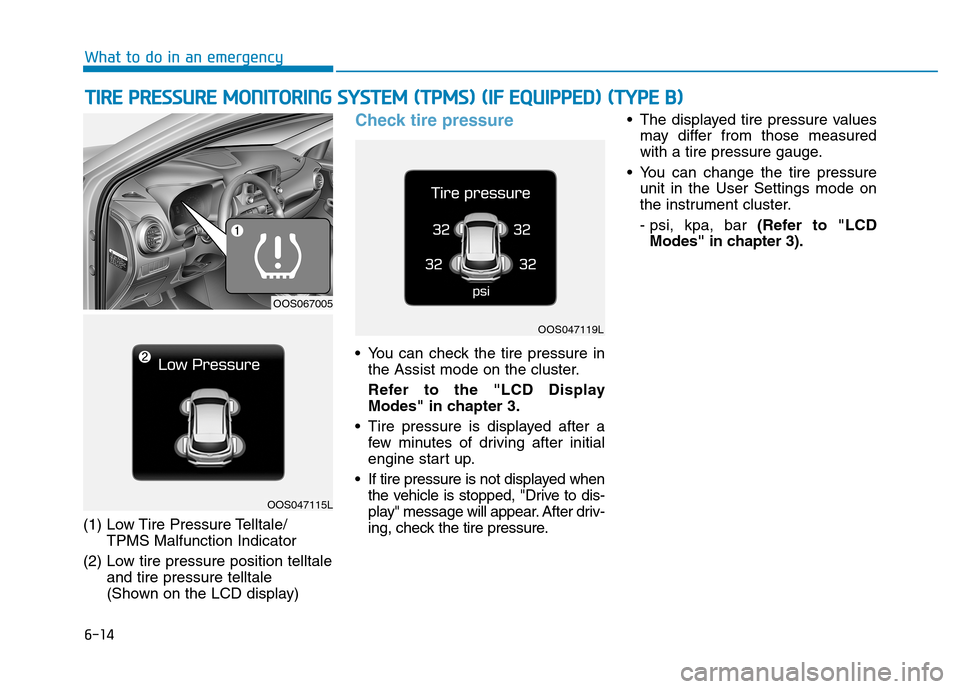
(1) Low Tire Pressure Telltale/TPMS Malfunction Indicator
(2) Low tire pressure position telltale and tire pressure telltale
(Shown on the LCD display)
Check tire pressure
You can check the tire pressure inthe Assist mode on the cluster.
Refer to the "LCD Display
Modes" in chapter 3.
Tire pressure is displayed after a few minutes of driving after initial
engine start up.
If tire pressure is not displayed when the vehicle is stopped, "Drive to dis-
play" message will appear. After driv-
ing, check the tire pressure. The displayed tire pressure values
may differ from those measured
with a tire pressure gauge.
You can change the tire pressure unit in the User Settings mode on
the instrument cluster.
- psi, kpa, bar (Refer to "LCD
Modes" in chapter 3).
TT IIRR EE PP RR EESSSSUU RREE MM OONNIITT OO RRIINN GG SS YY SSTT EEMM (( TT PP MM SS)) (( IIFF EE QQ UUIIPP PPEEDD )) (( TT YY PPEE BB ))
OOS067005
OOS047115L
OOS047119L
Page 510 of 523
8-11
8
Specifications & Consumer information
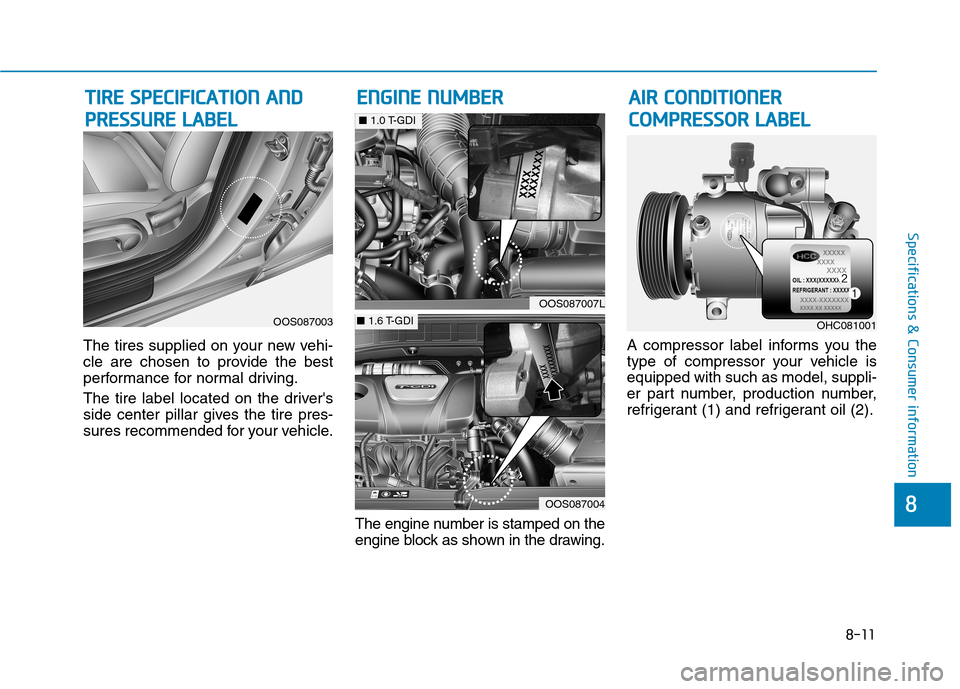
The tires supplied on your new vehi-
cle are chosen to provide the best
performance for normal driving.
The tire label located on the driver's
side center pillar gives the tire pres-
sures recommended for your vehicle.The engine number is stamped on the
engine block as shown in the drawing.A compressor label informs you the
type of compressor your vehicle isequipped with such as model, suppli-
er part number, production number,
refrigerant (1) and refrigerant oil (2).
TT
IIRR EE SS PP EECCIIFF IICC AA TTIIOO NN AA NN DD
P
P RR EESSSSUU RREE LL AA BBEELL E
E
NN GGIINN EE NN UU MM BBEERR
OOS087003
OOS087007L
■ 1.0 T-GDI
OOS087004
■ 1.6 T-GDI
AA IIRR CC OO NNDDIITT IIOO NNEERR
C
C OO MM PPRR EESSSSOO RR LL AA BBEELL
OHC081001