vent HYUNDAI KONA 2021 Owners Manual
[x] Cancel search | Manufacturer: HYUNDAI, Model Year: 2021, Model line: KONA, Model: HYUNDAI KONA 2021Pages: 506, PDF Size: 34.9 MB
Page 276 of 506
5-42
Driving your vehicle
When the AWD LOCK mode is
deactivated, a sensation may be
felt as the driving power is deliv-
ered entirely to the front wheels.
For safe AWD operation
Before driving
Make sure all passengers are
wearing seat belts.
Sit upright and closer to the steer-
ing wheel than usual. Adjust the
steering wheel to a position com-
fortable for you to drive.
Driving on snow-covered or icy
roads
Start off slowly by applying the
accelerator pedal gently.
Use snow tires or tire chains.
Keep sufficient distance between
your vehicle and the vehicle in front
of you.
Apply engine braking during decel-
eration by switching the gear shift
lever to Manual Shift Mode and
manually selecting a lower gear.
Avoid speeding, rapid acceleration,
sudden brake applications, and
sharp turns to prevent skids.
Driving in sand or mud
Maintain slow and constant speed.
Use tire chains driving in mud if
necessary.
Keep sufficient distance between
your vehicle and the vehicle in front
of you.
Reduce vehicle speed and always
check the road condition.
Avoid speeding, rapid acceleration,
sudden brake applications, and
sharp turns to prevent getting
stuck.
NOTICE
When driving on normal roads,
deactivate the AWD LOCK mode
by pushing the AWD LOCK but-
ton (AWD LOCK indicator light
goes off). Driving on normal
roads with the AWD LOCK
mode, especially, when corner-
ing may cause mechanical
noise or vibration. The noise
and vibration will disappear
when the AWD LOCK mode is
deactivated. Prolong driving
with the noise and vibration
may damage some parts of the
power train.
CAUTION
When the vehicle is stuck in
snow, sand or mud, place a non-
slip material under the drive
wheels to provide traction OR
Slowly spin the wheels in for-
ward and reverse directions
which causes a rocking motion
that may free the vehicle.
However, avoid running the
engine continuously at high
rpm, doing so may damage the
AWD system.
CAUTION
Page 278 of 506
5-44
Driving your vehicle
Additional driving conditions
Become familiar with the off-road
conditions before driving.
Always pay attention when driving
off-road and avoid dangerous
areas.
Drive slowly when driving in heavy
wind.
Reduce vehicle speed when cor-
nering. The center of gravity of
AWD vehicles is higher than con-
ventional 2WD vehicles, making
them more likely to roll over when
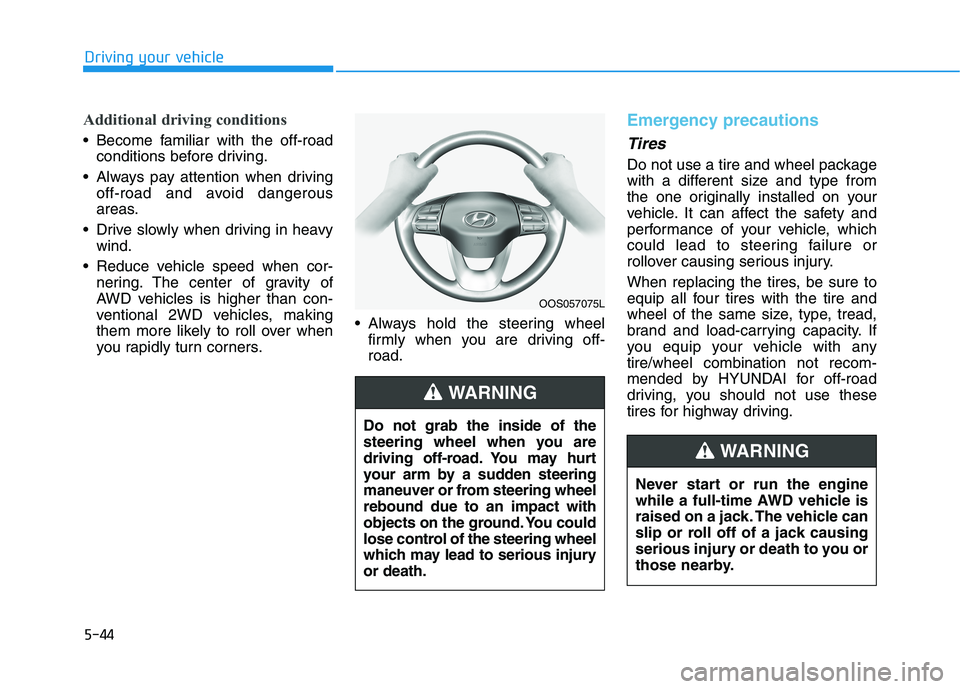
you rapidly turn corners. Always hold the steering wheel
firmly when you are driving off-
road.
Emergency precautions
Tires
Do not use a tire and wheel package
with a different size and type from
the one originally installed on your
vehicle. It can affect the safety and
performance of your vehicle, which
could lead to steering failure or
rollover causing serious injury.
When replacing the tires, be sure to
equip all four tires with the tire and
wheel of the same size, type, tread,
brand and load-carrying capacity. If
you equip your vehicle with any
tire/wheel combination not recom-
mended by HYUNDAI for off-road
driving, you should not use these
tires for highway driving.
OOS057075L
Do not grab the inside of the
steering wheel when you are
driving off-road. You may hurt
your arm by a sudden steering
maneuver or from steering wheel
rebound due to an impact with
objects on the ground. You could
lose control of the steering wheel
which may lead to serious injury
or death.
WARNING
Never start or run the engine
while a full-time AWD vehicle is
raised on a jack. The vehicle can
slip or roll off of a jack causing
serious injury or death to you or
those nearby.
WARNING
Page 290 of 506
5-56
Driving your vehicle
The Forward Collision-Avoidance
Assist (FCA) system is designed to
help detect and monitor the vehicle
ahead in the roadway through camera
recognition to warn the driver that a
collision is imminent, and if necessary,
apply emergency braking.
The camera type Forward Collision-
Avoidance Assist (FCA) system
detects the vehicle ahead in the
roadway through camera.
System setting and activation
System setting
The Forward Collision-Avoidance
Assist (FCA) system is enabled
whenever the vehicle is turned on.
To turn off the system, go to the
'User settings →Driver assistance'
and deselect 'FCA (Forward
Collision Avoidance Assist)' on the
cluster LCD display.
The warning light illumi-
nates on the cluster,
when you cancel the FCA
system. The driver can
monitor the FCA ON/OFF status on
the LCD display. Also, the warning
light illuminates when the ESC
(Electronic Stability Control) is
turned off. If the warning light
remains ON when the FCA is acti-
vated, have the system checked by
an authorized HYUNDAI dealer.
F FO
OR
RW
WA
AR
RD
D
C
CO
OL
LL
LI
IS
SI
IO
ON
N-
-A
AV
VO
OI
ID
DA
AN
NC
CE
E
A
AS
SS
SI
IS
ST
T
(
(F
FC
CA
A)
)
S
SY
YS
ST
TE
EM
M
-
-
C
CA
AM
ME
ER
RA
A
T
TY
YP
PE
E
(
(I
IF
F
E
EQ
QU
UI
IP
PP
PE
ED
D)
)
Take the following precautions
when using the Forward
Collision-Avoidance Assist
(FCA) system:
This system is only a supple-
mental system and it is not
intended to, nor does it
replace the need for extreme
care and attention of the driv-
er. The sensing range and
objects detectable by the sen-
sors are limited. Pay attention
to the road conditions at all
times.
NEVER drive too fast in accor-
dance with the road condi-
tions or while cornering.
Always drive cautiously to
prevent unexpected and sud-
den situations from occur-
ring. FCA does not stop the
vehicle completely and is not
a collision avoidance system.
WARNING
Page 293 of 506
5-59
Driving your vehicle
5
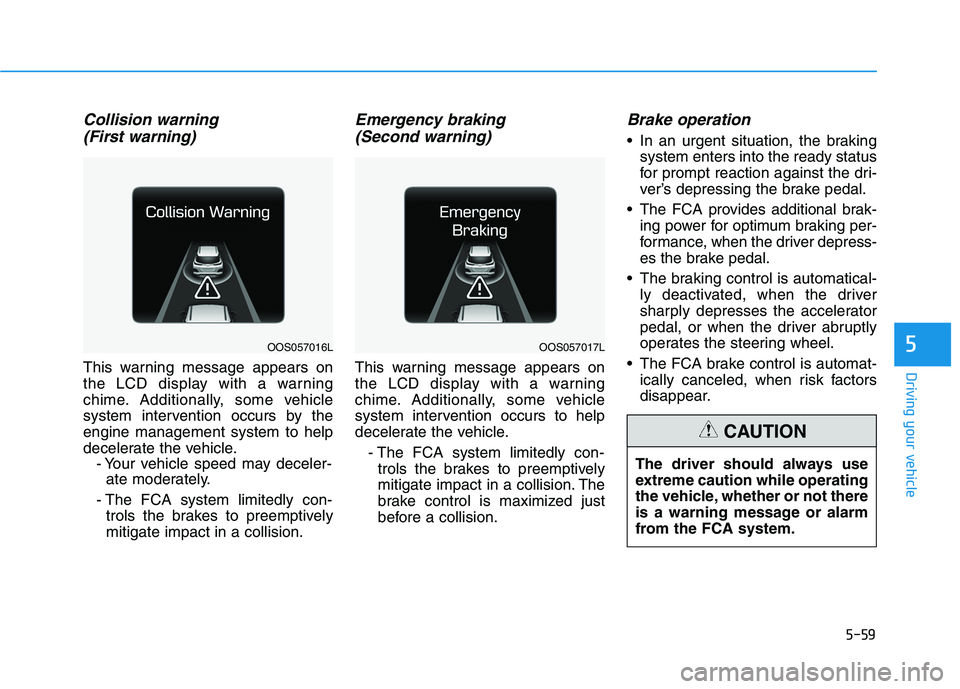
Collision warning
(First warning)
This warning message appears on
the LCD display with a warning
chime. Additionally, some vehicle
system intervention occurs by the
engine management system to help
decelerate the vehicle.
- Your vehicle speed may deceler-
ate moderately.
- The FCA system limitedly con-
trols the brakes to preemptively
mitigate impact in a collision.
Emergency braking
(Second warning)
This warning message appears on
the LCD display with a warning
chime. Additionally, some vehicle
system intervention occurs to help
decelerate the vehicle.
- The FCA system limitedly con-
trols the brakes to preemptively
mitigate impact in a collision. The
brake control is maximized just
before a collision.
Brake operation
In an urgent situation, the braking
system enters into the ready status
for prompt reaction against the dri-
ver’s depressing the brake pedal.
The FCA provides additional brak-
ing power for optimum braking per-
formance, when the driver depress-
es the brake pedal.
The braking control is automatical-
ly deactivated, when the driver
sharply depresses the accelerator
pedal, or when the driver abruptly
operates the steering wheel.
The FCA brake control is automat-
ically canceled, when risk factors
disappear.
OOS057016LOOS057017L
The driver should always use
extreme caution while operating
the vehicle, whether or not there
is a warning message or alarm
from the FCA system.
CAUTION
Page 303 of 506
5-69
Driving your vehicle
5
The Forward Collision-avoidance
Assist (FCA) system is designed to
help detect and monitor the vehicle
ahead or detect a pedestrian (if
equipped) in the roadway through
radar signals and camera recogni-
tion to warn the driver that a collision
is imminent, and if necessary, apply
emergency braking.System Setting and Activation
System setting
The driver can activate the FCA by
placing the ignition switch to the
ON position and by selecting:
''User Settings →Driver
Assistance →Forward Collision-
Avoidance Assist (FCA)''
The FCA deactivates, when the driv-
er deselects the system setting.
F FO
OR
RW
WA
AR
RD
D
C
CO
OL
LL
LI
IS
SI
IO
ON
N-
-A
AV
VO
OI
ID
DA
AN
NC
CE
E
A
AS
SS
SI
IS
ST
T
(
(F
FC
CA
A)
)
S
SY
YS
ST
TE
EM
M-
-S
SE
EN
NS
SO
OR
R
F
FU
US
SI
IO
ON
N
T
TY
YP
PE
E
( (F
FR
RO
ON
NT
T
R
RA
AD
DA
AR
R
+
+
F
FR
RO
ON
NT
T
C
CA
AM
ME
ER
RA
A)
)
(
(I
IF
F
E
EQ
QU
UI
IP
PP
PE
ED
D)
)
Take the following precautions
when using the Forward
Collision-avoidance Assist (FCA)
system:
This system is only a supple-
mental system and it is not
intended to, nor does it replace
the need for extreme care and
attention of the driver. The
sensing range and objects
detectable by the sensors are
limited. Pay attention to the
road conditions at all times.
NEVER drive too fast in accor-
dance with the road condi-
tions or while cornering.
Always drive cautiously to
prevent unexpected and sud-
den situations from occur-
ring. The Forward Collision
Avoidance system may not
always stop the vehicle com-
pletely and is only intended to
help mitigate a collision that
is imminent.
WARNING
Page 305 of 506
5-71
Driving your vehicle
5
FCA Warning Message and
System Control
The FCA produces warning mes-
sages and warning alarms in accor-
dance with the collision risk levels,
such as abrupt stopping of the vehi-
cle in front, insufficient braking dis-
tance, or pedestrian detection. Also,
it controls the brakes in accordance
with the collision risk levels.
The driver can select the initial warn-
ing activation time in the User
Settings in the LCD display. The
options for the initial Forward Collision
Warning include EARLY, NORMAL, or
LATE initial warning time.
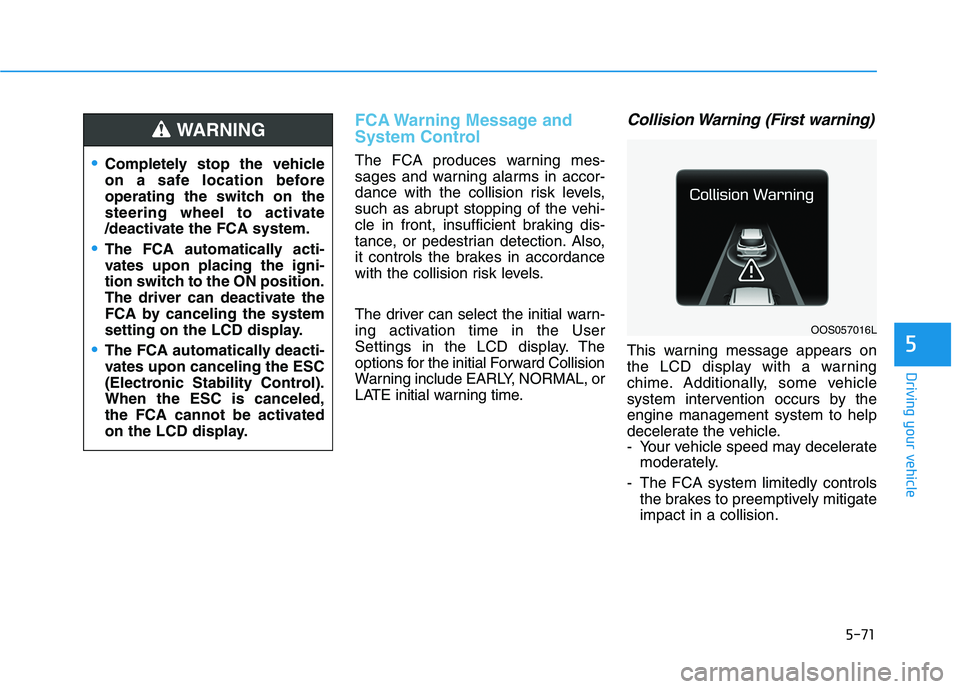
Collision Warning (First warning)
This warning message appears on
the LCD display with a warning
chime. Additionally, some vehicle
system intervention occurs by the
engine management system to help
decelerate the vehicle.
- Your vehicle speed may decelerate
moderately.
- The FCA system limitedly controls
the brakes to preemptively mitigate
impact in a collision.
Completely stop the vehicle
on a safe location before
operating the switch on the
steering wheel to activate
/deactivate the FCA system.
The FCA automatically acti-
vates upon placing the igni-
tion switch to the ON position.
The driver can deactivate the
FCA by canceling the system
setting on the LCD display.
The FCA automatically deacti-
vates upon canceling the ESC
(Electronic Stability Control).
When the ESC is canceled,
the FCA cannot be activated
on the LCD display.
WARNING
OOS057016L
Page 306 of 506
5-72
Driving your vehicle
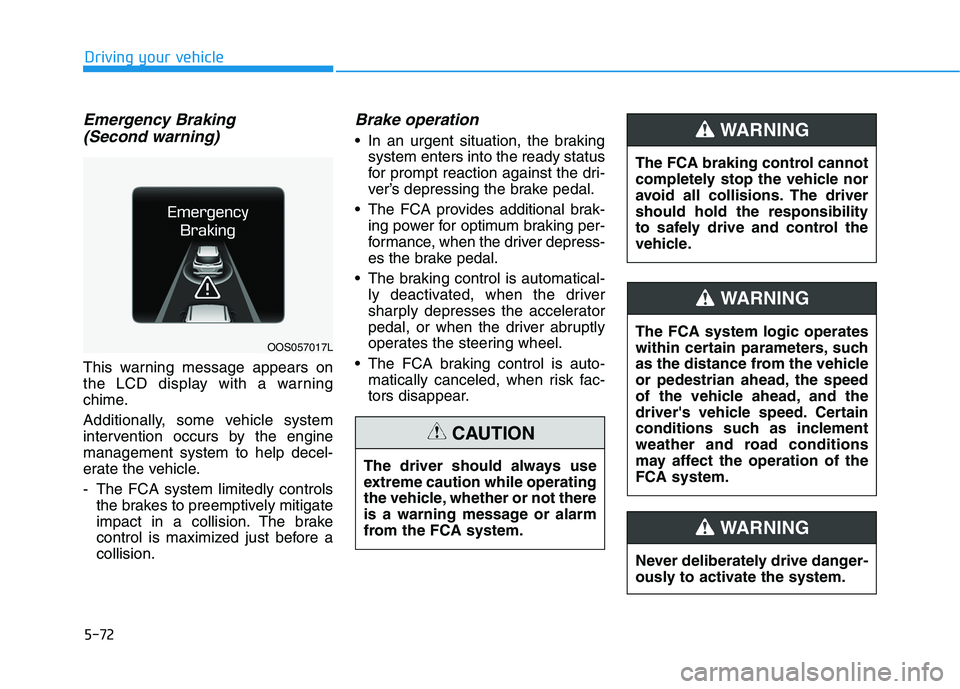
Emergency Braking
(Second warning)
This warning message appears on
the LCD display with a warning
chime.
Additionally, some vehicle system
intervention occurs by the engine
management system to help decel-
erate the vehicle.
- The FCA system limitedly controls
the brakes to preemptively mitigate
impact in a collision. The brake
control is maximized just before a
collision.
Brake operation
In an urgent situation, the braking
system enters into the ready status
for prompt reaction against the dri-
ver’s depressing the brake pedal.
The FCA provides additional brak-
ing power for optimum braking per-
formance, when the driver depress-
es the brake pedal.
The braking control is automatical-
ly deactivated, when the driver
sharply depresses the accelerator
pedal, or when the driver abruptly
operates the steering wheel.
The FCA braking control is auto-
matically canceled, when risk fac-
tors disappear.
The driver should always use
extreme caution while operating
the vehicle, whether or not there
is a warning message or alarm
from the FCA system.
CAUTION
OOS057017LThe FCA system logic operates
within certain parameters, such
as the distance from the vehicle
or pedestrian ahead, the speed
of the vehicle ahead, and the
driver's vehicle speed. Certain
conditions such as inclement
weather and road conditions
may affect the operation of the
FCA system.
WARNING
The FCA braking control cannot
completely stop the vehicle nor
avoid all collisions. The driver
should hold the responsibility
to safely drive and control the
vehicle.
WARNING
Never deliberately drive danger-
ously to activate the system.
WARNING
Page 315 of 506
5-81
Driving your vehicle
5
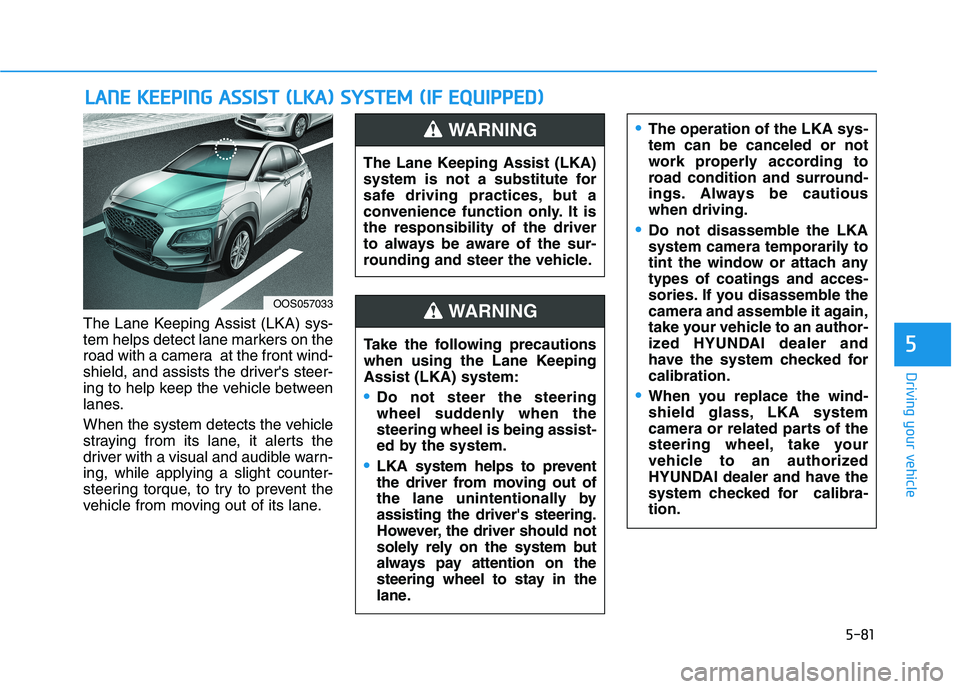
The Lane Keeping Assist (LKA) sys-
tem helps detect lane markers on the
road with a camera at the front wind-
shield, and assists the driver's steer-
ing to help keep the vehicle between
lanes.
When the system detects the vehicle
straying from its lane, it alerts the
driver with a visual and audible warn-
ing, while applying a slight counter-
steering torque, to try to prevent the
vehicle from moving out of its lane.
L LA
AN
NE
E
K
KE
EE
EP
PI
IN
NG
G
A
AS
SS
SI
IS
ST
T
(
(L
LK
KA
A)
)
S
SY
YS
ST
TE
EM
M
(
(I
IF
F
E
EQ
QU
UI
IP
PP
PE
ED
D)
)
OOS057033
The Lane Keeping Assist (LKA)
system is not a substitute for
safe driving practices, but a
convenience function only. It is
the responsibility of the driver
to always be aware of the sur-
rounding and steer the vehicle.
WARNING
Take the following precautions
when using the Lane Keeping
Assist (LKA) system:
Do not steer the steering
wheel suddenly when the
steering wheel is being assist-
ed by the system.
LKA system helps to prevent
the driver from moving out of
the lane unintentionally by
assisting the driver's steering.
However, the driver should not
solely rely on the system but
always pay attention on the
steering wheel to stay in the
lane.
WARNING
The operation of the LKA sys-
tem can be canceled or not
work properly according to
road condition and surround-
ings. Always be cautious
when driving.
Do not disassemble the LKA
system camera temporarily to
tint the window or attach any
types of coatings and acces-
sories. If you disassemble the
camera and assemble it again,
take your vehicle to an author-
ized HYUNDAI dealer and
have the system checked for
calibration.
When you replace the wind-
shield glass, LKA system
camera or related parts of the
steering wheel, take your
vehicle to an authorized
HYUNDAI dealer and have the
system checked for calibra-
tion.
Page 317 of 506
5-83
Driving your vehicle
5
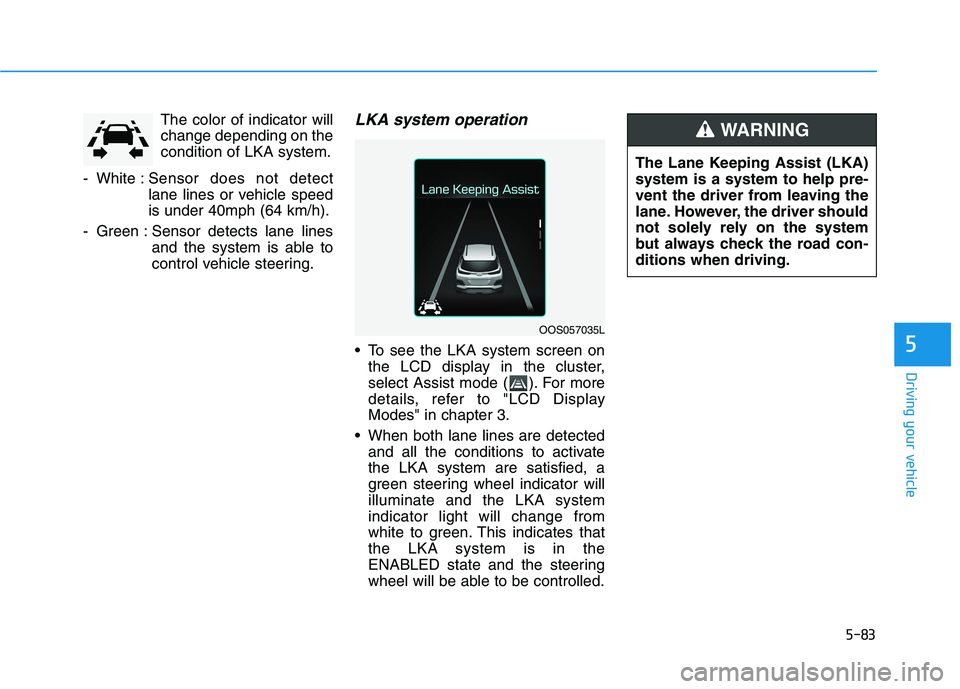
The color of indicator will
change depending on the
condition of LKA system.
- White :Sensor does not detect
lane lines or vehicle speed
is under 40mph (64 km/h).
- Green : Sensor detects lane lines
and the system is able to
control vehicle steering.LKA system operation
To see the LKA system screen on
the LCD display in the cluster,
select Assist mode ( ). For more
details, refer to "LCD Display
Modes" in chapter 3.
When both lane lines are detected
and all the conditions to activate
the LKA system are satisfied, a
green steering wheel indicator will
illuminate and the LKA system
indicator light will change from
white to green. This indicates that
the LKA system is in the
ENABLED state and the steering
wheel will be able to be controlled.
The Lane Keeping Assist (LKA)
system is a system to help pre-
vent the driver from leaving the
lane. However, the driver should
not solely rely on the system
but always check the road con-
ditions when driving.
WARNING
OOS057035L
Page 318 of 506
5-84
Driving your vehicle
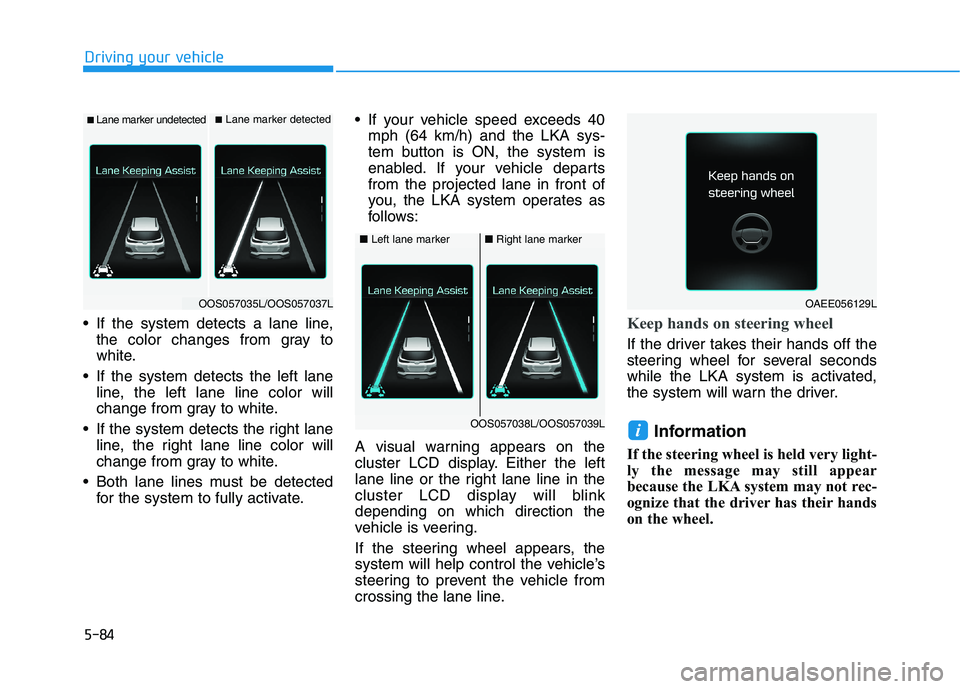
If the system detects a lane line,
the color changes from gray to
white.
If the system detects the left lane
line, the left lane line color will
change from gray to white.
If the system detects the right lane
line, the right lane line color will
change from gray to white.
Both lane lines must be detected
for the system to fully activate. If your vehicle speed exceeds 40
mph (64 km/h) and the LKA sys-
tem button is ON, the system is
enabled. If your vehicle departs
from the projected lane in front of
you, the LKA system operates as
follows:
A visual warning appears on the
cluster LCD display. Either the left
lane line or the right lane line in the
cluster LCD display will blink
depending on which direction the
vehicle is veering.
If the steering wheel appears, the
system will help control the vehicle’s
steering to prevent the vehicle from
crossing the lane line.
Keep hands on steering wheel
If the driver takes their hands off the
steering wheel for several seconds
while the LKA system is activated,
the system will warn the driver.
Information
If the steering wheel is held very light-
ly the message may still appear
because the LKA system may not rec-
ognize that the driver has their hands
on the wheel.
i
■Lane marker undetected■Lane marker detected
OOS057035L/OOS057037L
■Left lane marker■Right lane marker
OOS057038L/OOS057039L
OAEE056129L