start HYUNDAI KONA 2022 Owners Manual
[x] Cancel search | Manufacturer: HYUNDAI, Model Year: 2022, Model line: KONA, Model: HYUNDAI KONA 2022Pages: 579, PDF Size: 35.31 MB
Page 315 of 579
Driving your vehicle
6-58
ISG malfunction
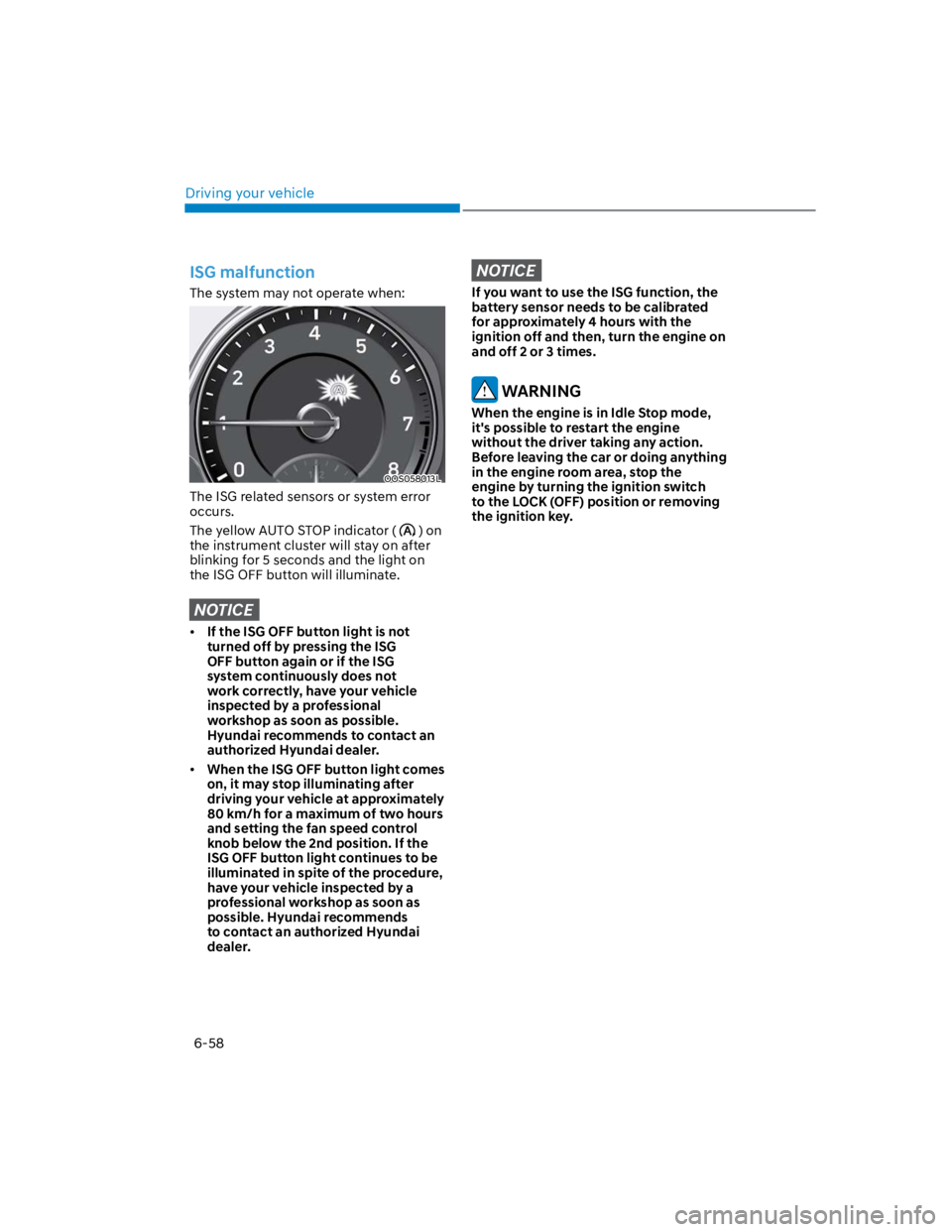
The system may not operate when:
OOS058013L
The ISG related sensors or system error
occurs.
The yellow AUTO STOP indicator () on
the instrument cluster will stay on after
blinking for 5 seconds and the light on
the ISG OFF button will illuminate.
NOTICE
If the ISG OFF button light is not
turned off by pressing the ISG
OFF button again or if the ISG
system continuously does not
work correctly, have your vehicle
inspected by a professional
workshop as soon as possible.
Hyundai recommends to contact an
authorized Hyundai dealer.
When the ISG OFF button light comes
on, it may stop illuminating after
driving your vehicle at approximately
80 km/h for a maximum of two hours
and setting the fan speed control
knob below the 2nd position. If the
ISG OFF button light continues to be
illuminated in spite of the procedure,
have your vehicle inspected by a
professional workshop as soon as
possible. Hyundai recommends
to contact an authorized Hyundai
dealer.
NOTICE
If you want to use the ISG function, the
battery sensor needs to be calibrated
for approximately 4 hours with the
ignition off and then, turn the engine on
and off 2 or 3 times.
WARNING
When the engine is in Idle Stop mode,
it's possible to restart the engine
without the driver taking any action.
Before leaving the car or doing anything
in the engine room area, stop the
engine by turning the ignition switch
to the LOCK (OFF) position or removing
the ignition key.
Page 316 of 579
![HYUNDAI KONA 2022 Owners Manual 06
6-59
The battery sensor deactivation
OOS090040E
[A] : Battery sensor
The battery sensor is deactivated, when
the battery is disconnected from the
negative pole for maintenance purpose.
In this c](/img/35/41169/w960_41169-315.png "HYUNDAI KONA 2022 Owners Manual 06
6-59
The battery sensor deactivation
OOS090040E
[A] : Battery sensor
The battery sensor is deactivated, when
the battery is disconnected from the
negative pole for maintenance purpose.
In this c")
06
6-59
The battery sensor deactivation
OOS090040E
[A] : Battery sensor
The battery sensor is deactivated, when
the battery is disconnected from the
negative pole for maintenance purpose.
In this case, the ISG system is limitedly
operated due to the battery sensor
deactivation. Thus, the driver needs
to take the following procedures to
reactivate the battery sensor after
disconnecting the battery.
Prerequisites to reactivate the
battery sensor
Keep the engine in the OFF status for 4
hours, and attempt to restart the engine
3 to 4 times for the battery-sensor
reactivation.
Pay extreme caution not to connect any
accessories (i.e. navigation and black
box) to the vehicle with the engine in the
OFF status. If not, the battery sensor may
not be reactivated.
Information
-
-
-
NOTICE
Use only the genuine HYUNDAI ISG
battery for replacement. If not, the ISG
system may not normally operate.
Page 317 of 579
Driving your vehicle
6-60
OOS060012N
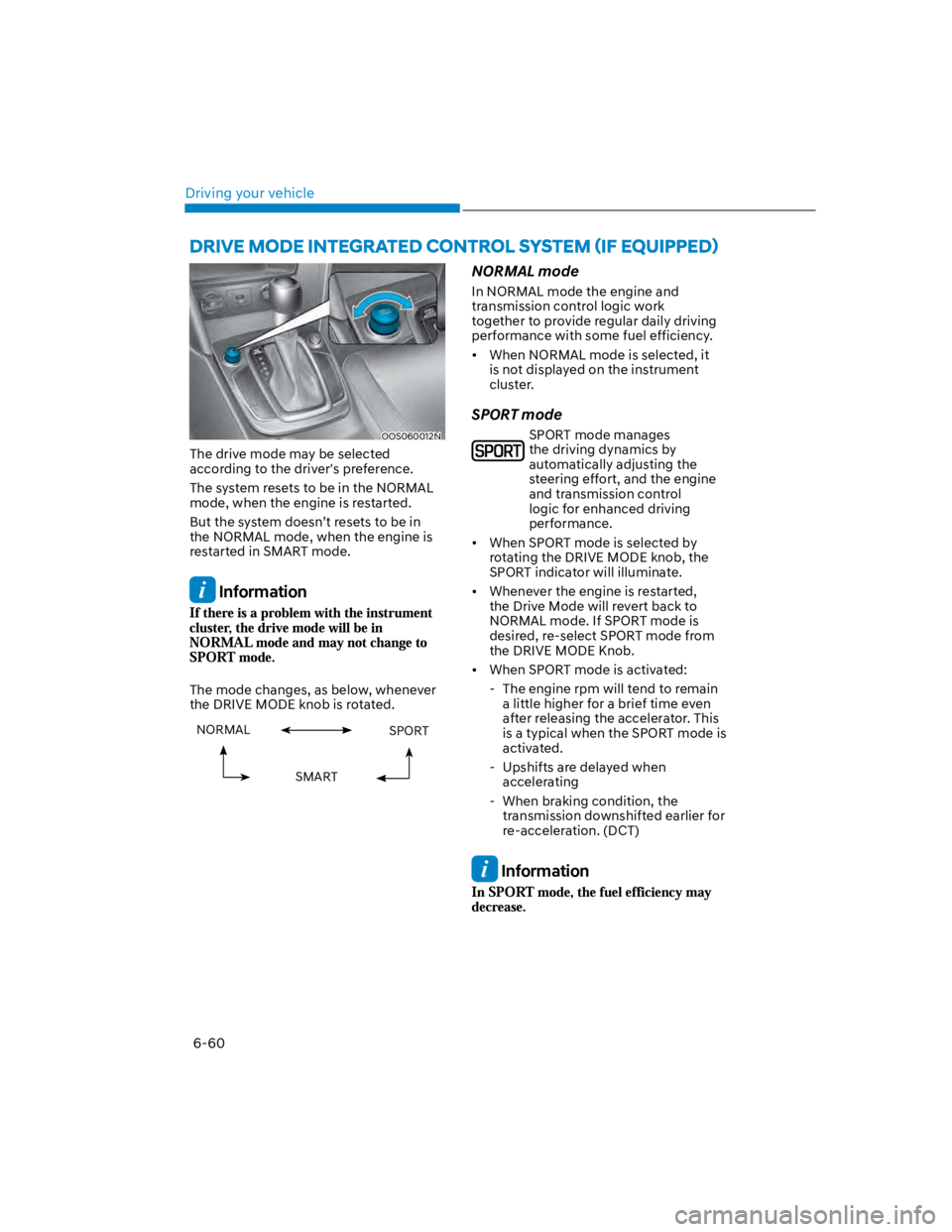
The drive mode may be selected
according to the driver's preference.
The system resets to be in the NORMAL
mode, when the engine is restarted.
But the system doesn’t resets to be in
the NORMAL mode, when the engine is
restarted in SMART mode.
Information
The mode changes, as below, whenever
the DRIVE MODE knob is rotated.
NORMAL SPORT
SMART
NORMAL mode
In NORMAL mode the engine and
transmission control logic work
together to provide regular daily driving
performance with some fuel efficiency.
When NORMAL mode is selected, it
is not displayed on the instrument
cluster.
SPORT mode
SPORT mode manages
the driving dynamics by
automatically adjusting the
steering effort, and the engine
and transmission control
logic for enhanced driving
performance.
When SPORT mode is selected by
rotating the DRIVE MODE knob, the
SPORT indicator will illuminate.
Whenever the engine is restarted,
the Drive Mode will revert back to
NORMAL mode. If SPORT mode is
desired, re-select SPORT mode from
the DRIVE MODE Knob.
When SPORT mode is activated:
- The engine rpm will tend to remain
a little higher for a brief time even
after releasing the accelerator. This
is a typical when the SPORT mode is
activated.
- Upshifts are delayed when
accelerating
- When braking condition, the
transmission downshifted earlier for
re-acceleration. (DCT)
Information
Page 318 of 579
06
6-61
SMART mode
SMART mode selects the proper
driving mode among NORMAL,
ECO and SPORT by judging
the driver's driving habits (i.e.
mild or dynamic) from the
brake pedal depression or the
steering wheel operation.
Rotate the DRIVE MODE knob to
activate SMART mode. When SMART
mode is activated, the indicator
illuminates on the instrument cluster.
The vehicle starts in SMART mode,
when the engine was turned OFF in
SMART mode.
SMART mode automatically controls
gear shifting patterns, engine torque,
in accordance with the driver's driving
habits.
Information
The driving mode automatically
changes to ECO mode after a certain
period of time, when you gently
depress the accelerator pedal (Your
driving is categorized to be mild.).
The driving mode automatically
changes from SMART ECO mode to
SMART NORMAL mode after a certain
period of time, when you sharply or
repetitively depress the accelerator
pedal.
The driving mode automatically
changes to SMART NORMAL mode
with the same driving patterns, when
the vehicle starts to drive on an
upward slope of a certain angle. The
driving mode automatically returns to
SMART ECO mode, when the vehicle
enters a leveled road.
The driving mode automatically
changes to SMART SPORT, when
you abruptly accelerate the vehicle
or repetitively operate the steering
wheel (Your driving is categorized
to be sporty.). In this mode, your
vehicle drives in a lower gear for
abrupt accelerating/decelerating
and increases the engine brake
performance.
You may still sense the engine brake
performance, even when you release
the accelerator pedal in SMART
SPORT mode. It is because your
vehicle remains to be in a lower gear
over a certain period of time for next
acceleration. Thus, it is a normal
driving situation, not indicating any
malfunction.
The driving mode automatically
changes to SMART SPORT mode
only in harsh driving situations. In
most of the normal driving situations,
the driving mode sets to be either
in SMART ECO mode or in SMART
NORMAL mode.
Page 319 of 579

Driving your vehicle
6-62
The SMART mode may be limited in
following situations. (The OFF indicator
illuminates in those situations.)
The driver manually moves the shift
lever : It deactivates SMART mode.
The vehicle drives, as the driver
manually moves the shift lever.
Cruise Control is activated : The cruise
system may deactivate the SMART
mode. When a higher system is set
by the cruise system, it starts to
control vehicle speed and deactivates
SMART mode. (SMART mode is not
deactivated just by activating the
cruise system.)
The transmission oil temperature is either
extremely low or extremely high : The
SMART mode can be active in most of
the normal driving situations. However,
an extremely high/ low transmission oil
temperature may temporarily deactivate
the SMART mode, because the
transmission condition is out of normal
operation condition.
Page 335 of 579
07
7-3
Forward Collision-Avoidance
Assist settings
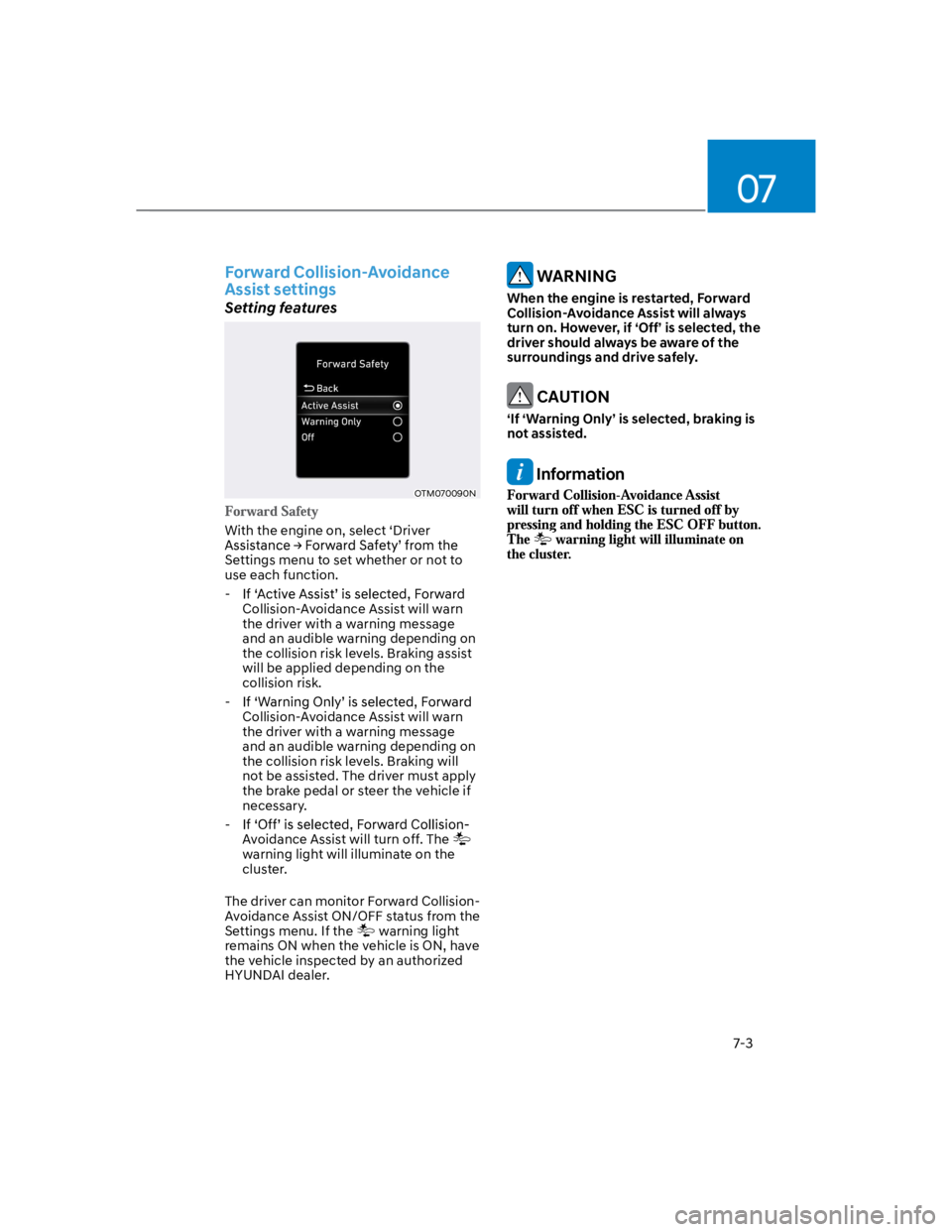
Setting features
OTM070090N
With the engine on, select ‘Driver
Settings menu to set whether or not to
use each function.
-
Collision-Avoidance Assist will warn
the driver with a warning message
and an audible warning depending on
the collision risk levels. Braking assist
will be applied depending on the
collision risk.
-
Collision-Avoidance Assist will warn
the driver with a warning message
and an audible warning depending on
the collision risk levels. Braking will
not be assisted. The driver must apply
the brake pedal or steer the vehicle if
necessary.
-
Avoidance Assist will turn off. The
warning light will illuminate on the
cluster.
The driver can monitor Forward Collision-
Avoidance Assist ON/OFF status from the
Settings menu. If the warning light
remains ON when the vehicle is ON, have
the vehicle inspected by an authorized
HYUNDAI dealer.
WARNING
When the engine is restarted, Forward
Collision-Avoidance Assist will always
turn on. However, if ‘Off’ is selected, the
driver should always be aware of the
surroundings and drive safely.
CAUTION
‘If ‘Warning Only’ is selected, braking is
not assisted.
Information
Page 345 of 579
07
7-13
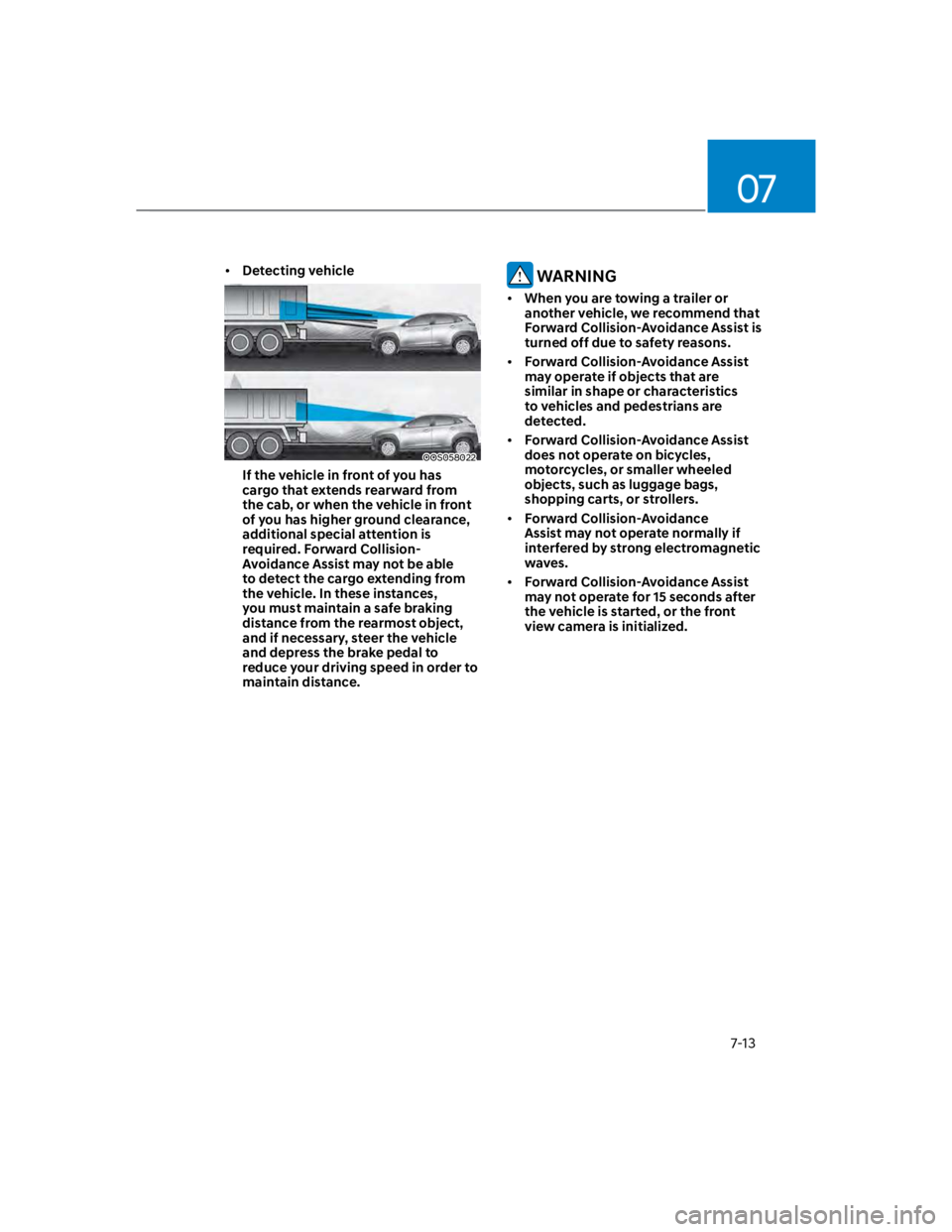
Detecting vehicle
OOS058022
If the vehicle in front of you has
cargo that extends rearward from
the cab, or when the vehicle in front
of you has higher ground clearance,
additional special attention is
required. Forward Collision-
Avoidance Assist may not be able
to detect the cargo extending from
the vehicle. In these instances,
you must maintain a safe braking
distance from the rearmost object,
and if necessary, steer the vehicle
and depress the brake pedal to
reduce your driving speed in order to
maintain distance.
WARNING
When you are towing a trailer or
another vehicle, we recommend that
Forward Collision-Avoidance Assist is
turned off due to safety reasons.
Forward Collision-Avoidance Assist
may operate if objects that are
similar in shape or characteristics
to vehicles and pedestrians are
detected.
Forward Collision-Avoidance Assist
does not operate on bicycles,
motorcycles, or smaller wheeled
objects, such as luggage bags,
shopping carts, or strollers.
Forward Collision-Avoidance
Assist may not operate normally if
interfered by strong electromagnetic
waves.
Forward Collision-Avoidance Assist
may not operate for 15 seconds after
the vehicle is started, or the front
view camera is initialized.
Page 348 of 579
Driver assistance system
7-16
Forward Collision-Avoidance
Assist settings
Setting features
OTM070090N
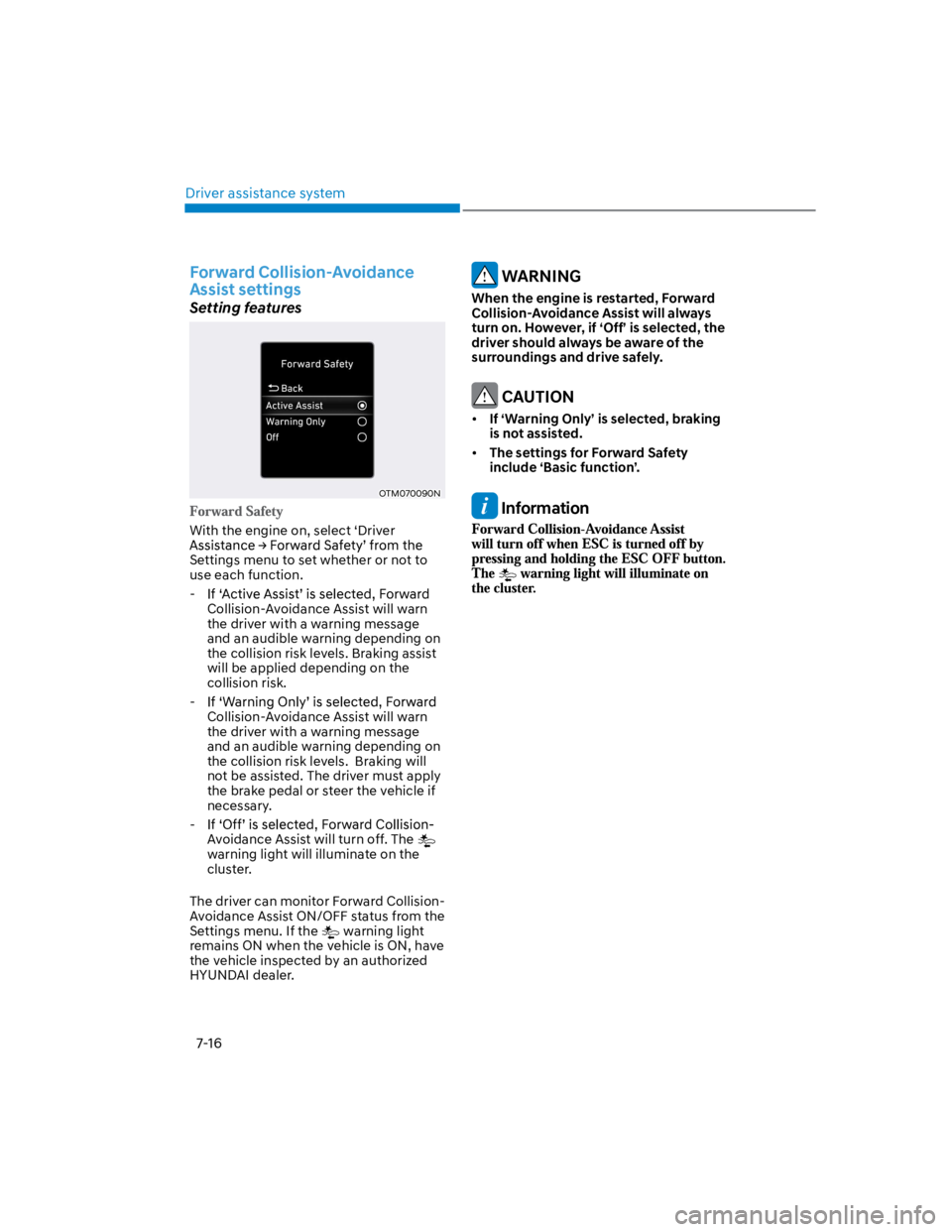
With the engine on, select ‘Driver
Settings menu to set whether or not to
use each function.
-
Collision-Avoidance Assist will warn
the driver with a warning message
and an audible warning depending on
the collision risk levels. Braking assist
will be applied depending on the
collision risk.
-
Collision-Avoidance Assist will warn
the driver with a warning message
and an audible warning depending on
the collision risk levels. Braking will
not be assisted. The driver must apply
the brake pedal or steer the vehicle if
necessary.
-
Avoidance Assist will turn off. The
warning light will illuminate on the
cluster.
The driver can monitor Forward Collision-
Avoidance Assist ON/OFF status from the
Settings menu. If the warning light
remains ON when the vehicle is ON, have
the vehicle inspected by an authorized
HYUNDAI dealer.
WARNING
When the engine is restarted, Forward
Collision-Avoidance Assist will always
turn on. However, if ‘Off’ is selected, the
driver should always be aware of the
surroundings and drive safely.
CAUTION
If ‘Warning Only’ is selected, braking
is not assisted.
The settings for Forward Safety
include ‘Basic function’.
Information
Page 359 of 579
07
7-27
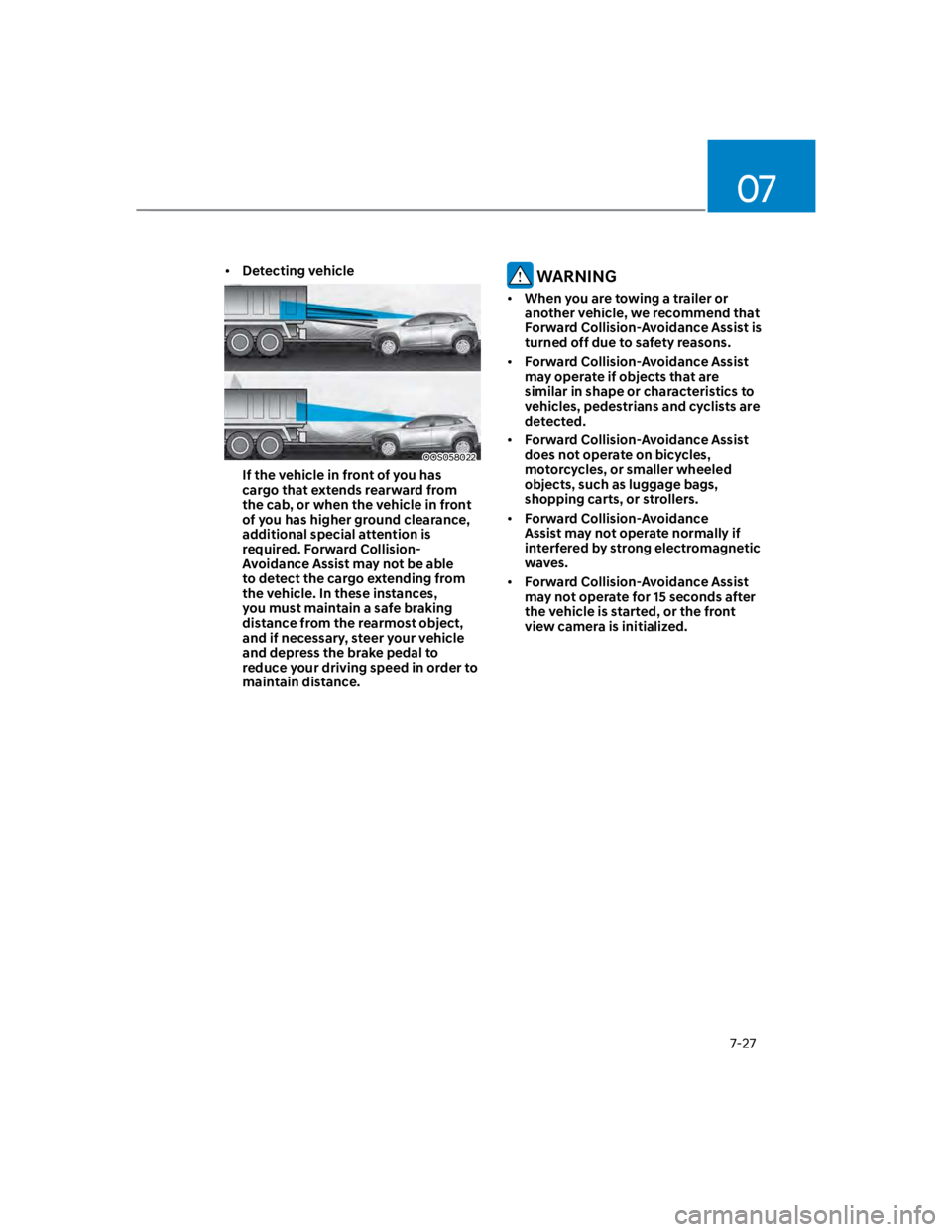
Detecting vehicle
OOS058022
If the vehicle in front of you has
cargo that extends rearward from
the cab, or when the vehicle in front
of you has higher ground clearance,
additional special attention is
required. Forward Collision-
Avoidance Assist may not be able
to detect the cargo extending from
the vehicle. In these instances,
you must maintain a safe braking
distance from the rearmost object,
and if necessary, steer your vehicle
and depress the brake pedal to
reduce your driving speed in order to
maintain distance.
WARNING
When you are towing a trailer or
another vehicle, we recommend that
Forward Collision-Avoidance Assist is
turned off due to safety reasons.
Forward Collision-Avoidance Assist
may operate if objects that are
similar in shape or characteristics to
vehicles, pedestrians and cyclists are
detected.
Forward Collision-Avoidance Assist
does not operate on bicycles,
motorcycles, or smaller wheeled
objects, such as luggage bags,
shopping carts, or strollers.
Forward Collision-Avoidance
Assist may not operate normally if
interfered by strong electromagnetic
waves.
Forward Collision-Avoidance Assist
may not operate for 15 seconds after
the vehicle is started, or the front
view camera is initialized.
Page 366 of 579
Driver assistance system
7-34
There is a road edge without a lane
There is a boundary structure in the
roadway, such as a tollgate, sidewalk,
curb, etc.
The distance to the front vehicle is
extremely short or the vehicle in front
is covering the lane marking (or road
edge)
Information
WARNING
Take the following precautions when
using Lane Keeping Assist:
The driver should hold the
responsibility to safely drive and
control the vehicle. Do not solely rely
on Lane Keeping Assist and drive
dangerously.
The operation of Lane Keeping
Assist can be cancelled or not
work properly depending on road
conditions and surroundings. Always
be cautious while driving.
Refer to “Limitations of Lane Keeping
Assist” if the lane is not detected
properly.
When you are towing a trailer or
another vehicle, we recommend that
Lane Keeping Assist is turned off due
to safety reasons.
If the vehicle is driven at high speed,
the steering wheel will not be
controlled. The driver must always
follow the speed limit when using
Lane Keeping Assist.
If any other system’s warning
message is displayed or audible
warning is generated, Lane Keeping
Assist warning message may not be
displayed and audible warning may
not be generated.
You may not hear the warning
sound of Lane Keeping Assist if the
surrounding is noisy.
If you attach objects to the steering
wheel, steering may not be assisted
properly.
Lane Keeping Assist may not operate
for 15 seconds after the vehicle is
started, or the front view camera is
initialized.
Lane Keeping Assist will not operate
when:
-The turn signal or hazard warning
flasher is turned on
-The vehicle is not driven in the
center of the lane when Lane
Keeping Assist is turned on or right
after changing a lane
-ESC (Electronic Stability Control)
or VSM (Vehicle Stability
Management) is activated
-The vehicle is driven on a sharp
curve
-Vehicle speed is below 35 mph (55
km/h) or above 130 mph (210 km/h)
-The vehicle makes sharp lane
changes
-The vehicle brakes suddenly