trans HYUNDAI KONA 2022 User Guide
[x] Cancel search | Manufacturer: HYUNDAI, Model Year: 2022, Model line: KONA, Model: HYUNDAI KONA 2022Pages: 579, PDF Size: 35.31 MB
Page 102 of 579
04
4-9
Transmission shift indicator
Intelligent variable transmission
(if equipped)
Type A
OTL045132
Type B
OCN7040013N
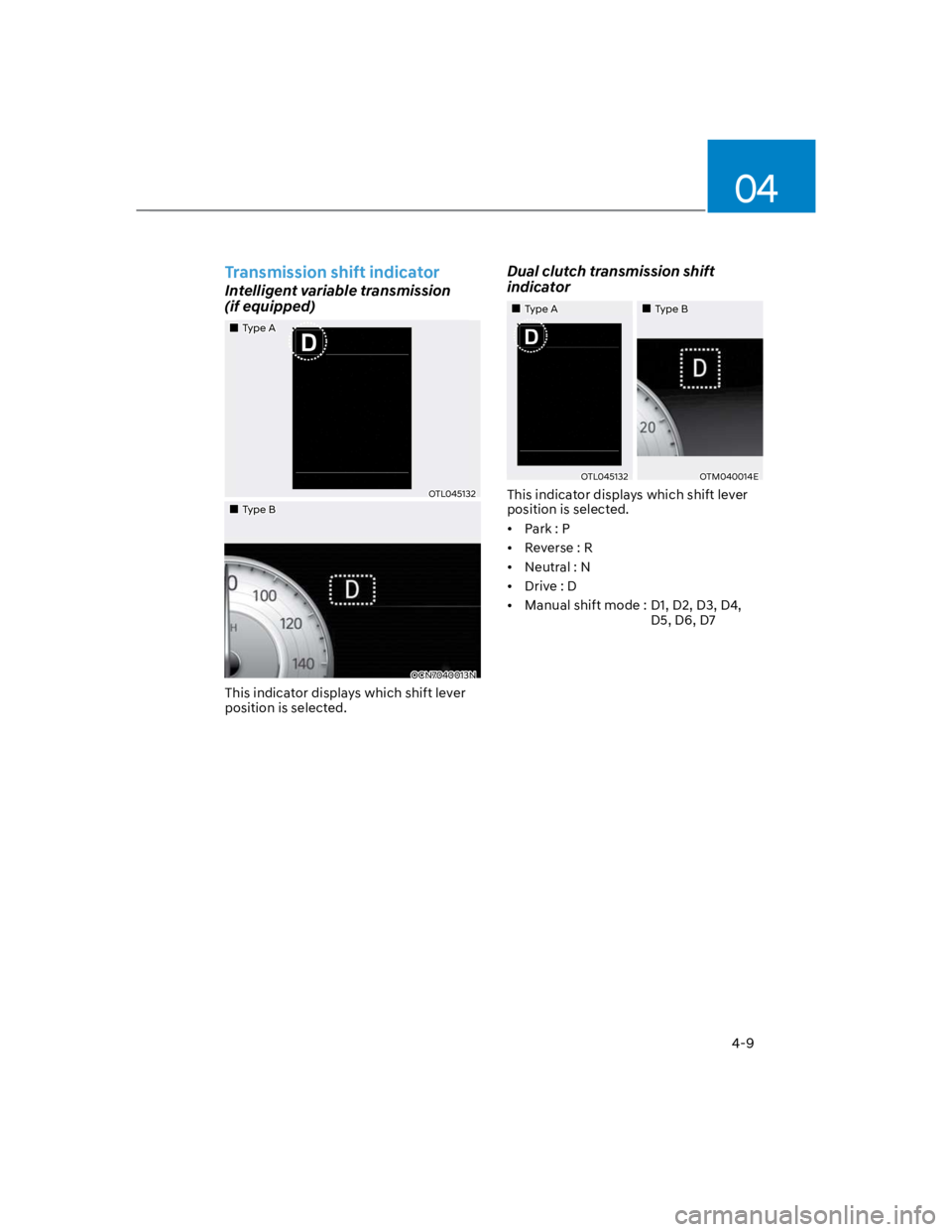
This indicator displays which shift lever
position is selected.
Dual clutch transmission shift
indicator
Type A Type B
OTL045132OTM040014E
This indicator displays which shift lever
position is selected.
Park : P
Reverse : R
Neutral : N
Drive : D
Manual shift mode : D1, D2, D3, D4,
D5, D6, D7
Page 115 of 579

Instrument cluster
4-22
LCD display messages
Shift to P (for smart key system and
dual clutch transmission)
This message is displayed if you try to
turn off the vehicle without the gear in
the P (Park) position.
If this occurs, the Engine Start/Stop
button turns to the ACC position.
Low key battery (for smart key
system)
This message is displayed if the battery
of the smart key is discharged while
changing the Engine Start/Stop button to
the OFF position.
Press START button while turning
wheel (for smart key system)
This message is displayed if the steering
wheel does not unlock normally when
the Engine Start/Stop button is pressed.
You should press the Engine Start/Stop
button while turning the steering wheel
right and left.
Steering wheel not locked
(for smart key system)
This message is displayed if the steering
wheel does not lock normally while the
Engine Start/Stop button is pressed to
the OFF position.
Press brake pedal to start engine (for
smart key system and dual clutch
transmission)
This message is displayed if the Engine
Start/Stop button changes to the ACC
position twice by pressing the button
repeatedly without depressing the brake
pedal.
You can start the vehicle by depressing
the brake pedal and then pressing the
Engine Start/Stop button.
Key not in vehicle (for smart key
system)
This message is displayed if the smart
key is not in the vehicle when you leave
the vehicle with the Engine Start/Stop
button in the ON or Start position.
Always turn off the engine before leaving
your vehicle.
Key not detected (for smart key
system)
This message is displayed if the smart
key is not detected when you press the
Engine Start/Stop button.
Press START button again (for smart
key system)
This message is displayed if you were
unable to start the vehicle when the
Engine Start/Stop button was pressed.
If this occurs, attempt to start the engine
by pressing the Engine Start/ Stop button
again.
If the warning message appears each
time you press the Engine Start/Stop
button, have the vehicle inspected by an
authorized HYUNDAI dealer.
Page 116 of 579

04
4-23
Press START button with key
(for smart key system)
This message is displayed if you press
the Engine Start/Stop button while the
warning message “Key not detected” is
displayed.
At this time, the immobilizer indicator
light blinks.
Check BRAKE SWITCH fuse
(for smart key system and dual
clutch transmission)
This message is displayed if the brake
switch fuse is disconnected.
You need to replace the fuse with a new
one before starting the engine.
If that is not possible, you can start the
engine by pressing the Engine Start/
Stop button for 10 seconds in the ACC
position.
Shift to P or N to start engine
(for smart key system and dual
clutch transmission)
This message is displayed if you try to
start the engine in any other position
except P (Park) or N (Neutral).
Information
Battery discharging due to external
electrical devices (if equipped)
This message is displayed if the 12V
battery voltage is weak due to any
non-factory electrical accessories (ex.
dashboard camera) while parking. Be
careful that the battery is not discharged.
If the message appears after removing
the non-factory electrical accessories,
have the vehicle inspected by an
authorized HYUNDAI dealer.
Page 125 of 579
Instrument cluster
4-32
OCN7040026L
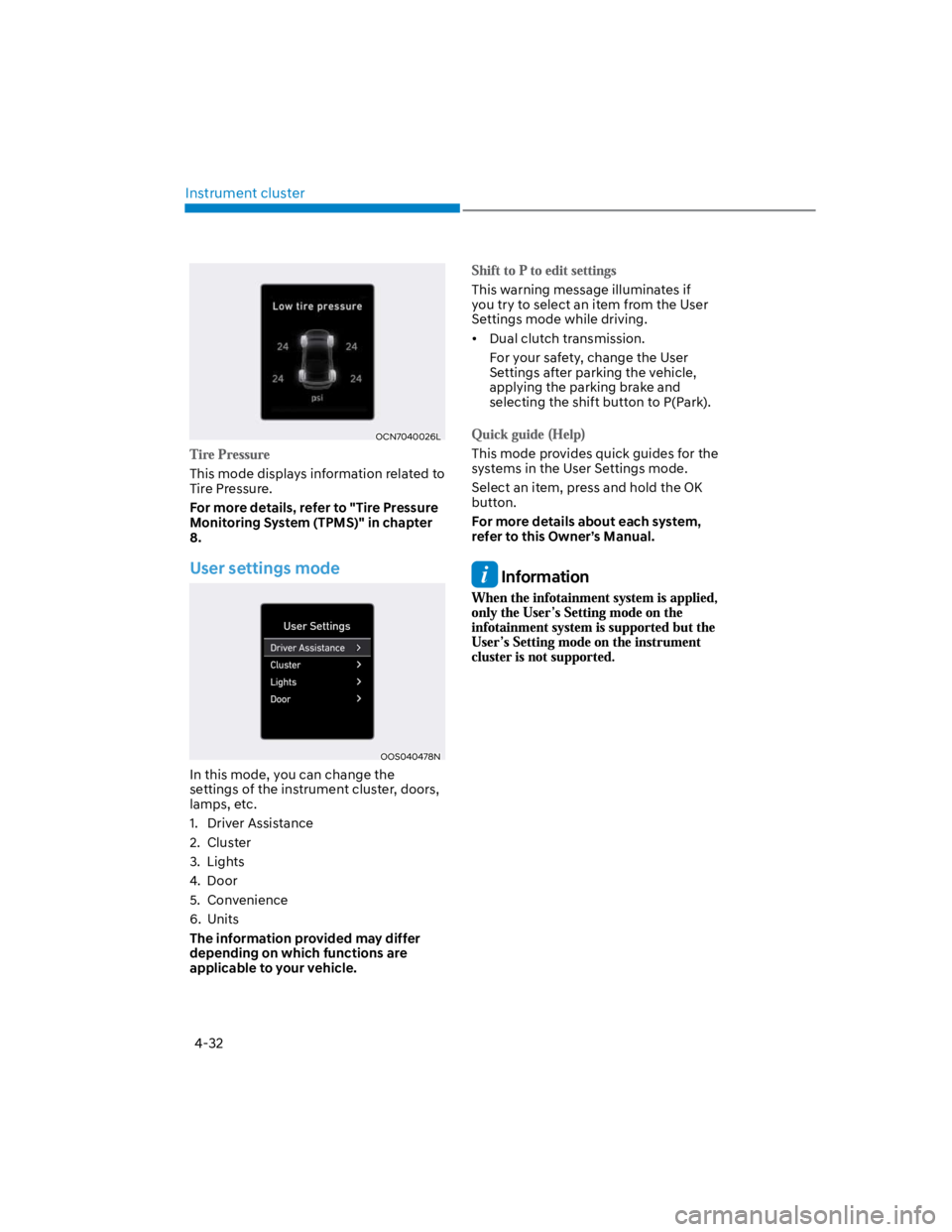
This mode displays information related to
Tire Pressure.
For more details, refer to "Tire Pressure
Monitoring System (TPMS)" in chapter
8.
User settings mode
OOS040478N
In this mode, you can change the
settings of the instrument cluster, doors,
lamps, etc.
1. Driver Assistance
2. Cluster
3. Lights
4. Door
5. Convenience
6. Units
The information provided may differ
depending on which functions are
applicable to your vehicle.
This warning message illuminates if
you try to select an item from the User
Settings mode while driving.
Dual clutch transmission.
For your safety, change the User
Settings after parking the vehicle,
applying the parking brake and
selecting the shift button to P(Park).
This mode provides quick guides for the
systems in the User Settings mode.
Select an item, press and hold the OK
button.
For more details about each system,
refer to this Owner’s Manual.
Information
Page 139 of 579
05
5-5
Panic button (if equipped)
Press and hold the Panic button (3) for
more than one second. The horn sounds
and hazard warning lights flash for about
30 seconds.
To cancel the panic mode, press any
button on the remote key.
Information
Start-up
For detailed information refer to “Key
Ignition Switch” in chapter 6.
NOTICE
To prevent damaging the remote key:
Keep the remote key away from
water or any liquid and fire. If
the inside of the remote key gets
damp (due to drinks or moisture),
or is heated, internal circuit may
malfunction, excluding the car from
the warranty.
Avoid dropping or throwing the
remote key.
Protect the remote key from extreme
temperatures.
Mechanical key
OOS050036N
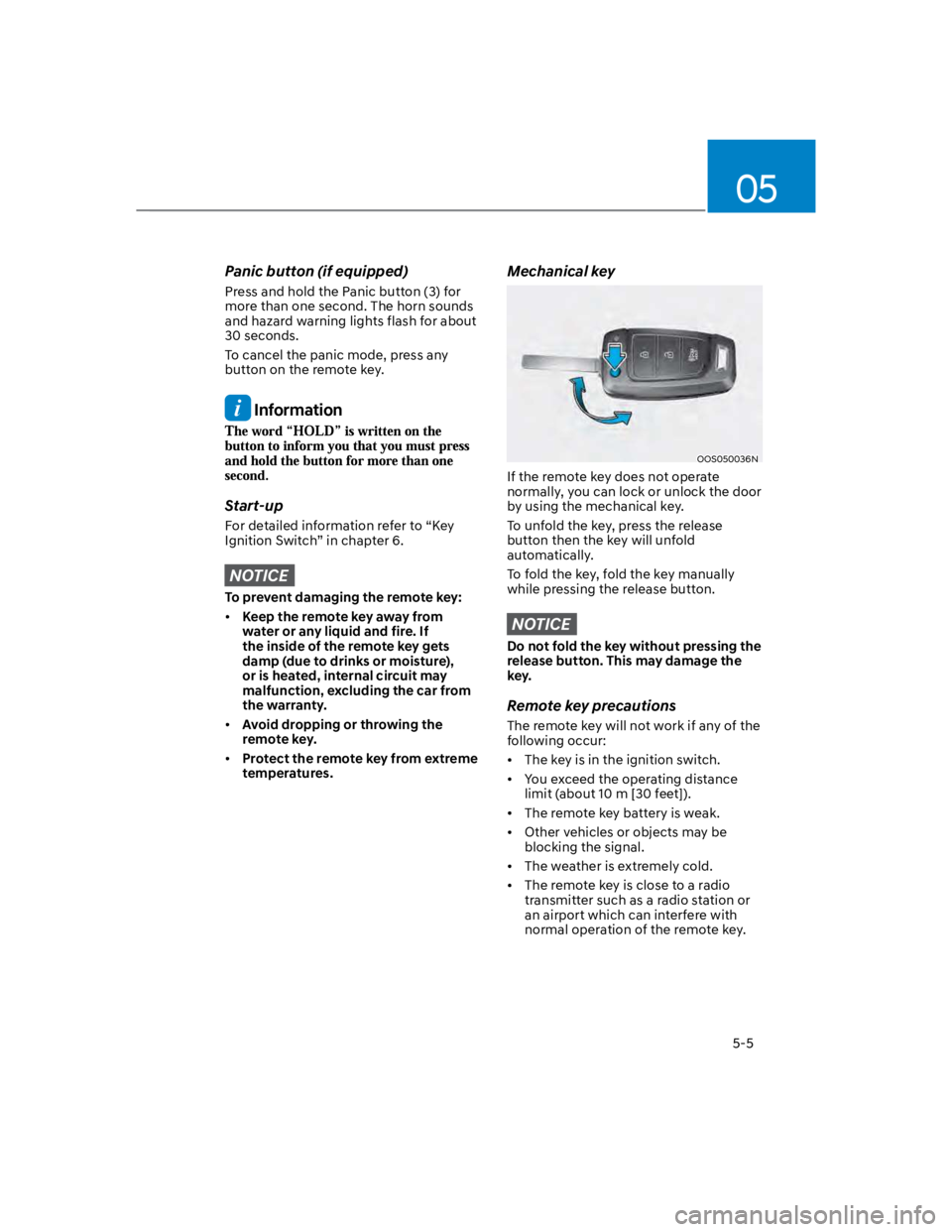
If the remote key does not operate
normally, you can lock or unlock the door
by using the mechanical key.
To unfold the key, press the release
button then the key will unfold
automatically.
To fold the key, fold the key manually
while pressing the release button.
NOTICE
Do not fold the key without pressing the
release button. This may damage the
key.
Remote key precautions
The remote key will not work if any of the
following occur:
The key is in the ignition switch.
You exceed the operating distance
limit (about 10 m [30 feet]).
The remote key battery is weak.
Other vehicles or objects may be
blocking the signal.
The weather is extremely cold.
The remote key is close to a radio
transmitter such as a radio station or
an airport which can interfere with
normal operation of the remote key.
Page 146 of 579
Convenient features
5-12
Mechanical key
If the Smart Key does not operate
normally, you can lock or unlock the
driver’s door by using the mechanical
key.
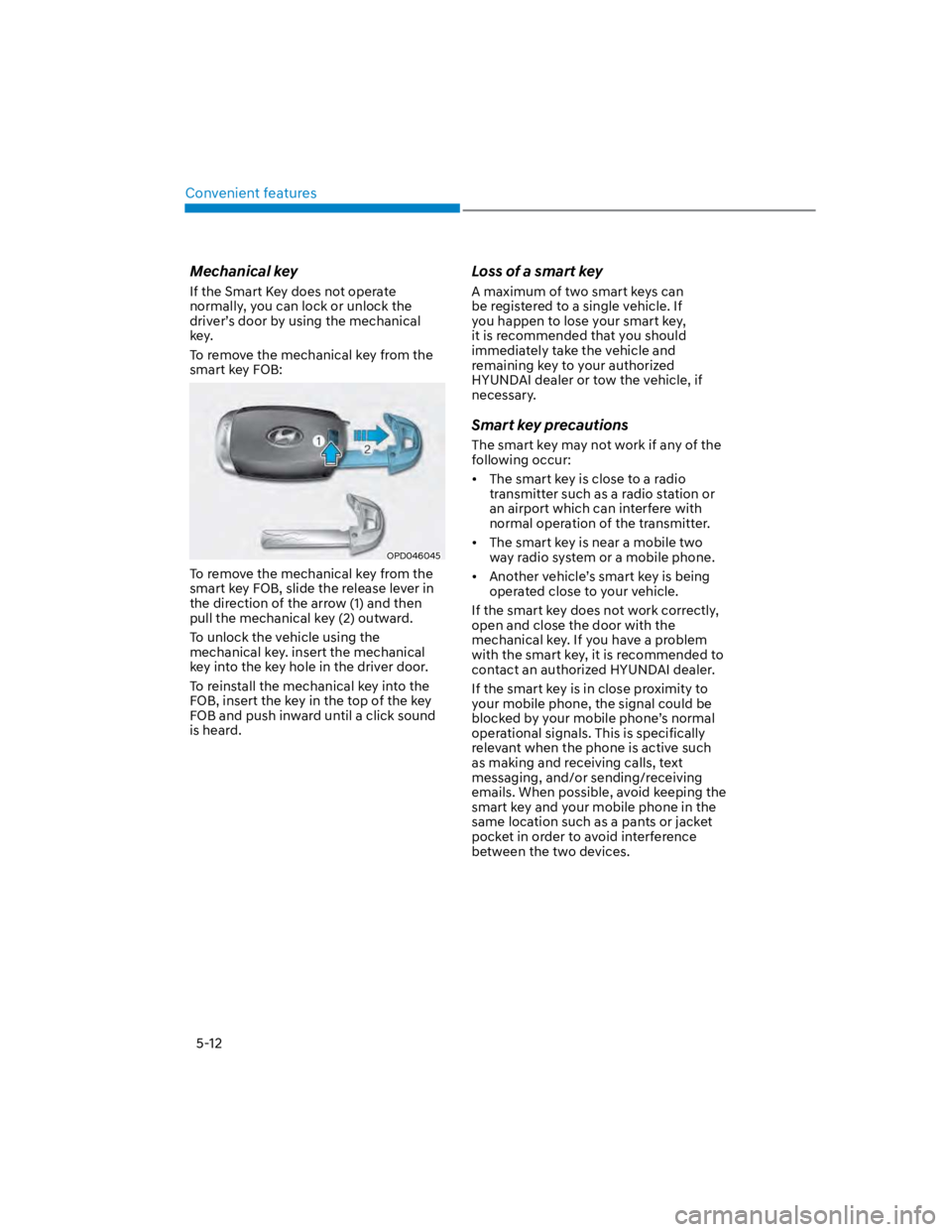
To remove the mechanical key from the
smart key FOB:
OPD046045
To remove the mechanical key from the
smart key FOB, slide the release lever in
the direction of the arrow (1) and then
pull the mechanical key (2) outward.
To unlock the vehicle using the
mechanical key. insert the mechanical
key into the key hole in the driver door.
To reinstall the mechanical key into the
FOB, insert the key in the top of the key
FOB and push inward until a click sound
is heard.
Loss of a smart key
A maximum of two smart keys can
be registered to a single vehicle. If
you happen to lose your smart key,
it is recommended that you should
immediately take the vehicle and
remaining key to your authorized
HYUNDAI dealer or tow the vehicle, if
necessary.
Smart key precautions
The smart key may not work if any of the
following occur:
The smart key is close to a radio
transmitter such as a radio station or
an airport which can interfere with
normal operation of the transmitter.
The smart key is near a mobile two
way radio system or a mobile phone.
Another vehicle’s smart key is being
operated close to your vehicle.
If the smart key does not work correctly,
open and close the door with the
mechanical key. If you have a problem
with the smart key, it is recommended to
contact an authorized HYUNDAI dealer.
If the smart key is in close proximity to
your mobile phone, the signal could be
blocked by your mobile phone’s normal
operational signals. This is specifically
relevant when the phone is active such
as making and receiving calls, text
messaging, and/or sending/receiving
emails. When possible, avoid keeping the
smart key and your mobile phone in the
same location such as a pants or jacket
pocket in order to avoid interference
between the two devices.
Page 148 of 579
Convenient features
5-14
Immobilizer system (if equipped)
The immobilizer system helps protect
your vehicle from theft. If an improperly
coded key (or other device) is used, the
engine’s fuel system is disabled.
When the ignition switch is placed in
the ON position, the immobilizer system
indicator should come on briefly, then
go off. If the indicator starts to blink, the
system does not recognize the coding of
the key.
Place the ignition switch to the LOCK/
OFF position, then place the ignition
switch to the ON position again.
The system may not recognize your
key’s coding if another immobilizer key
or other metal object (i.e., key chain) is
near the key. The engine may not start
because the metal may interrupt the
transponder signal from transmitting
normally.
If the system repeatedly does not
recognize the coding of the key, it is
recommended that you contact your
HYUNDAI dealer.
Do not attempt to alter this system
or add other devices to it. Electrical
problems could result that may make
your vehicle inoperable.
WARNING
In order to prevent theft of your
vehicle, do not leave spare keys
anywhere in your vehicle. Your
immobilizer password is a customer
unique password and should be kept
confidential.
NOTICE
The transponder in your key is an
important part of the immobilizer
system. It is designed to give years
of trouble-free service, however you
should avoid exposure to moisture,
static electricity and rough handling.
Immobilizer system malfunction could
occur.
Information
1.
2.
3.
Page 159 of 579
![HYUNDAI KONA 2022 User Guide 05
5-25
OOS050002K
[1] : Door handle authentication pad
You should contact digital key (card key)
to door handle authentication pad (1,
marked position near by the lock button)
of driver’s (or fr](/img/35/41169/w960_41169-158.png "HYUNDAI KONA 2022 User Guide 05
5-25
OOS050002K
[1] : Door handle authentication pad
You should contact digital key (card key)
to door handle authentication pad (1,
marked position near by the lock button)
of driver’s (or fr")
05
5-25
OOS050002K
[1] : Door handle authentication pad
You should contact digital key (card key)
to door handle authentication pad (1,
marked position near by the lock button)
of driver’s (or front passenger’s) outside
door for 2 seconds to lock or unlock the
doors. If the Two Press Unlock feature
is applied (press twice for unlocking),
driver’s seat door will be unlocked by
contacting the digital key (card key). In
this state, if you contact one more time
within 4 seconds, all the doors unlock.
Inoperable condition
If you do not contact the digital key (card
key) to the center of the door handle
authentication pad accurately., it may
not work. In addition, if you overlap and
use the key with NFC-enabled cards such
as transportation card or credit card, it
does not work.
Note that if you try to lock your vehicle
with digital key (card key) in following
cases, the doors will not be locked and
chime will sound for 3 seconds.
The Smart Key is in the vehicle.
The Engine Start/Stop button is in
ACC or ON position.
Any of the doors, hood and trunk are
open
If the digital key (card key) does not
work, please detach the key around
4 inches (0.1 m) from the handle
authentication pad and retry to contact.
The card key may be damaged by the
impact. It would not work properly if
the key is damaged. You should buy a
new card and register again. Long-time
exposure to high temperature may cause
the card key to malfunction. Please be
careful not to expose the key to direct
sunlight or high temperature.
After unlock the door or start up the
vehicle with digital key, even though
the driver tries to lock the doors by the
central door lock switch, the door lock
will be once locked and immediately
released at the moment of door closed.
Page 160 of 579
Convenient features
5-26
After placing your registered card key
onto the interior authentication pad
(wireless charger), step on the brake and
press the Engine Start/Stop button.
WARNING
If you do not place the digital key
(card key) onto the center of the
interior authentication pad (wireless
charger) exactly, the card key may
not be recognized. If the engine is
not turned on, adjust and place the
key again.
If you overlap and use the key
with NFC-enabled cards such as
transportation card or credit card,
the card key may not be recognized.
If the digital key (card key) does not
work, please detach the key around
4 inches (0.1 m) from the handle
authentication pad and retry to
contact.
The card key may be damaged due to
impact. It would not work properly if
the key is damaged. You should buy a
new card and register again.
For more information, refer to the
Engine Start/Stop button in chapter 6.
If you do not want to use the digital key
(smartphone and card key), you can
disable the function temporarily. You
should have the smart key when you
change the settings
With Navigation screen :
From the infotainment screen menu,
go to [Setup] - [Vehicle] - [Digital Key]
- [Enable Digital Keys] (deselect)
Without navigation screen :
From cluster menu, go to [Digital Key]
- [Enable Digital Keys] (deselect)
Information
CAUTION
If you uncheck Enable digital keys, it is
impossible to lock or unlock the doors
or start up the vehicle with digital keys
such as smartphone and card key. If
you check Enable digital keys again, the
registered digital keys(smartphone and
card key) are available. Even though
you stop the digital key function, the
registered keys (smartphone and card
key) are not deleted.
Page 174 of 579
Convenient features
5-40
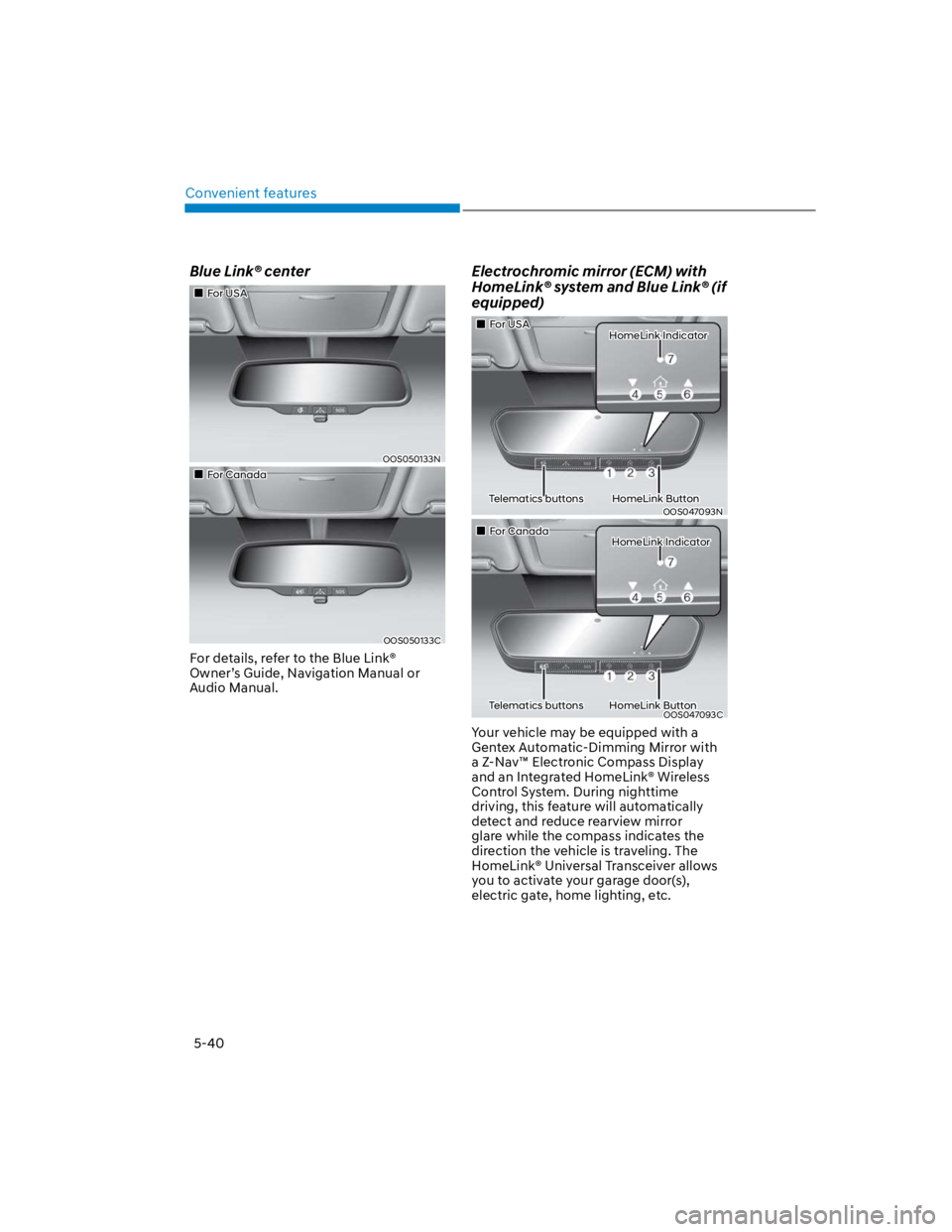
Blue Link® center
For USA
OOS050133N
For Canada
OOS050133C
For details, refer to the Blue Link®
Owner’s Guide, Navigation Manual or
Audio Manual.
Electrochromic mirror (ECM) with
HomeLink® system and Blue Link® (if
equipped)
For USA HomeLink Indicator
Telematics buttons HomeLink Button
OOS047093N
For Canada HomeLink Indicator
Telematics buttons HomeLink ButtonOOS047093C
Your vehicle may be equipped with a
Gentex Automatic-Dimming Mirror with
a Z-Nav™ Electronic Compass Display
and an Integrated HomeLink® Wireless
Control System. During nighttime
driving, this feature will automatically
detect and reduce rearview mirror
glare while the compass indicates the
direction the vehicle is traveling. The
HomeLink® Universal Transceiver allows
you to activate your garage door(s),
electric gate, home lighting, etc.