key start HYUNDAI KONA 2022 Owner's Manual
[x] Cancel search | Manufacturer: HYUNDAI, Model Year: 2022, Model line: KONA, Model: HYUNDAI KONA 2022Pages: 579, PDF Size: 35.31 MB
Page 191 of 579
05
5-57
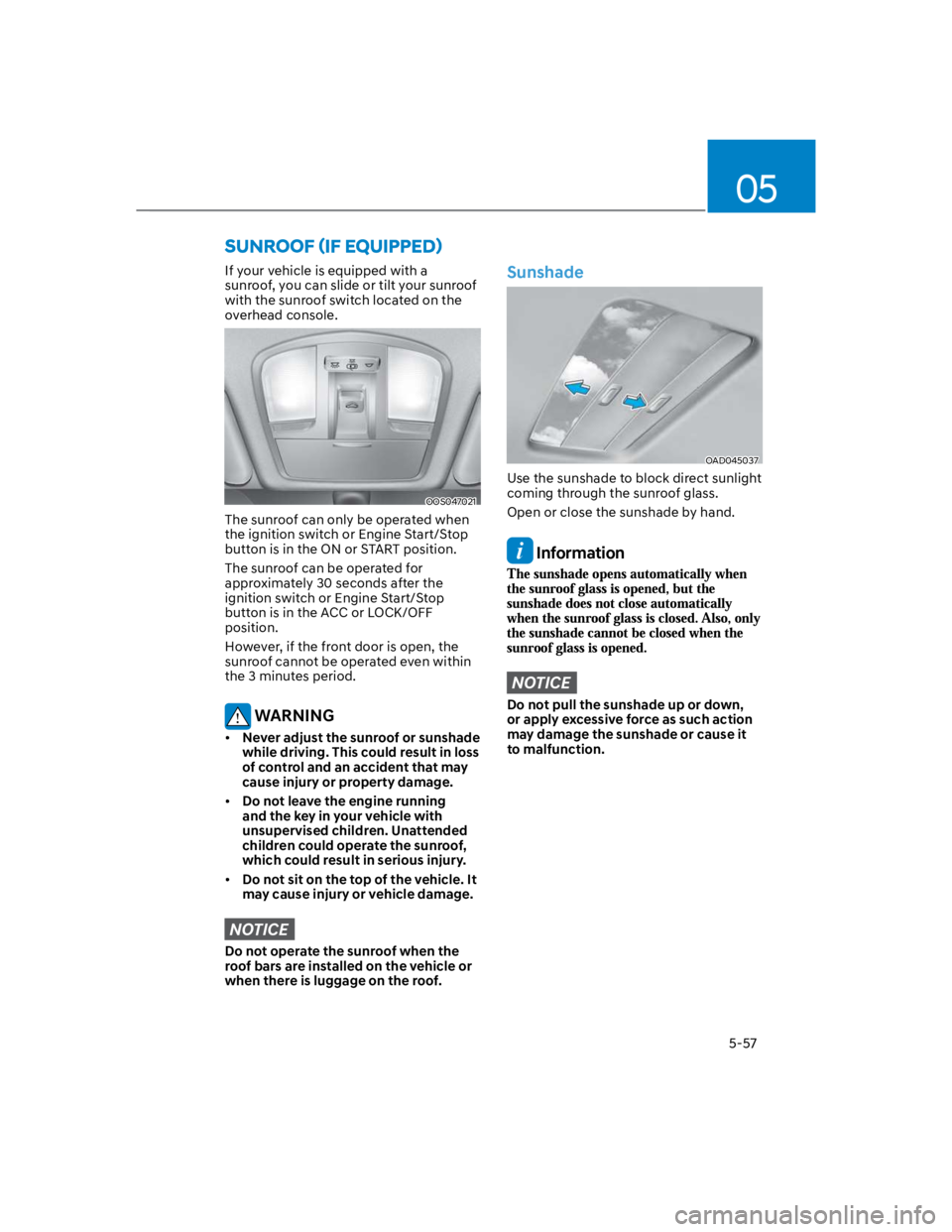
If your vehicle is equipped with a
sunroof, you can slide or tilt your sunroof
with the sunroof switch located on the
overhead console.
OOS047021
The sunroof can only be operated when
the ignition switch or Engine Start/Stop
button is in the ON or START position.
The sunroof can be operated for
approximately 30 seconds after the
ignition switch or Engine Start/Stop
button is in the ACC or LOCK/OFF
position.
However, if the front door is open, the
sunroof cannot be operated even within
the 3 minutes period.
WARNING
Never adjust the sunroof or sunshade
while driving. This could result in loss
of control and an accident that may
cause injury or property damage.
Do not leave the engine running
and the key in your vehicle with
unsupervised children. Unattended
children could operate the sunroof,
which could result in serious injury.
Do not sit on the top of the vehicle. It
may cause injury or vehicle damage.
NOTICE
Do not operate the sunroof when the
roof bars are installed on the vehicle or
when there is luggage on the roof.
Sunshade
OAD045037
Use the sunshade to block direct sunlight
coming through the sunroof glass.
Open or close the sunshade by hand.
Information
NOTICE
Do not pull the sunshade up or down,
or apply excessive force as such action
may damage the sunshade or cause it
to malfunction.
Page 244 of 579
![HYUNDAI KONA 2022 Owners Manual Convenient features
5-110
Wireless smart phone charging
system (if equipped)
OOS050015K
[A] : Indicator light, [B] : Charging pad
On certain models, the vehicle comes
equipped with a wireless smart](/img/35/41169/w960_41169-243.png "HYUNDAI KONA 2022 Owners Manual Convenient features
5-110
Wireless smart phone charging
system (if equipped)
OOS050015K
[A] : Indicator light, [B] : Charging pad
On certain models, the vehicle comes
equipped with a wireless smart")
Convenient features
5-110
Wireless smart phone charging
system (if equipped)
OOS050015K
[A] : Indicator light, [B] : Charging pad
On certain models, the vehicle comes
equipped with a wireless smart phone
charger.
The system is available when all doors
are closed, and when the Engine Start/
Stop button is in the ACC or ON (or
START) position.
To charge a cellular phone
The wireless smart phone charging
system charges only the Qi-enabled
smart phones (). Read the label on
the smart phone accessory cover or
visit your smart phone manufacturer’s
website to check whether your smart
phone supports the Qi technology.
The wireless charging process starts
when you put a Qi-enabled smart phone
on the wireless charging unit.
1. Remove other items, including the
smart key, from the wireless charging
unit. If not, the wireless charging
process may be interrupted. Place
the smart phone on the center of the
charging pad.
2. The indicator light is orange when the
smart phone is charging. The indicator
light will turn blue when phone
charging is complete.
3. You can turn ON or OFF the wireless
charging function from the Settings
menu on the instrument cluster.
Select:
-
If your smart phone is not charging:
- Slightly change the position of the
smart phone on the charging pad.
- Make sure the indicator light is
orange.
The indicator light will blink orange for 10
seconds if there is a malfunction in the
wireless charging system.
In this case, temporarily stop the
charging process, and re-attempt to
charge your smart phone again.
The system warns you with a message on
the LCD display if the smart phone is still
on the wireless charging unit after the
vehicle is turned OFF and the front door
is opened.
For some manufacturer’s smart phones,
the system may not warn you even
though the smart phone is left on the
wireless charging unit. This is due to the
particular characteristic of the smart
phone and not a malfunction of the
wireless charging.
Information
Page 245 of 579

05
5-111
NOTICE
The wireless smart phone charging
system may not support certain
smart phones, which are not verified
for the Qi specification ().
When placing your smart phone on
the charging pad, position the phone
in the middle of the mat for optimal
charging performance. If your smart
phone is off to the side, the charging
rate may be less and in some cases
the smart phone may experience
higher heat conduction.
In some cases, the wireless charging
may stop temporarily when the
smart key is used, either when
starting the vehicle or locking/
unlocking the doors, etc.
When charging certain smart
phones, the charging indicator may
not change to blue when the smart
phone is fully charged.
The wireless charging process may
temporarily stop, when temperature
abnormally increases inside the
wireless smart phone charging
system. The wireless charging
process restarts, when temperature
falls to a certain level.
The wireless charging process may
temporarily stop when there is
any metallic item, such as a coin,
between the wireless smart phone
charging system and smart phone.
When charging some smart phones
with a self-protection feature,
the wireless charging speed may
decrease and the wireless charging
may stop.
If the smart phone has a thick cover,
the wireless charging may not be
possible.
If the smart phone is not completely
contacting the charging pad,
wireless charging may not operate
properly.
Some magnetic items like credit
cards, phone cards or rail tickets may
be damaged if left with the smart
phone during the charging process.
When any smart phone without
a wireless charging function or a
metallic object is placed on the
charging pad, a small noise may
sound. This small sound is due to the
vehicle discerning compatibility of
the object placed on the charging
pad. It does not affect your vehicle or
the smart phone in any way.
Information
Information
1.
2.
3.
Page 258 of 579
6
Before driving .................................................................................................... 6-4
Before entering the vehicle ........................................................................................ 6-4
Before starting ............................................................................................................. 6-4
Ignition switch ................................................................................................... 6-5
Key ignition switch .......................................................................................................6-5
Key ignition switch positions ...................................................................................... 6-6
Starting the engine ....................................................................................................... 6-7
Engine Start/Stop button ................................................................................. 6-8
Engine Stop/Start button positions ........................................................................... 6-9
Starting the engine ..................................................................................................... 6-10
Turning off the engine ................................................................................................. 6-11
Remote start ............................................................................................................... 6-12
Intelligent variable transmission ..................................................................... 6-13
Intelligent variable transmission operation .............................................................. 6-13
Parking ........................................................................................................................ 6-16
Good driving practices ................................................................................................6-17
Dual clutch transmission .................................................................................6-18
Dual clutch transmission operation .......................................................................... 6-18
Parking ........................................................................................................................6-24
Good driving practices .............................................................................................. 6-25
Braking system ................................................................................................ 6-26
Power-assist brakes ...................................................................................................6-26
Disc brakes wear indicator ........................................................................................6-26
Parking Brake .............................................................................................................. 6-27
Electronic Parking Brake (EPB) .................................................................................6-28
Auto Hold ....................................................................................................................6-33
Anti-lock Brake System (ABS) ................................................................................... 6-36
Electronic Stability Control (ESC) ............................................................................ 6-38
Vehicle Stability Management (VSM) ..................................................................... 6-40
Hill-Start Assist Control (HAC) .................................................................................. 6-41
Downhill Brake Control (DBC) ................................................................................. 6-42
Good braking practices ............................................................................................. 6-45
Four wheel drive (4WD) ..................................................................................6-46
Four Wheel Drive (4WD) operation ...........................................................................6-47
Emergency precautions ............................................................................................. 6-51
Reducing the risk of a rollover ...................................................................................6-52
6. Driving your vehicle
Page 262 of 579
06
6-5
WARNING
To reduce the risk of SERIOUS INJURY or
DEATH, take the following precautions:
NEVER allow children or any person
who is unfamiliar with the vehicle to
touch the ignition switch or related
parts. Unexpected and sudden
vehicle movement can occur.
NEVER reach through the steering
wheel for the ignition switch, or any
other control, while the vehicle is in
motion. The presence of your hand
or arm in this area may cause a loss
of vehicle control resulting in an
accident.
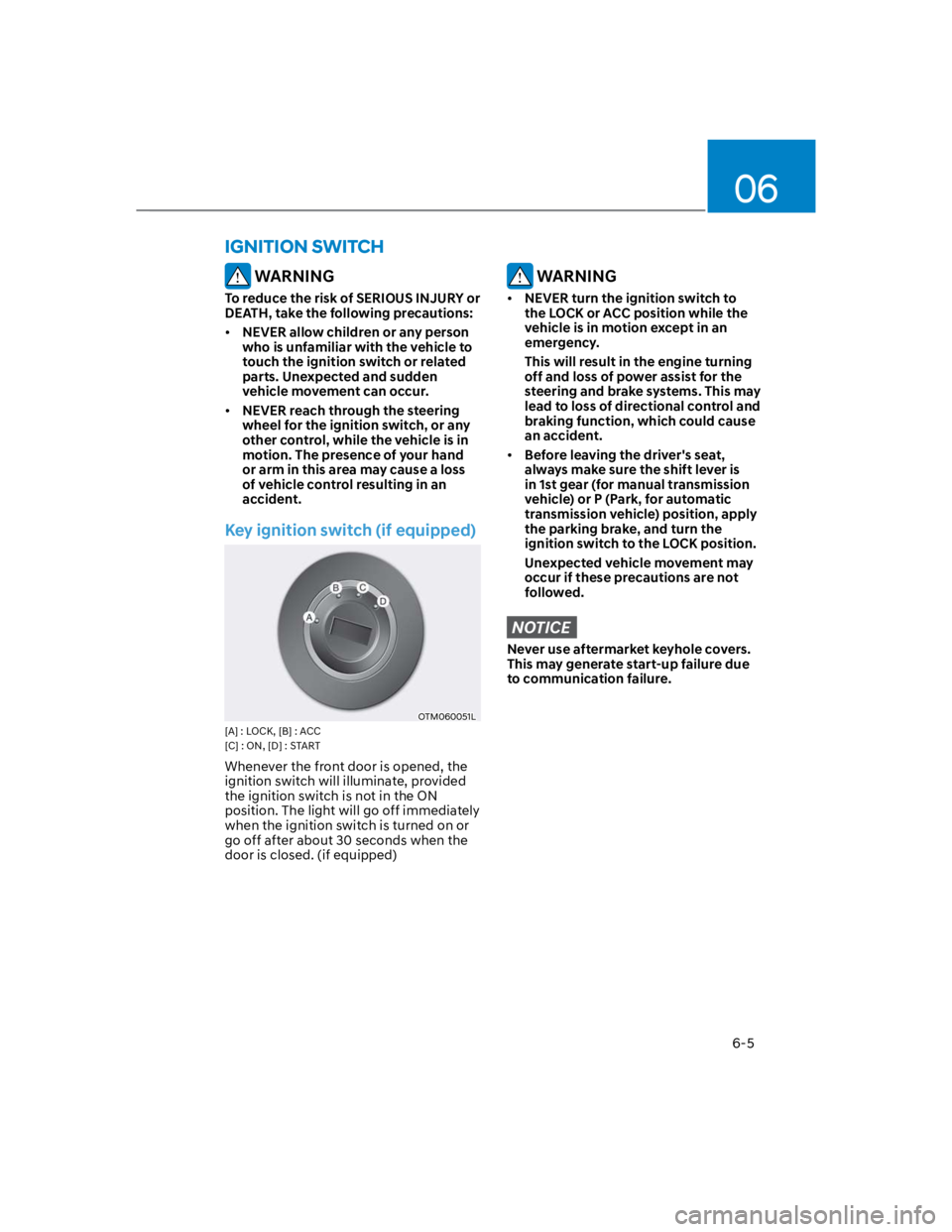
Key ignition switch (if equipped)
OTM060051L
[A] : LOCK, [B] : ACC
[C] : ON, [D] : START
Whenever the front door is opened, the
ignition switch will illuminate, provided
the ignition switch is not in the ON
position. The light will go off immediately
when the ignition switch is turned on or
go off after about 30 seconds when the
door is closed. (if equipped)
WARNING
NEVER turn the ignition switch to
the LOCK or ACC position while the
vehicle is in motion except in an
emergency.
This will result in the engine turning
off and loss of power assist for the
steering and brake systems. This may
lead to loss of directional control and
braking function, which could cause
an accident.
Before leaving the driver's seat,
always make sure the shift lever is
in 1st gear (for manual transmission
vehicle) or P (Park, for automatic
transmission vehicle) position, apply
the parking brake, and turn the
ignition switch to the LOCK position.
Unexpected vehicle movement may
occur if these precautions are not
followed.
NOTICE
Never use aftermarket keyhole covers.
This may generate start-up failure due
to communication failure.
IGNITION SWITCH
Page 263 of 579
Driving your vehicle
6-6
Key ignition switch positions
Switch
PositionAction Notes
LOCK
To turn the ignition switch to the LOCK
position, push the key in at the ACC
position and turn the key towards the
LOCK position.
The ignition key can be removed in
the LOCK position.
ACC
Some electrical accessories are
usable. The steering wheel unlocks.
If difficulty is experienced turning the
ignition switch to the ACC position,
turn the key while turning the steering
wheel right and left to release.
ON
This is the normal key position when
the engine has started. All features
and accessories are usable.
The warning lights can be checked
when you turn the ignition switch
from ACC to ON.
Do not leave the ignition switch in the
ON position when the engine is not
running to prevent the battery from
discharging.
START
To start the engine, turn the ignition
switch to the START position. The
switch returns to the ON position
when you let go of the key.
The engine will crank until you release
the key.
Page 264 of 579

06
6-7
Starting the engine
WARNING
Always wear appropriate shoes when
operating your vehicle. Unsuitable
shoes, such as high heels, ski boots,
sandals, flip-flops, etc., may interfere
with your ability to use the brake,
accelerator and clutch pedals.
Do not start the vehicle with the
accelerator pedal depressed. The
vehicle can move which can lead to
an accident.
Wait until the engine rpm is normal.
The vehicle may suddenly move if
the brake pedal is released when the
rpm is high.
1. Make sure the parking brake is
applied.
2. Make sure the shift lever is in P (Park).
3. Depress the brake pedal.
4. Turn the ignition switch to the START
position. Hold the key (maximum of
10 seconds) until the engine starts and
release it.
Information
NOTICE
To prevent damage to the vehicle:
Do not hold the ignition key in the
START position for more than 10
seconds. Wait 5 to 10 seconds before
trying again.
Do not turn the ignition switch to
the START position with the engine
running. It may damage the starter.
If traffic and road conditions permit,
you may put the shift lever in the N
(Neutral) position while the vehicle
is still moving and turn the ignition
switch to the START position in an
attempt to restart the engine.
Do not push or tow your vehicle to
start the engine.
Page 265 of 579
Driving your vehicle
6-8
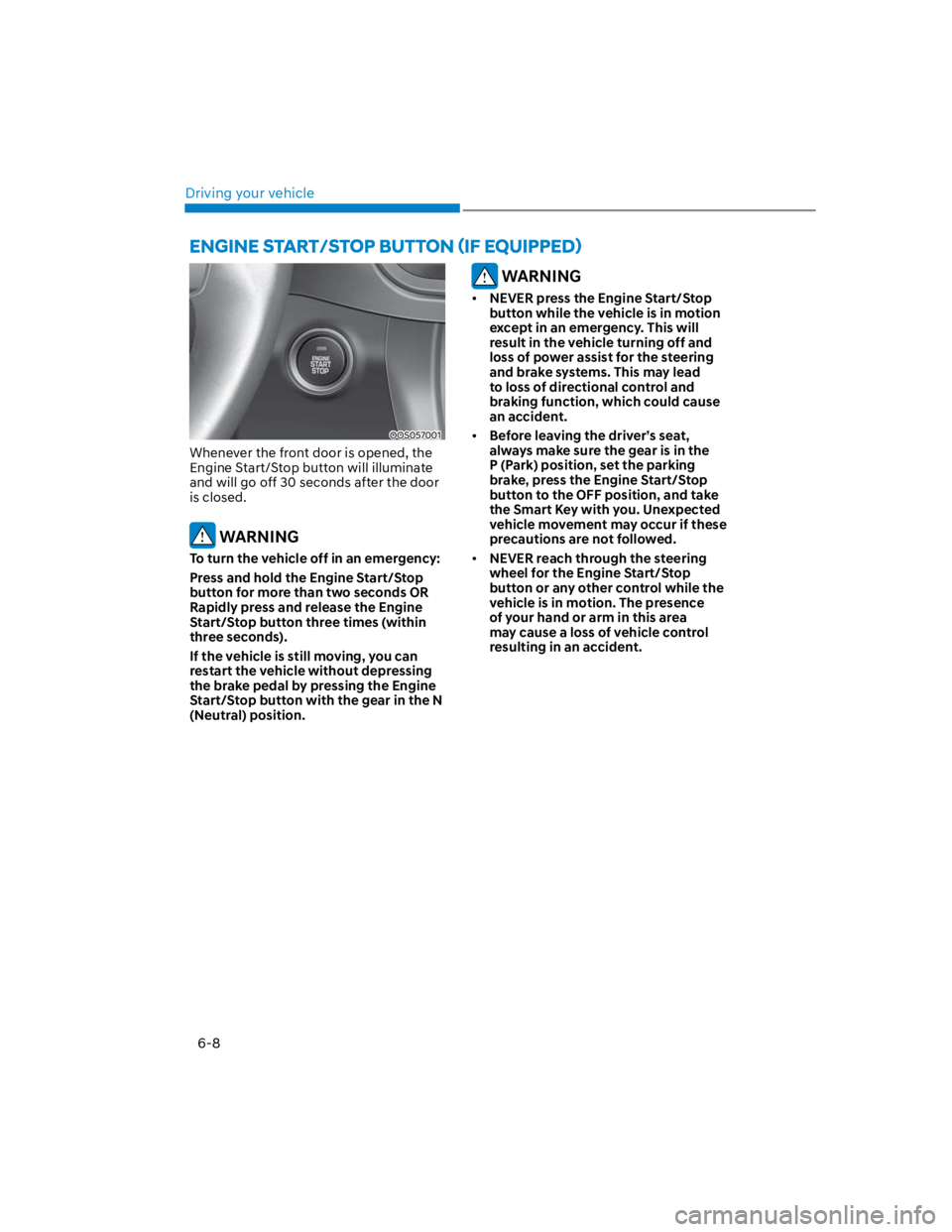
OOS057001
Whenever the front door is opened, the
Engine Start/Stop button will illuminate
and will go off 30 seconds after the door
is closed.
WARNING
To turn the vehicle off in an emergency:
Press and hold the Engine Start/Stop
button for more than two seconds OR
Rapidly press and release the Engine
Start/Stop button three times (within
three seconds).
If the vehicle is still moving, you can
restart the vehicle without depressing
the brake pedal by pressing the Engine
Start/Stop button with the gear in the N
(Neutral) position.
WARNING
NEVER press the Engine Start/Stop
button while the vehicle is in motion
except in an emergency. This will
result in the vehicle turning off and
loss of power assist for the steering
and brake systems. This may lead
to loss of directional control and
braking function, which could cause
an accident.
Before leaving the driver’s seat,
always make sure the gear is in the
P (Park) position, set the parking
brake, press the Engine Start/Stop
button to the OFF position, and take
the Smart Key with you. Unexpected
vehicle movement may occur if these
precautions are not followed.
NEVER reach through the steering
wheel for the Engine Start/Stop
button or any other control while the
vehicle is in motion. The presence
of your hand or arm in this area
may cause a loss of vehicle control
resulting in an accident.
Page 267 of 579

Driving your vehicle
6-10
Starting the engine
WARNING
Always wear appropriate shoes when
operating your vehicle. Unsuitable
shoes, such as high heels, ski boots,
sandals, flipflops, etc., may interfere
with your ability to use the brake and
accelerator pedals.
Do not start the vehicle with the
accelerator pedal depressed.
The vehicle can move which can lead
to an accident.
Wait until the engine rpm is normal.
The vehicle may suddenly move if
the brake pedal is released when the
rpm is high.
Information
1. Always carry the smart key with you.
2. Make sure the parking brake is
applied.
3. Make sure the shift lever is in P(Park).
4. Depress the brake pedal.
5. Press the Engine Start/Stop button.
Information
Page 269 of 579

Driving your vehicle
6-12
Remote start (if equipped)
You can start the vehicle using the
Remote Start button of the smart key.
To start the vehicle remotely:
1. Press the door lock button within 10 m
(32 feet) from the vehicle.
2. Press the remote start () button for
over 2 seconds within 4 seconds after
locking the doors. The hazard warning
lights will blink.
3. To turn off the remote start function,
press the remote start () button
once.
The remote start () button may not
operate if the smart key is not within
10 m (32 feet).
The vehicle will not remotely start if
the engine hood or liftgate is opened.
The vehicle must be in P (Park) for the
remote start function to start.
The engine turns off if you get in the
vehicle without a registered smart key.
The engine turns off if you do not get
in the vehicle within 10 minutes after
remotely starting the vehicle.
Do not idle the engine for a long
period.