convenient HYUNDAI KONA 2022 Repair Manual
[x] Cancel search | Manufacturer: HYUNDAI, Model Year: 2022, Model line: KONA, Model: HYUNDAI KONA 2022Pages: 579, PDF Size: 35.31 MB
Page 250 of 579
Convenient features
5-116
NOTICE
If you install an aftermarket HID
head lamp, your vehicle’s audio and
electronic devices may not function
properly.
Prevent chemicals such as perfume,
cosmetic oil, sun cream, hand
cleaner, and air freshener from
contacting the interior parts
because they may cause damage or
discoloration.
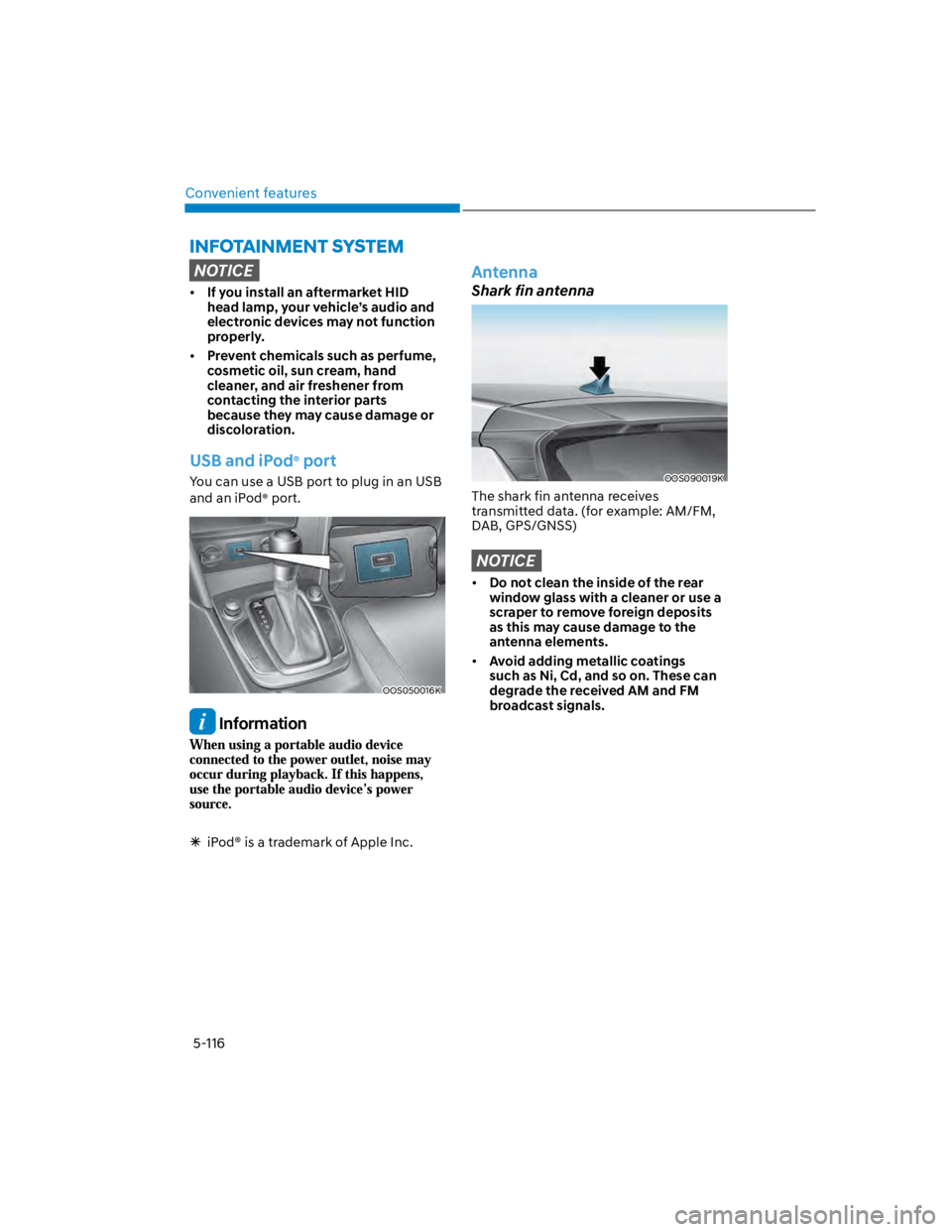
USB and iPod® port
You can use a USB port to plug in an USB
and an iPod® port.
OOS050016K
Information
iPod® is a trademark of Apple Inc.
Antenna
Shark fin antenna
OOS090019K
The shark fin antenna receives
transmitted data. (for example: AM/FM,
DAB, GPS/GNSS)
NOTICE
Do not clean the inside of the rear
window glass with a cleaner or use a
scraper to remove foreign deposits
as this may cause damage to the
antenna elements.
Avoid adding metallic coatings
such as Ni, Cd, and so on. These can
degrade the received AM and FM
broadcast signals.
Page 252 of 579
Convenient features
5-118
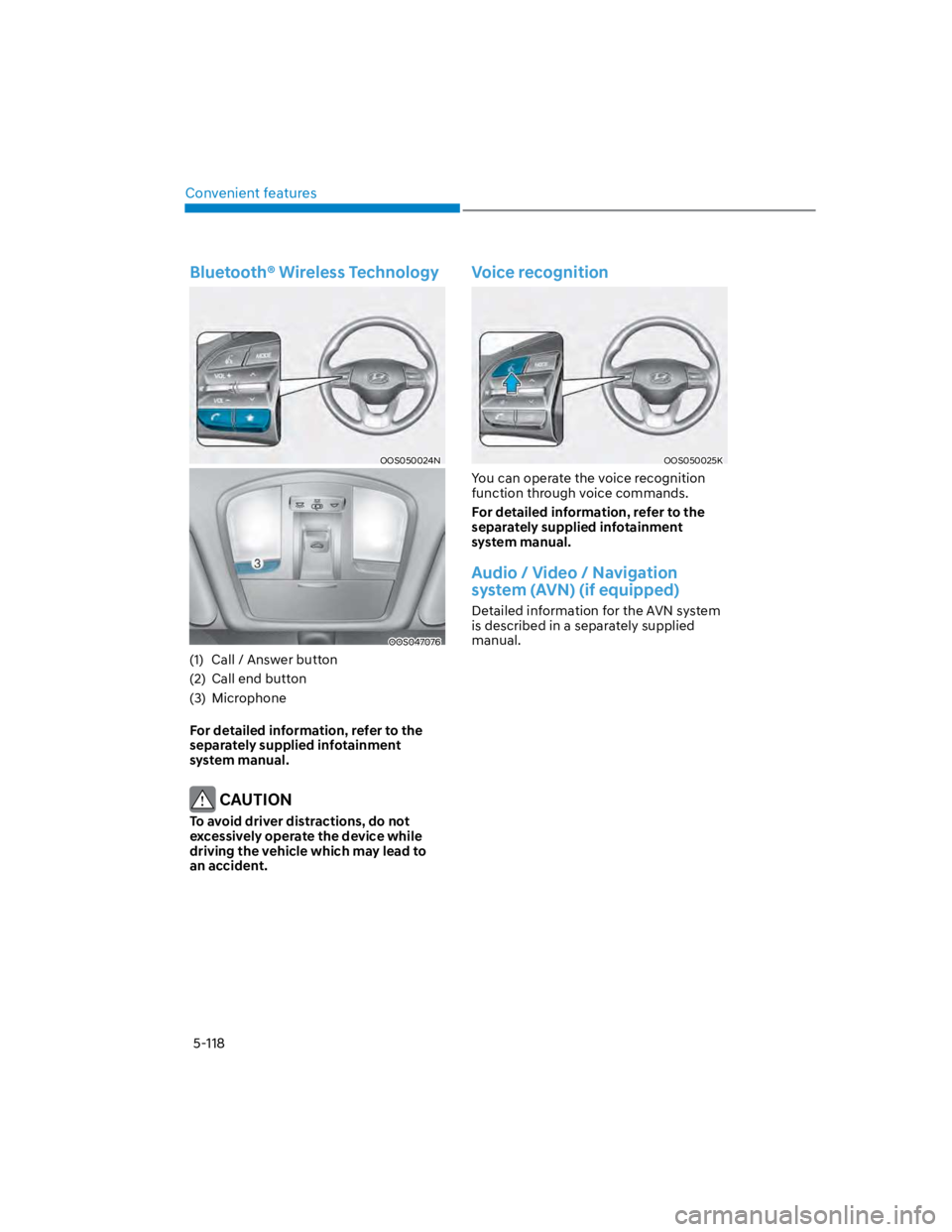
Bluetooth® Wireless Technology
OOS050024N
OOS047076
(1) Call / Answer button
(2) Call end button
(3) Microphone
For detailed information, refer to the
separately supplied infotainment
system manual.
CAUTION
To avoid driver distractions, do not
excessively operate the device while
driving the vehicle which may lead to
an accident.
Voice recognition
OOS050025K
You can operate the voice recognition
function through voice commands.
For detailed information, refer to the
separately supplied infotainment
system manual.
Audio / Video / Navigation
system (AVN) (if equipped)
Detailed information for the AVN system
is described in a separately supplied
manual.
Page 254 of 579
Convenient features
5-120
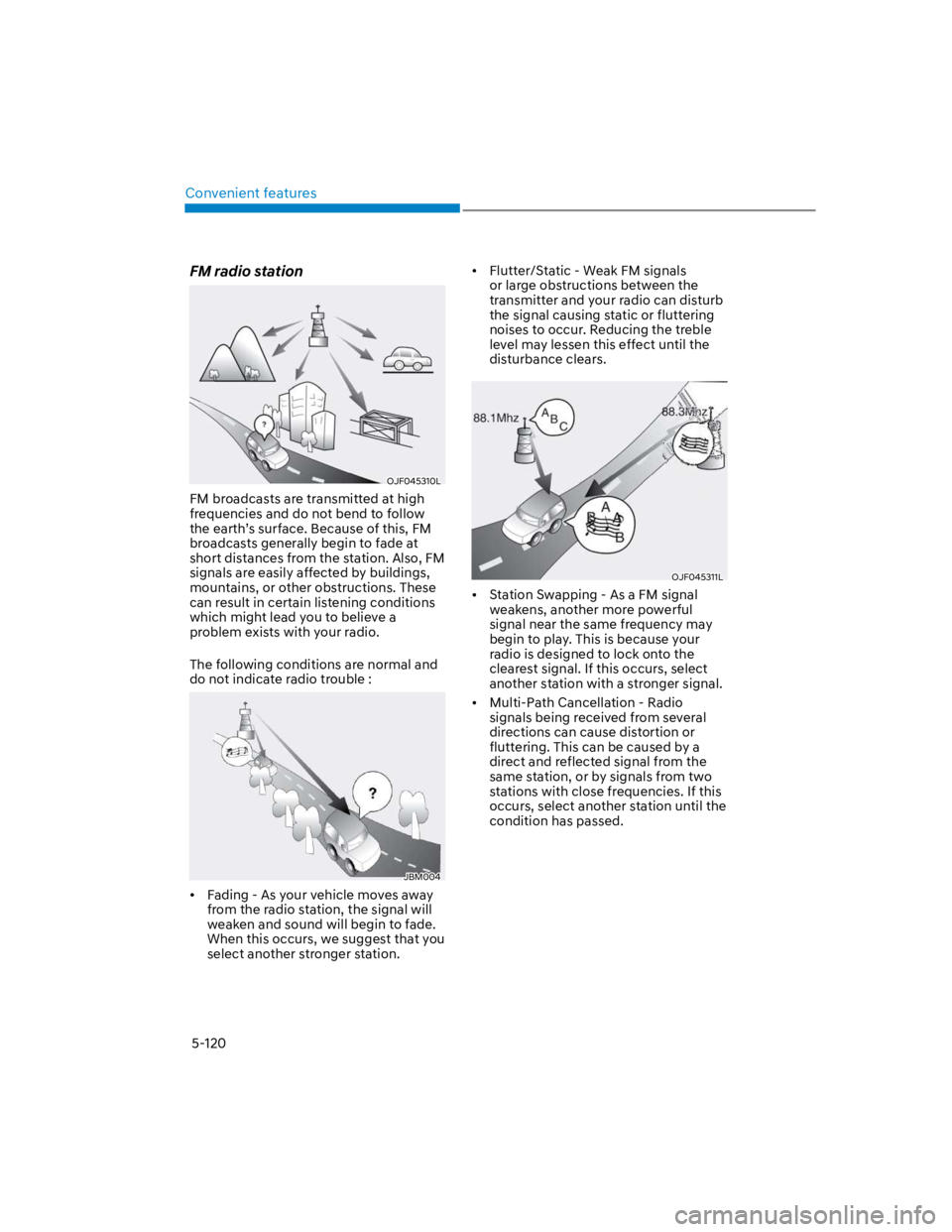
FM radio station
OJF045310L
FM broadcasts are transmitted at high
frequencies and do not bend to follow
the earth’s surface. Because of this, FM
broadcasts generally begin to fade at
short distances from the station. Also, FM
signals are easily affected by buildings,
mountains, or other obstructions. These
can result in certain listening conditions
which might lead you to believe a
problem exists with your radio.
The following conditions are normal and
do not indicate radio trouble :
JBM004
Fading - As your vehicle moves away
from the radio station, the signal will
weaken and sound will begin to fade.
When this occurs, we suggest that you
select another stronger station.
Flutter/Static - Weak FM signals
or large obstructions between the
transmitter and your radio can disturb
the signal causing static or fluttering
noises to occur. Reducing the treble
level may lessen this effect until the
disturbance clears.
OJF045311L
Station Swapping - As a FM signal
weakens, another more powerful
signal near the same frequency may
begin to play. This is because your
radio is designed to lock onto the
clearest signal. If this occurs, select
another station with a stronger signal.
Multi-Path Cancellation - Radio
signals being received from several
directions can cause distortion or
fluttering. This can be caused by a
direct and reflected signal from the
same station, or by signals from two
stations with close frequencies. If this
occurs, select another station until the
condition has passed.
Page 256 of 579

Convenient features
5-122
USB
Supported audio formats
Audio file specification
- WAVeform audio format
- MPEG1/2/2.5 Audio Layer3
- Windows Media Audio Ver 7.X/8.X
Bit rates
- MPEG1 (Layer3):
32/40/48/56/64/80/96/112/128/160
/192/224/256/320 kbps
- MPEG2 (Layer3):
8/16/24/32/40/48/56/64/80/96/112
/128/144/160 kbps
- MPEG2.5 (Layer3):
8/16/24/32/40/48/56/64/80/96/112
/128/144/160 kbps
- WMA (High Range):
48/64/80/96/128/160/192 kbps
Bits Per Sample
- WAV (PCM(Stereo)): 24 bit
- WAV (IMA ADPCM): 4 bit
- WAV (MS ADPCM): 4 bit
Sampling frequency
- MPEG1: 44100/48000/32000 Hz
- MPEG2: 22050/24000/16000 Hz
- MPEG2.5: 11025/12000/8000 Hz
- WMA: 32000/44100/48000 Hz
- WAV: 44100/48000 Hz
Maximum length of folder/file names
(Based on Unicode): 40 English or
Korean characters
Supported characters for folder/
file names (Unicode support): 2,604
Korean characters, 94 alphanumeric
characters, 4,888 Chinese characters
in common use, 986 special
characters
Maximum number of folders: 1,000
Maximum number of files: 5,000
NOTICE
Files that are not in a supported
format may not be recognised or
played, or information about them,
such as the file name, may not be
displayed properly.
Only files with .mp3/.wma/.wav
extensions can be recognised by the
system. If the file is not in supported
format, change the file format by
using the latest encoding software.
The device will not support files
locked by DRM (Digital Rights
Management).
For MP3/WMA compression files and
WAV file, differences in sound quality
will occur depending on the bitrate.
(Music files with a higher bitrate
have a better sound quality.)
Japanese or Simplified Chinese
characters in folder or file names
may not be displayed properly.