media system HYUNDAI KONA 2022 Owners Manual
[x] Cancel search | Manufacturer: HYUNDAI, Model Year: 2022, Model line: KONA, Model: HYUNDAI KONA 2022Pages: 579, PDF Size: 35.31 MB
Page 81 of 579
Seats & Safety System
3-50
Noise and smoke from inflating air
bag
When the air bags inflate, they make a
loud noise and may produce smoke and
powder in the air inside of the vehicle.
This is normal and is a result of the
ignition of the air bag inflator. After the
air bag inflates, you may feel substantial
discomfort in breathing because of the
contact of your chest with both the seat
belt and the air bag, as well as from
breathing the smoke and powder. The
powder may aggravate asthma for some
people. If you experience breathing
problems after an air bag deployment,
seek medical attention immediately.
Though the smoke and powder are
nontoxic, they may cause irritation to
the skin, eyes, nose, throat, etc. If this is
the case, wash and rinse with cold water
immediately and seek medical attention
if the symptoms persist.
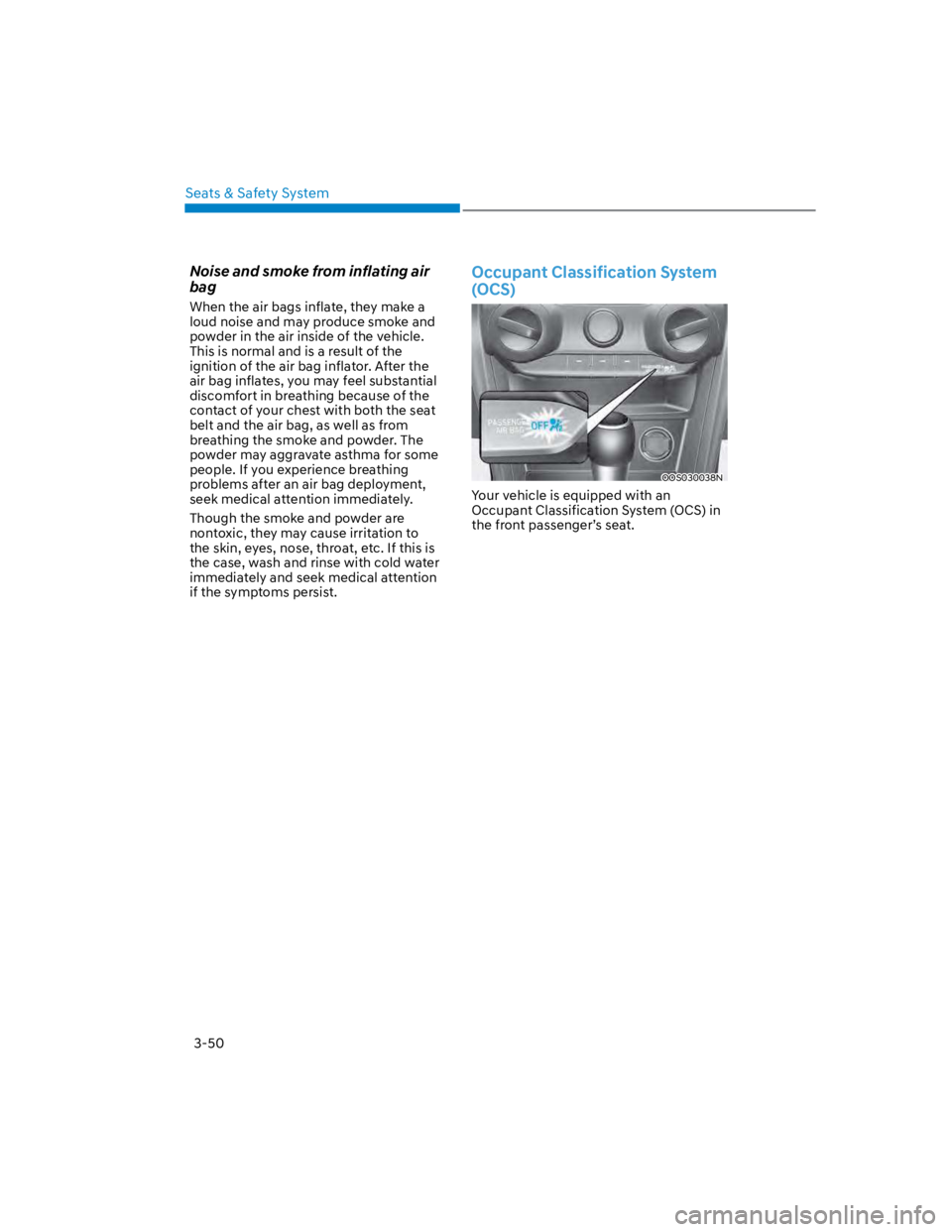
Occupant Classification System
(OCS)
OOS030038N
Your vehicle is equipped with an
Occupant Classification System (OCS) in
the front passenger’s seat.
Page 92 of 579

03
3-61
SRS care
The SRS is virtually maintenance-free
and there are no parts you can safely
service by yourself. If the SRS air bag
warning light does not illuminate when
the Engine Start/Stop button is in the
ON position, or continuously remains on,
have the system immediately inspected
by an authorized HYUNDAI dealer.
We recommend any work on the SRS
system, such as removing, installing,
repairing, or any work on the steering
wheel, the front passenger’s panel, front
seats and roof rails be performed by an
authorized HYUNDAI dealer. Improper
handling of the SRS system may result in
serious personal injury.
WARNING
To reduce the risk of serious injury or
death take the following precautions:
Do not attempt to modify or
disconnect the SRS components or
wiring, including the addition of any
kind of badges to the pad covers or
modifications to the body structure.
Do not place objects over or near
the air bag modules on the steering
wheel, instrument panel, and the
front passenger’s panel above the
glove box.
Clean the air bag pad covers with
a soft cloth moistened with plain
water. Solvents or cleaners could
adversely affect the air bag covers
and proper deployment of the
system.
We recommend that inflated air
bags be replaced by an authorized
HYUNDAI dealer.
If components of the air bag system
must be discarded, or if the vehicle
must be scrapped, certain safety
precautions must be observed.
Consult an authorized HYUNDAI
dealer for the necessary information.
Failure to follow these precautions
could increase the risk of personal
injury.
Page 108 of 579
04
4-15
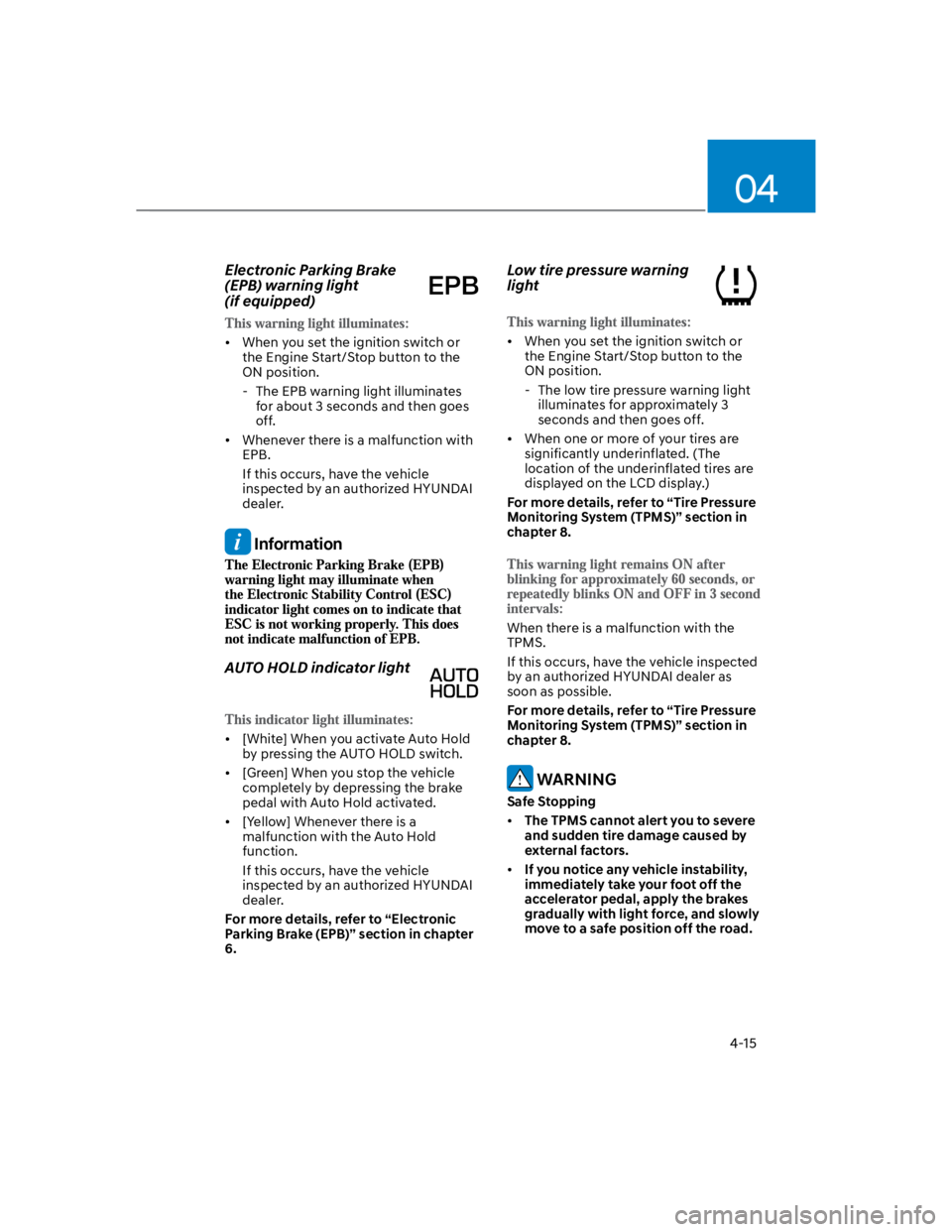
Electronic Parking Brake
(EPB) warning light
(if equipped)
When you set the ignition switch or
the Engine Start/Stop button to the
ON position.
- The EPB warning light illuminates
for about 3 seconds and then goes
off.
Whenever there is a malfunction with
EPB.
If this occurs, have the vehicle
inspected by an authorized HYUNDAI
dealer.
Information
AUTO HOLD indicator light
[White] When you activate Auto Hold
by pressing the AUTO HOLD switch.
[Green] When you stop the vehicle
completely by depressing the brake
pedal with Auto Hold activated.
[Yellow] Whenever there is a
malfunction with the Auto Hold
function.
If this occurs, have the vehicle
inspected by an authorized HYUNDAI
dealer.
For more details, refer to “Electronic
Parking Brake (EPB)” section in chapter
6.
Low tire pressure warning
light
When you set the ignition switch or
the Engine Start/Stop button to the
ON position.
- The low tire pressure warning light
illuminates for approximately 3
seconds and then goes off.
When one or more of your tires are
significantly underinflated. (The
location of the underinflated tires are
displayed on the LCD display.)
For more details, refer to “Tire Pressure
Monitoring System (TPMS)” section in
chapter 8.
When there is a malfunction with the
TPMS.
If this occurs, have the vehicle inspected
by an authorized HYUNDAI dealer as
soon as possible.
For more details, refer to “Tire Pressure
Monitoring System (TPMS)” section in
chapter 8.
WARNING
Safe Stopping
The TPMS cannot alert you to severe
and sudden tire damage caused by
external factors.
If you notice any vehicle instability,
immediately take your foot off the
accelerator pedal, apply the brakes
gradually with light force, and slowly
move to a safe position off the road.
Page 146 of 579
Convenient features
5-12
Mechanical key
If the Smart Key does not operate
normally, you can lock or unlock the
driver’s door by using the mechanical
key.
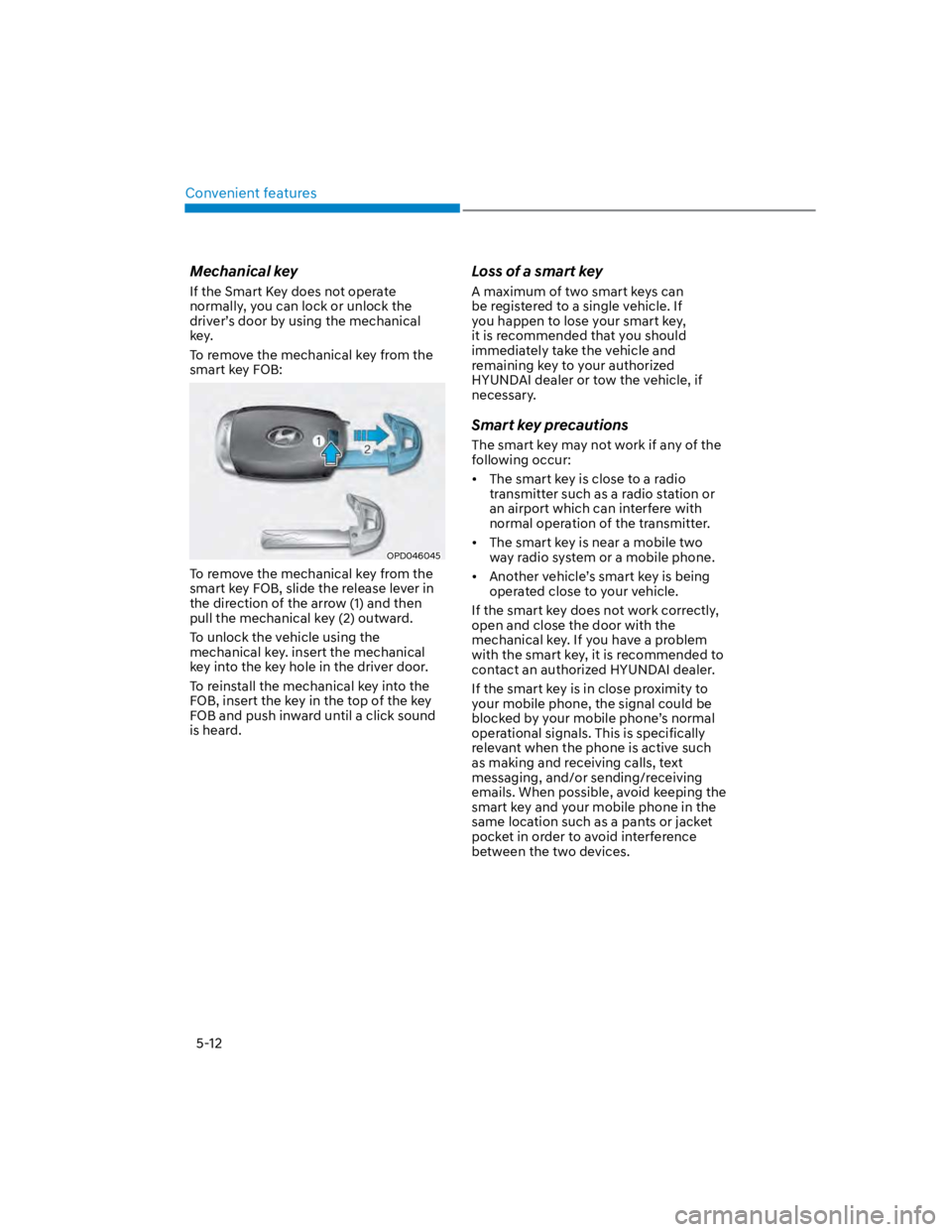
To remove the mechanical key from the
smart key FOB:
OPD046045
To remove the mechanical key from the
smart key FOB, slide the release lever in
the direction of the arrow (1) and then
pull the mechanical key (2) outward.
To unlock the vehicle using the
mechanical key. insert the mechanical
key into the key hole in the driver door.
To reinstall the mechanical key into the
FOB, insert the key in the top of the key
FOB and push inward until a click sound
is heard.
Loss of a smart key
A maximum of two smart keys can
be registered to a single vehicle. If
you happen to lose your smart key,
it is recommended that you should
immediately take the vehicle and
remaining key to your authorized
HYUNDAI dealer or tow the vehicle, if
necessary.
Smart key precautions
The smart key may not work if any of the
following occur:
The smart key is close to a radio
transmitter such as a radio station or
an airport which can interfere with
normal operation of the transmitter.
The smart key is near a mobile two
way radio system or a mobile phone.
Another vehicle’s smart key is being
operated close to your vehicle.
If the smart key does not work correctly,
open and close the door with the
mechanical key. If you have a problem
with the smart key, it is recommended to
contact an authorized HYUNDAI dealer.
If the smart key is in close proximity to
your mobile phone, the signal could be
blocked by your mobile phone’s normal
operational signals. This is specifically
relevant when the phone is active such
as making and receiving calls, text
messaging, and/or sending/receiving
emails. When possible, avoid keeping the
smart key and your mobile phone in the
same location such as a pants or jacket
pocket in order to avoid interference
between the two devices.
Page 170 of 579

Convenient features
5-36
Electric Power Steering (EPS)
The system assists you with steering the
vehicle. If the vehicle is turned off or
if the power steering system becomes
inoperative, you may still steer the
vehicle, but it will require increased
steering effort.
Should you notice any change in the
effort required to steer during normal
vehicle operation, have the system
checked by an authorized HYUNDAI
dealer.
CAUTION
If Electric Power Steering does not
operate normally, the warning
light and the message ‘Check motor
driven power steering’ will illuminate
on the instrument cluster. You may
steer the vehicle, but it will require
increased steering efforts. Take your
vehicle to an authorized HYUNDAI
dealer or to a service station and
have the system checked as soon as
possible.
When abnormality is detected in
the electric power steering system,
to prevent a deadly accident, the
steering assist function will stop. At
this time, the warning light turns on
or blinks on the cluster. The steering
wheel may become difficult to
control or operate. Have your vehicle
checked immediately, after moving
the vehicle to a safe zone.
Information
STEERING WHEEL
Page 193 of 579
05
5-59
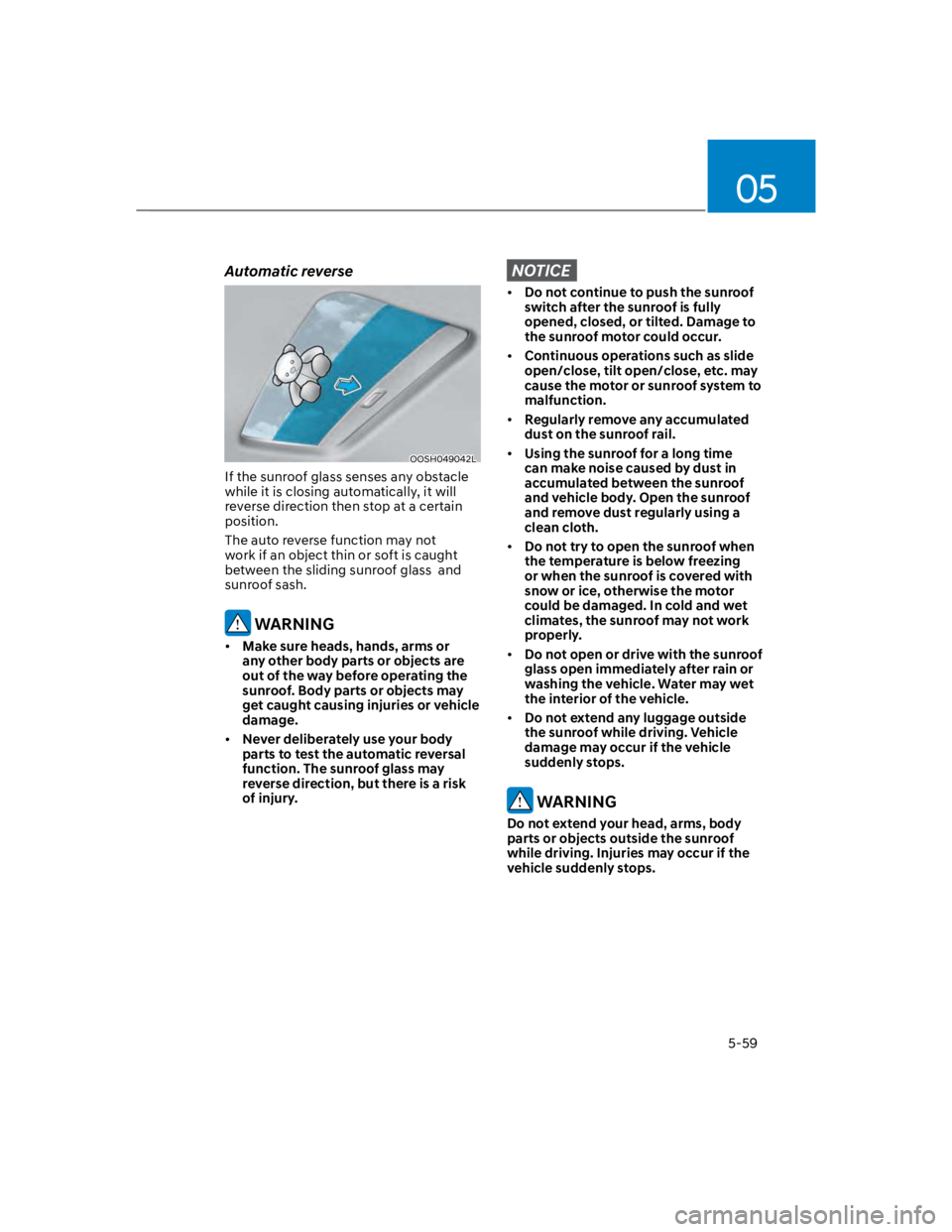
Automatic reverse
OOSH049042L
If the sunroof glass senses any obstacle
while it is closing automatically, it will
reverse direction then stop at a certain
position.
The auto reverse function may not
work if an object thin or soft is caught
between the sliding sunroof glass and
sunroof sash.
WARNING
Make sure heads, hands, arms or
any other body parts or objects are
out of the way before operating the
sunroof. Body parts or objects may
get caught causing injuries or vehicle
damage.
Never deliberately use your body
parts to test the automatic reversal
function. The sunroof glass may
reverse direction, but there is a risk
of injury.
NOTICE
Do not continue to push the sunroof
switch after the sunroof is fully
opened, closed, or tilted. Damage to
the sunroof motor could occur.
Continuous operations such as slide
open/close, tilt open/close, etc. may
cause the motor or sunroof system to
malfunction.
Regularly remove any accumulated
dust on the sunroof rail.
Using the sunroof for a long time
can make noise caused by dust in
accumulated between the sunroof
and vehicle body. Open the sunroof
and remove dust regularly using a
clean cloth.
Do not try to open the sunroof when
the temperature is below freezing
or when the sunroof is covered with
snow or ice, otherwise the motor
could be damaged. In cold and wet
climates, the sunroof may not work
properly.
Do not open or drive with the sunroof
glass open immediately after rain or
washing the vehicle. Water may wet
the interior of the vehicle.
Do not extend any luggage outside
the sunroof while driving. Vehicle
damage may occur if the vehicle
suddenly stops.
WARNING
Do not extend your head, arms, body
parts or objects outside the sunroof
while driving. Injuries may occur if the
vehicle suddenly stops.
Page 200 of 579

Convenient features
5-66
Do not over-fill or top-off your
vehicle tank, which can cause fuel
spillage.
If a fire breaks out during refueling,
leave the vicinity of the vehicle, and
immediately contact the manager
of the gas station and then contact
the local fire department. Follow any
safety instructions they provide.
If pressurized fuel sprays out, it can
cover your clothes or skin and thus
subject you to the risk of fire and
burns. Always remove the fuel cap
carefully and slowly. If the cap is
venting fuel or if you hear a hissing
sound, wait until the condition stops
before completely removing the cap.
Always check that the fuel cap is
installed securely to prevent fuel
spillage in the event of an accident.
Information
NOTICE
Do not spill fuel on the exterior
surfaces of the vehicle. Any type of
fuel spilled on painted surfaces may
damage the paint.
If the fuel filler cap requires
replacement, use only a genuine
HYUNDAI cap or the equivalent
specified for your vehicle. An
incorrect fuel filler cap can result
in a serious malfunction of the fuel
system or emission control system.
Page 207 of 579
05
5-73
Luggage compartment lamp
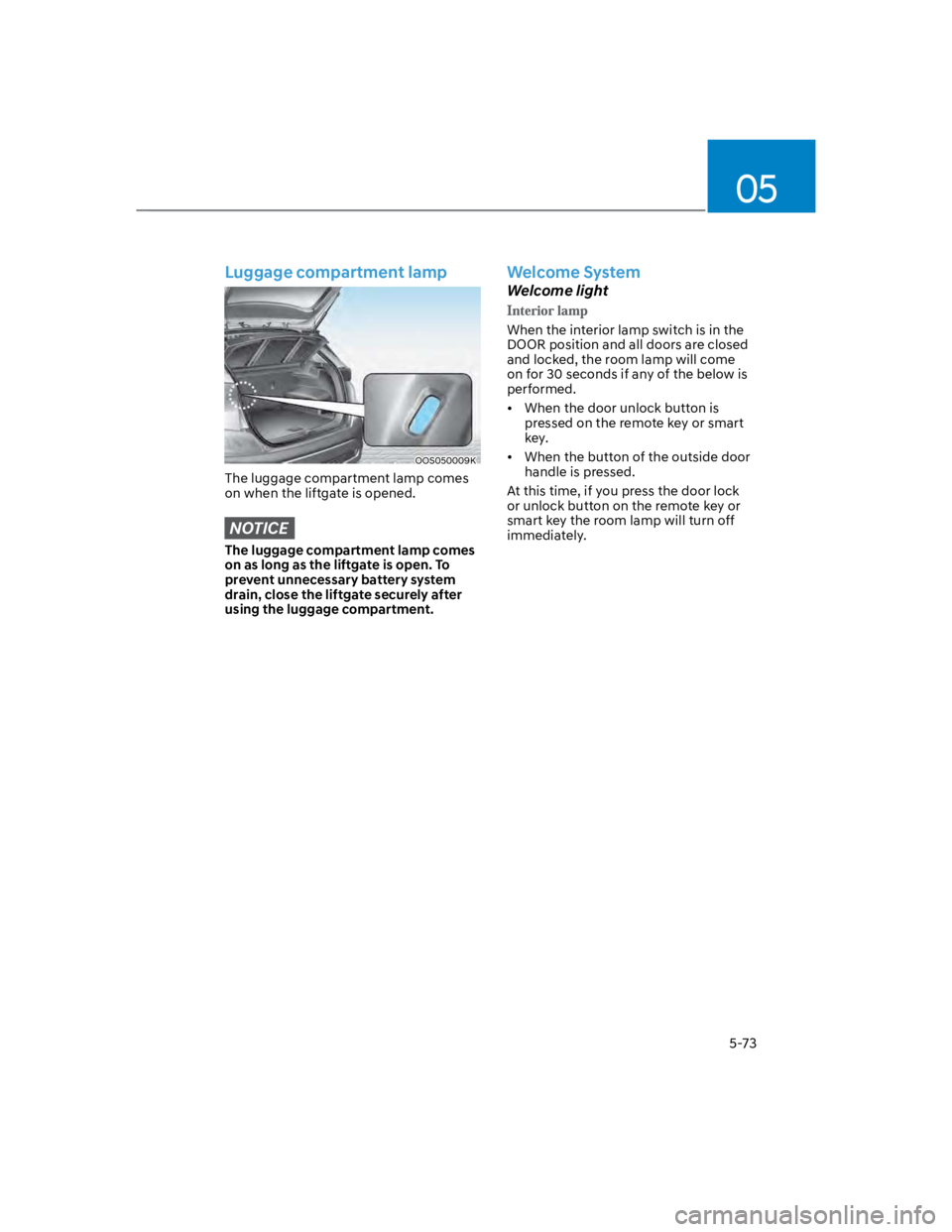
OOS050009K
The luggage compartment lamp comes
on when the liftgate is opened.
NOTICE
The luggage compartment lamp comes
on as long as the liftgate is open. To
prevent unnecessary battery system
drain, close the liftgate securely after
using the luggage compartment.
Welcome System
Welcome light
When the interior lamp switch is in the
DOOR position and all doors are closed
and locked, the room lamp will come
on for 30 seconds if any of the below is
performed.
When the door unlock button is
pressed on the remote key or smart
key.
When the button of the outside door
handle is pressed.
At this time, if you press the door lock
or unlock button on the remote key or
smart key the room lamp will turn off
immediately.
Page 243 of 579
05
5-109
CAUTION
To prevent damage to the power
outlets:
Use the power outlet only when the
engine is running and remove the
accessory plug after use. Using the
accessory plug for prolonged periods
of time with the engine off could
cause the battery to discharge.
Only use 12 volts electric accessories
which are less than 180 watts in
electric capacity.
Adjust the air-conditioner or heater
to the lowest operating level when
using the power outlet.
Close the cover when not in use.
Some electronic devices can
cause electronic interference
when plugged into a vehicle’s
power outlet. These devices may
cause excessive audio static and
malfunctions in other electronic
systems or devices used in your
vehicle.
Push the plug in as far as it will go. If
good contact is not made, the plug
may overheat and the fuse may open.
Plug in battery equipped electrical/
electronic devices with reverse
current protection. The current
from the battery may flow into the
vehicle’s electrical/electronic system
and cause system malfunction.
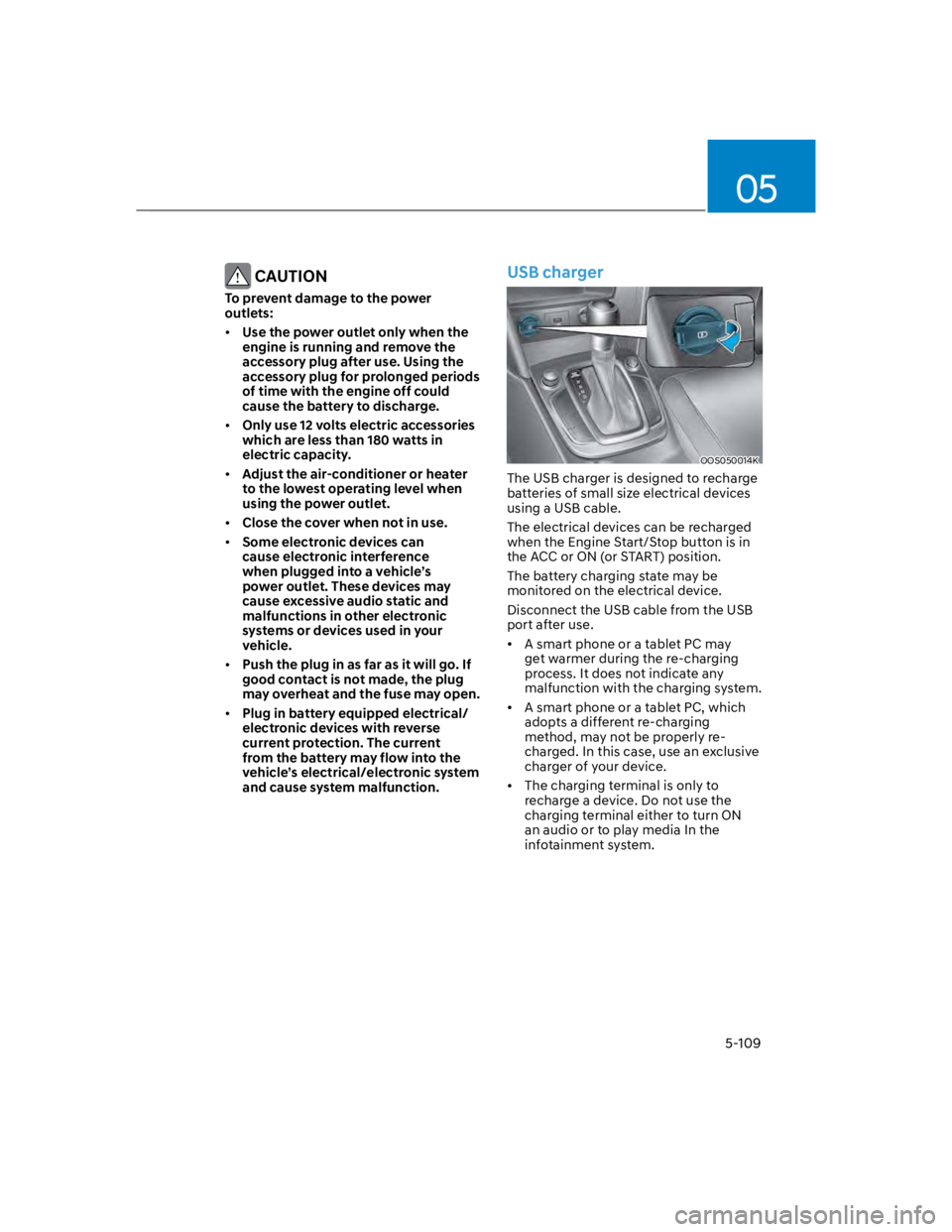
USB charger
OOS050014K
The USB charger is designed to recharge
batteries of small size electrical devices
using a USB cable.
The electrical devices can be recharged
when the Engine Start/Stop button is in
the ACC or ON (or START) position.
The battery charging state may be
monitored on the electrical device.
Disconnect the USB cable from the USB
port after use.
A smart phone or a tablet PC may
get warmer during the re-charging
process. It does not indicate any
malfunction with the charging system.
A smart phone or a tablet PC, which
adopts a different re-charging
method, may not be properly re-
charged. In this case, use an exclusive
charger of your device.
The charging terminal is only to
recharge a device. Do not use the
charging terminal either to turn ON
an audio or to play media In the
infotainment system.
Page 256 of 579

Convenient features
5-122
USB
Supported audio formats
Audio file specification
- WAVeform audio format
- MPEG1/2/2.5 Audio Layer3
- Windows Media Audio Ver 7.X/8.X
Bit rates
- MPEG1 (Layer3):
32/40/48/56/64/80/96/112/128/160
/192/224/256/320 kbps
- MPEG2 (Layer3):
8/16/24/32/40/48/56/64/80/96/112
/128/144/160 kbps
- MPEG2.5 (Layer3):
8/16/24/32/40/48/56/64/80/96/112
/128/144/160 kbps
- WMA (High Range):
48/64/80/96/128/160/192 kbps
Bits Per Sample
- WAV (PCM(Stereo)): 24 bit
- WAV (IMA ADPCM): 4 bit
- WAV (MS ADPCM): 4 bit
Sampling frequency
- MPEG1: 44100/48000/32000 Hz
- MPEG2: 22050/24000/16000 Hz
- MPEG2.5: 11025/12000/8000 Hz
- WMA: 32000/44100/48000 Hz
- WAV: 44100/48000 Hz
Maximum length of folder/file names
(Based on Unicode): 40 English or
Korean characters
Supported characters for folder/
file names (Unicode support): 2,604
Korean characters, 94 alphanumeric
characters, 4,888 Chinese characters
in common use, 986 special
characters
Maximum number of folders: 1,000
Maximum number of files: 5,000
NOTICE
Files that are not in a supported
format may not be recognised or
played, or information about them,
such as the file name, may not be
displayed properly.
Only files with .mp3/.wma/.wav
extensions can be recognised by the
system. If the file is not in supported
format, change the file format by
using the latest encoding software.
The device will not support files
locked by DRM (Digital Rights
Management).
For MP3/WMA compression files and
WAV file, differences in sound quality
will occur depending on the bitrate.
(Music files with a higher bitrate
have a better sound quality.)
Japanese or Simplified Chinese
characters in folder or file names
may not be displayed properly.