warning HYUNDAI KONA EV 2021 Owners Manual
[x] Cancel search | Manufacturer: HYUNDAI, Model Year: 2021, Model line: KONA EV, Model: HYUNDAI KONA EV 2021Pages: 478, PDF Size: 32.83 MB
Page 312 of 478
5-77
Driving your vehicle
5
LKA Operation
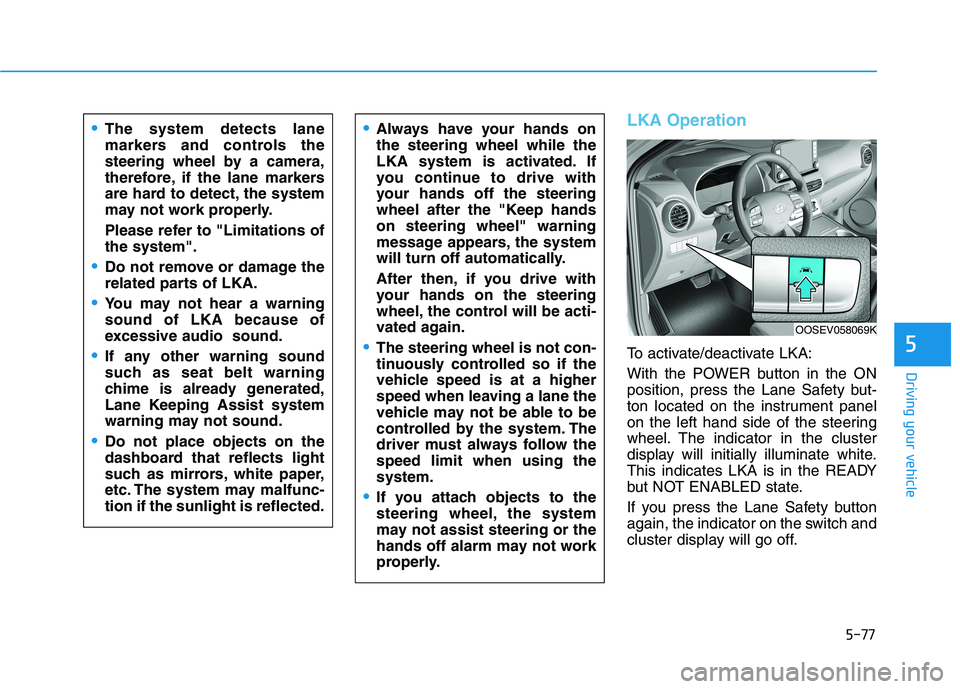
To activate/deactivate LKA:
With the POWER button in the ON
position, press the Lane Safety but-
ton located on the instrument panel
on the left hand side of the steering
wheel. The indicator in the cluster
display will initially illuminate white.
This indicates LKA is in the READY
but NOT ENABLED state.
If you press the Lane Safety button
again, the indicator on the switch and
cluster display will go off.
Always have your hands on
the steering wheel while the
LKA system is activated. If
you continue to drive with
your hands off the steering
wheel after the "Keep hands
on steering wheel" warning
message appears, the system
will turn off automatically.
After then, if you drive with
your hands on the steering
wheel, the control will be acti-
vated again.
The steering wheel is not con-
tinuously controlled so if the
vehicle speed is at a higher
speed when leaving a lane the
vehicle may not be able to be
controlled by the system. The
driver must always follow the
speed limit when using the
system.
If you attach objects to the
steering wheel, the system
may not assist steering or the
hands off alarm may not work
properly.
The system detects lane
markers and controls the
steering wheel by a camera,
therefore, if the lane markers
are hard to detect, the system
may not work properly.
Please refer to "Limitations of
the system".
Do not remove or damage the
related parts of LKA.
You may not hear a warning
sound of LKA because of
excessive audio sound.
If any other warning sound
such as seat belt warning
chime is already generated,
Lane Keeping Assist system
warning may not sound.
Do not place objects on the
dashboard that reflects light
such as mirrors, white paper,
etc. The system may malfunc-
tion if the sunlight is reflected.
OOSEV058069K
Page 313 of 478
5-78
Driving your vehicle
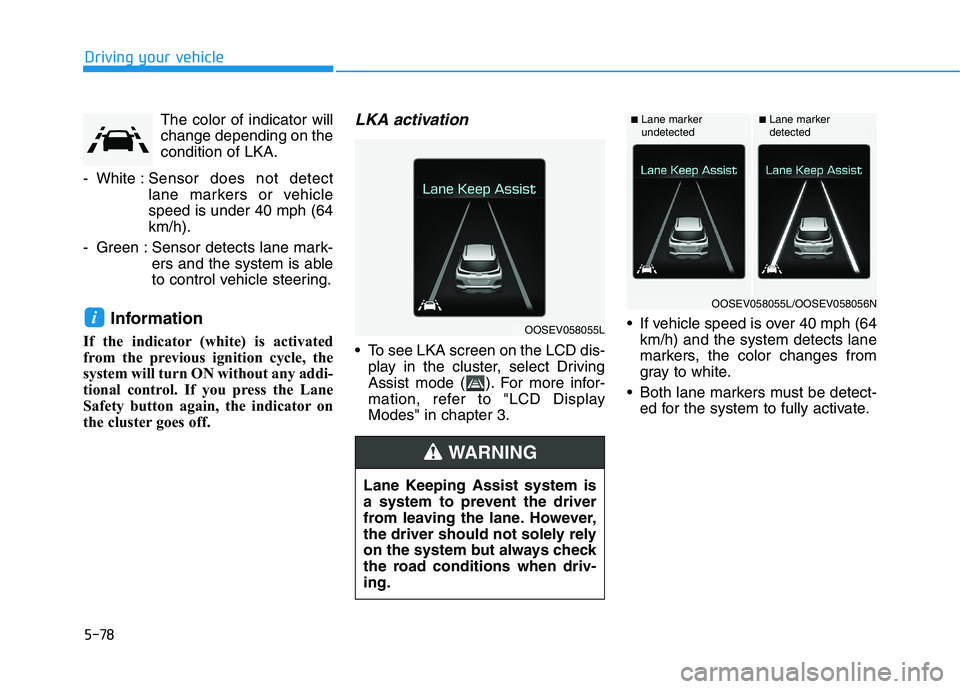
The color of indicator will
change depending on the
condition of LKA.
- White :Sensor does not detect
lane markers or vehicle
speed is under 40 mph (64
km/h).
- Green : Sensor detects lane mark-
ers and the system is able
to control vehicle steering.
Information
If the indicator (white) is activated
from the previous ignition cycle, the
system will turn ON without any addi-
tional control. If you press the Lane
Safety button again, the indicator on
the cluster goes off.
LKA activation
To see LKA screen on the LCD dis-
play in the cluster, select Driving
Assist mode ( ). For more infor-
mation, refer to "LCD Display
Modes" in chapter 3. If vehicle speed is over 40 mph (64
km/h) and the system detects lane
markers, the color changes from
gray to white.
Both lane markers must be detect-
ed for the system to fully activate.
iOOSEV058055L
Lane Keeping Assist system is
a system to prevent the driver
from leaving the lane. However,
the driver should not solely rely
on the system but always check
the road conditions when driv-
ing.
WARNING
■Lane marker
undetected■Lane marker
detected
OOSEV058055L/OOSEV058056N
Page 314 of 478
5-79
Driving your vehicle
5
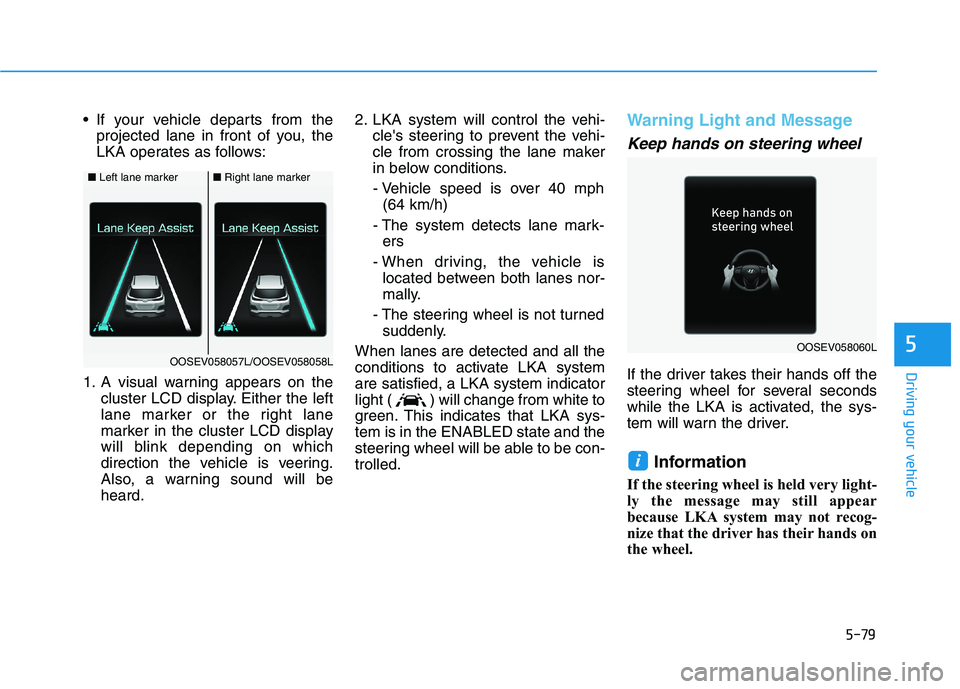
If your vehicle departs from the
projected lane in front of you, the
LKA operates as follows:
1. A visual warning appears on the
cluster LCD display. Either the left
lane marker or the right lane
marker in the cluster LCD display
will blink depending on which
direction the vehicle is veering.
Also, a warning sound will be
heard.2. LKA system will control the vehi-
cle's steering to prevent the vehi-
cle from crossing the lane maker
in below conditions.
- Vehicle speed is over 40 mph
(64 km/h)
- The system detects lane mark-
ers
- When driving, the vehicle is
located between both lanes nor-
mally.
- The steering wheel is not turned
suddenly.
When lanes are detected and all the
conditions to activate LKA system
are satisfied, a LKA system indicator
light ( ) will change from white to
green. This indicates that LKA sys-
tem is in the ENABLED state and the
steering wheel will be able to be con-
trolled.Warning Light and Message
Keep hands on steering wheel
If the driver takes their hands off the
steering wheel for several seconds
while the LKA is activated, the sys-
tem will warn the driver.
Information
If the steering wheel is held very light-
ly the message may still appear
because LKA system may not recog-
nize that the driver has their hands on
the wheel.
i
■Left lane marker■Right lane marker
OOSEV058057L/OOSEV058058LOOSEV058060L
Page 315 of 478
5-80
Driving your vehicle
Driver's grasp not detected.
LKA system will be disabled
temporarily
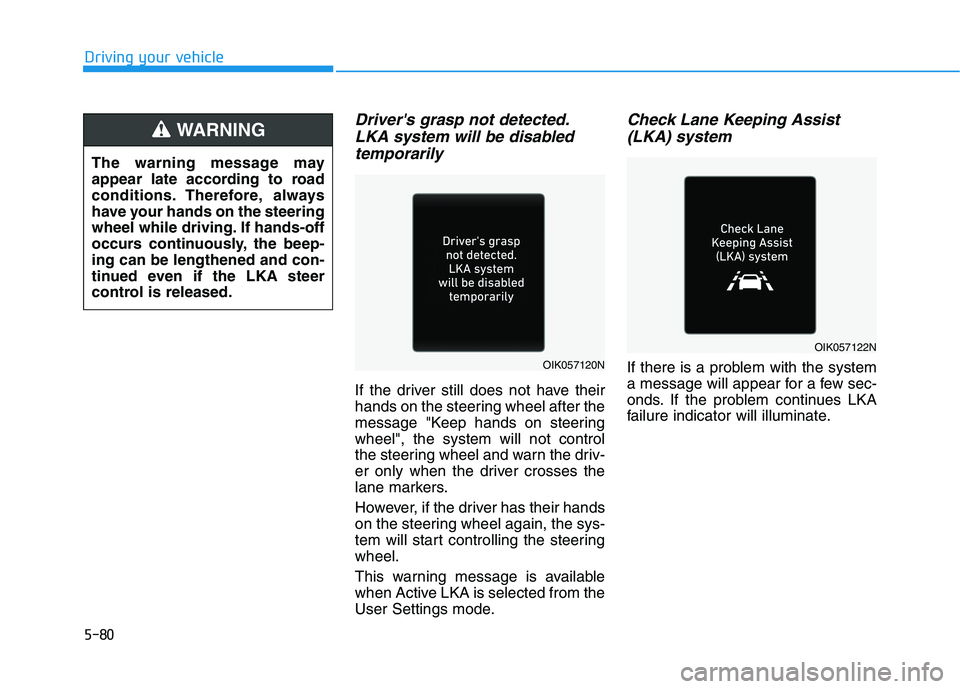
If the driver still does not have their
hands on the steering wheel after the
message "Keep hands on steering
wheel", the system will not control
the steering wheel and warn the driv-
er only when the driver crosses the
lane markers.
However, if the driver has their hands
on the steering wheel again, the sys-
tem will start controlling the steering
wheel.
This warning message is available
when Active LKA is selected from the
User Settings mode.
Check Lane Keeping Assist
(LKA) system
If there is a problem with the system
a message will appear for a few sec-
onds. If the problem continues LKA
failure indicator will illuminate. The warning message may
appear late according to road
conditions. Therefore, always
have your hands on the steering
wheel while driving. If hands-off
occurs continuously, the beep-
ing can be lengthened and con-
tinued even if the LKA steer
control is released.
WARNING
OIK057120N
OIK057122N
Page 316 of 478
5-81
Driving your vehicle
5Information
• Even though the steering is assisted
by the system, the driver can still
steer to control the steering wheel.
• The steering wheel may feel heavier
when the steering wheel is assisted
by the system than when it is not.
LKA system failure indicator
The LKA system failure
indicator (yellow) will illu-
minate if LKA system is
not working properly.
Have your vehicle
checked by an authorized
HYUNDAI dealer.
When there is a problem with the
system do one of the following:
Turn the system on after turning
the vehicle off and on again.
Check if the vehicle is ON.
Check if the system is affected by
the weather. (ex: fog, heavy rain,
etc.)
Check if there is foreign matter on
the camera lens.
If the problem is not resolved, have
your vehicle checked by an author-
ized HYUNDAI dealer.
LKA system will not be in the
ENABLED state and/or the steering
wheel will not be assisted when:
The turn signal is turned on before
changing a lane. If you change
lanes without the turn signal on, the
steering wheel might be controlled.
The vehicle is not driven in the mid-
dle of the lane when the system is
turned on or right after changing a
lane.
ESC (Electronic Stability Control) or
VSM (Vehicle Stability Management)
is activated.
The vehicle is driven on a sharp
curve.
Vehicle speed is below 35 mph
(56 km/h) and over 110 mph (177
km/h).
The vehicle makes sharp lane
changes.
The vehicle brakes suddenly.
The lane is very wide or narrow.
There are more than two lane lines
on the road. (e.g. construction area)
i
The driver is responsible for
accurate steering.
Turn off the system in below
situations.
- In bad weather
- In bad road condition
- When the steering wheel
needs to be controlled by the
driver frequently.
WARNING
Page 318 of 478
5-83
Driving your vehicle
5
Driving on a steep grade, over a hill,
or when driving on a curved road.
The adverse road conditions cause
excessive vehicle vibrations while
driving.
The surrounding of the inside rear
view mirror temperature is high
due to direct sunlight, etc.
When front visibility is poor
The windshield or the camera lens
is blocked with dirt or debris.
The windshield glass is fogged up; a
clear view of the road is obstructed.
Placing objects on the dashboard,
etc.
The sensor cannot detect the lane
because of fog, heavy rain or snow.LKA Function Change
The driver can change LKA to Lane
Departure Warning from the LCD dis-
play. Go to the 'User Settings →
Driver Assistance →Lane Safety →
Lane Departure Warning/LKA/Active
LKA.
Lane Departure Warning
LDW mode alerts the driver with a
visual warning and a warning alarm
when the system detects the vehicle
departing the lane. The steering
wheel will not be controlled.
LKA
LKA mode guides the driver to help
keep the vehicle within the lanes. It
rarely controls the steering wheel,
when the vehicle drives well inside
the lanes. However, it starts to con-
trol the steering wheel, when the
vehicle is about to deviate out of the
lanes.
Active LKA
Active LKA mode provides more fre-
quent steering wheel control in com-
parison with the Standard LKA
mode. Active LKA can reduce the dri-
ver’s fatigue to assist the steering for
maintaining the vehicle in the middle
of the lane.
Page 319 of 478
5-84
Driving your vehicle
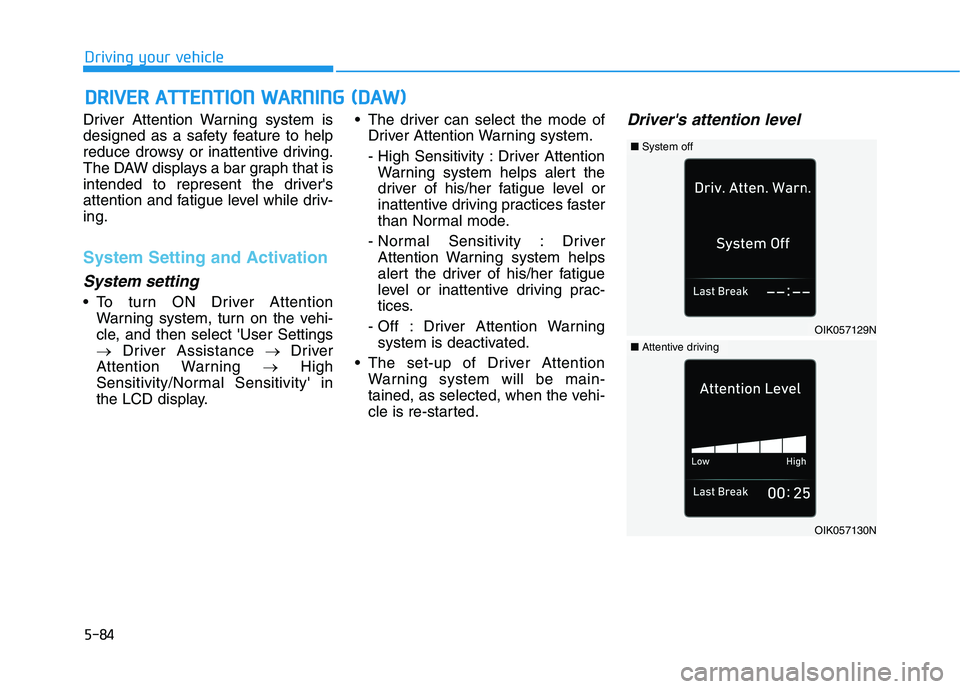
Driver Attention Warning system is
designed as a safety feature to help
reduce drowsy or inattentive driving.
The DAW displays a bar graph that is
intended to represent the driver's
attention and fatigue level while driv-
ing.
System Setting and Activation
System setting
To turn ON Driver Attention
Warning system, turn on the vehi-
cle, and then select 'User Settings
→Driver Assistance → Driver
Attention Warning →High
Sensitivity/Normal Sensitivity' in
the LCD display. The driver can select the mode of
Driver Attention Warning system.
- High Sensitivity : Driver Attention
Warning system helps alert the
driver of his/her fatigue level or
inattentive driving practices faster
than Normal mode.
- Normal Sensitivity : Driver
Attention Warning system helps
alert the driver of his/her fatigue
level or inattentive driving prac-
tices.
- Off : Driver Attention Warning
system is deactivated.
The set-up of Driver Attention
Warning system will be main-
tained, as selected, when the vehi-
cle is re-started.
Driver's attention level
D DR
RI
IV
VE
ER
R
A
AT
TT
TE
EN
NT
TI
IO
ON
N
W
WA
AR
RN
NI
IN
NG
G
(
(D
DA
AW
W)
)
OIK057129N
■System off
OIK057130N
■Attentive driving
Page 320 of 478
5-85
Driving your vehicle
5
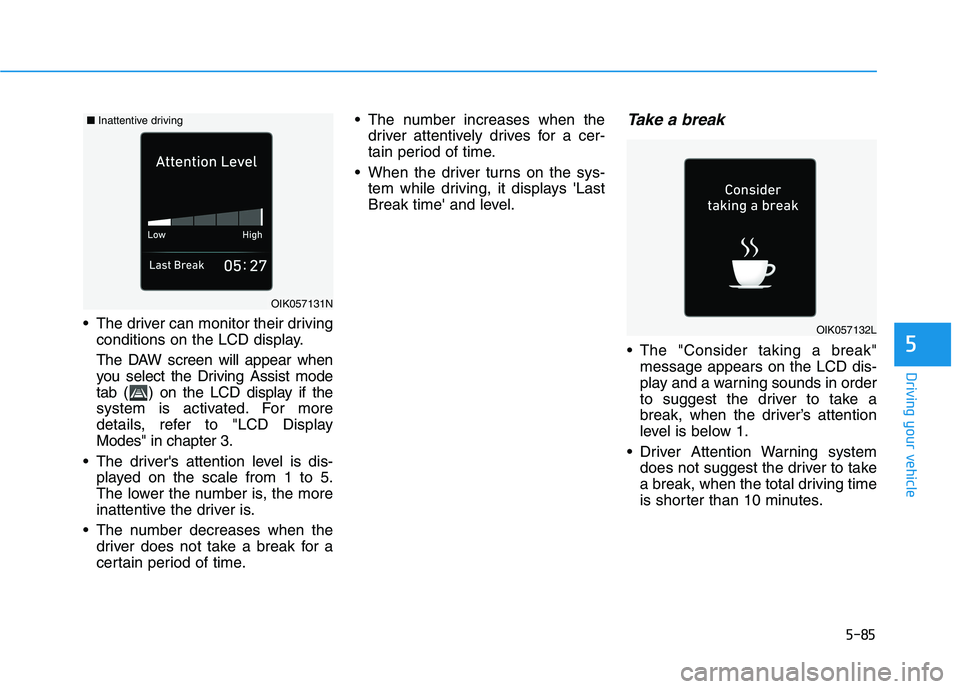
The driver can monitor their driving
conditions on the LCD display.
The DAW screen will appear when
you select the Driving Assist mode
tab ( ) on the LCD display if the
system is activated. For more
details, refer to "LCD Display
Modes" in chapter 3.
The driver's attention level is dis-
played on the scale from 1 to 5.
The lower the number is, the more
inattentive the driver is.
The number decreases when the
driver does not take a break for a
certain period of time. The number increases when the
driver attentively drives for a cer-
tain period of time.
When the driver turns on the sys-
tem while driving, it displays 'Last
Break time' and level.
Take a break
The "Consider taking a break"
message appears on the LCD dis-
play and a warning sounds in order
to suggest the driver to take a
break, when the driver’s attention
level is below 1.
Driver Attention Warning system
does not suggest the driver to take
a break, when the total driving time
is shorter than 10 minutes.
OIK057131N
OIK057132L
■Inattentive driving
Page 321 of 478
5-86
Driving your vehicle
Resetting the System
The last break time is set to 00:00
and the driver's attention level is
set to 5 (very attentive) when the
driver resets the Driver Attention
Warning (DAW) system.
Driver Attention Warning system
resets in the following situations.
- The vehicle is turned OFF.
- The driver unfastens the seat belt
and then opens the driver's door.
- The vehicle is stopped for more
than 10 minutes.
Driver Attention Warning system
operates again, when the driver
restarts driving.
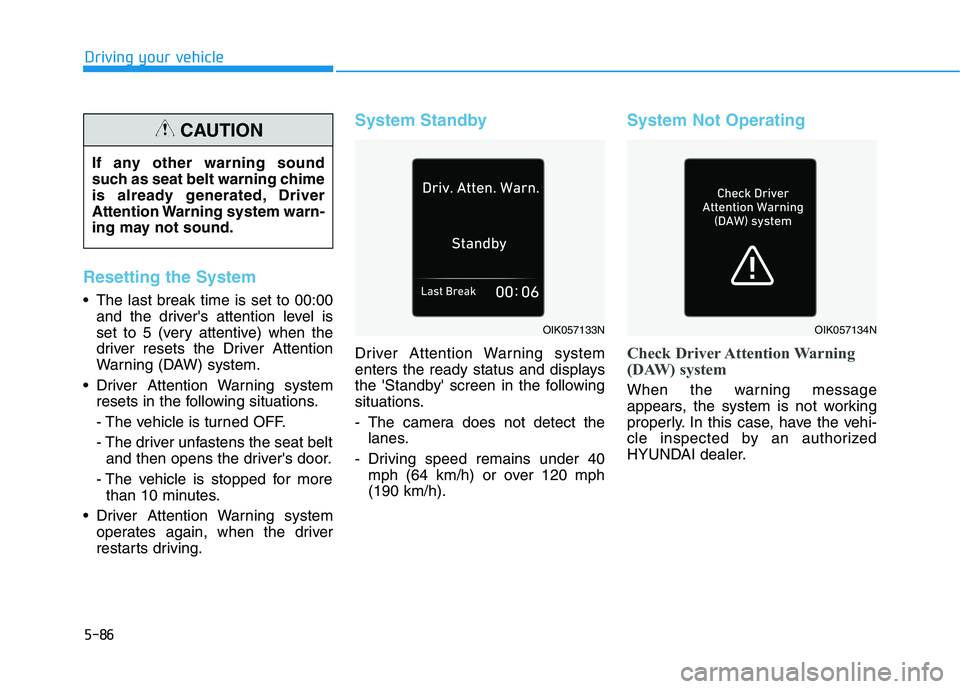
System Standby
Driver Attention Warning system
enters the ready status and displays
the 'Standby' screen in the following
situations.
- The camera does not detect the
lanes.
- Driving speed remains under 40
mph (64 km/h) or over 120 mph
(190 km/h).
System Not Operating
Check Driver Attention Warning
(DAW) system
When the warning message
appears, the system is not working
properly. In this case, have the vehi-
cle inspected by an authorized
HYUNDAI dealer.
OIK057133NOIK057134N
If any other warning sound
such as seat belt warning chime
is already generated, Driver
Attention Warning system warn-
ing may not sound.
CAUTION
Page 322 of 478
5-87
Driving your vehicle
5
Driver Attention Warning system
utilizes the camera sensor on the
front windshield for its operation.
To keep the camera sensor in the
best condition, you should
observe the followings:
Do not disassemble the camera
temporarily to tint the window or
to attach any types of coatings
and accessories. If you disas-
semble a camera and assemble
it again, take your vehicle to an
authorized HYUNDAI dealer and
have the system checked for cal-
ibration.
NEVER locate any reflective
objects (i.e. white paper, mirror)
over the dashboard. Any light
reflection may cause a malfunc-
tion of Driver Attention Alert
(DAW) system.
Pay extreme caution to keep the
camera sensor out of water.
NEVER arbitrarily disassemble
the camera assembly, nor apply
any impact on the camera
assembly.
NOTICE
Driver Attention Warning sys-
tem is not a substitute for safe
driving practices, but a con-
venience function only. It is
the responsibility of the driver
to always drive cautiously to
prevent unexpected and sud-
den situations from occur-
ring. Pay attention to the road
conditions at all times.
The system may suggest a
break according to the dri-
ver's driving pattern or habits
even if the driver doesn't feel
fatigue.
The driver, who feels fatigued,
should take a break, even
though there is no break sug-
gestion by Driver Attention
Warning system.
WARNING
Driver Attention Warning sys-
tem may not properly operate
with limited alerting in the fol-
lowing situations:
The lane detection perform-
ance is limited. (For more infor-
mation, refer to "Lane Keeping
Assist (LKA)" in this chapter.)
The vehicle is driven erratical-
ly or is abruptly turned for
obstacle avoidance (e.g. con-
struction area, other vehicles,
fallen objects, bumpy road).
Forward drivability of the vehi-
cle is severely undermined
(possibly due to wide variation
in tire pressures, uneven tire
wear-out, toe-in/toe-out align-
ment).
The vehicle drives on a curvy
road.
The vehicle drives on a bumpy
road.
CAUTION