warning HYUNDAI KONA EV 2021 Owners Manual
[x] Cancel search | Manufacturer: HYUNDAI, Model Year: 2021, Model line: KONA EV, Model: HYUNDAI KONA EV 2021Pages: 478, PDF Size: 32.83 MB
Page 299 of 478
5-64
Driving your vehicle
To cancel:
Press the Blind-Spot Safety button
again. The indicator on the switch will
go off.
When the system is not used, turn the
system off by turning off the switch.
Information
• If the vehicle is turned off then on
again, the BCW system returns to
the previous state.
• When the system is turned on, the
warning light will illuminate for 3
seconds on the outer side view mir-
ror. The function will activate when:
1. The system is on.
2. The vehicle speed is above
approximately 20 mph (30 km/h).
3. An oncoming vehicle is detected
in the blind spot area.
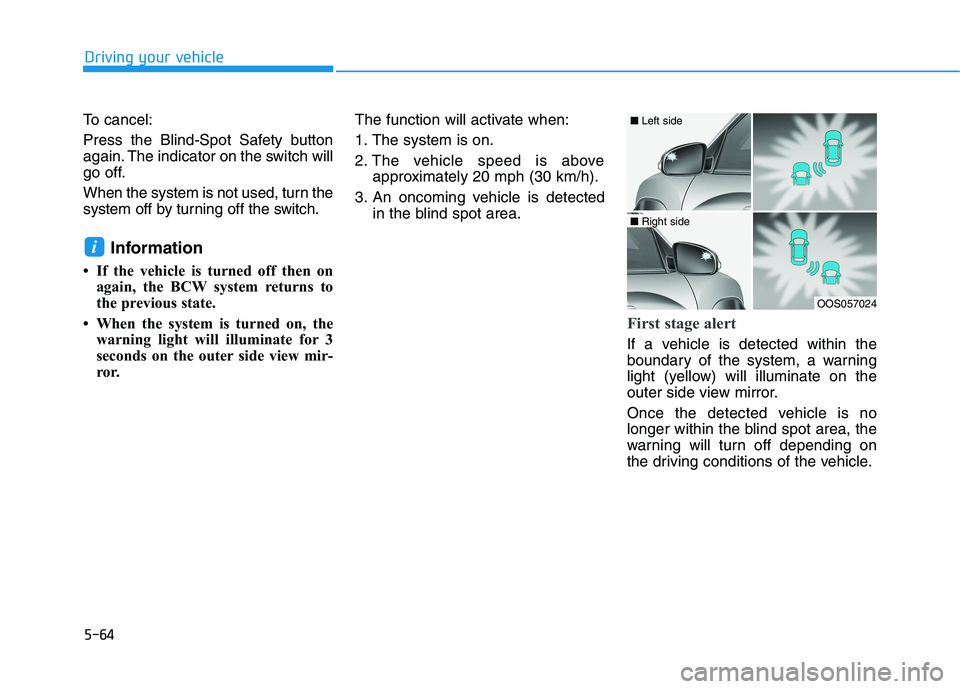
First stage alert
If a vehicle is detected within the
boundary of the system, a warning
light (yellow) will illuminate on the
outer side view mirror.
Once the detected vehicle is no
longer within the blind spot area, the
warning will turn off depending on
the driving conditions of the vehicle.
i
OOS057024
■ Left side
■ Right side
Page 300 of 478
5-65
Driving your vehicle
5
The second stage alarm may be
deactivated.
- To deactivate the warning chime:
Go to the 'User Settings →Driver
Assistance and deselect Blind-
Spot Collision Warning Sound' on
the LCD display.
- To activate the warning chime:
Go to the 'User Settings →Driver
Assistance and select Blind-Spot
Collision Warning Sound' on the
LCD display.
Information
The warning chime function helps
alert the driver. Deactivate this func-
tion only when it is necessary.
For more information, refer to
"LCD Display Modes" in chapter 3.
i
OOS057025
■ Left side
OOS057026
■ Right side
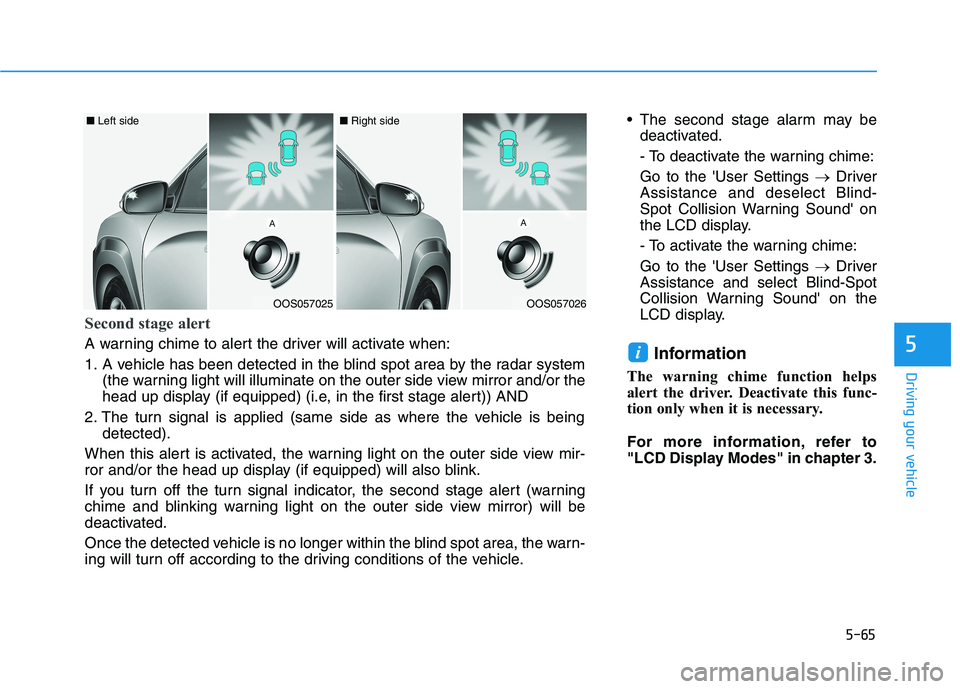
Second stage alert
A warning chime to alert the driver will activate when:
1. A vehicle has been detected in the blind spot area by the radar system
(the warning light will illuminate on the outer side view mirror and/or the
head up display (if equipped) (i.e, in the first stage alert)) AND
2. The turn signal is applied (same side as where the vehicle is being
detected).
When this alert is activated, the warning light on the outer side view mir-
ror and/or the head up display (if equipped) will also blink.
If you turn off the turn signal indicator, the second stage alert (warning
chime and blinking warning light on the outer side view mirror) will be
deactivated.
Once the detected vehicle is no longer within the blind spot area, the warn-
ing will turn off according to the driving conditions of the vehicle.
Page 301 of 478
5-66
Driving your vehicle
Rear Cross-Traffic Collision
Warning (RCCW) (if equipped)
Rear Cross-Traffic Collision Warning
monitors approaching cross traffic
from the left and right side of the
vehicle when your vehicle is in
reverse.
Operating conditions
To operate:
Go to the 'User Settings →Driver
Assistance and select Rear Cross-
Traffic Collision Warning' on the LCD
display.For more details, refer to
"LCD Display Modes" in chapter 3.
The system will turn on and standby
to activate. The system will activate
when vehicle speed is below 6 mph
(10 km/h) and with the gear in R
(Reverse).
If the function is deselected from the
instrument cluster, the function will
deactivate.
Information
• The last selected setting (ON or
OFF) of RCCW is remained in the
system.
• The system will activate when vehi-
cle speed is below 6.2 mph (10 km/h)
and with the gear shifted to R
(Reverse).
• The RCCW (Rear Cross-Traffic
Collision Warning) detecting range
is approximately 1 ft ~ 65 ft (0.5 m ~
20 m) in the direction of both later-
al sides of the vehicle.
An approaching vehicle will be
detected if their vehicle speed is
within 2.5 ~ 22.5 mph (8 km/h ~36
km/h).
Note that the detecting range may
vary under certain conditions. As
always, use caution and pay close
attention to your surroundings
when backing up your vehicle.
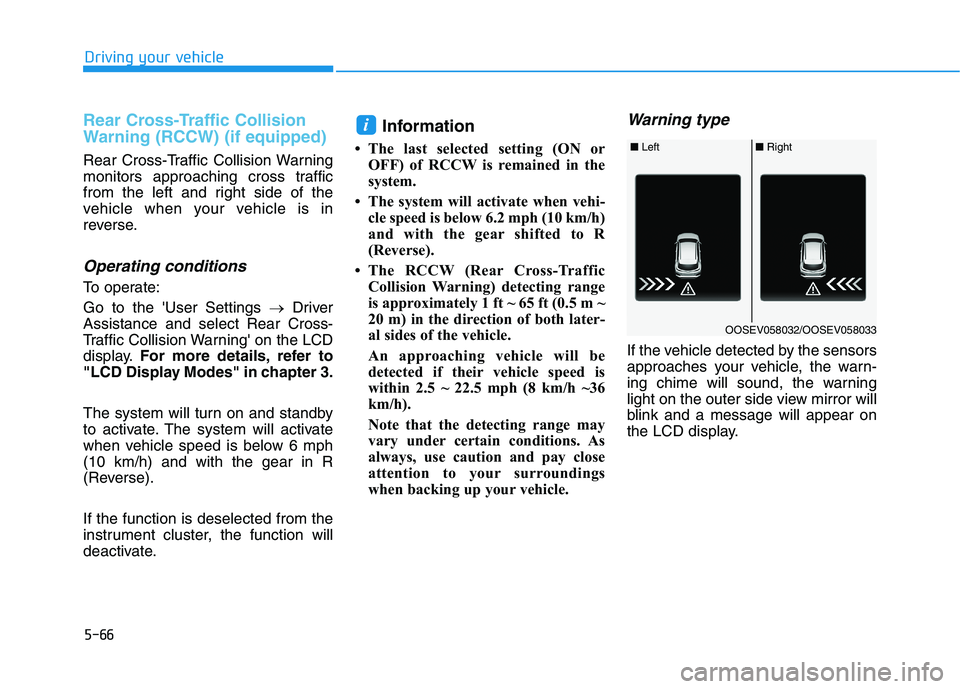
Warning type
If the vehicle detected by the sensors
approaches your vehicle, the warn-
ing chime will sound, the warning
light on the outer side view mirror will
blink and a message will appear on
the LCD display.
i
■ Left■ Right
OOSEV058032/OOSEV058033
Page 302 of 478
5-67
Driving your vehicle
5
Information
• The warning chime will turn off
when:
- The detected vehicle moves out of
the sensing area or
- when the vehicle is right behind
your vehicle or
- when the vehicle is not approach-
ing your vehicle or
- when the other vehicle slows down.
• The system may not operate proper-
ly due to other factors or circum-
stances. Always pay attention to
your surrounding.
• If the sensing area near the rear
bumper is blocked by either a wall
or barrier or by a parked vehicle,
the system sensing area may be
reduced. The system may not work prop-
erly when the bumper has been
damaged, or if the rear bumper
has been replaced or repaired.
The sensing range differs some-
what according to the width of
the road. When the road is nar-
row, the system may detect
other vehicles in the next lane.
The system may turn off due to
strong electromagnetic waves.
NOTICE
i
With the system activated, the
warning light on the outer
side view mirror will illumi-
nate whenever a vehicle is
detected at the rear side by
the system.
To avoid accidents, do not
focus only on the warning
light and neglect to see the
surrounding of the vehicle.
Drive safely even though the
vehicle is equipped with a
Blind-Spot Collision Warning
(BCW) system and Rear Cross-
Traffic Collision Warning
(RCCW) system. Do not solely
rely on the system but check
your surrounding before
changing lanes or backing the
vehicle up.
The system may not alert the
driver in some conditions so
always check your surround-
ings while driving.
WARNING The Blind-Spot Collision
Warning (BCW) system and
Rear Cross-Traffic Collision
Warning (RCCW) system are
not a substitute for proper
and safe driving practices.
Always drive safely and use
caution when changing lanes
or backing up your vehicle.
The Blind-Spot Collision
Warning (BCW) system and
Rear Cross-Traffic Collision
Warning (RCCW) system may
not detect every object along-
side the vehicle.
Page 303 of 478
5-68
Driving your vehicle
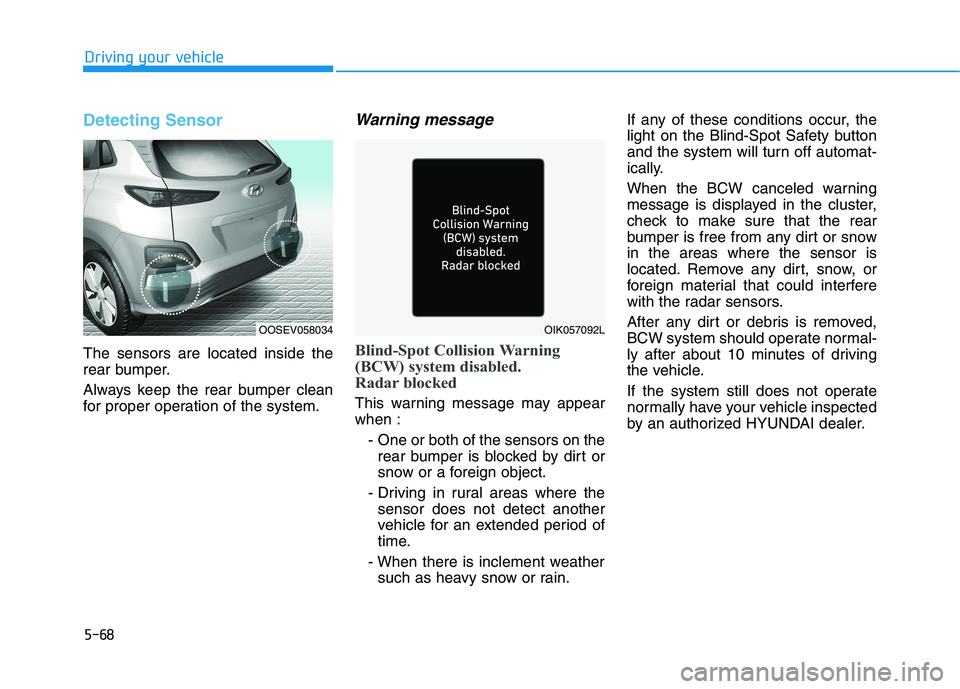
Detecting Sensor
The sensors are located inside the
rear bumper.
Always keep the rear bumper clean
for proper operation of the system.
Warning message
Blind-Spot Collision Warning
(BCW) system disabled.
Radar blocked
This warning message may appear
when :
- One or both of the sensors on the
rear bumper is blocked by dirt or
snow or a foreign object.
- Driving in rural areas where the
sensor does not detect another
vehicle for an extended period of
time.
- When there is inclement weather
such as heavy snow or rain.If any of these conditions occur, the
light on the Blind-Spot Safety button
and the system will turn off automat-
ically.
When the BCW canceled warning
message is displayed in the cluster,
check to make sure that the rear
bumper is free from any dirt or snow
in the areas where the sensor is
located. Remove any dirt, snow, or
foreign material that could interfere
with the radar sensors.
After any dirt or debris is removed,
BCW system should operate normal-
ly after about 10 minutes of driving
the vehicle.
If the system still does not operate
normally have your vehicle inspected
by an authorized HYUNDAI dealer.
OIK057092LOOSEV058034
Page 304 of 478
5-69
Driving your vehicle
5
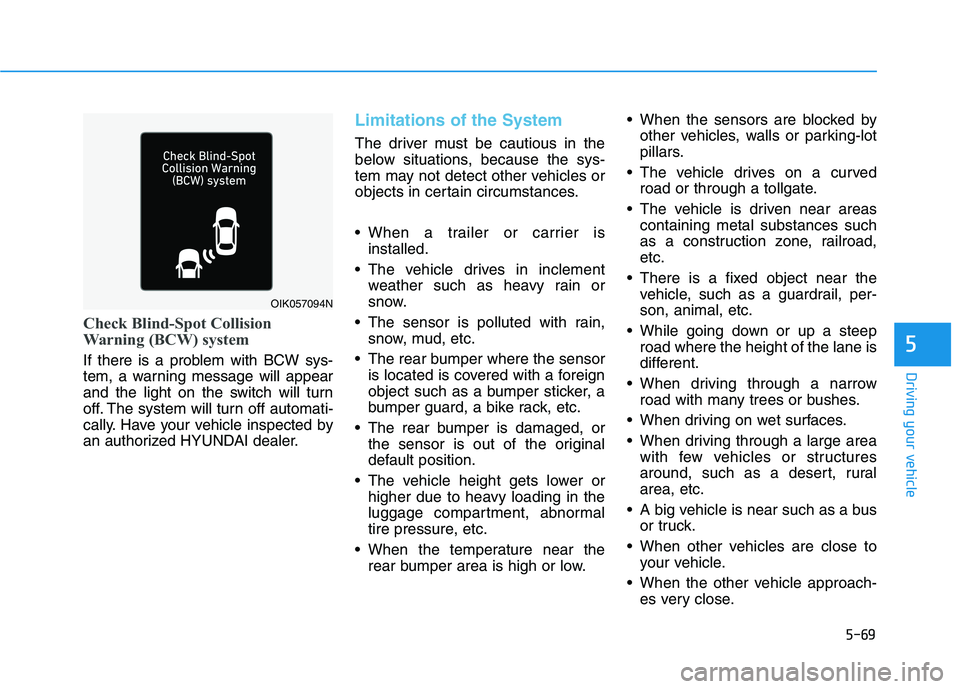
Check Blind-Spot Collision
Warning (BCW) system
If there is a problem with BCW sys-
tem, a warning message will appear
and the light on the switch will turn
off. The system will turn off automati-
cally. Have your vehicle inspected by
an authorized HYUNDAI dealer.
Limitations of the System
The driver must be cautious in the
below situations, because the sys-
tem may not detect other vehicles or
objects in certain circumstances.
When a trailer or carrier is
installed.
The vehicle drives in inclement
weather such as heavy rain or
snow.
The sensor is polluted with rain,
snow, mud, etc.
The rear bumper where the sensor
is located is covered with a foreign
object such as a bumper sticker, a
bumper guard, a bike rack, etc.
The rear bumper is damaged, or
the sensor is out of the original
default position.
The vehicle height gets lower or
higher due to heavy loading in the
luggage compartment, abnormal
tire pressure, etc.
When the temperature near the
rear bumper area is high or low. When the sensors are blocked by
other vehicles, walls or parking-lot
pillars.
The vehicle drives on a curved
road or through a tollgate.
The vehicle is driven near areas
containing metal substances such
as a construction zone, railroad,
etc.
There is a fixed object near the
vehicle, such as a guardrail, per-
son, animal, etc.
While going down or up a steep
road where the height of the lane is
different.
When driving through a narrow
road with many trees or bushes.
When driving on wet surfaces.
When driving through a large area
with few vehicles or structures
around, such as a desert, rural
area, etc.
A big vehicle is near such as a bus
or truck.
When other vehicles are close to
your vehicle.
When the other vehicle approach-
es very close.
OIK057094N
Page 305 of 478
5-70
Driving your vehicle
When the detected vehicle also
moves back, as your vehicle drives
back.
While changing lanes.
The vehicle is turning left or right at
a crossroad.
If the vehicle has started at the
same time as the vehicle next to
you and has accelerated.
When the other vehicle passes at a
very fast speed.
When the vehicle in the next lane
moves two lanes away from you
OR when the vehicle two lanes
away moves to the next lane to
you.
A motorcycle or bicycle is near.
A flat trailer is near.
If there are small objects in the
detecting area such as a shopping
cart or a baby stroller.
If there is a low height vehicle such
as a sports car.
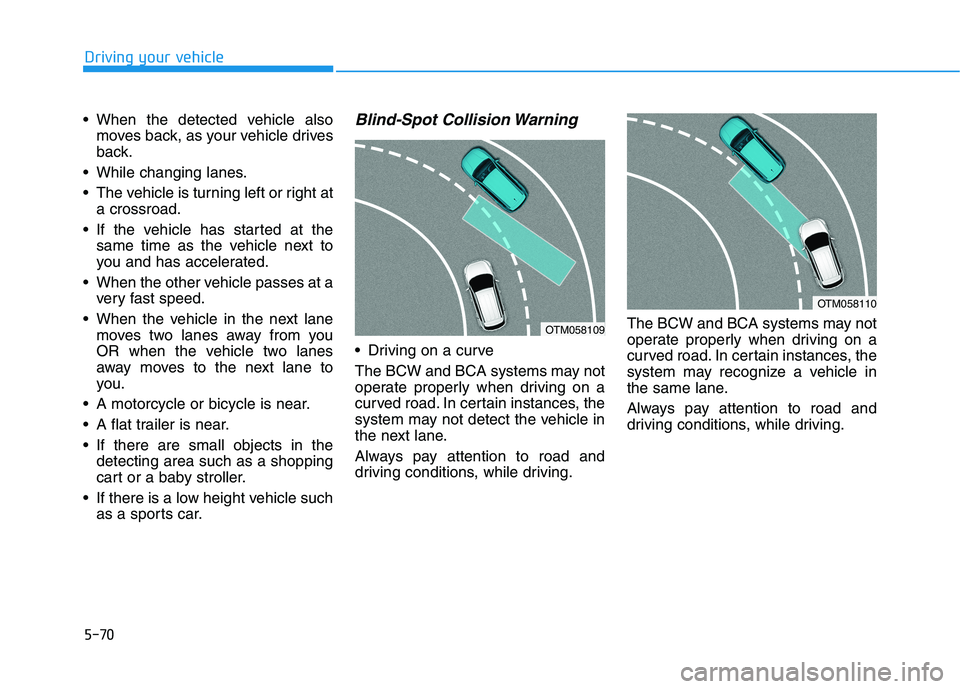
Blind-Spot Collision Warning
Driving on a curve
The BCW and BCA systems may not
operate properly when driving on a
curved road. In certain instances, the
system may not detect the vehicle in
the next lane.
Always pay attention to road and
driving conditions, while driving.The BCW and BCA systems may not
operate properly when driving on a
curved road. In certain instances, the
system may recognize a vehicle in
the same lane.
Always pay attention to road and
driving conditions, while driving.
OTM058110
OTM058109
Page 307 of 478
![HYUNDAI KONA EV 2021 Owners Manual 5-72
[A] : noise barrier, [B] : guardrail
Driving where there is a structure
beside the road
The BCW and BCA systems may not
operate properly when driving where
there is structure beside the road.
In](/img/35/56172/w960_56172-306.png "HYUNDAI KONA EV 2021 Owners Manual 5-72
[A] : noise barrier, [B] : guardrail
Driving where there is a structure
beside the road
The BCW and BCA systems may not
operate properly when driving where
there is structure beside the road.
In")
5-72
[A] : noise barrier, [B] : guardrail
Driving where there is a structure
beside the road
The BCW and BCA systems may not
operate properly when driving where
there is structure beside the road.
In certain instances, the system may
recognize the structures (i.e. noise
barriers, guardrail, double guardrail,
median strip, bollard, street light,
road sign, tunnel wall, etc.) beside
the road.
Always pay attention to road and
driving conditions, while driving.
Rear Cross-Traffic Collision
Warning
[A] : Structure
Driving where there is a vehicle or
structure near
The system may not operate proper-
ly when driving where there is a vehi-
cle or structure near.
In certain instances, the system may
not detect the vehicle approaching
from behind and the warning may not
operate properly.
Always pay attention to your sur-
rounding while driving. When the vehicle is in a complex
parking environment
The system may not operate prop-
erly when the vehicle is in a com-
plex parking environment.
In certain instances, the system
may not be able to exactly deter-
mine the risk of collision for the
vehicles which are parking or
pulling out near your vehicle (e.g. a
vehicle escaping beside your vehi-
cle, a vehicle parking or pulling out
in the rear area, a vehicle
approaching your vehicle making a
turn, etc.).
If this occurs, the warning may not
operate properly.
Driving your vehicle
OOSEV058115N
OTM058102L
OTM058103
Page 308 of 478
![HYUNDAI KONA EV 2021 Owners Manual 5-73
Driving your vehicle
[A] : Vehicle
When the vehicle is parked diago-
nally
The system may not operate proper-
ly when the vehicle is parked diago-
nally.
In certain instances, when the diago-
na](/img/35/56172/w960_56172-307.png "HYUNDAI KONA EV 2021 Owners Manual 5-73
Driving your vehicle
[A] : Vehicle
When the vehicle is parked diago-
nally
The system may not operate proper-
ly when the vehicle is parked diago-
nally.
In certain instances, when the diago-
na")
5-73
Driving your vehicle
[A] : Vehicle
When the vehicle is parked diago-
nally
The system may not operate proper-
ly when the vehicle is parked diago-
nally.
In certain instances, when the diago-
nally parked vehicle is pulled out of
the parking space, the system may
not detect the vehicle approaching
from the rear left/right of your vehi-
cle. In this case, the warning may not
operate properly.
Always pay attention to your sur-
rounding while driving. When the vehicle is on/near a
slope
The system may not operate proper-
ly when the vehicle is on/near a
slope.
In certain instances, the system may
not detect the vehicle approaching
from the rear left/right and the warn-
ing may not operate properly.
Always pay attention to your sur-
rounding while driving.
[A] : Structure, [B] : Wall
Pulling into the parking space
where there is a structure
The system may not operate proper-
ly when pulling in the vehicle to the
parking space where there is a struc-
ture at the back or side of your vehi-
cle.
In certain instances, when backing
into the parking space, the system
may not detect the vehicle moving in
front of your vehicle. In this case, the
warning may not operate properly.
Always pay attention to the parking
space while driving.5
OTM058104LOOSEV058116NOTM058106L
Page 311 of 478
5-76
Driving your vehicle
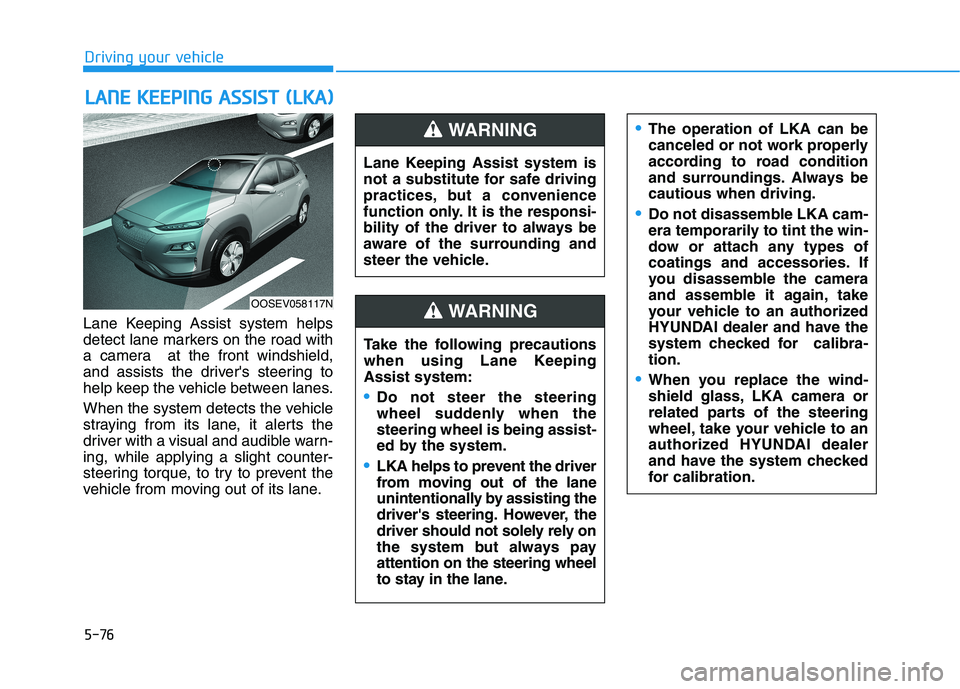
Lane Keeping Assist system helps
detect lane markers on the road with
a camera at the front windshield,
and assists the driver's steering to
help keep the vehicle between lanes.
When the system detects the vehicle
straying from its lane, it alerts the
driver with a visual and audible warn-
ing, while applying a slight counter-
steering torque, to try to prevent the
vehicle from moving out of its lane.
L LA
AN
NE
E
K
KE
EE
EP
PI
IN
NG
G
A
AS
SS
SI
IS
ST
T
(
(L
LK
KA
A)
)
OOSEV058117N
Lane Keeping Assist system is
not a substitute for safe driving
practices, but a convenience
function only. It is the responsi-
bility of the driver to always be
aware of the surrounding and
steer the vehicle.
WARNING
Take the following precautions
when using Lane Keeping
Assist system:
Do not steer the steering
wheel suddenly when the
steering wheel is being assist-
ed by the system.
LKA helps to prevent the driver
from moving out of the lane
unintentionally by assisting the
driver's steering. However, the
driver should not solely rely on
the system but always pay
attention on the steering wheel
to stay in the lane.
WARNING
The operation of LKA can be
canceled or not work properly
according to road condition
and surroundings. Always be
cautious when driving.
Do not disassemble LKA cam-
era temporarily to tint the win-
dow or attach any types of
coatings and accessories. If
you disassemble the camera
and assemble it again, take
your vehicle to an authorized
HYUNDAI dealer and have the
system checked for calibra-
tion.
When you replace the wind-
shield glass, LKA camera or
related parts of the steering
wheel, take your vehicle to an
authorized HYUNDAI dealer
and have the system checked
for calibration.