user setting HYUNDAI KONA EV 2021 Owner's Guide
[x] Cancel search | Manufacturer: HYUNDAI, Model Year: 2021, Model line: KONA EV, Model: HYUNDAI KONA EV 2021Pages: 478, PDF Size: 32.83 MB
Page 340 of 478
5-105
Driving your vehicle
5
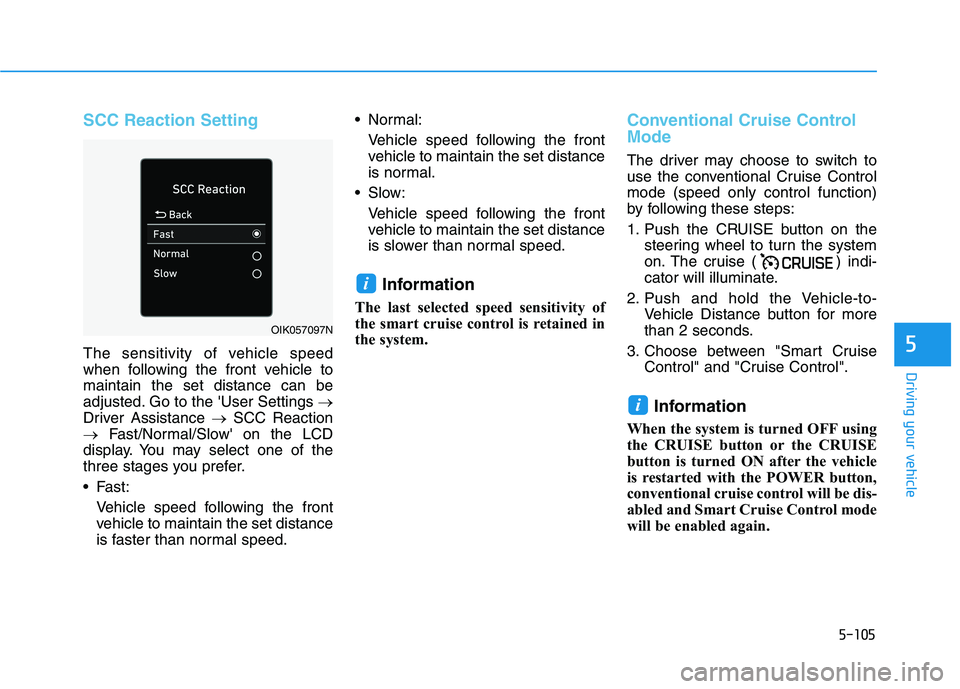
SCC Reaction Setting
The sensitivity of vehicle speed
when following the front vehicle to
maintain the set distance can be
adjusted. Go to the 'User Settings →
Driver Assistance →SCC Reaction
→Fast/Normal/Slow' on the LCD
display. You may select one of the
three stages you prefer.
Fast:
Vehicle speed following the front
vehicle to maintain the set distance
is faster than normal speed. Normal:
Vehicle speed following the front
vehicle to maintain the set distance
is normal.
Slow:
Vehicle speed following the front
vehicle to maintain the set distance
is slower than normal speed.
Information
The last selected speed sensitivity of
the smart cruise control is retained in
the system.
Conventional Cruise Control
Mode
The driver may choose to switch to
use the conventional Cruise Control
mode (speed only control function)
by following these steps:
1. Push the CRUISE button on the
steering wheel to turn the system
on. The cruise ( ) indi-
cator will illuminate.
2. Push and hold the Vehicle-to-
Vehicle Distance button for more
than 2 seconds.
3. Choose between "Smart Cruise
Control" and "Cruise Control".
Information
When the system is turned OFF using
the CRUISE button or the CRUISE
button is turned ON after the vehicle
is restarted with the POWER button,
conventional cruise control will be dis-
abled and Smart Cruise Control mode
will be enabled again.
i
i
OIK057097N
Page 366 of 478
6-7
What to do in an emergency
6
T TI
IR
RE
E
P
PR
RE
ES
SS
SU
UR
RE
E
M
MO
ON
NI
IT
TO
OR
RI
IN
NG
G
S
SY
YS
ST
TE
EM
M
(
(T
TP
PM
MS
S)
)
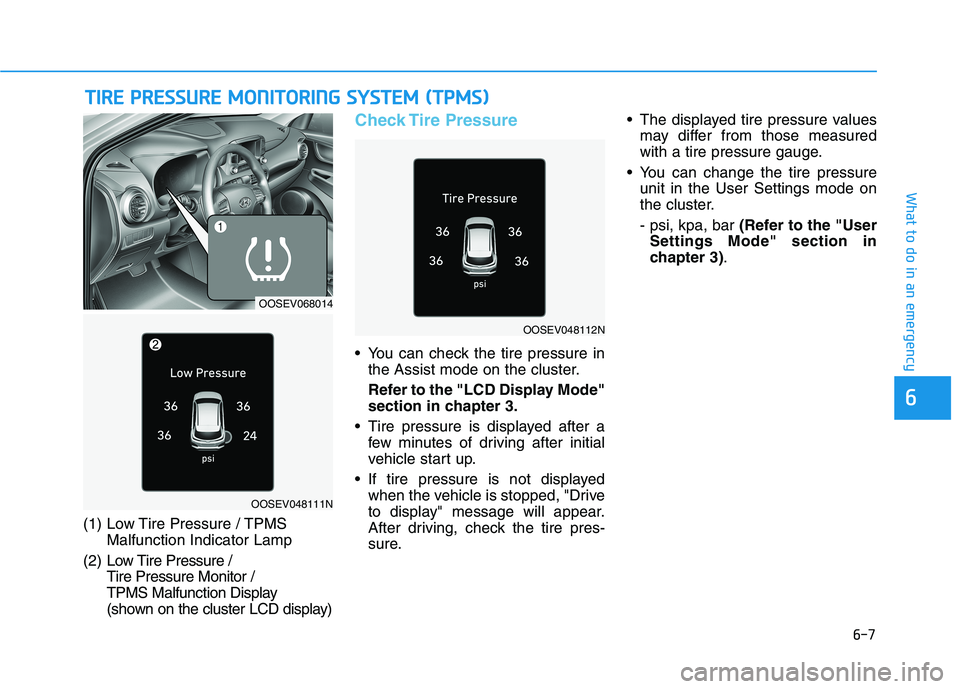
(1) Low Tire Pressure / TPMS
Malfunction Indicator Lamp
(2) Low Tire Pressure /
Tire Pressure Monitor /
TPMS Malfunction Display
(shown on the cluster LCD display)
Check Tire Pressure
You can check the tire pressure in
the Assist mode on the cluster.
Refer to the "LCD Display Mode"
section in chapter 3.
Tire pressure is displayed after a
few minutes of driving after initial
vehicle start up.
If tire pressure is not displayed
when the vehicle is stopped, "Drive
to display" message will appear.
After driving, check the tire pres-
sure. The displayed tire pressure values
may differ from those measured
with a tire pressure gauge.
You can change the tire pressure
unit in the User Settings mode on
the cluster.
- psi, kpa, bar (Refer to the "User
Settings Mode" section in
chapter 3).
OOSEV048112N
OOSEV068014
OOSEV048111N
Page 470 of 478
I-6
If the vehicle stalls at a crossroad or crossing ..................6-2
If the vehicle stalls while driving .....................................6-2
If the vehicle will not start ................................................6-3
If you have a flat tire ......................................................6-13
If you have a flat tire while driving ..................................6-3
Immobilizer system...........................................................3-8
Important safety precautions.............................................2-2
Air bag hazards ............................................................2-2
Always wear your seat belt ..........................................2-2
Control your speed .......................................................2-3
Driver distraction..........................................................2-2
Keep your vehicle in safe condition.............................2-3
Restrain all children .....................................................2-2
In case of emergency while driving..................................6-2
Indicator light..................................................................3-53
Inside rearview mirror ....................................................3-19
Instrument cluster ...........................................................3-46
Assist mode ................................................................3-80
Gauges and meters .....................................................3-48
Instrument panel illumination ....................................3-47
LCD display control ...................................................3-78
LCD display messages ...............................................3-65
LCD display modes ....................................................3-79
Master warning mode .................................................3-81
Regenerative braking level indicator .........................3-52Shift indicator .............................................................3-52
Shift indicator pop-up ................................................3-52
Smart ECO pedal guide..............................................3-53
Trip computer mode ...................................................3-80
User settings mode .....................................................3-82
Warning and indicator lights ......................................3-53
Instrument panel fuse replacement .................................7-40
Instrument panel overview ...............................................1-5
Interior care .....................................................................7-68
Interior features
Bottle holder .............................................................3-139
Cargo area cover.......................................................3-147
Clock ........................................................................3-144
Coat hook .................................................................3-145
Cup holder ................................................................3-139
Floor mat anchor(s) ..................................................3-145
Luggage net (holder) ................................................3-146
Power outlet..............................................................3-141
Sunvisor ....................................................................3-140
USB charger .............................................................3-142
Wireless cellular phone charging system .................3-142
Interior lamp AUTO cut................................................3-107
Interior lights.................................................................3-107
Front lamps...............................................................3-107
Interior lamp AUTO cut ...........................................3-107
Luggage compartment lamp .....................................3-108
Rear lamp .................................................................3-108
Vanity mirror lamp ...................................................3-109
Interior overview...............................................................1-4
Index
I
Page 471 of 478
I-7
Jump starting .....................................................................6-4
Label
Refrigerant label ...........................................................8-8
Tire sidewall labeling .................................................7-29
Tire specification and pressure label ............................8-8
Vehicle certification label .............................................8-7
Lane change signals ......................................................3-104
Lane Keeping Assist (LKA) ..........................................5-76
Lap/shoulder belt ............................................................2-26
LCD display
Assist mode ................................................................3-80
Assist mode ................................................................3-80
LCD display modes ....................................................3-79
Master warning mode .................................................3-81
Quick guide help ........................................................3-82
Trip computer mode ...................................................3-80
Turn By Turn (TBT) mode.........................................3-80
User settings mode .....................................................3-82
LCD display control
Assist mode ................................................................3-80
LCD display modes ....................................................3-79
User settings mode .....................................................3-82LCD display messages
Driving info display ...................................................3-65
Aux. Battery Saver+ used while parked ....................3-73
Battery discharging due to external electrical devices .3-66
Charge immediately. Power limited ...........................3-74
Charging door open ....................................................3-72
Charging stopped. Check the AC/DC charger ...........3-72
Charging stopped. Check the cable connection .........3-73
Check Blind-Spot Collision Warning (BCW) system.3-69
Check brake light ......................................................3-69
Check BRAKE SWITCH fuse ...................................3-66
Check cornering lamp ................................................3-69
Check Driver Attention Warning (DAW) system ......3-70
Check electric vehicle system ....................................3-77
Check Forward Collision Avoidance Assist system...3-69
Check headlight ..........................................................3-68
Check headlight LED .................................................3-69
Check High Beam Assist (HBA) system ...................3-69
Check Lane Keep Assist (LKA) system ....................3-70
Check regenerative brakes /
Stop vehicle and check regenerative brakes ............3-74
Check Smart Cruise Control System ........................3-70
Check turn signal........................................................3-69
Check virtual engine sound ........................................3-77
Door, Hood, Liftgate open indicator .........................3-67
EV battery Overheated! Stop vehicle.........................3-75
Heated steering wheel turned off ...............................3-68
Key not detected .........................................................3-66
I
Index
J
L
Page 476 of 478
I-12
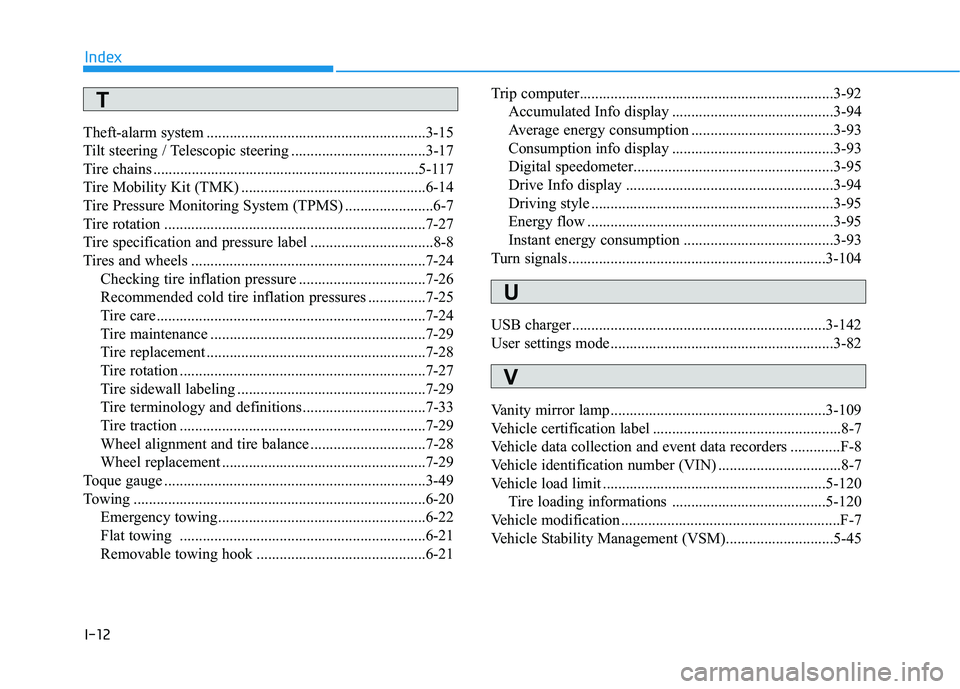
Theft-alarm system .........................................................3-15
Tilt steering / Telescopic steering ...................................3-17
Tire chains .....................................................................5-117
Tire Mobility Kit (TMK) ................................................6-14
Tire Pressure Monitoring System (TPMS) .......................6-7
Tire rotation ....................................................................7-27
Tire specification and pressure label ................................8-8
Tires and wheels .............................................................7-24
Checking tire inflation pressure .................................7-26
Recommended cold tire inflation pressures ...............7-25
Tire care ......................................................................7-24
Tire maintenance ........................................................7-29
Tire replacement .........................................................7-28
Tire rotation ................................................................7-27
Tire sidewall labeling .................................................7-29
Tire terminology and definitions ................................7-33
Tire traction ................................................................7-29
Wheel alignment and tire balance ..............................7-28
Wheel replacement .....................................................7-29
Toque gauge ....................................................................3-49
Towing ............................................................................6-20
Emergency towing......................................................6-22
Flat towing ................................................................6-21
Removable towing hook ............................................6-21Trip computer..................................................................3-92
Accumulated Info display ..........................................3-94
Average energy consumption .....................................3-93
Consumption info display ..........................................3-93
Digital speedometer....................................................3-95
Drive Info display ......................................................3-94
Driving style ...............................................................3-95
Energy flow ................................................................3-95
Instant energy consumption .......................................3-93
Turn signals...................................................................3-104
USB charger ..................................................................3-142
User settings mode..........................................................3-82
Vanity mirror lamp........................................................3-109
Vehicle certification label .................................................8-7
Vehicle data collection and event data recorders .............F-8
Vehicle identification number (VIN) ................................8-7
Vehicle load limit ..........................................................5-120
Tire loading informations ........................................5-120
Vehicle modification .........................................................F-7
Vehicle Stability Management (VSM)............................5-45
Index
U
V
T