user setting HYUNDAI KONA EV 2021 Owner's Manual
[x] Cancel search | Manufacturer: HYUNDAI, Model Year: 2021, Model line: KONA EV, Model: HYUNDAI KONA EV 2021Pages: 478, PDF Size: 32.83 MB
Page 257 of 478
5-22
Driving your vehicle
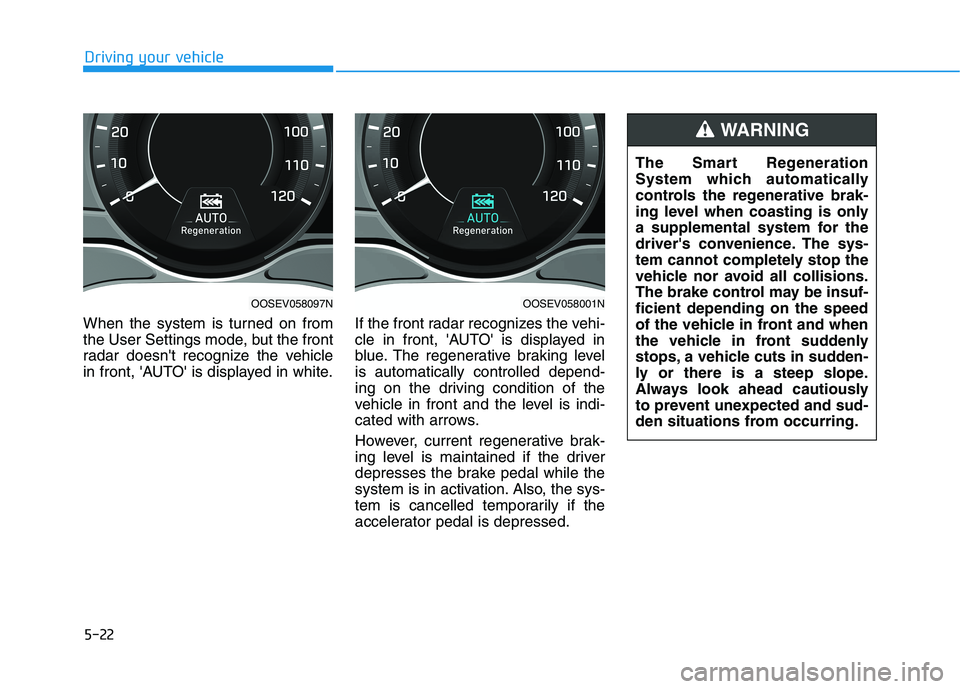
When the system is turned on from
the User Settings mode, but the front
radar doesn't recognize the vehicle
in front, 'AUTO' is displayed in white.If the front radar recognizes the vehi-
cle in front, 'AUTO' is displayed in
blue. The regenerative braking level
is automatically controlled depend-
ing on the driving condition of the
vehicle in front and the level is indi-
cated with arrows.
However, current regenerative brak-
ing level is maintained if the driver
depresses the brake pedal while the
system is in activation. Also, the sys-
tem is cancelled temporarily if the
accelerator pedal is depressed.
OOSEV058097NOOSEV058001N
The Smart Regeneration
System which automatically
controls the regenerative brak-
ing level when coasting is only
a supplemental system for the
driver's convenience. The sys-
tem cannot completely stop the
vehicle nor avoid all collisions.
The brake control may be insuf-
ficient depending on the speed
of the vehicle in front and when
the vehicle in front suddenly
stops, a vehicle cuts in sudden-
ly or there is a steep slope.
Always look ahead cautiously
to prevent unexpected and sud-
den situations from occurring.
WARNING
Page 258 of 478
5-23
Driving your vehicle
5
Cancelling the Smart
Regeneration System:
Cancelled manually
Pulling and holding the right side
paddle shifter for more than 1 sec-
ond.
The Smart Regeneration System
turns off temporarily. Note that the
"AUTO" indicator in the LCD dis-
play turns off.
Cancelled automatically
- The vehicle is shifted to N
(Neutral), R (Reverse) or P
(Park).
- Cruise Control system (including
Smart Cruise Control system) is
enabled.
- The ESC (Electronic Stability
Control) or ABS is activated.
Resuming the Smart
Regeneration System
To re-activate the Smart
Regeneration System while driving,
pull and hold the right side paddle
shifter for more than 1 second again.
Note that the "AUTO" indicator in the
LCD display turns back on, signaling
that the Smart Regeneration System
is enabled again.
Disabling the Smart
Regeneration System
To turn off the system, shift to P (Park)
and deselect 'User Settings →
Convenience →Smart Regeneration'
on the User Settings mode.
Vehicle-to-Vehicle Front
Recognition - Front Radar
Sensor
In order for the Smart Regeneration
System to operate properly, always
make sure the radar sensor cover is
clean and free of dirt, snow, and
debris. Dirt, snow, or foreign sub-
stances on the lens may adversely
affect the sensing performance of
the sensor. In this case, the system
operation may stop temporarily and
not operate normally.
Do not apply license plate
frame or foreign objects such
as a bumper sticker or a
bumper guard near the radar
sensor. Doing so may adverse-
ly affect the sensing perform-
ance of the radar.
Always keep the radar sensor
and lens cover clean and free
of dirt and debris.
CAUTION
When the Smart Regeneration
System is cancelled automati-
cally, adjust the vehicle speed
directly by depressing the
accelerator or brake pedal
according to the road condition
ahead and driving condition.
WARNING
Page 284 of 478
5-49
Driving your vehicle
5
Forward Collision-Avoidance Assist
system is designed to help detect
and monitor the vehicle ahead in the
roadway through camera recognition
and radar signals to warn the driver
that a collision is imminent, and if
necessary, apply emergency brak-
ing.
The camera type FCA system
detects the vehicle ahead in the
roadway through the camera.
System Setting and Activation
System setting
Forward Collision-Avoidance
Assist system is enabled whenever
the vehicle is turned on.
To turn off the system, go to the
'User Settings →Driver
Assistance' and deselect 'Forward
Collision Avoidance Assist' on the
cluster LCD display.
FCA deactivates, when the driver
deselects the system setting.
F FO
OR
RW
WA
AR
RD
D
C
CO
OL
LL
LI
IS
SI
IO
ON
N-
-A
AV
VO
OI
ID
DA
AN
NC
CE
E
A
AS
SS
SI
IS
ST
T
(
(F
FC
CA
A)
)
-
-
F
FR
RO
ON
NT
T
V
VI
IE
EW
W
C
CA
AM
ME
ER
RA
A
O
ON
NL
LY
Y
Take the following precautions
when using the Forward
Collision-Avoidance Assist
(FCA) system:
This system is only a supple-
mental system and it is not
intended to, nor does it
replace the need for extreme
care and attention of the driv-
er. The sensing range and
objects detectable by the sen-
sors are limited. Pay attention
to the road conditions at all
times.
NEVER drive too fast in accor-
dance with the road condi-
tions or while cornering.
Always drive cautiously to
prevent unexpected and sud-
den situations from occur-
ring. FCA does not stop the
vehicle completely and is not
a collision avoidance system.
WARNING
Page 285 of 478
5-50
Driving your vehicle
The warning light illumi-
nates on the LCD display,
when you cancel the FCA
system. The driver can
monitor the FCA ON/OFF status on
the LCD display. Also, the warning
light illuminates when the ESC is
turned off (Traction & Stability control
disabled).
If the warning light remains ON when
the FCA is activated, have the sys-
tem checked by an authorized
HYUNDAI dealer.
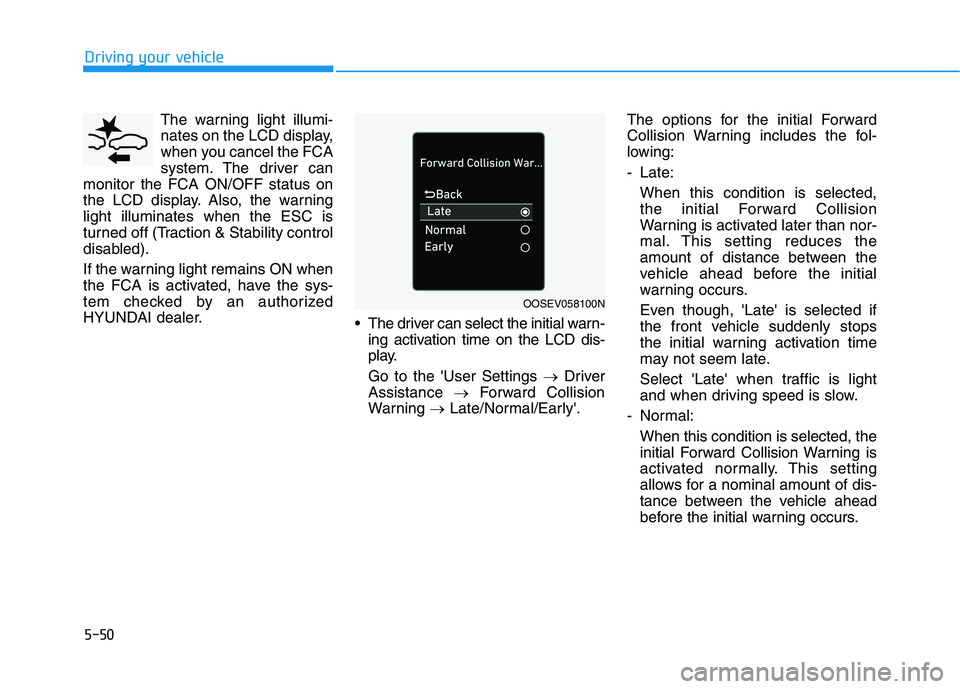
The driver can select the initial warn-
ing activation time on the LCD dis-
play.
Go to the 'User Settings →Driver
Assistance →Forward Collision
Warning →Late/Normal/Early'.The options for the initial Forward
Collision Warning includes the fol-
lowing:
- Late:
When this condition is selected,
the initial Forward Collision
Warning is activated later than nor-
mal. This setting reduces the
amount of distance between the
vehicle ahead before the initial
warning occurs.
Even though, 'Late' is selected if
the front vehicle suddenly stops
the initial warning activation time
may not seem late.
Select 'Late' when traffic is light
and when driving speed is slow.
- Normal:
When this condition is selected, the
initial Forward Collision Warning is
activated normally. This setting
allows for a nominal amount of dis-
tance between the vehicle ahead
before the initial warning occurs.
OOSEV058100N
Page 287 of 478
5-52
Driving your vehicle
FCA Warning Message and
System Control
FCA produces warning messages
and warning alarms in accordance
with the collision risk levels, such as
abrupt stopping of the vehicle in
front, or insufficient braking distance
detection. Also, it controls the brakes
in accordance with the collision risk
levels.
The driver can select the initial warn-
ing activation time in the User
Settings in the LCD display. The
options for the initial Forward
Collision Warning include Late,
Normal or Early initial warning time.
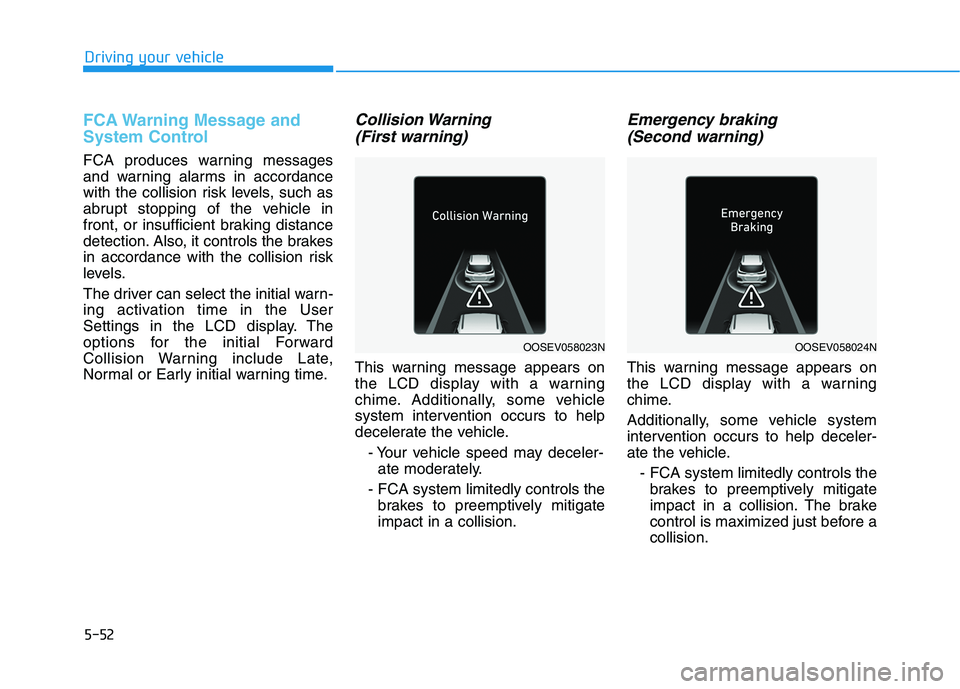
Collision Warning
(First warning)
This warning message appears on
the LCD display with a warning
chime. Additionally, some vehicle
system intervention occurs to help
decelerate the vehicle.
- Your vehicle speed may deceler-
ate moderately.
- FCA system limitedly controls the
brakes to preemptively mitigate
impact in a collision.
Emergency braking
(Second warning)
This warning message appears on
the LCD display with a warning
chime.
Additionally, some vehicle system
intervention occurs to help deceler-
ate the vehicle.
- FCA system limitedly controls the
brakes to preemptively mitigate
impact in a collision. The brake
control is maximized just before a
collision.
OOSEV058023NOOSEV058024N
Page 300 of 478
5-65
Driving your vehicle
5
The second stage alarm may be
deactivated.
- To deactivate the warning chime:
Go to the 'User Settings →Driver
Assistance and deselect Blind-
Spot Collision Warning Sound' on
the LCD display.
- To activate the warning chime:
Go to the 'User Settings →Driver
Assistance and select Blind-Spot
Collision Warning Sound' on the
LCD display.
Information
The warning chime function helps
alert the driver. Deactivate this func-
tion only when it is necessary.
For more information, refer to
"LCD Display Modes" in chapter 3.
i
OOS057025
■ Left side
OOS057026
■ Right side
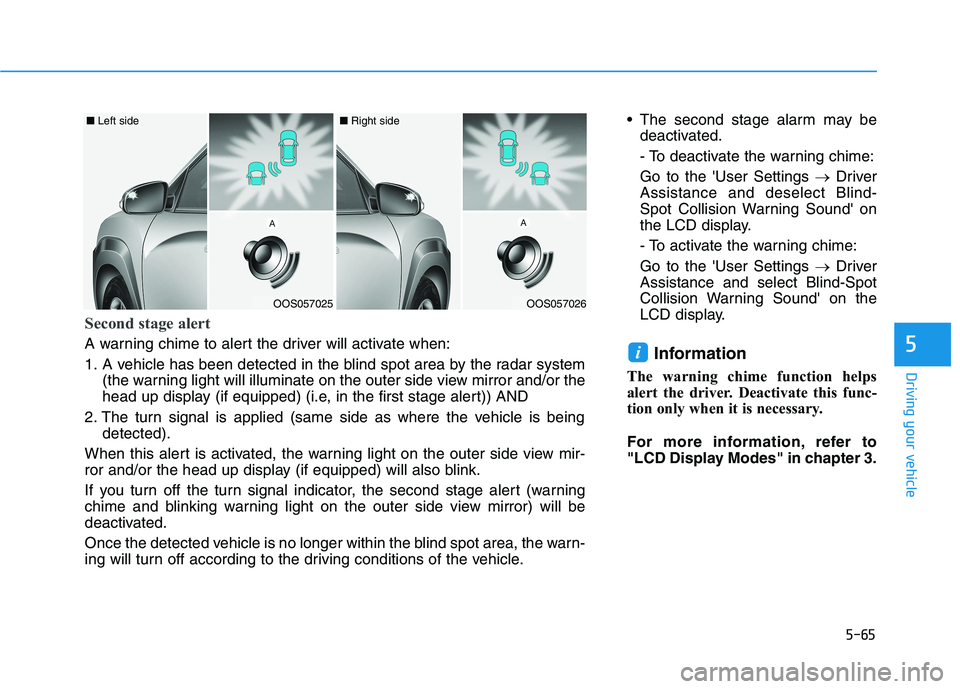
Second stage alert
A warning chime to alert the driver will activate when:
1. A vehicle has been detected in the blind spot area by the radar system
(the warning light will illuminate on the outer side view mirror and/or the
head up display (if equipped) (i.e, in the first stage alert)) AND
2. The turn signal is applied (same side as where the vehicle is being
detected).
When this alert is activated, the warning light on the outer side view mir-
ror and/or the head up display (if equipped) will also blink.
If you turn off the turn signal indicator, the second stage alert (warning
chime and blinking warning light on the outer side view mirror) will be
deactivated.
Once the detected vehicle is no longer within the blind spot area, the warn-
ing will turn off according to the driving conditions of the vehicle.
Page 301 of 478
5-66
Driving your vehicle
Rear Cross-Traffic Collision
Warning (RCCW) (if equipped)
Rear Cross-Traffic Collision Warning
monitors approaching cross traffic
from the left and right side of the
vehicle when your vehicle is in
reverse.
Operating conditions
To operate:
Go to the 'User Settings →Driver
Assistance and select Rear Cross-
Traffic Collision Warning' on the LCD
display.For more details, refer to
"LCD Display Modes" in chapter 3.
The system will turn on and standby
to activate. The system will activate
when vehicle speed is below 6 mph
(10 km/h) and with the gear in R
(Reverse).
If the function is deselected from the
instrument cluster, the function will
deactivate.
Information
• The last selected setting (ON or
OFF) of RCCW is remained in the
system.
• The system will activate when vehi-
cle speed is below 6.2 mph (10 km/h)
and with the gear shifted to R
(Reverse).
• The RCCW (Rear Cross-Traffic
Collision Warning) detecting range
is approximately 1 ft ~ 65 ft (0.5 m ~
20 m) in the direction of both later-
al sides of the vehicle.
An approaching vehicle will be
detected if their vehicle speed is
within 2.5 ~ 22.5 mph (8 km/h ~36
km/h).
Note that the detecting range may
vary under certain conditions. As
always, use caution and pay close
attention to your surroundings
when backing up your vehicle.
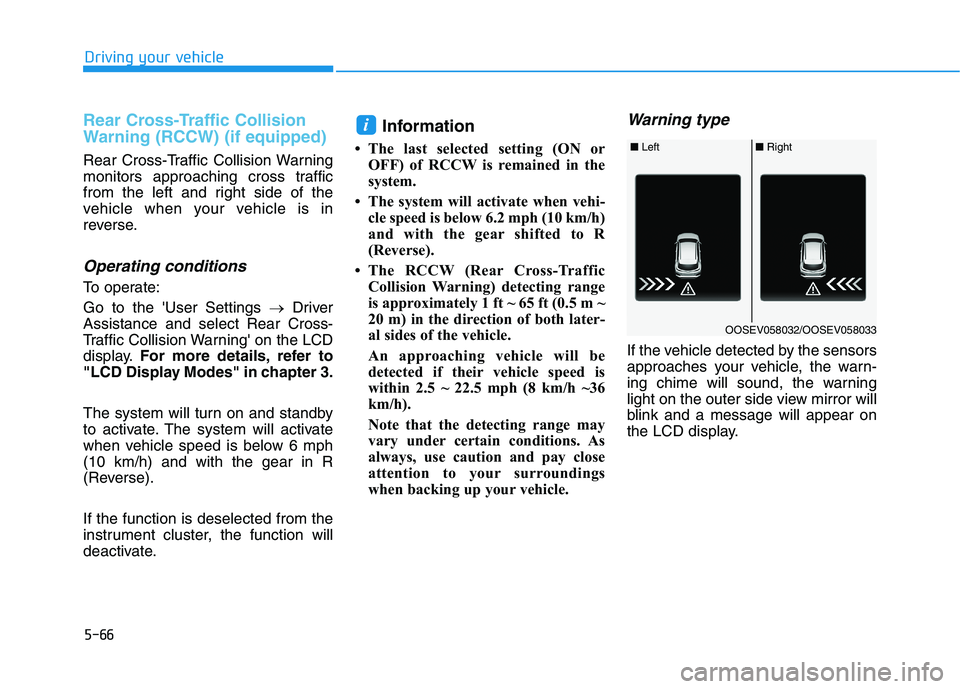
Warning type
If the vehicle detected by the sensors
approaches your vehicle, the warn-
ing chime will sound, the warning
light on the outer side view mirror will
blink and a message will appear on
the LCD display.
i
■ Left■ Right
OOSEV058032/OOSEV058033
Page 315 of 478
5-80
Driving your vehicle
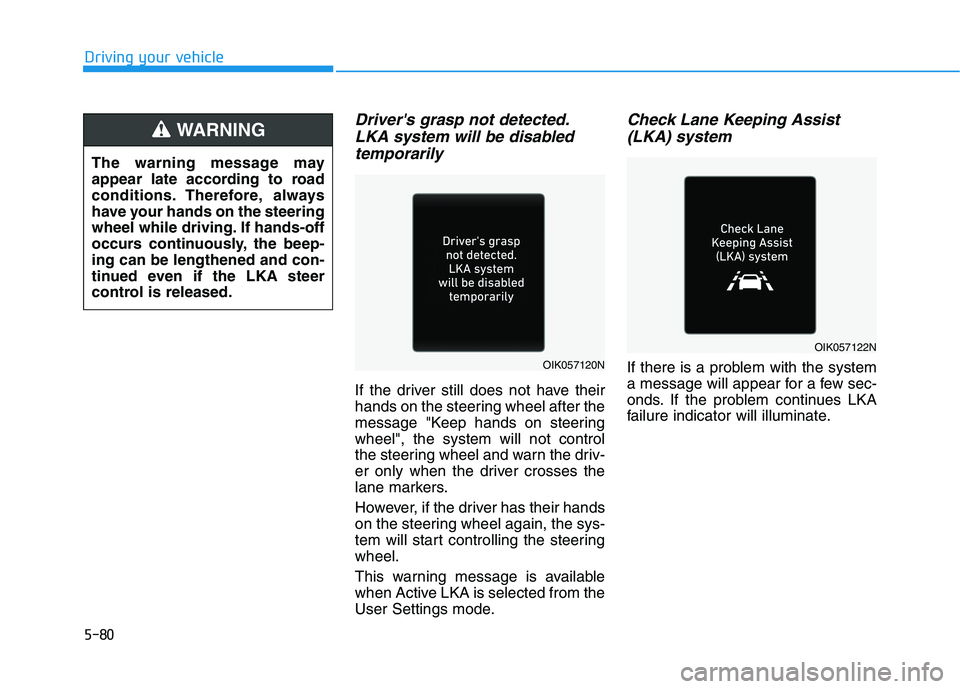
Driver's grasp not detected.
LKA system will be disabled
temporarily
If the driver still does not have their
hands on the steering wheel after the
message "Keep hands on steering
wheel", the system will not control
the steering wheel and warn the driv-
er only when the driver crosses the
lane markers.
However, if the driver has their hands
on the steering wheel again, the sys-
tem will start controlling the steering
wheel.
This warning message is available
when Active LKA is selected from the
User Settings mode.
Check Lane Keeping Assist
(LKA) system
If there is a problem with the system
a message will appear for a few sec-
onds. If the problem continues LKA
failure indicator will illuminate. The warning message may
appear late according to road
conditions. Therefore, always
have your hands on the steering
wheel while driving. If hands-off
occurs continuously, the beep-
ing can be lengthened and con-
tinued even if the LKA steer
control is released.
WARNING
OIK057120N
OIK057122N
Page 318 of 478
5-83
Driving your vehicle
5
Driving on a steep grade, over a hill,
or when driving on a curved road.
The adverse road conditions cause
excessive vehicle vibrations while
driving.
The surrounding of the inside rear
view mirror temperature is high
due to direct sunlight, etc.
When front visibility is poor
The windshield or the camera lens
is blocked with dirt or debris.
The windshield glass is fogged up; a
clear view of the road is obstructed.
Placing objects on the dashboard,
etc.
The sensor cannot detect the lane
because of fog, heavy rain or snow.LKA Function Change
The driver can change LKA to Lane
Departure Warning from the LCD dis-
play. Go to the 'User Settings →
Driver Assistance →Lane Safety →
Lane Departure Warning/LKA/Active
LKA.
Lane Departure Warning
LDW mode alerts the driver with a
visual warning and a warning alarm
when the system detects the vehicle
departing the lane. The steering
wheel will not be controlled.
LKA
LKA mode guides the driver to help
keep the vehicle within the lanes. It
rarely controls the steering wheel,
when the vehicle drives well inside
the lanes. However, it starts to con-
trol the steering wheel, when the
vehicle is about to deviate out of the
lanes.
Active LKA
Active LKA mode provides more fre-
quent steering wheel control in com-
parison with the Standard LKA
mode. Active LKA can reduce the dri-
ver’s fatigue to assist the steering for
maintaining the vehicle in the middle
of the lane.
Page 319 of 478
5-84
Driving your vehicle
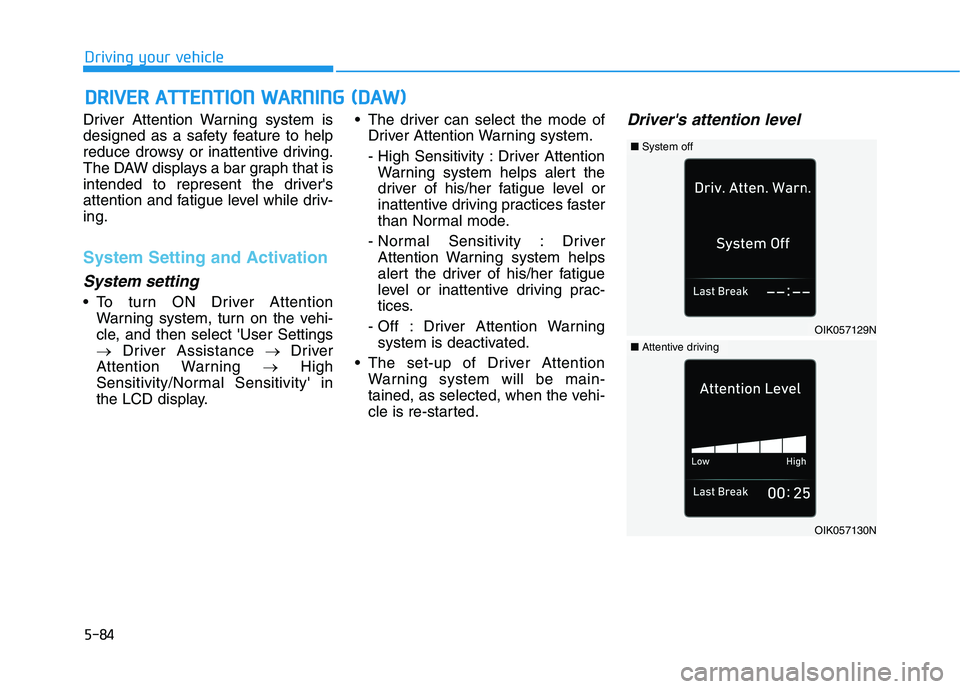
Driver Attention Warning system is
designed as a safety feature to help
reduce drowsy or inattentive driving.
The DAW displays a bar graph that is
intended to represent the driver's
attention and fatigue level while driv-
ing.
System Setting and Activation
System setting
To turn ON Driver Attention
Warning system, turn on the vehi-
cle, and then select 'User Settings
→Driver Assistance → Driver
Attention Warning →High
Sensitivity/Normal Sensitivity' in
the LCD display. The driver can select the mode of
Driver Attention Warning system.
- High Sensitivity : Driver Attention
Warning system helps alert the
driver of his/her fatigue level or
inattentive driving practices faster
than Normal mode.
- Normal Sensitivity : Driver
Attention Warning system helps
alert the driver of his/her fatigue
level or inattentive driving prac-
tices.
- Off : Driver Attention Warning
system is deactivated.
The set-up of Driver Attention
Warning system will be main-
tained, as selected, when the vehi-
cle is re-started.
Driver's attention level
D DR
RI
IV
VE
ER
R
A
AT
TT
TE
EN
NT
TI
IO
ON
N
W
WA
AR
RN
NI
IN
NG
G
(
(D
DA
AW
W)
)
OIK057129N
■System off
OIK057130N
■Attentive driving