steering HYUNDAI KONA EV 2021 Service Manual
[x] Cancel search | Manufacturer: HYUNDAI, Model Year: 2021, Model line: KONA EV, Model: HYUNDAI KONA EV 2021Pages: 478, PDF Size: 32.83 MB
Page 317 of 478
5-82
Driving your vehicle
Radius of a curve is too small.
The vehicle is driven on a steep
incline.
The steering wheel is turned sud-
denly.
Limitations of the System
LKA system may operate premature-
ly even if the vehicle does not depart
from the intended lane, OR, LKA
system may not warn you if the vehi-
cle leaves the intended lane under
the following circumstances:
When the lane and road condi-
tions are poor
It is difficult to distinguish the lane
marker from the road because the
lane marker is covered with dust or
sand.
It is difficult to distinguish the color
of the lane marker from the road.
There are markings on the road
surface that look like a lane marker
that is inadvertently being detected
by the camera.
The lane marker is indistinct or
damaged. The lane marker is merged or
divided. (e.g. tollgate)
The lane number increases or
decreases or the lane marker are
crossing complicatedly.
There are more than two lane
markers on the road in front of you.
The lane marker is very thick or
thin.
The lane marker ahead is not visi-
ble due to rain, snow, water on the
road, damaged or stained road
surface, or other factors.
The shadow is on the lane marker
by a median strip, trees, guardrail,
noise barriers, etc.
The lane markers are complicated
or a structure substitutes for the
lines such as a construction area.
There are crosswalk signs or other
symbols on the road.
The lane marker in a tunnel is
stained with oil, etc.
The lane suddenly disappears
such as at the intersection.When external condition is inter-
vened
The brightness outside changes
suddenly such as when entering or
exiting a tunnel, or when passing
under a bridge.
The brightness outside is too low
such as when the headlamps are
not on at night or the vehicle is
going through a tunnel.
There is a boundary structure in
the roadway such as a concrete
barrier, guardrail and reflector post
that is inadvertently being detected
by the camera.
When light coming from a street
light or an oncoming vehicle is
reflected on a wet road surface
such as a puddle in the road.
The field of view in front is
obstructed by sun glare.
There is not enough distance
between you and the vehicle in
front to be able to detect the lane
marker or the vehicle ahead is driv-
ing on the lane marker.
Page 318 of 478
5-83
Driving your vehicle
5
Driving on a steep grade, over a hill,
or when driving on a curved road.
The adverse road conditions cause
excessive vehicle vibrations while
driving.
The surrounding of the inside rear
view mirror temperature is high
due to direct sunlight, etc.
When front visibility is poor
The windshield or the camera lens
is blocked with dirt or debris.
The windshield glass is fogged up; a
clear view of the road is obstructed.
Placing objects on the dashboard,
etc.
The sensor cannot detect the lane
because of fog, heavy rain or snow.LKA Function Change
The driver can change LKA to Lane
Departure Warning from the LCD dis-
play. Go to the 'User Settings →
Driver Assistance →Lane Safety →
Lane Departure Warning/LKA/Active
LKA.
Lane Departure Warning
LDW mode alerts the driver with a
visual warning and a warning alarm
when the system detects the vehicle
departing the lane. The steering
wheel will not be controlled.
LKA
LKA mode guides the driver to help
keep the vehicle within the lanes. It
rarely controls the steering wheel,
when the vehicle drives well inside
the lanes. However, it starts to con-
trol the steering wheel, when the
vehicle is about to deviate out of the
lanes.
Active LKA
Active LKA mode provides more fre-
quent steering wheel control in com-
parison with the Standard LKA
mode. Active LKA can reduce the dri-
ver’s fatigue to assist the steering for
maintaining the vehicle in the middle
of the lane.
Page 325 of 478
5-90
Driving your vehicle
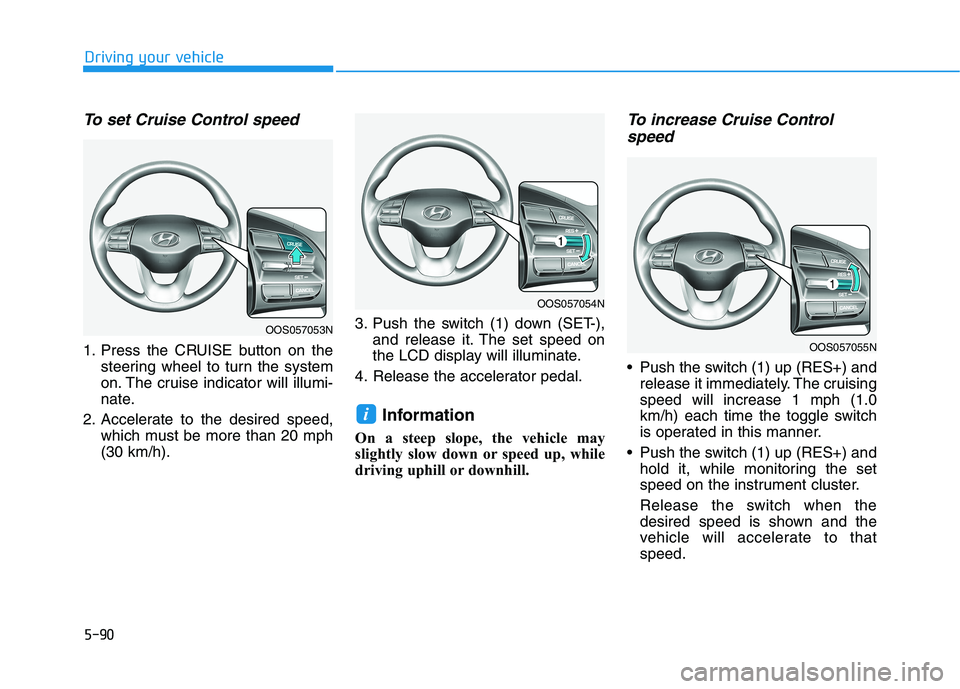
To set Cruise Control speed
1. Press the CRUISE button on the
steering wheel to turn the system
on. The cruise indicator will illumi-
nate.
2. Accelerate to the desired speed,
which must be more than 20 mph
(30 km/h).3. Push the switch (1) down (SET-),
and release it. The set speed on
the LCD display will illuminate.
4. Release the accelerator pedal.
Information
On a steep slope, the vehicle may
slightly slow down or speed up, while
driving uphill or downhill.
To increase Cruise Control
speed
Push the switch (1) up (RES+) and
release it immediately. The cruising
speed will increase 1 mph (1.0
km/h) each time the toggle switch
is operated in this manner.
Push the switch (1) up (RES+) and
hold it, while monitoring the set
speed on the instrument cluster.
Release the switch when the
desired speed is shown and the
vehicle will accelerate to that
speed.
i
OOS057053N
OOS057054N
OOS057055N
Page 327 of 478
5-92
Driving your vehicle
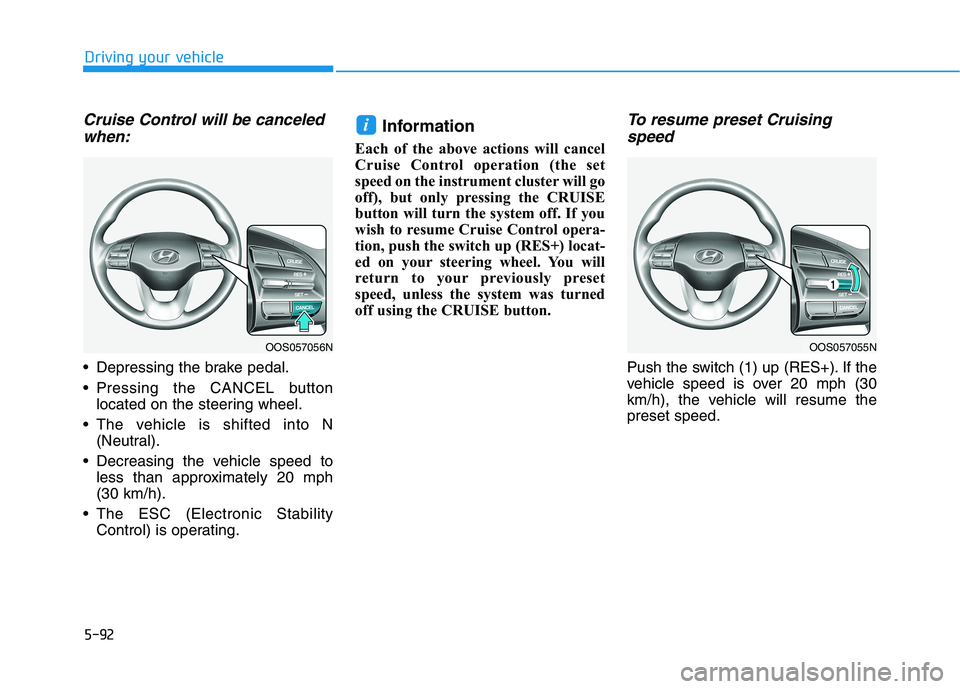
Cruise Control will be canceled
when:
Depressing the brake pedal.
Pressing the CANCEL button
located on the steering wheel.
The vehicle is shifted into N
(Neutral).
Decreasing the vehicle speed to
less than approximately 20 mph
(30 km/h).
The ESC (Electronic Stability
Control) is operating.
Information
Each of the above actions will cancel
Cruise Control operation (the set
speed on the instrument cluster will go
off), but only pressing the CRUISE
button will turn the system off. If you
wish to resume Cruise Control opera-
tion, push the switch up (RES+) locat-
ed on your steering wheel. You will
return to your previously preset
speed, unless the system was turned
off using the CRUISE button.
To resume preset Cruising
speed
Push the switch (1) up (RES+). If the
vehicle speed is over 20 mph (30
km/h), the vehicle will resume the
preset speed.
i
OOS057056NOOS057055N
Page 330 of 478
5-95
Driving your vehicle
5
Smart Cruise Control Speed
To set Smart Cruise Control
speed
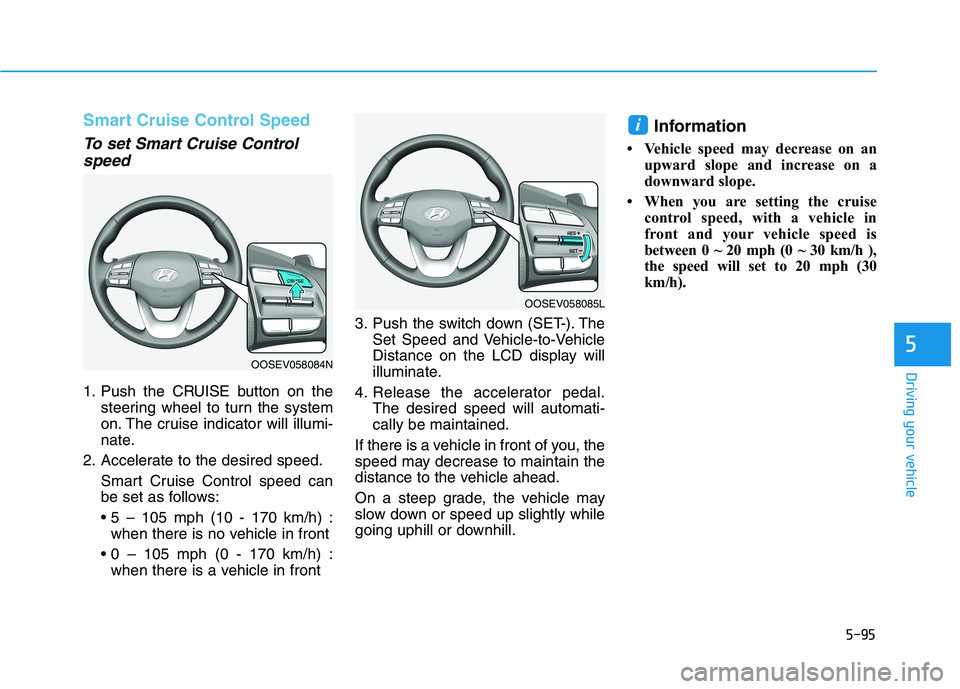
1. Push the CRUISE button on the
steering wheel to turn the system
on. The cruise indicator will illumi-
nate.
2. Accelerate to the desired speed.
Smart Cruise Control speed can
be set as follows:
when there is no vehicle in front
when there is a vehicle in front3. Push the switch down (SET-). The
Set Speed and Vehicle-to-Vehicle
Distance on the LCD display will
illuminate.
4. Release the accelerator pedal.
The desired speed will automati-
cally be maintained.
If there is a vehicle in front of you, the
speed may decrease to maintain the
distance to the vehicle ahead.
On a steep grade, the vehicle may
slow down or speed up slightly while
going uphill or downhill.
Information
• Vehicle speed may decrease on an
upward slope and increase on a
downward slope.
• When you are setting the cruise
control speed, with a vehicle in
front and your vehicle speed is
between 0 ~ 20 mph (0 ~ 30 km/h ),
the speed will set to 20 mph (30
km/h).
i
OOSEV058084N
OOSEV058085L
Page 332 of 478
5-97
Driving your vehicle
5
To temporarily accelerate with
Smart Cruise Control on
If you want to speed up temporarily
when the Smart Cruise Control is on,
depress the accelerator pedal.
Increased speed will not interfere
with Smart Cruise Control operation
or change the set speed.
To return to the set speed, take your
foot off the accelerator pedal.
If you push the switch down (SET-) at
increased speed, the cruising speed
will be set again pedal.
Smart Cruise Control set speed
will be temporarily canceled
when:
Canceled manually
Depressing the brake pedal.
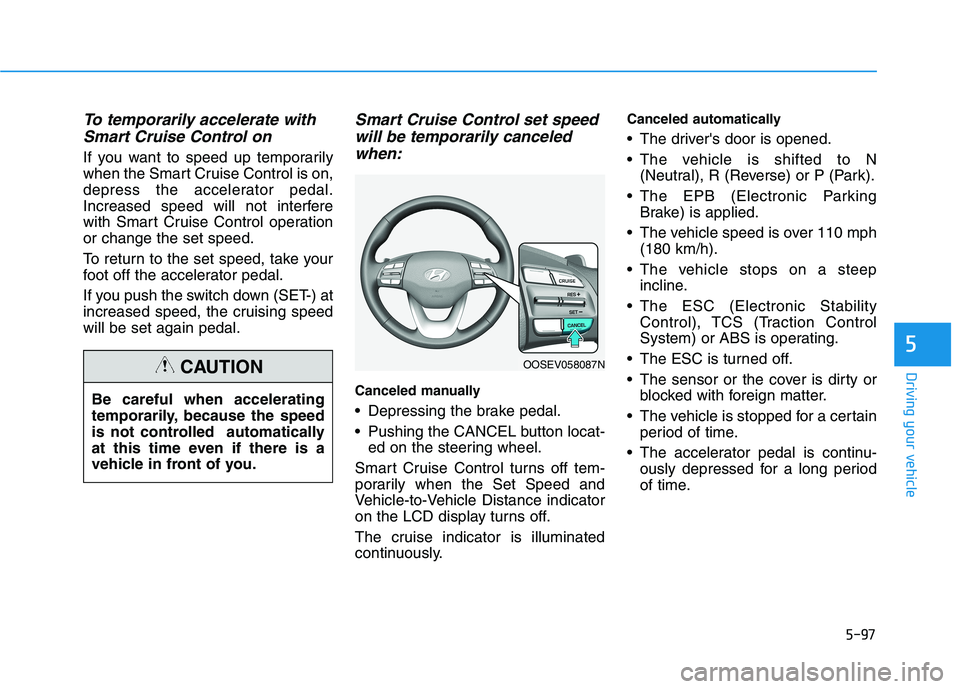
Pushing the CANCEL button locat-
ed on the steering wheel.
Smart Cruise Control turns off tem-
porarily when the Set Speed and
Vehicle-to-Vehicle Distance indicator
on the LCD display turns off.
The cruise indicator is illuminated
continuously.
Canceled automatically
The driver's door is opened.
The vehicle is shifted to N
(Neutral), R (Reverse) or P (Park).
The EPB (Electronic Parking
Brake) is applied.
The vehicle speed is over 110 mph
(180 km/h).
The vehicle stops on a steep
incline.
The ESC (Electronic Stability
Control), TCS (Traction Control
System) or ABS is operating.
The ESC is turned off.
The sensor or the cover is dirty or
blocked with foreign matter.
The vehicle is stopped for a certain
period of time.
The accelerator pedal is continu-
ously depressed for a long period
of time. Be careful when accelerating
temporarily, because the speed
is not controlled automatically
at this time even if there is a
vehicle in front of you.
CAUTIONOOSEV058087N
Page 336 of 478
5-101
Driving your vehicle
5
Even if the warning message
does not appear and warning
chime does not sound, always
pay attention to the driving
conditions to prevent danger-
ous situations from occur-
ring.
Playing the vehicle audio sys-
tem at high volume may offset
the system warning sounds.
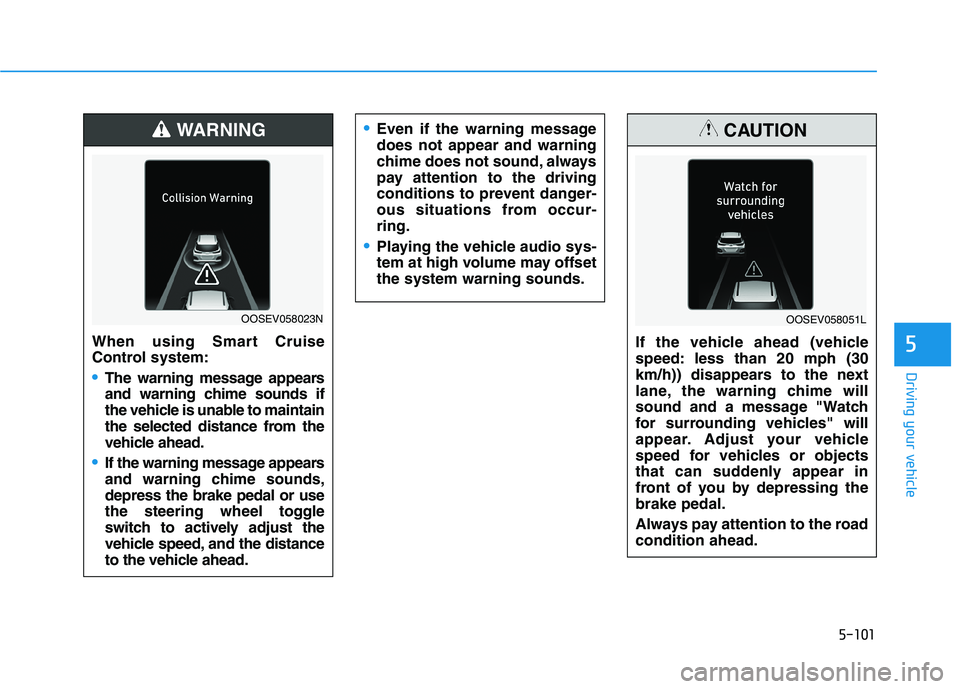
When using Smart Cruise
Control system:
The warning message appears
and warning chime sounds if
the vehicle is unable to maintain
the selected distance from the
vehicle ahead.
If the warning message appears
and warning chime sounds,
depress the brake pedal or use
the steering wheel toggle
switch to actively adjust the
vehicle speed, and the distance
to the vehicle ahead.
WARNING
OOSEV058023N
If the vehicle ahead (vehicle
speed: less than 20 mph (30
km/h)) disappears to the next
lane, the warning chime will
sound and a message "Watch
for surrounding vehicles" will
appear. Adjust your vehicle
speed for vehicles or objects
that can suddenly appear in
front of you by depressing the
brake pedal.
Always pay attention to the road
condition ahead.
CAUTION
OOSEV058051L
Page 340 of 478
5-105
Driving your vehicle
5
SCC Reaction Setting
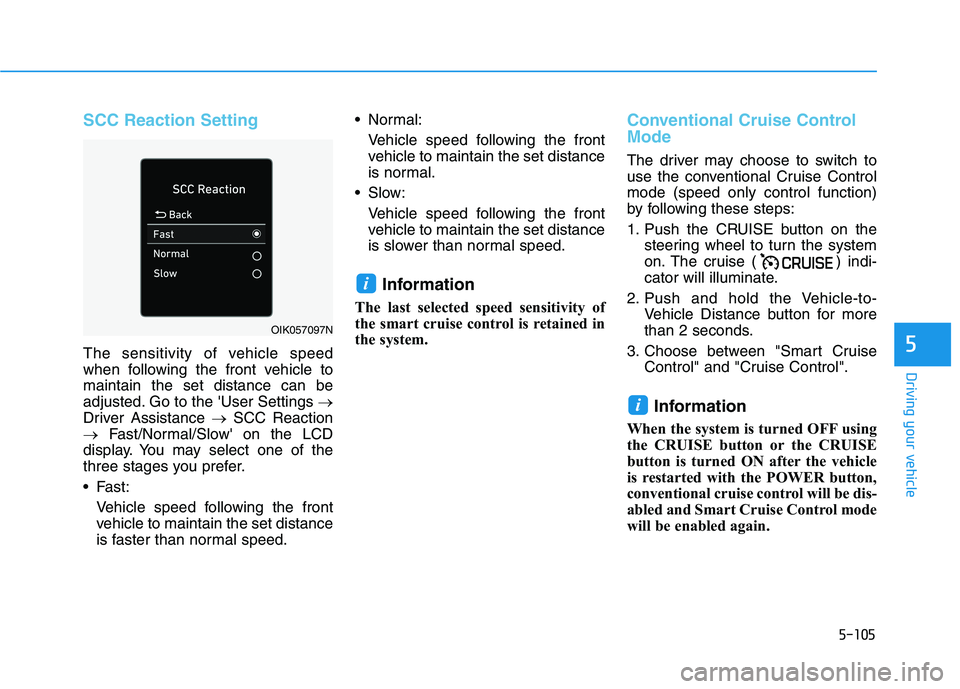
The sensitivity of vehicle speed
when following the front vehicle to
maintain the set distance can be
adjusted. Go to the 'User Settings →
Driver Assistance →SCC Reaction
→Fast/Normal/Slow' on the LCD
display. You may select one of the
three stages you prefer.
Fast:
Vehicle speed following the front
vehicle to maintain the set distance
is faster than normal speed. Normal:
Vehicle speed following the front
vehicle to maintain the set distance
is normal.
Slow:
Vehicle speed following the front
vehicle to maintain the set distance
is slower than normal speed.
Information
The last selected speed sensitivity of
the smart cruise control is retained in
the system.
Conventional Cruise Control
Mode
The driver may choose to switch to
use the conventional Cruise Control
mode (speed only control function)
by following these steps:
1. Push the CRUISE button on the
steering wheel to turn the system
on. The cruise ( ) indi-
cator will illuminate.
2. Push and hold the Vehicle-to-
Vehicle Distance button for more
than 2 seconds.
3. Choose between "Smart Cruise
Control" and "Cruise Control".
Information
When the system is turned OFF using
the CRUISE button or the CRUISE
button is turned ON after the vehicle
is restarted with the POWER button,
conventional cruise control will be dis-
abled and Smart Cruise Control mode
will be enabled again.
i
i
OIK057097N
Page 343 of 478
5-108
Driving your vehicle
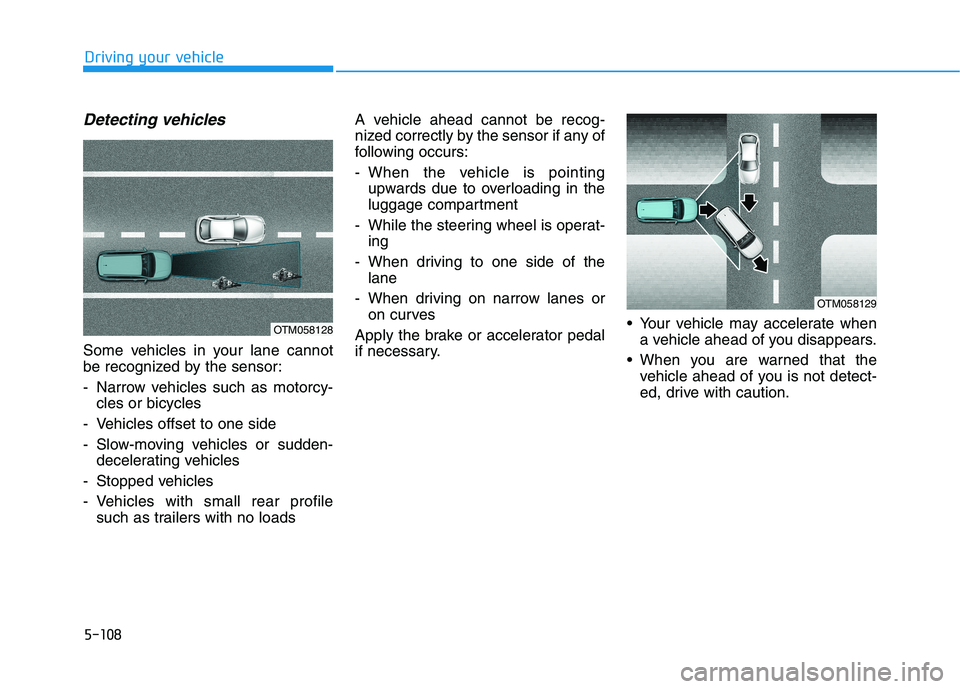
Detecting vehicles
Some vehicles in your lane cannot
be recognized by the sensor:
- Narrow vehicles such as motorcy-
cles or bicycles
- Vehicles offset to one side
- Slow-moving vehicles or sudden-
decelerating vehicles
- Stopped vehicles
- Vehicles with small rear profile
such as trailers with no loadsA vehicle ahead cannot be recog-
nized correctly by the sensor if any of
following occurs:
- When the vehicle is pointing
upwards due to overloading in the
luggage compartment
- While the steering wheel is operat-
ing
- When driving to one side of the
lane
- When driving on narrow lanes or
on curves
Apply the brake or accelerator pedal
if necessary. Your vehicle may accelerate when
a vehicle ahead of you disappears.
When you are warned that the
vehicle ahead of you is not detect-
ed, drive with caution.
OTM058128
OTM058129
Page 347 of 478
5-112
Driving your vehicle
Hazardous Driving Conditions
When hazardous driving elements
are encountered such as water,
snow, ice, mud and sand, take the
bellow suggestions:
Drive cautiously and keep a longer
braking distance.
Avoid abrupt braking or steering.
When your vehicle is stuck in snow,
mud, or sand, use second gear.
Accelerate slowly to avoid unnec-
essary wheel spin.
Put sand, rock salt, tire chains or
other non-slip materials under the
wheels to provide additional trac-
tion while the vehicle becomes
stuck in ice, snow, or mud.
Rocking the Vehicle
If it is necessary to rock the vehicle
to free it from snow, sand, or mud,
first turn the steering wheel right and
left to clear the area around your
front wheels. Then, shift back and
forth between R (Reverse) and a for-
ward gear.
Try to avoid spinning the wheels, and
do not race the vehicle.
To prevent reduction gear wear, wait
until the wheels stop spinning before
shifting gears. Release the accelera-
tor pedal while shifting, and press
lightly on the accelerator pedal while
the reduction gear is in gear. Slowly
spinning the wheels in forward and
reverse directions causes a rocking
motion that may free the vehicle.
S SP
PE
EC
CI
IA
AL
L
D
DR
RI
IV
VI
IN
NG
G
C
CO
ON
ND
DI
IT
TI
IO
ON
NS
S
If the vehicle is stuck and
excessive wheel spin occurs,
the temperature in the tires can
increase very quickly. If the tires
become damaged, a tire blow
out or tire explosion can occur.
This condition is dangerous -
you and others may be injured.
Do not attempt this procedure if
people or objects are anywhere
near the vehicle.
If you attempt to free the vehi-
cle, the vehicle can overheat
quickly, possibly causing an
motor compartment fire or
other damage. Try to avoid spin-
ning the wheels as much as
possible to prevent overheating
of either the tires or the vehicle.
DO NOT allow the vehicle to
spin the wheels above 56 km/h
(35 mph).
WARNING