cruise control HYUNDAI KONA EV 2021 Owners Manual
[x] Cancel search | Manufacturer: HYUNDAI, Model Year: 2021, Model line: KONA EV, Model: HYUNDAI KONA EV 2021Pages: 478, PDF Size: 32.83 MB
Page 14 of 478
I IN
NS
ST
TR
RU
UM
ME
EN
NT
T
P
PA
AN
NE
EL
L
O
OV
VE
ER
RV
VI
IE
EW
W
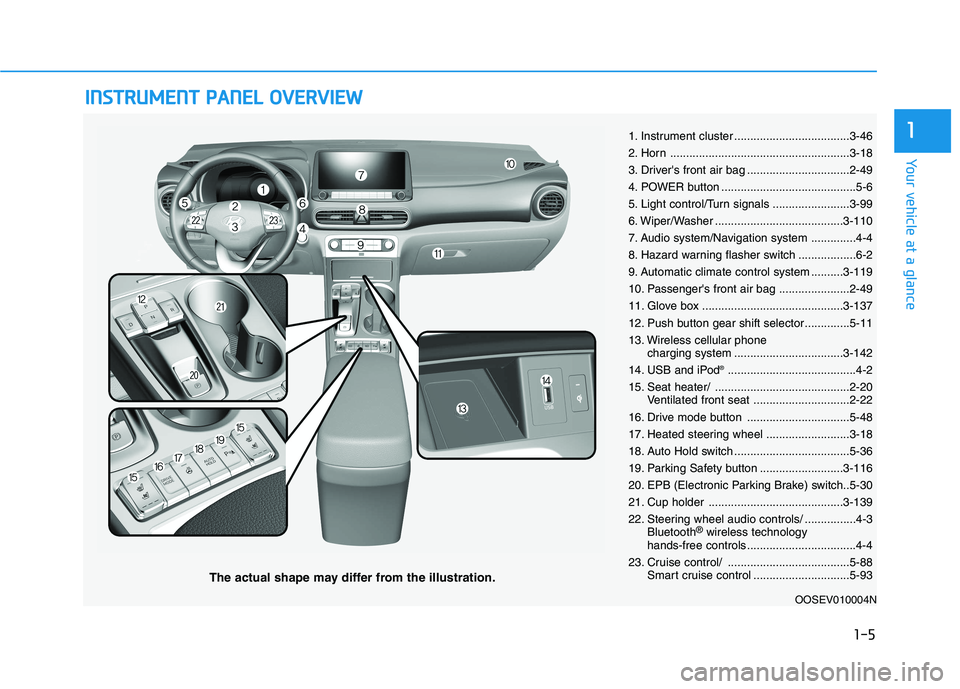
The actual shape may differ from the illustration.
1-5
Your vehicle at a glance
11. Instrument cluster ....................................3-46
2. Horn ........................................................3-18
3. Driver's front air bag ................................2-49
4. POWER button ..........................................5-6
5. Light control/Turn signals ........................3-99
6. Wiper/Washer ........................................3-110
7. Audio system/Navigation system ..............4-4
8. Hazard warning flasher switch ..................6-2
9. Automatic climate control system ..........3-119
10. Passenger's front air bag ......................2-49
11. Glove box ............................................3-137
12. Push button gear shift selector..............5-11
13. Wireless cellular phone
charging system ..................................3-142
14. USB and iPod
®........................................4-2
15. Seat heater/ ..........................................2-20
Ventilated front seat ..............................2-22
16. Drive mode button ................................5-48
17. Heated steering wheel ..........................3-18
18. Auto Hold switch ....................................5-36
19. Parking Safety button ..........................3-116
20. EPB (Electronic Parking Brake) switch..5-30
21. Cup holder ..........................................3-139
22. Steering wheel audio controls/ ................4-3
Bluetooth
®wireless technology
hands-free controls ..................................4-4
23. Cruise control/ ......................................5-88
Smart cruise control ..............................5-93
OOSEV010004N
Page 145 of 478
3-61
Convenient features of your vehicle
3
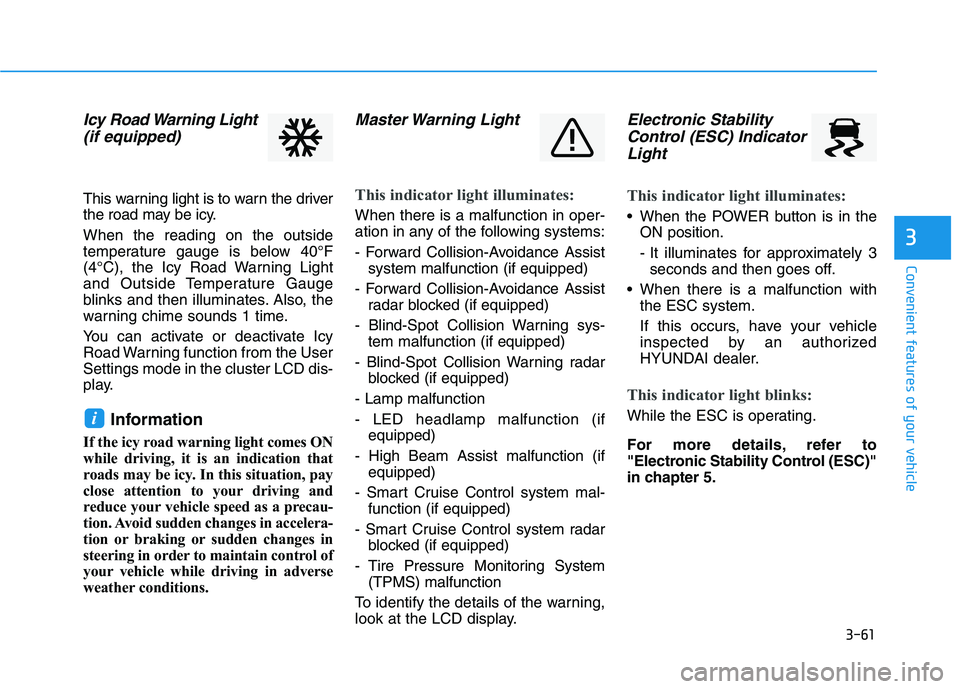
Icy Road Warning Light
(if equipped)
This warning light is to warn the driver
the road may be icy.
When the reading on the outside
temperature gauge is below 40°F
(4°C), the Icy Road Warning Light
and Outside Temperature Gauge
blinks and then illuminates. Also, the
warning chime sounds 1 time.
You can activate or deactivate Icy
Road Warning function from the User
Settings mode in the cluster LCD dis-
play.
Information
If the icy road warning light comes ON
while driving, it is an indication that
roads may be icy. In this situation, pay
close attention to your driving and
reduce your vehicle speed as a precau-
tion. Avoid sudden changes in accelera-
tion or braking or sudden changes in
steering in order to maintain control of
your vehicle while driving in adverse
weather conditions.
Master Warning Light
This indicator light illuminates:
When there is a malfunction in oper-
ation in any of the following systems:
- Forward Collision-Avoidance Assist
system malfunction (if equipped)
- Forward Collision-Avoidance Assist
radar blocked (if equipped)
- Blind-Spot Collision Warning sys-
tem malfunction (if equipped)
- Blind-Spot Collision Warning radar
blocked (if equipped)
- Lamp malfunction
- LED headlamp malfunction (if
equipped)
- High Beam Assist malfunction (if
equipped)
- Smart Cruise Control system mal-
function (if equipped)
- Smart Cruise Control system radar
blocked (if equipped)
- Tire Pressure Monitoring System
(TPMS) malfunction
To identify the details of the warning,
look at the LCD display.
Electronic Stability
Control (ESC) Indicator
Light
This indicator light illuminates:
When the POWER button is in the
ON position.
- It illuminates for approximately 3
seconds and then goes off.
When there is a malfunction with
the ESC system.
If this occurs, have your vehicle
inspected by an authorized
HYUNDAI dealer.
This indicator light blinks:
While the ESC is operating.
For more details, refer to
"Electronic Stability Control (ESC)"
in chapter 5.i
Page 148 of 478
3-64
Convenient features of your vehicle
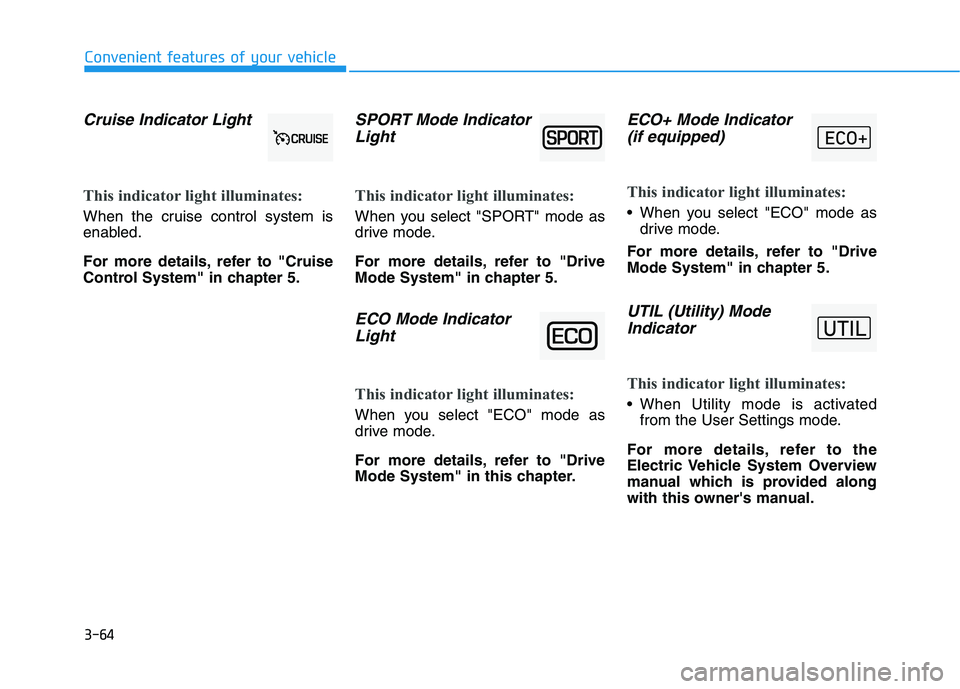
Cruise Indicator Light
This indicator light illuminates:
When the cruise control system is
enabled.
For more details, refer to "Cruise
Control System" in chapter 5.
SPORT Mode Indicator
Light
This indicator light illuminates:
When you select "SPORT" mode as
drive mode.
For more details, refer to "Drive
Mode System" in chapter 5.
ECO Mode Indicator
Light
This indicator light illuminates:
When you select "ECO" mode as
drive mode.
For more details, refer to "Drive
Mode System" in this chapter.
ECO+ Mode Indicator
(if equipped)
This indicator light illuminates:
When you select "ECO" mode as
drive mode.
For more details, refer to "Drive
Mode System" in chapter 5.
UTIL (Utility) Mode
Indicator
This indicator light illuminates:
When Utility mode is activated
from the User Settings mode.
For more details, refer to the
Electric Vehicle System Overview
manual which is provided along
with this owner's manual.
Page 154 of 478
3-70
Convenient features of your vehicle
Check Smart Cruise Control
System (if equipped)
This warning message is displayed if
there is a problem with the Smart
Cruise Control system. Have the
vehicle inspected by an authorized
HYUNDAI dealer.
For more details, refer to "Smart
Cruise Control (SCC)" in chapter
5.
Check Driver Attention Warning
(DAW) system
This warning message is displayed if
there is a problem with Driver
Attention Warning. Have the vehicle
inspected by an authorized HYUNDAI
dealer.
For more details, refer to "Driver
Attention Warning (DAW)" in chap-
ter 5.
Check Lane Keeping Assist
(LKA) system
This warning message is displayed if
there is a problem with Check Lane
Keeping Assist system. Have the
vehicle inspected by an authorized
HYUNDAI dealer.
For more details, refer to "Check
Lane Keeping Assist (LKA)" in
chapter 5.
Page 163 of 478
3-79
Convenient features of your vehicle
3
The information provided may differ depending on which functions are applicable to your vehicle.
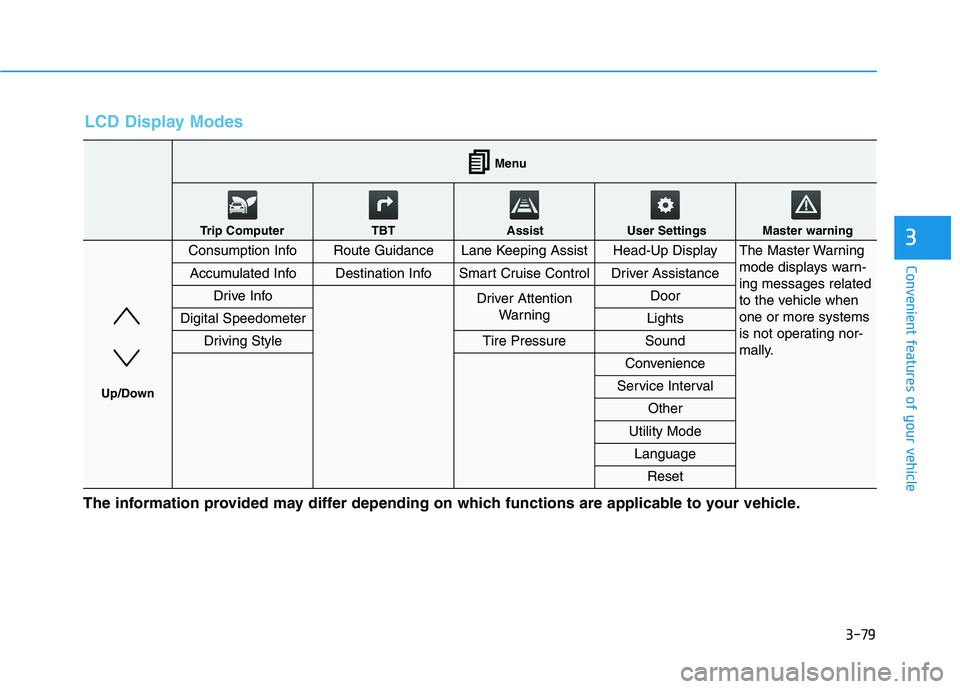
LCD Display Modes
Consumption InfoRoute GuidanceLane Keeping AssistHead-Up DisplayThe Master Warning
mode displays warn-
ing messages related
to the vehicle when
one or more systems
is not operating nor-
mally.
Accumulated InfoDestination InfoSmart Cruise ControlDriver Assistance
Drive InfoDriver Attention
Warning Door
Digital SpeedometerLights
Driving StyleTire PressureSound
Convenience
Service Interval
Other
Utility Mode
Language
Reset
Menu
Trip Computer TBT Assist User Settings Master warning
Up/Down
Page 164 of 478
3-80
Convenient features of your vehicle
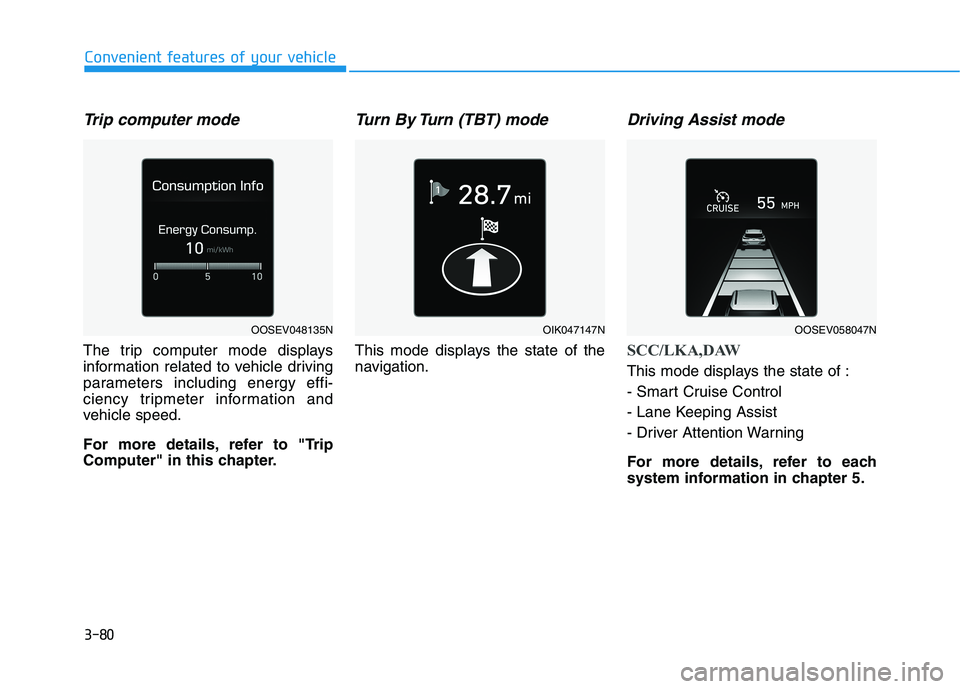
Trip computer mode
The trip computer mode displays
information related to vehicle driving
parameters including energy effi-
ciency tripmeter information and
vehicle speed.
For more details, refer to "Trip
Computer" in this chapter.
Turn By Turn (TBT) mode
This mode displays the state of the
navigation.
Driving Assist mode
SCC/LKA,DAW
This mode displays the state of :
- Smart Cruise Control
- Lane Keeping Assist
- Driver Attention Warning
For more details, refer to each
system information in chapter 5.
OOSEV048135NOIK047147NOOSEV058047N
Page 165 of 478
3-81
Convenient features of your vehicle
3
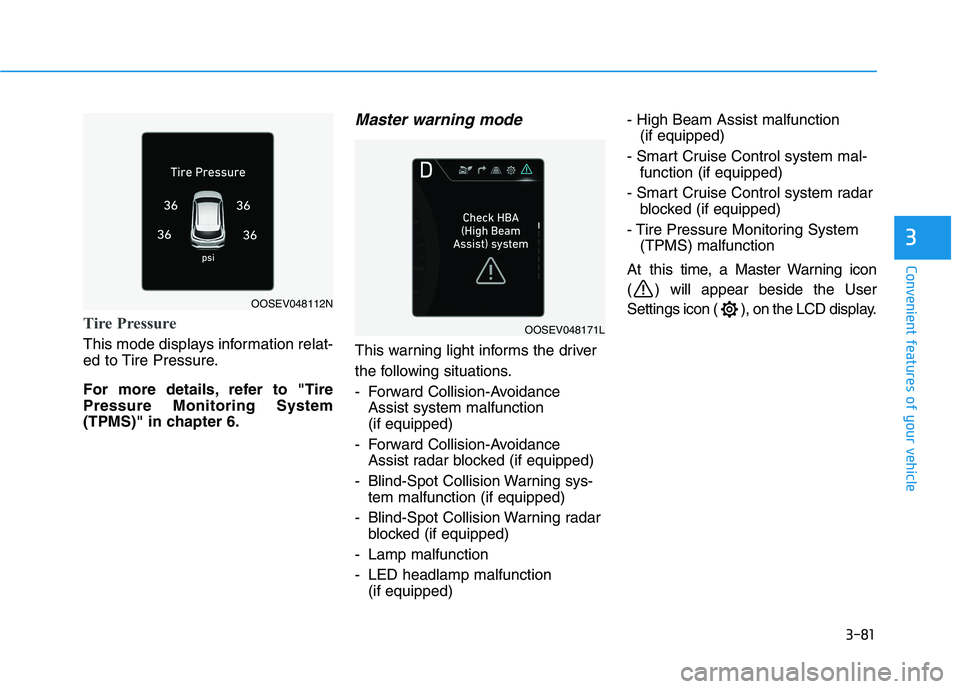
Tire Pressure
This mode displays information relat-
ed to Tire Pressure.
For more details, refer to "Tire
Pressure Monitoring System
(TPMS)" in chapter 6.
Master warning mode
This warning light informs the driver
the following situations.
- Forward Collision-Avoidance
Assist system malfunction
(if equipped)
- Forward Collision-Avoidance
Assist radar blocked (if equipped)
- Blind-Spot Collision Warning sys-
tem malfunction (if equipped)
- Blind-Spot Collision Warning radar
blocked (if equipped)
- Lamp malfunction
- LED headlamp malfunction
(if equipped)- High Beam Assist malfunction
(if equipped)
- Smart Cruise Control system mal-
function (if equipped)
- Smart Cruise Control system radar
blocked (if equipped)
- Tire Pressure Monitoring System
(TPMS) malfunction
At this time, a Master Warning icon
( ) will appear beside the User
Settings icon ( ), on the LCD display.
OOSEV048112N
OOSEV048171L
Page 168 of 478
3-84
Convenient features of your vehicle
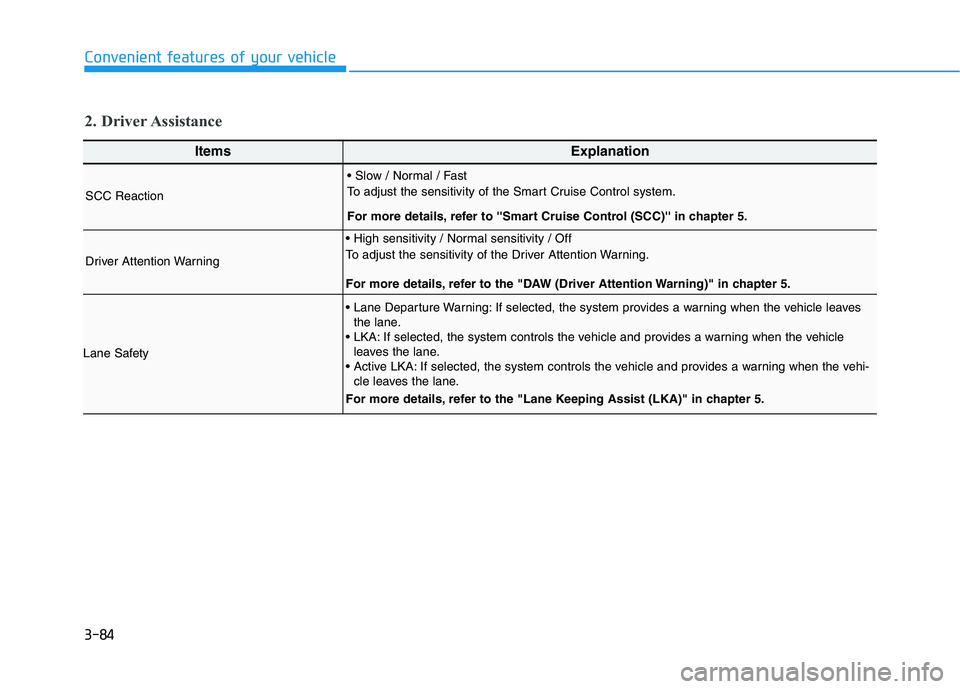
ItemsExplanation
SCC Reaction
To adjust the sensitivity of the Smart Cruise Control system.
For more details, refer to ''Smart Cruise Control (SCC)'' in chapter 5.
Driver Attention Warning
To adjust the sensitivity of the Driver Attention Warning.
For more details, refer to the "DAW (Driver Attention Warning)" in chapter 5.
Lane Safety
If selected, the system provides a warning when the vehicle leaves
the lane.
If selected, the system controls the vehicle and provides a warning when the vehicle
leaves the lane.
If selected, the system controls the vehicle and provides a warning when the vehi-
cle leaves the lane.
For more details, refer to the "Lane Keeping Assist (LKA)" in chapter 5.
2. Driver Assistance
Page 237 of 478
5
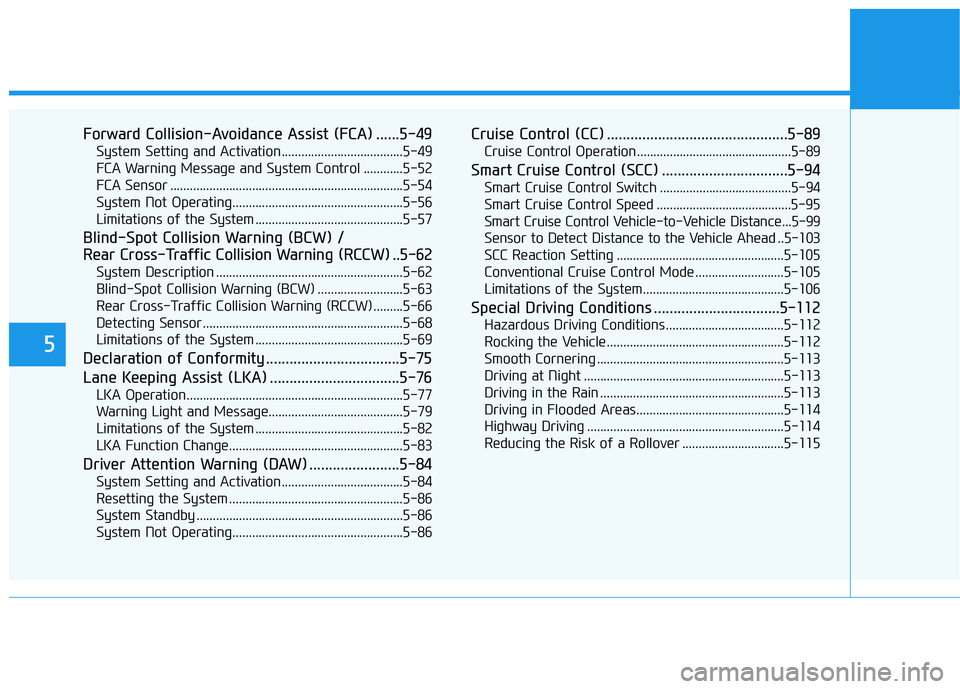
Forward Collision-Avoidance Assist (FCA) ......5-49
System Setting and Activation.....................................5-49
FCA Warning Message and System Control ............5-52
FCA Sensor .......................................................................5-54
System Not Operating....................................................5-56
Limitations of the System .............................................5-57
Blind-Spot Collision Warning (BCW) /
Rear Cross-Traffic Collision Warning (RCCW) ..5-62
System Description .........................................................5-62
Blind-Spot Collision Warning (BCW) ..........................5-63
Rear Cross-Traffic Collision Warning (RCCW) .........5-66
Detecting Sensor .............................................................5-68
Limitations of the System .............................................5-69
Declaration of Conformity ..................................5-75
Lane Keeping Assist (LKA) .................................5-76
LKA Operation..................................................................5-77
Warning Light and Message.........................................5-79
Limitations of the System .............................................5-82
LKA Function Change.....................................................5-83
Driver Attention Warning (DAW) .......................5-84
System Setting and Activation.....................................5-84
Resetting the System .....................................................5-86
System Standby ...............................................................5-86
System Not Operating....................................................5-86
Cruise Control (CC) ..............................................5-89
Cruise Control Operation...............................................5-89
Smart Cruise Control (SCC) ................................5-94
Smart Cruise Control Switch ........................................5-94
Smart Cruise Control Speed .........................................5-95
Smart Cruise Control Vehicle-to-Vehicle Distance...5-99
Sensor to Detect Distance to the Vehicle Ahead ..5-103
SCC Reaction Setting ...................................................5-105
Conventional Cruise Control Mode ...........................5-105
Limitations of the System...........................................5-106
Special Driving Conditions ................................5-112
Hazardous Driving Conditions....................................5-112
Rocking the Vehicle ......................................................5-112
Smooth Cornering .........................................................5-113
Driving at Night .............................................................5-113
Driving in the Rain ........................................................5-113
Driving in Flooded Areas.............................................5-114
Highway Driving ............................................................5-114
Reducing the Risk of a Rollover ...............................5-115
Page 254 of 478
5-19
Driving your vehicle
5
Paddle Shifter Operation
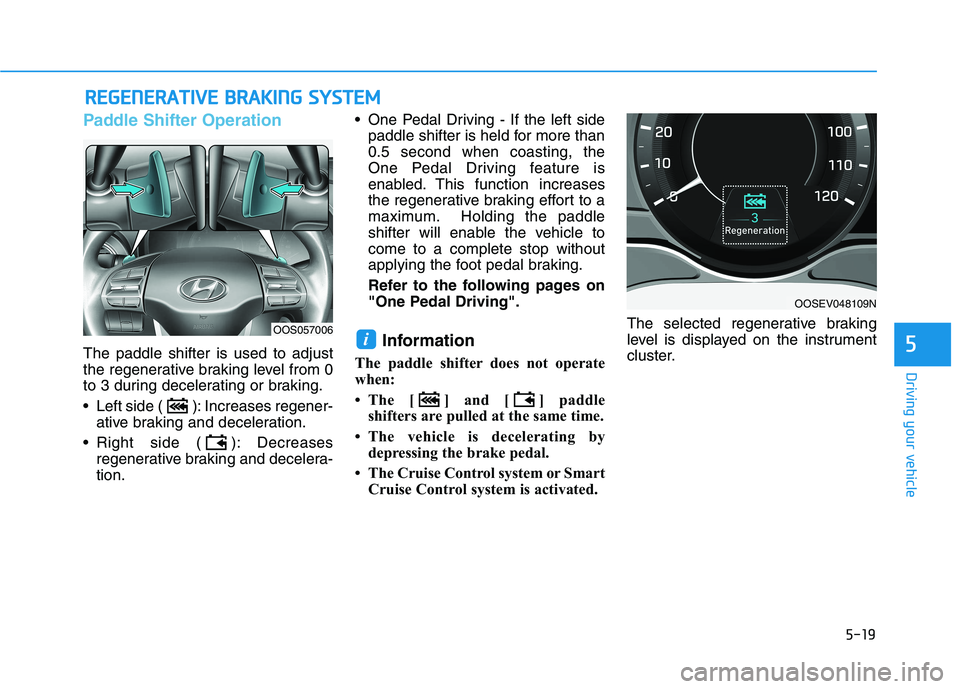
The paddle shifter is used to adjust
the regenerative braking level from 0
to 3 during decelerating or braking.
Left side ( ): Increases regener-
ative braking and deceleration.
Right side ( ): Decreases
regenerative braking and decelera-
tion. One Pedal Driving - If the left side
paddle shifter is held for more than
0.5 second when coasting, the
One Pedal Driving feature is
enabled. This function increases
the regenerative braking effort to a
maximum. Holding the paddle
shifter will enable the vehicle to
come to a complete stop without
applying the foot pedal braking.
Refer to the following pages on
"One Pedal Driving".Information
The paddle shifter does not operate
when:
• The [ ] and [ ] paddle
shifters are pulled at the same time.
• The vehicle is decelerating by
depressing the brake pedal.
• The Cruise Control system or Smart
Cruise Control system is activated.The selected regenerative braking
level is displayed on the instrument
cluster.
i
R RE
EG
GE
EN
NE
ER
RA
AT
TI
IV
VE
E
B
BR
RA
AK
KI
IN
NG
G
S
SY
YS
ST
TE
EM
M
OOSEV048109N
OOS057006