light HYUNDAI KONA EV 2021 Manual Online
[x] Cancel search | Manufacturer: HYUNDAI, Model Year: 2021, Model line: KONA EV, Model: HYUNDAI KONA EV 2021Pages: 478, PDF Size: 32.83 MB
Page 237 of 478
5
Forward Collision-Avoidance Assist (FCA) ......5-49
System Setting and Activation.....................................5-49
FCA Warning Message and System Control ............5-52
FCA Sensor .......................................................................5-54
System Not Operating....................................................5-56
Limitations of the System .............................................5-57
Blind-Spot Collision Warning (BCW) /
Rear Cross-Traffic Collision Warning (RCCW) ..5-62
System Description .........................................................5-62
Blind-Spot Collision Warning (BCW) ..........................5-63
Rear Cross-Traffic Collision Warning (RCCW) .........5-66
Detecting Sensor .............................................................5-68
Limitations of the System .............................................5-69
Declaration of Conformity ..................................5-75
Lane Keeping Assist (LKA) .................................5-76
LKA Operation..................................................................5-77
Warning Light and Message.........................................5-79
Limitations of the System .............................................5-82
LKA Function Change.....................................................5-83
Driver Attention Warning (DAW) .......................5-84
System Setting and Activation.....................................5-84
Resetting the System .....................................................5-86
System Standby ...............................................................5-86
System Not Operating....................................................5-86
Cruise Control (CC) ..............................................5-89
Cruise Control Operation...............................................5-89
Smart Cruise Control (SCC) ................................5-94
Smart Cruise Control Switch ........................................5-94
Smart Cruise Control Speed .........................................5-95
Smart Cruise Control Vehicle-to-Vehicle Distance...5-99
Sensor to Detect Distance to the Vehicle Ahead ..5-103
SCC Reaction Setting ...................................................5-105
Conventional Cruise Control Mode ...........................5-105
Limitations of the System...........................................5-106
Special Driving Conditions ................................5-112
Hazardous Driving Conditions....................................5-112
Rocking the Vehicle ......................................................5-112
Smooth Cornering .........................................................5-113
Driving at Night .............................................................5-113
Driving in the Rain ........................................................5-113
Driving in Flooded Areas.............................................5-114
Highway Driving ............................................................5-114
Reducing the Risk of a Rollover ...............................5-115
Page 239 of 478
5-4
Driving your vehicle
Before Entering the Vehicle
• Be sure all windows, outside mir-
ror(s), and outside lights are clean
and unobstructed.
Remove any frost, snow, or ice that
has accumulated on your vehicle.
Visually check the tires for uneven
wear and damage.
Check under the vehicle for any
sign of leaks.
Be sure there are no obstacles
behind you if you intend to back up.
Before Starting
Make sure the hood, the liftgate,
and the doors are securely closed
and locked.
Adjust the position of the seat and
steering wheel.
Adjust the inside and outer side
view mirrors.
Verify all the lights work.
Fasten your seat belts. Check that
all passengers have fastened their
seat belts.
Check the gauges and indicators in
the instrument panel and the mes-
sages on the instrument display
when the POWER button is in the
ON position.
Check that any items you are car-
rying are stored properly or fas-
tened down securely. CALIFORNIA PROPOSITION 65
WARNING
Engine exhaust and a wide vari-
ety of automobile components
including components found in
the interior furnishings in a
vehicle, contain or emit harmful
chemicals known to the State of
California to cause cancer and
birth defects and reproductive
harm. In addition, certain fluids
contained in vehicles and cer-
tain products of components
contain or emit chemicals
known to the State of California
to cause cancer and birth
defects or other reproductive
harm.WARNING
B BE
EF
FO
OR
RE
E
D
DR
RI
IV
VI
IN
NG
G
Page 243 of 478
5-8
Driving your vehicle
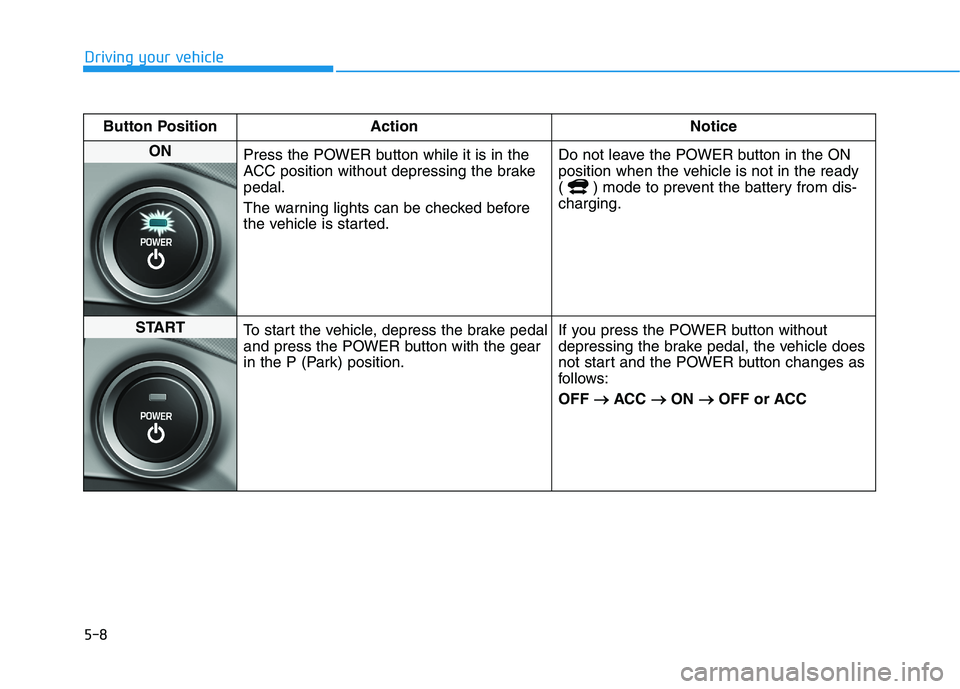
Button Position Action Notice
ON
Press the POWER button while it is in the
ACC position without depressing the brake
pedal.
The warning lights can be checked before
the vehicle is started.Do not leave the POWER button in the ON
position when the vehicle is not in the ready
( ) mode to prevent the battery from dis-
charging.
START
To start the vehicle, depress the brake pedal
and press the POWER button with the gear
in the P (Park) position.If you press the POWER button without
depressing the brake pedal, the vehicle does
not start and the POWER button changes as
follows:
OFF → →
ACC → →
ON → →
OFF or ACC
Page 245 of 478
5-10
Driving your vehicle
To prevent damage to the vehicle:
If the " " indicator turns off
while you are in motion, do not
attempt to shift to the P (Park)
position.
To prevent damage to the vehicle:
When the stop lamp fuse is blown,
you cannot normally start the
vehicle. Replace the fuse with a
new one. If you are not able to
replace the fuse, you can start the
vehicle by pressing and holding
the POWER button for 10 seconds
with the POWER button in the ACC
position.
Do not press the POWER button
for more than 10 seconds except
when the stop lamp fuse is blown.
For your safety always depress
the brake pedal before starting the
vehicle.
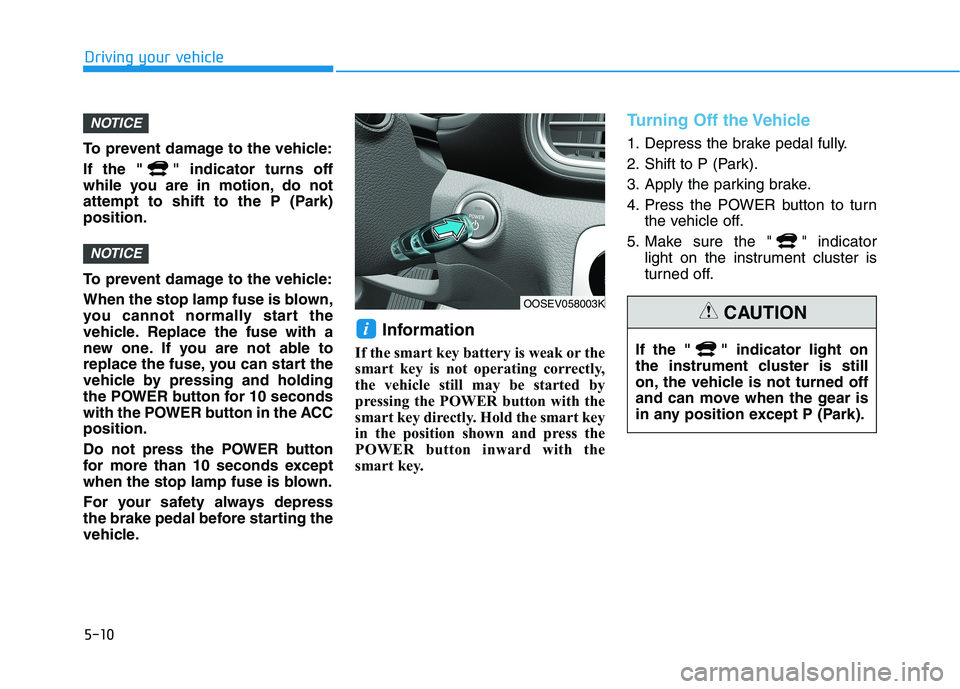
Information
If the smart key battery is weak or the
smart key is not operating correctly,
the vehicle still may be started by
pressing the POWER button with the
smart key directly. Hold the smart key
in the position shown and press the
POWER button inward with the
smart key.
Turning Off the Vehicle
1. Depress the brake pedal fully.
2. Shift to P (Park).
3. Apply the parking brake.
4. Press the POWER button to turn
the vehicle off.
5. Make sure the " " indicator
light on the instrument cluster is
turned off.
i
NOTICE
NOTICE
OOSEV058003K
If the " " indicator light on
the instrument cluster is still
on, the vehicle is not turned off
and can move when the gear is
in any position except P (Park).
CAUTION
Page 252 of 478
5-17
Driving your vehicle
5
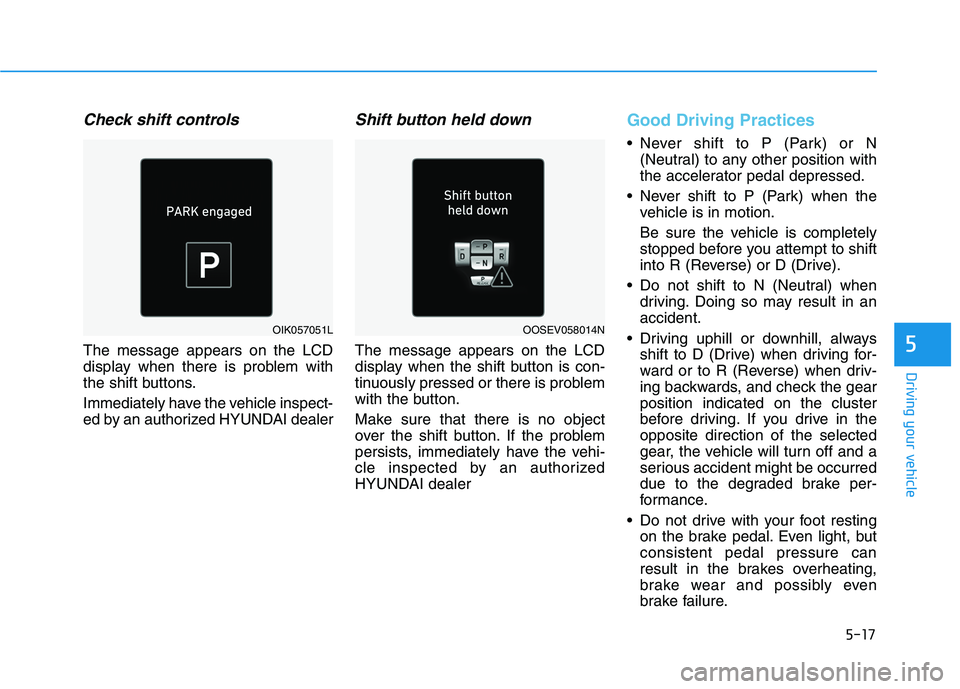
Check shift controls
The message appears on the LCD
display when there is problem with
the shift buttons.
Immediately have the vehicle inspect-
ed by an authorized HYUNDAI dealer
Shift button held down
The message appears on the LCD
display when the shift button is con-
tinuously pressed or there is problem
with the button.
Make sure that there is no object
over the shift button. If the problem
persists, immediately have the vehi-
cle inspected by an authorized
HYUNDAI dealer
Good Driving Practices
Never shift to P (Park) or N
(Neutral) to any other position with
the accelerator pedal depressed.
Never shift to P (Park) when the
vehicle is in motion.
Be sure the vehicle is completely
stopped before you attempt to shift
into R (Reverse) or D (Drive).
Do not shift to N (Neutral) when
driving. Doing so may result in an
accident.
Driving uphill or downhill, always
shift to D (Drive) when driving for-
ward or to R (Reverse) when driv-
ing backwards, and check the gear
position indicated on the cluster
before driving. If you drive in the
opposite direction of the selected
gear, the vehicle will turn off and a
serious accident might be occurred
due to the degraded brake per-
formance.
Do not drive with your foot resting
on the brake pedal. Even light, but
consistent pedal pressure can
result in the brakes overheating,
brake wear and possibly even
brake failure.
OIK057051LOOSEV058014N
Page 264 of 478
5-29
Driving your vehicle
5
Power Brakes
Your vehicle has power-assisted
brakes that adjust automatically
through normal usage.
If power is not supplied to your vehi-
cle such as when the battery is dis-
charged or the vehicle is turned off
while driving, the power assist for the
brakes will not work. You can still stop
your vehicle by applying greater
force to the brake pedal than typical.
The stopping distance, however, will
be longer than with power brakes.
Do not pump the brake pedal when
the power assist has been interrupt-
ed.
B BR
RA
AK
KI
IN
NG
G
S
SY
YS
ST
TE
EM
M
Take the following precautions:
Do not drive with your foot
resting on the brake pedal.
This will create abnormal high
brake temperatures, exces-
sive brake lining and pad
wear, and increased stopping
distances.
When descending down a
long or steep hill, use the pad-
dle shifter (left side lever) to
increase regenerative braking
in order to control your speed
without using the brake pedal
excessively. Applying the
brakes continuously will
cause the brakes to overheat
and could result in a tempo-
rary loss of braking perform-
ance.
Wet brakes may impair the
vehicle's ability to safely slow
down; the vehicle may also
pull to one side when the
brakes are applied. Applying
the brakes lightly will indicate
whether they have been
affected in this way. Always
test your brakes in this fash-
ion after driving through deep
water. To dry the brakes, light-
ly tap the brake pedal to heat
up the brakes while maintain-
ing a safe forward speed until
brake performance returns to
normal. Avoid driving at high
speeds until the brakes func-
tion correctly.WARNING
Page 265 of 478
5-30
Driving your vehicle
Do not continue depressing the
brake pedal if the "
"indica-
tor is OFF. The battery may be
discharged.
Noise and vibration generated
during braking is normal.
Under normal operation, electric
brake pump noise and motor
vibration may occur temporarily
in below cases.
- When the pedal is depressed
suddenly.
- When the pedal is repeatedly
depressed in short intervals.
- When the ABS function is acti-
vated while braking.
Disc Brake Wear Indicator
When your brake pads are worn and
new pads are required, you will hear
a high pitched warning sound from
your front or rear brakes. You may
hear this sound come and go or it
may occur whenever you depress
the brake pedal.
Note that some driving conditions or
climates may cause a brake squeal
when you first apply (or lightly apply)
the brakes. This is normal and does
not indicate a problem with your
brakes.
To avoid costly brake repairs, do
not continue to drive with worn
brake pads.
Information
Always replace brake pads as com-
plete front or rear axle sets.
Electronic Parking Brake
(EPB)
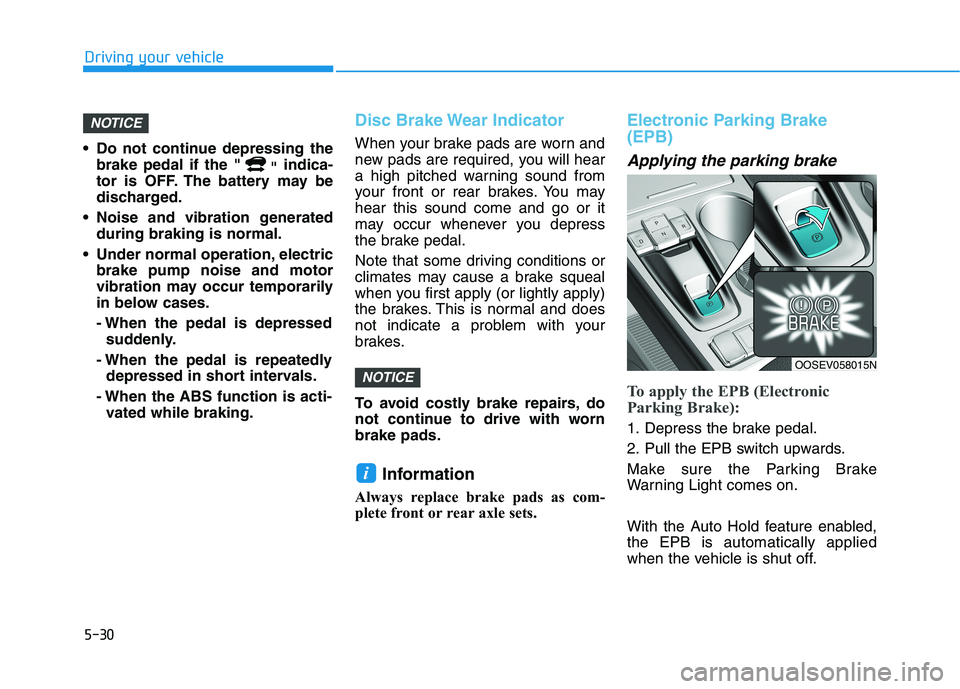
Applying the parking brake
To apply the EPB (Electronic
Parking Brake):
1. Depress the brake pedal.
2. Pull the EPB switch upwards.
Make sure the Parking Brake
Warning Light comes on.
With the Auto Hold feature enabled,
the EPB is automatically applied
when the vehicle is shut off.
i
NOTICE
NOTICE
OOSEV058015N
Page 266 of 478
5-31
Driving your vehicle
5
However, if Auto Hold is OFF when
the the vehicle is turned off, the EPB
will not be applied.Releasing the parking brake
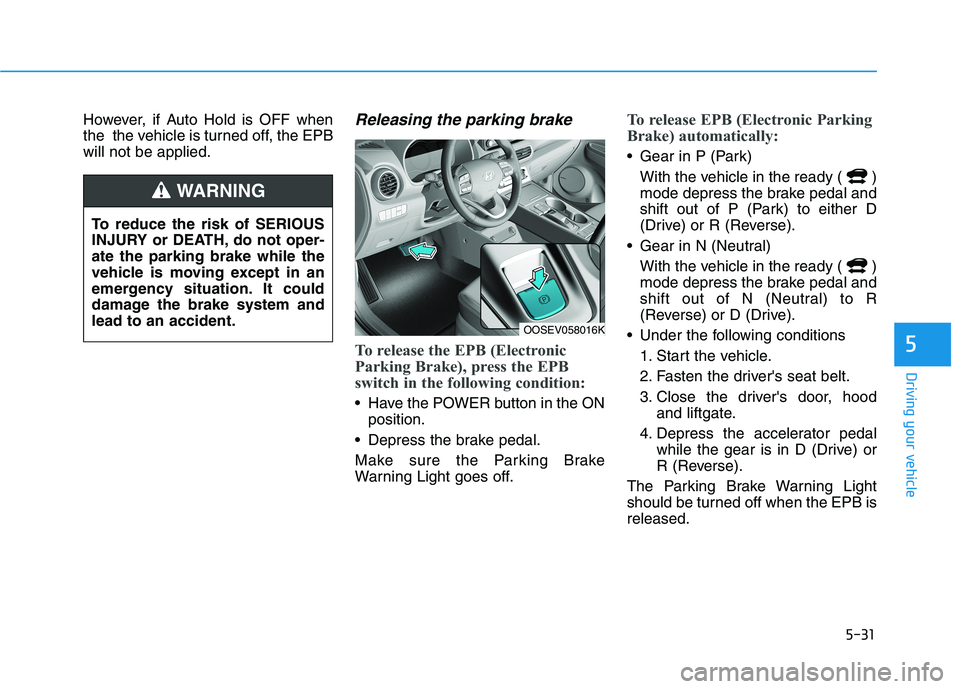
To release the EPB (Electronic
Parking Brake), press the EPB
switch in the following condition:
Have the POWER button in the ON
position.
Depress the brake pedal.
Make sure the Parking Brake
Warning Light goes off.
To release EPB (Electronic Parking
Brake) automatically:
Gear in P (Park)
With the vehicle in the ready ( )
mode depress the brake pedal and
shift out of P (Park) to either D
(Drive) or R (Reverse).
Gear in N (Neutral)
With the vehicle in the ready ( )
mode depress the brake pedal and
shift out of N (Neutral) to R
(Reverse) or D (Drive).
Under the following conditions
1. Start the vehicle.
2. Fasten the driver's seat belt.
3. Close the driver's door, hood
and liftgate.
4. Depress the accelerator pedal
while the gear is in D (Drive) or
R (Reverse).
The Parking Brake Warning Light
should be turned off when the EPB is
released.
To reduce the risk of SERIOUS
INJURY or DEATH, do not oper-
ate the parking brake while the
vehicle is moving except in an
emergency situation. It could
damage the brake system and
lead to an accident.
WARNING
OOSEV058016K
Page 267 of 478
5-32
Driving your vehicle
Information
• For your safety, you can engage the
EPB even though the POWER but-
ton is in the OFF position, but you
cannot release it.
• For your safety, depress the brake
pedal and release the parking brake
manually with the EPB switch when
you drive downhill or when backing
up the vehicle.
If the parking brake warning light
is still on even though the EPB
has been released, have the sys-
tem checked an authorized
HYUNDAI dealer.
Do not drive your vehicle with
the EPB applied. It may cause
excessive brake pad and brake
rotor wear.
EPB (Electronic Parking Brake)
may be automatically applied
when:
Requested by other systems
The vehicle is turned off with the
Auto Hold operating
Warning messages
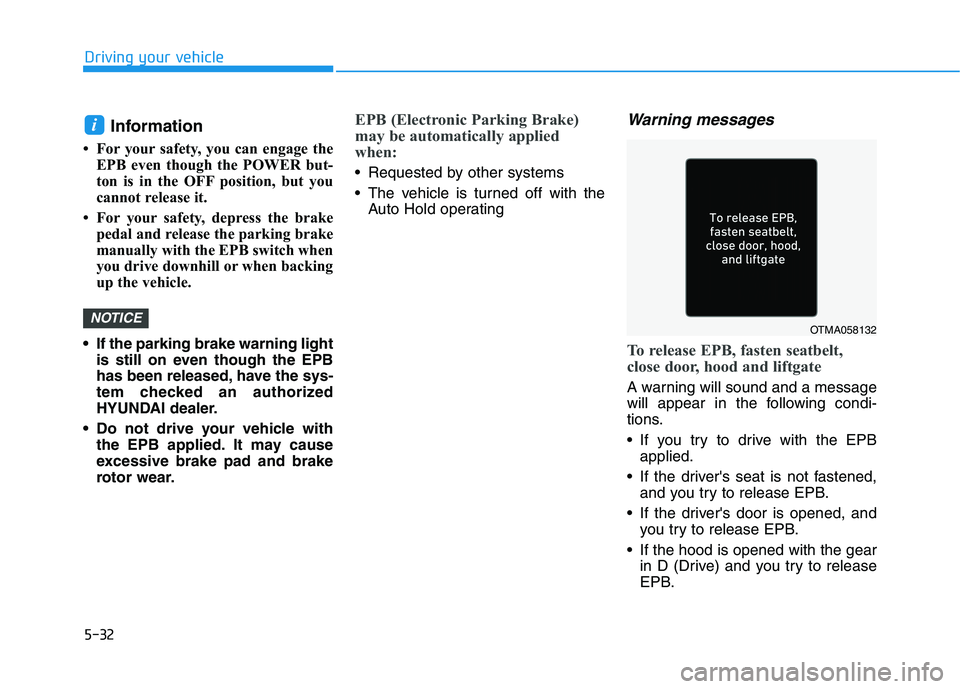
To release EPB, fasten seatbelt,
close door, hood and liftgate
A warning will sound and a message
will appear in the following condi-
tions.
If you try to drive with the EPB
applied.
If the driver's seat is not fastened,
and you try to release EPB.
If the driver's door is opened, and
you try to release EPB.
If the hood is opened with the gear
in D (Drive) and you try to release
EPB.
NOTICE
i
OTMA058132
Page 268 of 478
5-33
Driving your vehicle
5
If the liftgate is opened with the
gear in R (Reverse) and you try to
release EPB.
If there is a problem with the vehi-
cle.
If the situation occurs, depress the
brake pedal and release EPB by
pressing the EPB switch. Do not apply the accelerator
pedal while the parking brake is
engaged. If you depress the
accelerator pedal with the EPB
engaged, a warning will sound
and a message will appear.
Damage to the parking brake
may occur.
Driving with the parking brake
on can overheat the braking sys-
tem and cause premature wear
or damage to brake parts. Make
sure the EPB is released and the
Parking Brake Warning Light is
off before driving.
Information
• A clicking sound may be heard
while operating or releasing the
EPB. These conditions are normal
and indicate that the EPB is func-
tioning properly.
• When leaving your keys with a
parking attendant or assistant,
make sure to inform him/her how to
operate the EPB.
i
NOTICE
Whenever leaving the vehicle
or parking, always come to a
complete stop and continue
to depress the brake pedal.
Shift into the P (Park) posi-
tion, press the EPB switch,
and press the POWER button
to the OFF position. Take the
Smart Key with you when exit-
ing the vehicle.
Vehicles not fully engaged in
P (Park) with the parking
brake set are at risk for mov-
ing inadvertently and causing
injury to yourself or others.
NEVER allow anyone who is
unfamiliar with the vehicle to
touch the EPB switch. If the
EPB is released unintentional-
ly, serious injury may occur.
Only release the EPB when
you are seated inside the
vehicle with your foot firmly
on the brake pedal.
WARNING