brake light HYUNDAI KONA EV 2021 Owners Manual
[x] Cancel search | Manufacturer: HYUNDAI, Model Year: 2021, Model line: KONA EV, Model: HYUNDAI KONA EV 2021Pages: 478, PDF Size: 32.83 MB
Page 14 of 478
I IN
NS
ST
TR
RU
UM
ME
EN
NT
T
P
PA
AN
NE
EL
L
O
OV
VE
ER
RV
VI
IE
EW
W
The actual shape may differ from the illustration.
1-5
Your vehicle at a glance
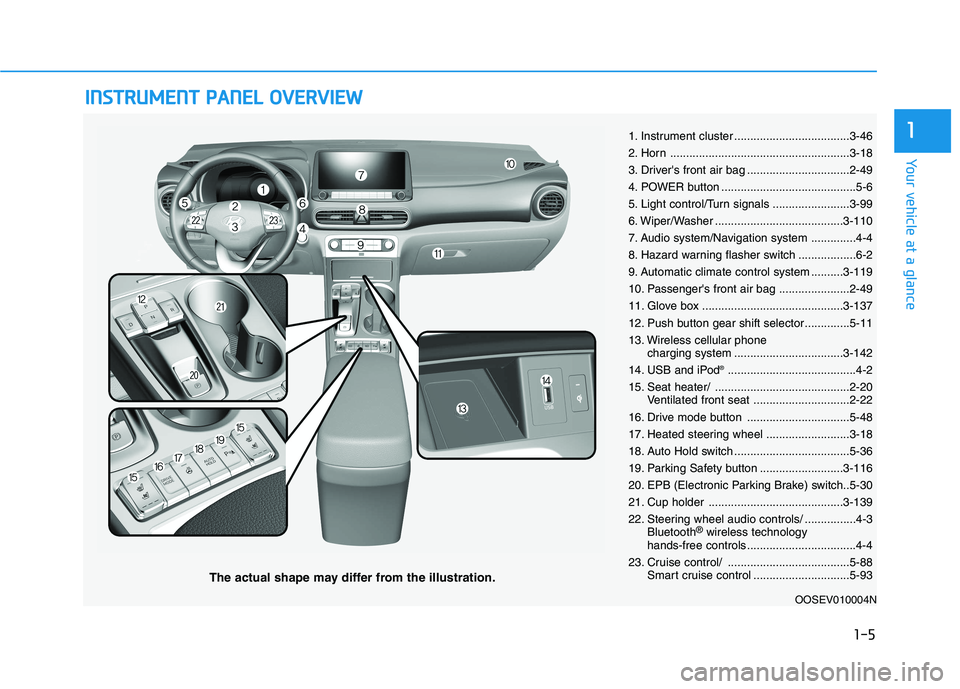
11. Instrument cluster ....................................3-46
2. Horn ........................................................3-18
3. Driver's front air bag ................................2-49
4. POWER button ..........................................5-6
5. Light control/Turn signals ........................3-99
6. Wiper/Washer ........................................3-110
7. Audio system/Navigation system ..............4-4
8. Hazard warning flasher switch ..................6-2
9. Automatic climate control system ..........3-119
10. Passenger's front air bag ......................2-49
11. Glove box ............................................3-137
12. Push button gear shift selector..............5-11
13. Wireless cellular phone
charging system ..................................3-142
14. USB and iPod
®........................................4-2
15. Seat heater/ ..........................................2-20
Ventilated front seat ..............................2-22
16. Drive mode button ................................5-48
17. Heated steering wheel ..........................3-18
18. Auto Hold switch ....................................5-36
19. Parking Safety button ..........................3-116
20. EPB (Electronic Parking Brake) switch..5-30
21. Cup holder ..........................................3-139
22. Steering wheel audio controls/ ................4-3
Bluetooth
®wireless technology
hands-free controls ..................................4-4
23. Cruise control/ ......................................5-88
Smart cruise control ..............................5-93
OOSEV010004N
Page 125 of 478
3-41
Convenient features of your vehicle
3
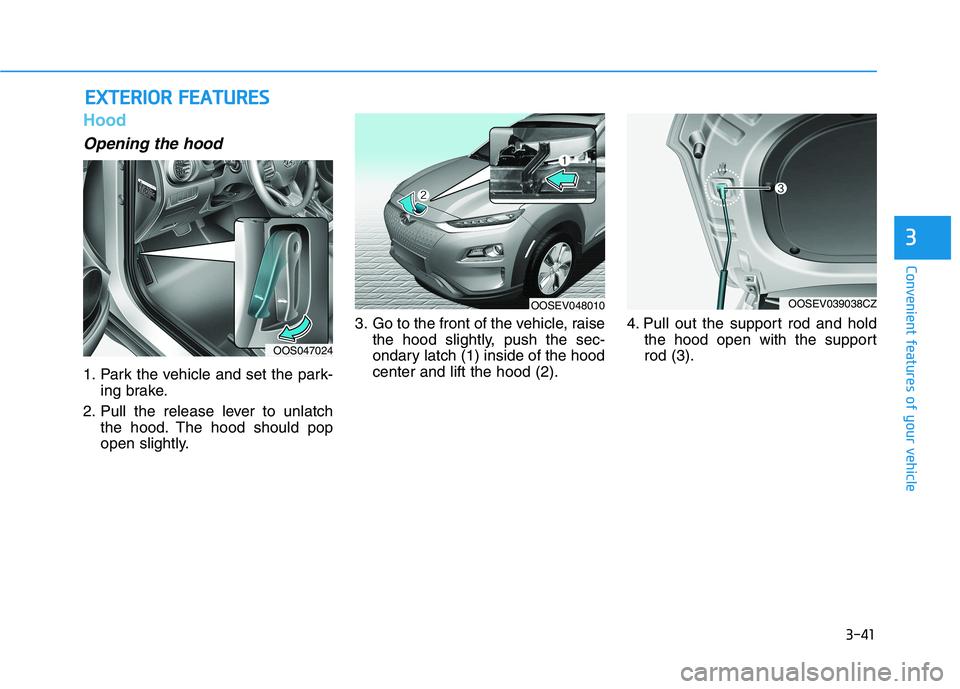
Hood
Opening the hood
1. Park the vehicle and set the park-
ing brake.
2. Pull the release lever to unlatch
the hood. The hood should pop
open slightly.3. Go to the front of the vehicle, raise
the hood slightly, push the sec-
ondary latch (1) inside of the hood
center and lift the hood (2).4. Pull out the support rod and hold
the hood open with the support
rod (3).
E EX
XT
TE
ER
RI
IO
OR
R
F
FE
EA
AT
TU
UR
RE
ES
S
OOS047024
OOSEV048010OOSEV039038CZ
Page 129 of 478
3-45
Convenient features of your vehicle
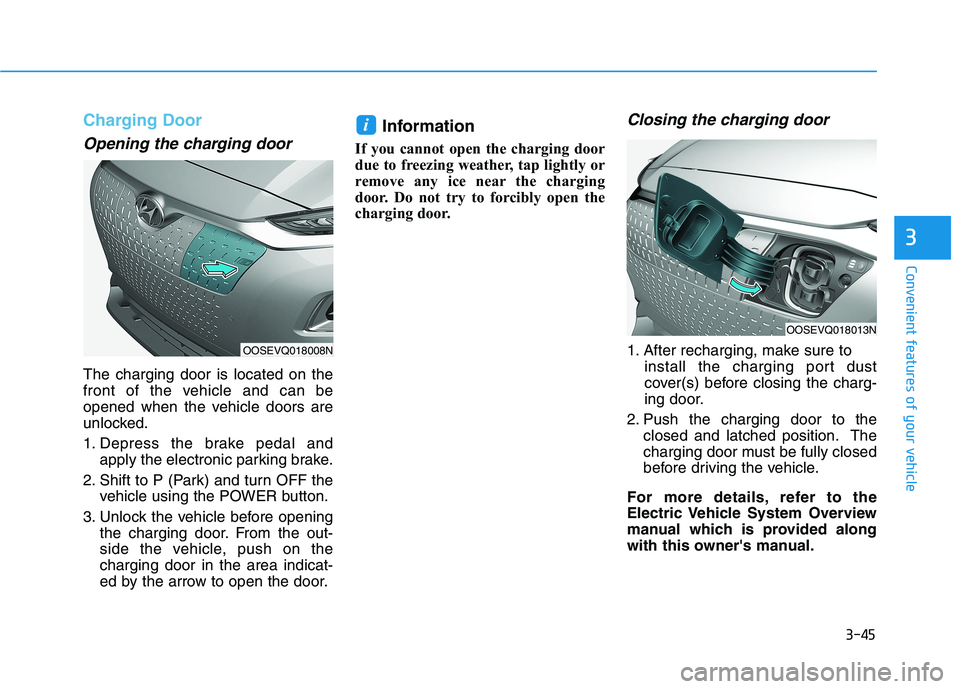
Charging Door
Opening the charging door
The charging door is located on the
front of the vehicle and can be
opened when the vehicle doors are
unlocked.
1. Depress the brake pedal and
apply the electronic parking brake.
2. Shift to P (Park) and turn OFF the
vehicle using the POWER button.
3. Unlock the vehicle before opening
the charging door. From the out-
side the vehicle, push on the
charging door in the area indicat-
ed by the arrow to open the door.
Information
If you cannot open the charging door
due to freezing weather, tap lightly or
remove any ice near the charging
door. Do not try to forcibly open the
charging door.
Closing the charging door
1. After recharging, make sure to
install the charging port dust
cover(s) before closing the charg-
ing door.
2. Push the charging door to the
closed and latched position. The
charging door must be fully closed
before driving the vehicle.
For more details, refer to the
Electric Vehicle System Overview
manual which is provided along
with this owner's manual.
i
3
OOSEVQ018008N
OOSEVQ018013N
Page 139 of 478
3-55
Convenient features of your vehicle
3
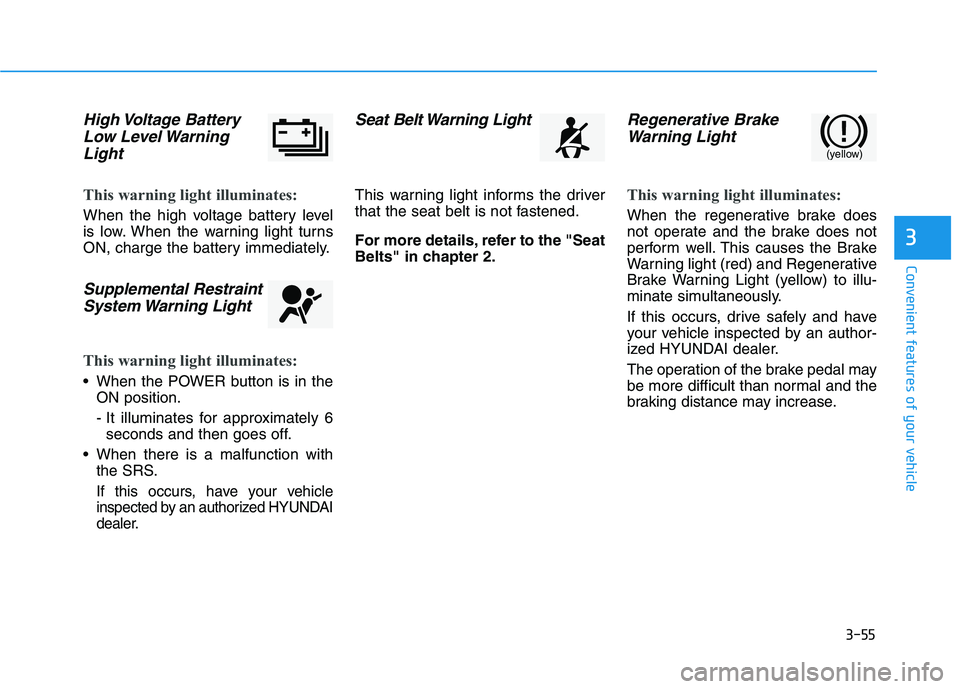
High Voltage Battery
Low Level Warning
Light
This warning light illuminates:
When the high voltage battery level
is low. When the warning light turns
ON, charge the battery immediately.
Supplemental Restraint
System Warning Light
This warning light illuminates:
When the POWER button is in the
ON position.
- It illuminates for approximately 6
seconds and then goes off.
When there is a malfunction with
the SRS.
If this occurs, have your vehicle
inspected by an authorized HYUNDAI
dealer.
Seat Belt Warning Light
This warning light informs the driver
that the seat belt is not fastened.
For more details, refer to the "Seat
Belts" in chapter 2.
Regenerative Brake
Warning Light
This warning light illuminates:
When the regenerative brake does
not operate and the brake does not
perform well. This causes the Brake
Warning light (red) and Regenerative
Brake Warning Light (yellow) to illu-
minate simultaneously.
If this occurs, drive safely and have
your vehicle inspected by an author-
ized HYUNDAI dealer.
The operation of the brake pedal may
be more difficult than normal and the
braking distance may increase.
(yellow)
Page 140 of 478
3-56
Convenient features of your vehicle
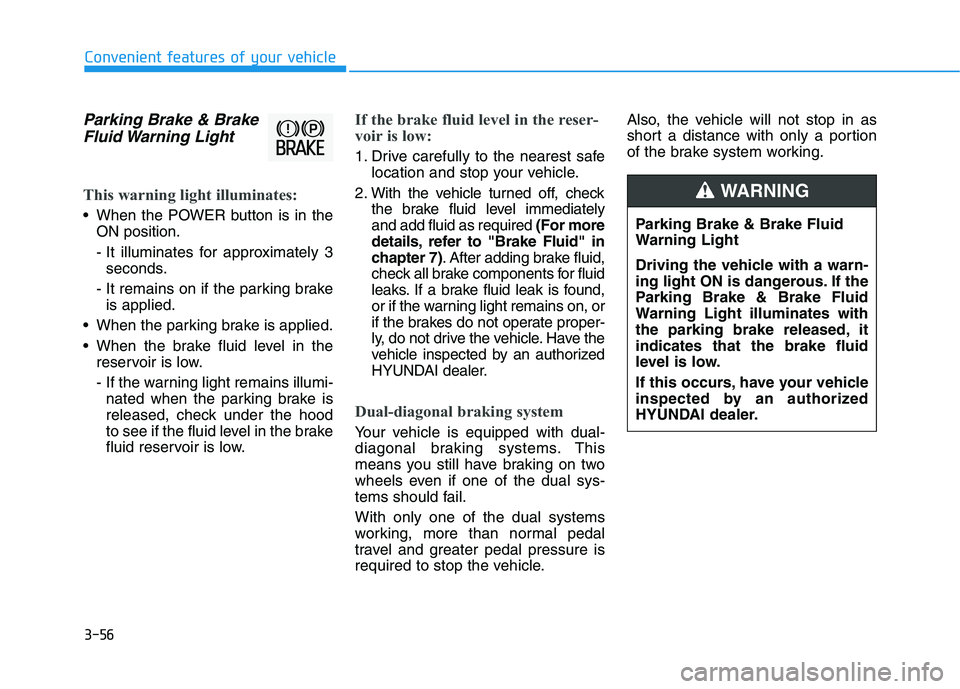
Parking Brake & Brake
Fluid Warning Light
This warning light illuminates:
When the POWER button is in the
ON position.
- It illuminates for approximately 3
seconds.
- It remains on if the parking brake
is applied.
When the parking brake is applied.
When the brake fluid level in the
reservoir is low.
- If the warning light remains illumi-
nated when the parking brake is
released, check under the hood
to see if the fluid level in the brake
fluid reservoir is low.
If the brake fluid level in the reser-
voir is low:
1. Drive carefully to the nearest safe
location and stop your vehicle.
2. With the vehicle turned off, check
the brake fluid level immediately
and add fluid as required (For more
details, refer to "Brake Fluid" in
chapter 7). After adding brake fluid,
check all brake components for fluid
leaks. If a brake fluid leak is found,
or if the warning light remains on, or
if the brakes do not operate proper-
ly, do not drive the vehicle. Have the
vehicle inspected by an authorized
HYUNDAI dealer.
Dual-diagonal braking system
Your vehicle is equipped with dual-
diagonal braking systems. This
means you still have braking on two
wheels even if one of the dual sys-
tems should fail.
With only one of the dual systems
working, more than normal pedal
travel and greater pedal pressure is
required to stop the vehicle.Also, the vehicle will not stop in as
short a distance with only a portion
of the brake system working.
Parking Brake & Brake Fluid
Warning Light
Driving the vehicle with a warn-
ing light ON is dangerous. If the
Parking Brake & Brake Fluid
Warning Light illuminates with
the parking brake released, it
indicates that the brake fluid
level is low.
If this occurs, have your vehicle
inspected by an authorized
HYUNDAI dealer.
WARNING
Page 141 of 478
3-57
Convenient features of your vehicle
3
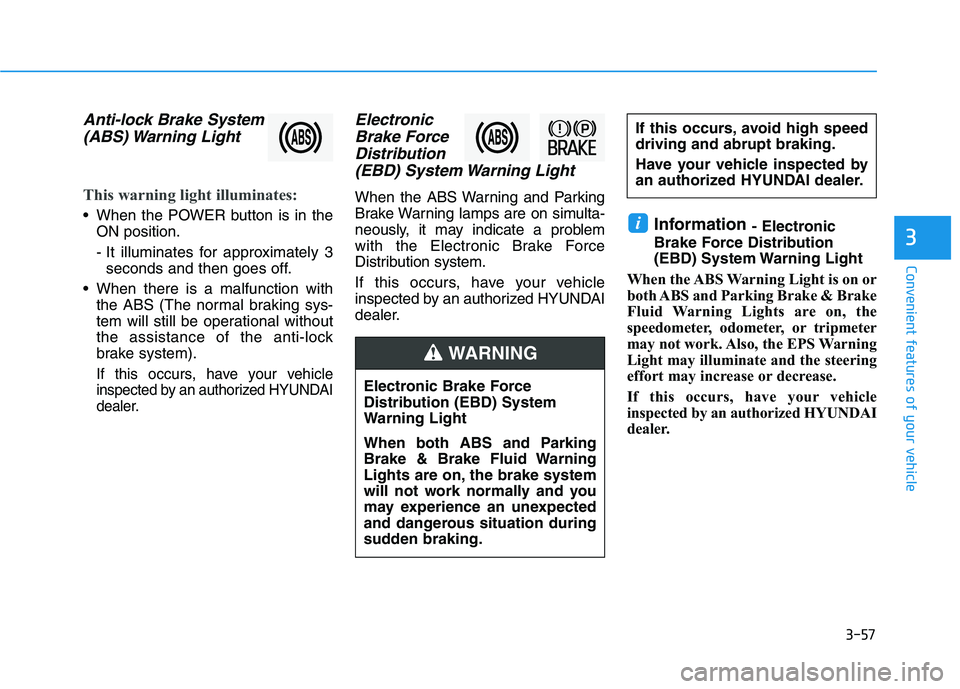
Anti-lock Brake System
(ABS) Warning Light
This warning light illuminates:
When the POWER button is in the
ON position.
- It illuminates for approximately 3
seconds and then goes off.
When there is a malfunction with
the ABS (The normal braking sys-
tem will still be operational without
the assistance of the anti-lock
brake system).
If this occurs, have your vehicle
inspected by an authorized HYUNDAI
dealer.
Electronic
Brake Force
Distribution
(EBD) System Warning Light
When the ABS Warning and Parking
Brake Warning lamps are on simulta-
neously, it may indicate a problem
with the Electronic Brake Force
Distribution system.
If this occurs, have your vehicle
inspected by an authorized HYUNDAI
dealer.
Information - Electronic
Brake Force Distribution
(EBD) System Warning Light
When the ABS Warning Light is on or
both ABS and Parking Brake & Brake
Fluid Warning Lights are on, the
speedometer, odometer, or tripmeter
may not work. Also, the EPS Warning
Light may illuminate and the steering
effort may increase or decrease.
If this occurs, have your vehicle
inspected by an authorized HYUNDAI
dealer.i
Electronic Brake Force
Distribution (EBD) System
Warning Light
When both ABS and Parking
Brake & Brake Fluid Warning
Lights are on, the brake system
will not work normally and you
may experience an unexpected
and dangerous situation during
sudden braking.
If this occurs, avoid high speed
driving and abrupt braking.
Have your vehicle inspected by
an authorized HYUNDAI dealer.
WARNING
Page 143 of 478
3-59
Convenient features of your vehicle
3
This warning light remains ON
after blinking for approximately 60
seconds, or repeatedly blinks ON
and OFF in 3 second intervals:
When there is a malfunction with the
TPMS.
If this occurs, have your vehicle
inspected by an authorized HYUNDAI
dealer.
For more details, refer to "Tire
Pressure Monitoring System
(TPMS)" in chapter 6.
Electronic Parking
Brake (EPB) Warning
Light
This warning light illuminates:
When the POWER button is in the
ON position.
- It illuminates for approximately 3
seconds and then goes off.
When there is a malfunction with
the EPB.
If this occurs, have the vehicle
inspected by an authorized
HYUNDAI dealer.
Information
The Electronic Parking Brake (EPB)
Warning Light may illuminate when
the Electronic Stability control (ESC)
Indicator Light comes on to indicate
that the ESC is not working properly
(This does not indicate malfunction of
the EPB).
AUTO HOLD Indicator
Light
This indicator light illuminates:
[White] When you activate the auto
hold system by pressing the AUTO
HOLD switch.
[Green] When you stop the vehicle
completely by depressing the
brake pedal with the auto hold sys-
tem activated.
[Yellow] When there is a malfunc-
tion with the auto hold system.
If this occurs, have the vehicle
inspected by an authorized
HYUNDAI dealer.
For more details, refer to "Auto
Hold" in chapter 5.
iSafe Stopping
The TPMS cannot alert you to
severe and sudden tire damage
caused by external factors.
If you notice any vehicle insta-
bility, immediately take your
foot off the accelerator pedal,
apply the brakes gradually with
light force, and slowly move to
a safe position on the side of
the road.
WARNING
E EP
PB
B
Page 153 of 478
3-69
Convenient features of your vehicle
3
Check turn signal
This warning message is displayed if
the turn signal lamps are not operat-
ing properly. A lamp may need to be
replaced.
Make sure to replace the burned out
bulb with a new one of the same
wattage rating.
Check brake light
This warning message is displayed if
the stop lamps are not operating
properly. A lamp may need to be
replaced.
Make sure to replace the burned out
bulb with a new one of the same
wattage rating.
Check cornering lamp
(if equipped)
This warning message is displayed if
the cornering lamps are not operat-
ing properly. A lamp may need to be
replaced.
Make sure to replace the burned out
bulb with a new one of the same
wattage rating.
Check High Beam Assist (HBA)
system (if equipped)
This warning message is displayed if
there is a problem with High Beam
Assist system. Have the vehicle
inspected by an authorized HYUNDAI
dealer.
For more details, refer to "High
Beam Assist (HBA)" in chapter 3.
Check headlight LED (if equipped)
This warning message is displayed if
there is a problem with the LED
headlight. Have the vehicle inspected
by an authorized HYUNDAI dealer.
Check Forward Collision
Avoidance Assist system
This warning message is displayed if
there is a problem with Forward
Collision-Avoidance Assist system.
Have the vehicle inspected by an
authorized HYUNDAI dealer.
For more details, refer to "Forward
Collision-Avoidance Assist (FCA)"
in chapter 5.
Check Blind-Spot Collision
Warning (BCW) system
This warning message is displayed if
there is a problem with the Blind-
Spot Collision Warning system. Have
the vehicle inspected by an author-
ized HYUNDAI dealer.
For more details, refer to "Blind-
Spot Collision Warning/Rear Cross-
Traffic Collision Warning (RCCW)
System in chapter 5.
Page 166 of 478
3-82
Convenient features of your vehicle
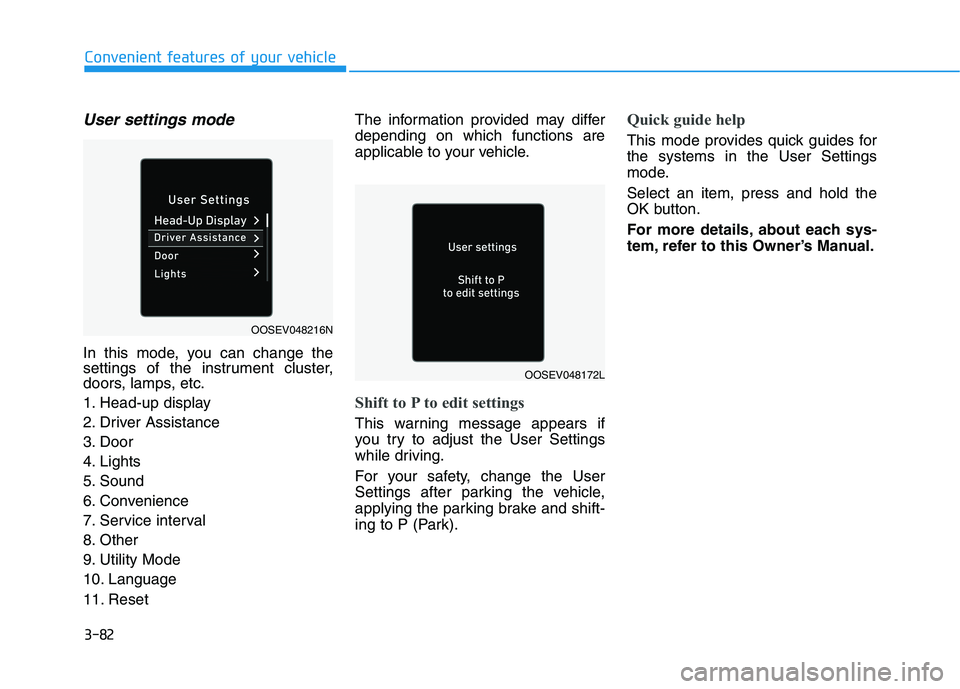
User settings mode
In this mode, you can change the
settings of the instrument cluster,
doors, lamps, etc.
1. Head-up display
2. Driver Assistance
3. Door
4. Lights
5. Sound
6. Convenience
7. Service interval
8. Other
9. Utility Mode
10. Language
11. ResetThe information provided may differ
depending on which functions are
applicable to your vehicle.
Shift to P to edit settings
This warning message appears if
you try to adjust the User Settings
while driving.
For your safety, change the User
Settings after parking the vehicle,
applying the parking brake and shift-
ing to P (Park).
Quick guide help
This mode provides quick guides for
the systems in the User Settings
mode.
Select an item, press and hold the
OK button.
For more details, about each sys-
tem, refer to this Owner’s Manual.
OOSEV048216N
OOSEV048172L
Page 183 of 478
3-99
Convenient features of your vehicle
3
L LI
IG
GH
HT
TI
IN
NG
G
Exterior Lights
Lighting control
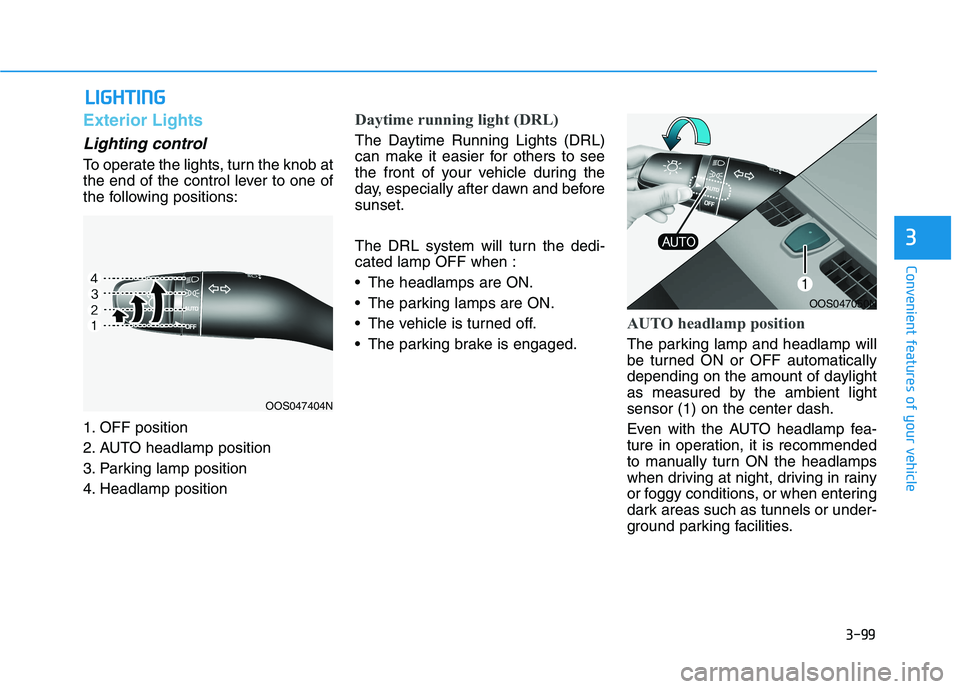
To operate the lights, turn the knob at
the end of the control lever to one of
the following positions:
1. OFF position
2. AUTO headlamp position
3. Parking lamp position
4. Headlamp position
Daytime running light (DRL)
The Daytime Running Lights (DRL)
can make it easier for others to see
the front of your vehicle during the
day, especially after dawn and before
sunset.
The DRL system will turn the dedi-
cated lamp OFF when :
The headlamps are ON.
The parking lamps are ON.
The vehicle is turned off.
The parking brake is engaged.
AUTO headlamp position
The parking lamp and headlamp will
be turned ON or OFF automatically
depending on the amount of daylight
as measured by the ambient light
sensor (1) on the center dash.
Even with the AUTO headlamp fea-
ture in operation, it is recommended
to manually turn ON the headlamps
when driving at night, driving in rainy
or foggy conditions, or when entering
dark areas such as tunnels or under-
ground parking facilities.
OOS047404N
OOS047050N