lane assist HYUNDAI KONA EV 2021 Owners Manual
[x] Cancel search | Manufacturer: HYUNDAI, Model Year: 2021, Model line: KONA EV, Model: HYUNDAI KONA EV 2021Pages: 478, PDF Size: 32.83 MB
Page 144 of 478
3-60
Convenient features of your vehicle
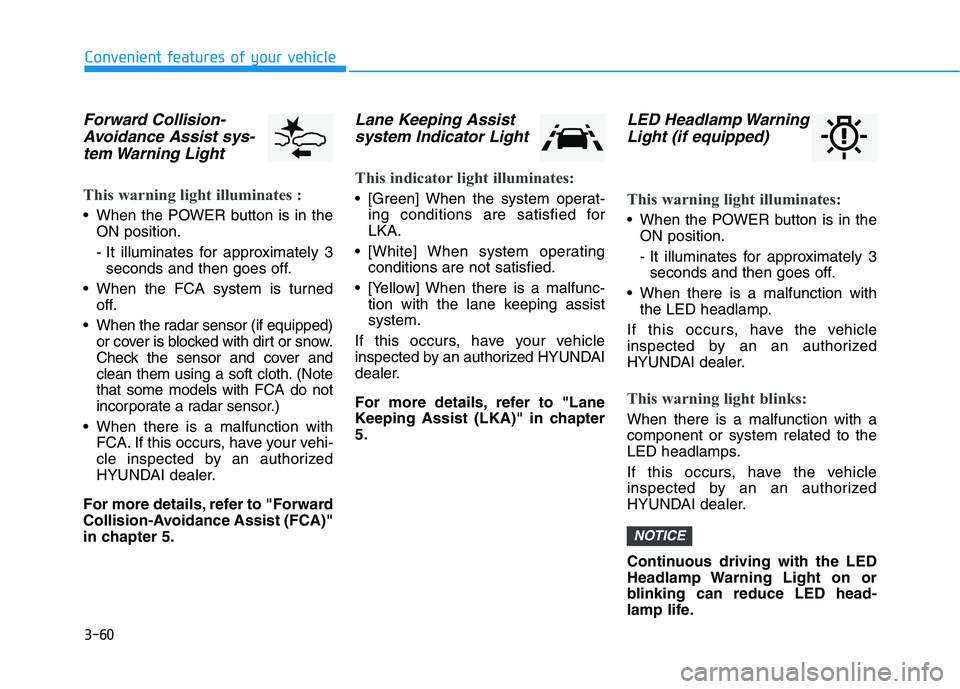
Forward Collision-
Avoidance Assist sys-
tem Warning Light
This warning light illuminates :
When the POWER button is in the
ON position.
- It illuminates for approximately 3
seconds and then goes off.
When the FCA system is turned
off.
When the radar sensor (if equipped)
or cover is blocked with dirt or snow.
Check the sensor and cover and
clean them using a soft cloth. (Note
that some models with FCA do not
incorporate a radar sensor.)
When there is a malfunction with
FCA. If this occurs, have your vehi-
cle inspected by an authorized
HYUNDAI dealer.
For more details, refer to "Forward
Collision-Avoidance Assist (FCA)"
in chapter 5.
Lane Keeping Assist
system Indicator Light
This indicator light illuminates:
[Green] When the system operat-
ing conditions are satisfied for
LKA.
[White] When system operating
conditions are not satisfied.
[Yellow] When there is a malfunc-
tion with the lane keeping assist
system.
If this occurs, have your vehicle
inspected by an authorized HYUNDAI
dealer.
For more details, refer to "Lane
Keeping Assist (LKA)" in chapter
5.
LED Headlamp Warning
Light (if equipped)
This warning light illuminates:
When the POWER button is in the
ON position.
- It illuminates for approximately 3
seconds and then goes off.
When there is a malfunction with
the LED headlamp.
If this occurs, have the vehicle
inspected by an an authorized
HYUNDAI dealer.
This warning light blinks:
When there is a malfunction with a
component or system related to the
LED headlamps.
If this occurs, have the vehicle
inspected by an an authorized
HYUNDAI dealer.
Continuous driving with the LED
Headlamp Warning Light on or
blinking can reduce LED head-
lamp life.
NOTICE
Page 154 of 478
3-70
Convenient features of your vehicle
Check Smart Cruise Control
System (if equipped)
This warning message is displayed if
there is a problem with the Smart
Cruise Control system. Have the
vehicle inspected by an authorized
HYUNDAI dealer.
For more details, refer to "Smart
Cruise Control (SCC)" in chapter
5.
Check Driver Attention Warning
(DAW) system
This warning message is displayed if
there is a problem with Driver
Attention Warning. Have the vehicle
inspected by an authorized HYUNDAI
dealer.
For more details, refer to "Driver
Attention Warning (DAW)" in chap-
ter 5.
Check Lane Keeping Assist
(LKA) system
This warning message is displayed if
there is a problem with Check Lane
Keeping Assist system. Have the
vehicle inspected by an authorized
HYUNDAI dealer.
For more details, refer to "Check
Lane Keeping Assist (LKA)" in
chapter 5.
Page 163 of 478
3-79
Convenient features of your vehicle
3
The information provided may differ depending on which functions are applicable to your vehicle.
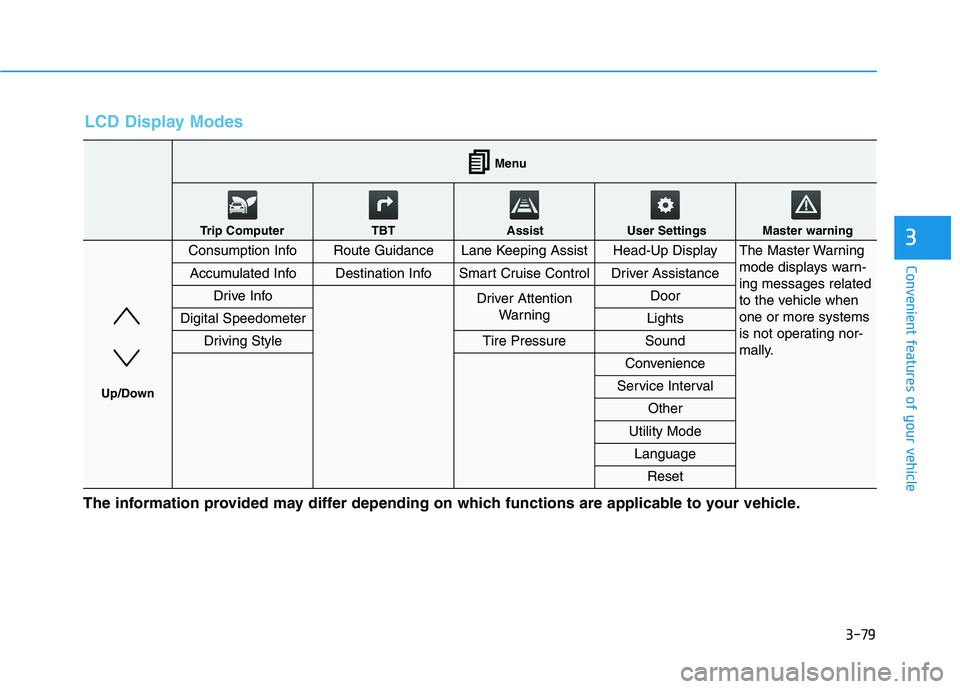
LCD Display Modes
Consumption InfoRoute GuidanceLane Keeping AssistHead-Up DisplayThe Master Warning
mode displays warn-
ing messages related
to the vehicle when
one or more systems
is not operating nor-
mally.
Accumulated InfoDestination InfoSmart Cruise ControlDriver Assistance
Drive InfoDriver Attention
Warning Door
Digital SpeedometerLights
Driving StyleTire PressureSound
Convenience
Service Interval
Other
Utility Mode
Language
Reset
Menu
Trip Computer TBT Assist User Settings Master warning
Up/Down
Page 164 of 478
3-80
Convenient features of your vehicle
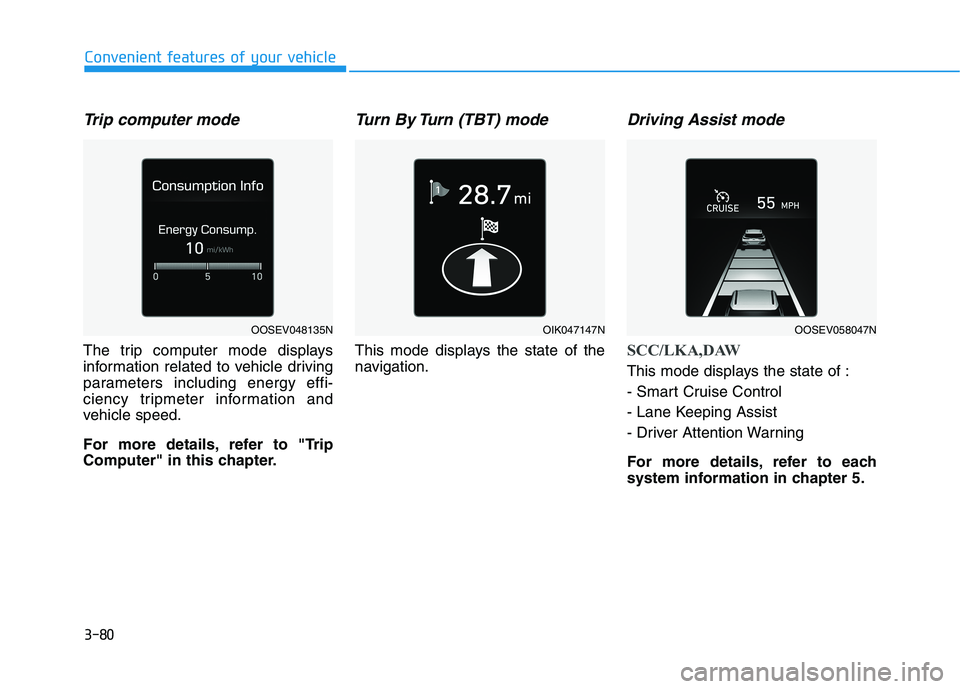
Trip computer mode
The trip computer mode displays
information related to vehicle driving
parameters including energy effi-
ciency tripmeter information and
vehicle speed.
For more details, refer to "Trip
Computer" in this chapter.
Turn By Turn (TBT) mode
This mode displays the state of the
navigation.
Driving Assist mode
SCC/LKA,DAW
This mode displays the state of :
- Smart Cruise Control
- Lane Keeping Assist
- Driver Attention Warning
For more details, refer to each
system information in chapter 5.
OOSEV048135NOIK047147NOOSEV058047N
Page 167 of 478
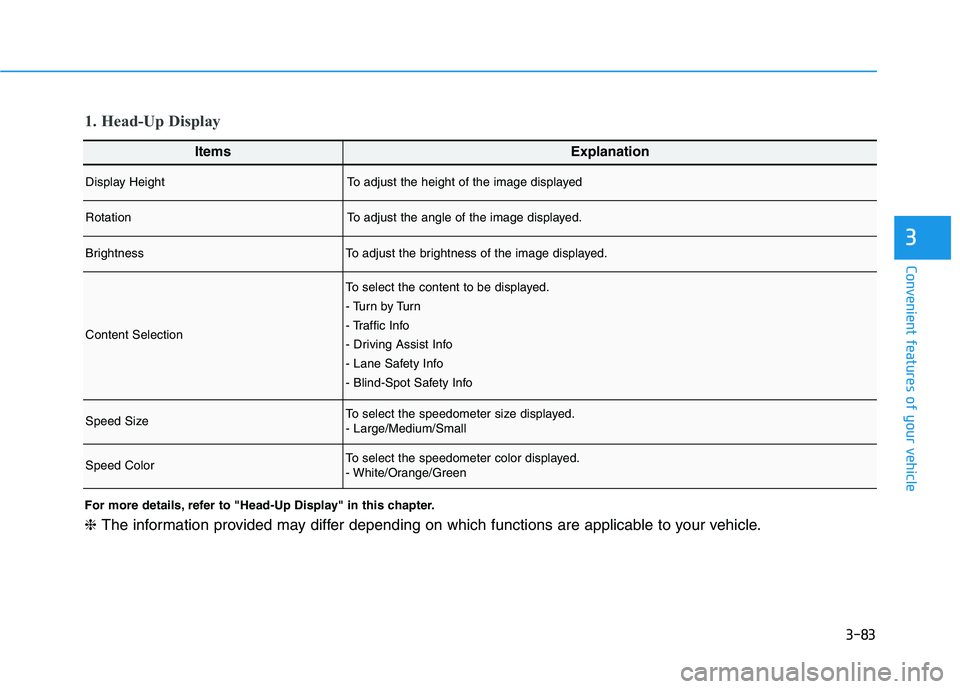
3-83
Convenient features of your vehicle
3
ItemsExplanation
Display HeightTo adjust the height of the image displayed
RotationTo adjust the angle of the image displayed.
BrightnessTo adjust the brightness of the image displayed.
Content Selection
To select the content to be displayed.
- Tu r n b y Tu r n
- Traffic Info
- Driving Assist Info
- Lane Safety Info
- Blind-Spot Safety Info
Speed SizeTo select the speedometer size displayed.
- Large/Medium/Small
Speed ColorTo select the speedometer color displayed.
- White/Orange/Green
1. Head-Up Display
For more details, refer to "Head-Up Display" in this chapter.
❈The information provided may differ depending on which functions are applicable to your vehicle.
Page 168 of 478
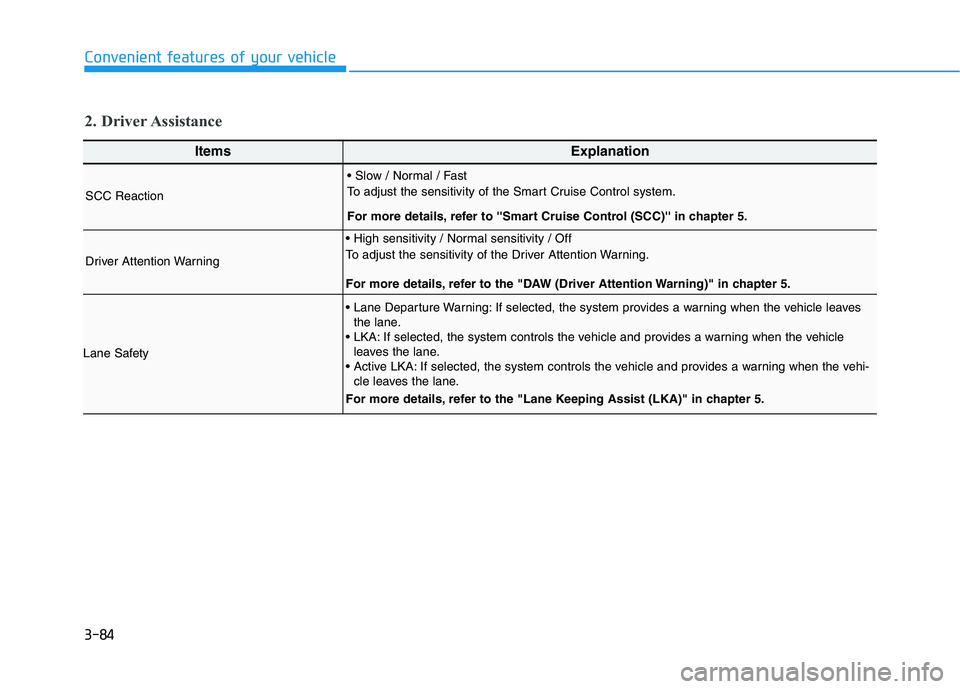
3-84
Convenient features of your vehicle
ItemsExplanation
SCC Reaction
To adjust the sensitivity of the Smart Cruise Control system.
For more details, refer to ''Smart Cruise Control (SCC)'' in chapter 5.
Driver Attention Warning
To adjust the sensitivity of the Driver Attention Warning.
For more details, refer to the "DAW (Driver Attention Warning)" in chapter 5.
Lane Safety
If selected, the system provides a warning when the vehicle leaves
the lane.
If selected, the system controls the vehicle and provides a warning when the vehicle
leaves the lane.
If selected, the system controls the vehicle and provides a warning when the vehi-
cle leaves the lane.
For more details, refer to the "Lane Keeping Assist (LKA)" in chapter 5.
2. Driver Assistance
Page 187 of 478
3-103
Convenient features of your vehicle
3
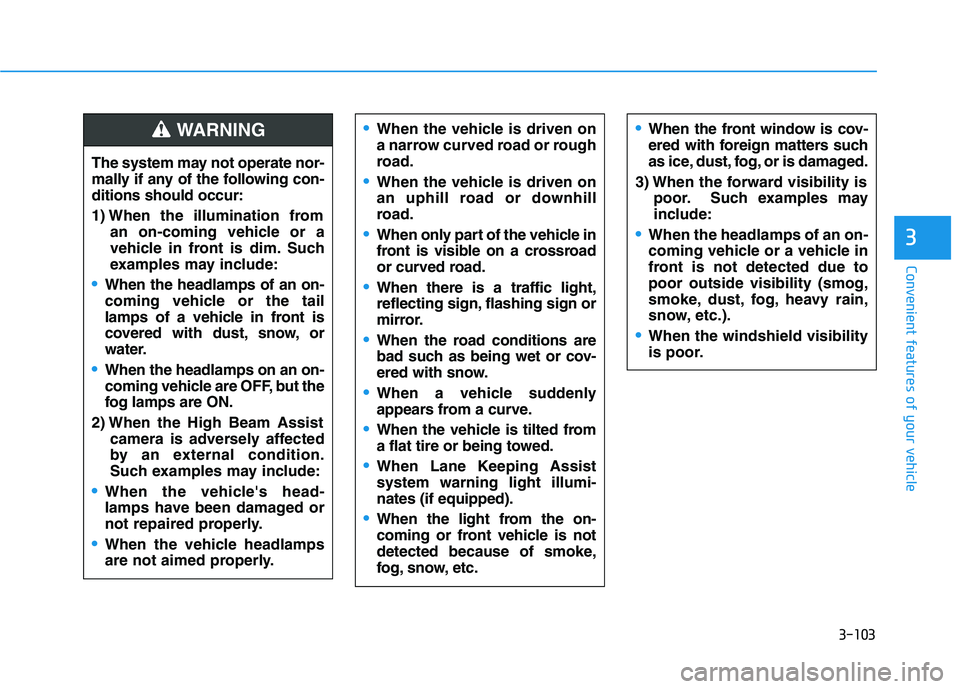
The system may not operate nor-
mally if any of the following con-
ditions should occur:
1) When the illumination from
an on-coming vehicle or a
vehicle in front is dim. Such
examples may include:
When the headlamps of an on-
coming vehicle or the tail
lamps of a vehicle in front is
covered with dust, snow, or
water.
When the headlamps on an on-
coming vehicle are OFF, but the
fog lamps are ON.
2) When the High Beam Assist
camera is adversely affected
by an external condition.
Such examples may include:
When the vehicle's head-
lamps have been damaged or
not repaired properly.
When the vehicle headlamps
are not aimed properly.
When the vehicle is driven on
a narrow curved road or rough
road.
When the vehicle is driven on
an uphill road or downhill
road.
When only part of the vehicle in
front is visible on a crossroad
or curved road.
When there is a traffic light,
reflecting sign, flashing sign or
mirror.
When the road conditions are
bad such as being wet or cov-
ered with snow.
When a vehicle suddenly
appears from a curve.
When the vehicle is tilted from
a flat tire or being towed.
When Lane Keeping Assist
system warning light illumi-
nates (if equipped).
When the light from the on-
coming or front vehicle is not
detected because of smoke,
fog, snow, etc.
When the front window is cov-
ered with foreign matters such
as ice, dust, fog, or is damaged.
3) When the forward visibility is
poor. Such examples may
include:
When the headlamps of an on-
coming vehicle or a vehicle in
front is not detected due to
poor outside visibility (smog,
smoke, dust, fog, heavy rain,
snow, etc.).
When the windshield visibility
is poor.
WARNING
Page 188 of 478
3-104
Convenient features of your vehicle
Turn signals and lane change
signals
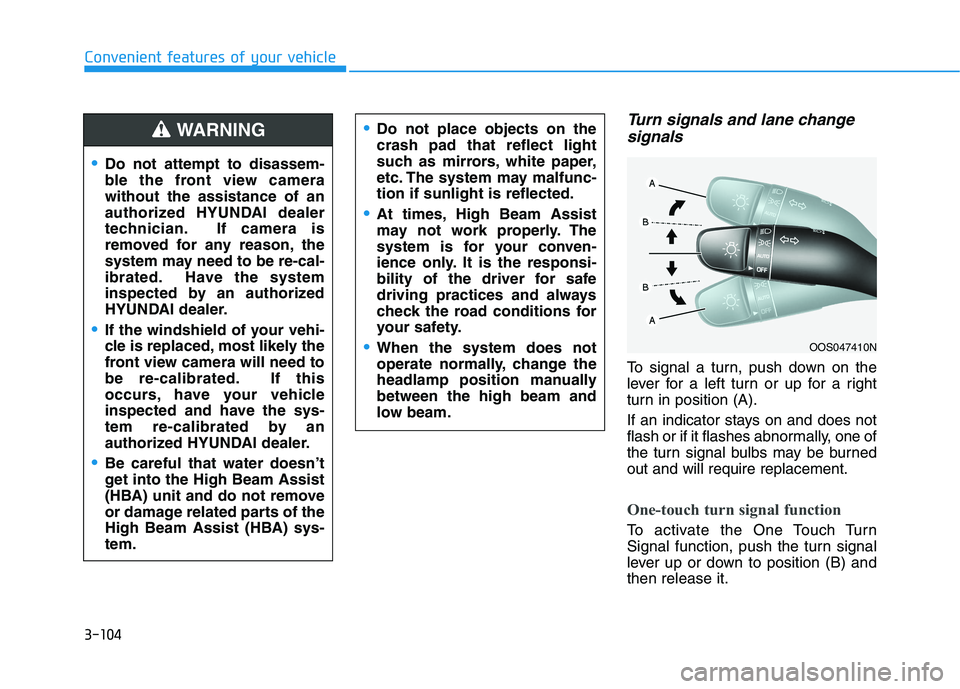
To signal a turn, push down on the
lever for a left turn or up for a right
turn in position (A).
If an indicator stays on and does not
flash or if it flashes abnormally, one of
the turn signal bulbs may be burned
out and will require replacement.
One-touch turn signal function
To activate the One Touch Turn
Signal function, push the turn signal
lever up or down to position (B) and
then release it.
OOS047410N
Do not attempt to disassem-
ble the front view camera
without the assistance of an
authorized HYUNDAI dealer
technician. If camera is
removed for any reason, the
system may need to be re-cal-
ibrated. Have the system
inspected by an authorized
HYUNDAI dealer.
If the windshield of your vehi-
cle is replaced, most likely the
front view camera will need to
be re-calibrated. If this
occurs, have your vehicle
inspected and have the sys-
tem re-calibrated by an
authorized HYUNDAI dealer.
Be careful that water doesn’t
get into the High Beam Assist
(HBA) unit and do not remove
or damage related parts of the
High Beam Assist (HBA) sys-
tem.
Do not place objects on the
crash pad that reflect light
such as mirrors, white paper,
etc. The system may malfunc-
tion if sunlight is reflected.
At times, High Beam Assist
may not work properly. The
system is for your conven-
ience only. It is the responsi-
bility of the driver for safe
driving practices and always
check the road conditions for
your safety.
When the system does not
operate normally, change the
headlamp position manually
between the high beam and
low beam.
WARNING
Page 237 of 478
5
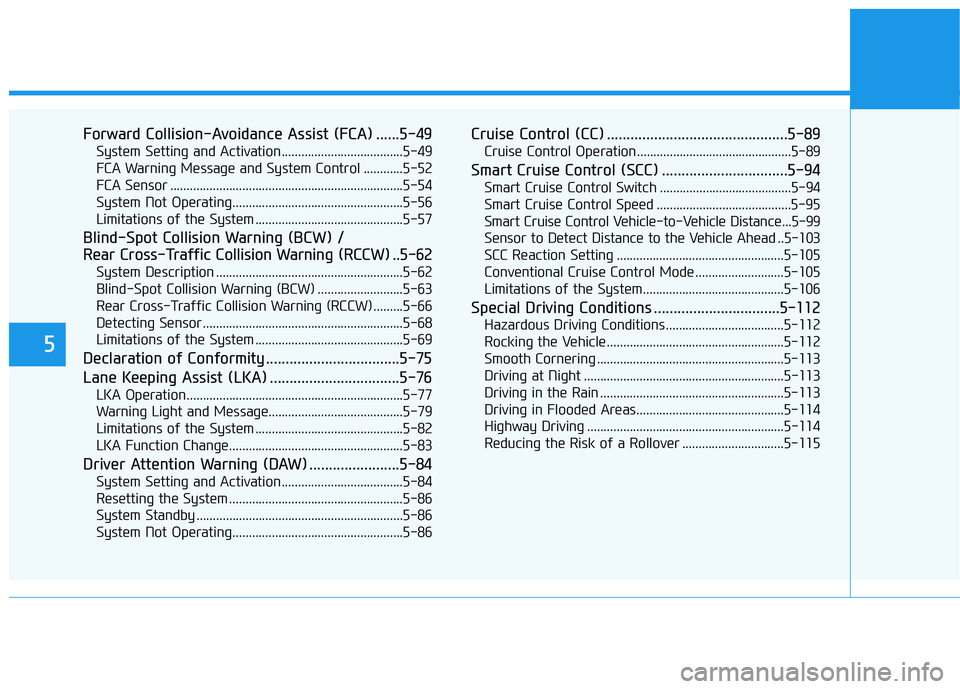
Forward Collision-Avoidance Assist (FCA) ......5-49
System Setting and Activation.....................................5-49
FCA Warning Message and System Control ............5-52
FCA Sensor .......................................................................5-54
System Not Operating....................................................5-56
Limitations of the System .............................................5-57
Blind-Spot Collision Warning (BCW) /
Rear Cross-Traffic Collision Warning (RCCW) ..5-62
System Description .........................................................5-62
Blind-Spot Collision Warning (BCW) ..........................5-63
Rear Cross-Traffic Collision Warning (RCCW) .........5-66
Detecting Sensor .............................................................5-68
Limitations of the System .............................................5-69
Declaration of Conformity ..................................5-75
Lane Keeping Assist (LKA) .................................5-76
LKA Operation..................................................................5-77
Warning Light and Message.........................................5-79
Limitations of the System .............................................5-82
LKA Function Change.....................................................5-83
Driver Attention Warning (DAW) .......................5-84
System Setting and Activation.....................................5-84
Resetting the System .....................................................5-86
System Standby ...............................................................5-86
System Not Operating....................................................5-86
Cruise Control (CC) ..............................................5-89
Cruise Control Operation...............................................5-89
Smart Cruise Control (SCC) ................................5-94
Smart Cruise Control Switch ........................................5-94
Smart Cruise Control Speed .........................................5-95
Smart Cruise Control Vehicle-to-Vehicle Distance...5-99
Sensor to Detect Distance to the Vehicle Ahead ..5-103
SCC Reaction Setting ...................................................5-105
Conventional Cruise Control Mode ...........................5-105
Limitations of the System...........................................5-106
Special Driving Conditions ................................5-112
Hazardous Driving Conditions....................................5-112
Rocking the Vehicle ......................................................5-112
Smooth Cornering .........................................................5-113
Driving at Night .............................................................5-113
Driving in the Rain ........................................................5-113
Driving in Flooded Areas.............................................5-114
Highway Driving ............................................................5-114
Reducing the Risk of a Rollover ...............................5-115
Page 292 of 478
5-57
Driving your vehicle
5
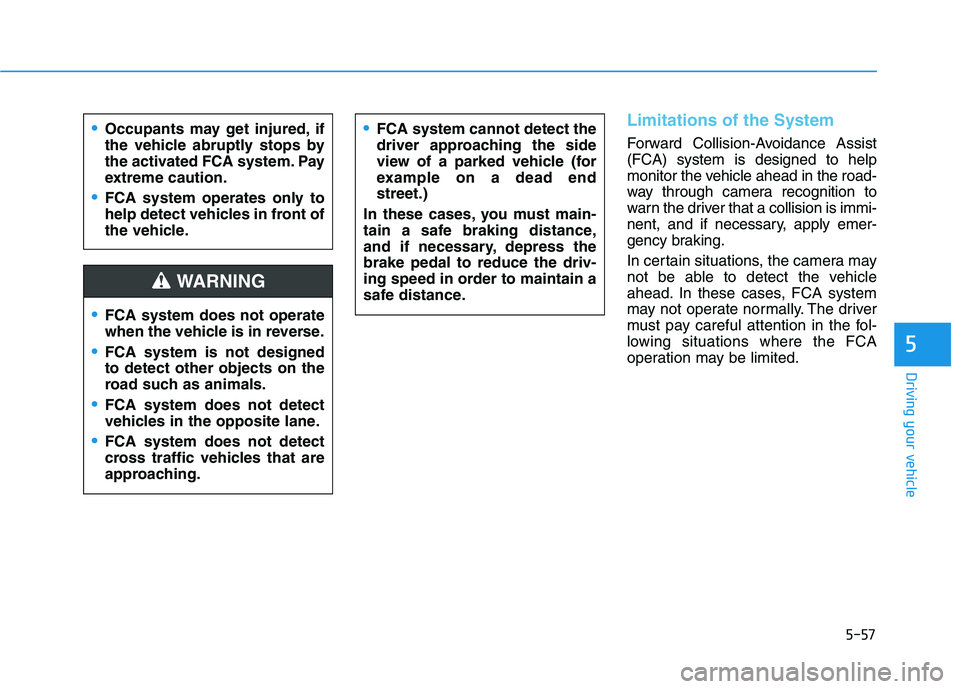
Limitations of the System
Forward Collision-Avoidance Assist
(FCA) system is designed to help
monitor the vehicle ahead in the road-
way through camera recognition to
warn the driver that a collision is immi-
nent, and if necessary, apply emer-
gency braking.
In certain situations, the camera may
not be able to detect the vehicle
ahead. In these cases, FCA system
may not operate normally. The driver
must pay careful attention in the fol-
lowing situations where the FCA
operation may be limited.Occupants may get injured, if
the vehicle abruptly stops by
the activated FCA system. Pay
extreme caution.
FCA system operates only to
help detect vehicles in front of
the vehicle.
FCA system does not operate
when the vehicle is in reverse.
FCA system is not designed
to detect other objects on the
road such as animals.
FCA system does not detect
vehicles in the opposite lane.
FCA system does not detect
cross traffic vehicles that are
approaching.
FCA system cannot detect the
driver approaching the side
view of a parked vehicle (for
example on a dead end
street.)
In these cases, you must main-
tain a safe braking distance,
and if necessary, depress the
brake pedal to reduce the driv-
ing speed in order to maintain a
safe distance.
WARNING