utility mode HYUNDAI KONA EV 2021 Owners Manual
[x] Cancel search | Manufacturer: HYUNDAI, Model Year: 2021, Model line: KONA EV, Model: HYUNDAI KONA EV 2021Pages: 478, PDF Size: 32.83 MB
Page 148 of 478
3-64
Convenient features of your vehicle
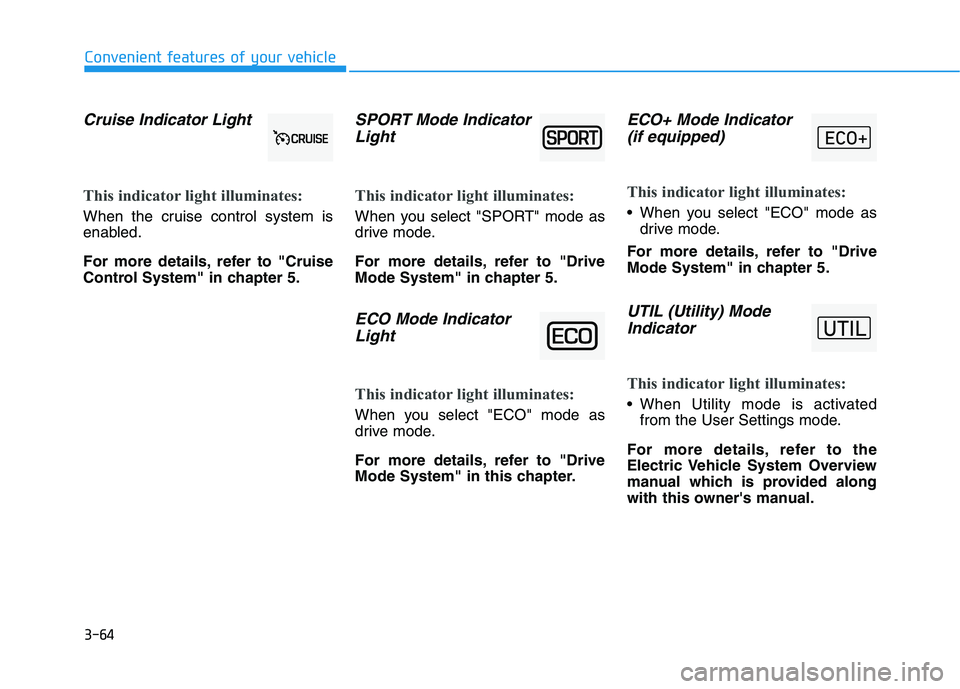
Cruise Indicator Light
This indicator light illuminates:
When the cruise control system is
enabled.
For more details, refer to "Cruise
Control System" in chapter 5.
SPORT Mode Indicator
Light
This indicator light illuminates:
When you select "SPORT" mode as
drive mode.
For more details, refer to "Drive
Mode System" in chapter 5.
ECO Mode Indicator
Light
This indicator light illuminates:
When you select "ECO" mode as
drive mode.
For more details, refer to "Drive
Mode System" in this chapter.
ECO+ Mode Indicator
(if equipped)
This indicator light illuminates:
When you select "ECO" mode as
drive mode.
For more details, refer to "Drive
Mode System" in chapter 5.
UTIL (Utility) Mode
Indicator
This indicator light illuminates:
When Utility mode is activated
from the User Settings mode.
For more details, refer to the
Electric Vehicle System Overview
manual which is provided along
with this owner's manual.
Page 163 of 478
3-79
Convenient features of your vehicle
3
The information provided may differ depending on which functions are applicable to your vehicle.
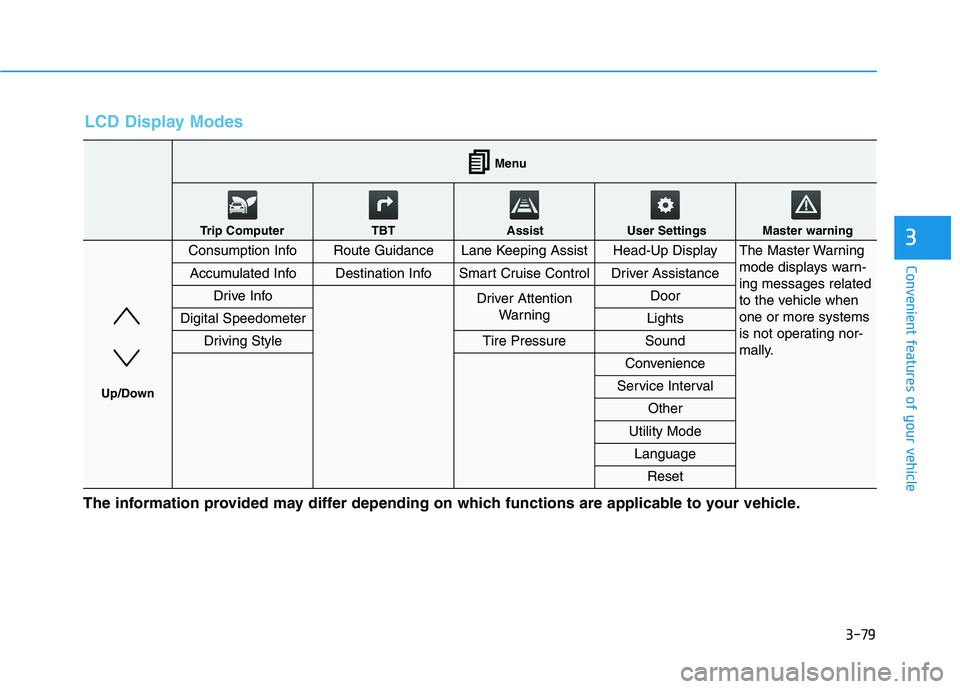
LCD Display Modes
Consumption InfoRoute GuidanceLane Keeping AssistHead-Up DisplayThe Master Warning
mode displays warn-
ing messages related
to the vehicle when
one or more systems
is not operating nor-
mally.
Accumulated InfoDestination InfoSmart Cruise ControlDriver Assistance
Drive InfoDriver Attention
Warning Door
Digital SpeedometerLights
Driving StyleTire PressureSound
Convenience
Service Interval
Other
Utility Mode
Language
Reset
Menu
Trip Computer TBT Assist User Settings Master warning
Up/Down
Page 166 of 478
3-82
Convenient features of your vehicle
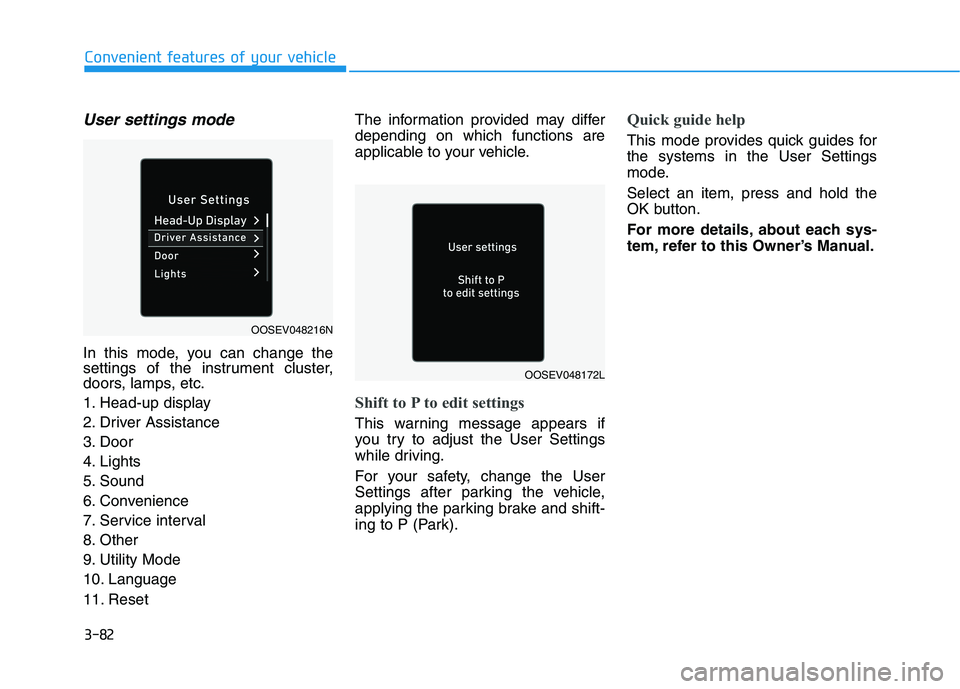
User settings mode
In this mode, you can change the
settings of the instrument cluster,
doors, lamps, etc.
1. Head-up display
2. Driver Assistance
3. Door
4. Lights
5. Sound
6. Convenience
7. Service interval
8. Other
9. Utility Mode
10. Language
11. ResetThe information provided may differ
depending on which functions are
applicable to your vehicle.
Shift to P to edit settings
This warning message appears if
you try to adjust the User Settings
while driving.
For your safety, change the User
Settings after parking the vehicle,
applying the parking brake and shift-
ing to P (Park).
Quick guide help
This mode provides quick guides for
the systems in the User Settings
mode.
Select an item, press and hold the
OK button.
For more details, about each sys-
tem, refer to this Owner’s Manual.
OOSEV048216N
OOSEV048172L
Page 175 of 478
3-91
Convenient features of your vehicle
3
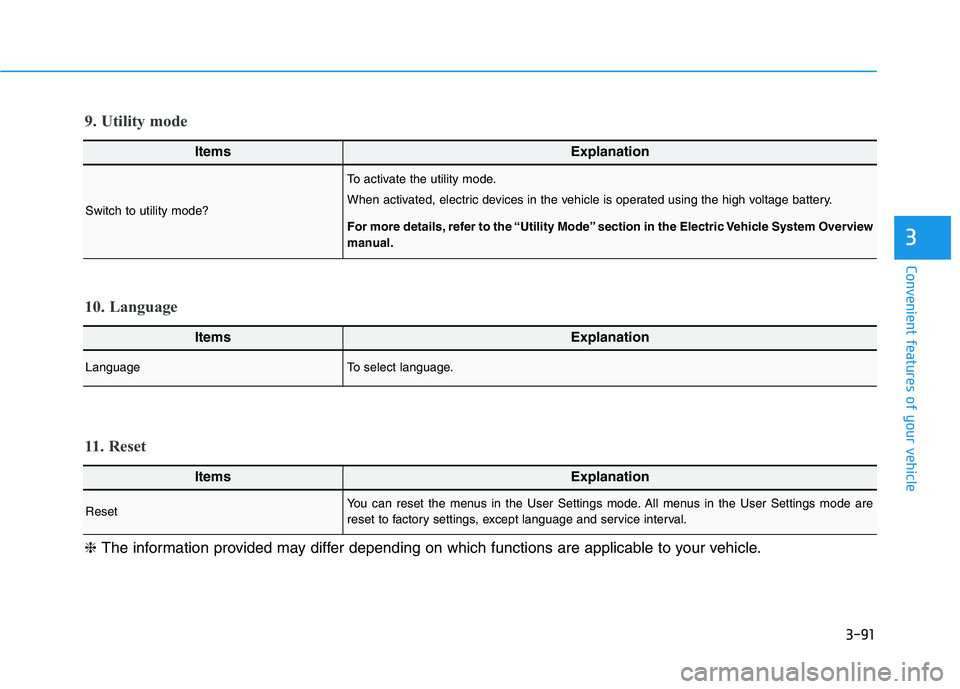
ItemsExplanation
LanguageTo select language.
10. Language
ItemsExplanation
ResetYou can reset the menus in the User Settings mode. All menus in the User Settings mode are
reset to factory settings, except language and service interval.
11. Reset
❈The information provided may differ depending on which functions are applicable to your vehicle.
ItemsExplanation
Switch to utility mode?
To activate the utility mode.
When activated, electric devices in the vehicle is operated using the high voltage battery.
For more details, refer to the “Utility Mode” section in the Electric Vehicle System Overview
manual.
9. Utility mode
Page 249 of 478
5-14
Driving your vehicle
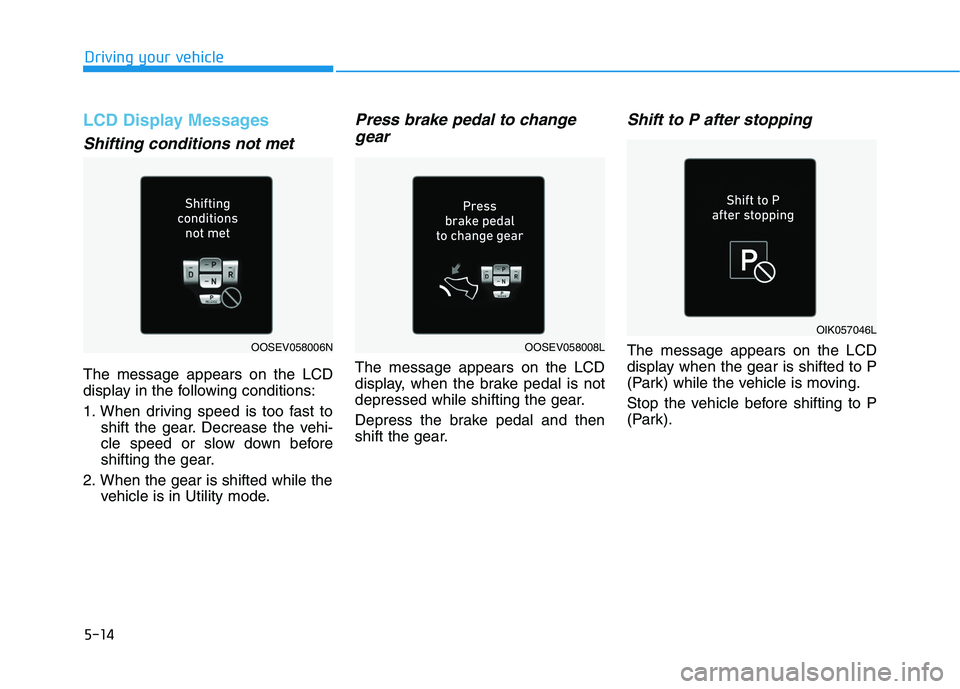
LCD Display Messages
Shifting conditions not met
The message appears on the LCD
display in the following conditions:
1. When driving speed is too fast to
shift the gear. Decrease the vehi-
cle speed or slow down before
shifting the gear.
2. When the gear is shifted while the
vehicle is in Utility mode.
Press brake pedal to change
gear
The message appears on the LCD
display, when the brake pedal is not
depressed while shifting the gear.
Depress the brake pedal and then
shift the gear.
Shift to P after stopping
The message appears on the LCD
display when the gear is shifted to P
(Park) while the vehicle is moving.
Stop the vehicle before shifting to P
(Park).OOSEV058008L
OIK057046L
OOSEV058006N