display HYUNDAI KONA EV 2022 Workshop Manual
[x] Cancel search | Manufacturer: HYUNDAI, Model Year: 2022, Model line: KONA EV, Model: HYUNDAI KONA EV 2022Pages: 548, PDF Size: 49.14 MB
Page 184 of 548
04
4-41
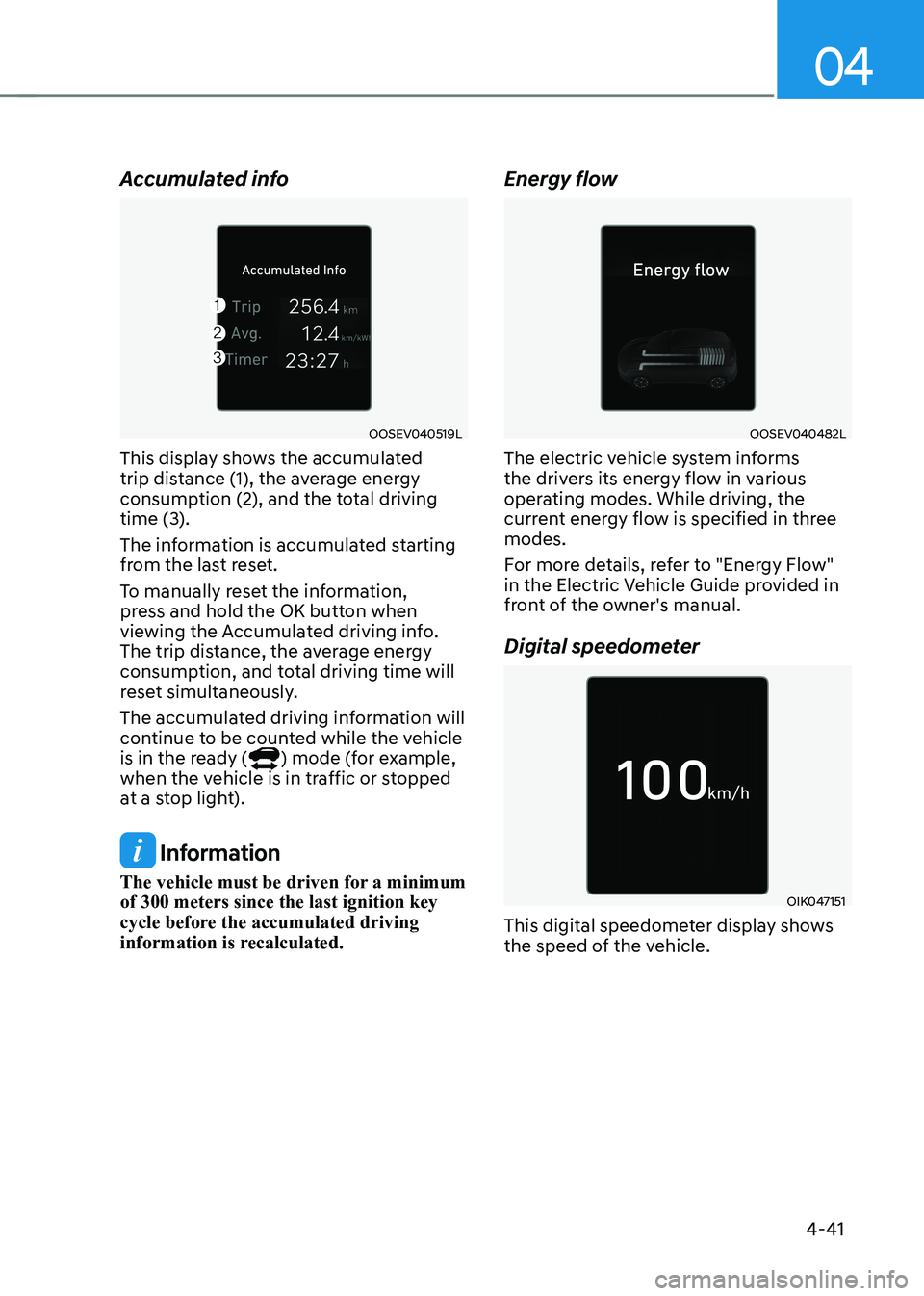
Accumulated info
OOSEV040519L
This display shows the accumulated
trip distance (1), the average energy
consumption (2), and the total driving
time (3).
The information is accumulated starting
from the last reset.
To manually reset the information,
press and hold the OK button when
viewing the Accumulated driving info.
The trip distance, the average energy
consumption, and total driving time will
reset simultaneously.
The accumulated driving information will
continue to be counted while the vehicle
is in the ready (
) mode (for example,
when the vehicle is in traffic or stopped
at a stop light).
Information
The vehicle must be driven for a minimum of 300 meters since the last ignition key
cycle before the accumulated driving
information is recalculated. Energy flow
OOSEV040482L
The electric vehicle system informs
the drivers its energy flow in various
operating modes. While driving, the
current energy flow is specified in three modes.
For more details, refer to "Energy Flow"
in the Electric Vehicle Guide provided in
front of the owner's manual.
Digital speedometer
OIK047151
This digital speedometer display shows
the speed of the vehicle.
Page 185 of 548
5
Accessing your vehicle ..................................................................................... 5-4
Smart key .................................................................................................................... 5-4
Immobilizer system ...................................................................................................... 5-9
Door locks .................................................................................................................. 5-10
Operating door locks from outside the vehicle........................................................ 5-10
Operating door locks from inside the vehicle ...........................................................5-11
Auto door lock/unlock features..................................................................................5-13
Child-protector rear door locks ................................................................................. 5-14
Rear Occupant Alert (ROA) ....................................................................................... 5-14
Theft-alarm system .......................................................................................... 5-15
Steering wheel ................................................................................................. 5-16
Electric power steering (EPS) .................................................................................... 5-16
Tilt steering/Telescopic steering ................................................................................ 5-17
Heated steering wheel ............................................................................................... 5-18
Horn............................................................................................................................. 5-18
Mirrors .............................................................................................................. 5-19
Inside rearview mirror ................................................................................................ 5-19
Outside rearview mirror ............................................................................................. 5-30
Windows .......................................................................................................... 5-33
Power windows .......................................................................................................... 5-33
Sunroof ............................................................................................................. 5-37
Sunroof opening and closing .................................................................................... 5-38
Sliding the sunroof ..................................................................................................... 5-38
Tilting the sunroof ...................................................................................................... 5-39
Sunshade .................................................................................................................... 5-39
Resetting the sunroof ................................................................................................ 5-39
Sunroof open warning .............................................................................................. 5-40
Exterior features ............................................................................................... 5-41
Hood ............................................................................................................................ 5-41
Tailgate ........................................................................................................................ 5-43
Charging door ............................................................................................................. 5-45
Head Up Display (HUD) .................................................................................. 5-46
Precautions while using the head up display ..........................................................5-46
Head Up Display ON/OFF .......................................................................................... 5-47
Head Up Display Information .................................................................................... 5-47
Head Up Display Setting ............................................................................................ 5-47
5. Convenient features
Page 197 of 548
05
5-13
WARNING
Do not leave children or animals
unattended in your vehicle. An enclosed
vehicle can become extremely hot,
causing death or serious injury to
unattended children or animals who
cannot escape the vehicle. Children
might operate features of the vehicle
that could injure them, or they could
encounter other harm, possibly from
someone gaining entry to the vehicle.
WARNING
Leaving your vehicle unlocked increases
the potential risk to you or others from
someone hiding in your vehicle.
To secure your vehicle, while
depressing the brake, move the shift
lever to the P (Park) position, engage
the parking brake, and place the START/
STOP button OFF position, close all
windows, lock all doors, and always
take the key with you.
CAUTION
Opening a door when something is
approaching may cause damage or
injury. Be careful when opening doors
and watch for vehicles, motorcycles,
bicycles or pedestrians approaching the
vehicle in the path of the door.
WARNING
If you stay in the vehicle for a long time
while the weather is very hot or cold,
there are risks of injuries or danger to
life. Do not lock the vehicle from the
outside when someone is in the vehicle.
Auto door lock/unlock features
Impact sensing door unlock system (if equipped)
All doors will be automatically unlocked
when an impact causes the air bags to
deploy.
Speed sensing door lock system (if equipped)
All doors will be automatically locked
when vehicle speed exceeds 15 km/h
(9 mph).
You can activate or deactivate the Auto
Door Lock/Unlock features from the User
Settings mode on the LCD display. For
more details, refer to “LCD Display” in
this chapter.
Page 208 of 548
Convenient features
5-24
3) Two-Way Communication
Programming (For select garage door
openers)
If your garage door opener has the
'myQ' logo on its side, your opener
likely has Two-Way Communication
capability. HomeLink has the capability
to establish Two-Way Communication
with your garage door opener. HomeLink
can receive and display "closing"
or "opening" status messages from
compatible garage door openers. At
any time, Home-Link can also recall
and display the last recorded status
communicated by the garage door
opener to indicate your garage door being "closed" or "opened".
To check if your garage door opener is
compatible with this feature, refer to
www.homelink.com/compatible/ Two-
way-Communication. If your garage
door opener has this functionality, AND
the Two-Way Communication indicators
(4), (6) in the mirror appear while the
garage door is opening/closing, then
no further steps are needed. Two-Way
Communication Programming is already
complete.
However, if your garage door opener
has this functionality, AND the Two-
Way Communication indicators (4), (6)
in the mirror DO NOT appear while the
garage door is opening/closing, use
the following instructions to enable this
functionality. 1. In your vehicle, press and hold the
programmed HomeLink button for 2
seconds, then release. Confirm that
the garage door is moving. AFTER it
stops, you will have one minute to
complete the following steps:
à A ladder and/or second person may
simplify the following steps.
2. On your garage door opener in your garage, locate the "Learn" button
(usually near where the hanging
antenna wire is attached to the garage
door opener). If there is difficulty
locating this button, reference the
device's owner's manual.
3. Press and release the "Learn" button.
4. A light on your garage door opener
may flash, and your Two-Way
Communication indicators (4), (6) in
your vehicle may flash, confirming
completion of the process.
5. Return to the vehicle and firmly press and release the programmed
HomeLink button to activate
your garage door. The Two-Way
Communication indicators (4), (6)
flash in orange when the door is
moving. Do not make any additional
button presses until AFTER the garage
door has come to a complete stop.
6. Your Two-Way Communication programming is now complete.
Information
If your garage door opener has Two-
Way Communication functionality,
it is possible for HomeLink to stop
functioning the garage door shortly
after initial programming, IF the Two-
Way Communication Programming
wasn’t properly completed. This
usually happens after the first 10 times
a programmed HomeLink button is
pressed. If you experience this, completing
the "Programming a New HomeLink
Button" and "Two-Way Communication
Programming" will restore door operation.
Page 209 of 548
05
5-25
4) Canadian Programming
Canadian radio-frequency laws require
transmitter remote signals to "time-
out" (or quit) after a couple seconds of
transmission, which may not be long
enough for HomeLink to pick up the signal
during programming.
If you live in Canada or you are having
difficulties programming a gate operator
or garage door opener by using the
programming procedures, replace
"Programming a New HomeLink Button"
step 3 with the following:
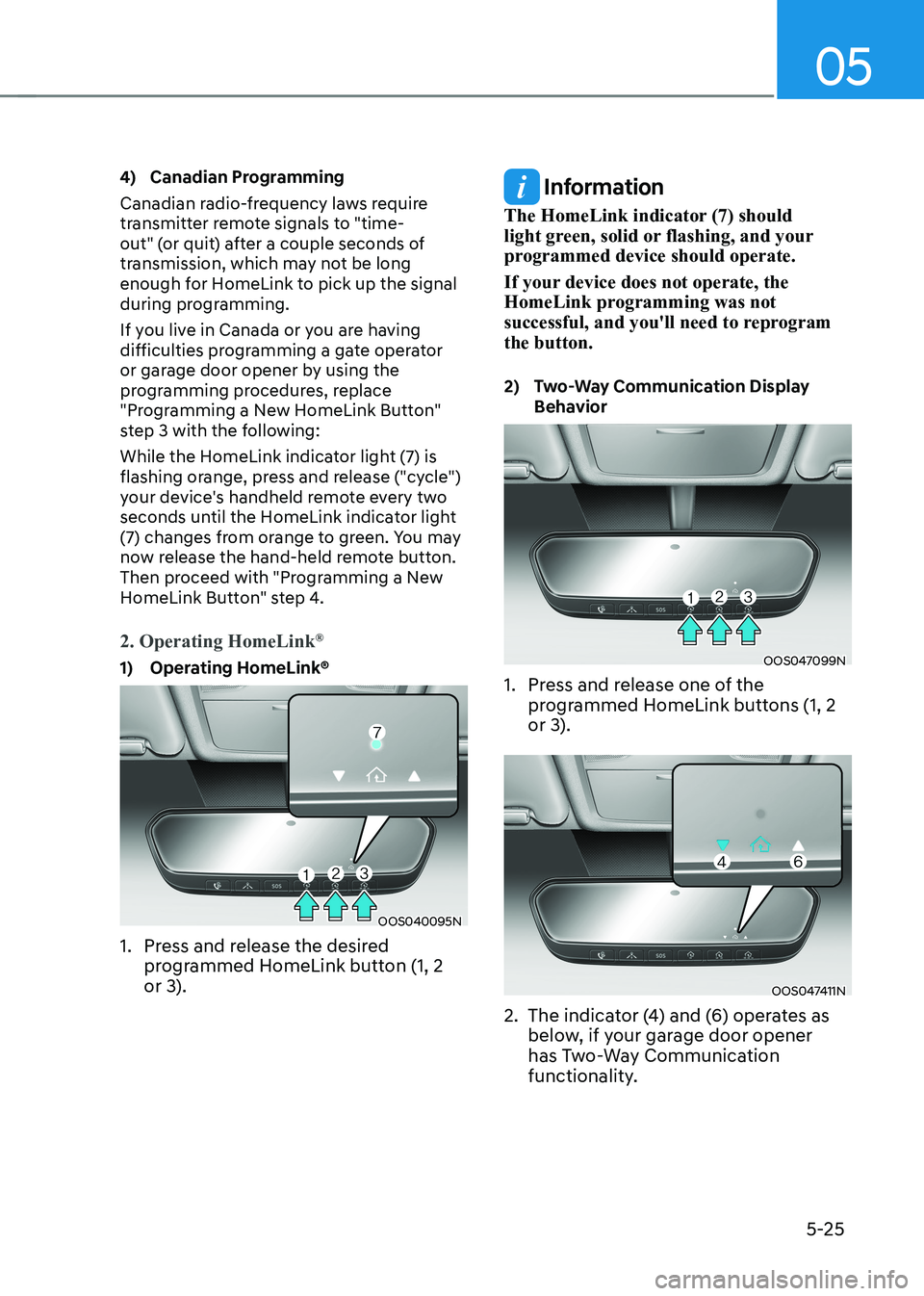
While the HomeLink indicator light (7) is
flashing orange, press and release ("cycle")
your device's handheld remote every two
seconds until the HomeLink indicator light
(7) changes from orange to green. You may
now release the hand-held remote button.
Then proceed with "Programming a New
HomeLink Button" step 4.
2. Operating HomeLink
®
1) Operating HomeLink®
OOS040095N
1. Press and release the desired programmed HomeLink button (1, 2
or 3).
Information
The HomeLink indicator (7) should
light green, solid or flashing, and your
programmed device should operate.
If your device does not operate, the
HomeLink programming was not
successful, and you'll need to reprogram the button.
2) Two-Way Communication Display Behavior
OOS047099N
1. Press and release one of the programmed HomeLink buttons (1, 2
or 3).
OOS047411N
2. The indicator (4) and (6) operates as below, if your garage door opener
has Two-Way Communication
functionality.
Page 216 of 548
Convenient features
5-32
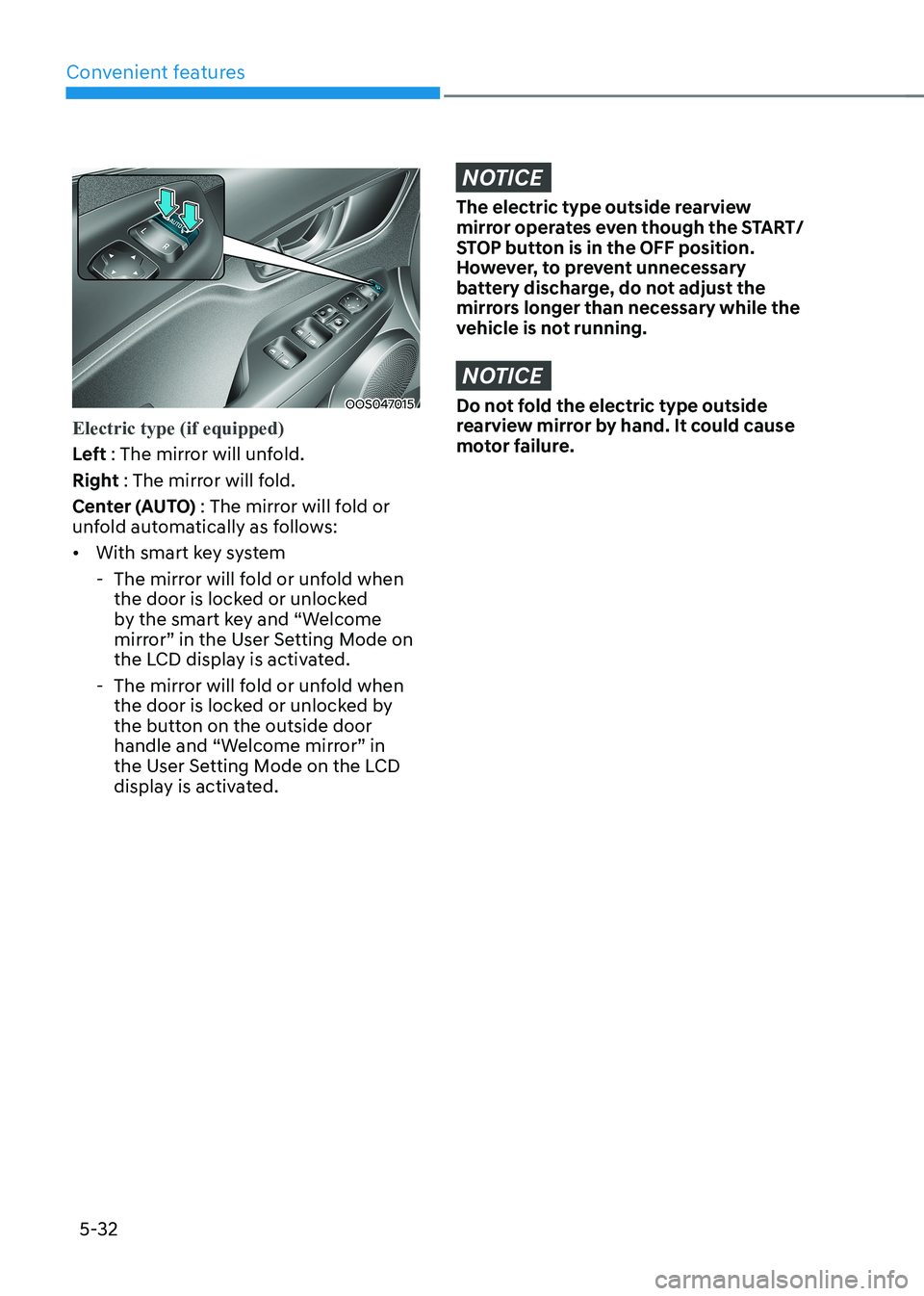
OOS047015
Electric type (if equipped)
Left : The mirror will unfold.
Right : The mirror will fold.
Center (AUTO) : The mirror will fold or
unfold automatically as follows: • With smart key system
- The mirror will fold or unfold when the door is locked or unlocked
by the smart key and “Welcome
mirror” in the User Setting Mode on
the LCD display is activated.
- The mirror will fold or unfold when the door is locked or unlocked by
the button on the outside door
handle and “Welcome mirror” in
the User Setting Mode on the LCD
display is activated.
NOTICE
The electric type outside rearview
mirror operates even though the START/
STOP button is in the OFF position.
However, to prevent unnecessary
battery discharge, do not adjust the
mirrors longer than necessary while the
vehicle is not running.
NOTICE
Do not fold the electric type outside
rearview mirror by hand. It could cause
motor failure.
Page 224 of 548
Convenient features
5-40
4.
Push the control lever forward for about 10 seconds.
- When the sunroof is in the closed position :
- The glass will tilt and slightly move up and down.
- When the sunroof is in the tilt position:
The glass will slightly move up and
down.
Do not release the lever until the
operation is completed.
If you release the lever during operation,
try again from step 2.
5. Within 3 seconds, push the control lever forward until the sunroof
operates as follows:
Tilt down → Slide Open → Slide Close.
Do not release the lever until the
operation is completed.
If you release the lever during operation,
try again from step 2.
6. Release the sunroof control lever after all operation has completed (The
sunroof system has been reset).
Information
• If the sunroof does not reset when
the vehicle battery is disconnected or
discharged, or related fuse is blown, the
sunroof may not operate normally.
• For more detailed information, we
recommend that you contact an
authorized HYUNDAI dealer.
Sunroof open warning (if equipped)
• If the driver turns off the vehicle
when the sunroof is not fully closed,
the warning chime will sound for
approximately 3 seconds and the
open sunroof warning appear on the
LCD display.
• If the driver turns off the vehicle and
opens the door when the sunroof is
not fully closed, the open sunroof
warning will appear on the LCD
display until the door is closed or the
sunroof is fully closed.
Close the sunroof securely when leaving
your vehicle.
Page 226 of 548
Convenient features
5-42
Closing the hood
1. Before closing the hood, check the
following:
• All filler caps in motor room must be
correctly installed.
• Gloves, rags or any other
combustible material must
be removed from the motor
compartment.
2. Return the support rod to its clip to prevent it from rattling.
3. Lower the hood halfway (lifted approximately 30 cm from the closed
position) and push down to securely
lock in place. Then double check to be
sure the hood is secure.
If the hood can be raised slightly, it is
not securely locked. Open it again and
close it with more force.
WARNING
• Before closing the hood, ensure
all obstructions are removed from
around the hood opening.
• Always double check to be sure that
the hood is firmly latched before
driving away. Check there is no
hood open warning light or message
displayed on the instrument cluster.
If the hood is not latched while the
vehicle is moving, the chime will
sound to warn the driver the hood
is not fully latched. Driving with the
hood opened may cause a total loss
of visibility, which might result in an
accident.
• Do not move the vehicle with the
hood in the raised position, as vision
is obstructed, which might result in
an accident, and the hood could fall or be damaged.
Page 230 of 548
Convenient features
5-46
OOSEV050125L
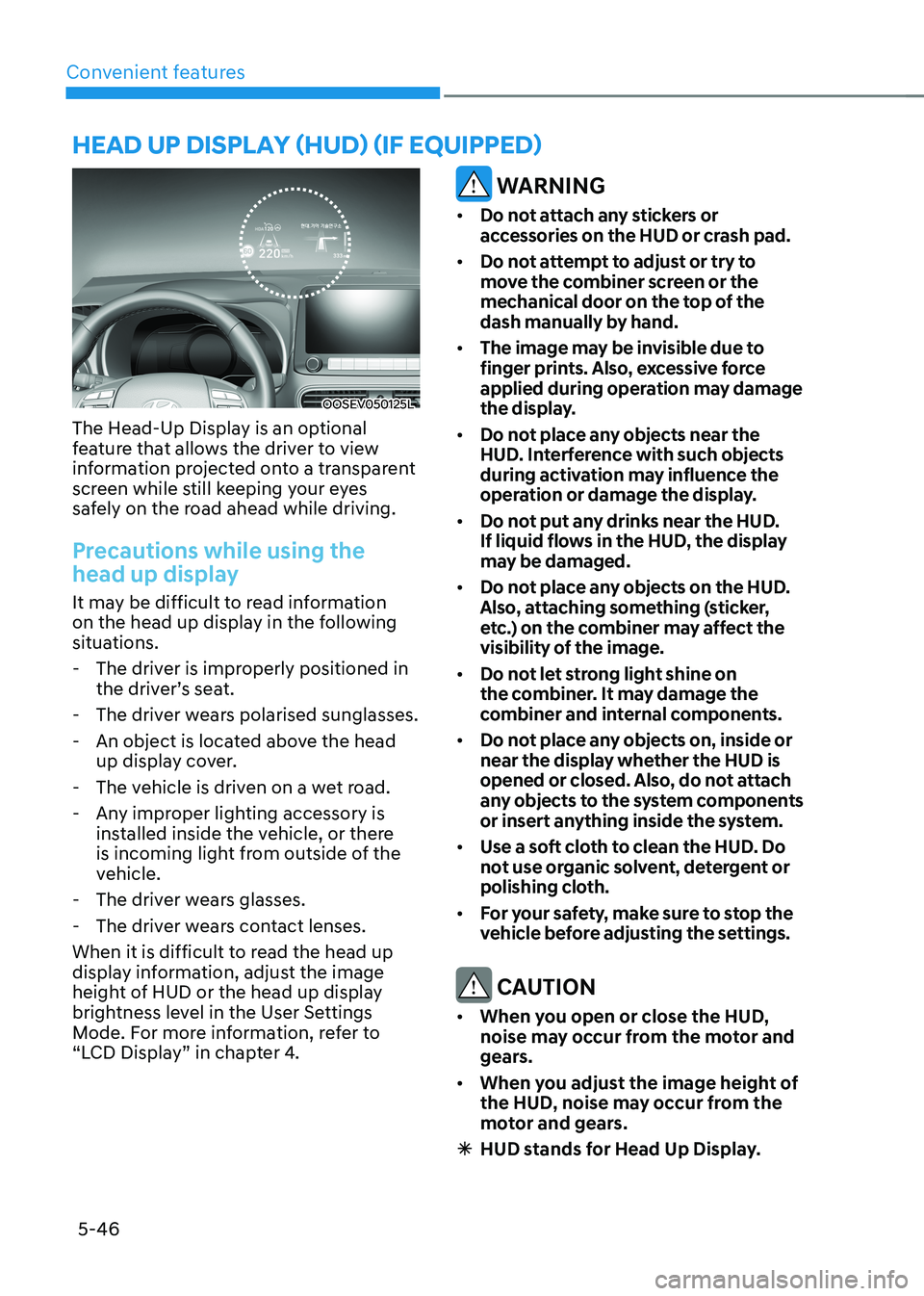
The Head-Up Display is an optional
feature that allows the driver to view
information projected onto a transparent
screen while still keeping your eyes
safely on the road ahead while driving.
Precautions while using the
head up display
It may be difficult to read information
on the head up display in the following
situations. - The driver is improperly positioned in the driver’s seat.
- The driver wears polarised sunglasses.
- An object is located above the head up display cover.
- The vehicle is driven on a wet road.
- Any improper lighting accessory is installed inside the vehicle, or there
is incoming light from outside of the
vehicle.
- The driver wears glasses.
- The driver wears contact lenses.
When it is difficult to read the head up
display information, adjust the image
height of HUD or the head up display
brightness level in the User Settings
Mode. For more information, refer to
“LCD Display” in chapter 4.
WARNING
• Do not attach any stickers or
accessories on the HUD or crash pad.
• Do not attempt to adjust or try to
move the combiner screen or the
mechanical door on the top of the
dash manually by hand.
• The image may be invisible due to
finger prints. Also, excessive force
applied during operation may damage
the display.
• Do not place any objects near the
HUD. Interference with such objects
during activation may influence the
operation or damage the display.
• Do not put any drinks near the HUD.
If liquid flows in the HUD, the display
may be damaged.
• Do not place any objects on the HUD.
Also, attaching something (sticker,
etc.) on the combiner may affect the
visibility of the image.
• Do not let strong light shine on
the combiner. It may damage the
combiner and internal components.
• Do not place any objects on, inside or
near the display whether the HUD is
opened or closed. Also, do not attach
any objects to the system components
or insert anything inside the system.
• Use a soft cloth to clean the HUD. Do
not use organic solvent, detergent or
polishing cloth.
• For your safety, make sure to stop the
vehicle before adjusting the settings.
CAUTION
• When you open or close the HUD,
noise may occur from the motor and
gears.
• When you adjust the image height of
the HUD, noise may occur from the
motor and gears.
à HUD stands for Head Up Display.
head up display (hud) (if equipped)
Page 231 of 548
05
5-47
Head Up Display ON/OFF
OOSEV040061L
Use the head-up display ON/OFF button
to activate or deactivate the head-up
display when the START/STOP button is
in the ON position or when the vehicle is
in the ready (
) mode.
The head-up display will retract
automatically when the vehicle is turned
OFF and the doors are locked with the
Smart Key or when pressing the button on the outside door handle.
Note that if the vehicle is turned OFF and
the doors are not locked, the head-up
display will automatically retract after
approximately five minutes.
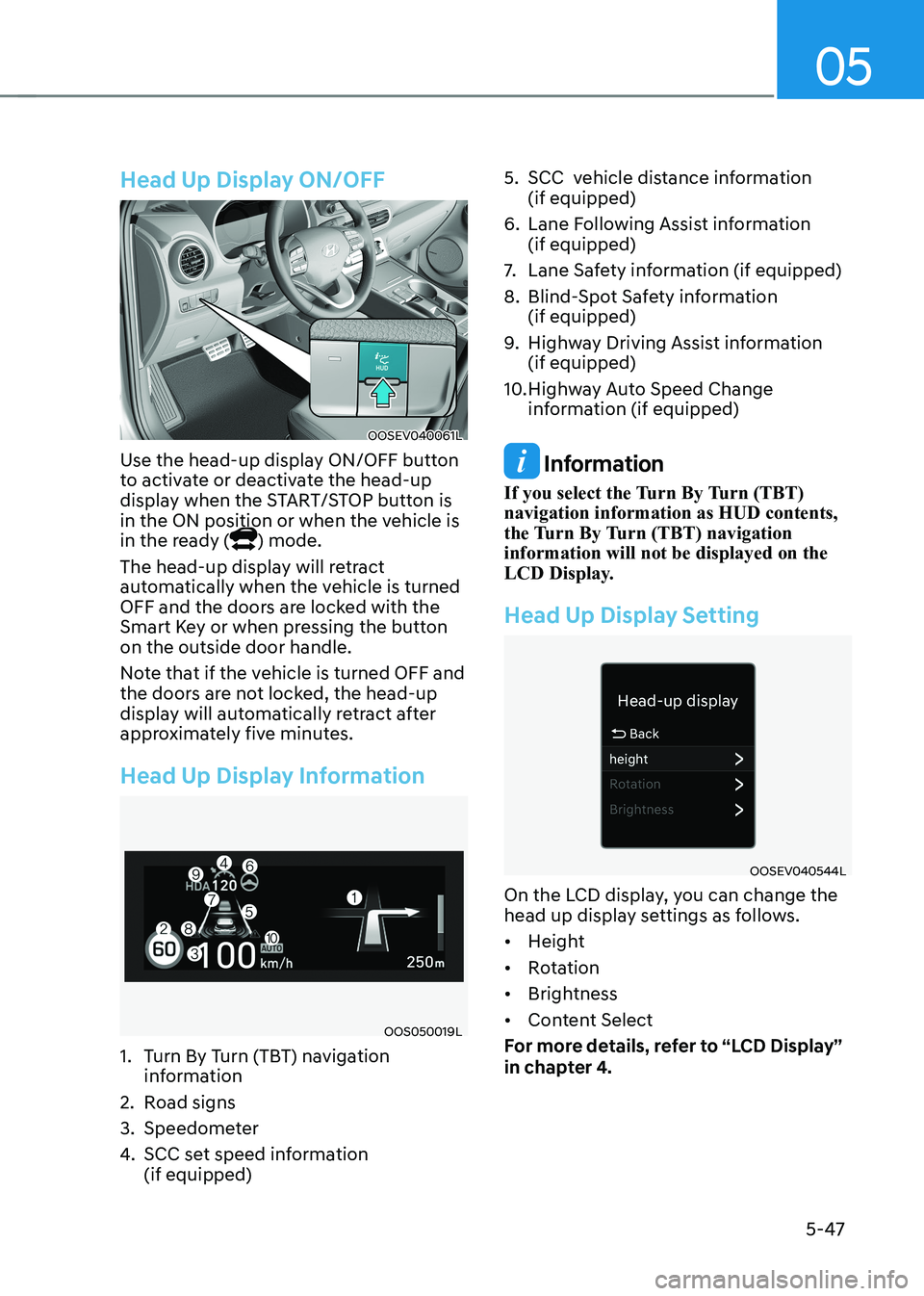
Head Up Display Information
OOS050019L
1. Turn By Turn (TBT) navigation information
2. Road signs
3. Speedometer
4. SCC set speed information (if equipped) 5. SCC vehicle distance information
(if equipped)
6. Lane Following Assist information (if equipped)
7. Lane Safety information (if equipped)
8. Blind-Spot Safety information (if equipped)
9. Highway Driving Assist information (if equipped)
10. Highway Auto Speed Change information (if equipped)
Information
If you select the Turn By Turn (TBT) navigation information as HUD contents,
the Turn By Turn (TBT) navigation information will not be displayed on the
LCD Display.
Head Up Display Setting
OOSEV040544L
On the LCD display, you can change the
head up display settings as follows. • Height
• Rotation
• Brightness
• Content Select
For more details, refer to “LCD Display”
in chapter 4.