display HYUNDAI KONA EV 2022 Repair Manual
[x] Cancel search | Manufacturer: HYUNDAI, Model Year: 2022, Model line: KONA EV, Model: HYUNDAI KONA EV 2022Pages: 548, PDF Size: 49.14 MB
Page 234 of 548
Convenient features
5-50
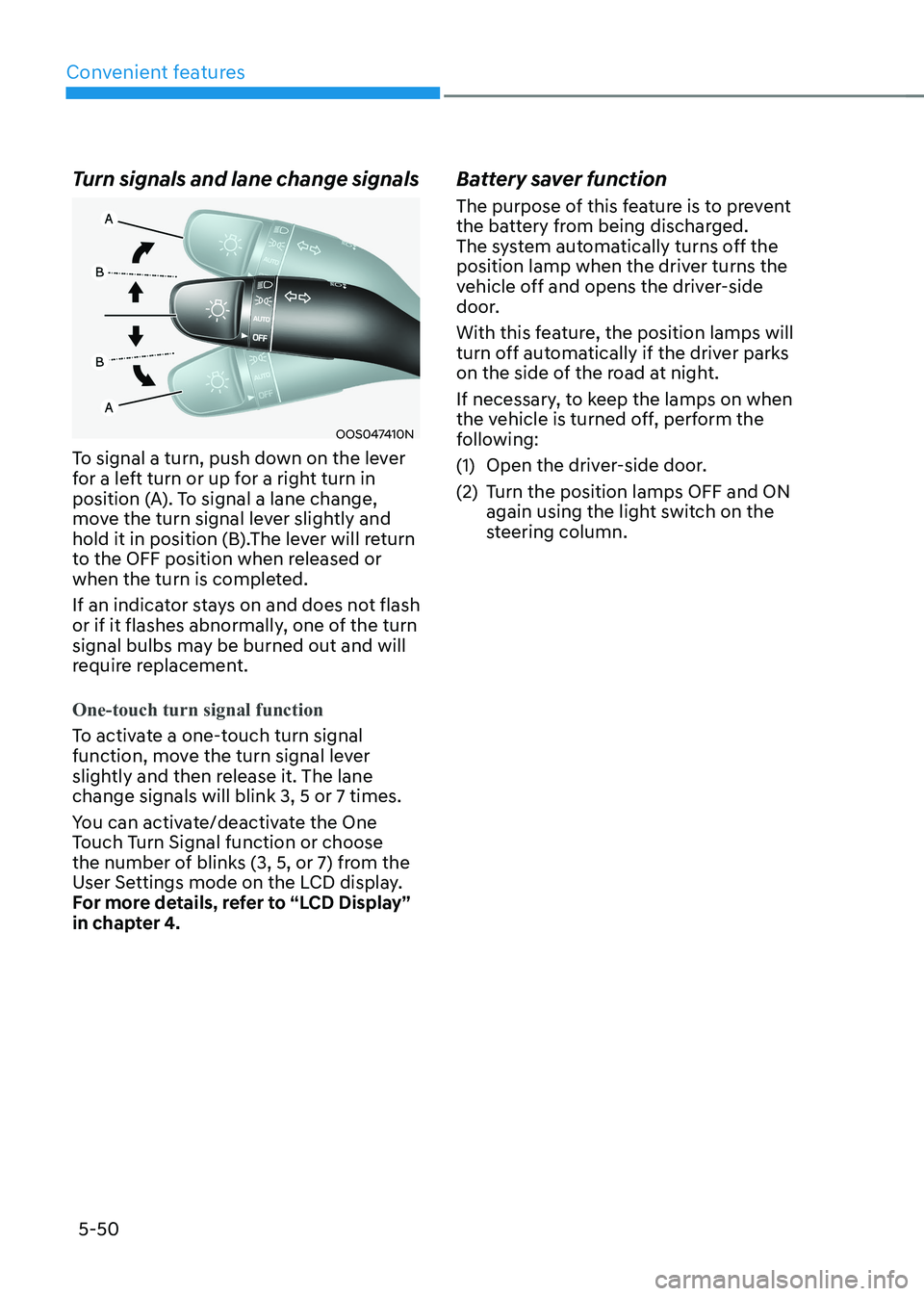
Turn signals and lane change signals
OOS047410N
To signal a turn, push down on the lever
for a left turn or up for a right turn in
position (A). To signal a lane change,
move the turn signal lever slightly and
hold it in position (B).The lever will return
to the OFF position when released or
when the turn is completed.
If an indicator stays on and does not flash
or if it flashes abnormally, one of the turn
signal bulbs may be burned out and will
require replacement.
One-touch turn signal function
To activate a one-touch turn signal
function, move the turn signal lever
slightly and then release it. The lane change signals will blink 3, 5 or 7 times.
You can activate/deactivate the One
Touch Turn Signal function or choose
the number of blinks (3, 5, or 7) from the
User Settings mode on the LCD display.
For more details, refer to “LCD Display”
in chapter 4. Battery saver function
The purpose of this feature is to prevent
the battery from being discharged.
The system automatically turns off the
position lamp when the driver turns the
vehicle off and opens the driver-side
door.
With this feature, the position lamps will
turn off automatically if the driver parks
on the side of the road at night.
If necessary, to keep the lamps on when
the vehicle is turned off, perform the
following:
(1) Open the driver-side door.
(2) Turn the position lamps OFF and ON
again using the light switch on the
steering column.
Page 235 of 548
05
5-51
Headlamp delay function (if equipped)
If you place the START/STOP button
to the ACC or OFF position with the
headlamps ON, the headlamps (and/or
position lamps) remain on for about 5
minutes. However, with the vehicle off if
the driver’s door is opened and closed,
the headlamps (and/or position lamps)
are turned off after 15 seconds.
The headlamps (and/or position lamps)
can be turned off by pressing the lock
button on the smart key twice or turning
the light switch to the OFF or AUTO
position. However, if you turn the light
switch to the AUTO position when it is
dark outside, the headlamps will not be
turned off.
You can activate or deactivate the
Headlamp Delay function from the User
Settings mode on the LCD display. For
more details, refer to “LCD Display” in
chapter 4.
NOTICE
If the driver gets out of the vehicle
through other doors (except driver’s
door), the battery saver function
does not operate and the headlamp
delay function does not turn off
automatically. Therefore, It causes the
battery to be discharged. In this case,
make sure to turn off the headlamps
before getting out of the vehicle.
Welcome system (if equipped)
Headlamp and position lamp
When the headlamp (lamp switch in the
headlamp or AUTO position) is on and
all doors (and tailgate) are locked and closed, the position lamp and headlamp
will come on for 15 seconds when the
door unlock button is pressed on the
smart key.
At this time, if you press the door lock
or unlock button, the position lamp and
headlamp will turn off immediately
Interior lamp
When the interior lamp switch is in
the DOOR position and all doors (and
tailgate) are closed and locked, the room
lamp will come on for 30 seconds if any
of the below is performed. • When the door unlock button is
pressed on the smart key.
• When the button of the outside door
handle is pressed with the smart key in possession.
At this time, if you press the door lock or
unlock button, the room lamp will turn
off immediately.
Page 245 of 548
05
5-61
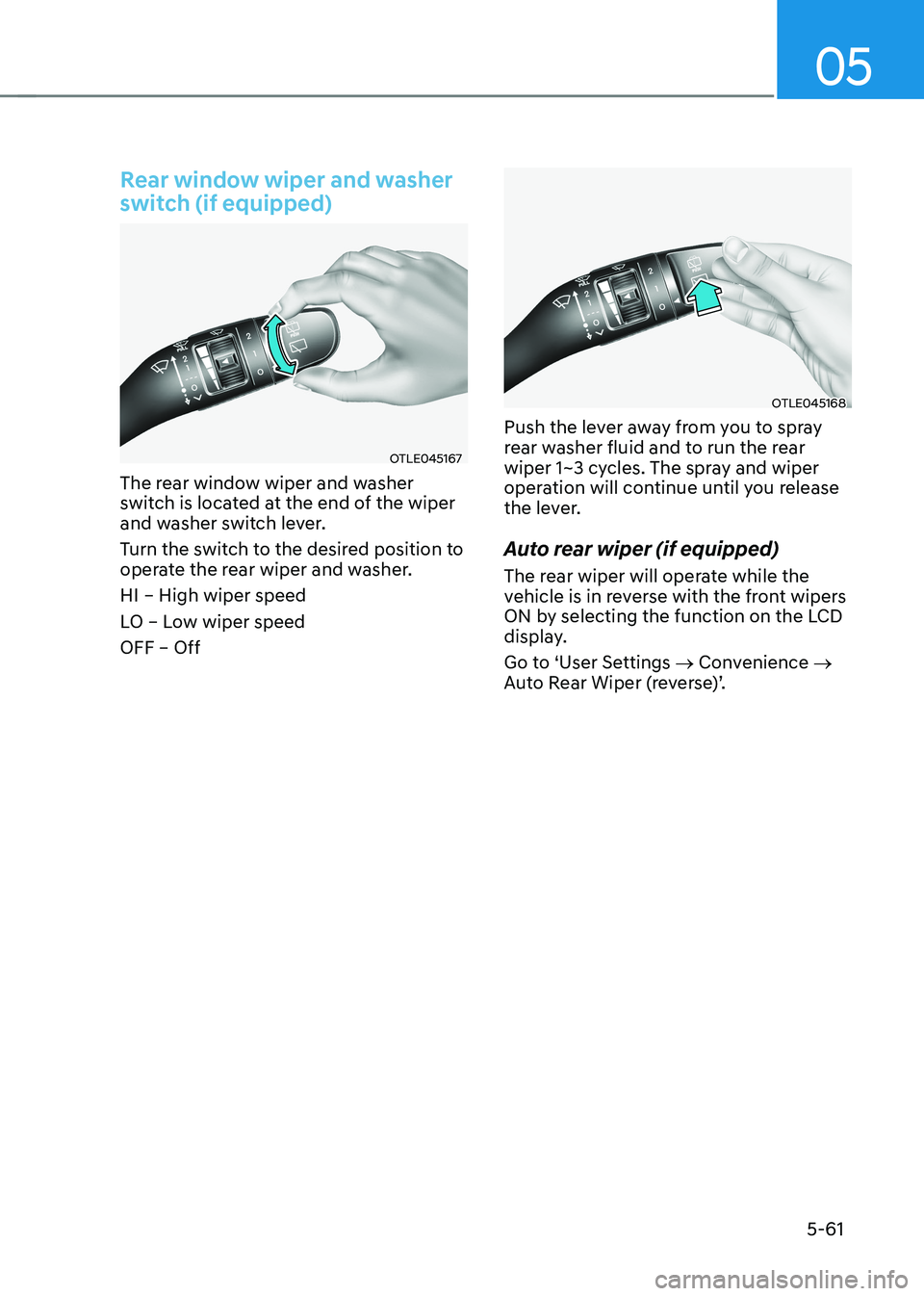
Rear window wiper and washer
switch (if equipped)
OTLE045167
The rear window wiper and washer
switch is located at the end of the wiper
and washer switch lever.
Turn the switch to the desired position to
operate the rear wiper and washer. HI – High wiper speed
LO – Low wiper speed OFF – Off
OTLE045168
Push the lever away from you to spray
rear washer fluid and to run the rear
wiper 1~3 cycles. The spray and wiper
operation will continue until you release
the lever.
Auto rear wiper (if equipped)
The rear wiper will operate while the
vehicle is in reverse with the front wipers
ON by selecting the function on the LCD
display.
Go to ‘User Settings → Convenience →
Auto Rear Wiper (reverse)’.
Page 247 of 548
05
5-63
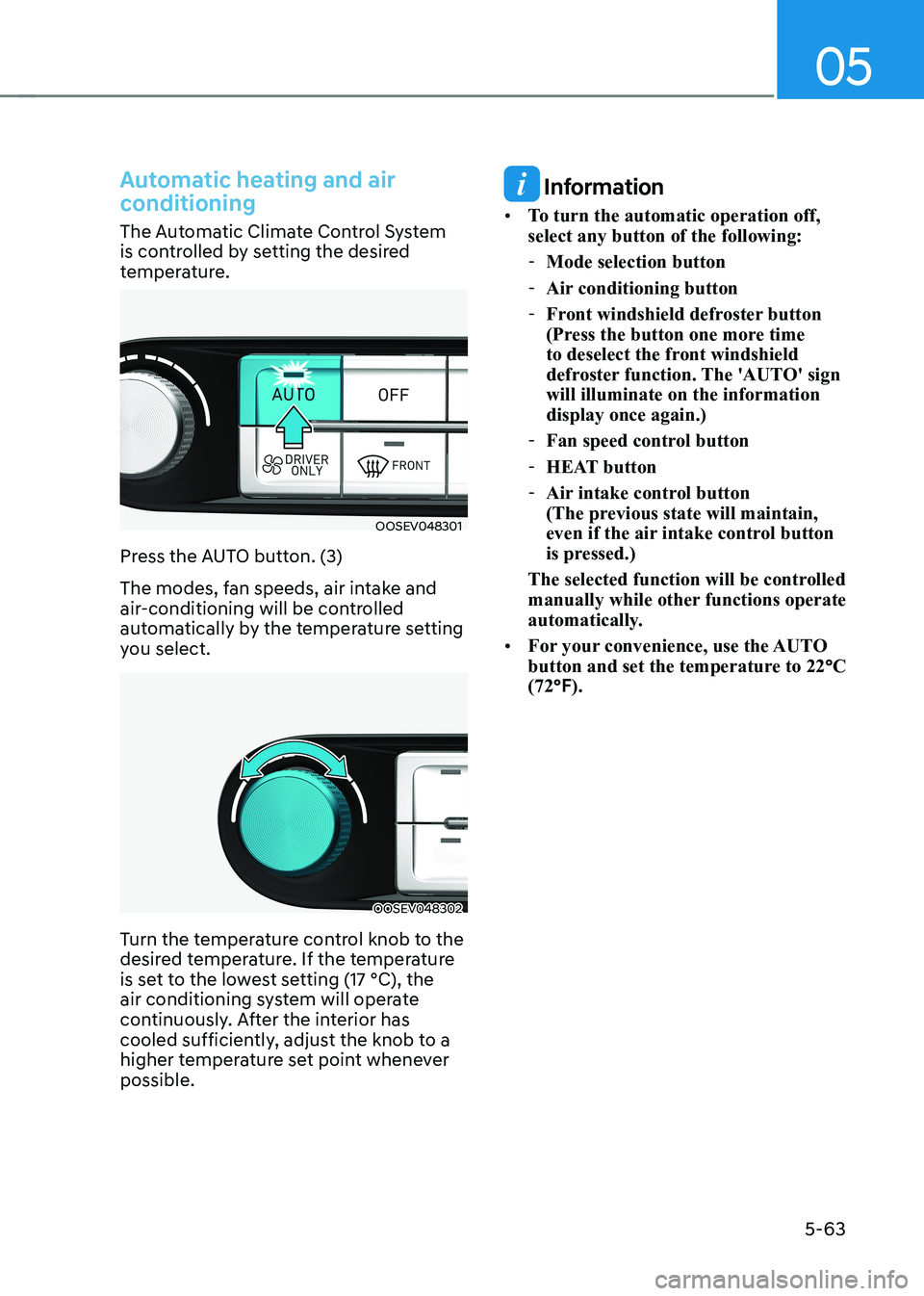
Automatic heating and air
conditioning
The Automatic Climate Control System
is controlled by setting the desired
temperature.
OOSEV048301
Press the AUTO button. (3)
The modes, fan speeds, air intake and
air-conditioning will be controlled
automatically by the temperature setting
you select.
OOSEV048302
Turn the temperature control knob to the
desired temperature. If the temperature
is set to the lowest setting (17 °C), the
air conditioning system will operate
continuously. After the interior has
cooled sufficiently, adjust the knob to a
higher temperature set point whenever possible.
Information
• To turn the automatic operation off, select any button of the following:
- Mode selection button
- Air conditioning button
- Front windshield defroster button
(Press the button one more time
to deselect the front windshield
defroster function. The 'AUTO' sign will illuminate on the information display once again.)
- Fan speed control button
- HEAT button
- Air intake control button
(The previous state will maintain,
even if the air intake control button
is pressed.)
The selected function will be controlled
manually while other functions operate
automatically.
• For your convenience, use the AUTO
button and set the temperature to 22 °C
(72 °F).
Page 251 of 548
05
5-67
OOSEV040306CZ
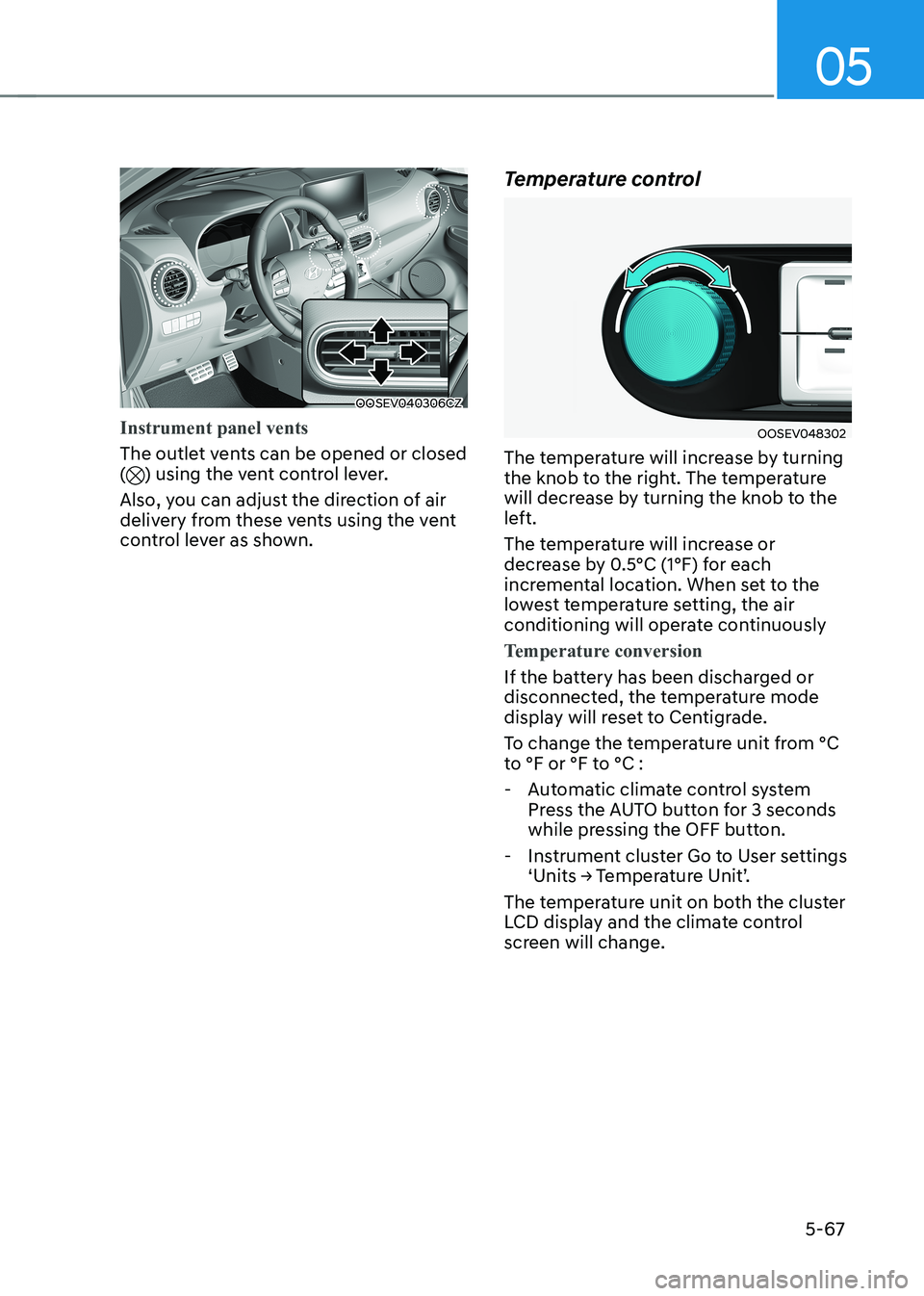
Instrument panel vents
The outlet vents can be opened or closed () using the vent control lever.
Also, you can adjust the direction of air
delivery from these vents using the vent
control lever as shown. Temperature control
OOSEV048302
The temperature will increase by turning
the knob to the right. The temperature
will decrease by turning the knob to the
left.
The temperature will increase or
decrease by 0.5°C (1°F) for each
incremental location. When set to the
lowest temperature setting, the air
conditioning will operate continuously
Temperature conversion
If the battery has been discharged or
disconnected, the temperature mode
display will reset to Centigrade.
To change the temperature unit from °C
to °F or °F to °C :
- Automatic climate control system Press the AUTO button for 3 seconds
while pressing the OFF button.
- Instrument cluster Go to User settings ‘Units → Temperature Unit’.
The temperature unit on both the cluster
LCD display and the climate control
screen will change.
Page 255 of 548
05
5-71
Climate control information screen
selection button
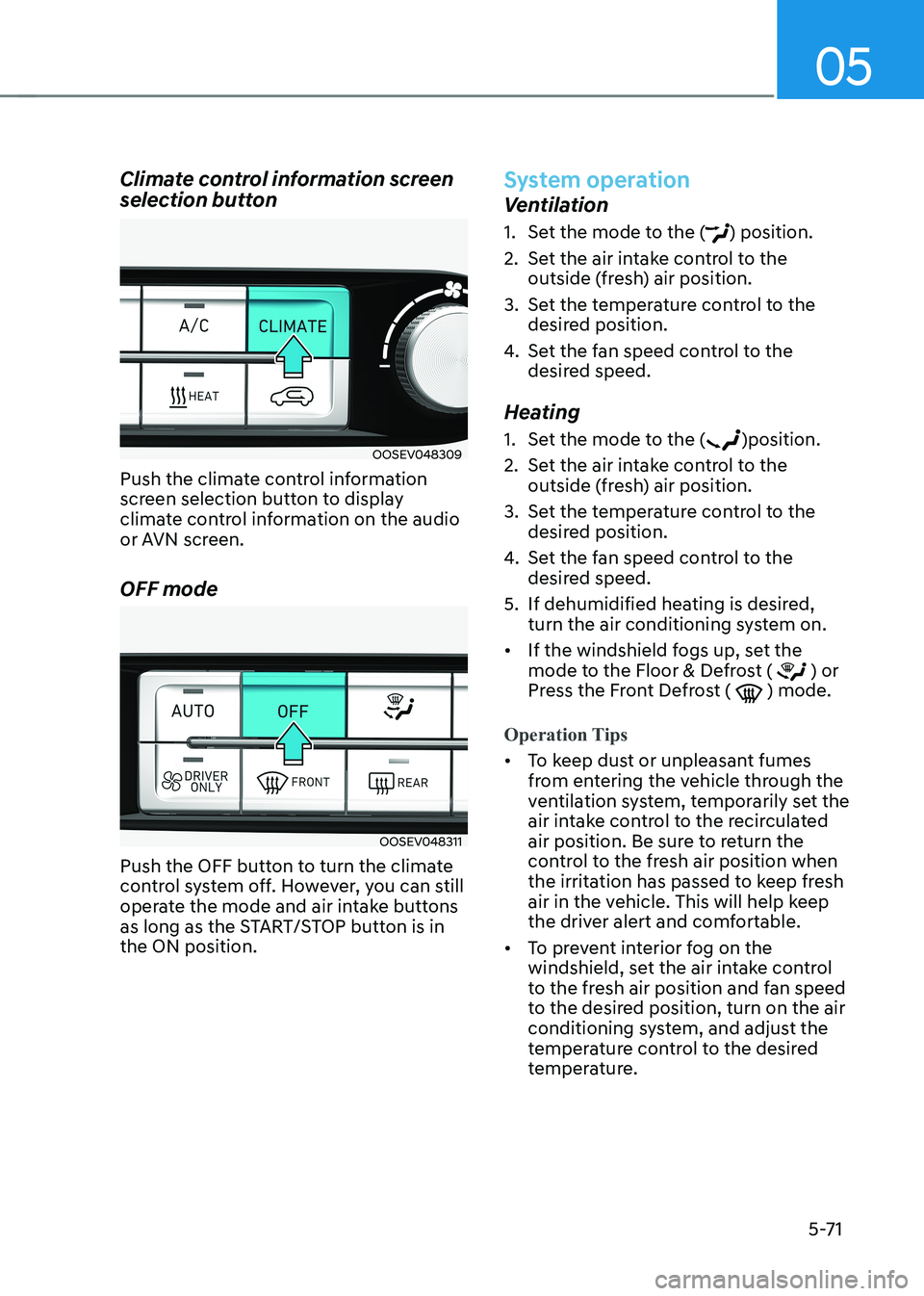
OOSEV048309
Push the climate control information
screen selection button to display
climate control information on the audio
or AVN screen. OFF mode
OOSEV048311
Push the OFF button to turn the climate
control system off. However, you can still
operate the mode and air intake buttons
as long as the START/STOP button is in the ON position.
System operation
Ventilation
1. Set the mode to the (
) position.
2. Set the air intake control to the outside (fresh) air position.
3. Set the temperature control to the desired position.
4. Set the fan speed control to the
desired speed.
Heating
1. Set the mode to the (
)position.
2. Set the air intake control to the outside (fresh) air position.
3. Set the temperature control to the desired position.
4. Set the fan speed control to the
desired speed.
5. If dehumidified heating is desired, turn the air conditioning system on.
• If the windshield fogs up, set the
mode to the Floor & Defrost (
) or
Press the Front Defrost ( ) mode.
Operation Tips
• To keep dust or unpleasant fumes
from entering the vehicle through the
ventilation system, temporarily set the
air intake control to the recirculated
air position. Be sure to return the
control to the fresh air position when
the irritation has passed to keep fresh
air in the vehicle. This will help keep
the driver alert and comfortable.
• To prevent interior fog on the
windshield, set the air intake control
to the fresh air position and fan speed
to the desired position, turn on the air
conditioning system, and adjust the
temperature control to the desired
temperature.
Page 260 of 548
Convenient features
5 -76
WARNING
Windshield heating
Do not use the (
) or () position
during cooling operation in extremely
humid weather. The difference between
the temperature of the outside air and
that of the windshield could cause the
outer surface of the windshield to fog
up, causing loss of visibility. In this case,
set the mode selection knob or button
to the (
) position and fan speed
control knob or button to lower speed. • For maximum windshield defrosting,
set the temperature control knob to
the highest temperature setting and
the fan control knob to the highest fan
speed. Select the front defrost button
on the climate control display.
• If warm air to the floor is desired while
defrosting or defogging, set the mode
to the floor-defrost position.
• Before driving, clear all snow and ice
from the windshield, rear window,
outside rear view mirrors, and all side
windows.
• Clear all snow and ice from the
hood and air inlet in the cowl grill
to improve heater and defroster
efficiency and to reduce the
probability of fogging up inside of the windshield.
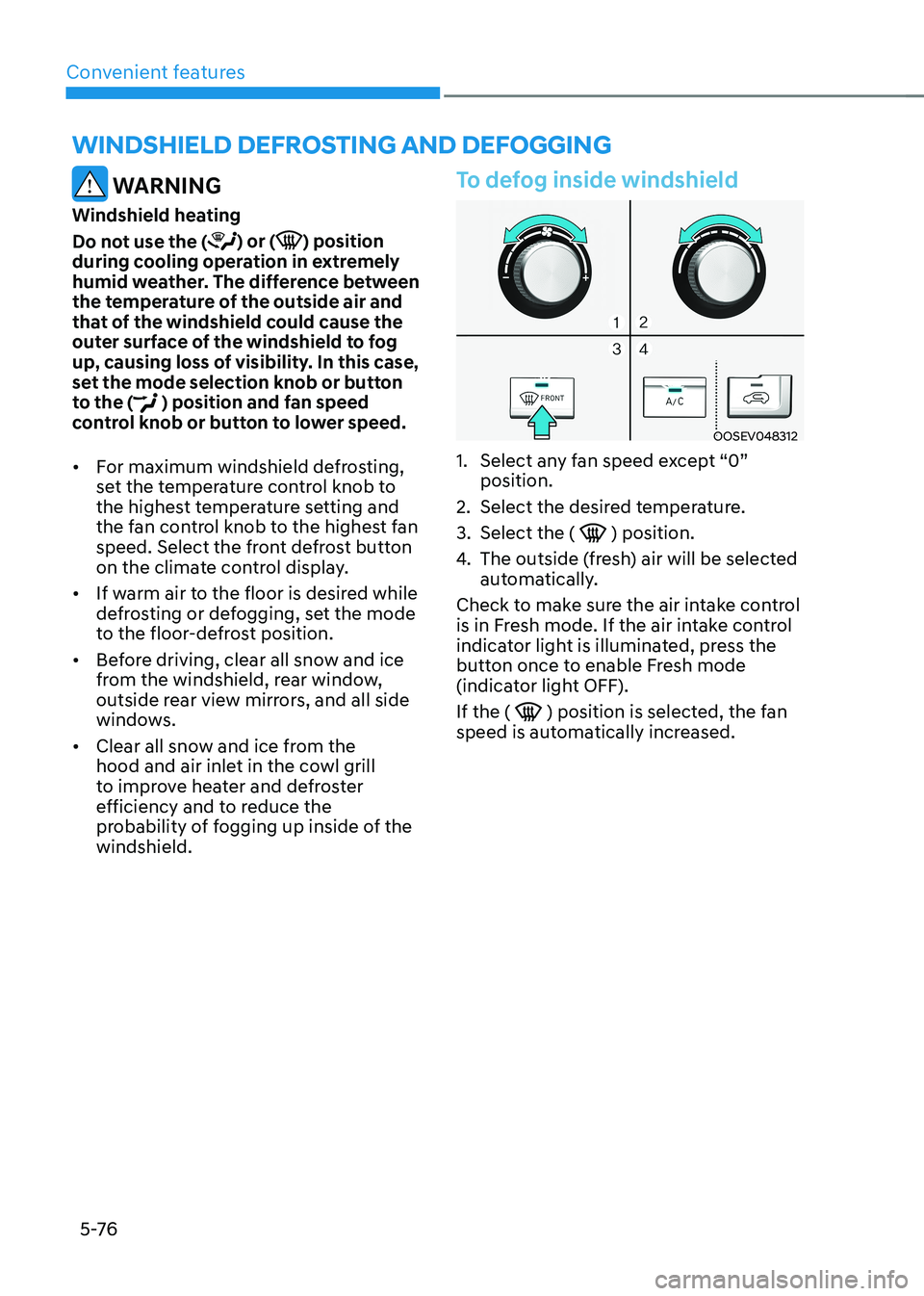
To defog inside windshield
OOSEV048312
1. Select any fan speed except “0” position.
2. Select the desired temperature.
3. Select the (
) position.
4. The outside (fresh) air will be selected
automatically.
Check to make sure the air intake control
is in Fresh mode. If the air intake control
indicator light is illuminated, press the
button once to enable Fresh mode
(indicator light OFF). If the (
) position is selected, the fan
speed is automatically increased.
winDshielD DeFrosting AnD DeFogging
Page 271 of 548
![HYUNDAI KONA EV 2022 Repair Manual 05
5-87
Wireless cellular phone charging
system (if equipped)
OOSEV041034N
[A] : Indicator light, [B] : Charging pad
There is a wireless cellular phone charger
inside the front console.
The sy](/img/35/56171/w960_56171-270.png "HYUNDAI KONA EV 2022 Repair Manual 05
5-87
Wireless cellular phone charging
system (if equipped)
OOSEV041034N
[A] : Indicator light, [B] : Charging pad
There is a wireless cellular phone charger
inside the front console.
The sy")
05
5-87
Wireless cellular phone charging
system (if equipped)
OOSEV041034N
[A] : Indicator light, [B] : Charging pad
There is a wireless cellular phone charger
inside the front console.
The system is available when all doors
are closed, and when the START/STOP
button is in the ON position (1).
After use, to close the cover, slightly pull
down the cover.
The system is available when all doors
are closed, and when the START/STOP
button is in the ON or START position.
To charge a cellular phone
The wireless cellular phone charging
system charges only the Qi-enabled cellular phones (
). Read the label on
the cellular phone accessory cover or
visit your cellular phone manufacturer’s
website to check whether your cellular
phone supports the Qi technology.
The wireless charging process starts
when you put a Qi-enabled cellular
phone on the wireless charging unit.
1. Remove other items, including the smart key, from the wireless charging
unit. If not, the wireless charging
process may be interrupted. Place
the cellular phone on the center of
charging pad.
2. The indicator light is orange when the cellular phone is charging. The
indicator light turns green when
phone charging is complete. 3. You can turn ON or OFF the wireless
charging function in the User Settings
mode on the instrument cluster. For
further information, refer to the “User
setting mode” in chapter 4.
If your cellular phone is not charging: - Slightly change the position of the cellular phone on the charging pad.
- Make sure the indicator light is orange.
The indicator light will blink orange for 10
seconds if there is a malfunction in the
wireless charging system.
In this case, temporarily stop the
charging process, and re-attempt to
wirelessly charge your cellular phone again.
The system warns you with a message
on the LCD display if the cellular phone
is still on the wireless charging unit after
the vehicle is turned OFF and the front door is opened. • High speed wireless charging can
be activated only when the cellular
phones equipped with a wireless
charging function is on the charging pad. Information
For some manufacturers’ cellular phones, the system may not warn you even though
the cellular phone is left on the wireless
charging unit. This is due to the particular
characteristic of the cellular phone and
not a malfunction of the wireless charging.
Page 273 of 548
05
5-89
Clock
WARNING
Do not adjust the clock while driving.
You may lose your steering control
and cause severe personal injury or
accidents.
Vehicles with Audio system
Select the Setting menu on the audio
system → Select [Date/Time].
• Set time: Set the time displayed on
the audio screen.
• Time format: Choose between 12-hour
and 24-hour time formats.
Vehicles with Navigation system
Select the Settings menu on the AVN
screen → Select [Date/Time].
• GPS time: Displays time according to
the received GNSS time.
• 24-hour: Switches to 12 hour or 24
hour.
For more details, please refer to the
separate manual that was supplied with
your vehicle.
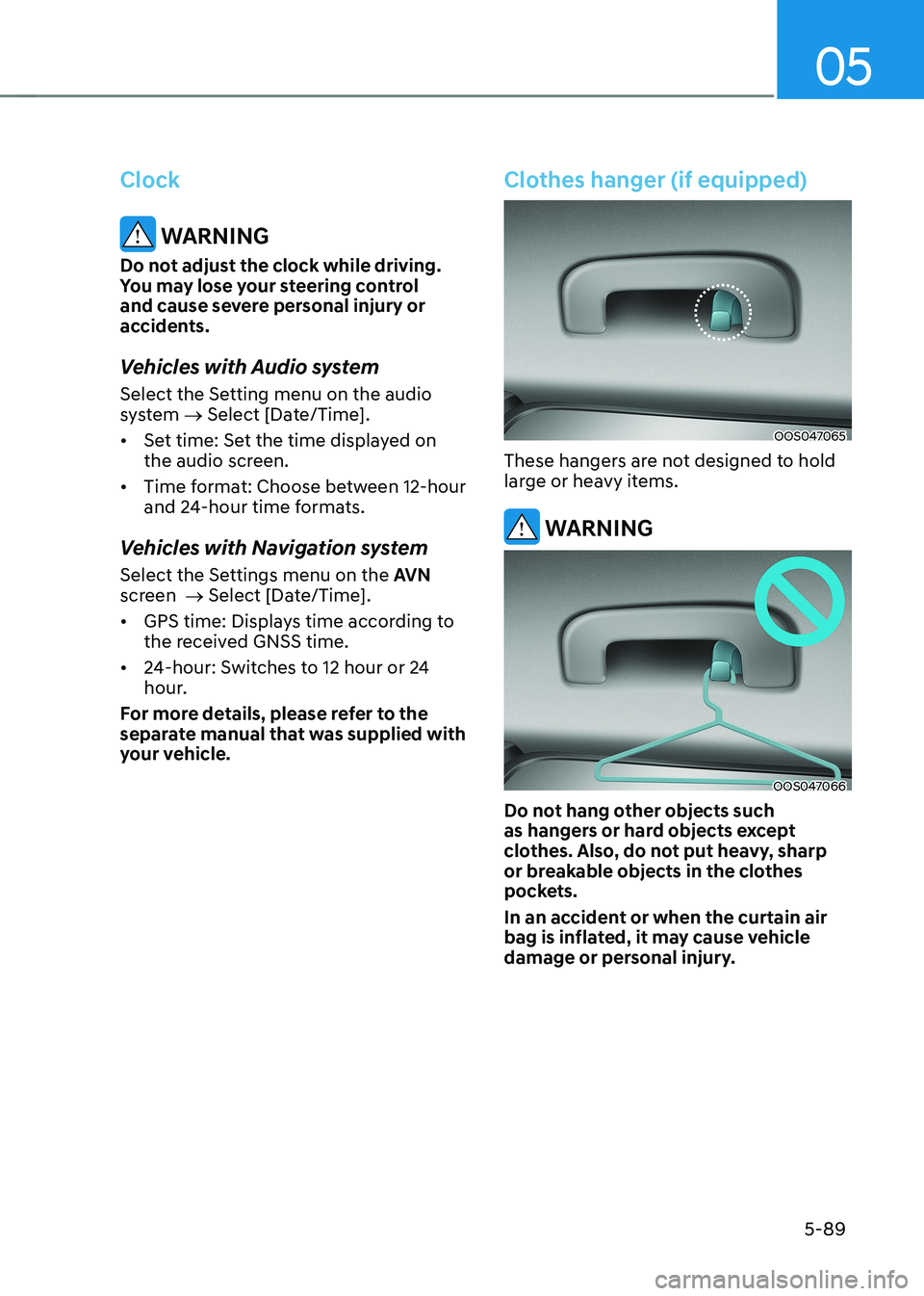
Clothes hanger (if equipped)
OOS047065
These hangers are not designed to hold
large or heavy items.
WARNING
OOS047066
Do not hang other objects such
as hangers or hard objects except
clothes. Also, do not put heavy, sharp
or breakable objects in the clothes
pockets.
In an accident or when the curtain air
bag is inflated, it may cause vehicle
damage or personal injury.
Page 281 of 548
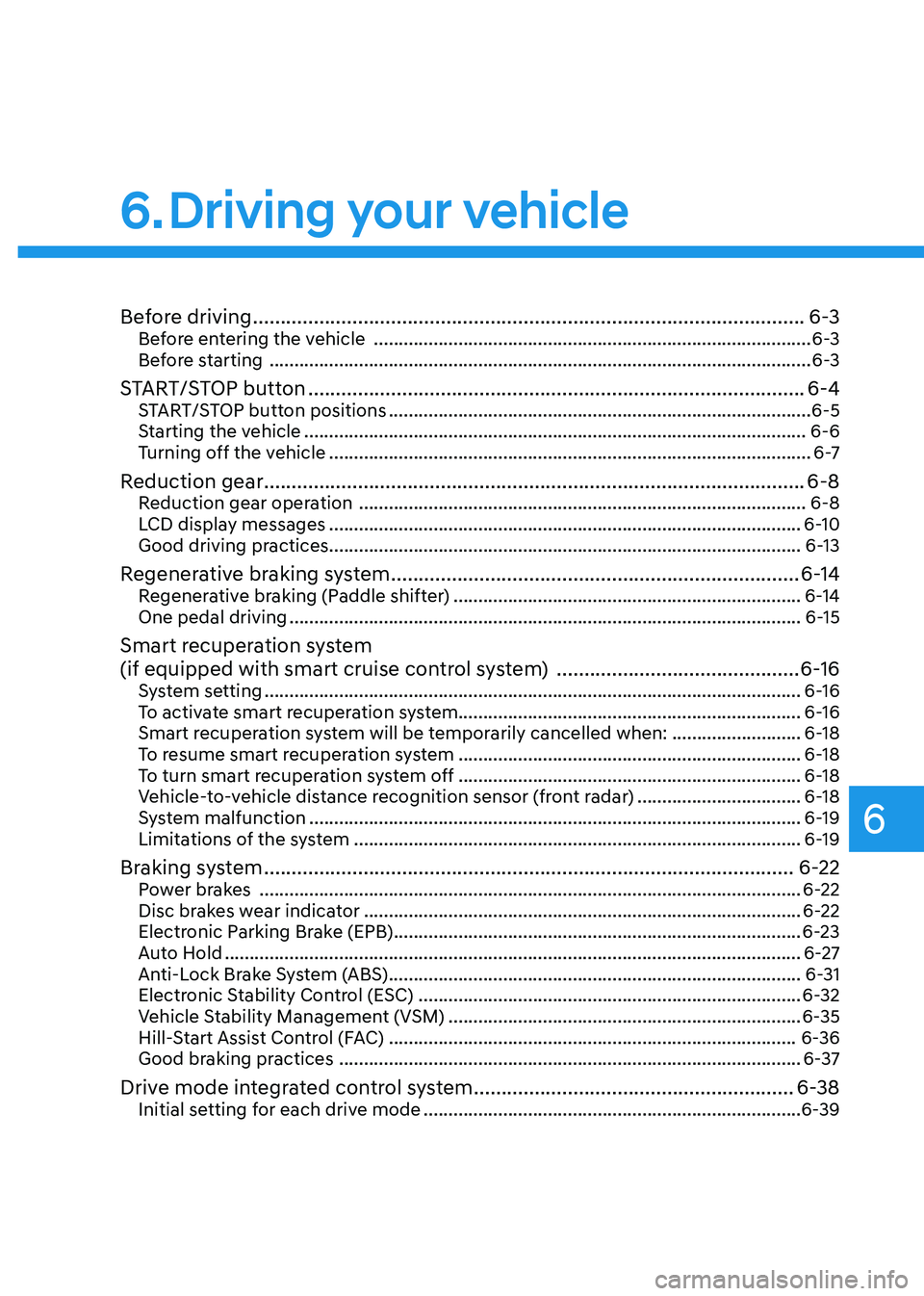
6
Before driving .................................................................................................... 6-3
Before entering the vehicle ........................................................................................ 6-3
Before starting ............................................................................................................. 6-3
START/STOP button .......................................................................................... 6-4
START/STOP button positions ..................................................................................... 6-5
Starting the vehicle ..................................................................................................... 6-6
Turning off the vehicle ................................................................................................. 6 -7
Reduction gear .................................................................................................. 6-8
Reduction gear operation .......................................................................................... 6-8
LCD display messages ............................................................................................... 6-10
Good driving practices ............................................................................................... 6-13
Regenerative braking system .......................................................................... 6-14
Regenerative braking (Paddle shifter) ...................................................................... 6-14
One pedal driving ....................................................................................................... 6-15
Smart recuperation system
(if equipped with smart cruise control system) ............................................6-16
System setting ............................................................................................................ 6-16
To activate smart recuperation system..................................................................... 6-16
Smart recuperation system will be temporarily cancelled when: ..........................6-18
To resume smart recuperation system ..................................................................... 6-18
To turn smart recuperation system off ..................................................................... 6-18
Vehicle-to-vehicle distance recognition sensor (front radar) .................................6-18
System malfunction ................................................................................................... 6-19
Limitations of the system .......................................................................................... 6-19
Braking system ................................................................................................ 6-22
Power brakes ............................................................................................................. 6-22
Disc brakes wear indicator ........................................................................................ 6-22
Electronic Parking Brake (EPB) .................................................................................. 6-23
Auto Hold .................................................................................................................... 6-27
Anti-Lock Brake System (ABS) ................................................................................... 6-31
Electronic Stability Control (ESC) ............................................................................. 6-32
Vehicle Stability Management (VSM) ....................................................................... 6-35
Hill-Start Assist Control (FAC) .................................................................................. 6-36
Good braking practices ............................................................................................. 6-37
Drive mode integrated control system ..........................................................6-38
Initial setting for each drive mode ............................................................................ 6-39
6. Driving your vehicle