gear HYUNDAI KONA EV 2022 Owners Manual
[x] Cancel search | Manufacturer: HYUNDAI, Model Year: 2022, Model line: KONA EV, Model: HYUNDAI KONA EV 2022Pages: 548, PDF Size: 49.14 MB
Page 11 of 548
Foreword / Electric Vehicle System Overview
1-6
Electric Vehicle (EVs)
An electric vehicle is driven using a
battery and an electric motor. While
general vehicles use an internal
combustion engine and gasoline as fuel,
electric vehicles use electrical energy
that is charged inside the high voltage
battery. As a result, electric vehicles are
eco-friendly in that they do not require
fuel and do not emit exhaust gases.
Characteristics of Electric
Vehicles (EVs)
1. EVs are using the electrical energy that is charged inside the high voltage
battery. In terms of air pollution and
greenhouse gas emissions, EVs are
cleaner than conventional vehicles.
2. A 150 kW electric drive motor mated to a reduction gearbox comprises
the vehicle drivetrain. This electric-
only powertrain significantly reduces
engine room noise and vibration while driving.
3. When decelerating or driving downhill, regenerative braking is
utilized to charge the high voltage
battery. This helps to minimize energy
loss and increases vehicle range.
4. When the state of charge (SOC) of the
battery is low, the EV battery can be
recharged through several different
charging methods. Refer to “Charging
Information” later in this section.
Information
What does regenerative braking do?
It uses an electric motor when decelerating and braking and transforms kinetic
energy to electrical energy in order to
charge the high voltage battery. (Torque
is applied in the opposite direction when
decelerating to generate braking force and
electric energy.)
Battery Information
• The vehicle is composed of a high
voltage battery that drives the motor
and air-conditioner, and an auxiliary
battery (12 V) that drives the lamps,
wipers, and audio system.
• The auxiliary battery is automatically
charged when the vehicle is in the
ready (
) mode or the high voltage
battery is being charged.
eleCTriC VeHiCle
Page 12 of 548
01
1 -7
main ComponenTs oF eleCTriC VeHiCle
Main Components of Electric
Vehicle
• On-Board Charger (OBC) : A device
that charges the high voltage battery
by converting AC power from a
charging station to DC power. Inverter
: A device that transforms direct
current (DC) from the high voltage
battery into alternating current (AC)
to supply power to the electric motor
and transforms AC back into DC when
available to charge the high voltage
battery.
• LDC : An LDC is a Low Voltage DC-to-
DC converter that transforms power
from the high voltage battery to the
low voltage battery (12V) in order
to supply electrical power to the
vehicle to operate the lights, wipers,
multimedia, etc.
• Electric Motor : A device that
converts electrical energy from the
high voltage battery into mechanical
energy which is then transferred as
rotational torque to the wheels in
order to drive the vehicle.
• Reduction gear : Delivers rotational
force of the motor to the tires at
appropriate speeds and torque.
• EV Battery (Lithium-ion) : On board
high voltage storage device with a
capacity up to 64 kWh
à OBC : On-Board Charger
à LDC : Low Voltage DC-DC Converter
WARNING
• Do not intentionally remove
or disassemble high voltage
components and high voltage
battery connectors and wires. Also,
be careful not to damage high
voltage components and the high
voltage battery. It may cause serious
injury and significantly impact the
performance and durability of the
vehicle.
• When inspection and maintenance
is required for high voltage
components and the high voltage
battery, we recommend that you
contact an authorized HYUNDAI
dealer.
High Voltage Battery
(lithium-ion polymer)
• The charge amount of the high
voltage battery may gradually
decrease when the vehicle is not
being driven.
• The battery capacity of the high
voltage battery may decrease when
the vehicle is stored in high/low
temperatures.
• Electric range may vary depending
on the driving conditions, even if the
charge amount is the same. The high
voltage battery may expend more
energy when driving at high speed or
uphill. These actions may reduce the
vehicle electric range.
• The high voltage battery is used when
using the air-conditioner / heater. This
may reduce the vehicle range. Make
sure to set moderate temperatures
when using the air-conditioner/heater.
• Natural degradation may occur with
the high voltage battery depending
on the number of years the vehicle
is used. This may reduce the vehicle
range.
Page 20 of 548
01
1-15
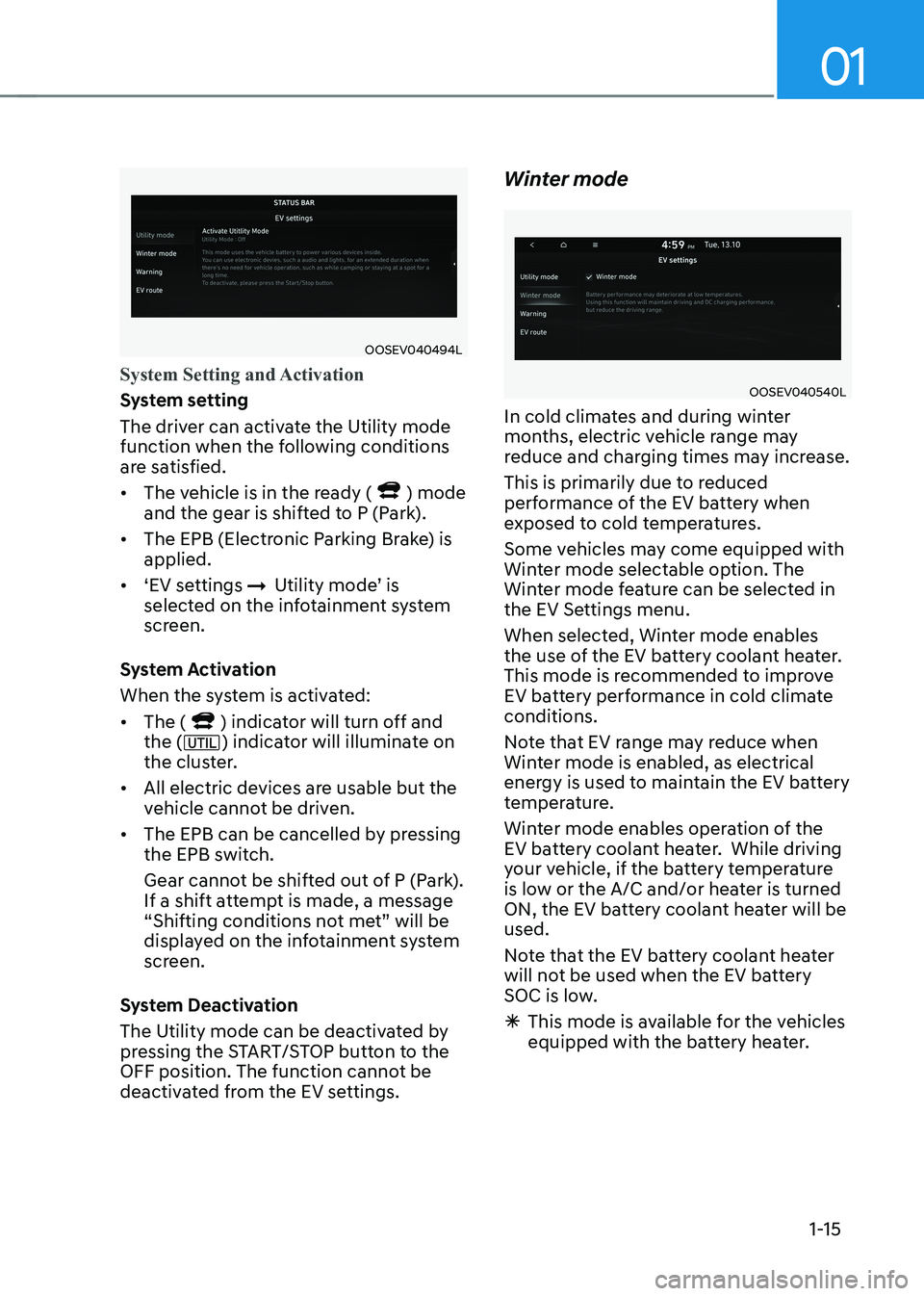
OOSEV040494L
System Setting and Activation
System setting
The driver can activate the Utility mode
function when the following conditions
are satisfied. • The vehicle is in the ready (
) mode
and the gear is shifted to P (Park).
• The EPB (Electronic Parking Brake) is applied.
• ‘EV settings
ÞUtility mode’ is
selected on the infotainment system
screen.
System Activation
When the system is activated:• The (
) indicator will turn off and
the () indicator will illuminate on
the cluster.
• All electric devices are usable but the
vehicle cannot be driven.
• The EPB can be cancelled by pressing
the EPB switch.
Gear cannot be shifted out of P (Park).
If a shift attempt is made, a message
“Shifting conditions not met” will be
displayed on the infotainment system
screen.
System Deactivation
The Utility mode can be deactivated by
pressing the START/STOP button to the
OFF position. The function cannot be
deactivated from the EV settings. Winter mode
OOSEV040540L
In cold climates and during winter
months, electric vehicle range may
reduce and charging times may increase.
This is primarily due to reduced
performance of the EV battery when
exposed to cold temperatures.
Some vehicles may come equipped with
Winter mode selectable option. The
Winter mode feature can be selected in
the EV Settings menu.
When selected, Winter mode enables
the use of the EV battery coolant heater.
This mode is recommended to improve
EV battery performance in cold climate conditions.
Note that EV range may reduce when
Winter mode is enabled, as electrical
energy is used to maintain the EV battery
temperature.
Winter mode enables operation of the
EV battery coolant heater. While driving
your vehicle, if the battery temperature
is low or the A/C and/or heater is turned
ON, the EV battery coolant heater will be used.
Note that the EV battery coolant heater
will not be used when the EV battery
SOC is low.
à This mode is available for the vehicles
equipped with the battery heater.
Page 29 of 548
Foreword / Electric Vehicle System Overview
1-24
AC Charge
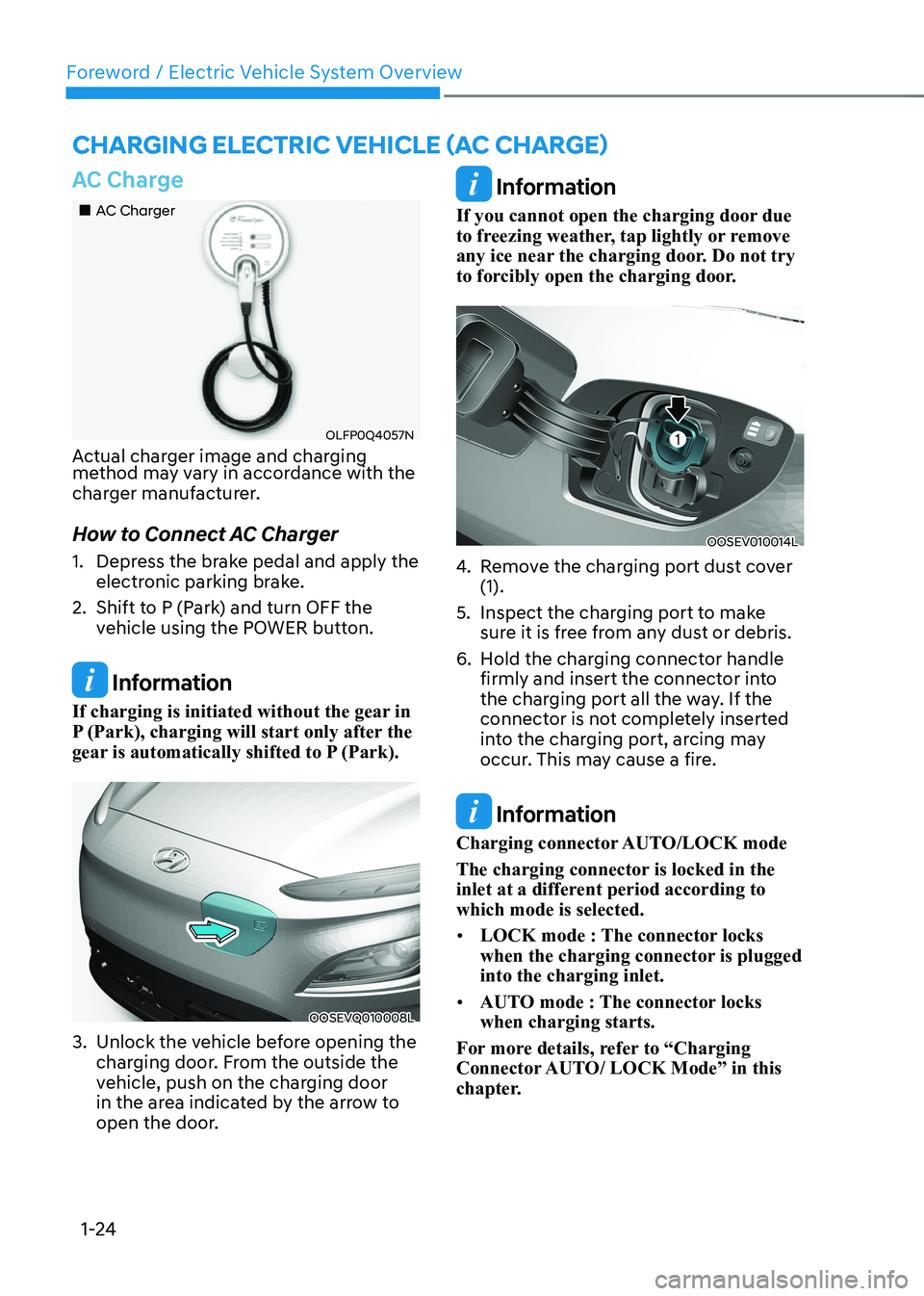
„„AC Charger
OLFP0Q4057N
Actual charger image and charging
method may vary in accordance with the
charger manufacturer.
How to Connect AC Charger
1. Depress the brake pedal and apply the electronic parking brake.
2. Shift to P (Park) and turn OFF the vehicle using the POWER button.
Information
If charging is initiated without the gear in
P (Park), charging will start only after the
gear is automatically shifted to P (Park).
OOSEVQ010008L
3. Unlock the vehicle before opening the charging door. From the outside the
vehicle, push on the charging door
in the area indicated by the arrow to
open the door.
Information
If you cannot open the charging door due
to freezing weather, tap lightly or remove
any ice near the charging door. Do not try
to forcibly open the charging door.
OOSEV010014L
4. Remove the charging port dust cover (1).
5. Inspect the charging port to make sure it is free from any dust or debris.
6. Hold the charging connector handle firmly and insert the connector into
the charging port all the way. If the
connector is not completely inserted
into the charging port, arcing may
occur. This may cause a fire.
Information
Charging connector AUTO/LOCK mode
The charging connector is locked in the
inlet at a different period according to which mode is selected. • LOCK mode : The connector locks
when the charging connector is plugged into the charging inlet.
• AUTO mode : The connector locks when charging starts.
For more details, refer to “Charging
Connector AUTO/ LOCK Mode” in this
chapter.
Charging ElECtriC VEhiClE (aC ChargE)
Page 30 of 548
01
1-25
„„AC Charger
OLFP0Q4057N
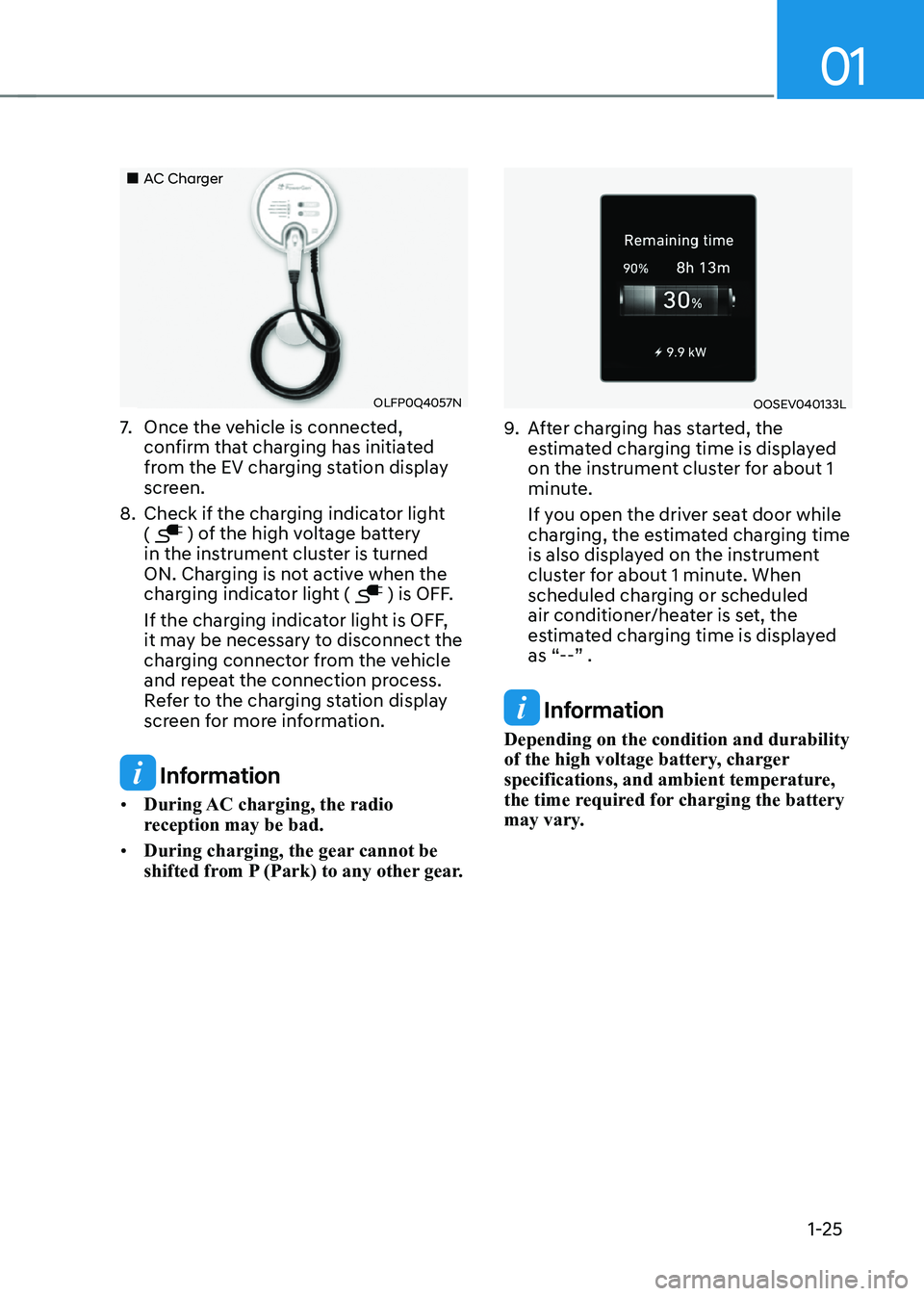
7. Once the vehicle is connected,
confirm that charging has initiated
from the EV charging station display
screen.
8. Check if the charging indicator light (
) of the high voltage battery
in the instrument cluster is turned
ON. Charging is not active when the
charging indicator light (
) is OFF.
If the charging indicator light is OFF,
it may be necessary to disconnect the
charging connector from the vehicle
and repeat the connection process.
Refer to the charging station display
screen for more information.
Information
• During AC charging, the radio
reception may be bad.
• During charging, the gear cannot be
shifted from P (Park) to any other gear.
OOSEV040133L
9. After charging has started, the
estimated charging time is displayed
on the instrument cluster for about 1
minute.
If you open the driver seat door while
charging, the estimated charging time
is also displayed on the instrument
cluster for about 1 minute. When
scheduled charging or scheduled
air conditioner/heater is set, the
estimated charging time is displayed
as “--” .
Information
Depending on the condition and durability
of the high voltage battery, charger
specifications, and ambient temperature,
the time required for charging the battery
may vary.
Page 34 of 548

01
1-29
How to Connect DC Charger
1. Depress the brake pedal and apply the
electronic parking brake.
2. Shift to P (Park) and turn OFF the vehicle using the POWER button.
Information
If charging is initiated without the gear in
P (Park), charging will start only after the
gear is automatically shifted to P (Park).
OOSEVQ010008L
3. Unlock the vehicle before opening the charging door. From the outside the
vehicle, push on the charging door
in the area indicated by the arrow to
open the door.
Information
If you cannot open the charging door due
to freezing weather, tap lightly or remove
any ice near the charging door. Do not try
to forcibly open the charging door.
OOSEV011020N
4. Remove the charging port dust cover (1).
5. Inspect the charging port to make sure it is free from any dust or debris.
6. Hold the charging connector handle firmly and insert the connector into
the charging port all the way.
If the connector is not completely
inserted into the charging port, arcing
may occur. This may cause a fire.
7. Check if the charging indicator light (
) of the high voltage battery
in the instrument cluster is turned
ON. Charging is not active when the
charging indicator light (
) is OFF.
If the charging indicator light is OFF,
it may be necessary to disconnect the
charging connector from the vehicle
and repeat the connection process.
Refer to the charging station display
screen for more information.
During cold weather, DC charging
may not be available to prevent high
voltage battery degradation.
Page 40 of 548
01
1-35
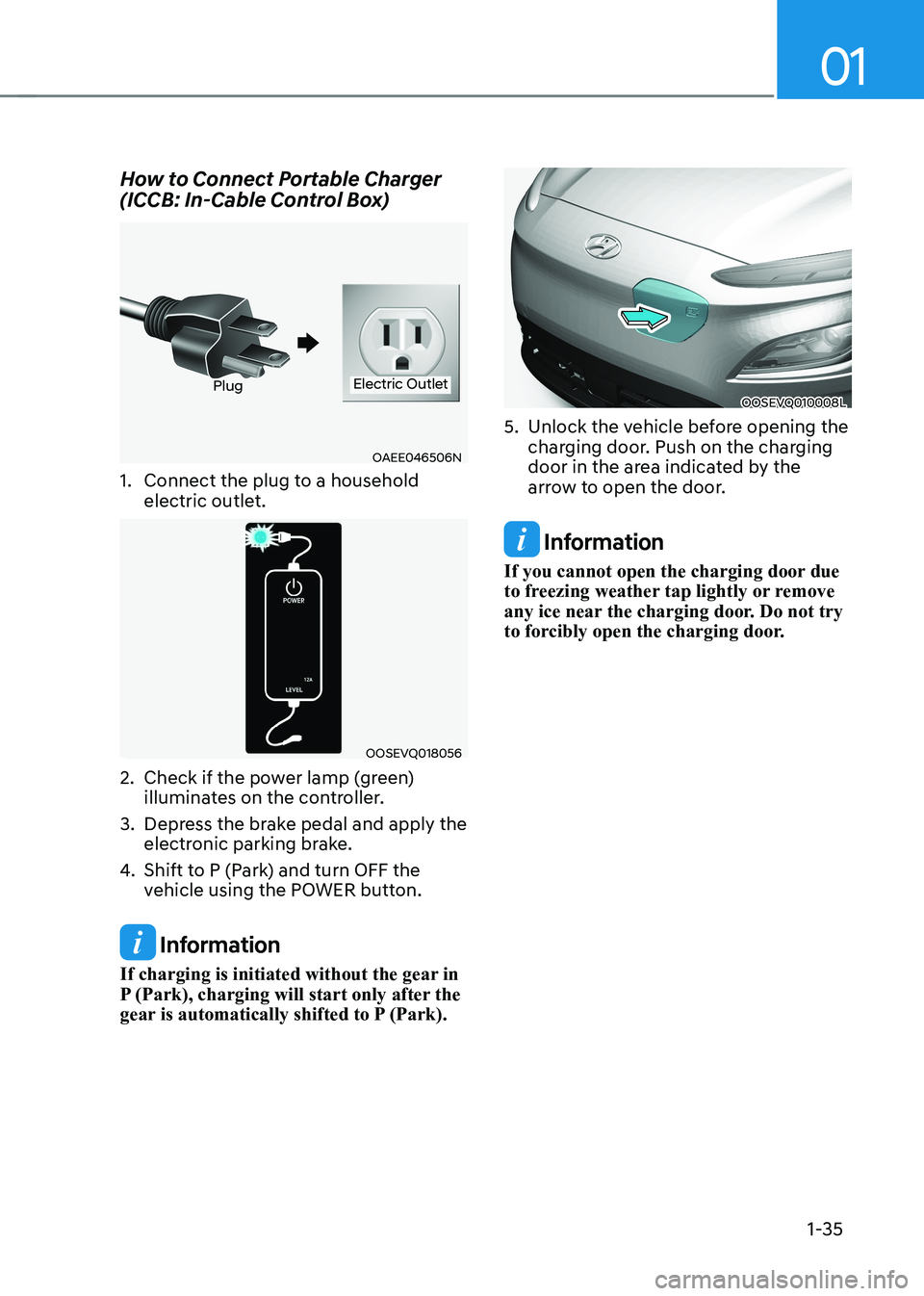
How to Connect Portable Charger
(ICCB: In-Cable Control Box)
OAEE046506N
PlugElectric Outlet
1. Connect the plug to a household electric outlet.
OOSEVQ018056
2. Check if the power lamp (green) illuminates on the controller.
3. Depress the brake pedal and apply the electronic parking brake.
4. Shift to P (Park) and turn OFF the
vehicle using the POWER button.
Information
If charging is initiated without the gear in
P (Park), charging will start only after the
gear is automatically shifted to P (Park).
OOSEVQ010008L
5. Unlock the vehicle before opening the charging door. Push on the charging
door in the area indicated by the
arrow to open the door.
Information
If you cannot open the charging door due
to freezing weather tap lightly or remove
any ice near the charging door. Do not try
to forcibly open the charging door.
Page 50 of 548
01
1-45
driVing and operaTing inFormaTion
How to Start the Vehicle
1. Holding the smart key, sit in the driver’s seat.
2. Fasten the seat belt before starting the vehicle.
3. Make sure to engage the parking brake.
4. Turn OFF all electrical devices.
5. Make sure to depress and hold the brake pedal.
6. While depressing the brake pedal, shift to P (Park).
7. Depress and hold the brake pedal
while pressing the Start/Stop button.
8. When the “
” indicator is ON, you
can drive the vehicle. When the “
” indicator is OFF, you
cannot drive the vehicle. Start the
vehicle again.
9. Depress and hold the brake pedal and
shift to the desired position.
Information
While the charging cable is connected, the
gear cannot be shift from P (Park) to any
other gear for safety reasons.
10. Release the parking brake and slowly release the brake pedal. Check if the
vehicle slowly moves forward, then
depress the accelerator pedal.
How to Stop the Vehicle
1. Hold down the brake pedal while the
vehicle is parked.
2. While depressing the brake pedal, shift to P (Park).
3. While depressing the brake pedal, engage the parking brake.
4. While depressing the brake pedal,
press the Start/Stop button and turn
off the vehicle.
5. Check if the “
” indicator is turned
OFF on the instrument cluster. When the “
” indicator is ON and
the gear is in a position other than
P (Park), the driver can accidently
depress the accelerator pedal, causing
the vehicle to move unexpectedly.
Page 51 of 548
Foreword / Electric Vehicle System Overview
1-46
Virtual Engine Sound System
The Virtual Engine Sound System
generates engine sound for pedestrians
to hear vehicle sound because there is
no sound while the Electric Vehicle (EV)
is operating. • If the vehicle is in the ready (
)
mode and the gear is not in P (Park),
the VESS will be operated.
• When the gear is shifted to R
(Reverse), an additional warning
sound will be heard.
CAUTION
• The vehicle is much quieter while
driving than a conventional gasoline-
powered vehicle. Be aware of your
surroundings and always drive safely.
• After you park the vehicle or while
you are waiting at a traffic light,
check whether there are children or
obstacles around the vehicle.
• Check if there is something behind
the vehicle when driving in reverse.
Pedestrians may not hear the sound
of the vehicle.
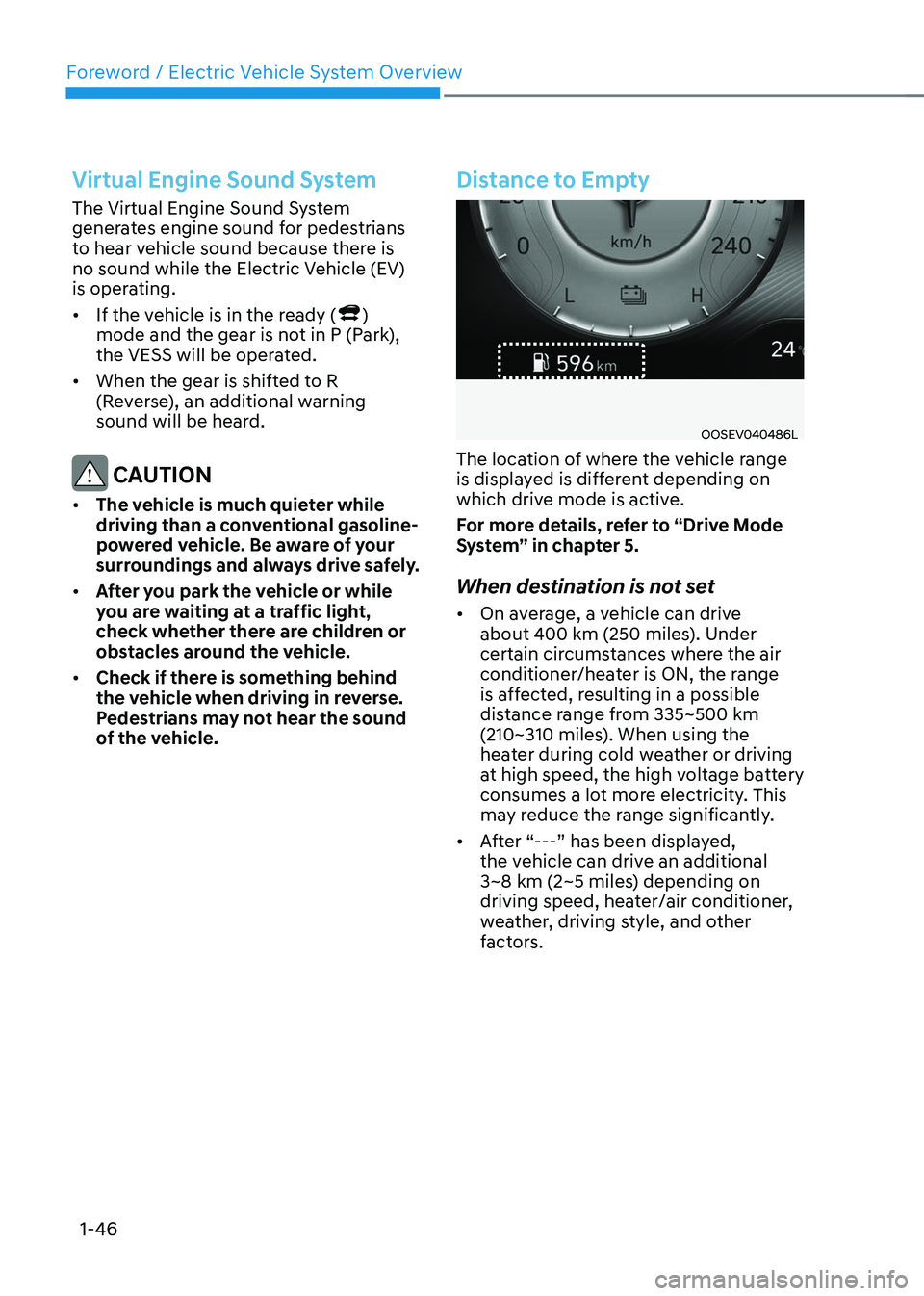
Distance to Empty
OOSEV040486L
The location of where the vehicle range
is displayed is different depending on
which drive mode is active.
For more details, refer to “Drive Mode
System” in chapter 5.
When destination is not set • On average, a vehicle can drive
about 400 km (250 miles). Under
certain circumstances where the air
conditioner/heater is ON, the range
is affected, resulting in a possible
distance range from 335~500 km
(210~310 miles). When using the
heater during cold weather or driving
at high speed, the high voltage battery
consumes a lot more electricity. This
may reduce the range significantly.
• After “---” has been displayed,
the vehicle can drive an additional
3~8 km (2~5 miles) depending on
driving speed, heater/air conditioner,
weather, driving style, and other
factors.
Page 55 of 548
Foreword / Electric Vehicle System Overview
1-50
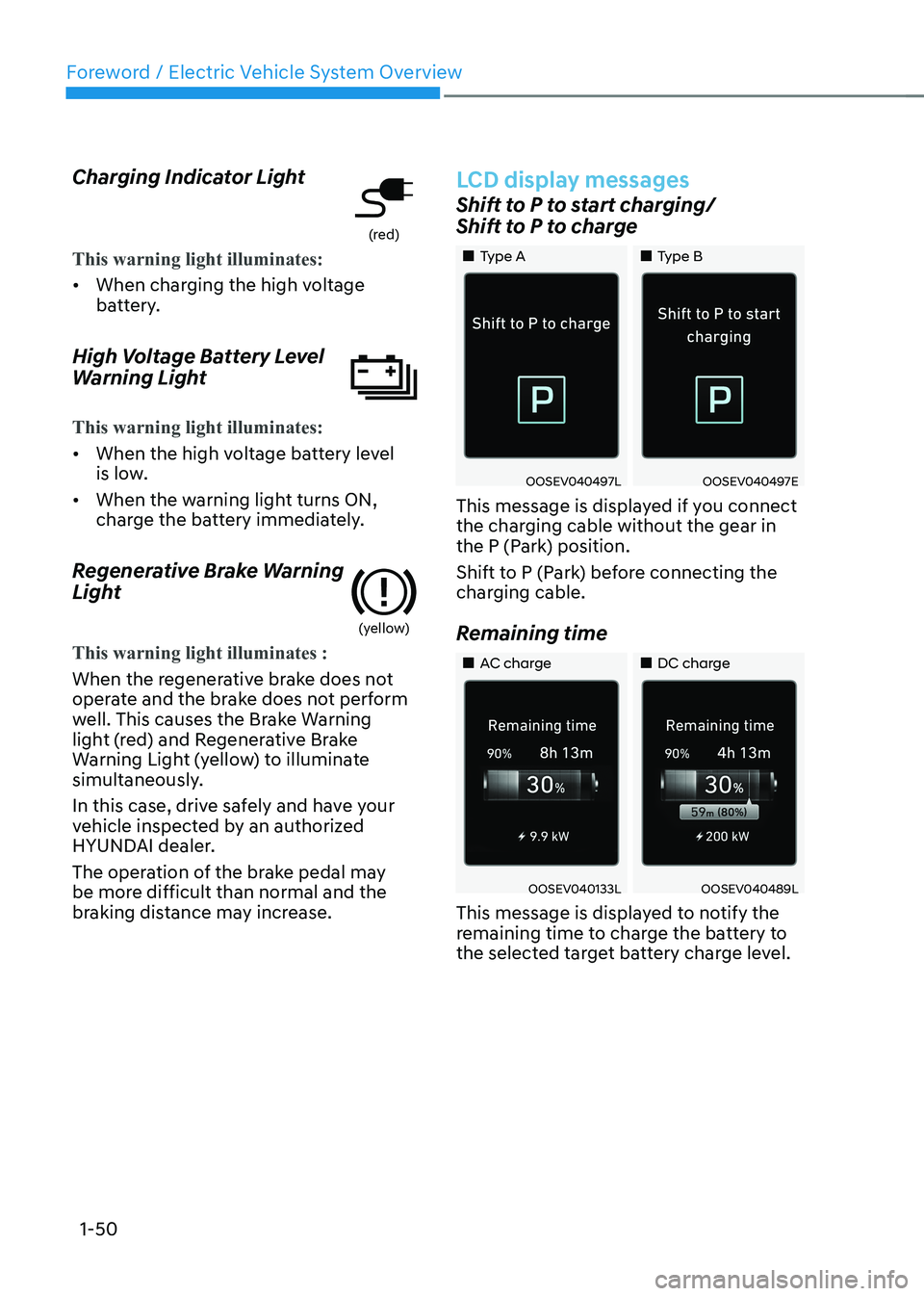
Charging Indicator Light
(red)
This warning light illuminates:
•
When charging the high voltage
battery.
High Voltage Battery Level
Warning Light
This warning light illuminates:
• When the high voltage battery level
is low.
• When the warning light turns ON,
charge the battery immediately.
Regenerative Brake Warning
Light
(yellow)
This warning light illuminates :
When the regenerative brake does not
operate and the brake does not perform
well. This causes the Brake Warning
light (red) and Regenerative Brake
Warning Light (yellow) to illuminate
simultaneously.
In this case, drive safely and have your
vehicle inspected by an authorized
HYUNDAI dealer.
The operation of the brake pedal may
be more difficult than normal and the
braking distance may increase.
LCD display messages
Shift to P to start charging/
Shift to P to charge
„„Type A „„Type B
OOSEV040497LOOSEV040497E
This message is displayed if you connect
the charging cable without the gear in
the P (Park) position.
Shift to P (Park) before connecting the
charging cable.
Remaining time
„„AC charge „„DC charge
OOSEV040133LOOSEV040489L
This message is displayed to notify the
remaining time to charge the battery to
the selected target battery charge level.