sensor HYUNDAI KONA EV 2023 Workshop Manual
[x] Cancel search | Manufacturer: HYUNDAI, Model Year: 2023, Model line: KONA EV, Model: HYUNDAI KONA EV 2023Pages: 548, PDF Size: 49.14 MB
Page 384 of 548
07
7-51
warning
Take the following precautions when
using safe exit warning: • For your safety, change the Settings
after parking the vehicle at a safe
location.
• If any other system’s warning
message is displayed or audible
warning is generated, safe exit
Warning warning message may not
be displayed and audible warning
may not be generated.
• You may not hear the warning
sound of safe exit warning if the
surrounding is noisy.
• safe exit warning does not operate
in all situations or cannot prevent all
collisions.
• safe exit warning may warn the
driver late or may not warn the driver
depending on the road and driving
conditions. Always check vehicle
surroundings.
• The driver and passengers are
responsible for accidents that occurs
while exiting the vehicle. Always
check the surroundings before you
exit the vehicle.
• Never deliberately operate Safe
exit warning. doing so may lead to
serious injury or death.
• safe exit warning does not operate
if there is a problem with Blind-
Spot Collision-Avoidance Assist.
the warning message of Blind-spot
Collision-Avoidance Assist will appear when:
- Blind-spot Collision-avoidance
Assist sensor or the sensor
surrounding is polluted or covered
- Blind-spot Collision-avoidance
Assist fails to warn passengers or
falsely warn passengers Information
After the vehicle is turned off, Safe Exit
Warning operates approximately for 3 minutes, but turns off immediately if the
doors are locked.
safe exit warning malfunction
and limitations
Safe Exit Warning malfunction
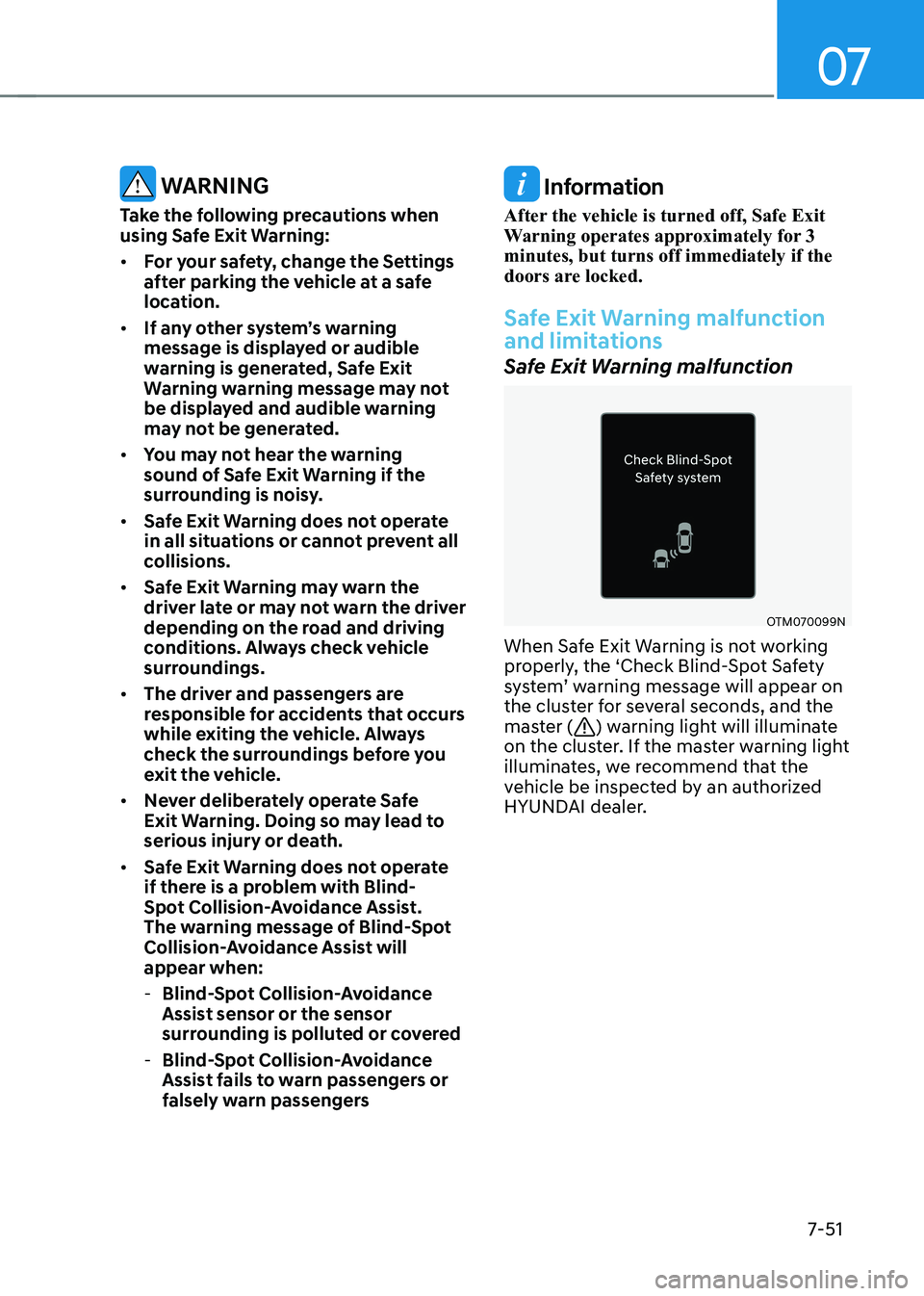
OTM070099N
When Safe Exit Warning is not working
properly, the ‘Check Blind-Spot Safety
system’ warning message will appear on
the cluster for several seconds, and the
master (
) warning light will illuminate
on the cluster. If the master warning light
illuminates, we recommend that the
vehicle be inspected by an authorized
HYUNDAI dealer.
Page 385 of 548
Driver assistance system
7-52
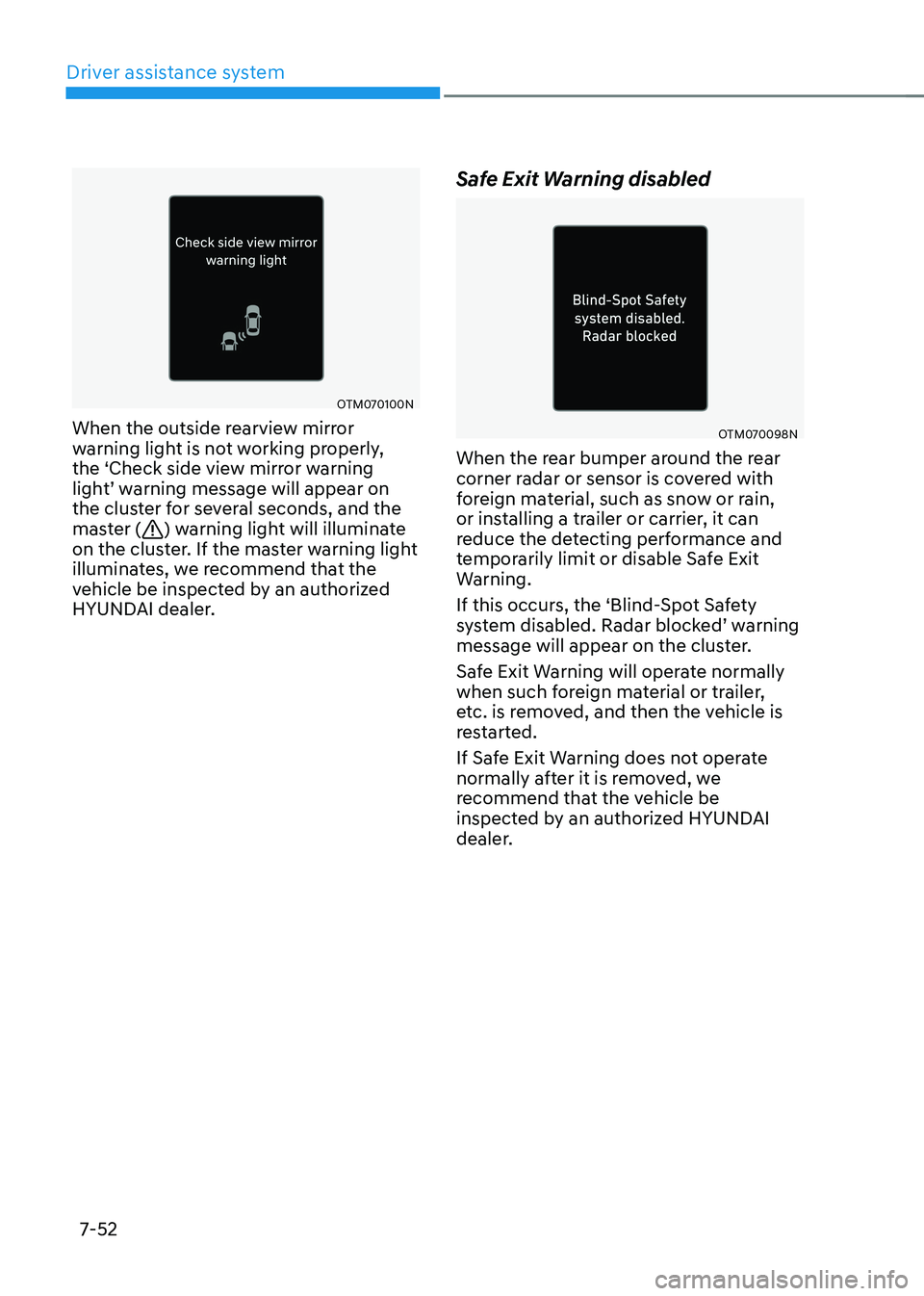
OTM070100N
When the outside rearview mirror
warning light is not working properly,
the ‘Check side view mirror warning
light’ warning message will appear on
the cluster for several seconds, and the
master (
) warning light will illuminate
on the cluster. If the master warning light
illuminates, we recommend that the
vehicle be inspected by an authorized
HYUNDAI dealer. Safe Exit Warning disabled
OTM070098N
When the rear bumper around the rear
corner radar or sensor is covered with
foreign material, such as snow or rain,
or installing a trailer or carrier, it can
reduce the detecting performance and
temporarily limit or disable Safe Exit
Warning.
If this occurs, the ‘Blind-Spot Safety
system disabled. Radar blocked’ warning
message will appear on the cluster.
Safe Exit Warning will operate normally
when such foreign material or trailer,
etc. is removed, and then the vehicle is
restarted.
If Safe Exit Warning does not operate
normally after it is removed, we
recommend that the vehicle be
inspected by an authorized HYUNDAI
dealer.
Page 386 of 548
07
7-53
warning
• even though the warning message
does not appear on the cluster,
safe exit warning may not properly
operate.
• safe exit warning may not properly
operate in an area (e.g. open terrain)
where any substance are not
detected right after the vehicle is
turned on, or when the detecting
sensor is blocked with foreign
material right after the vehicle is turned on.
CAUTION
turn off safe exit warning to install
a trailer, carrier, etc., or remove the
trailer, carrier, etc. to use safe exit
Warning. Limitations of Safe Exit Warning
Safe Exit Warning may not operate
normally, or it may operate unexpectedly
under the following circumstances: •
Getting out of the vehicle where trees
or grass are overgrown
• Getting out of the vehicle where the
road is wet
• The approaching vehicle is very fast or
very slow
Information
For more details on the limitations of the
rear corner radar, refer to “Blind- Spot
Collision-Avoidance Assist (BCA)” section
in this chapter.
warning
• safe exit warning may not operate
normally if interfered by strong
electromagnetic waves.
• safe exit warning may not operate
for 3 seconds after the vehicle is
started, or the rear corner radars are
initialized.
Page 387 of 548
Driver assistance system
7-54
Basic function
Driver Attention Warning will help
determine the driver's attention level
by analyzing driving pattern and driving
time. while vehicle is being driven. Driver
Attention Warning will recommend a
break when the driver’s attention level
falls below a certain level.
Leading vehicle departure alert function
Leading Vehicle Departure Alert function
will inform the driver when the front
vehicle departs from a stop.
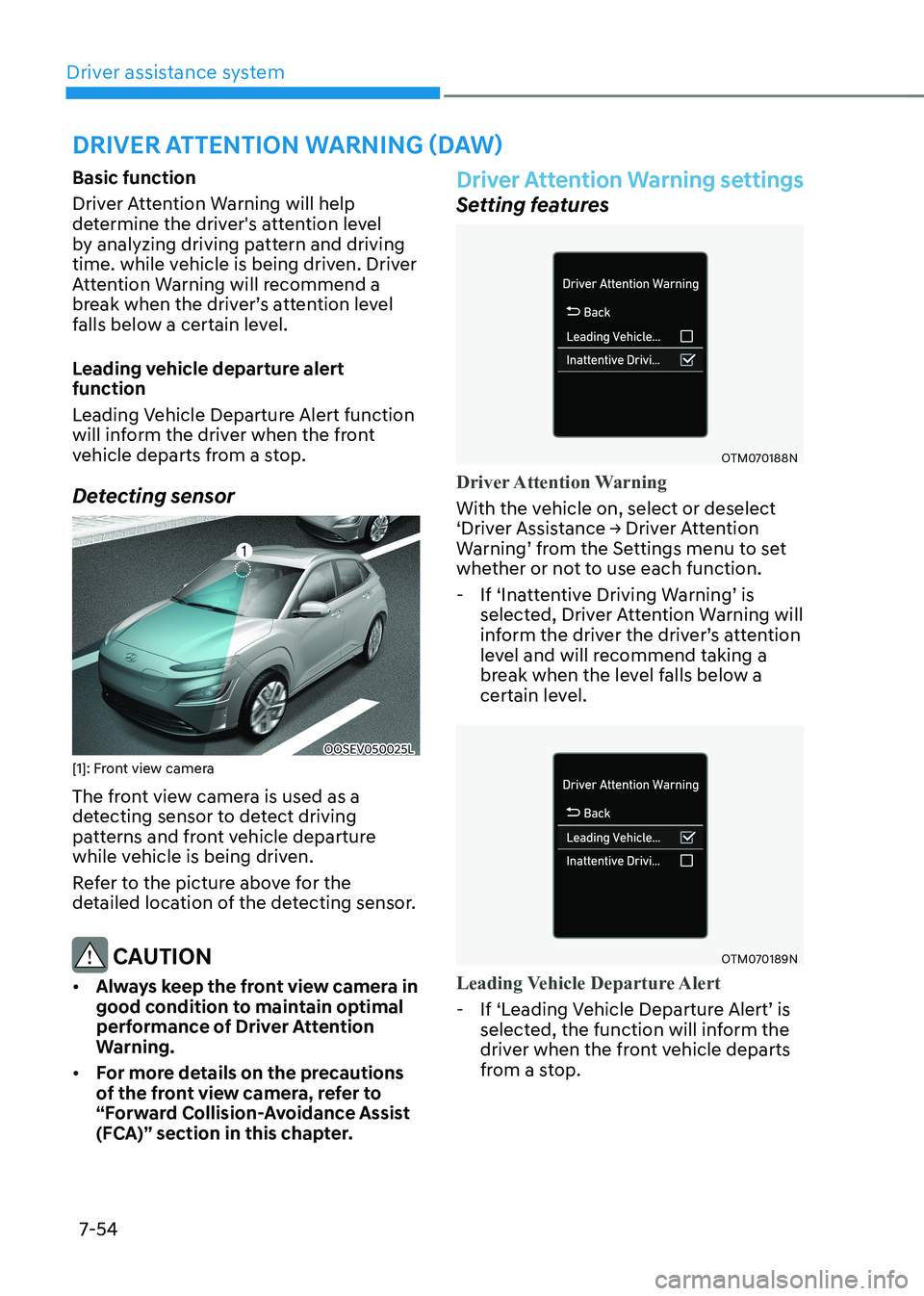
Detecting sensor
OOSEV050025L
[1]: Front view camera
The front view camera is used as a
detecting sensor to detect driving
patterns and front vehicle departure
while vehicle is being driven.
Refer to the picture above for the
detailed location of the detecting sensor.
CAUTION
• Always keep the front view camera in
good condition to maintain optimal
performance of Driver Attention
Warning.
• For more details on the precautions
of the front view camera, refer to
“Forward Collision-Avoidance Assist
(FCA)” section in this chapter.
Driver Attention Warning settings
Setting features
OTM070188N
Driver Attention Warning
With the vehicle on, select or deselect
‘Driver Assistance → Driver Attention
Warning’ from the Settings menu to set
whether or not to use each function.
- If ‘Inattentive Driving Warning’ is
selected, Driver Attention Warning will
inform the driver the driver’s attention
level and will recommend taking a
break when the level falls below a
certain level.
OTM070189N
Leading Vehicle Departure Alert
-If ‘Leading Vehicle Departure Alert’ is
selected, the function will inform the
driver when the front vehicle departs
from a stop.
driver attention warning (daw)
Page 397 of 548
Driver assistance system
7-64
Smart Cruise Control is designed to
detect the vehicle ahead and help
maintain the desired speed and
minimum distance between the vehicle ahead.
Overtaking Acceleration Assist
While Smart Cruise Control is operating,
if the function judges that the driver is
determined to overtake the vehicle in
front, acceleration will be assisted.
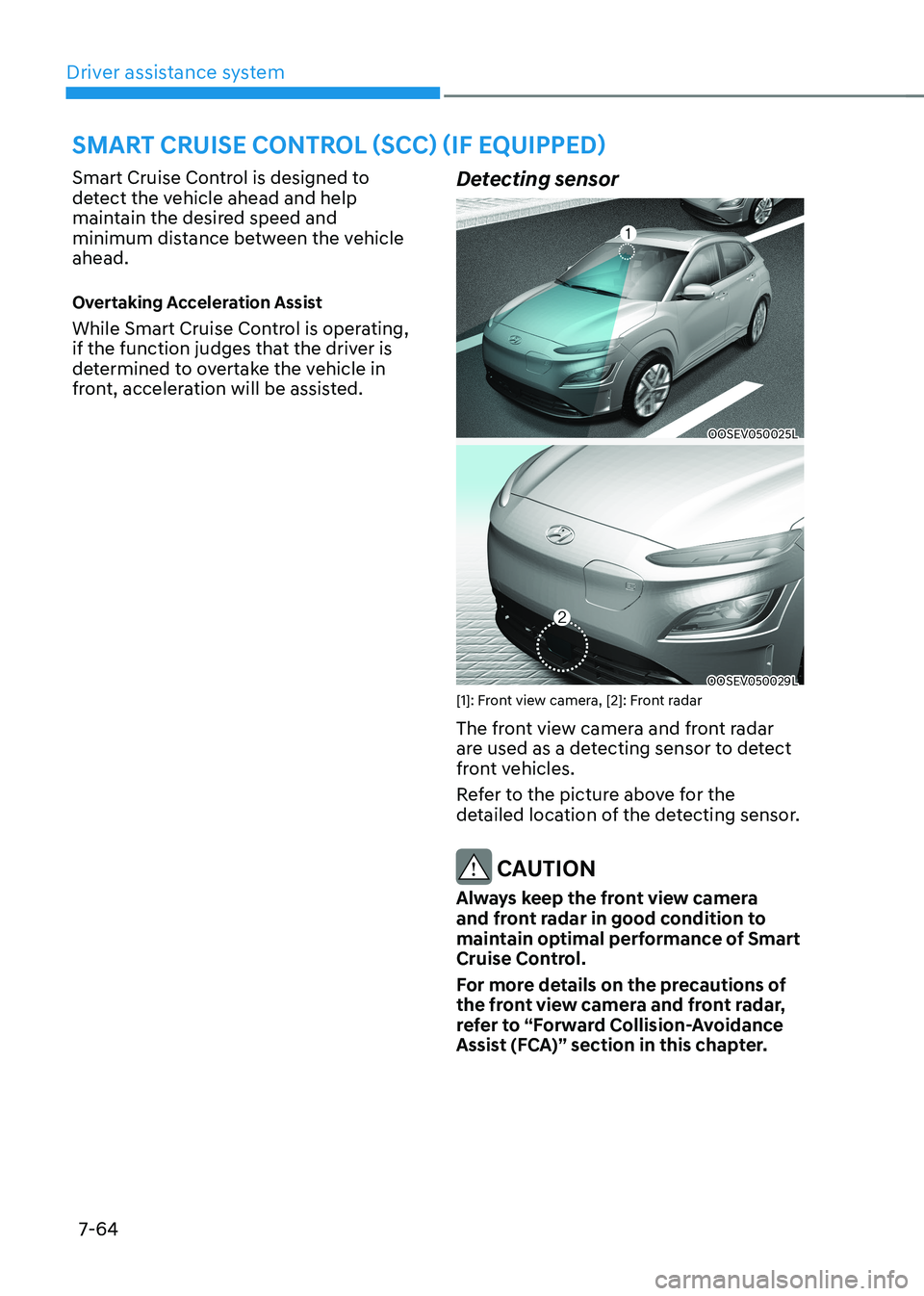
Detecting sensor
OOSEV050025L
OOSEV050029L
[1]: Front view camera, [2]: Front radar
The front view camera and front radar
are used as a detecting sensor to detect
front vehicles.
Refer to the picture above for the
detailed location of the detecting sensor.
CAUTION
Always keep the front view camera
and front radar in good condition to
maintain optimal performance of Smart
Cruise Control.
For more details on the precautions of
the front view camera and front radar,
refer to “Forward Collision-Avoidance
Assist (FCA)” section in this chapter.
smart Cruise Control (sCC) (iF equipped)
Page 407 of 548
Driver assistance system
7-74
Smart Cruise Control
malfunction and limitations
Smart Cruise Control malfunction
OTM070116N
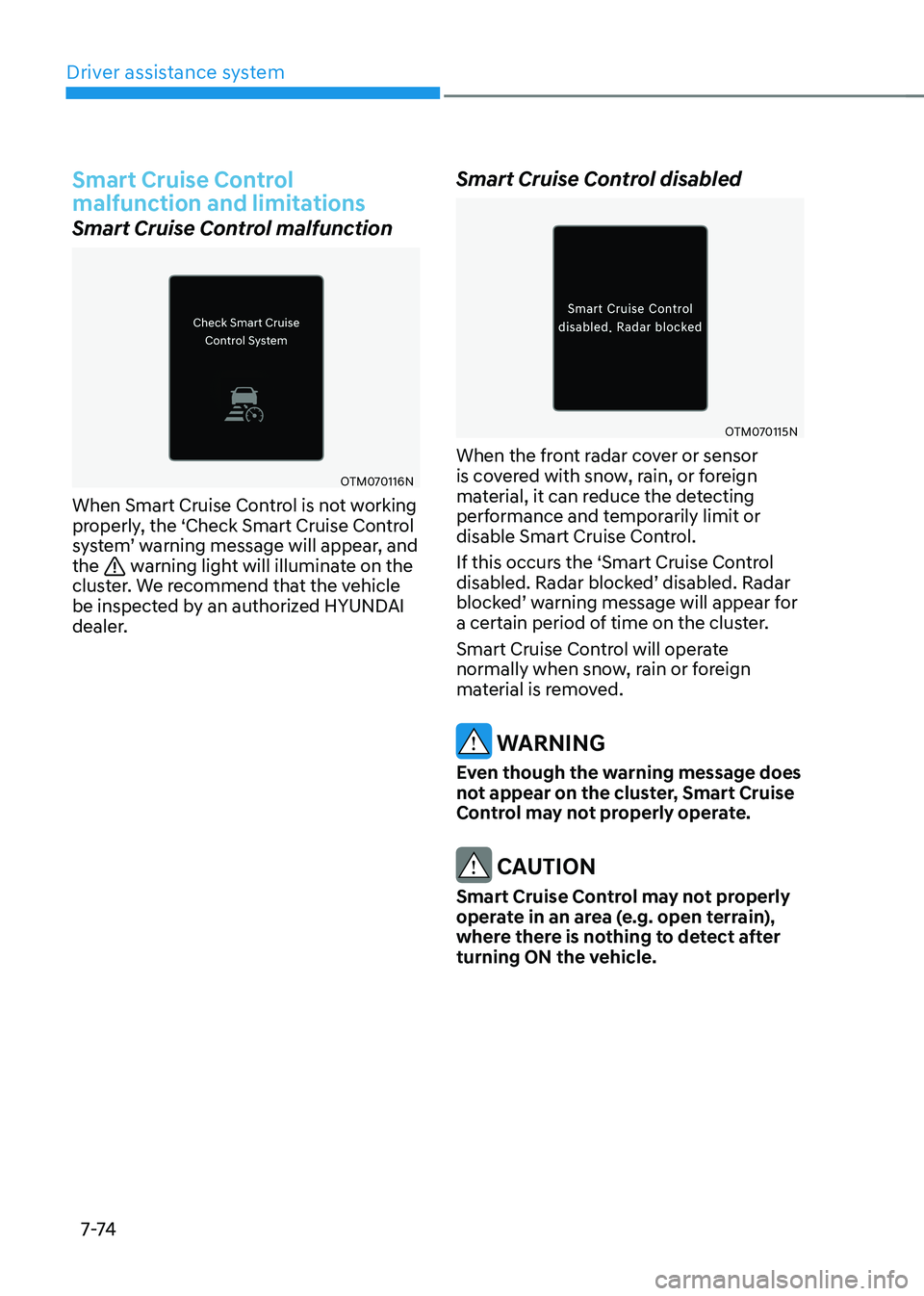
When Smart Cruise Control is not working
properly, the ‘Check Smart Cruise Control
system’ warning message will appear, and the
warning light will illuminate on the
cluster. We recommend that the vehicle
be inspected by an authorized HYUNDAI
dealer. Smart Cruise Control disabled
OTM070115N
When the front radar cover or sensor
is covered with snow, rain, or foreign
material, it can reduce the detecting
performance and temporarily limit or
disable Smart Cruise Control.
If this occurs the ‘Smart Cruise Control
disabled. Radar blocked’ disabled. Radar
blocked’ warning message will appear for
a certain period of time on the cluster.
Smart Cruise Control will operate
normally when snow, rain or foreign
material is removed.
warning
even though the warning message does
not appear on the cluster, Smart Cruise
Control may not properly operate.
CAUTION
Smart Cruise Control may not properly
operate in an area (e.g. open terrain),
where there is nothing to detect after
turning ON the vehicle.
Page 408 of 548
07
7-7 5
Limitations of Smart Cruise Control
Smart Cruise Control may not operate
normally, or it may operate unexpectedly
under the following circumstances: •
The detecting sensor or the
surroundings are contaminated or damaged
• Washer fluid is continuously sprayed, or the wiper is on
• The camera lens is contaminated due
to tinted, filmed or coated windshield,
damaged glass, or stuck of foreign
material (sticker, bug, etc.) on the glass
• Moisture is not removed or frozen on the windshield
• The field of view of the front view
camera is obstructed by sun glare
• Street light or light from an oncoming
vehicle is reflected on the wet road
surface, such as a puddle on the road
• The temperature around the front
view camera is high or low
• An object is placed on the dashboard
• The surrounding is very bright
• The surrounding is very dark, such as
in a tunnel, etc.
• The brightness changes suddenly, for
example when entering or exiting a tunnel
• The brightness outside is low, and the
headlamps are not on or are not bright
• Driving in heavy rain or snow, or thick
fog
• Driving through steam, smoke or
shadow •
Only part of the vehicle is detected
• The vehicle in front has no tail lights,
tail lights are located unusually, etc.
• The brightness outside is low, and the
tail lamps are not on or are not bright
• The rear of the front vehicle is small
or does not look normal (i.e. tilted,
overturned, etc.)
• The front vehicle’s ground clearance is low or high
• A vehicle suddenly cuts in front
• Your vehicle is being towed
• Driving through a tunnel or iron bridge
• Driving near areas containing metal
substances, such as a construction
zone, railroad, etc.
• A material is near that reflects very
well on the front radar, such as a
guardrail, nearby vehicle, etc.
• The bumper around the front radar is
impacted, damaged or the front radar
is out of position
• The temperature around the front
radar is high or low
• Driving in large areas where there are
few vehicles or structures (i.e. desert,
meadow, suburb, etc.)
• The vehicle in front is made of
material that does not reflect on the
front radar
• Driving near a highway (or motorway)
interchange or tollgate
• Driving on a slippery surface due to
snow, water puddle, ice, etc.
• Driving on a curved road
• The vehicle in front is detected late
• The vehicle in front is suddenly
blocked by a obstacle
• The vehicle in front suddenly changes
lane or suddenly reduces speed
Page 410 of 548
07
7-7 7
•
Driving on a slope
OADAS012
During uphill or downhill driving, the
Smart Cruise Control may not detect
a moving vehicle in your lane, and
cause your vehicle to accelerate to
the set speed. Also, vehicle speed will
rapidly decrease when the vehicle
ahead is detected suddenly.
Select the appropriate set speed on
inclines and apply the brake pedal or
accelerator pedal according to the
road and driving conditions ahead. •
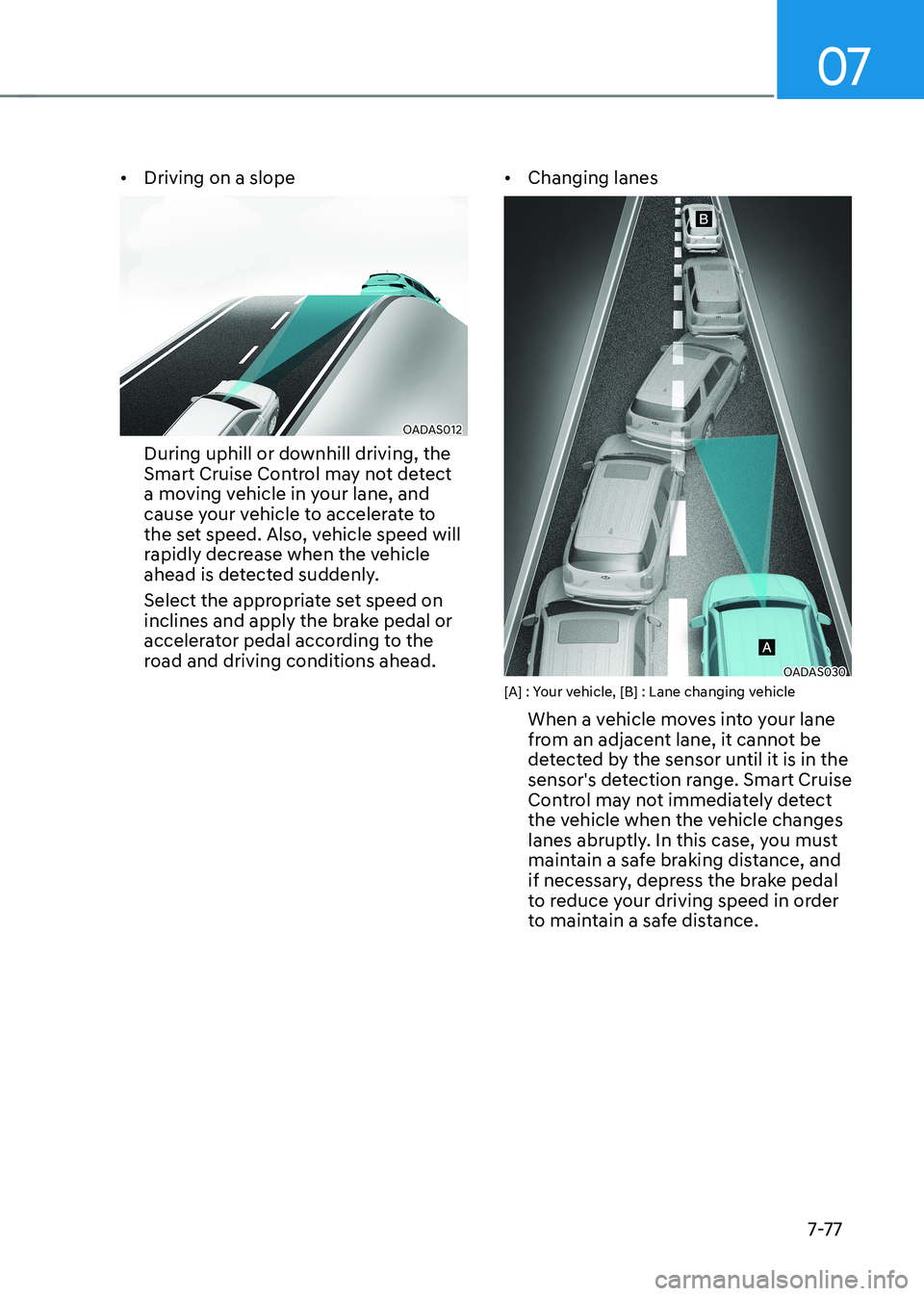
Changing lanes
OADAS030
[A] : Your vehicle, [B] : Lane changing vehicle
When a vehicle moves into your lane
from an adjacent lane, it cannot be
detected by the sensor until it is in the
sensor's detection range. Smart Cruise
Control may not immediately detect
the vehicle when the vehicle changes
lanes abruptly. In this case, you must
maintain a safe braking distance, and
if necessary, depress the brake pedal
to reduce your driving speed in order
to maintain a safe distance.
Page 411 of 548
Driver assistance system
7-7 8
•
Detecting vehicle
OJX1079181
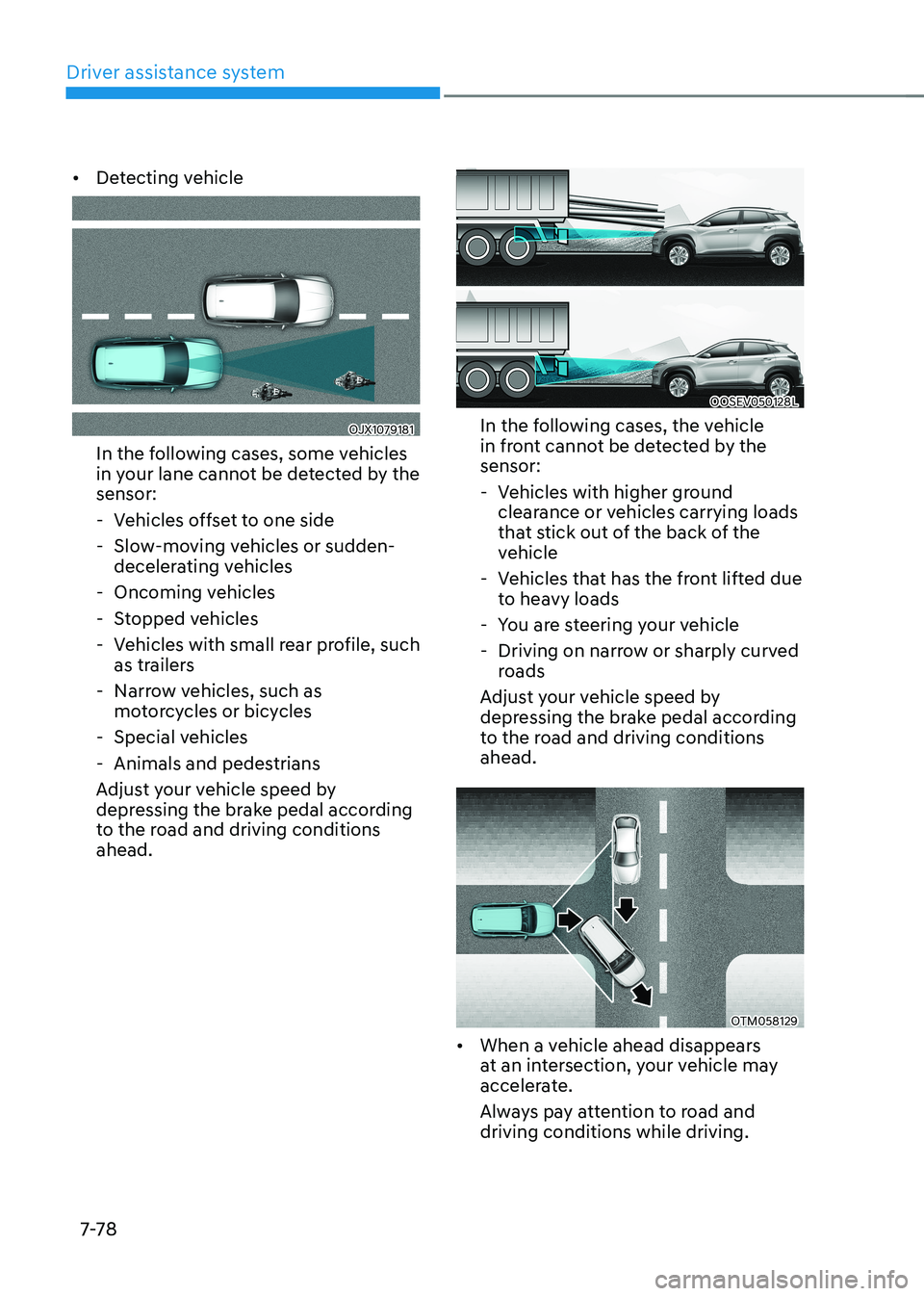
In the following cases, some vehicles
in your lane cannot be detected by the sensor:
- Vehicles offset to one side
- Slow-moving vehicles or sudden- decelerating vehicles
- Oncoming vehicles
- Stopped vehicles
- Vehicles with small rear profile, such
as trailers
- Narrow vehicles, such as motorcycles or bicycles
- Special vehicles
- Animals and pedestrians
Adjust your vehicle speed by
depressing the brake pedal according
to the road and driving conditions ahead.
OOSEV050128L
In the following cases, the vehicle
in front cannot be detected by the sensor:
- Vehicles with higher ground clearance or vehicles carrying loads
that stick out of the back of the
vehicle
- Vehicles that has the front lifted due to heavy loads
- You are steering your vehicle
- Driving on narrow or sharply curved roads
Adjust your vehicle speed by
depressing the brake pedal according
to the road and driving conditions ahead.
OTM058129
• When a vehicle ahead disappears
at an intersection, your vehicle may
accelerate.
Always pay attention to road and driving conditions while driving.
Page 420 of 548
07
7-87
Lane Following Assist is designed to help
detect lane markings and/or vehicles on
the road, and assists the driver’s steering
to help keep the vehicle between lanes.
Detecting sensor
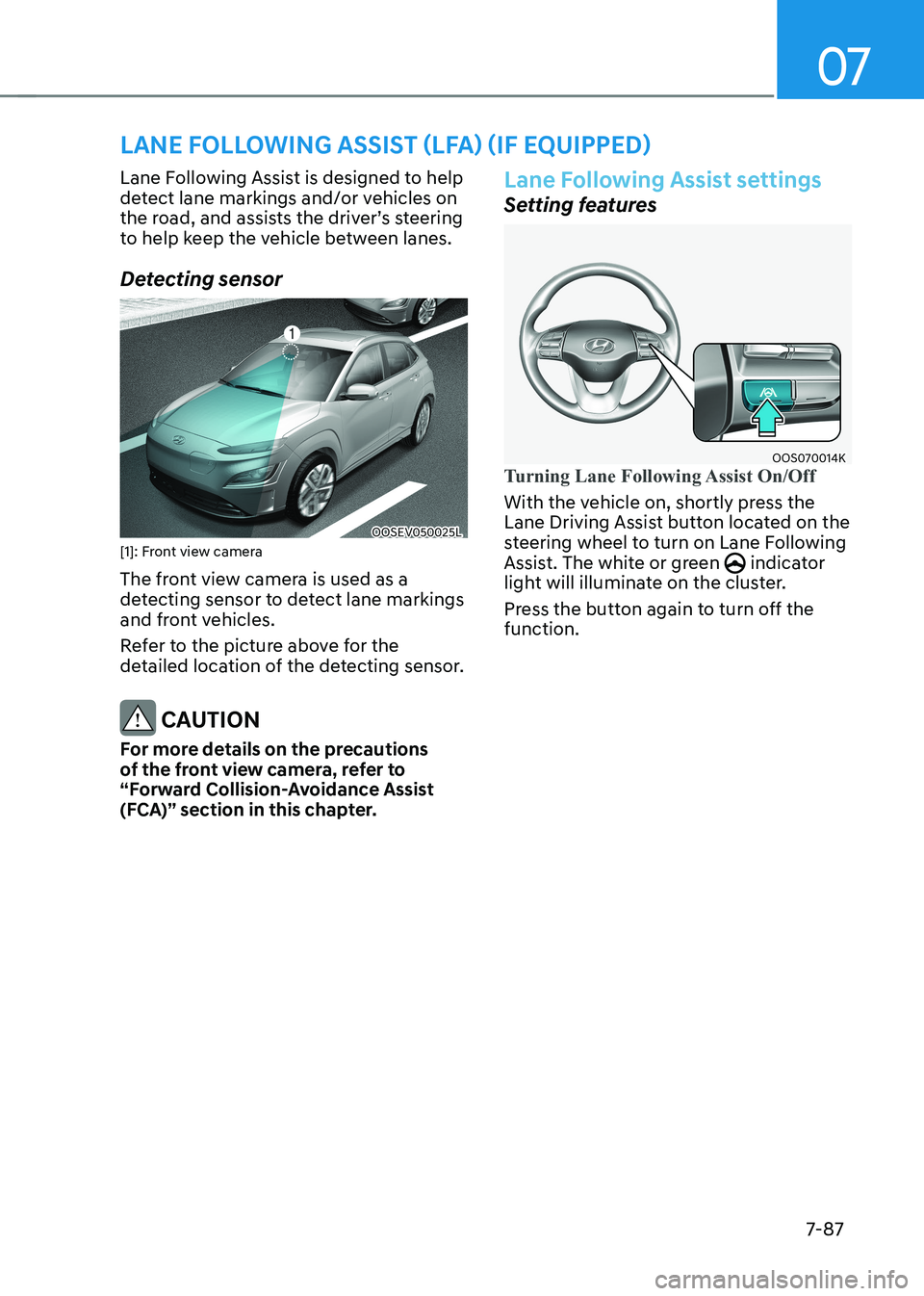
OOSEV050025L
[1]: Front view camera
The front view camera is used as a
detecting sensor to detect lane markings
and front vehicles.
Refer to the picture above for the
detailed location of the detecting sensor.
CAUTION
For more details on the precautions
of the front view camera, refer to
“Forward Collision-Avoidance Assist
(FCA)” section in this chapter.
Lane Following Assist settings
Setting features
OOS070014KTurning Lane Following Assist On/Off
With the vehicle on, shortly press the
Lane Driving Assist button located on the
steering wheel to turn on Lane Following
Assist. The white or green
indicator
light will illuminate on the cluster.
Press the button again to turn off the function.
lane Following assist (lFa) (iF equipped)