reset HYUNDAI KONA EV 2023 Owners Manual
[x] Cancel search | Manufacturer: HYUNDAI, Model Year: 2023, Model line: KONA EV, Model: HYUNDAI KONA EV 2023Pages: 548, PDF Size: 49.14 MB
Page 170 of 548
04
4-27
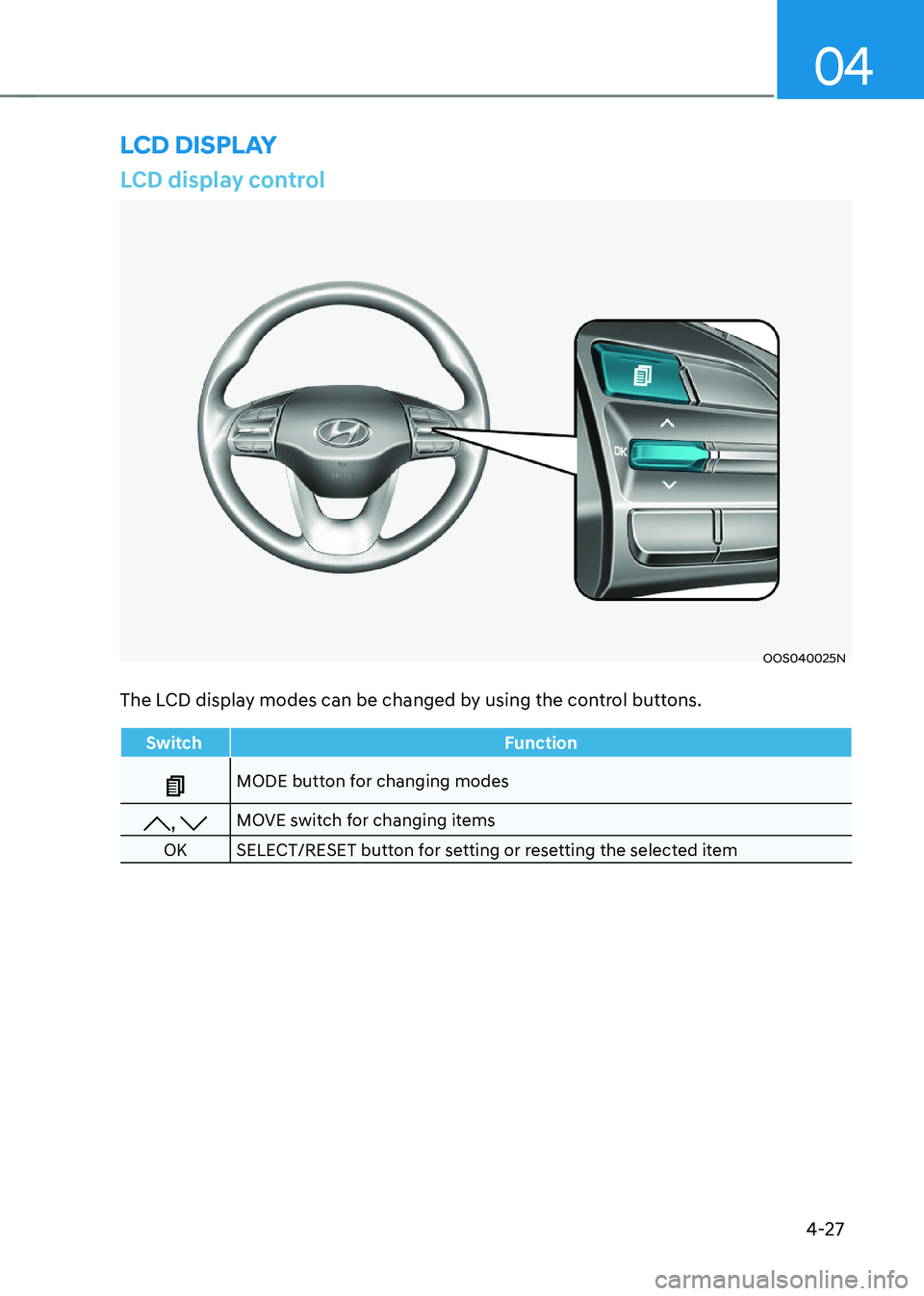
LCD display control
OOS040025N
The LCD display modes can be changed by using the control buttons.
Switch Function
MODE button for changing modes
, MOVE switch for changing items
OK SELECT/RESET button for setting or resetting the selected item
lcD DIsplay
Page 174 of 548
04
4-31
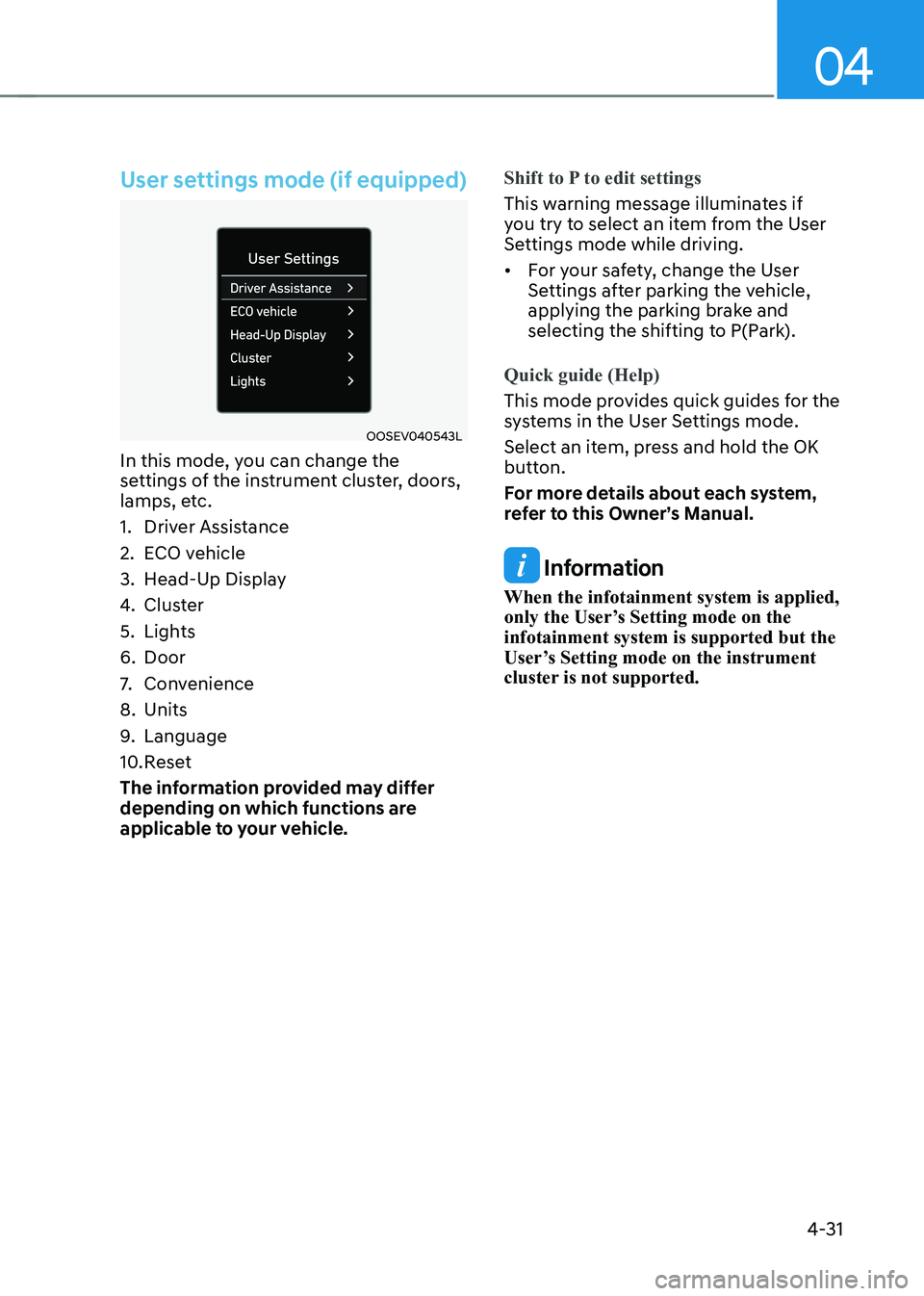
User settings mode (if equipped)
OOSEV040543L
In this mode, you can change the
settings of the instrument cluster, doors,
lamps, etc.
1. Driver Assistance
2. ECO vehicle
3. Head-Up Display
4. Cluster
5. Lights
6. Door
7. Convenience
8. Units
9. Language
10. Reset
The information provided may differ
depending on which functions are
applicable to your vehicle.
Shift to P to edit settings
This warning message illuminates if
you try to select an item from the User
Settings mode while driving. • For your safety, change the User
Settings after parking the vehicle,
applying the parking brake and
selecting the shifting to P(Park).
Quick guide (Help)
This mode provides quick guides for the
systems in the User Settings mode.
Select an item, press and hold the OK
button.
For more details about each system,
refer to this Owner’s Manual.
Information
When the infotainment system is applied,
only the User’s Setting mode on the infotainment system is supported but the
User’s Setting mode on the instrument
cluster is not supported.
Page 178 of 548
04
4-35
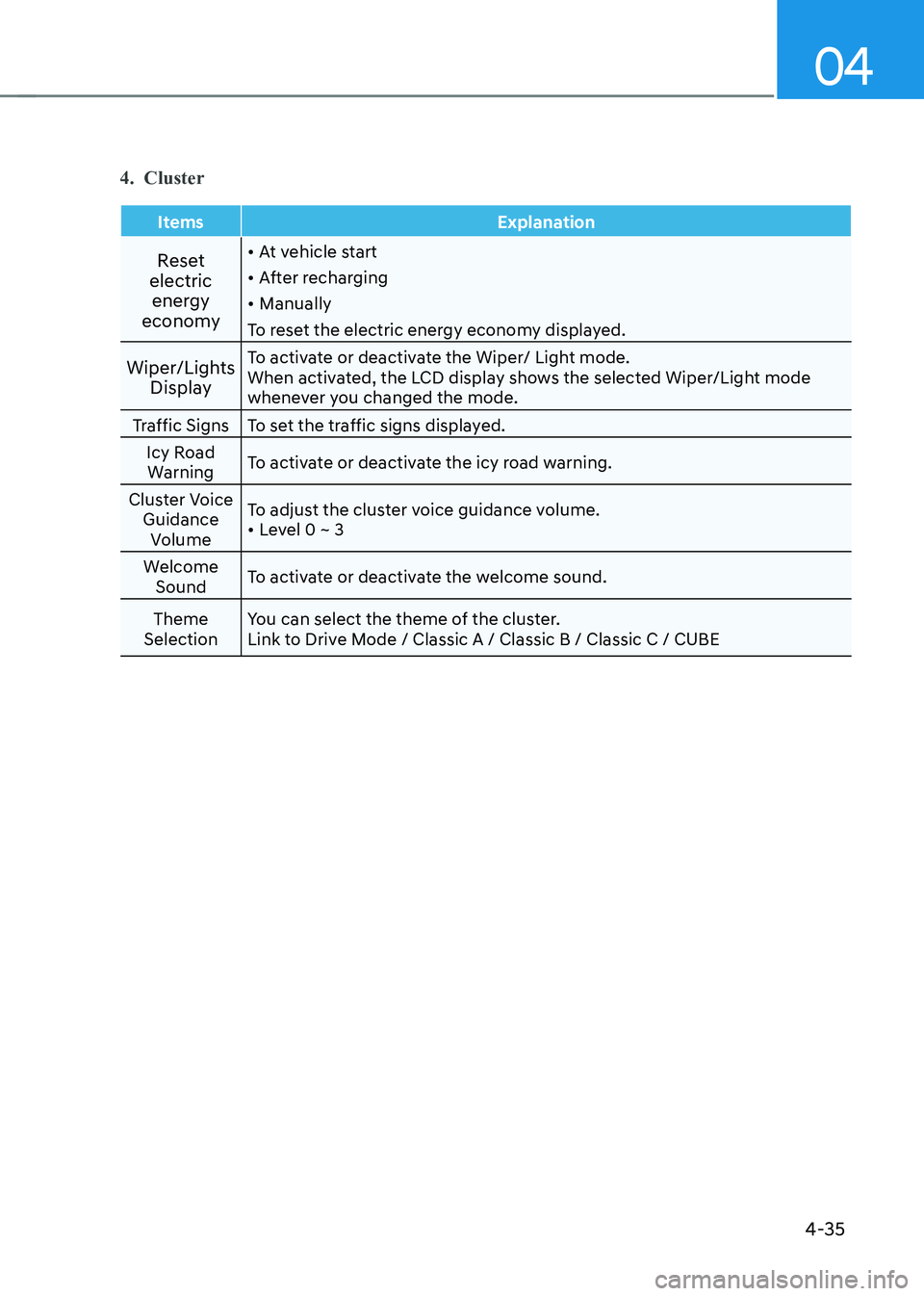
4. Cluster
Items Explanation
Reset
electric energy
economy •
At vehicle start
• After recharging
• Manually
To reset the electric energy economy displayed.
Wiper/Lights Display To activate or deactivate the Wiper/ Light mode.
When activated, the LCD display shows the selected Wiper/Light mode
whenever you changed the mode.
Traffic Signs To set the traffic signs displayed. Icy Road Warning To activate or deactivate the icy road warning.
Cluster Voice Guidance Volume To adjust the cluster voice guidance volume.•
Level 0 ~ 3
Welcome Sound To activate or deactivate the welcome sound.
Theme
Selection You can select the theme of the cluster.
Link to Drive Mode / Classic A / Classic B / Classic C / CUBE
Page 180 of 548
04
4-37
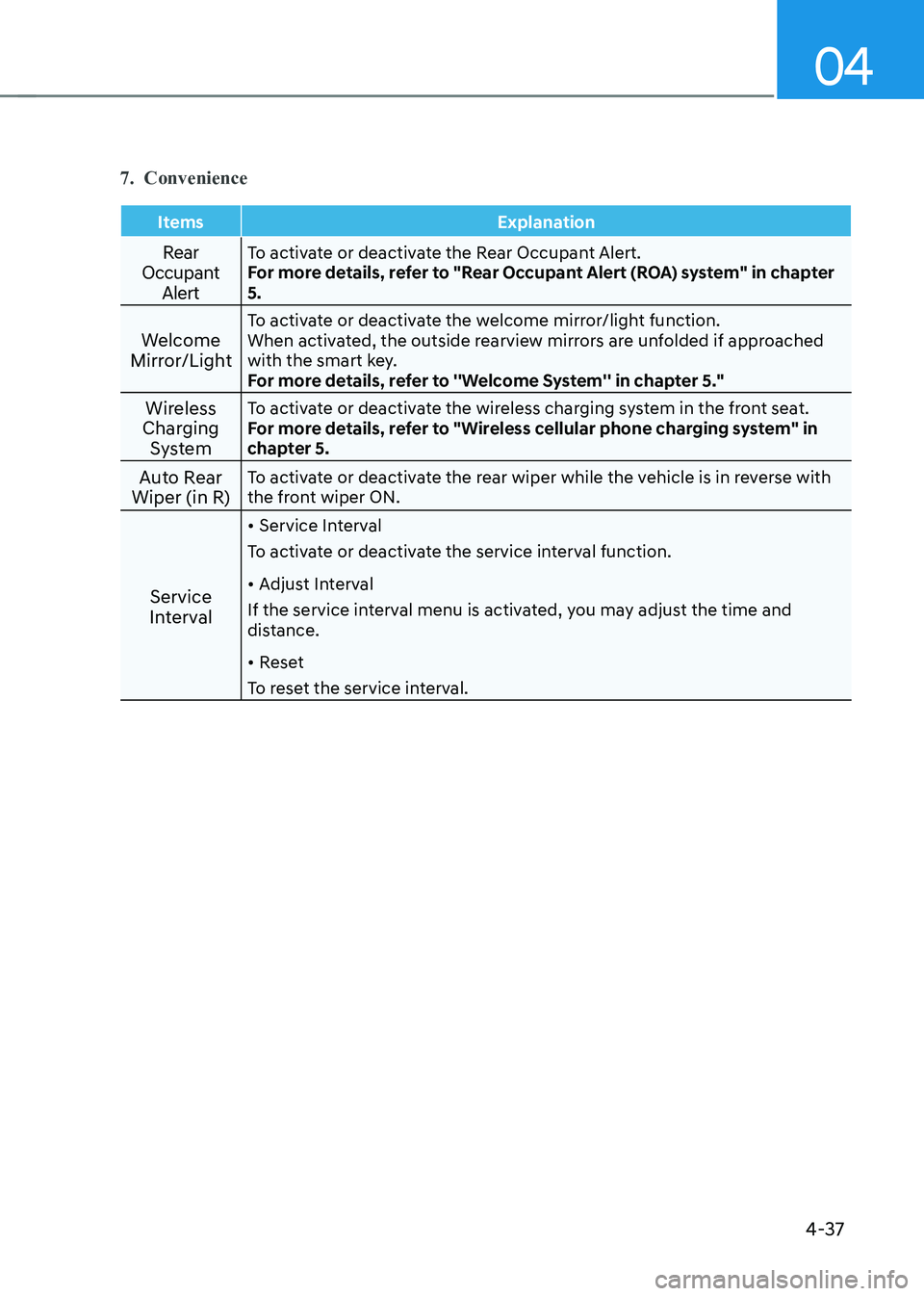
7. Convenience
Items Explanation
Rear
Occupant AlertTo activate or deactivate the Rear Occupant Alert.
For more details, refer to "Rear Occupant Alert (ROA) system" in chapter 5.
Welcome
Mirror/Light To activate or deactivate the welcome mirror/light function.
When activated, the outside rearview mirrors are unfolded if approached
with the smart key.
For more details, refer to ''Welcome System'' in chapter 5."
Wireless
Charging System To activate or deactivate the wireless charging system in the front seat.
For more details, refer to "Wireless cellular phone charging system" in
chapter 5.
Auto Rear
Wiper (in R) To activate or deactivate the rear wiper while the vehicle is in reverse with
the front wiper ON.
Service
Interval •
Service Interval
To activate or deactivate the service interval function. • Adjust Interval
If the service interval menu is activated, you may adjust the time and
distance. • Reset
To reset the service interval.
Page 181 of 548
Instrument cluster
4-38
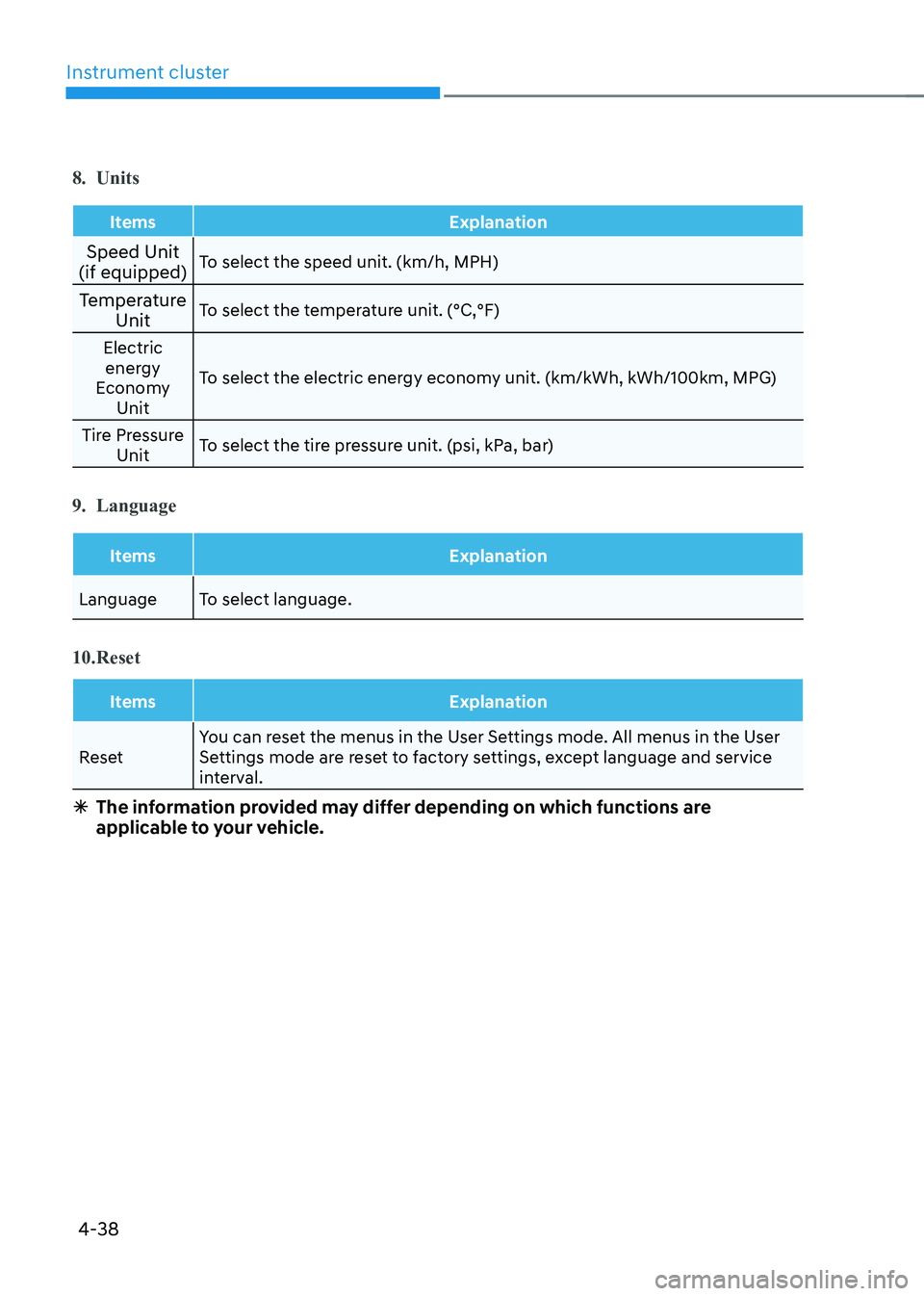
8. Units
Items Explanation
Speed Unit
(if equipped) To select the speed unit. (km/h, MPH)
Temperature Unit To select the temperature unit. (°C,°F)
Electric energy
Economy Unit To select the electric energy economy unit. (km/kWh, kWh/100km, MPG)
Tire Pressure Unit To select the tire pressure unit. (psi, kPa, bar)
9. Language
Items Explanation
Language To select language.
10. Reset
Items Explanation
Reset You can reset the menus in the User Settings mode. All menus in the User
Settings mode are reset to factory settings, except language and service
interval.
à The information provided may differ depending on which functions are
applicable to your vehicle.
Page 182 of 548
04
4-39
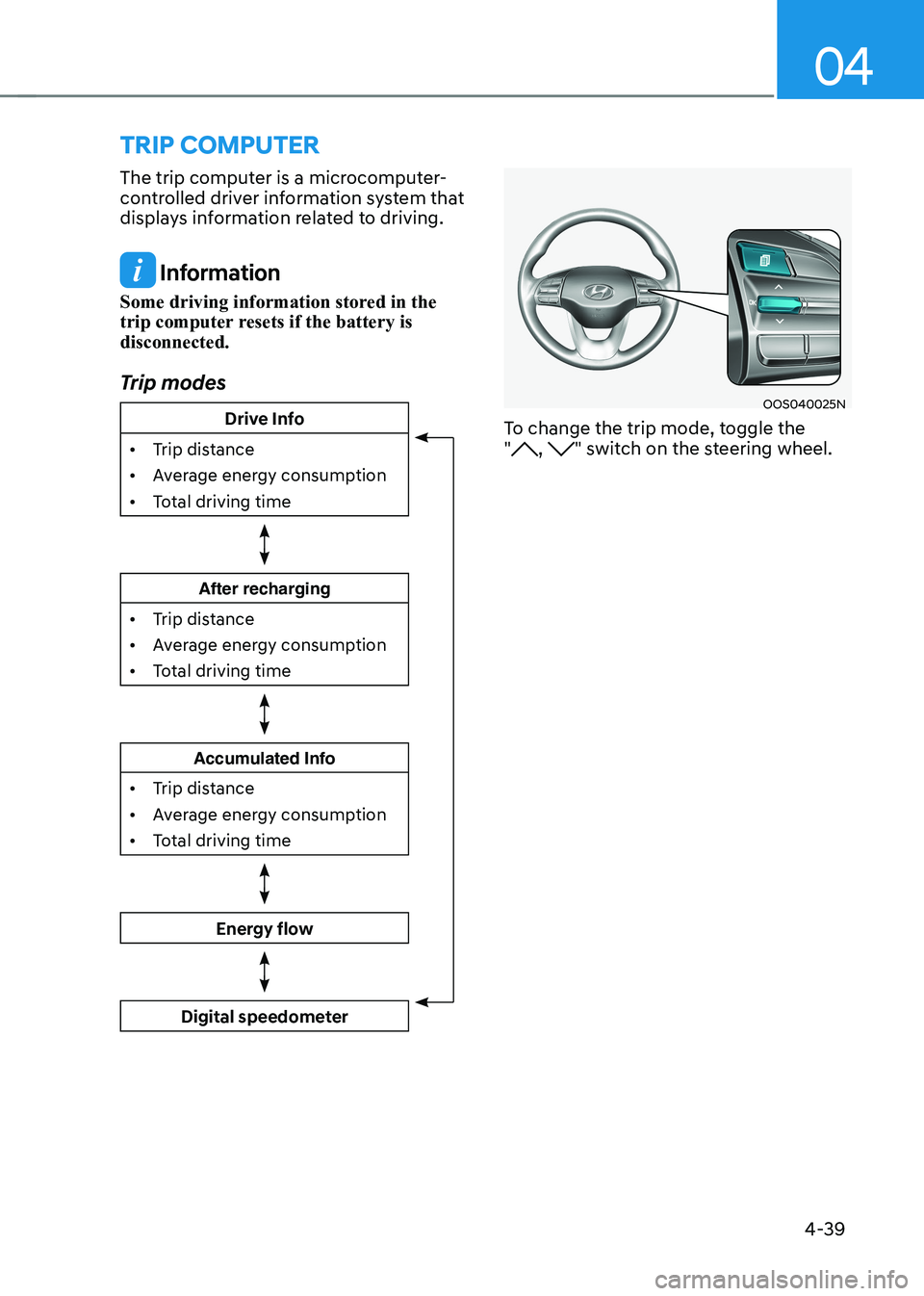
trIp computer
The trip computer is a microcomputer-
controlled driver information system that
displays information related to driving.
Information
Some driving information stored in the
trip computer resets if the battery is disconnected.
Trip modes
Drive Info
• Trip distance
• Average energy consumption
• Total driving time
After recharging
• Trip distance
• Average energy consumption
• Total driving time
Accumulated Info
• Trip distance
• Average energy consumption
• Total driving time
Energy flow
Digital speedometer
OOS040025N
To change the trip mode, toggle the "
, " switch on the steering wheel.
Page 183 of 548
Instrument cluster
4-40
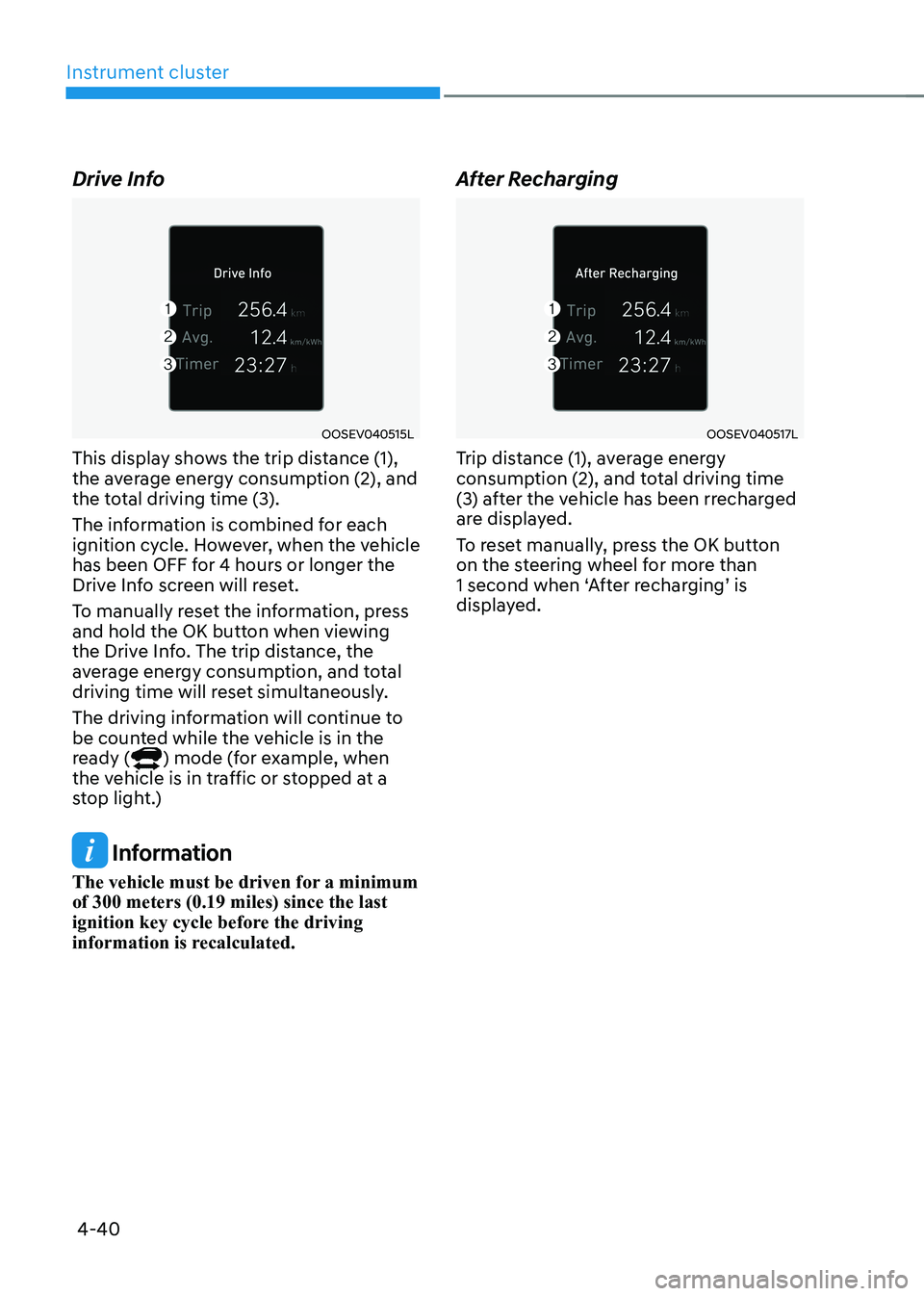
Drive Info
OOSEV040515L
This display shows the trip distance (1),
the average energy consumption (2), and
the total driving time (3).
The information is combined for each
ignition cycle. However, when the vehicle
has been OFF for 4 hours or longer the
Drive Info screen will reset.
To manually reset the information, press
and hold the OK button when viewing
the Drive Info. The trip distance, the
average energy consumption, and total
driving time will reset simultaneously.
The driving information will continue to
be counted while the vehicle is in the
ready (
) mode (for example, when
the vehicle is in traffic or stopped at a
stop light.)
Information
The vehicle must be driven for a minimum of 300 meters (0.19 miles) since the last
ignition key cycle before the driving
information is recalculated. After Recharging
OOSEV040517L
Trip distance (1), average energy
consumption (2), and total driving time
(3) after the vehicle has been rrecharged
are displayed.
To reset manually, press the OK button
on the steering wheel for more than
1 second when ‘After recharging’ is
displayed.
Page 184 of 548
04
4-41
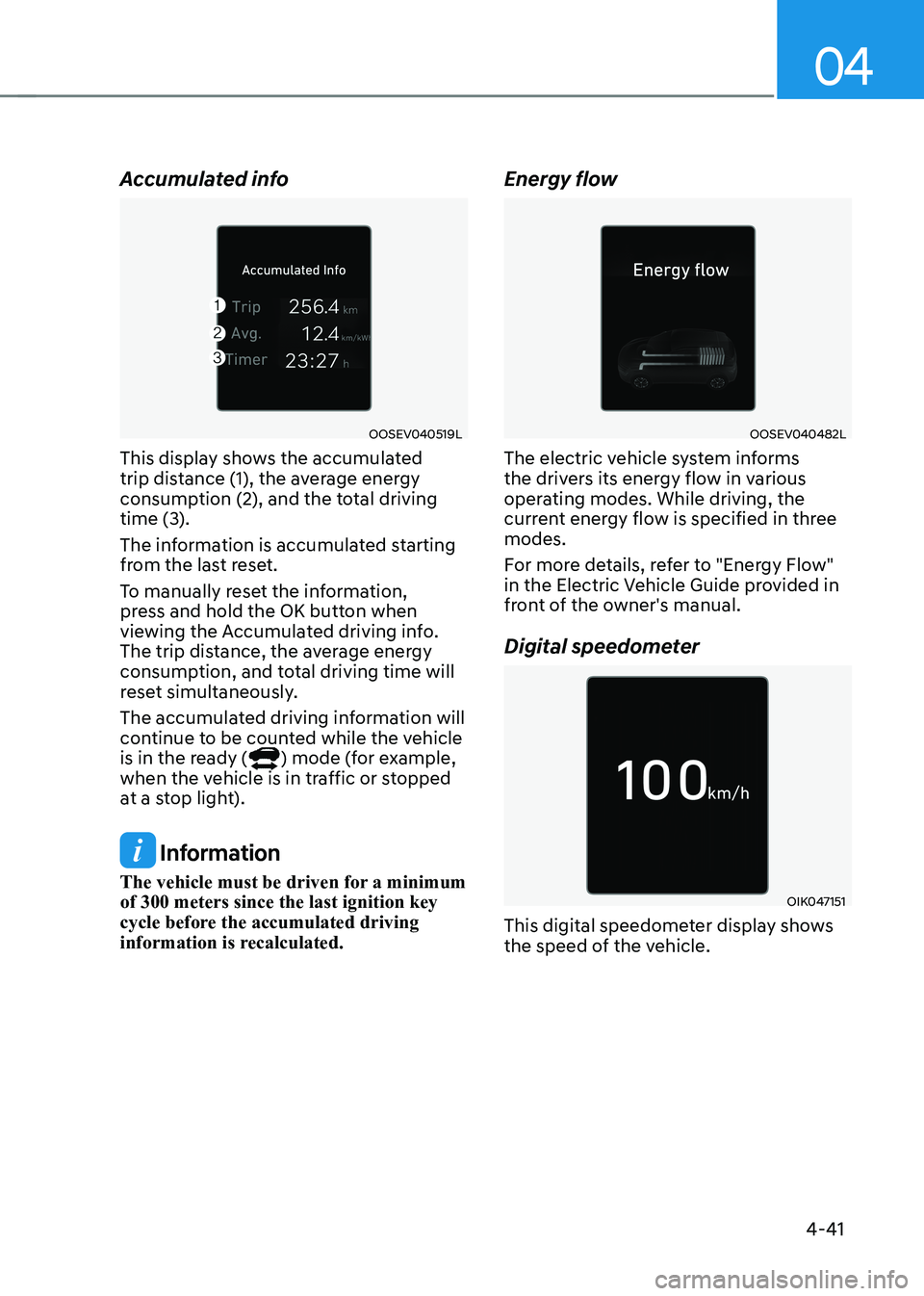
Accumulated info
OOSEV040519L
This display shows the accumulated
trip distance (1), the average energy
consumption (2), and the total driving
time (3).
The information is accumulated starting
from the last reset.
To manually reset the information,
press and hold the OK button when
viewing the Accumulated driving info.
The trip distance, the average energy
consumption, and total driving time will
reset simultaneously.
The accumulated driving information will
continue to be counted while the vehicle
is in the ready (
) mode (for example,
when the vehicle is in traffic or stopped
at a stop light).
Information
The vehicle must be driven for a minimum of 300 meters since the last ignition key
cycle before the accumulated driving
information is recalculated. Energy flow
OOSEV040482L
The electric vehicle system informs
the drivers its energy flow in various
operating modes. While driving, the
current energy flow is specified in three modes.
For more details, refer to "Energy Flow"
in the Electric Vehicle Guide provided in
front of the owner's manual.
Digital speedometer
OIK047151
This digital speedometer display shows
the speed of the vehicle.
Page 185 of 548
5
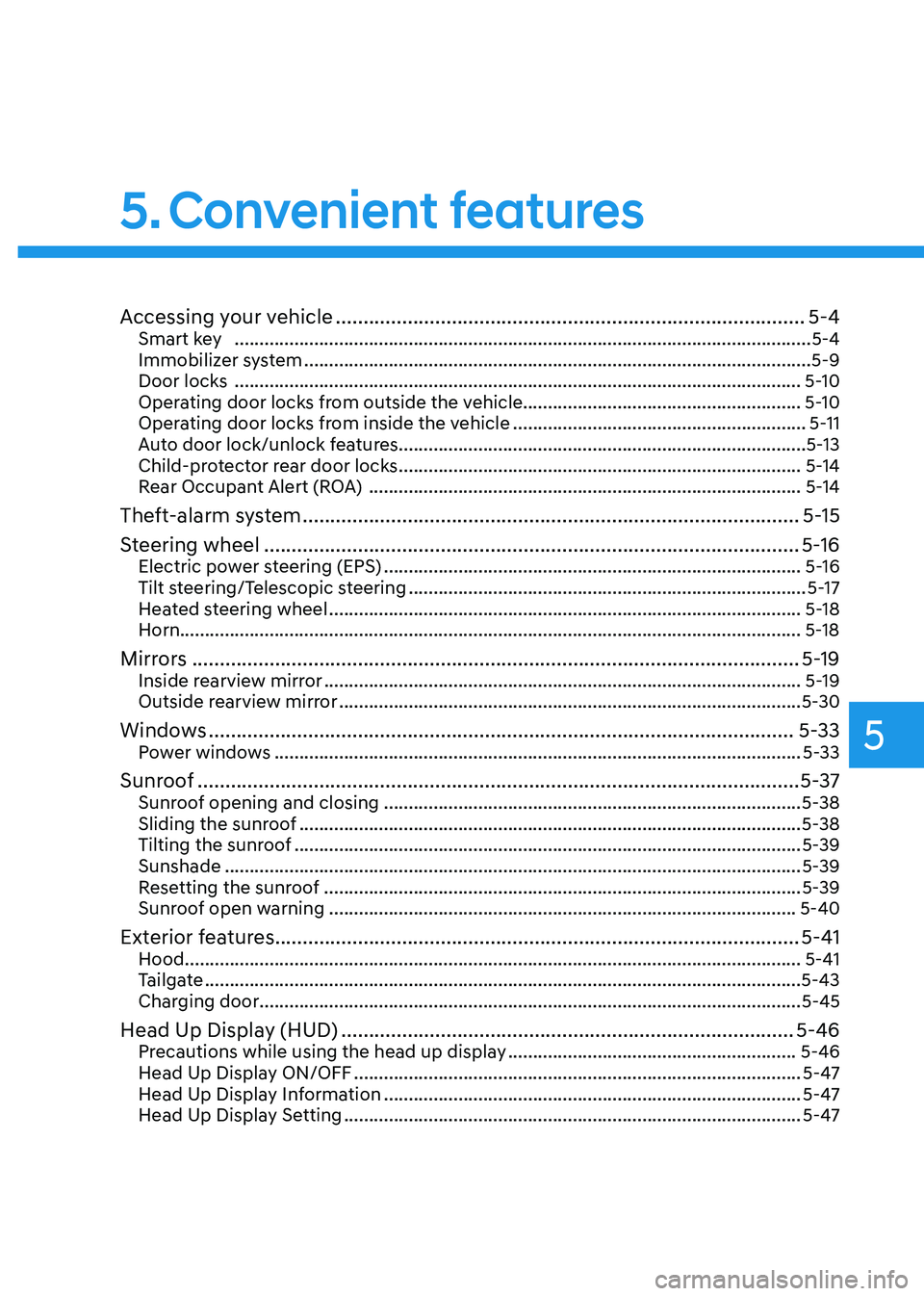
Accessing your vehicle ..................................................................................... 5-4
Smart key .................................................................................................................... 5-4
Immobilizer system ...................................................................................................... 5-9
Door locks .................................................................................................................. 5-10
Operating door locks from outside the vehicle........................................................ 5-10
Operating door locks from inside the vehicle ...........................................................5-11
Auto door lock/unlock features..................................................................................5-13
Child-protector rear door locks ................................................................................. 5-14
Rear Occupant Alert (ROA) ....................................................................................... 5-14
Theft-alarm system .......................................................................................... 5-15
Steering wheel ................................................................................................. 5-16
Electric power steering (EPS) .................................................................................... 5-16
Tilt steering/Telescopic steering ................................................................................ 5-17
Heated steering wheel ............................................................................................... 5-18
Horn............................................................................................................................. 5-18
Mirrors .............................................................................................................. 5-19
Inside rearview mirror ................................................................................................ 5-19
Outside rearview mirror ............................................................................................. 5-30
Windows .......................................................................................................... 5-33
Power windows .......................................................................................................... 5-33
Sunroof ............................................................................................................. 5-37
Sunroof opening and closing .................................................................................... 5-38
Sliding the sunroof ..................................................................................................... 5-38
Tilting the sunroof ...................................................................................................... 5-39
Sunshade .................................................................................................................... 5-39
Resetting the sunroof ................................................................................................ 5-39
Sunroof open warning .............................................................................................. 5-40
Exterior features ............................................................................................... 5-41
Hood ............................................................................................................................ 5-41
Tailgate ........................................................................................................................ 5-43
Charging door ............................................................................................................. 5-45
Head Up Display (HUD) .................................................................................. 5-46
Precautions while using the head up display ..........................................................5-46
Head Up Display ON/OFF .......................................................................................... 5-47
Head Up Display Information .................................................................................... 5-47
Head Up Display Setting ............................................................................................ 5-47
5. Convenient features
Page 199 of 548
05
5-15
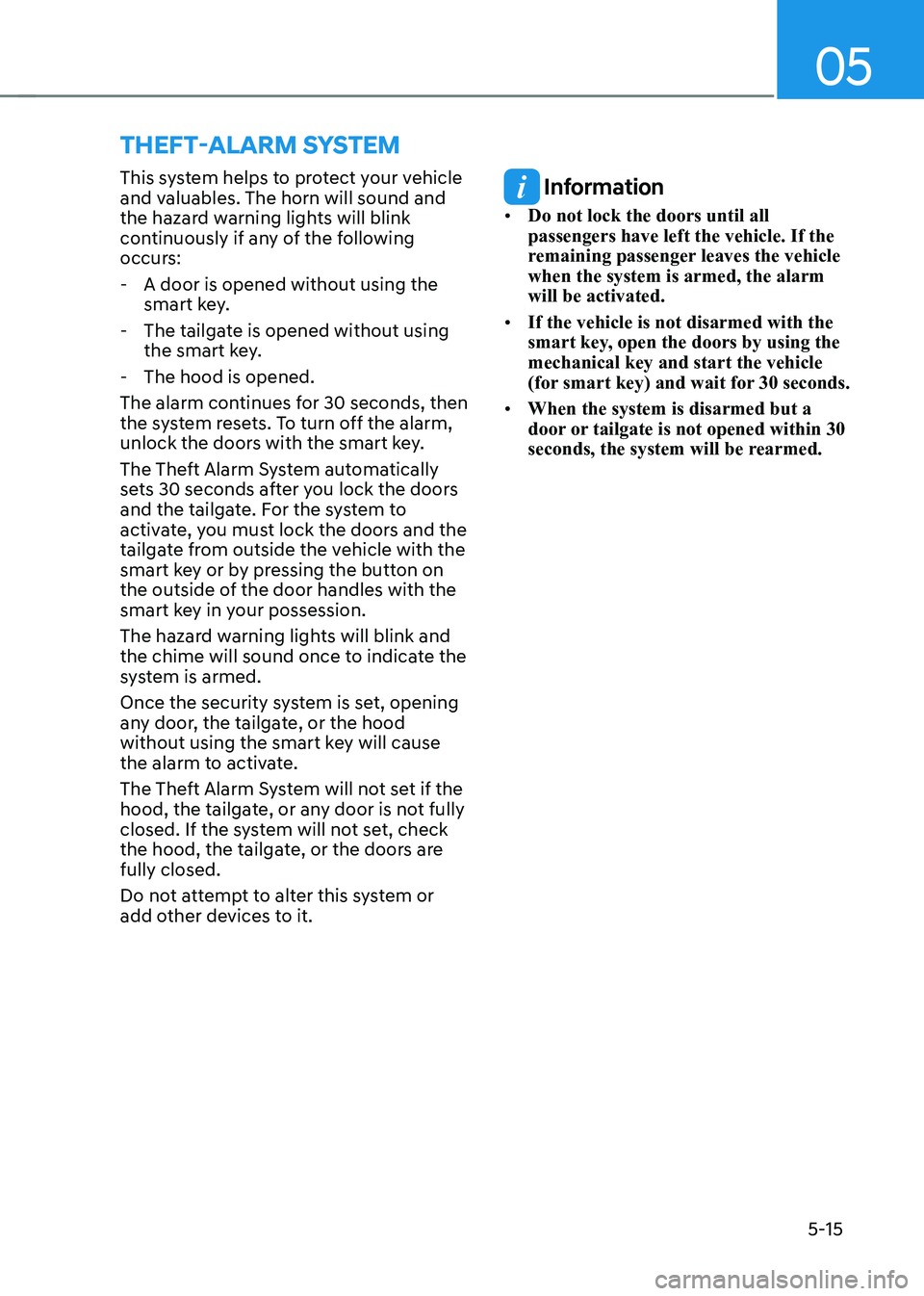
This system helps to protect your vehicle
and valuables. The horn will sound and
the hazard warning lights will blink
continuously if any of the following
occurs:
- A door is opened without using the smart key.
- The tailgate is opened without using the smart key.
- The hood is opened.
The alarm continues for 30 seconds, then
the system resets. To turn off the alarm,
unlock the doors with the smart key.
The Theft Alarm System automatically
sets 30 seconds after you lock the doors
and the tailgate. For the system to
activate, you must lock the doors and the
tailgate from outside the vehicle with the
smart key or by pressing the button on
the outside of the door handles with the
smart key in your possession.
The hazard warning lights will blink and
the chime will sound once to indicate the
system is armed.
Once the security system is set, opening
any door, the tailgate, or the hood
without using the smart key will cause
the alarm to activate.
The Theft Alarm System will not set if the
hood, the tailgate, or any door is not fully
closed. If the system will not set, check
the hood, the tailgate, or the doors are fully closed.
Do not attempt to alter this system or
add other devices to it.
Information
• Do not lock the doors until all passengers have left the vehicle. If the
remaining passenger leaves the vehicle when the system is armed, the alarm will be activated.
• If the vehicle is not disarmed with the
smart key, open the doors by using the mechanical key and start the vehicle
(for smart key) and wait for 30 seconds.
• When the system is disarmed but a
door or tailgate is not opened within 30
seconds, the system will be rearmed.
ThefT-alarm sysTem