lock Hyundai Matrix 2004 Manual Online
[x] Cancel search | Manufacturer: HYUNDAI, Model Year: 2004, Model line: Matrix, Model: Hyundai Matrix 2004Pages: 317, PDF Size: 5.12 MB
Page 214 of 317
CONTROLS AND EQUIPMENT
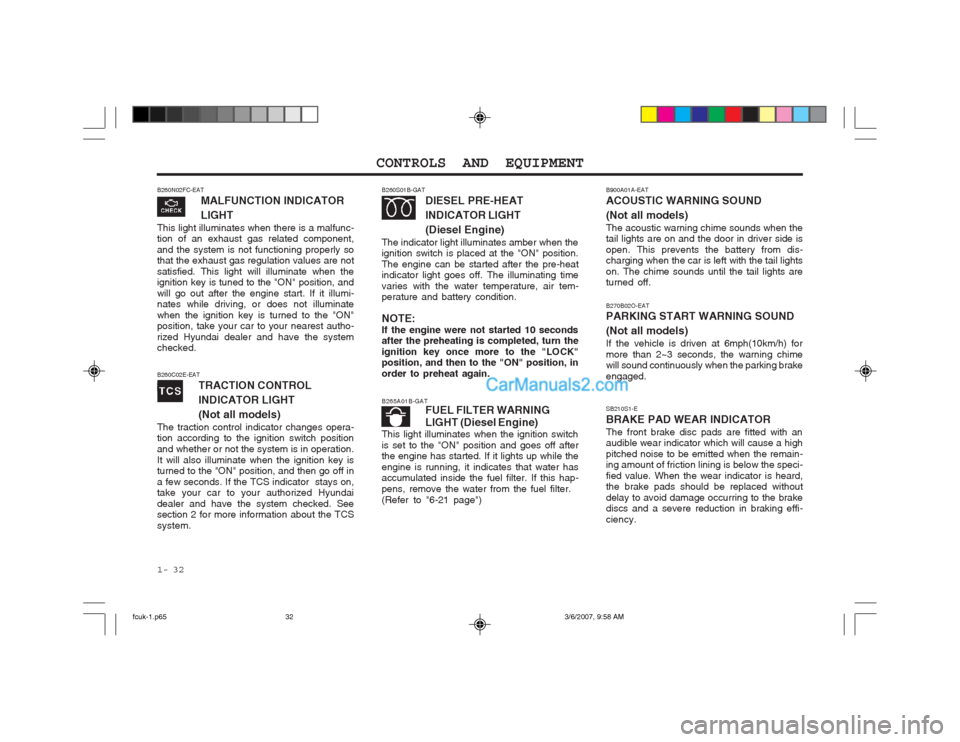
1- 32 SB210S1-E BRAKE PAD WEAR INDICATORThe front brake disc pads are fitted with an audible wear indicator which will cause a high pitched noise to be emitted when the remain- ing amount of friction lining is below the speci- fied value. When the wear indicator is heard, the brake pads should be replaced without delay to avoid damage occurring to the brake discs and a severe reduction in braking effi- ciency.
B260N02FC-EAT
MALFUNCTION INDICATOR LIGHT
This light illuminates when there is a malfunc- tion of an exhaust gas related component, and the system is not functioning properly so that the exhaust gas regulation values are not satisfied. This light will illuminate when the ignition key is tuned to the "ON" position, and will go out after the engine start. If it illumi- nates while driving, or does not illuminate when the ignition key is turned to the "ON" position, take your car to your nearest autho- rized Hyundai dealer and have the system checked.
B260S01B-GAT DIESEL PRE-HEAT INDICATOR LIGHT(Diesel Engine)
The indicator light illuminates amber when the ignition switch is placed at the "ON" position. The engine can be started after the pre-heat indicator light goes off. The illuminating time varies with the water temperature, air tem- perature and battery condition. NOTE: If the engine were not started 10 seconds after the preheating is completed, turn the ignition key once more to the "LOCK" position, and then to the "ON" position, in order to preheat again.
B265A01B-GAT FUEL FILTER WARNING LIGHT (Diesel Engine)
This light illuminates when the ignition switch is set to the "ON" position and goes off after the engine has started. If it lights up while the engine is running, it indicates that water has accumulated inside the fuel filter. If this hap- pens, remove the water from the fuel filter.(Refer to "6-21 page")
B260C02E-EAT
TRACTION CONTROL INDICATOR LIGHT(Not all models)
The traction control indicator changes opera- tion according to the ignition switch position and whether or not the system is in operation.It will also illuminate when the ignition key is turned to the "ON" position, and then go off in a few seconds. If the TCS indicator stays on, take your car to your authorized Hyundai dealer and have the system checked. See section 2 for more information about the TCS system.
B270B02O-EAT PARKING START WARNING SOUND (Not all models) If the vehicle is driven at 6mph(10km/h) for more than 2~3 seconds, the warning chime will sound continuously when the parking brake engaged.
B900A01A-EAT ACOUSTIC WARNING SOUND (Not all models) The acoustic warning chime sounds when the tail lights are on and the door in driver side is open. This prevents the battery from dis- charging when the car is left with the tail lights on. The chime sounds until the tail lights are turned off.
fcuk-1.p65
3/6/2007, 9:58 AM
32
Page 222 of 317
CONTROLS AND EQUIPMENT
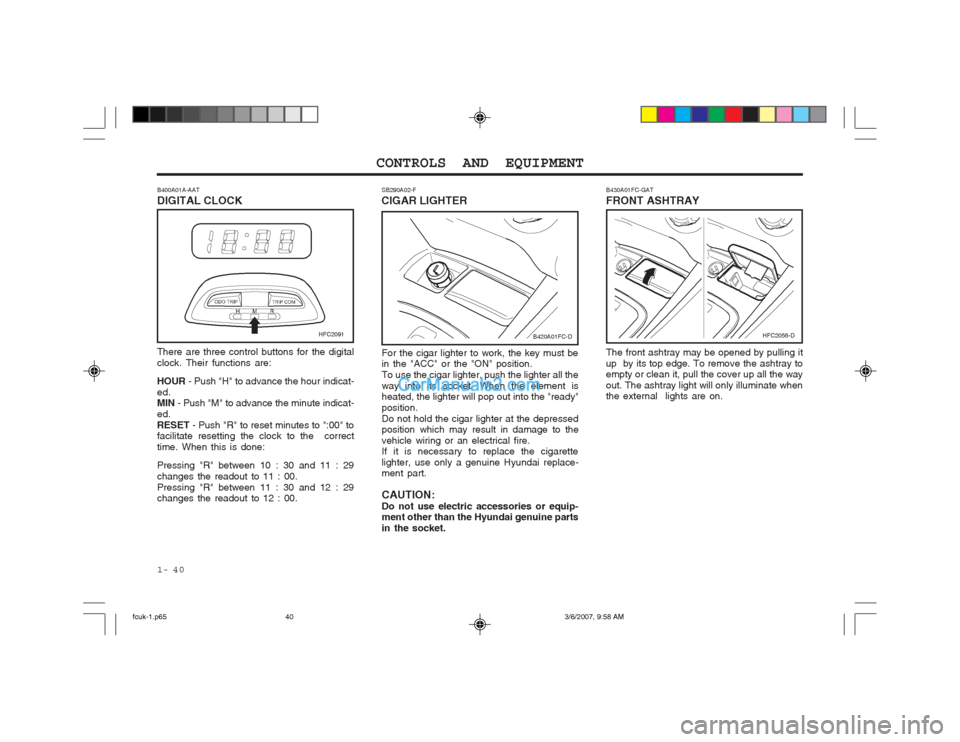
1- 40 SB290A02-F
CIGAR LIGHTER
For the cigar lighter to work, the key must be in the "ACC" or the "ON" position. To use the cigar lighter, push the lighter all theway into its socket. When the element is heated, the lighter will pop out into the "ready" position.Do not hold the cigar lighter at the depressed position which may result in damage to the vehicle wiring or an electrical fire. If it is necessary to replace the cigarette lighter, use only a genuine Hyundai replace- ment part. CAUTION: Do not use electric accessories or equip- ment other than the Hyundai genuine parts in the socket. The front ashtray may be opened by pulling itup by its top edge. To remove the ashtray to empty or clean it, pull the cover up all the way out. The ashtray light will only illuminate when the external lights are on.
B430A01FC-GAT FRONT ASHTRAY
There are three control buttons for the digital clock. Their functions are: HOUR - Push "H" to advance the hour indicat-
ed. MIN - Push "M" to advance the minute indicat-
ed. RESET - Push "R" to reset minutes to ":00" to
facilitate resetting the clock to the correcttime. When this is done: Pressing "R" between 10 : 30 and 11 : 29 changes the readout to 11 : 00.Pressing "R" between 11 : 30 and 12 : 29 changes the readout to 12 : 00.
B400A01A-AAT DIGITAL CLOCK
B420A01FC-DHFC2091HFC2056-D
fcuk-1.p65
3/6/2007, 9:58 AM
40
Page 225 of 317
1- 43
CONTROLS AND EQUIPMENT
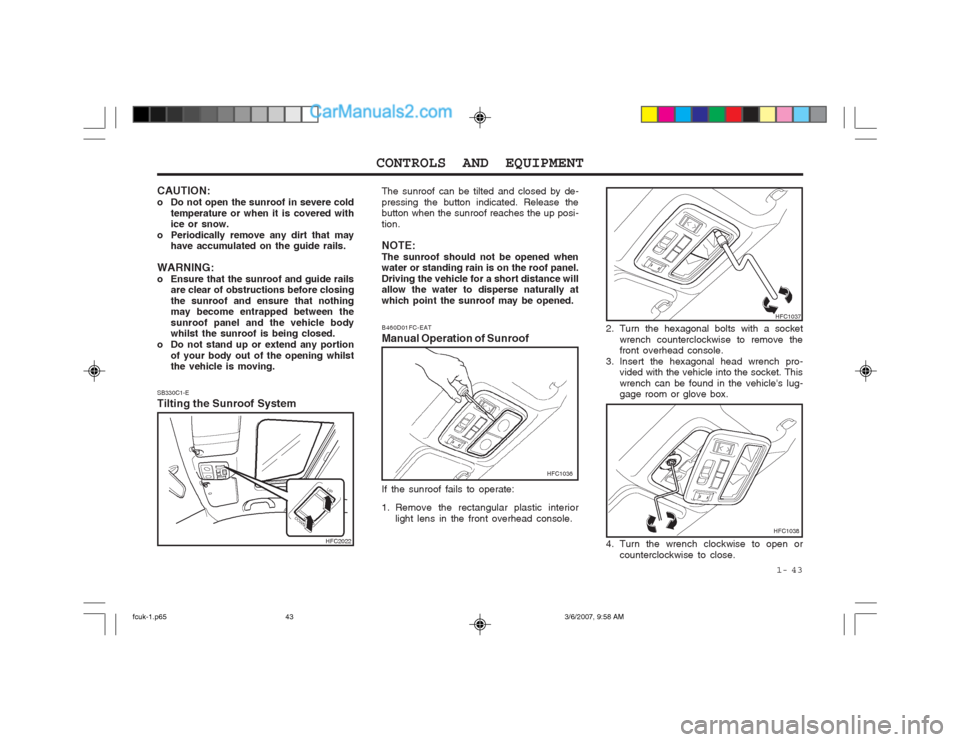
SB330C1-E Tilting the Sunroof System The sunroof can be tilted and closed by de- pressing the button indicated. Release the button when the sunroof reaches the up posi- tion. NOTE: The sunroof should not be opened when water or standing rain is on the roof panel. Driving the vehicle for a short distance will allow the water to disperse naturally at which point the sunroof may be opened.
2. Turn the hexagonal bolts with a socketwrench counterclockwise to remove the front overhead console.
3. Insert the hexagonal head wrench pro- vided with the vehicle into the socket. This wrench can be found in the vehicle's lug- gage room or glove box.
B460D01FC-EAT Manual Operation of Sunroof
HFC1036
If the sunroof fails to operate:
1. Remove the rectangular plastic interior light lens in the front overhead console.
HFC1037
4. Turn the wrench clockwise to open or counterclockwise to close.
CAUTION:
o Do not open the sunroof in severe cold
temperature or when it is covered with ice or snow.
o Periodically remove any dirt that may have accumulated on the guide rails.
WARNING:
o Ensure that the sunroof and guide rails are clear of obstructions before closingthe sunroof and ensure that nothing may become entrapped between the sunroof panel and the vehicle body whilst the sunroof is being closed.
o Do not stand up or extend any portion of your body out of the opening whilstthe vehicle is moving.
HFC2022HFC1038
fcuk-1.p65 3/6/2007, 9:58 AM
43
Page 226 of 317
CONTROLS AND EQUIPMENT
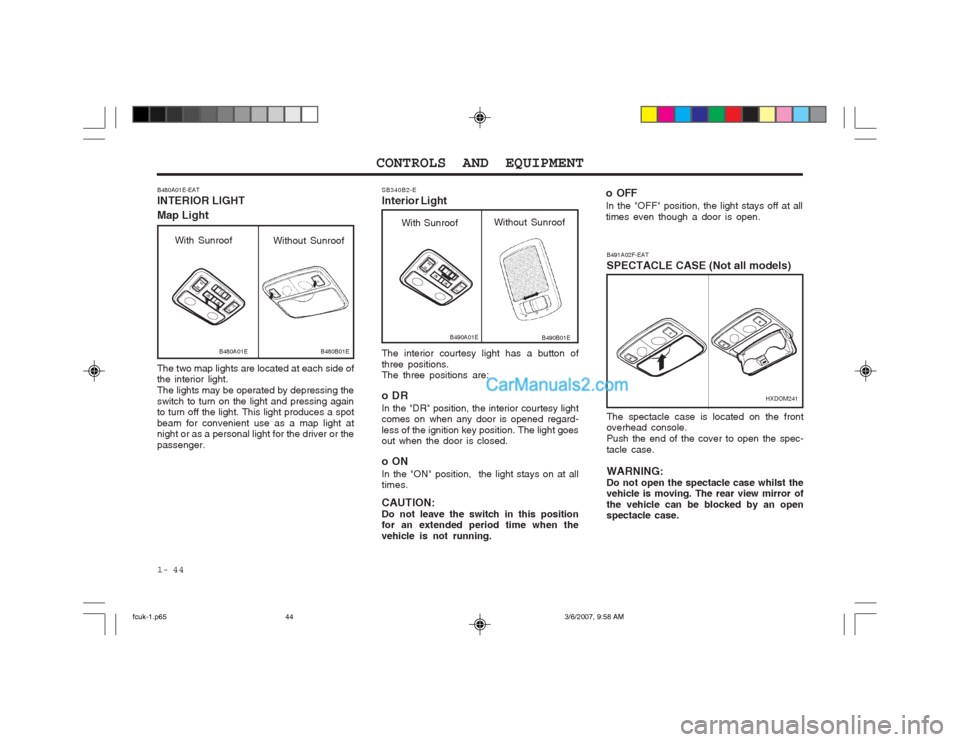
1- 44 The interior courtesy light has a button of three positions. The three positions are:
oDR In the "DR" position, the interior courtesy light comes on when any door is opened regard- less of the ignition key position. The light goes out when the door is closed.
oON In the "ON" position, the light stays on at all times. CAUTION: Do not leave the switch in this position for an extended period time when the vehicle is not running.
SB340B2-E Interior Light
B490A01E
With Sunroof
Without Sunroof
B490B01E
B491A02F-EAT SPECTACLE CASE (Not all models)
HXDOM241
The spectacle case is located on the front overhead console. Push the end of the cover to open the spec-tacle case. WARNING: Do not open the spectacle case whilst the vehicle is moving. The rear view mirror of the vehicle can be blocked by an open spectacle case.
B480A01E-EAT INTERIOR LIGHT Map Light The two map lights are located at each side of the interior light. The lights may be operated by depressing theswitch to turn on the light and pressing again to turn off the light. This light produces a spot beam for convenient use as a map light at night or as a personal light for the driver or the passenger.
B480A01EB480B01E
With Sunroof Without Sunroof
o OFF In the "OFF" position, the light stays off at all times even though a door is open.
fcuk-1.p65 3/6/2007, 9:58 AM
44
Page 232 of 317
CONTROLS AND EQUIPMENT
1- 50
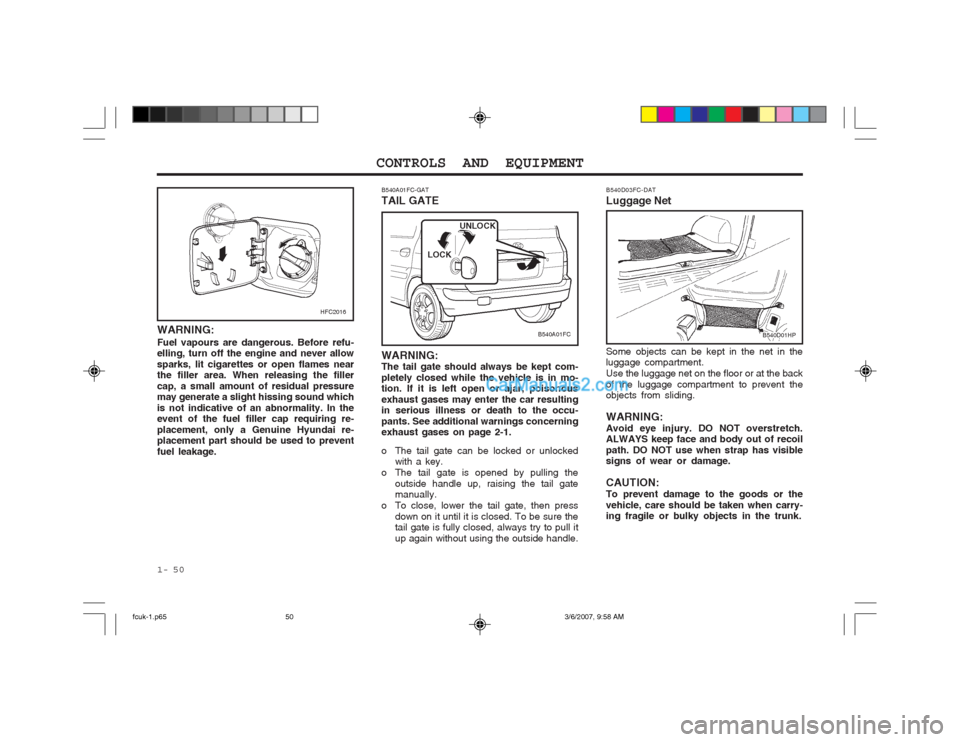
B540A01FC-GAT TAIL GATE
B540A01FC
WARNING: The tail gate should always be kept com- pletely closed while the vehicle is in mo- tion. If it is left open or ajar, poisonous exhaust gases may enter the car resulting in serious illness or death to the occu- pants. See additional warnings concerning exhaust gases on page 2-1.
o The tail gate can be locked or unlocked with a key.
o The tail gate is opened by pulling the outside handle up, raising the tail gate manually.
o To close, lower the tail gate, then press down on it until it is closed. To be sure thetail gate is fully closed, always try to pull it up again without using the outside handle. LOCK
UNLOCK
B540D03FC-DAT Luggage Net Some objects can be kept in the net in the luggage compartment. Use the luggage net on the floor or at the backof the luggage compartment to prevent the objects from sliding. WARNING: Avoid eye injury. DO NOT overstretch. ALWAYS keep face and body out of recoil path. DO NOT use when strap has visible signs of wear or damage. CAUTION: To prevent damage to the goods or thevehicle, care should be taken when carry- ing fragile or bulky objects in the trunk.
B540D01HP
WARNING: Fuel vapours are dangerous. Before refu- elling, turn off the engine and never allow sparks, lit cigarettes or open flames near the filler area. When releasing the filler cap, a small amount of residual pressure may generate a slight hissing sound which is not indicative of an abnormality. In the event of the fuel filler cap requiring re- placement, only a Genuine Hyundai re- placement part should be used to prevent fuel leakage.
HFC2016
fcuk-1.p65
3/6/2007, 9:58 AM
50
Page 234 of 317
CONTROLS AND EQUIPMENT
1- 52 B610A01S-DAT
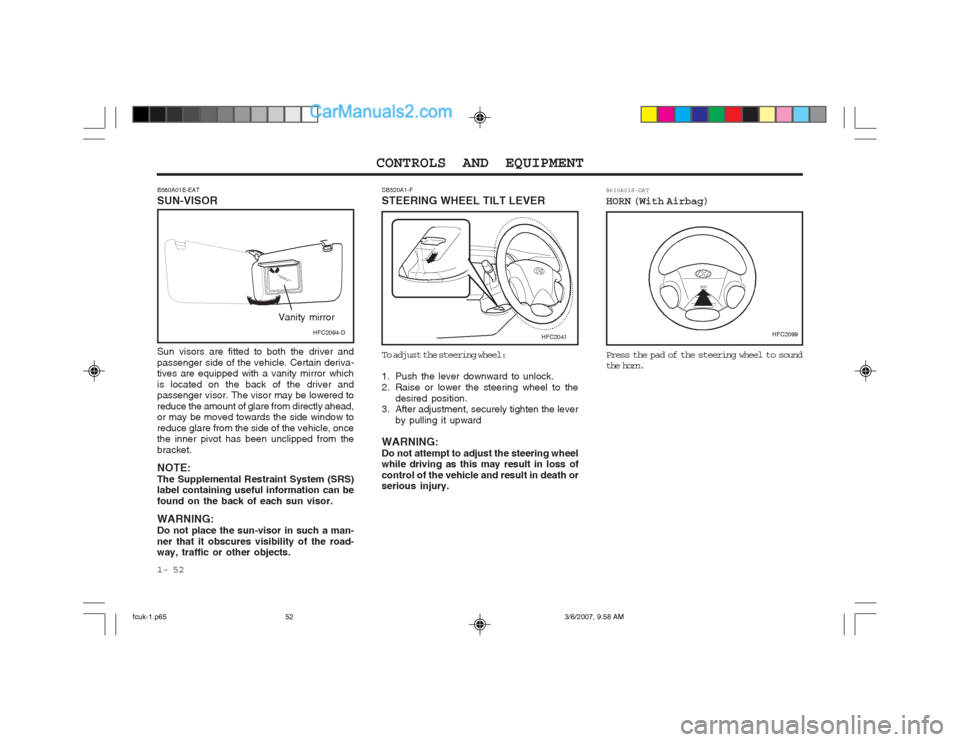
HORN (With Airbag) Press the pad of the steering wheel to sound
the horn.
B580A01E-EAT SUN-VISOR Sun visors are fitted to both the driver and passenger side of the vehicle. Certain deriva- tives are equipped with a vanity mirror which is located on the back of the driver and passenger visor. The visor may be lowered to reduce the amount of glare from directly ahead, or may be moved towards the side window to reduce glare from the side of the vehicle, once the inner pivot has been unclipped from the bracket. NOTE: The Supplemental Restraint System (SRS) label containing useful information can be found on the back of each sun visor. WARNING: Do not place the sun-visor in such a man-ner that it obscures visibility of the road- way, traffic or other objects. SB520A1-F STEERING WHEEL TILT LEVER
HFC2099HFC2041HFC2094-D
Vanity mirror
To adjust the steering wheel:
1. Push the lever downward to unlock.
2. Raise or lower the steering wheel to the
desired position.
3. After adjustment, securely tighten the lever
by pulling it upward
WARNING:Do not attempt to adjust the steering wheel while driving as this may result in loss of control of the vehicle and result in death or serious injury.
fcuk-1.p65 3/6/2007, 9:58 AM
52
Page 239 of 317
1- 57
CONTROLS AND EQUIPMENT
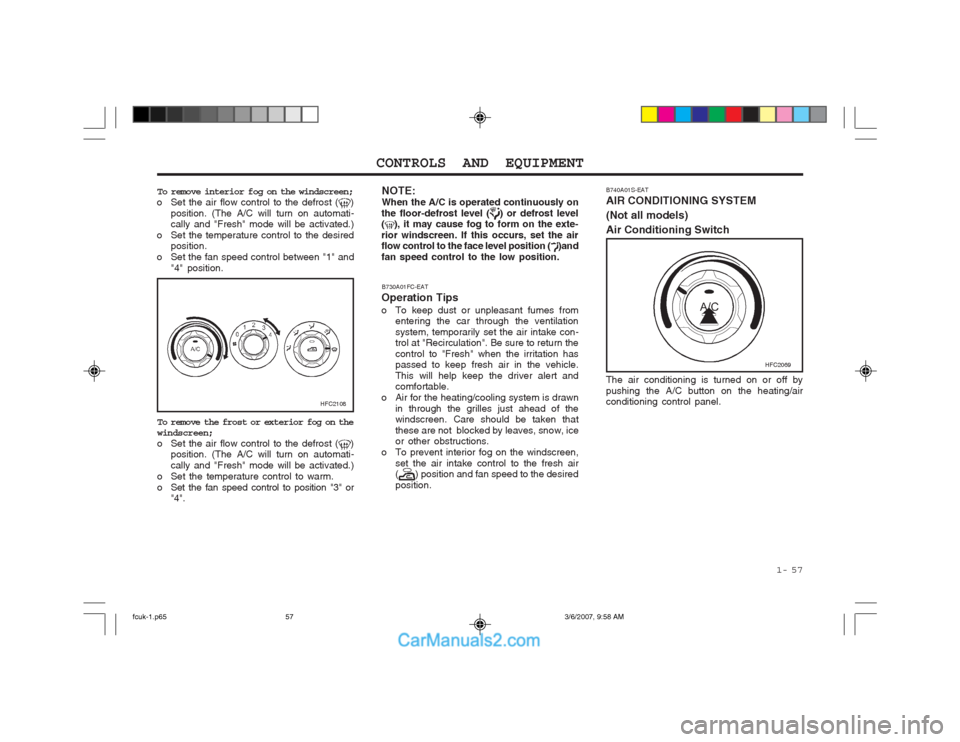
B740A01S-EAT AIR CONDITIONING SYSTEM (Not all models)Air Conditioning Switch
To remove interior fog on the windscreen;
o Set the air flow control to the defrost ()
position. (The A/C will turn on automati- cally and "Fresh" mode will be activated.)
o Set the temperature control to the desired position.
o Set the fan speed control between "1" and "4" position.
HFC2108
To remove the frost or exterior fog on the windscreen;
o Set the air flow control to the defrost (
)
position. (The A/C will turn on automati- cally and "Fresh" mode will be activated.)
o Set the temperature control to warm.
o Set the fan speed control to position "3" or "4". The air conditioning is turned on or off bypushing the A/C button on the heating/air conditioning control panel.
HFC2069
B730A01FC-EAT
Operation Tips
o To keep dust or unpleasant fumes from entering the car through the ventilation system, temporarily set the air intake con- trol at "Recirculation". Be sure to return the control to "Fresh" when the irritation has passed to keep fresh air in the vehicle. This will help keep the driver alert and comfortable.
o Air for the heating/cooling system is drawn in through the grilles just ahead of thewindscreen. Care should be taken that these are not blocked by leaves, snow, ice or other obstructions.
o To prevent interior fog on the windscreen, set the air intake control to the fresh air(
) position and fan speed to the desired
position.
NOTE: When the A/C is operated continuously on
the floor-defrost level (
) or defrost level
(), it may cause fog to form on the exte-
rior windscreen. If this occurs, set the air flow control to the face level position (
)and
fan speed control to the low position.
fcuk-1.p65 3/6/2007, 9:58 AM
57
Page 243 of 317
1- 61
CONTROLS AND EQUIPMENT
B750B02Y-AAT Using a cellular phone or a two-way radio When a cellular phone is used inside the vehicle, noise may be produced from the audio equipment. This does not mean that something is wrong with the audio equipment. In such a case, use the cellular phone at a place as far as possible from the audio equip- ment. CAUTION: When using a communication system suchas a cellular phone or a radio inside the vehicle, a separate external antenna must be fitted.When a cellular phone or a radio set is used with an internal antenna alone, it may interfere with the vehicle's electrical sys- tem and adversely affect safe operation of the vehicle. WARNING: Don't use a cellular phone when you are driving, you must stop at a safe place to use a cellular phone.
SSAR014A
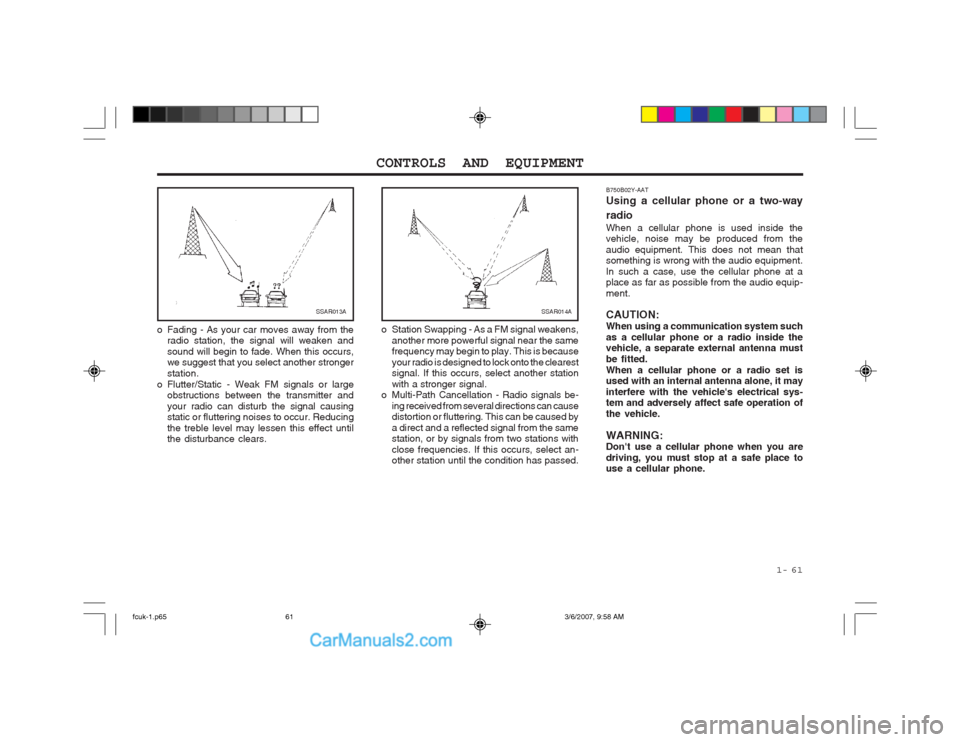
o Station Swapping - As a FM signal weakens, another more powerful signal near the same frequency may begin to play. This is because your radio is designed to lock onto the clearest signal. If this occurs, select another station with a stronger signal.
o Multi-Path Cancellation - Radio signals be-
ing received from several directions can cause distortion or fluttering. This can be caused by a direct and a reflected signal from the same station, or by signals from two stations with close frequencies. If this occurs, select an- other station until the condition has passed.SSAR013A
o Fading - As your car moves away from the radio station, the signal will weaken and sound will begin to fade. When this occurs, we suggest that you select another stronger station.
o Flutter/Static - Weak FM signals or large obstructions between the transmitter andyour radio can disturb the signal causing static or fluttering noises to occur. Reducing the treble level may lessen this effect until the disturbance clears.
fcuk-1.p65 3/6/2007, 9:58 AM
61
Page 244 of 317
CONTROLS AND EQUIPMENT
1- 62
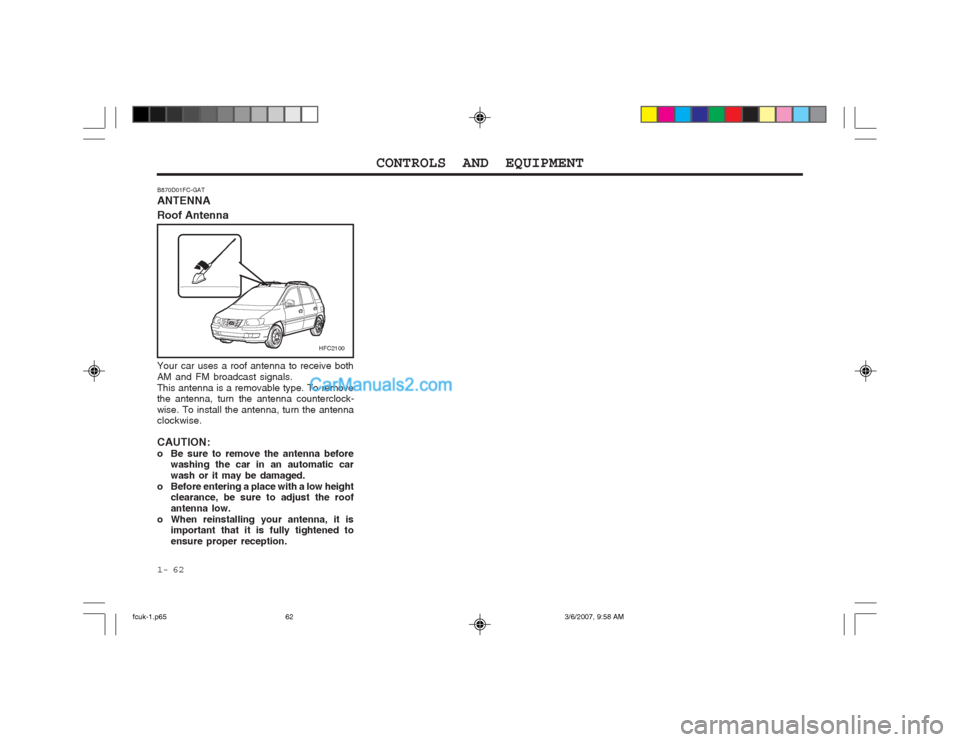
B870D01FC-GAT ANTENNA Roof Antenna
Your car uses a roof antenna to receive both AM and FM broadcast signals.This antenna is a removable type. To remove the antenna, turn the antenna counterclock- wise. To install the antenna, turn the antenna clockwise. CAUTION:
o Be sure to remove the antenna before
washing the car in an automatic carwash or it may be damaged.
o Before entering a place with a low height clearance, be sure to adjust the roofantenna low.
o When reinstalling your antenna, it is important that it is fully tightened toensure proper reception.
HFC2100
fcuk-1.p65 3/6/2007, 9:58 AM
62
Page 246 of 317
DRIVING YOUR HYUNDAI
2- 2
C020A01O-EAT BEFORE STARTING THE ENGINEBefore you start the engine, you should al- ways:
1. Look around the vehicle to be sure there
are no flat tyres, puddles of oil or water or other indications of possible trouble.
2. After entering the car, check to be sure the parking brake is engaged.
3. Check that all windows, and lights are clean.
4. Check that the interior and exterior mirrors are clean and in position.
5. Check your seat, seatback and headrestraint to be sure they are in their proper positions.
6. Close all doors.
7. Fasten your seat belt and be sure that all other occupants have fastened theirs.
8. Turn off all lights and accessories that are not needed.
9. When you turn the ignition switch to "ON" check that all appropriate warning lights areoperating and that you have sufficient fuel.
10.Check the operation of warning lights and all bulbs when key is in the "ON" position.
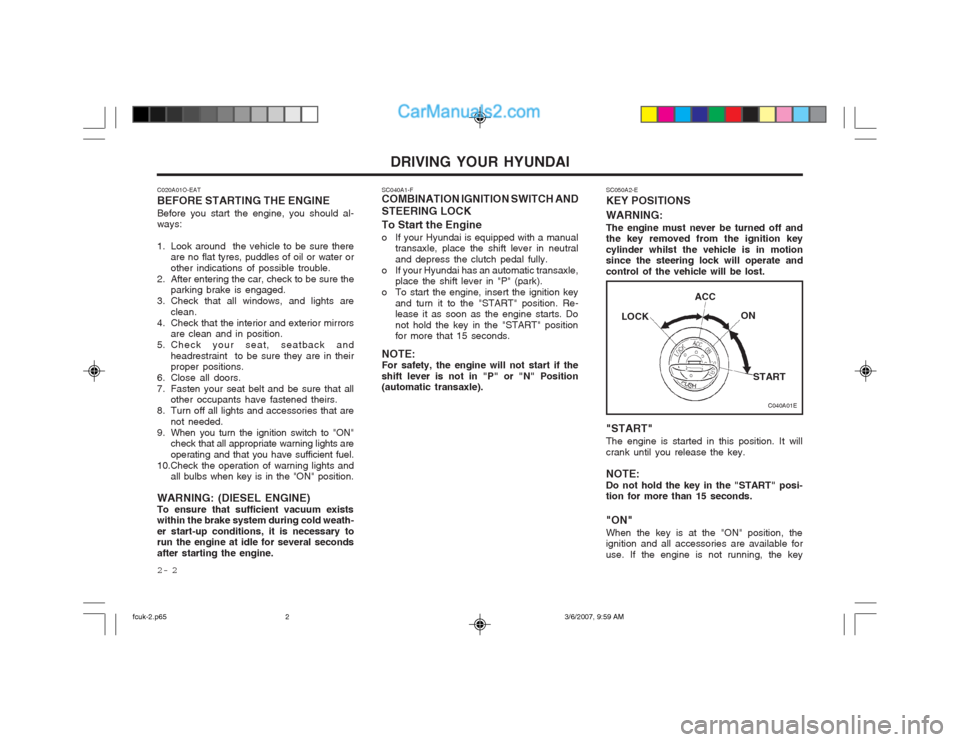
WARNING: (DIESEL ENGINE)To ensure that sufficient vacuum exists within the brake system during cold weath- er start-up conditions, it is necessary to run the engine at idle for several seconds after starting the engine. SC040A1-F COMBINATION IGNITION SWITCH AND STEERING LOCK To Start the Engine
o If your Hyundai is equipped with a manual
transaxle, place the shift lever in neutral and depress the clutch pedal fully.
o If your Hyundai has an automatic transaxle, place the shift lever in "P" (park).
o To start the engine, insert the ignition key and turn it to the "START" position. Re- lease it as soon as the engine starts. Do not hold the key in the "START" position for more that 15 seconds.
NOTE:For safety, the engine will not start if the shift lever is not in "P" or "N" Position (automatic transaxle). SC050A2-E KEY POSITIONS WARNING: The engine must never be turned off and the key removed from the ignition key cylinder whilst the vehicle is in motion since the steering lock will operate and control of the vehicle will be lost. "START" The engine is started in this position. It will crank until you release the key. NOTE: Do not hold the key in the "START" posi- tion for more than 15 seconds. "ON" When the key is at the "ON" position, the ignition and all accessories are available for use. If the engine is not running, the key
C040A01E
LOCK
ACC
ON
START
fcuk-2.p65 3/6/2007, 9:59 AM
2