battery Hyundai Matrix 2006 Owner's Manual
[x] Cancel search | Manufacturer: HYUNDAI, Model Year: 2006, Model line: Matrix, Model: Hyundai Matrix 2006Pages: 490, PDF Size: 11.58 MB
Page 25 of 490
1
FEATURES OF YOUR HYUNDAI
11
3A9BA21
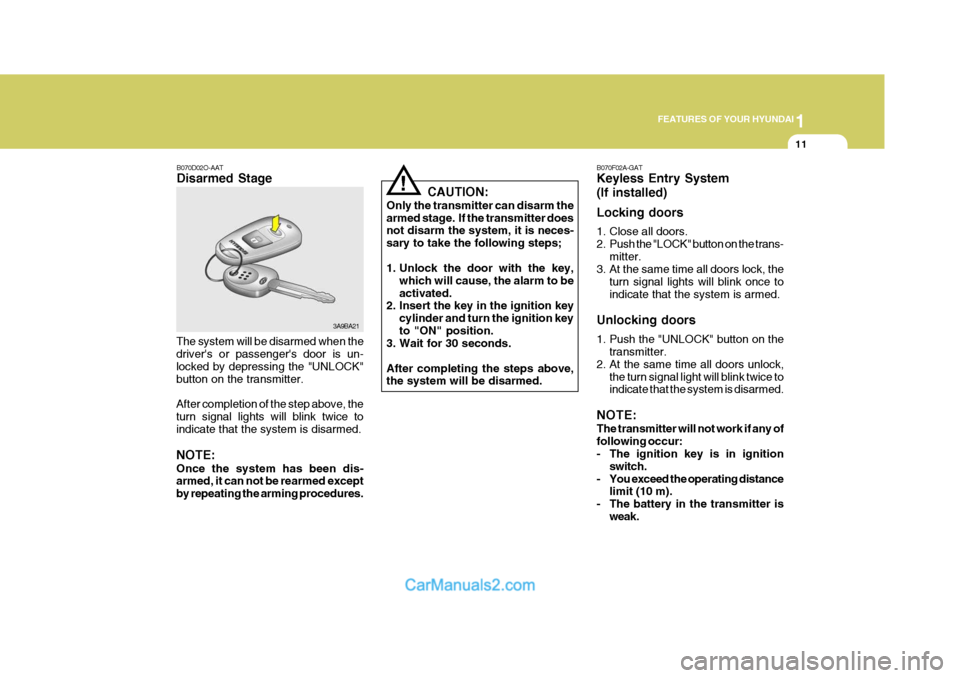
B070D02O-AAT Disarmed Stage
The system will be disarmed when the driver's or passenger's door is un- locked by depressing the "UNLOCK"button on the transmitter. After completion of the step above, the turn signal lights will blink twice to indicate that the system is disarmed. NOTE: Once the system has been dis- armed, it can not be rearmed except by repeating the arming procedures. CAUTION:
Only the transmitter can disarm thearmed stage. If the transmitter does not disarm the system, it is neces- sary to take the following steps;
1. Unlock the door with the key, which will cause, the alarm to be activated.
2. Insert the key in the ignition key
cylinder and turn the ignition keyto "ON" position.
3. Wait for 30 seconds. After completing the steps above, the system will be disarmed.
! B070F02A-GAT Keyless Entry System (If installed) Locking doors
1. Close all doors.
2. Push the "LOCK" button on the trans-
mitter.
3. At the same time all doors lock, the
turn signal lights will blink once toindicate that the system is armed.
Unlocking doors
1. Push the "UNLOCK" button on the transmitter.
2. At the same time all doors unlock,
the turn signal light will blink twice to indicate that the system is disarmed.
NOTE: The transmitter will not work if any of following occur:
- The ignition key is in ignition switch.
- You exceed the operating distance limit (10 m).
- The battery in the transmitter is weak.
Page 26 of 490
1FEATURES OF YOUR HYUNDAI
12
MSO-0048-2
Battery
MSO-0048-1
Screwdriver Case
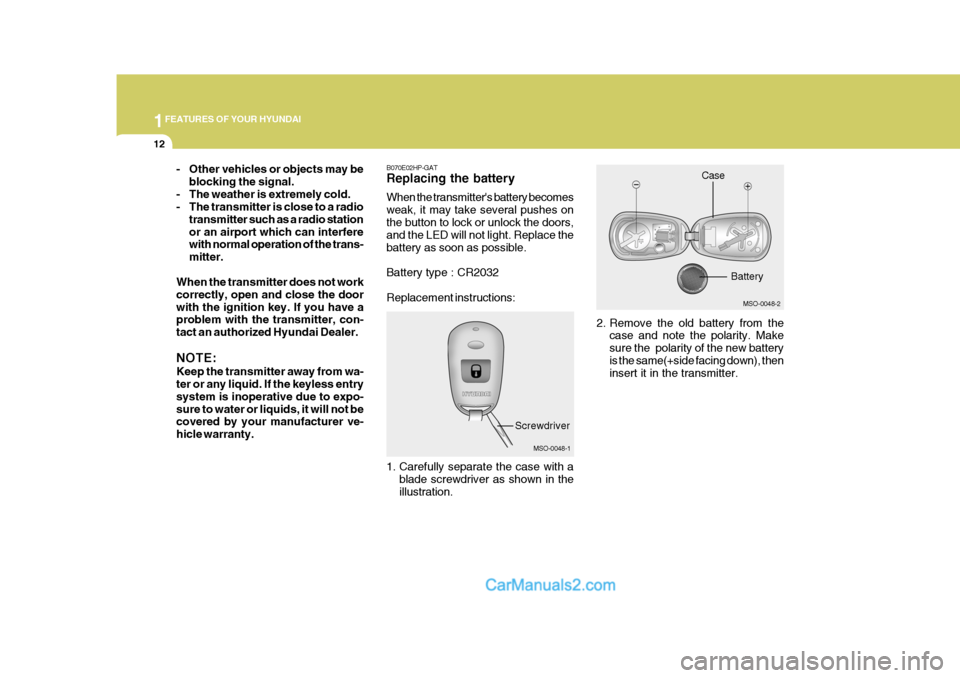
B070E02HP-GAT Replacing the battery When the transmitter's battery becomes weak, it may take several pushes onthe button to lock or unlock the doors, and the LED will not light. Replace the battery as soon as possible. Battery type : CR2032 Replacement instructions:
1. Carefully separate the case with a
blade screwdriver as shown in the illustration. 2. Remove the old battery from the
case and note the polarity. Makesure the polarity of the new batteryis the same(+side facing down), then insert it in the transmitter.
- Other vehicles or objects may be
blocking the signal.
- The weather is extremely cold.
- The transmitter is close to a radio transmitter such as a radio station or an airport which can interfere with normal operation of the trans- mitter.
When the transmitter does not workcorrectly, open and close the doorwith the ignition key. If you have a problem with the transmitter, con- tact an authorized Hyundai Dealer. NOTE: Keep the transmitter away from wa- ter or any liquid. If the keyless entry system is inoperative due to expo-sure to water or liquids, it will not be covered by your manufacturer ve- hicle warranty.
Page 55 of 490

1
FEATURES OF YOUR HYUNDAI
41
o Before you replace a fuse or dis-
connect a battery terminal, turn the ignition key to the "LOCK" position or remove the ignitionkey. Never remove or replace the air bag related fuse(s) when the ignition key is in the "ON" posi-tion. Failure to heed this warning will cause the SRS SRI to illumi- nate.!WARNING:
o When the SRS is activated, there may be a loud noise and fine dust will be released throughout thevehicle. These conditions are normal and are not hazardous. However, the fine dust generatedduring airbag deployment may cause skin irritation. Wash your hands and face thoroughly withlukewarm water and a mild soap after an accident in which the airbags were deployed.
o The SRS can function only when the ignition key is in the "ON"position. If the SRS SRI does notcome on, or continuously re- mains on, after flashing for about 6 seconds when the ignition keyis turned to the "ON" position, or after the engine is started, comes on while driving, the SRS is notworking properly. If this occurs, have your vehicle immediately inspected by your Hyundaidealer. B990B04Y-GAT Side Impact Airbag (If Installed)
The purpose of the airbag is to provide the vehicle's driver and/or the frontpassenger with additional protection than that offered by the seatbelt alone. The side impact airbags are designedto deploy only during certain side im- pact collisions, depending on the crash severity, angle, speed and point ofimpact. The air bags are not designed to deploy in all side impact situations.
B990B02Y HFC2092
Side airbag sensor
Your Hyundai is equipped with a side airbag in each front seat.
Page 67 of 490
1
FEATURES OF YOUR HYUNDAI
53
B900A01A-GAT LIGHTS ON WARNING SOUND (If Installed) The warning chime sounds when the tail lights are on and the driver sidedoor is open. This prevents the battery from discharging by warning you when the car is left with the tail lights on. Thechime sounds until the tail lights are turned off. B270B02O-GAT PARKING START WARNING SOUND (If installed) If the vehicle is driven at 10km/h(6mph) for more than 2~3 seconds, the warn- ing chime will sound continuously when the parking brake engaged. B270A01A-AAT BRAKE PAD WEAR WARNING SOUND The front disc brake pads have wear indicators that should make a high-pitched squealing or scraping noise when new pads are needed. The sound may come and go or be heard all thetime when the vehicle is moving. It may also be heard when the brake pedal is pushed down firmly. Exces-sive rotor damage will result if the worn pads are not replaced. See your Hyundai dealer immediately.
B950A01E-GAT REAR FOG AUDIBLE WARNING SOUND (If Installed) The rear fog audible warning chime sounds when the rear fog lights are onand the door in driver side is open.
B260S01B-GAT
Diesel Pre-heat Indicator
Light (Diesel Engine)
The indicator light illuminates amberwhen the ignition switch is placed atthe "ON" position. The engine can be started after the pre-heat indicator light goes off. The illuminating time varieswith the water temperature, air tem- perature and battery condition. NOTE: If the engine were not started 10 seconds after the preheating is com- pleted, turn the ignition key once more to the "LOCK" position, andthen to the "ON" position, in order to preheat again.
Page 71 of 490

1
FEATURES OF YOUR HYUNDAI
57TRIP COMPUTER
B400B01FC-GAT (If Installed) The trip computer is a microcomputer- controlled driver information gauge that displays information related to driving, such as a distance to empty, averagespeed and drive time on the LCD. 1. Distance to Empty
Distance to empty symbol
DISTANCE TO EMPTY AVERAGE SPEED DRIVE TIME
HFC2051 HFC2052
Distance to empty
o This mode indicates the estimated distance to empty from the current fuel in the fuel tank and distance to empty symbol.
o When refueling with more than 6 liters, the trip computer will recog-nize refueling.
o When the battery has been rein- stalled after being discharged ordisconnected, drive more than 32kmfor an accurate distance to empty.
Reset switch
o The reset switch is used to zero the
multi-functional display mode.
o Pushing in the reset switch changes the display as follows;Reset Switch
Page 80 of 490
1FEATURES OF YOUR HYUNDAI
66POWER OUTLETASHTRAY
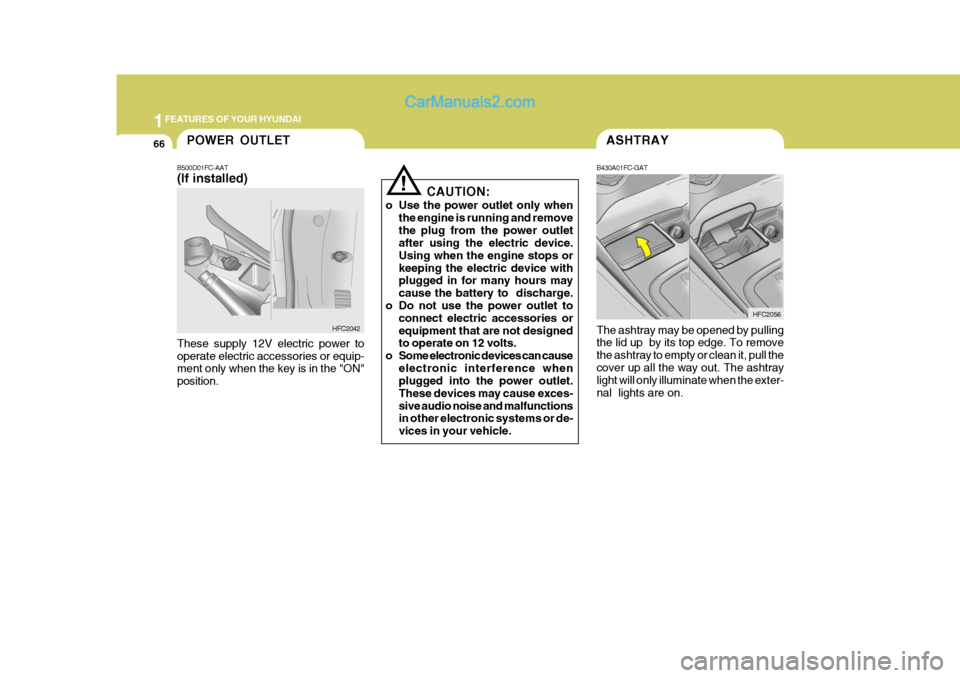
B430A01FC-GAT The ashtray may be opened by pulling the lid up by its top edge. To remove the ashtray to empty or clean it, pull thecover up all the way out. The ashtray light will only illuminate when the exter- nal lights are on. HFC2056
B500D01FC-AAT (If installed) These supply 12V electric power to operate electric accessories or equip- ment only when the key is in the "ON" position.
HFC2042
!
CAUTION:
o Use the power outlet only when the engine is running and remove the plug from the power outlet after using the electric device. Using when the engine stops orkeeping the electric device with plugged in for many hours may cause the battery to discharge.
o Do not use the power outlet to connect electric accessories orequipment that are not designed to operate on 12 volts.
o Some electronic devices can cause electronic interference whenplugged into the power outlet. These devices may cause exces-sive audio noise and malfunctions in other electronic systems or de- vices in your vehicle.
Page 107 of 490
1
FEATURES OF YOUR HYUNDAI
93
1
FEATURES OF YOUR HYUNDAI
93
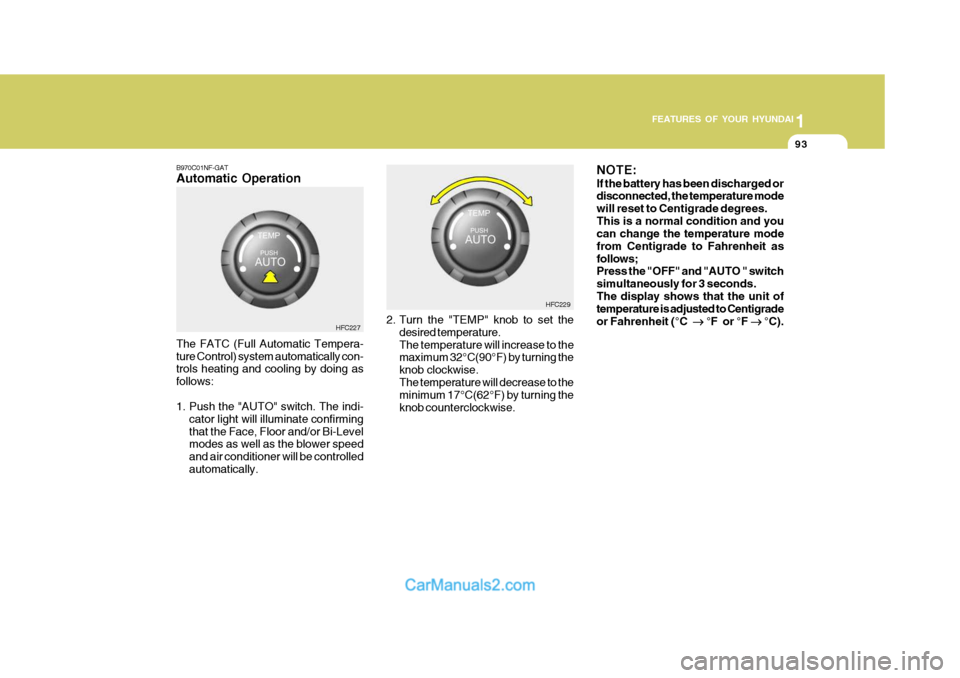
B970C01NF-GAT Automatic Operation The FATC (Full Automatic Tempera- ture Control) system automatically con- trols heating and cooling by doing as follows:
1. Push the "AUTO" switch. The indi-
cator light will illuminate confirming that the Face, Floor and/or Bi-Level modes as well as the blower speed and air conditioner will be controlledautomatically. 2. Turn the "TEMP" knob to set the
desired temperature.The temperature will increase to the maximum 32°C(90°F) by turning the knob clockwise.The temperature will decrease to the minimum 17°C(62°F) by turning the knob counterclockwise. NOTE: If the battery has been discharged or disconnected, the temperature mode will reset to Centigrade degrees.This is a normal condition and you can change the temperature mode from Centigrade to Fahrenheit asfollows; Press the "OFF" and "AUTO " switch simultaneously for 3 seconds.The display shows that the unit of temperature is adjusted to Centigrade or Fahrenheit (°C
°F or °F
°C).
HFC227 HFC229
Page 128 of 490
1FEATURES OF YOUR HYUNDAI
114
B260D03O-AAT
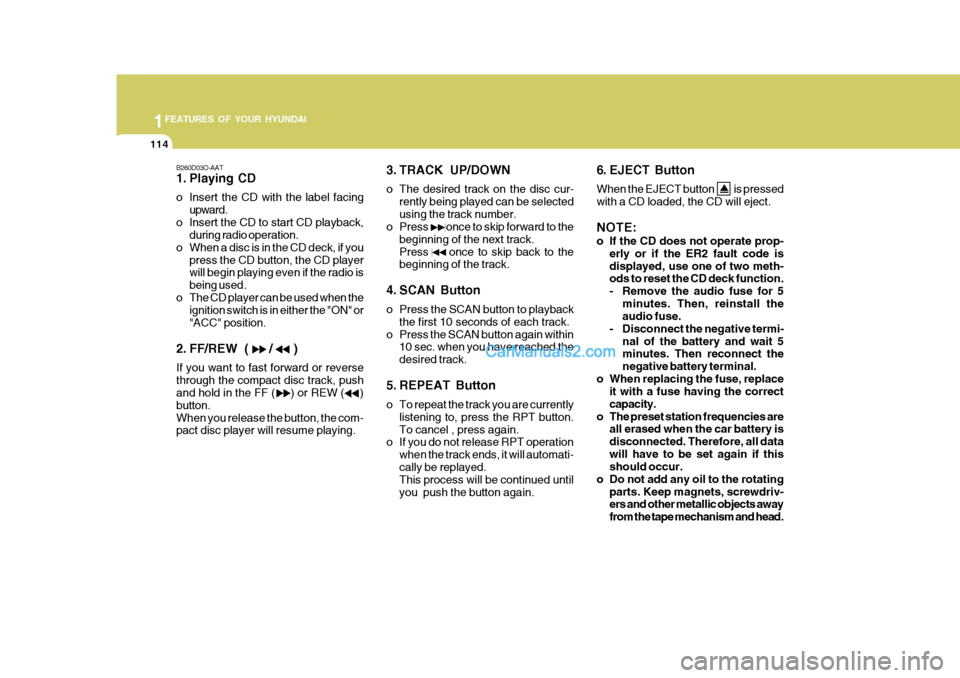
1. Playing CD
o Insert the CD with the label facingupward.
o Insert the CD to start CD playback, during radio operation.
o When a disc is in the CD deck, if you press the CD button, the CD player will begin playing even if the radio is being used.
o The CD player can be used when the ignition switch is in either the "ON" or"ACC" position.
2. FF/REW ( / ) If you want to fast forward or reverse through the compact disc track, push and hold in the FF ( ) or REW ( ) button.When you release the button, the com- pact disc player will resume playing. 3. TRACK UP/DOWN
o The desired track on the disc cur-
rently being played can be selected using the track number.
o Press once to skip forward to the
beginning of the next track.Press once to skip back to the beginning of the track.
4. SCAN Button
o Press the SCAN button to playback the first 10 seconds of each track.
o Press the SCAN button again within 10 sec. when you have reached the desired track.
5. REPEAT Button
o To repeat the track you are currently listening to, press the RPT button. To cancel , press again.
o If you do not release RPT operation
when the track ends, it will automati-cally be replayed. This process will be continued until you push the button again. 6. EJECT Button When the EJECT button is pressed with a CD loaded, the CD will eject. NOTE:
o If the CD does not operate prop-
erly or if the ER2 fault code is displayed, use one of two meth- ods to reset the CD deck function.
- Remove the audio fuse for 5
minutes. Then, reinstall the audio fuse.
- Disconnect the negative termi- nal of the battery and wait 5minutes. Then reconnect the negative battery terminal.
o When replacing the fuse, replace it with a fuse having the correctcapacity.
o The preset station frequencies are all erased when the car battery isdisconnected. Therefore, all datawill have to be set again if this should occur.
o Do not add any oil to the rotating parts. Keep magnets, screwdriv-ers and other metallic objects away from the tape mechanism and head.
Page 129 of 490

1
FEATURES OF YOUR HYUNDAI
115
1
FEATURES OF YOUR HYUNDAI
115
o This equipment is designed to be used only in a 12 volt DC battery system with negative ground.
o This unit is made of precision
parts. Do not attempt to disas-semble or adjust any parts.
o When driving your vehicle, be sure
to keep the volume of the unit setlow enough to allow you to hear sounds coming from the outside.
o Do not expose this equipment (in- cluding the speakers) to water orexcessive moisture.
CAUTION:
o Do not insert warped or poor qual- ity discs into the CD player as damage to the unit may occur.
o Do not insert anything like coins into the player slot as damage tothe unit may occur.
o Do not place beverages close to the audio system. The playbackmechanism may be damaged ifyou spill them.
o Do not impact on the audio sys-
tem, or the playback mechanismcould be damaged.
! o Driving on the off-roads or other
vibrations may skip your compact disc. Do not use the audio system onoff-roads as the discs could be scratched and damaged.
o Do not grip or pull out the disc with your hand while the disc isbeing pulled into the unit by the self loading mechanism. Thesecan cause poor disc scratching to occur or damage the compact disc player.
o Avoid using CD-Recordable or CD- Rewritable as the player could notbe operated in recording way ofthe CD maker. When using the compact disc player, profession- ally recorded CDs are recom-mended.
Page 131 of 490

1
FEATURES OF YOUR HYUNDAI
117
1
FEATURES OF YOUR HYUNDAI
117
B260F03FC-GAT The CD auto changer is located under the front passenger seat.
o To use the CD auto changer.
1. Open the sliding lid of the CD autochanger.
2. To eject the compact disc maga-
zine, press the EJECT button lo- cated inside the CD auto changer.
3. Insert the discs into the maga-
zine.
4. Push the magazine into the CD
auto changer and close the sliding lid.
o The CD auto changer can be used when the ignition switch is in either the "ON" or "ACC" position.
1. CD Select Button When the CD changer magazine con- tains discs, press the CD button and the CD changer can be used even if theradio is being used. The Hyundai CD changer can hold up to eight discs. The disc number will be lit, and the tracknumber, and elapsed time will be dis- played. 2. DISC Select Button To select the CD you want, push to change the disc number. 3. TRACK UP/DOWN
o The desired track on the disc cur-
rently being played can be selected using the track number.
o Press once to skip forward to
the beginning of the next track.Press once to skip back to the beginning of the track.
4. FF/REW ( / ) If you want to fast forward or reverse through the compact disc track, pushand hold in the FF ( ) or REW ( ) button. When you release the button, the com-pact disc player will resume playing. 5. REPEAT
o To repeat the track you are currently
listening to, press the RPT button. To cancel , press again.
o If you do not release RPT operation
when the track ends, it will automati-cally be replayed. This process will be continued until you push the button again.
6. SCAN Button
o Press the SCAN button to playback the first 10 seconds of each track.
o Press the SCAN button again within
10 sec. when you have reached the desired track.
NOTE:
o When replacing the fuse, replace it with a fuse having the correct capacity.
o This equipment is designed to be used only in a 12 volt DC batterysystem with negative ground.
o This unit is made of precision parts. Do not attempt to disas-semble or adjust any parts.
TUNEDISC