lock Hyundai Matrix 2007 Owner's Guide
[x] Cancel search | Manufacturer: HYUNDAI, Model Year: 2007, Model line: Matrix, Model: Hyundai Matrix 2007Pages: 490, PDF Size: 12.81 MB
Page 84 of 490

1FEATURES OF YOUR HYUNDAI
72ACCESSORY TRAY
B820A01FC-GAT The accessory tray may be opened by pushing the knob sidewards and re- leasing slowly it.It is used for storing small items. HFC2071
MULTI BOX
B500B02E-GAT The multi box may be opened by pulling it out by its grip. It is used for storing small articles. If the multi box is removed, the fusebox for the lights and other electrical accessories will be exposed. HFC2058
!
SPECTACLE CASE
B491A02FC-GAT (If Installed) The spectacle case is located on the front overhead console. Push the end of the cover to open thespectacle case.
WARNING:
Do not open the spectacle casewhile the vehicle is moving. Therear view mirror of the vehicle may be blocked by an open spectacle case. HXDOM241
Page 87 of 490

1
FEATURES OF YOUR HYUNDAI
75
!WARNING:
Do not place the sun visor in such a manner that it obscures visibility of the roadway, traffic or other ob- jects. NOTE: The Supplemental Restraint Sys- tem (SRS) label containing useful information can be found on theback of each sun visor.
B580A01L-GAT (If Installed) Your Hyundai is equipped with sun visors to give the driver and front pas- senger either frontal or sideward shade. The sun visors are fitted on both sideson all models. To reduce glare or to shut out direct rays of the sun, turn the sun visor down to block the annoy-ance. A vanity mirror is provided on the back of the sun visor for the driver and front passenger. Vanity mirror
HFC2094
SUN VISORB520A01A-AAT DAY/NIGHT INSIDE REARVIEW MIRRORManual Type Your Hyundai is equipped with a day/ night inside rearview mirror. The "night"position is selected by flipping the tab at the bottom of the mirror toward you. In the "night" position, the glare ofheadlights of cars behind you is re- duced.
HXDFL2112
Page 89 of 490
1
FEATURES OF YOUR HYUNDAI
77REMOTE FUEL-FILLER LID RELEASE
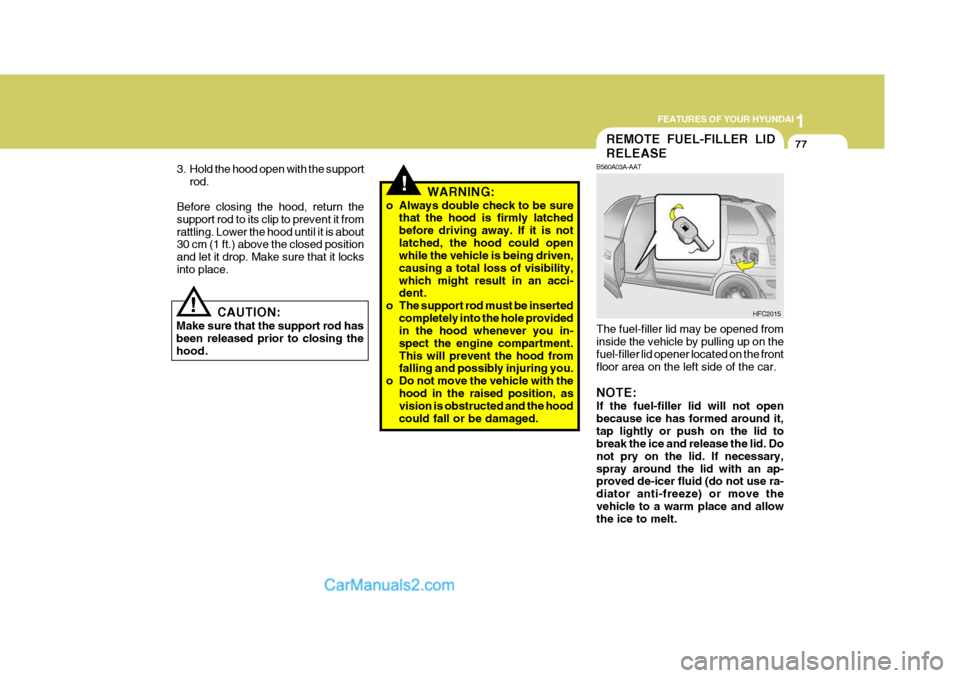
B560A03A-AAT The fuel-filler lid may be opened from inside the vehicle by pulling up on the fuel-filler lid opener located on the front floor area on the left side of the car. NOTE: If the fuel-filler lid will not open because ice has formed around it,tap lightly or push on the lid to break the ice and release the lid. Do not pry on the lid. If necessary,spray around the lid with an ap- proved de-icer fluid (do not use ra- diator anti-freeze) or move thevehicle to a warm place and allow the ice to melt. HFC2015
!WARNING:
o Always double check to be sure that the hood is firmly latched before driving away. If it is notlatched, the hood could open while the vehicle is being driven, causing a total loss of visibility,which might result in an acci- dent.
o The support rod must be inserted completely into the hole providedin the hood whenever you in- spect the engine compartment.This will prevent the hood from falling and possibly injuring you.
o Do not move the vehicle with the hood in the raised position, asvision is obstructed and the hood could fall or be damaged.
CAUTION:
Make sure that the support rod hasbeen released prior to closing thehood.
!
3. Hold the hood open with the support
rod.
Before closing the hood, return the support rod to its clip to prevent it fromrattling. Lower the hood until it is about 30 cm (1 ft.) above the closed position and let it drop. Make sure that it locksinto place.
Page 91 of 490

1
FEATURES OF YOUR HYUNDAI
79CD AUTO CHANGER
B800A02FC-GAT (If Installed) The CD Auto Changer is located under the front passenger seat. This system can store up to 8 CDs. You may select music without chang-ing discs. First, open the CD Auto Changer door, remore the CD "maga- zine" and insert up to 8 CDs. Then,push the magazine into the CD Auto Changer. The CD may be operated with the passenger compartment au-dio system controls. HFC2105
B540A01FC-GAT
B540A02FC
TAIL GATE
LOCK UNLOCK
!WARNING:
The tail gate should always be kept completely closed while the vehicle is in motion. If it is left open or ajar,poisonous exhaust gases may en- ter the car resulting in serious ill- ness or death to the occupants. Seeadditional warnings concerning exhaust gases on page 2-2. o The tail gate can be locked or un-
locked with a key.
o The tail gate is opened by pulling the outside handle up, raising the tail gate manually.
o To close, lower the tail gate, then press down on it until it is closed. Tobe sure the tail gate is fully closed,always try to pull it up again without using the outside handle.
Page 94 of 490
1FEATURES OF YOUR HYUNDAI
82HORN
!
STEERING WHEEL TILT LEVER
B600A01A-AAT (If Installed) To Adjust the Steering Wheel:
1. Push the lever downward to unlock.
2. Raise or lower the steering wheel to
the desired position.
3. After adjustment, securely tighten the lever by pulling it upward. HFC2041
WARNING:
Do not attempt to adjust the steer-ing wheel while driving as this may result in loss of control of the ve-hicle which may cause serious in- jury or death. B610B01A-GAT
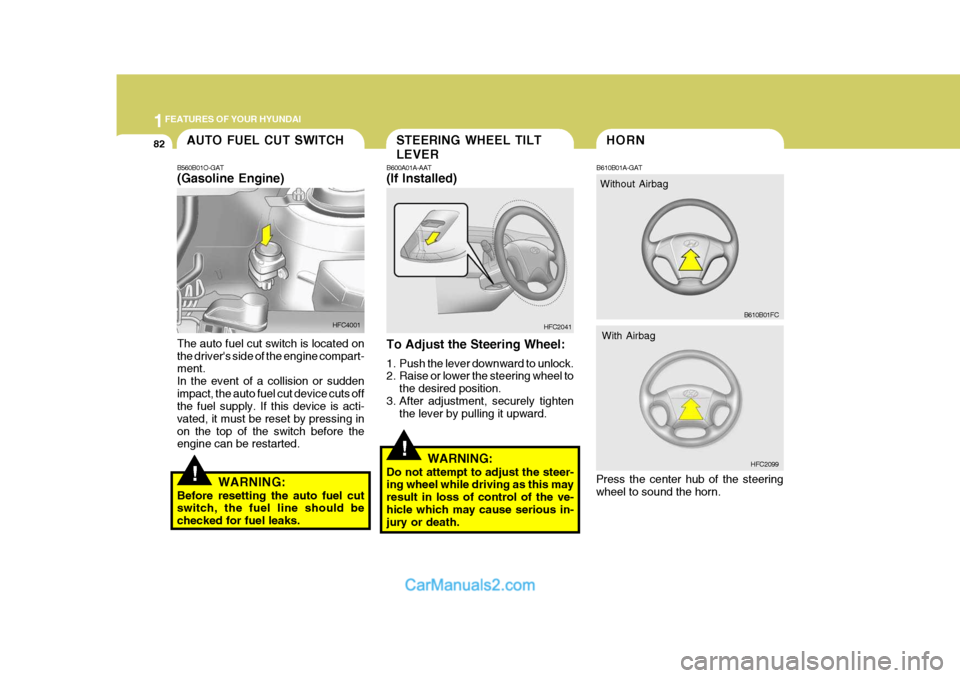
Press the center hub of the steering wheel to sound the horn. B610B01FCAUTO FUEL CUT SWITCH
!
B560B01O-GAT (Gasoline Engine) The auto fuel cut switch is located on the driver's side of the engine compart- ment. In the event of a collision or suddenimpact, the auto fuel cut device cuts off the fuel supply. If this device is acti- vated, it must be reset by pressing inon the top of the switch before the engine can be restarted.
WARNING:
Before resetting the auto fuel cutswitch, the fuel line should be checked for fuel leaks. HFC4001
HFC2099
With Airbag
Without Airbag
Page 101 of 490
1
FEATURES OF YOUR HYUNDAI
89
1
FEATURES OF YOUR HYUNDAI
89
To remove frost or exterior fog on the windshield:
o Set the air flow control to the defrost
( ) position. (The A/C will turn on automatically and "Fresh" mode willbe activated.)
o Set the temperature control to warm.
o Set the fan speed control to position
"3" or "4".
NOTE: When the A/C is operated continu- ously on the floor-defrost level ( )or defrost level ( ), it may cause fog to form on the exterior windshield. If this occurs, set the air flow control tothe face level position ( )and fan speed control to the low position. B730A01L-GAT Operation Tips
o To keep dust or unpleasant fumes
from entering the car through the ventilation system, temporarily set the air intake control at "Recircula-tion". Be sure to return the control to "Fresh" when the irritation has passed to keep fresh air in the ve-hicle. This will help keep the driver alert and comfortable.
o Air for the heating/cooling system is
drawn in through the grilles just aheadof the wind-shield. Care should be taken that these are not blocked byleaves, snow, ice or other obstruc- tions.
o To prevent interior fog on the wind-
shield, set the air intake control tothe fresh air ( ) position, fan speed to the desired position, turn on the airconditioning system, and adjust tem- perature control to desired tempera- ture.
HFC2108
AIR CONDITIONING SYSTEM
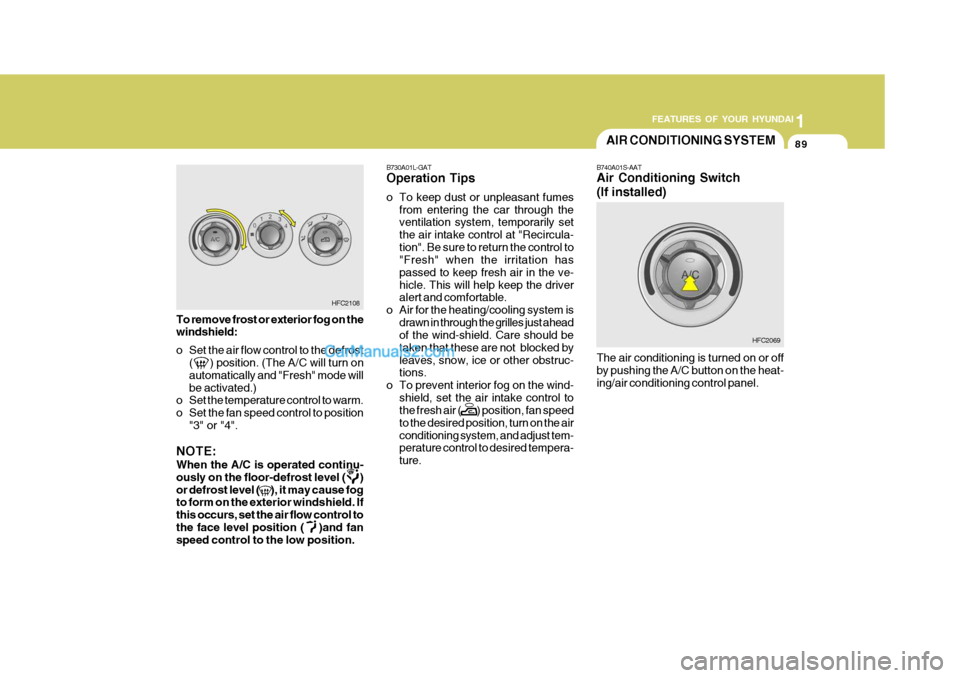
B740A01S-AAT Air Conditioning Switch (If installed) The air conditioning is turned on or off by pushing the A/C button on the heat- ing/air conditioning control panel. HFC2069
Page 105 of 490

1
FEATURES OF YOUR HYUNDAI
93
1
FEATURES OF YOUR HYUNDAI
93
B970C01NF-GAT Automatic Operation The FATC (Full Automatic Tempera- ture Control) system automatically con- trols heating and cooling by doing as follows:
1. Push the "AUTO" switch. The indi-
cator light will illuminate confirming that the Face, Floor and/or Bi-Level modes as well as the blower speed and air conditioner will be controlledautomatically. 2. Turn the "TEMP" knob to set the
desired temperature.The temperature will increase to the maximum 32°C(90°F) by turning the knob clockwise.The temperature will decrease to the minimum 17°C(62°F) by turning the knob counterclockwise. NOTE: If the battery has been discharged or disconnected, the temperature mode will reset to Centigrade degrees.This is a normal condition and you can change the temperature mode from Centigrade to Fahrenheit asfollows; Press the "OFF" and "AUTO " switch simultaneously for 3 seconds.The display shows that the unit of temperature is adjusted to Centigrade or Fahrenheit (°C
°F or °F
°C).
HFC227 HFC229
Page 113 of 490

1
FEATURES OF YOUR HYUNDAI
101
1
FEATURES OF YOUR HYUNDAI
101
!
B750A05L B750B02Y-AAT Using a cellular phone or a two- way radio When a cellular phone is used inside the vehicle, noise may be produced from the audio equipment. This does not mean that something is wrong withthe audio equipment. In such a case, use the cellular phone at a place as far as possible from the audio equipment.
!
CAUTION:
When using a communication sys- tem such as a cellular phone or aradio inside the vehicle, a separate external antenna must be fitted. When a cellular phone or a radio set is usedwith an internal antenna alone, it may interfere with the vehicle's elec- trical system and adversely affectsafe operation of the vehicle.
WARNING:
Don't use a cellular phone when you are driving, you must stop at a safe place to use a cellular phone.
o Station Swapping - As an FM signal
weakens, another more powerful sig-nal near the same frequency may begin to play. This is because your radio is designed to lock onto theclearest signal. If this occurs, select another station with a stronger sig- nal.
o Multi-Path Cancellation - Radio sig- nals being received from several di-rections can cause distortion or flut-tering. This can be caused by a direct and a reflected signal from the same station, or by signals from twostations with close frequencies. If this occurs, select another station until the condition has passed.
Page 115 of 490

1
FEATURES OF YOUR HYUNDAI
103
1
FEATURES OF YOUR HYUNDAI
103
H210B03O-AAT
1. POWER ON-OFF/VOLUME
Control Knob
The radio unit may be operated when the ignition key is in the "ACC" or "ON"position. Rotate the knob clockwise to switch the radio unit on and to increase the volume.The LCD shows the radio frequency in the radio mode. Turn the knob counter- clockwise to reduce the volume and toswitch the radio unit off. BAL (Balance Control) Knob Pull and turn the control knob clockwise to emphasize right speaker sound (left speaker sound will be attenuated). When the control knob is turned counterclock-wise, left speaker sound will be empha- sized (right speaker soundwill be at- tenuated).After adjusting the balance, push the knob again to use the other function. 4. BAND Selector Pressing the button changes the AM, FM1 and FM2 bands. The modeselected is displayed on LCD. 5. TUNE (Manual) Select Button Press the ( ) side or ( ) side to increase or to decrease the frequency. With the button held down for 1 sec. or more, thestop signal (broadcasting radio wave) is ignored and channel selection contin- ues. SEEK Operation (Automatic Channel Selection) Press the TUNE select button for 1 sec. or more. When the ( ) side is pressed,the unit will automatically tune to the next higher frequency and when the ( ) side is pressed, it will automaticallytune to the next lower frequency.
SCAN Knob When the scan knob is pressed, the frequency will increase and the receiv-able stations will be tuned in one after another, receiving each station for 5 seconds. To stop scanning, press thescan knob again.
2. FAD (Fader Control) Knob Turn the control knob counterclockwise to emphasize front speaker sound (rear speaker sound will be attenuated). Whenthe control knob is turned clockwise, rear speaker sound will be emphasized (front speaker sound will be attenu-ated). 3. BASS Control Knob Press to pop the knob out and turn to the left or right for the desired bass tone. TREBLE Control Knob. Further pull-lock position of popped-up knob. Turn to the left or right for thedesired treble tone.
FM
AM
Page 118 of 490

1FEATURES OF YOUR HYUNDAI
106
4. BAND Selector Pressing the button changes the AM, FM1 and FM2 bands. The modeselected is displayed on LCD. 5. TUNE (Manual) Select Button Press the ( ) side or ( ) side to increase or to decrease the frequency. With the button held down for 1 sec. or more, thestop signal (broadcasting radio wave) is ignored and channel selection contin- ues. SEEK Operation (Automatic Channel Selection) Press the TUNE select button for 1 sec. or more. When the ( ) side is pressed,the unit will automatically tune to the next higher frequency and when the ( ) side is pressed, it will automaticallytune to the next lower frequency.
H210B03O-AAT
1. POWER ON-OFF/VOLUME
Control Knob
The radio unit may be operated when the ignition key is in the "ACC" or "ON"position. Rotate the knob clockwise to switch the radio unit on and to increase the volume.The LCD shows the radio frequency in the radio mode. Turn the knob counter- clockwise to reduce the volume and toswitch the radio unit off. BAL (Balance Control) Knob Pull and turn the control knob clockwise to emphasize right speaker sound (left speaker sound will be attenuated). When the control knob is turned counterclock-wise, left speaker sound will be empha- sized (right speaker soundwill be at- tenuated).After adjusting the balance, push the knob again to use the other function. SCAN Knob When the scan knob is pressed, the frequency will increase and the receiv-able stations will be tuned in one after another, receiving each station for 5 seconds. To stop scanning, press thescan knob again.
2. FAD (Fader Control) Knob Turn the control knob counterclockwise to emphasize front speaker sound (rear speaker sound will be attenuated). Whenthe control knob is turned clockwise, rear speaker sound will be emphasized (front speaker sound will be attenu-ated). 3. BASS Control Knob Press to pop the knob out and turn to the left or right for the desired bass tone. TREBLE Control Knob. Further pull-lock position of popped-up knob. Turn to the left or right for thedesired treble tone.
FM
AM