steering Hyundai Nexo 2019 Owner's Guide
[x] Cancel search | Manufacturer: HYUNDAI, Model Year: 2019, Model line: Nexo, Model: Hyundai Nexo 2019Pages: 560, PDF Size: 24.2 MB
Page 222 of 560
3-135
Convenient features of your vehicle
3
The exit function will not operate ifthe door is open or the driver’s
seatbelt is unfastened.
If the driver releases the RSPA but- ton while the Smart Exit assist is in
activation, the assist will stop tem-
porarily.
❈ The AVN screen will display the
rear camera view when the vehicle
is moving forward (if equipped with
the Rear View Camera).
❈ Depress the brake pedal to control
the vehicle speed. The accelerator
pedal will not activate.6. Smart exit complete
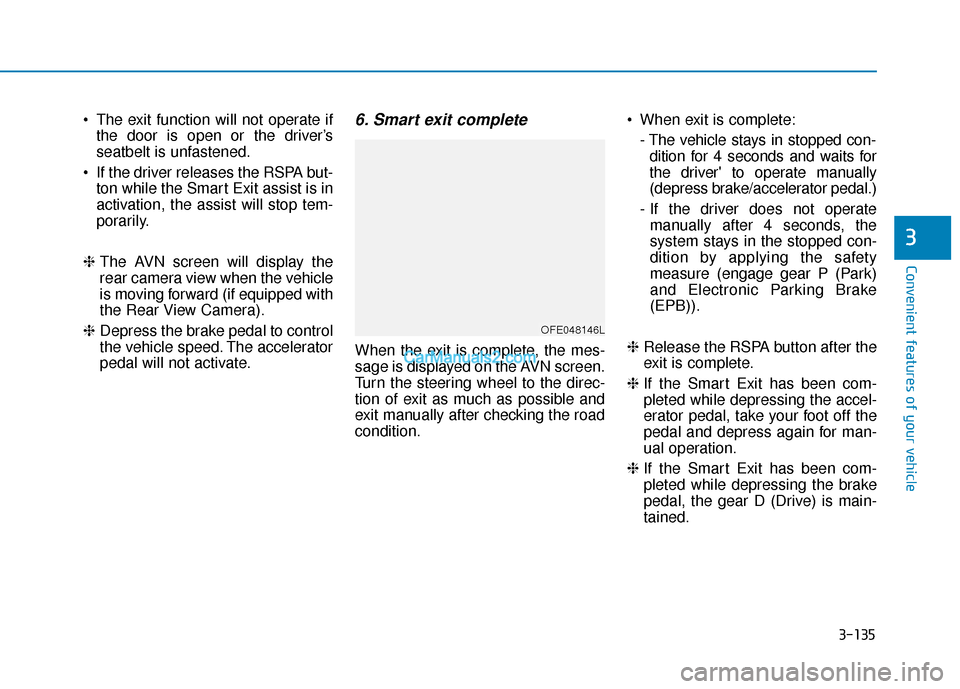
When the exit is complete, the mes-
sage is displayed on the AVN screen.
Turn the steering wheel to the direc-
tion of exit as much as possible and
exit manually after checking the road
condition. When exit is complete:
- The vehicle stays in stopped con-dition for 4 seconds and waits for
the driver' to operate manually
(depress brake/accelerator pedal.)
- If the driver does not operate manually after 4 seconds, the
system stays in the stopped con-
dition by applying the safety
measure (engage gear P (Park)
and Electronic Parking Brake
(EPB)).
❈ Release the RSPA button after the
exit is complete.
❈ If the Smart Exit has been com-
pleted while depressing the accel-
erator pedal, take your foot off the
pedal and depress again for man-
ual operation.
❈ If the Smart Exit has been com-
pleted while depressing the brake
pedal, the gear D (Drive) is main-
tained.
OFE048146L
Page 223 of 560
3-136
Convenient features of your vehicle
To cancel the Smart Exit while in
operation
(1) Press the RSPA button at the"Searching for smart exit space"
stage or the "Selecting for smart
exit direction" stage.
(2) Shift the gear to R (Reverse) position before the operation of
the Smart Exit assist.
(3) Press the Parking Distance
Warning button or the 'Cancel'
button on the AVN screen.
(4) Driver controls the vehicle during the system assist
The function is deactivated when the
driver stops the vehicle by depress-
ing the brake pedal and shifts the
gear. In this case, the Electronic
Parking Brake (EPB) is not engaged.
The Smart Exit assist will stop tem-
porarily when:
(1) An obstacle at the direction the vehicle is heading is detected.
(2) The door or liftgate is open.
(3) The driver's seatbelt is unfas- tened.
(4) The Rear Cross-Traffic Collision- Avoidance Assist (RCCA) system
is activated while reversing.
(5) The driver releases the RSPA button.
(6) The driver stops the vehicle by depressing the brake pedal.
❈ The vehicle stops when the Smart
Exit assist will stop temporarily
and the Smart Exit assist will
resume when the above condition
is cleared.
The Smart Exit assist is cancelled
while in operation when:
(1) The driver holds the steering wheel while the steering wheel is
controlled
(2) The gear is shifted or the Electronic Parking Brake (EPB) is
activated
(3) The hood opens
(4) The vehicle speed exceeds 3 mph (5 km/h)
(5) The vehicle accelerates suddenly
(6) The vehicle slips back while con- trolling the vehicle speed
(7) The wheel is stuck and the vehi- cle is unable to move
(8) Obstacles are at the front and back of the vehicle at the same
time
(9) About 3 minutes and 50 seconds have passed after the Smart Exit
assist
(10) The door opens while the dri- ver's seatbelt is unfastened
(11) The gradient of the road
exceeds the range supported by
Smart Exit assist
Page 224 of 560
3-137
Convenient features of your vehicle
3
(12) The steering, shifting gear anddrive assist are impossible
(13) The suspended status lasts for over 1 minute
(14) The driver continuously presses and releases the RSPA button
over 10 times
(15) The Traction Control System
(TCS) is activated while control-
ling the vehicle speed
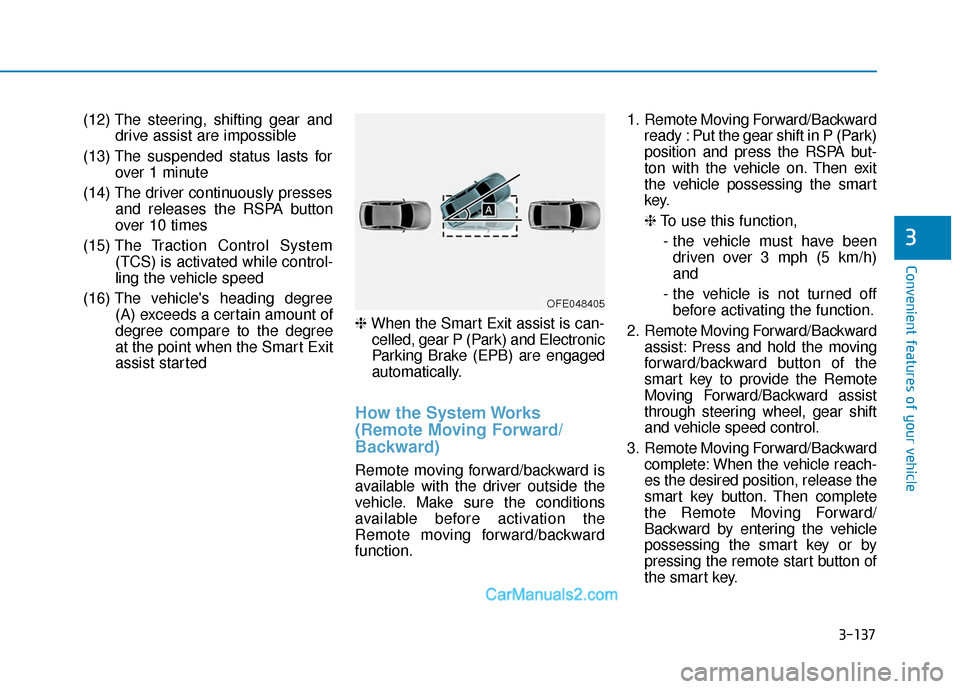
(16) The vehicle's heading degree (A) exceeds a certain amount of
degree compare to the degree
at the point when the Smart Exit
assist started ❈
When the Smart Exit assist is can-
celled, gear P (Park) and Electronic
Parking Brake (EPB) are engaged
automatically.
How the System Works
(Remote Moving Forward/
Backward)
Remote moving forward/backward is
available with the driver outside the
vehicle. Make sure the conditions
available before activation the
Remote moving forward/backward
function. 1. Remote Moving Forward/Backward
ready : Put the gear shift in P (Park)
position and press the RSPA but-
ton with the vehicle on. Then exit
the vehicle possessing the smart
key.
❈To use this function,
- the vehicle must have been driven over 3 mph (5 km/h)
and
- the vehicle is not turned off before activating the function.
2. Remote Moving Forward/Backward assist: Press and hold the moving
forward/backward button of the
smart key to provide the Remote
Moving Forward/Backward assist
through steering wheel, gear shift
and vehicle speed control.
3. Remote Moving Forward/Backward complete: When the vehicle reach-
es the desired position, release the
smart key button. Then complete
the Remote Moving Forward/
Backward by entering the vehicle
possessing the smart key or by
pressing the remote start button of
the smart key.
OFE048405
Page 226 of 560
3-139
Convenient features of your vehicle
3
❈You will hear frequent beep
sounds if the driver gets off the
vehicle after the Remote Moving
Forward/Backward is ready.2. Remote moving forward/back- ward assist
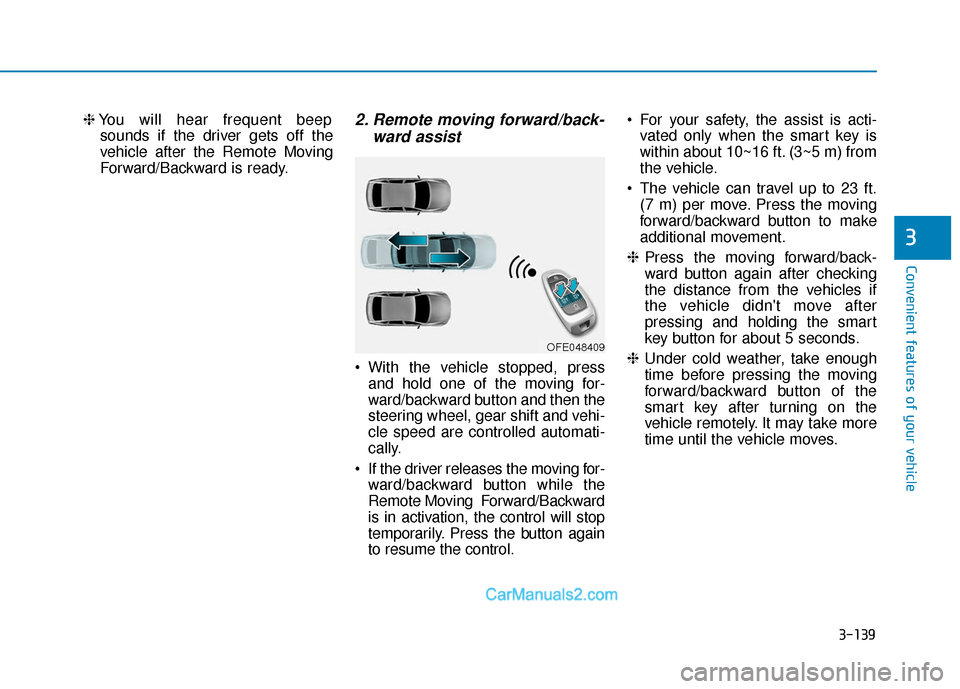
• With the vehicle stopped, press
and hold one of the moving for-
ward/backward button and then the
steering wheel, gear shift and vehi-
cle speed are controlled automati-
cally.
If the driver releases the moving for- ward/backward button while the
Remote Moving Forward/Backward
is in activation, the control will stop
temporarily. Press the button again
to resume the control. For your safety, the assist is acti-
vated only when the smart key is
within about 10~16 ft. (3~5 m) from
the vehicle.
The vehicle can travel up to 23 ft. (7 m) per move. Press the moving
forward/backward button to make
additional movement.
❈ Press the moving forward/back-
ward button again after checking
the distance from the vehicles if
the vehicle didn't move after
pressing and holding the smart
key button for about 5 seconds.
❈ Under cold weather, take enough
time before pressing the moving
forward/backward button of the
smart key after turning on the
vehicle remotely. It may take more
time until the vehicle moves.
OFE048409
Page 227 of 560
3-140
Convenient features of your vehicle
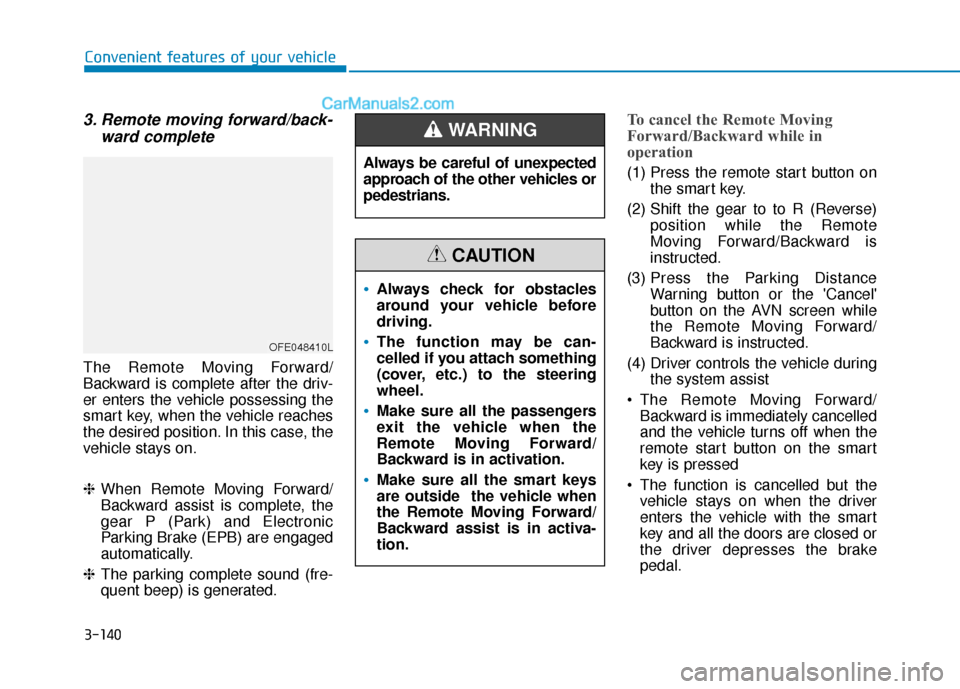
3. Remote moving forward/back-ward complete
The Remote Moving Forward/
Backward is complete after the driv-
er enters the vehicle possessing the
smart key, when the vehicle reaches
the desired position. In this case, the
vehicle stays on.
❈When Remote Moving Forward/
Backward assist is complete, the
gear P (Park) and Electronic
Parking Brake (EPB) are engaged
automatically.
❈ The parking complete sound (fre-
quent beep) is generated.
To cancel the Remote Moving
Forward/Backward while in
operation
(1) Press the remote start button on
the smart key.
(2) Shift the gear to to R (Reverse) position while the Remote
Moving Forward/Backward is
instructed.
(3) Press the Parking Distance Warning button or the 'Cancel'
button on the AVN screen while
the Remote Moving Forward/
Backward is instructed.
(4) Driver controls the vehicle during the system assist
The Remote Moving Forward/ Backward is immediately cancelled
and the vehicle turns off when the
remote start button on the smart
key is pressed
The function is cancelled but the vehicle stays on when the driver
enters the vehicle with the smart
key and all the doors are closed or
the driver depresses the brake
pedal.
OFE048410L
Always be careful of unexpected
approach of the other vehicles or
pedestrians.
WARNING
Always check for obstacles
around your vehicle before
driving.
The function may be can-
celled if you attach something
(cover, etc.) to the steering
wheel.
Make sure all the passengers
exit the vehicle when the
Remote Moving Forward/
Backward is in activation.
Make sure all the smart keys
are outside the vehicle when
the Remote Moving Forward/
Backward assist is in activa-
tion.
CAUTION
Page 228 of 560
3-141
Convenient features of your vehicle
3
The Remote Moving Forward/
Backward assist will stop tem-
porarily when:
(1) An obstacle at the direction thevehicle is heading is detected.
(2) The door or liftgate is open.
(3) The moving forward/backward but- ton on the smart key is released.
(4) Multiple buttons on the smart key are pressed at the same time.
(5) The distance between the smart key and vehicle is over 13 ft. (4 m).
(6) A button on the other smart key is pressed.
(7) R ear Cross-Traffic Collision-
Avoidance Assist (RCCA) system
is activated while reversing.
(8) The vehicle moves 23 ft. (7m) (maximum travel distance per
move) with the Remote Moving
Forward/Backward while the
smart key is pressed.
❈ The vehicle stops when the Remote
Smart Parking assist will stop tem-
porarily and the Remote Smart
Parking assist will resume when the
above condition is cleared.
The Remote Moving Forward/
Backward assist is cancelled while
in operation when:
(1) The driver holds the steering
wheel while the steering wheel is
controlled
(2) The gear is shifted or the
Electronic Parking Brake (EPB) is
activated
(3) The hood opens
(4) The vehicle speed exceeds 3 mph (5 km/h)
(5) The vehicle accelerates suddenly
(6) The vehicle slips back while con- trolling the vehicle speed
(7) The wheel is stuck and the vehi- cle is unable to move
(8) Obstacles are at the front and back of the vehicle at the same
time
(9) About 3 minutes and 50 seconds have passed after the Remote
Moving Forward/Backward assist
(10) The gradient of the road exceeds
the range supported by Remote
Moving Forward/ Backward assist (11) The steering, shifting gear and
drive assist are impossible
(12) The suspended status lasts for over 1 minute
(13) The driver continuously presses and releases the smart key's
moving forward/backward but-
ton over 10 times
(14) The Traction Control System
(TCS) is activated while control-
ling the vehicle speed
(15) The smart key has failure
(16) The accelerator/brake pedal is depressed while all the doors
are closed
(17) The brake pedal is depressed while the driver's door is open
and the smart key is outside the
vehicle
(18) The vehicle travels more than 46 ft. (14 m) after the Remote
Moving Forward/Backward assist
is activated
(19) The smart key's remote start button is pressed
Page 263 of 560
Multimedia System
Multimedia system .................................................4-2
USB and iPod®port..........................................................4-2
Antenna ........................................................................\
.......4-2
Steering wheel audio controls .......................................4-3
Bluetooth®Wireless Technology ..................................4-4
Blue Link®center .............................................................4-4
Audio / Video / Navigation system (AVN) ..................4-4
4
Page 265 of 560
4-3
Multimedia System
4
Steering Wheel Audio Control
Do not operate multiple audio
remote control buttons simultane-
ously.
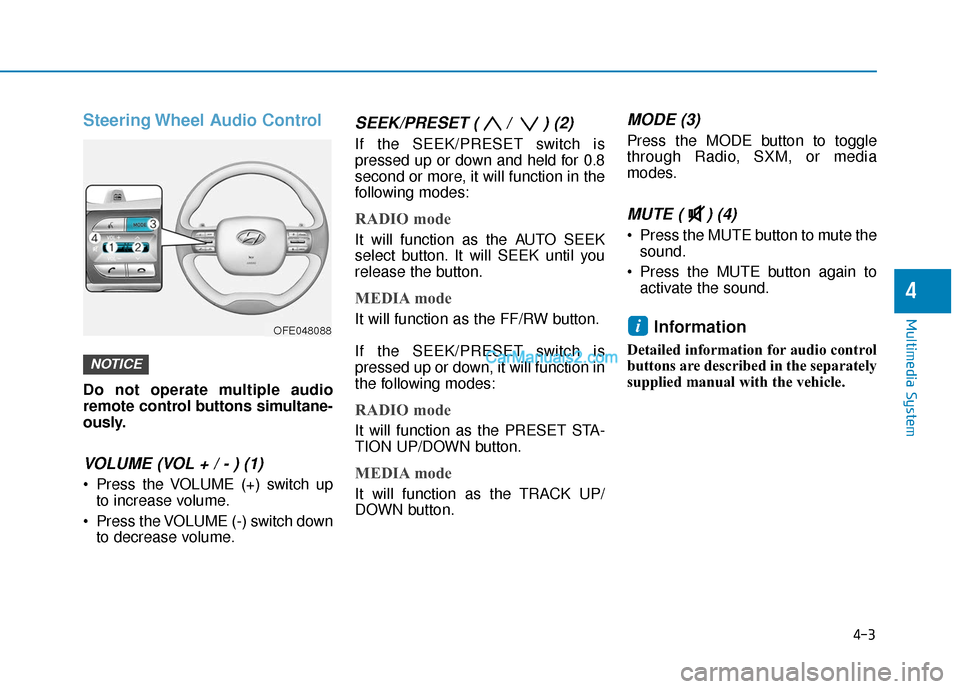
VOLUME (VOL + / - ) (1)
Press the VOLUME (+) switch upto increase volume.
Press the VOLUME (-) switch down to decrease volume.
SEEK/PRESET ( / ) (2)
If the SEEK/PRESET switch is
pressed up or down and held for 0.8
second or more, it will function in the
following modes:
RADIO mode
It will function as the AUTO SEEK
select button. It will SEEK until you
release the button.
MEDIA mode
It will function as the FF/RW button.
If the SEEK/PRESET switch is
pressed up or down, it will function in
the following modes:
RADIO mode
It will function as the PRESET STA-
TION UP/DOWN button.
MEDIA mode
It will function as the TRACK UP/
DOWN button.
MODE (3)
Press the MODE button to toggle
through Radio, SXM, or media
modes.
MUTE ( ) (4)
Press the MUTE button to mute thesound.
Press the MUTE button again to activate the sound.
Information
Detailed information for audio control
buttons are described in the separately
supplied manual with the vehicle.
i
NOTICE
OFE048088
Page 270 of 560
5-4
Driving your vehicle
Before Entering the Vehicle
• Be sure all windows, outside mir-ror(s), and outside lights are clean
and unobstructed.
Remove frost, snow, or ice.
Visually check the tires for uneven wear and damage.
Check under the vehicle for any sign of leaks.
Be sure there are no obstacles behind you if you intend to back up.
Before Starting
Make sure the hood, the liftgate,and the doors are securely closed
and locked.
Adjust the position of the seat and steering wheel.
Adjust the inside and outside rearview mirrors.
Verify all the lights work.
Fasten your seatbelt. Check that all passengers have fastened their
seatbelts.
Check the gauges and indicators in the instrument panel and the mes-
sages on the instrument display
when the POWER button is in the
ON position.
Check that any items you are car- rying are stored properly or fas-
tened down securely.
CALIFORNIA PROPOSITION 65
WARNING
An wide variety of automobile
components including compo-
nents found in the interior fur-
nishings in a vehicle, contain or
emit harmful chemicals known
to the State of California to
cause cancer and birth defects
and reproductive harm. In addi-
tion, certain fluids contained in
vehicles and certain products
of components contain or emit
chemicals known to the State of
California to cause cancer and
birth defects or other reproduc-
tive harm.WARNING
B B
E
EF
FO
O R
RE
E
D
D R
RI
IV
V I
IN
N G
G
Page 272 of 560
5-6
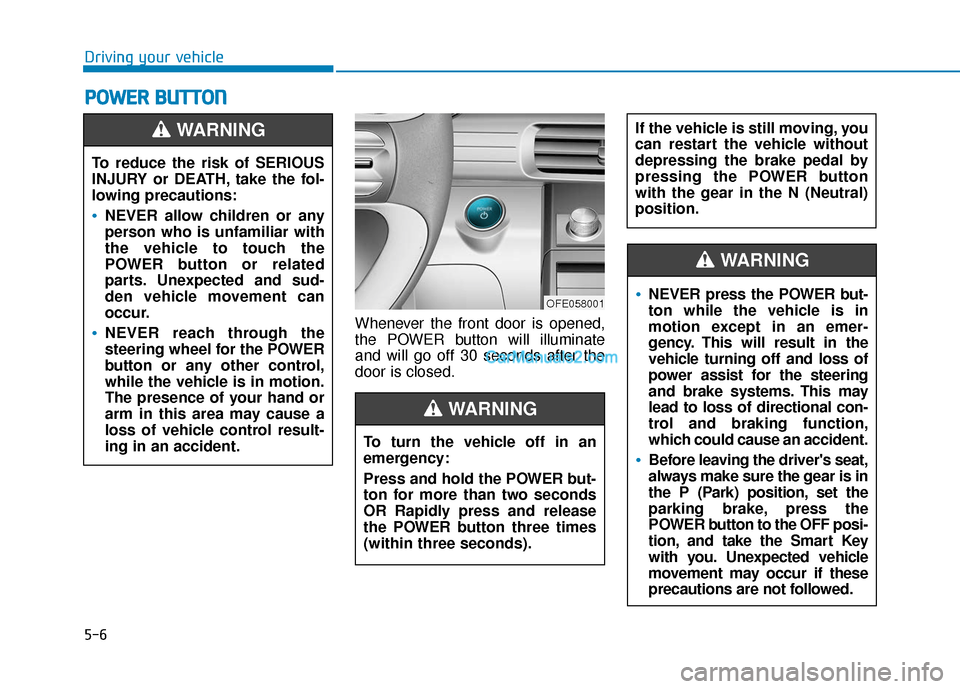
Whenever the front door is opened,
the POWER button will illuminate
and will go off 30 seconds after the
door is closed.
P PO
O W
W E
ER
R
B
B U
U T
TT
TO
O N
N
Driving your vehicle
To reduce the risk of SERIOUS
INJURY or DEATH, take the fol-
lowing precautions:
NEVER allow children or any
person who is unfamiliar with
the vehicle to touch the
POWER button or related
parts. Unexpected and sud-
den vehicle movement can
occur.
NEVER reach through the
steering wheel for the POWER
button or any other control,
while the vehicle is in motion.
The presence of your hand or
arm in this area may cause a
loss of vehicle control result-
ing in an accident.
WARNING
OFE058001
To turn the vehicle off in an
emergency:
Press and hold the POWER but-
ton for more than two seconds
OR Rapidly press and release
the POWER button three times
(within three seconds).
If the vehicle is still moving, you
can restart the vehicle without
depressing the brake pedal by
pressing the POWER button
with the gear in the N (Neutral)
position.
WARNING
NEVER press the POWER but-
ton while the vehicle is in
motion except in an emer-
gency. This will result in the
vehicle turning off and loss of
power assist for the steering
and brake systems. This may
lead to loss of directional con-
trol and braking function,
which could cause an accident.
Before leaving the driver's seat,
always make sure the gear is in
the P (Park) position, set the
parking brake, press the
POWER button to the OFF posi-
tion, and take the Smart Key
with you. Unexpected vehicle
movement may occur if these
precautions are not followed.
WARNING