battery HYUNDAI NEXO 2020 User Guide
[x] Cancel search | Manufacturer: HYUNDAI, Model Year: 2020, Model line: NEXO, Model: HYUNDAI NEXO 2020Pages: 561, PDF Size: 48.42 MB
Page 136 of 561
3-49
Convenient features of your vehicle
3
The power liftgate can be oper-
ated when the vehicle is not run-
ning. However, the power liftgate
operation consumes a large
amount of electic power.
To prevent the battery from
being discharged, do not oper-
ate it excessively (e.g. more than
5 times repeatedly).
To prevent the battery from
being discharged, do not leave
the power liftgate in the open
position for a long time.
Do not modify or repair any part
of the power liftgate by yourself.
This must be done by an author-
ized HYUNDAI dealer.
When jacking up the vehicle to
change a tire or repair the vehi-
cle, do not operate the power
liftgate. This could cause the
power liftgate to operate
improperly.
In cold and wet climates, the
power liftgate may not work
properly due to freezing condi-
tions.
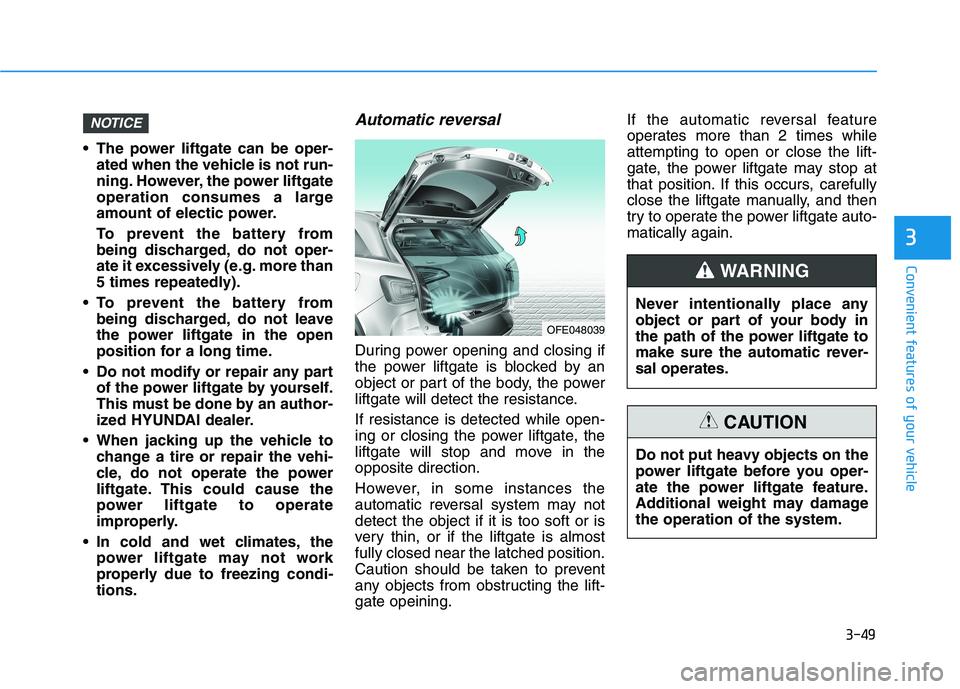
Automatic reversal
During power opening and closing if
the power liftgate is blocked by an
object or part of the body, the power
liftgate will detect the resistance.
If resistance is detected while open-
ing or closing the power liftgate, the
liftgate will stop and move in the
opposite direction.
However, in some instances the
automatic reversal system may not
detect the object if it is too soft or is
very thin, or if the liftgate is almost
fully closed near the latched position.
Caution should be taken to prevent
any objects from obstructing the lift-
gate opeining.If the automatic reversal feature
operates more than 2 times while
attempting to open or close the lift-
gate, the power liftgate may stop at
that position. If this occurs, carefully
close the liftgate manually, and then
try to operate the power liftgate auto-
matically again.
NOTICE
OFE048039
Never intentionally place any
object or part of your body in
the path of the power liftgate to
make sure the automatic rever-
sal operates.
WARNING
Do not put heavy objects on the
power liftgate before you oper-
ate the power liftgate feature.
Additional weight may damage
the operation of the system.
CAUTION
Page 137 of 561
3-50
Convenient features of your vehicle
How to reset the power liftgate
If the battery has been discharged or
disconnected, or if the power liftgate
fuse has been replaced or removed,
reset the power liftgate by performing
the following procedure:
1. Put the shift button in P (Park).
2. Press the power liftgate inner but-
ton and the power liftgate outer
handle button simultaneously for
more than 3 seconds. The chime
will sound.
3. Close the liftgate manually.
If the power liftgate does not work
properly after the above procedure,
have the system checked by an
authorized HYUNDAI dealer.
When operating the power liftgate,
the gear shift button must be in
the (P) park position in order to
operate normally.
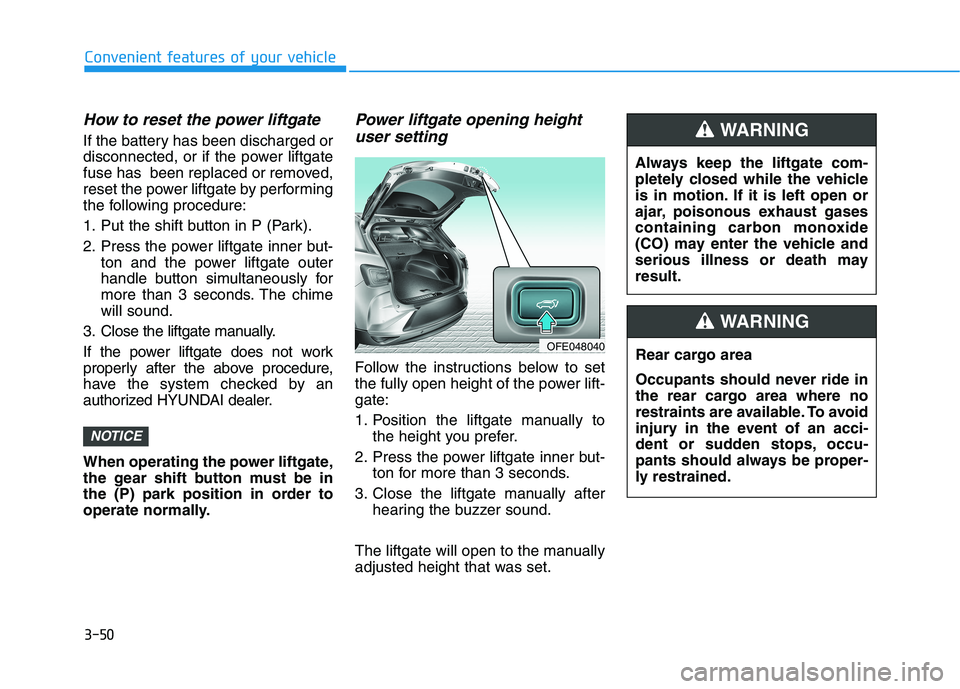
Power liftgate opening height
user setting
Follow the instructions below to set
the fully open height of the power lift-
gate:
1. Position the liftgate manually to
the height you prefer.
2. Press the power liftgate inner but-
ton for more than 3 seconds.
3. Close the liftgate manually after
hearing the buzzer sound.
The liftgate will open to the manually
adjusted height that was set.
NOTICE
OFE048040
Always keep the liftgate com-
pletely closed while the vehicle
is in motion. If it is left open or
ajar, poisonous exhaust gases
containing carbon monoxide
(CO) may enter the vehicle and
serious illness or death may
result.
WARNING
Rear cargo area
Occupants should never ride in
the rear cargo area where no
restraints are available. To avoid
injury in the event of an acci-
dent or sudden stops, occu-
pants should always be proper-
ly restrained.
WARNING
Page 144 of 561
3-57
Convenient features of your vehicle
3
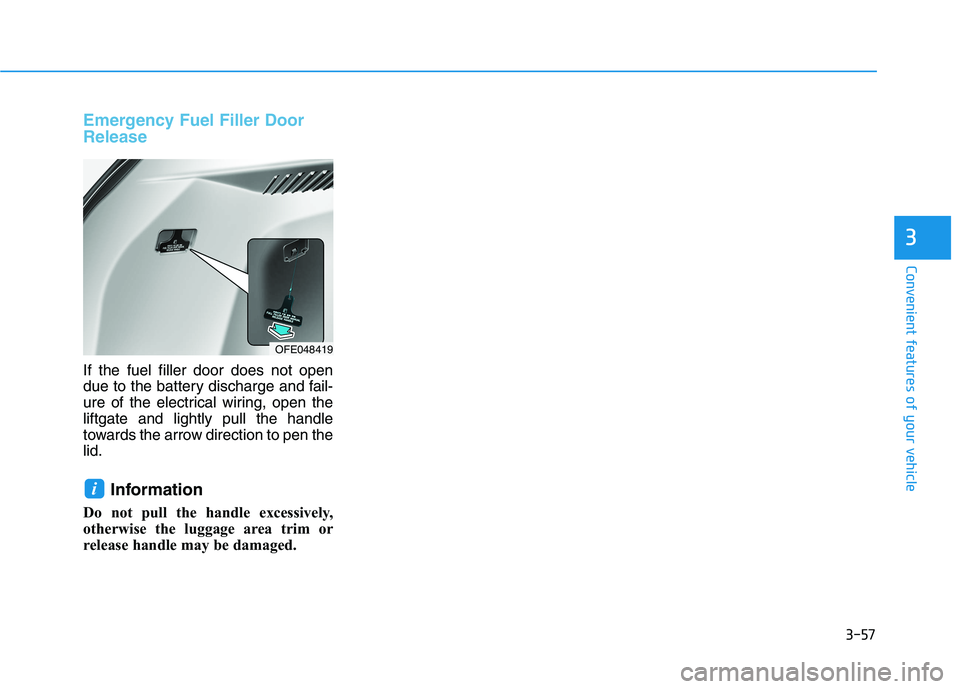
Emergency Fuel Filler Door
Release
If the fuel filler door does not open
due to the battery discharge and fail-
ure of the electrical wiring, open the
liftgate and lightly pull the handle
towards the arrow direction to pen the
lid.
Information
Do not pull the handle excessively,
otherwise the luggage area trim or
release handle may be damaged.
i
OFE048419
Page 147 of 561
3-60
Convenient features of your vehicle
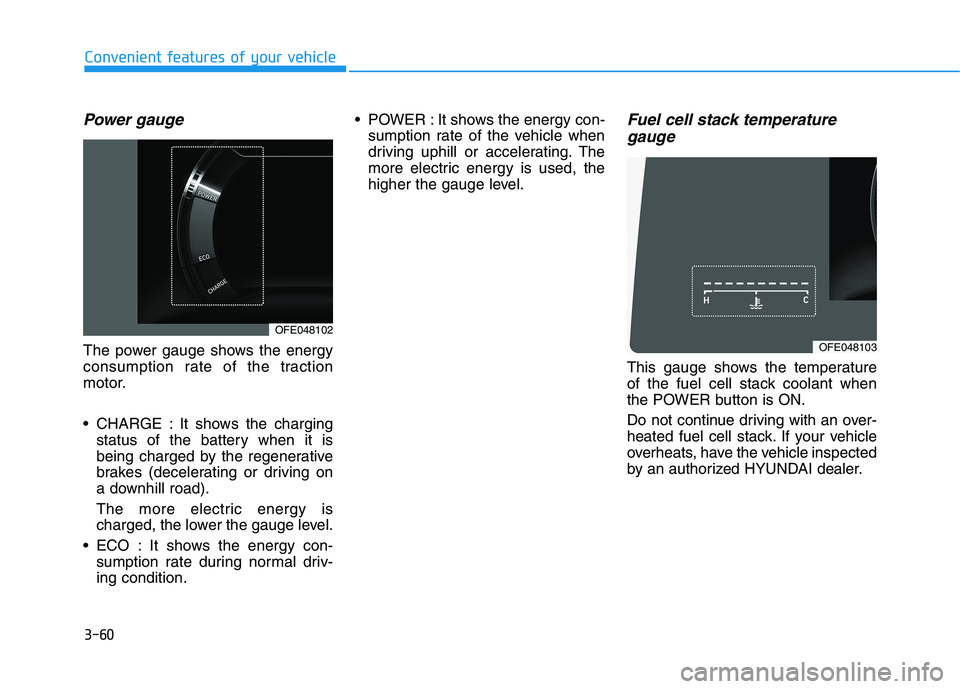
Power gauge
The power gauge shows the energy
consumption rate of the traction
motor.
CHARGE : It shows the charging
status of the battery when it is
being charged by the regenerative
brakes (decelerating or driving on
a downhill road).
The more electric energy is
charged, the lower the gauge level.
ECO : It shows the energy con-
sumption rate during normal driv-
ing condition. POWER : It shows the energy con-
sumption rate of the vehicle when
driving uphill or accelerating. The
more electric energy is used, the
higher the gauge level.
Fuel cell stack temperature
gauge
This gauge shows the temperature
of the fuel cell stack coolant when
the POWER button is ON.
Do not continue driving with an over-
heated fuel cell stack. If your vehicle
overheats, have the vehicle inspected
by an authorized HYUNDAI dealer.
OFE048102
OFE048103
Page 150 of 561
3-63
Convenient features of your vehicle
3
Range
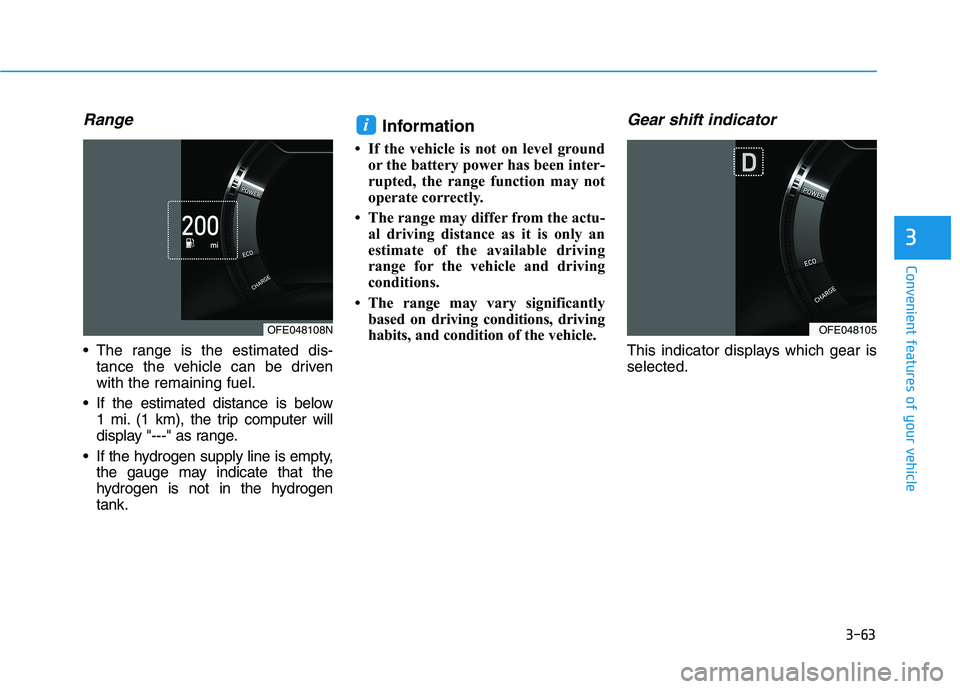
The range is the estimated dis-
tance the vehicle can be driven
with the remaining fuel.
If the estimated distance is below
1 mi. (1 km), the trip computer will
display "---" as range.
If the hydrogen supply line is empty,
the gauge may indicate that the
hydrogen is not in the hydrogen
tank.
Information
• If the vehicle is not on level ground
or the battery power has been inter-
rupted, the range function may not
operate correctly.
• The range may differ from the actu-
al driving distance as it is only an
estimate of the available driving
range for the vehicle and driving
conditions.
• The range may vary significantly
based on driving conditions, driving
habits, and condition of the vehicle.
Gear shift indicator
This indicator displays which gear is
selected.
i
OFE048108NOFE048105
Page 157 of 561
3-70
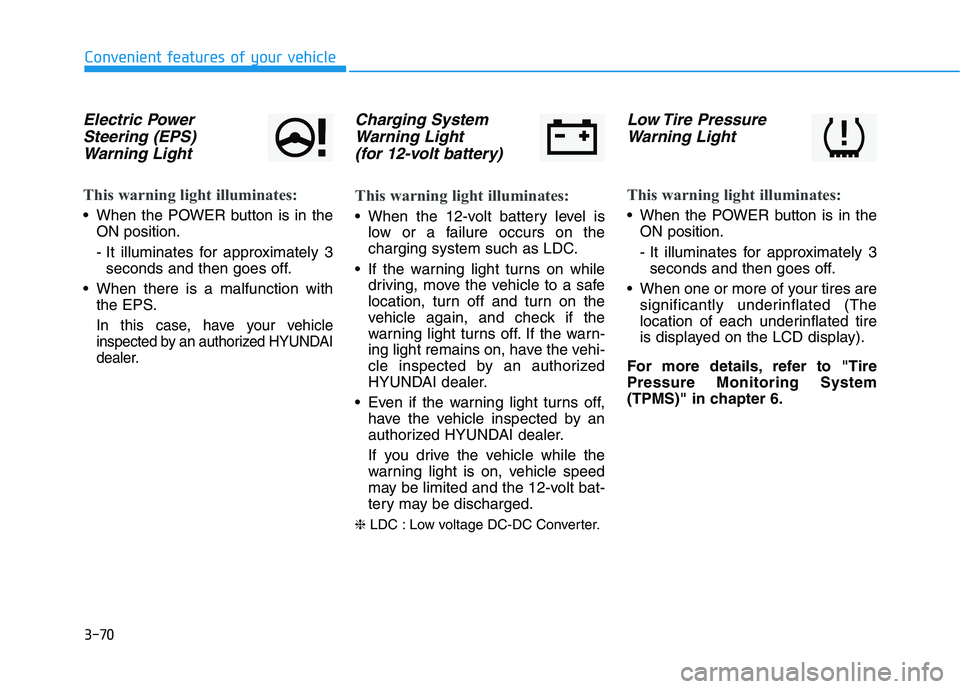
Electric Power
Steering (EPS)
Warning Light
This warning light illuminates:
When the POWER button is in the
ON position.
- It illuminates for approximately 3
seconds and then goes off.
When there is a malfunction with
the EPS.
In this case, have your vehicle
inspected by an authorized HYUNDAI
dealer.
Charging System
Warning Light
(for 12-volt battery)
This warning light illuminates:
When the 12-volt battery level is
low or a failure occurs on the
charging system such as LDC.
If the warning light turns on while
driving, move the vehicle to a safe
location, turn off and turn on the
vehicle again, and check if the
warning light turns off. If the warn-
ing light remains on, have the vehi-
cle inspected by an authorized
HYUNDAI dealer.
Even if the warning light turns off,
have the vehicle inspected by an
authorized HYUNDAI dealer.
If you drive the vehicle while the
warning light is on, vehicle speed
may be limited and the 12-volt bat-
tery may be discharged.
❈LDC : Low voltage DC-DC Converter.
Low Tire Pressure
Warning Light
This warning light illuminates:
When the POWER button is in the
ON position.
- It illuminates for approximately 3
seconds and then goes off.
When one or more of your tires are
significantly underinflated (The
location of each underinflated tire
is displayed on the LCD display).
For more details, refer to "Tire
Pressure Monitoring System
(TPMS)" in chapter 6.
Convenient features of your vehicle
Page 161 of 561

3-74
Convenient features of your vehicle
Immobilizer Indicator
Light
This indicator light illuminates for
up to 30 seconds:
When the vehicle detects the smart
key in the vehicle with the POWER
button in the ACC or ON position.
- At this time, you can start the vehi-
cle.
- The indicator light goes off after
starting the vehicle.
This indicator light blinks for a few
seconds:
When the smart key is not in the
vehicle.
- At this time, you cannot start the
vehicle.
This indicator light illuminates for
2 seconds and goes off:
If the smart key is in the vehicle and
the POWER button is ON, but the
vehicle cannot detect the smart key.
In this case, have your vehicle inspect-
ed by an authorized HYUNDAI dealer.
This indicator light blinks:
When the battery voltage of the
smart key is low.
- At this time, you can not start the
vehicle. However, you can start the
if you press the POWER button
with the smart key.(For more
details, refer to "Starting the
vehicle" in chapter 5).
When there is a malfunction with
the immobilizer system.
In this case, have your vehicle
inspected by an authorized HYUNDAI
dealer.
Turn Signal Indicator
Light
This indicator light blinks:
When you operate the turn signal
indicator.
If any of the following occurs, there
may be a malfunction with the turn
signal system.
- The turn signal indicator light illu-
minates but does not blink
- The turn signal indicator light
blinks rapidly
- The turn signal indicator light
does not illuminate at all
If either of these conditions occur,
have your vehicle inspected by an
authorized HYUNDAI dealer.
Page 163 of 561
3-76
LCD Display Messages
Shift to P
This warning message is displayed if
you try to turn off the vehicle with the
gear in the N (Neutral) position.
At this time, the POWER button
changes to the ACC position (If you
press the POWER button once more,
it will turn to the ON position).
Low Key Battery
This warning message is displayed if
the battery of the smart key is dis-
charged while changing the POWER
button to the OFF position.
Press POWER button while
turning wheel
This warning message is displayed if
the steering wheel does not unlock
normally when the POWER button is
pressed.
You should press the POWER button
while turning the steering wheel right
and left.
Check Steering Wheel Lock
System
This warning message is displayed if
the steering wheel does not lock nor-
mally while the POWER button
changes to the OFF position.
Press brake pedal to start vehicle
This warning message is displayed if
the POWER button changes to the
ACC position twice by pressing the
button repeatedly without depressing
the brake pedal.
You can start the vehicle by depress-
ing the brake pedal.
Key not in vehicle
This warning message is displayed if
the smart key is not in the vehicle
when you press the POWER button.
When attempting to start the vehicle,
always have the smart key with you.
Convenient features of your vehicle
Page 172 of 561
3-85
Convenient features of your vehicle
The trip computer is a microcomput-
er-controlled driver information sys-
tem that displays information related
to driving.
Information
Some driving information stored in the
trip computer (for example Average
Vehicle Speed) resets if the battery is
disconnected.
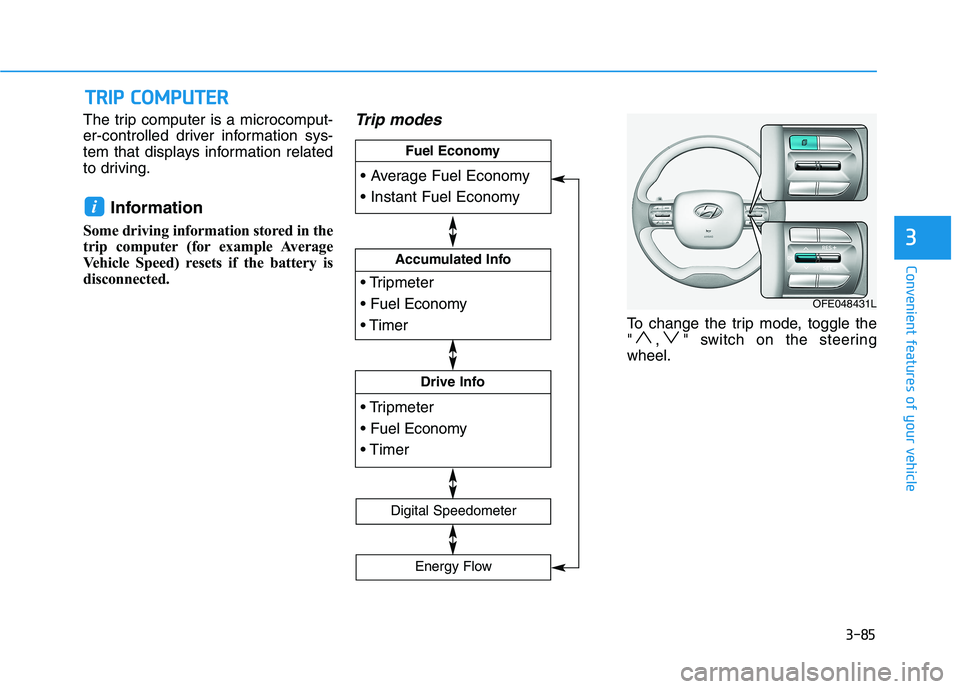
Trip modes
To change the trip mode, toggle the
" , " switch on the steering
wheel.
i
T TR
RI
IP
P
C
CO
OM
MP
PU
UT
TE
ER
R
3
Accumulated Info
Drive Info
Fuel Economy
Digital Speedometer
Energy Flow
OFE048431L
Page 182 of 561
3-95
Convenient features of your vehicle
3
One-touch turn signal function
To activate the One Touch Turn
Signal function, push the turn signal
lever up or down to position (B) and
then release it.
The lane change signals will blink 3,
5 or 7 times.
You can activate or deactivate the
One Touch Turn Signal function or
choose the number of blinks (3, 5, or
7) from the Vehicle Settings mode in
the AVN screen.
For more details, refer to the sepa-
rately supplied Navigation manual.
Battery saver function
The purpose of this feature is to pre-
vent the battery from being dis-
charged. The system automatically
turns off the parking lamp when the
driver turns the vehicle off and opens
the driver-side door.
With this feature, the parking lamps
will turn off automatically if the driver
parks on the side of road at night.
If necessary, to keep the lamps on
when the vehicle is turned off, perform
the following:
1) Open the driver-side door.
2) Turn the parking lamps OFF and
ON again using the headlamp
switch on the steering column.
Headlight time-out function
(if equipped)
If the POWER button is placed in the
ACC position or the OFF position
with the headlamps ON, the head-
lamps (and/or parking lamps) remain
on for about 5 minutes. However, if
the driver's door is opened and
closed, the headlights are turned off
after 15 seconds. Also, with the vehi-
cle off if the driver's door is opened
and closed, the headlamps (and/or
parking lamps) are turned off after 15
seconds.
The headlamps (and/or parking
lamps) can be turned off by pressing
the lock button on the smart key
twice or turning the light switch to the
OFF or AUTO position.
You can activate or deactivate the
Headlamp Delay function from the
Vehicle Settings mode (Light) on the
AVN screen.
For more details, refer to the sepa-
rately supplied Navigation manual.