eco HYUNDAI NEXO 2023 Owners Manual
[x] Cancel search | Manufacturer: HYUNDAI, Model Year: 2023, Model line: NEXO, Model: HYUNDAI NEXO 2023Pages: 558, PDF Size: 35.01 MB
Page 232 of 558
3-145
Convenient features of your vehicle
3
Vehicle status Hazard lampSmart key LED
Remote Smart Parking
assist in activation-Green LED blinks continu- ously
Remote Smart Parking
assist temporarily
stopped/in stand by
FlashingRed LED blinks continu- ously
Remote Smart Parking
deactivatedOff after 3 flashes
Red LED illuminates for about 4 seconds and then
extinguishes
Remote Smart Parking completeOff after one flashes
Green LED illuminates for about 4 seconds and then
extinguishes
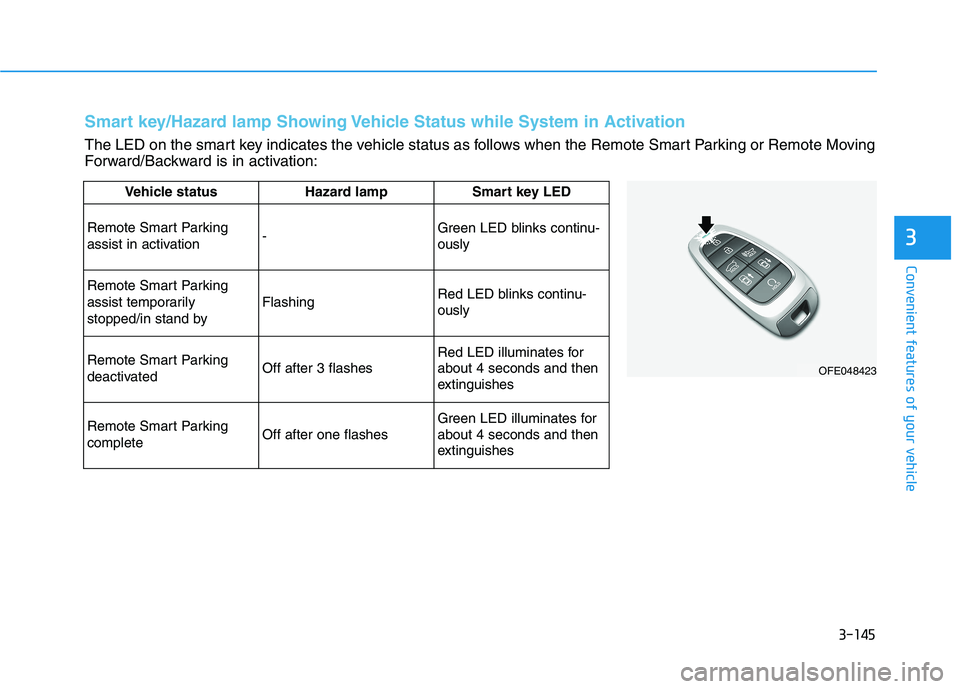
Smart key/Hazard lamp Showing Vehicle Status while System in Activation
The LED on the smart key indicates the vehicle status as follows when the Remote Smart Parking or Remote Moving
Forward/Backward is in activation:
OFE048423
Page 239 of 558
3-152
Convenient features of your vehicle
Adjusting the driver and passenger
side temperature individually
Press the "SYNC" button again to
operate the driver and passenger
side temperature individually. The
button indicator will turn off.
Temperature conversion
If the battery has been discharged or
disconnected, the temperature mode
display will reset to Fahrenheit.
To change the temperature unit from °C to °F or °F to °C:
- Press the AUTO button while press-ing the OFF button on the climate
control unit for 3 seconds.
- Go to General settings mode Unit
Temperature in the AVN display.
The temperature unit on both the
cluster LCD display and climate con-
trol screen will change.
Air intake control (8)
The air intake control button is used
to select either Fresh mode (outsideair) or Recirculation mode (cabin air).
Recirculation mode
When Recirculation mode is selected, air from the passenger
compartment will berecirculated through thesystem and heated or
cooled according to thefunction selected.
Fresh mode
When Fresh mode is selected, air enters the
vehicle from outside andis heated or cooled
according to the functionselected. Information
Operating the system primarily in
Fresh mode is recommended. Use
Recirculation mode temporarily only
when needed.
Prolonged operation of the heater in
Recirculation mode and without the
A/C ON can cause fogging of the
windshield.
In addition, prolonged use of the A/C
ON in Recirculation mode may result
in excessively dry, dehumidified air in
the cabin and may promote formation
of musty vent odor due to stagnant air.
i
Page 243 of 558
![HYUNDAI NEXO 2023 Owners Manual 3-156
Convenient features of your vehicle
System Maintenance
Cabin air filter
[A] : Outside air, [B] : Recirculated air
[C] : Climate control air filter, [D] : Blower
[E] : Evaporator core, [F] : Hea](/img/35/56173/w960_56173-242.png "HYUNDAI NEXO 2023 Owners Manual 3-156
Convenient features of your vehicle
System Maintenance
Cabin air filter
[A] : Outside air, [B] : Recirculated air
[C] : Climate control air filter, [D] : Blower
[E] : Evaporator core, [F] : Hea")
3-156
Convenient features of your vehicle
System Maintenance
Cabin air filter
[A] : Outside air, [B] : Recirculated air
[C] : Climate control air filter, [D] : Blower
[E] : Evaporator core, [F] : Heater core The cabin air filter is installed behind
the glove box. It filters the dust or other
pollutants that enter the vehiclethrough the heating and air condition-ing system.
Have the The cabin air filter replaced
by an authorized HYUNDAI dealeraccording to the maintenance sched-
ule.If the vehicle is being driven in
severe conditions such as dusty or
rough roads and/or if transporting
pets or occupants smoke inside the
vehicle, then more frequent cabin airfilter inspections and changes arerequired.
If the air flow rate suddenly decreas-
es, the system should be checked at
an authorized HYUNDAI dealer.
Checking the amount of air con-
ditioner refrigerant and com-
pressor lubricant
When the amount of refrigerant is
low, the performance of the air con-
ditioning is reduced. Overfilling also
reduces the performance of the airconditioning system.
Therefore, if abnormal operation is
found, we recommend that the sys-
tem be inspected by an authorized
HYUNDAI dealer.
It is important that the correct type and amount of oil and refrig-
erant is used. Otherwise, damageto the compressor and abnormal
system operation may occur. To
prevent damage, the air condition-
ing system in your vehicle should
only be serviced by trained and
certified technicians.
NOTICEOIK047401L
Page 246 of 558
3-159
Convenient features of your vehicle
3
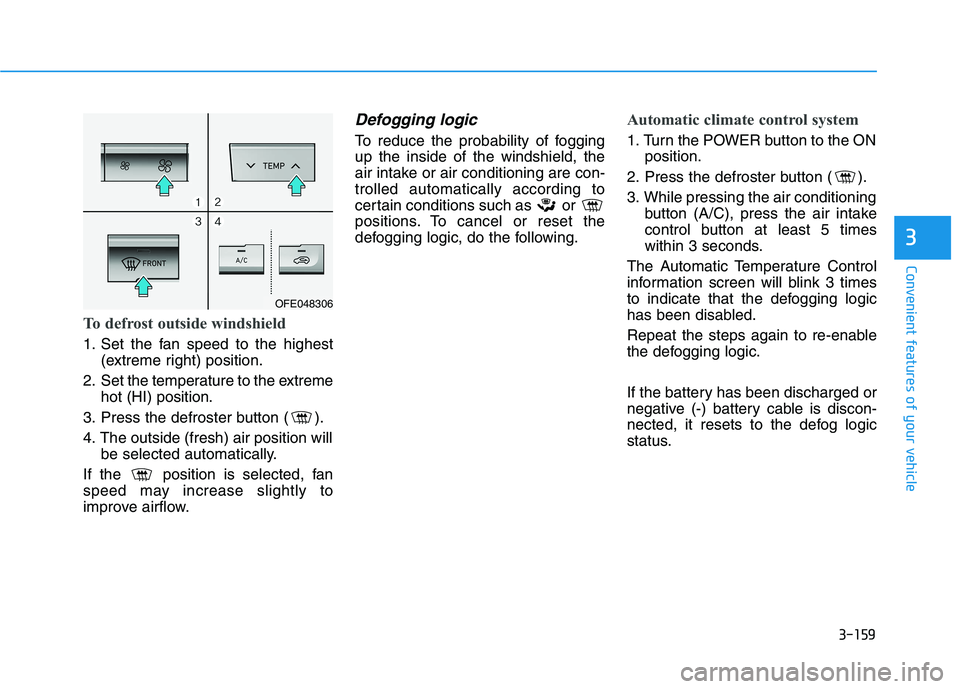
To defrost outside windshield
1. Set the fan speed to the highest(extreme right) position.
2. Set the temperature to the extreme hot (HI) position.
3. Press the defroster button ( ).
4. The outside (fresh) air position will be selected automatically.
If the position is selected, fan
speed may increase slightly to
improve airflow.
Defogging logic
To reduce the probability of foggingup the inside of the windshield, the
air intake or air conditioning are con-trolled automatically according to
certain conditions such as or
positions. To cancel or reset the
defogging logic, do the following.
Automatic climate control system
1. Turn the POWER button to the ON position.
2. Press the defroster button ( ).
3. While pressing the air conditioning button (A/C), press the air intake
control button at least 5 times
within 3 seconds.
The Automatic Temperature Control
information screen will blink 3 times
to indicate that the defogging logic
has been disabled.
Repeat the steps again to re-enable
the defogging logic.
If the battery has been discharged or
negative (-) battery cable is discon-
nected, it resets to the defog logic
status.
OFE048306
Page 247 of 558
3-160
Convenient features of your vehicle
Auto Defogging System
(Additional Feature with
Automatic Temperature
Control System) (if equipped)
Auto defogging helps reduce the pos-
sibility of fogging up the inside of the
windshield by automatically sensingthe moisture on inside the windshield.
The auto defogging system operates when the heater or air conditioning ison.Information
The auto defogging system may not
operate normally, when the outside
temperature is below -10°C (14°F). When the Auto Defogging
System operates, the indi-
cator will illuminate.
If a high amount of humidity is
detected in the vehicle, the Auto
Defogging System will be enabled.
The following steps will be performedautomatically:
Step 1) The A/C button will turn ON.
Step 2) The air intake control will change to Fresh mode.
Step 3) The mode will be changed to defrost to direct airflow to the windshield.
Step 4) The fan speed will be set to MAX.
If the air conditioning is off or recircu-
lated air position is manually select-
ed while Auto Defogging System is
ON, the Auto Defogging System
Indicator will blink 3 times to signal
that the manual operation has beencanceled.
To cancel or reset the
Auto Defogging System
Press the front windshield defroster
button for 3 seconds when the
POWER button is in the ON position.
When the Auto Defogging System iscanceled, the ADS OFF symbol will
blink 3 times and ADS OFF will be
displayed on the climate control
information screen.
When the Auto Defogging System is
reset, the ADS OFF symbol will blink6 times without a signal.
i
Page 249 of 558
3-162
Convenient features of your vehicle
Automatic Ventilation (if equipped)
When the POWER button is in the
ON position or when the vehicle is in
the ready ( ) mode and tempera-
ture is below 15°C (59°F) with therecirculated air position selected
more than five minutes, the air intakeposition will automatically change tothe outside (fresh) air position.
To cancel or reset the Automatic
Ventilation
When the air conditioning system is
on, select Face Level mode and
press the recirculation mode button
five times within three seconds while
pressing A/C button.
When the Automatic Ventilation fea-
ture is enabled, the recirculation but-
ton LED indicator will blink 6 times.
When the Automatic Ventilation fea-
ture is disabled, the recirculation but-
ton LED indicator will blink 3 times.
Sunroof Inside Air
Recirculation (if equipped)
When the heater or air conditioning system is on with the sunroofopened, the fresh mode will be auto-
matically selected. If you press the
recirculation mode button with thesunroof open, recirculation mode
activate but will only remain enabled
for 3 minutes. After 3 minutes the air
intake control will revert back to
Fresh mode. When the sunroof is closed, the air
intake position will return to the orig-
inal position that was selected.
CCLLIIMM AATTEE CC OO NNTTRR OO LL AA DDDDIITT IIOO NNAALL FF EE AA TTUU RREESS
Page 257 of 558
3-170
Convenient features of your vehicle
To charge a cellular phone
The wireless cellular phone charging
system charges only the Qi-enabled
cellular phones ( ). Read the label
on the cellular phone accessory
cover or visit your cellular phone
manufacturer's website to check
whether your cellular phone supports
the Qi technology.
The wireless charging process starts
when you put a Qi-enabled cellularphone on the wireless charging unit.
1. Remove other items, including thesmart key, from the wireless charg-
ing unit. If not, the wireless charg-
ing process may be interrupted.Place the cellular phone on the
center of the charging pad ( ).
2. The indicator light is orange when the cellular phone is charging. The
indicator light turns green when
phone charging is complete.
3. You can turn ON or OFF the wire- less charging function in the
Vehicle Settings mode on the AVN
screen. For further information,
refer to the separately supplied
"Navigation manual". If your cellular phone is not charging:
- Slightly change the position of the
cellular phone on the charging pad.
- Make sure the indicator light is orange.
The indicator light will blink orange for10 seconds if there is a malfunction inthe wireless charging system.
In this case, temporarily stop the
charging process, and re-attempt to
charge your cellular phone again.
The system warns you with a mes-
sage on the LCD display if the cellularphone is still on the wireless charging
unit after the POWER button is in theOFF position and the front door isopened.
Information
For some manufacturer's cellular
phones, the system may not warn you
even though the cellular phone is left
on the wireless charging unit. This is
due to the particular characteristic of
the cellular phone and not a malfunc-
tion of the wireless charging. The wireless cellular phone
charging system may not sup-
port certain cellular phones,
which are not verified for the Qi
specification ( ).
When placing your cellular phone on the charging mat,
position the phone in the middle
of the mat for optimal charging
performance. If your cell phone
is off to the side, the charging
rate may be less and in some
cases the cell phone may experi-ence higher heat conduction.
In some cases, the wireless charging may stop temporarily
when the Smart Key is used,
either when starting the vehicle or
locking/unlocking the doors, etc.
When charging certain cellular phones, the charging indicator
may not change to green when
the cell phone is fully charged.
NOTICE
i
Page 260 of 558
3-173
Convenient features of your vehicle
3
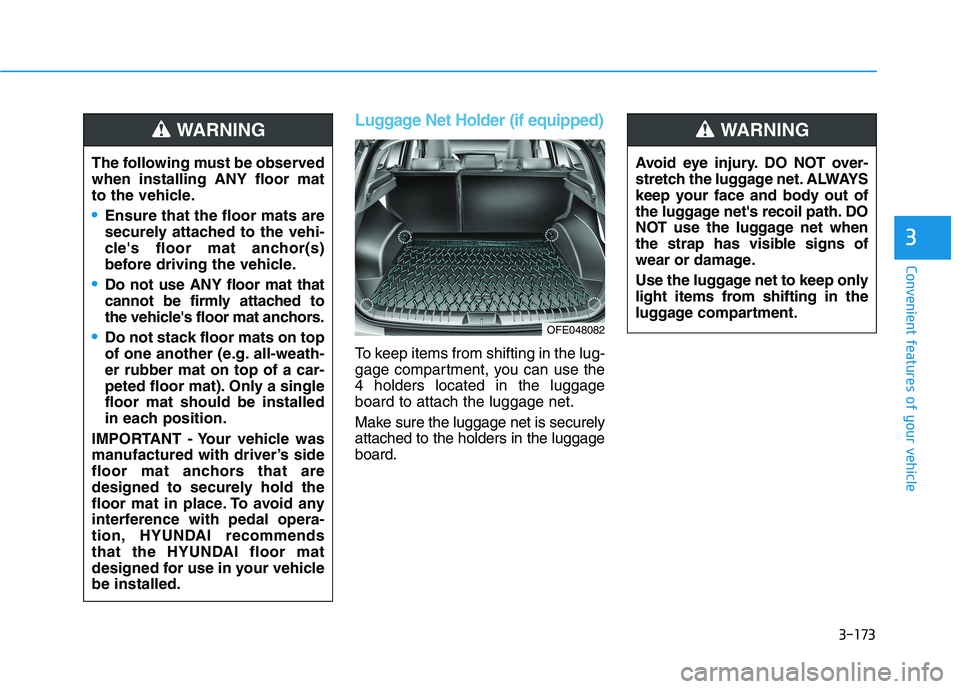
Luggage Net Holder (if equipped)
To keep items from shifting in the lug-
gage compartment, you can use the4 holders located in the luggageboard to attach the luggage net.
Make sure the luggage net is securely attached to the holders in the luggageboard.
The following must be observedwhen installing ANY floor mat
to the vehicle.
Ensure that the floor mats are
securely attached to the vehi-
cle's floor mat anchor(s)
before driving the vehicle.
Do not use ANY floor mat that
cannot be firmly attached to
the vehicle's floor mat anchors.
Do not stack floor mats on top
of one another (e.g. all-weath-er rubber mat on top of a car-
peted floor mat). Only a singlefloor mat should be installed
in each position.
IMPORTANT - Your vehicle was
manufactured with driver’s side
floor mat anchors that are
designed to securely hold the
floor mat in place. To avoid any
interference with pedal opera-
tion, HYUNDAI recommends
that the HYUNDAI floor mat
designed for use in your vehiclebe installed.
WARNING
Avoid eye injury. DO NOT over-
stretch the luggage net. ALWAYS
keep your face and body out of
the luggage net's recoil path. DO
NOT use the luggage net when
the strap has visible signs of
wear or damage.
Use the luggage net to keep only
light items from shifting in the
luggage compartment.
WARNING
OFE048082
Page 266 of 558
4-3
Infotainment System
4
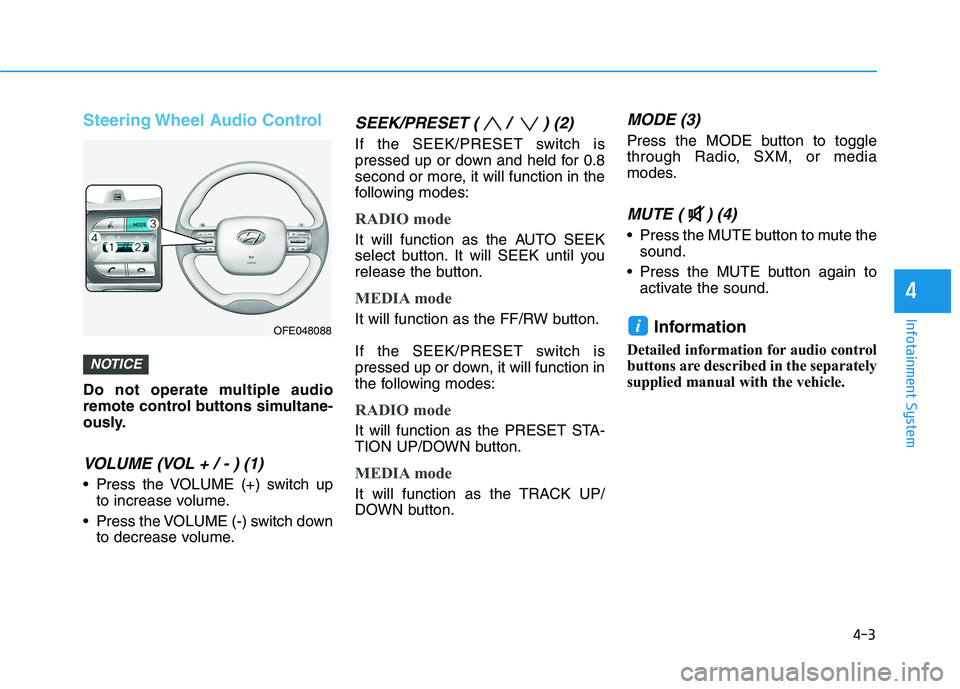
Steering Wheel Audio Control
Do not operate multiple audio
remote control buttons simultane-
ously.
VOLUME (VOL + / - ) (1)
Press the VOLUME (+) switch upto increase volume.
Press the VOLUME (-) switch down to decrease volume.
SEEK/PRESET ( / ) (2)
If the SEEK/PRESET switch is
pressed up or down and held for 0.8
second or more, it will function in the
following modes:
RADIO mode
It will function as the AUTO SEEK
select button. It will SEEK until you
release the button.
MEDIA mode
It will function as the FF/RW button.
If the SEEK/PRESET switch is
pressed up or down, it will function in
the following modes:
RADIO mode
It will function as the PRESET STA-
TION UP/DOWN button.
MEDIA mode
It will function as the TRACK UP/
DOWN button.
MODE (3)
Press the MODE button to toggle
through Radio, SXM, or media
modes.
MUTE ( ) (4)
Press the MUTE button to mute thesound.
Press the MUTE button again to activate the sound.
Information
Detailed information for audio control
buttons are described in the separately
supplied manual with the vehicle.
i
NOTICE
OFE048088
Page 268 of 558
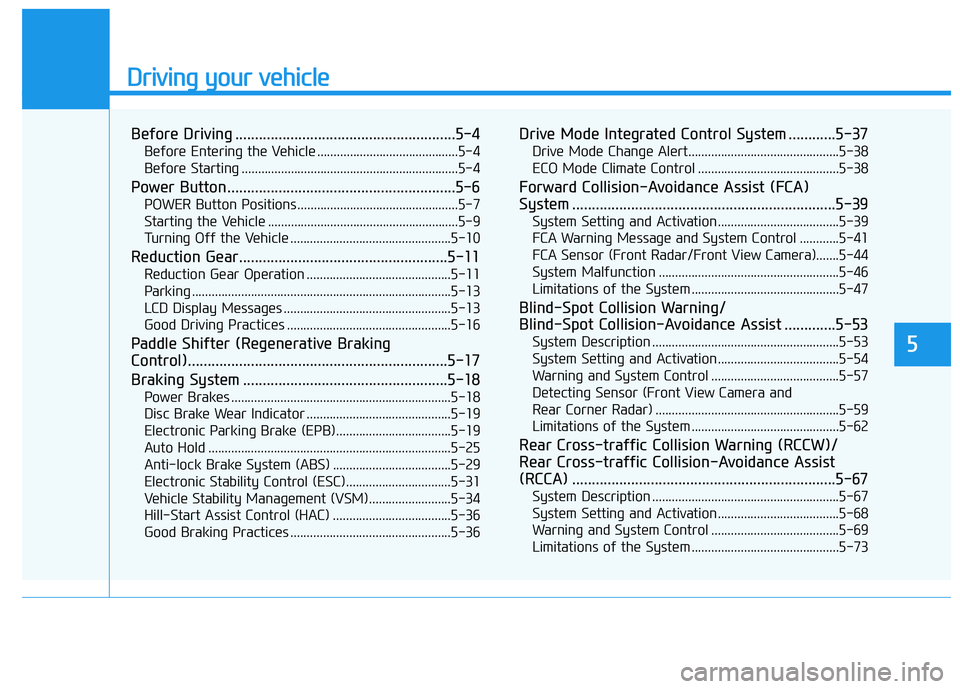
Driving your vehicle
5
Before Driving ........................................................5-4Before Entering the Vehicle ...........................................5-4
Before Starting ..................................................................5-4
Power Button..........................................................5-6 POWER Button Positions.................................................5-7
Starting the Vehicle ..........................................................5-9
Turning Off the Vehicle .................................................5-10
Reduction Gear.....................................................5-11 Reduction Gear Operation ............................................5-11
Parking ...............................................................................5-13
LCD Display Messages ...................................................5-13
Good Driving Practices ..................................................5-16
Paddle Shifter (Regenerative Braking
Control)..................................................................5-17
Braking System ....................................................5-18 Power Brakes ...................................................................5-18
Disc Brake Wear Indicator ............................................5-19
Electronic Parking Brake (EPB)...................................5-19
Auto Hold ..........................................................................5-25
Anti-lock Brake System (ABS) ....................................5-29
Electronic Stability Control (ESC)................................5-31
Vehicle Stability Management (VSM).........................5-34
Hill-Start Assist Control (HAC) ....................................5-36
Good Braking Practices .................................................5-36 Drive Mode Integrated Control System ............5-37
Drive Mode Change Alert..............................................5-38
ECO Mode Climate Control ...........................................5-38
Forward Collision-Avoidance Assist (FCA)
System ...................................................................5-39 System Setting and Activation.....................................5-39
FCA Warning Message and System Control ............5-41
FCA Sensor (Front Radar/Front View Camera).......5-44
System Malfunction .......................................................5-46
Limitations of the System .............................................5-47
Blind-Spot Collision Warning/
Blind-Spot Collision-Avoidance Assist .............5-53 System Description .........................................................5-53
System Setting and Activation.....................................5-54
Warning and System Control .......................................5-57
Detecting Sensor (Front View Camera and
Rear Corner Radar) ........................................................5-59 Limitations of the System .............................................5-62
Rear Cross-traffic Collision Warning (RCCW)/
Rear Cross-traffic Collision-Avoidance Assist
(RCCA) ...................................................................5-67 System Description .........................................................5-67
System Setting and Activation.....................................5-68
Warning and System Control .......................................5-69
Limitations of the System .............................................5-73