eco HYUNDAI NEXO 2023 Manual PDF
[x] Cancel search | Manufacturer: HYUNDAI, Model Year: 2023, Model line: NEXO, Model: HYUNDAI NEXO 2023Pages: 558, PDF Size: 35.01 MB
Page 176 of 558
3-89
Convenient features of your vehicle
3
LLIIGG HH TTIINN GG
Exterior Lights
Lighting control
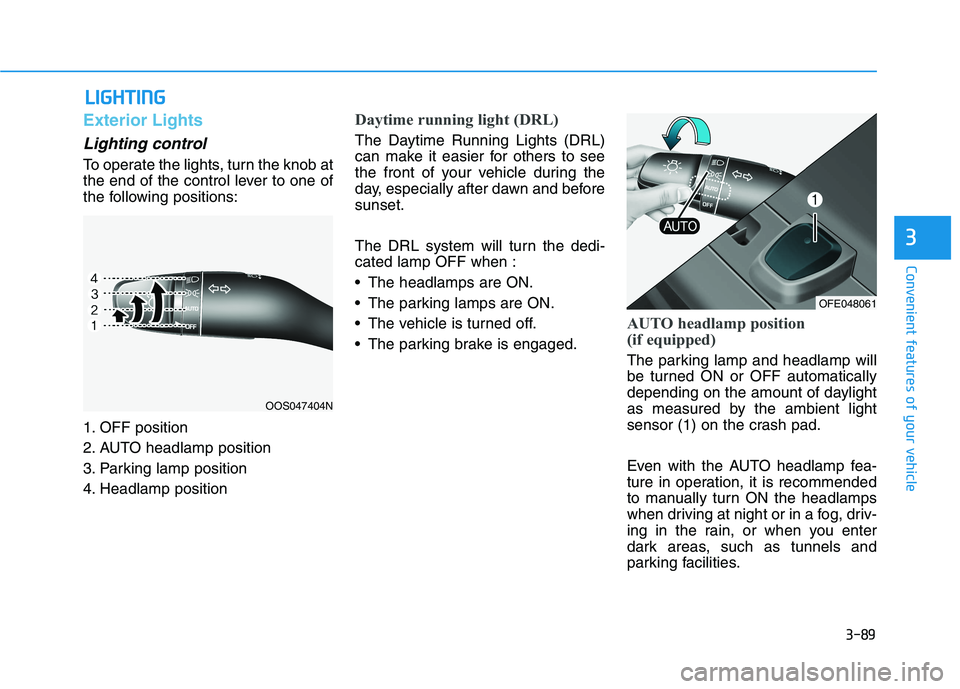
To operate the lights, turn the knob at
the end of the control lever to one of
the following positions:
1. OFF position
2. AUTO headlamp position
3. Parking lamp position
4. Headlamp position
Daytime running light (DRL)
The Daytime Running Lights (DRL)
can make it easier for others to see
the front of your vehicle during the
day, especially after dawn and beforesunset.
The DRL system will turn the dedi- cated lamp OFF when :
The headlamps are ON.
The parking lamps are ON.
The vehicle is turned off.
The parking brake is engaged.
AUTO headlamp position
(if equipped)
The parking lamp and headlamp will
be turned ON or OFF automatically
depending on the amount of daylight
as measured by the ambient light
sensor (1) on the crash pad.
Even with the AUTO headlamp fea-
ture in operation, it is recommended
to manually turn ON the headlamps
when driving at night or in a fog, driv-
ing in the rain, or when you enter
dark areas, such as tunnels and
parking facilities.
OOS047404N
OFE048061
Page 179 of 558
3-92
Convenient features of your vehicle
3. The High Beam Assist (HBA) willturn on when vehicle speed is
above 40 km/h (25 mph).
away when the High Beam
Assist (HBA) is operating, the
High Beam Assist (HBA) will turnoff and the high beam will be on
continuously.
towards you when the high beam
is off, the high beam will turn onwithout the High Beam Assist
(HBA) canceled. When you let
go of the light switch, the lever
will move to the middle and the
high beam will turn off.
towards you when the high beam
is on by the High Beam Assist
(HBA), the low beam will be onand the High Beam Assist (HBA)
will turn off.
to the headlamp ON position, the
High Beam Assist (HBA) will turn
off and the low beam will be on
continuously. When the High Beam Assist (HBA) is
operating, the high beam switches to
low beam if any of the following con-ditions occur :
- When the headlamp of an on-com-
ing vehicle is detected.
- When the tail lamp of a vehicle in front is detected.
- When the headlamp or tail lamp of a motorcycle or a bicycle is detect- ed.
- When the surrounding ambient light is bright enough that high beamsare not required.
- When streetlights or other lights are detected.
- When the headlamp switch is not in
the AUTO position.
- When the High Beam Assist (HBA) is off.
- When vehicle speed is below 35 km/h (22 mph).
Warning light and message
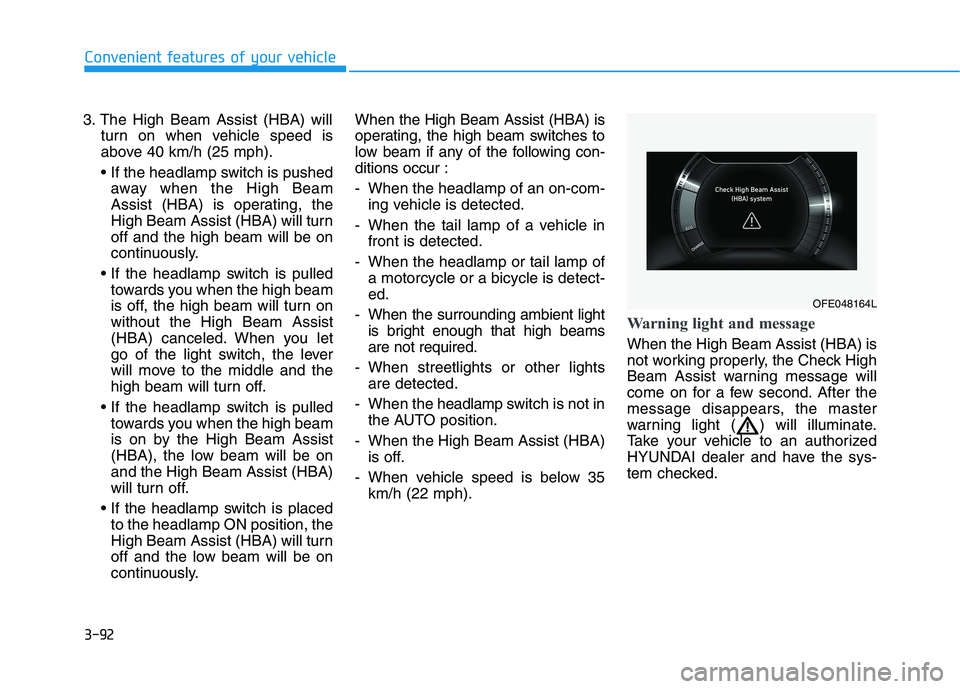
When the High Beam Assist (HBA) is
not working properly, the Check High
Beam Assist warning message will
come on for a few second. After the
message disappears, the master
warning light ( ) will illuminate.
Take your vehicle to an authorized
HYUNDAI dealer and have the sys-
tem checked.
OFE048164L
Page 182 of 558
3-95
Convenient features of your vehicle
3
One-touch turn signal function
To activate the One Touch Turn
Signal function, push the turn signal
lever up or down to position (B) andthen release it.
The lane change signals will blink 3,
5 or 7 times.
You can activate or deactivate the
One Touch Turn Signal function or
choose the number of blinks (3, 5, or
7) from the Vehicle Settings mode in
the AVN screen.
For more details, refer to the sepa-
rately supplied Navigation manual.
Battery saver function
The purpose of this feature is to pre-
vent the battery from being dis-
charged. The system automatically
turns off the parking lamp when the
driver turns the vehicle off and opens
the driver-side door.
With this feature, the parking lamps
will turn off automatically if the driver
parks on the side of road at night.
If necessary, to keep the lamps on
when the vehicle is turned off, perform
the following:
1) Open the driver-side door.
2) Turn the parking lamps OFF andON again using the headlamp
switch on the steering column.
Headlight time-out function
(if equipped)
If the POWER button is placed in the
ACC position or the OFF positionwith the headlamps ON, the head-
lamps (and/or parking lamps) remain
on for about 5 minutes. However, if
the driver's door is opened and
closed, the headlights are turned off
after 15 seconds. Also, with the vehi-
cle off if the driver's door is openedand closed, the headlamps (and/or
parking lamps) are turned off after 15
seconds.
The headlamps (and/or parking
lamps) can be turned off by pressing
the lock button on the smart key
twice or turning the light switch to the
OFF or AUTO position.
You can activate or deactivate the
Headlamp Delay function from the
Vehicle Settings mode (Light) on the
AVN screen.
For more details, refer to the sepa-
rately supplied Navigation manual.
Page 184 of 558
3-97
Convenient features of your vehicle
3
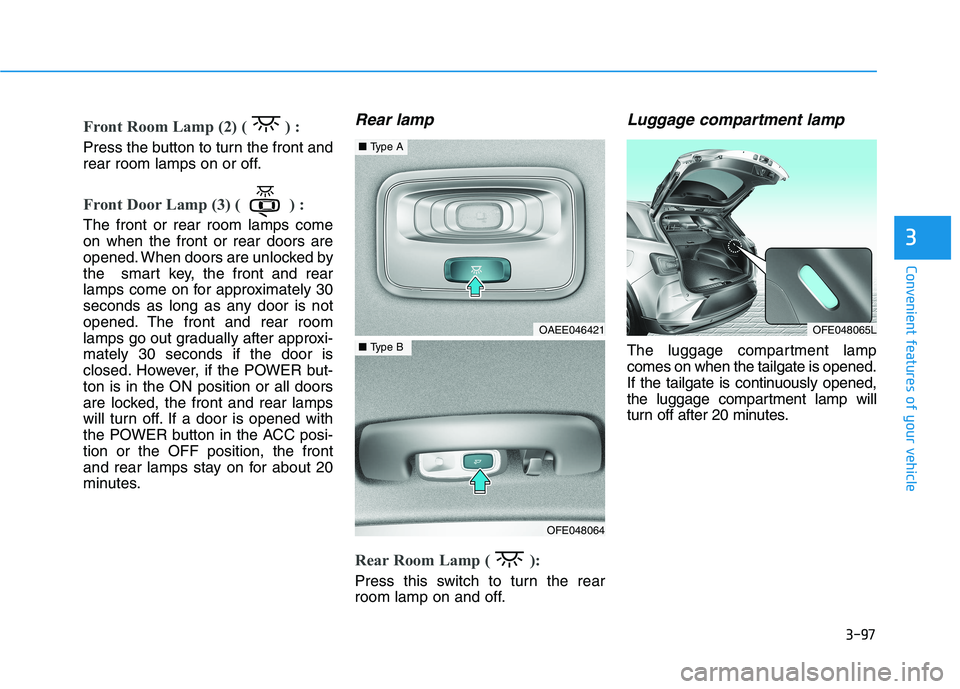
Front Room Lamp (2) ( ) :
Press the button to turn the front and
rear room lamps on or off.
Front Door Lamp (3) ( ) :
The front or rear room lamps come on when the front or rear doors are
opened. When doors are unlocked by
the smart key, the front and rear
lamps come on for approximately 30
seconds as long as any door is not
opened. The front and rear room
lamps go out gradually after approxi-mately 30 seconds if the door is
closed. However, if the POWER but-ton is in the ON position or all doors
are locked, the front and rear lamps
will turn off. If a door is opened with
the POWER button in the ACC posi-tion or the OFF position, the front
and rear lamps stay on for about 20
minutes.
Rear lamp
Rear Room Lamp ( ):
Press this switch to turn the rear
room lamp on and off.
Luggage compartment lamp
The luggage compartment lampcomes on when the tailgate is opened.
If the tailgate is continuously opened,
the luggage compartment lamp will
turn off after 20 minutes.
OFE048065LOAEE046421
OFE048064
■Type A
■Type B
Page 185 of 558
3-98
Convenient features of your vehicle
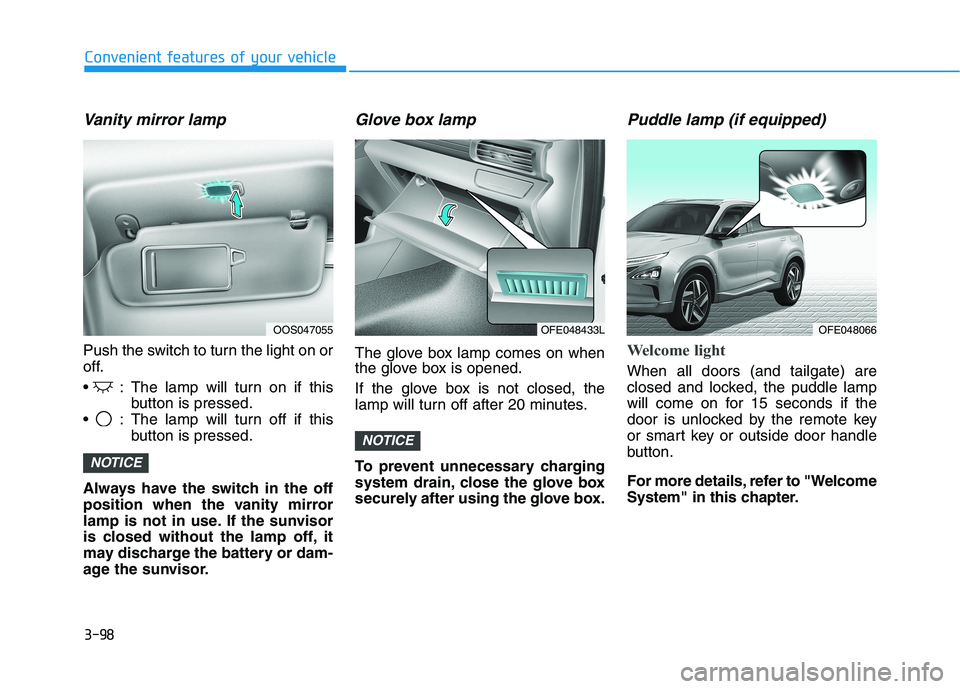
Vanity mirror lamp
Push the switch to turn the light on or
off.
: The lamp will turn on if thisbutton is pressed.
: The lamp will turn off if this button is pressed.
Always have the switch in the off
position when the vanity mirror
lamp is not in use. If the sunvisor
is closed without the lamp off, it
may discharge the battery or dam-
age the sunvisor.
Glove box lamp
The glove box lamp comes on when
the glove box is opened.
If the glove box is not closed, the
lamp will turn off after 20 minutes.
To prevent unnecessary charging
system drain, close the glove box
securely after using the glove box.
Puddle lamp (if equipped)
Welcome light
When all doors (and tailgate) are
closed and locked, the puddle lamp
will come on for 15 seconds if the
door is unlocked by the remote key
or smart key or outside door handle
button.
For more details, refer to "Welcome
System" in this chapter.
NOTICE
NOTICE
OOS047055OFE048433LOFE048066
Page 186 of 558
3-99
Convenient features of your vehicle
3
Escort light
When the vehicle is turned OFF and
the driver's door is opened, the pud-
dle lamp will come on for 30 sec-
onds. If the driver's door is closed
within the 30 seconds, the puddle
lamp will turn off after 15 seconds. If
the driver's door is closed and
locked, the puddle lamp will turn off
immediately.
The Puddle Lamp Escort Light will
turn on only the first time the driver's
door is opened after the vehicle is
turned off.
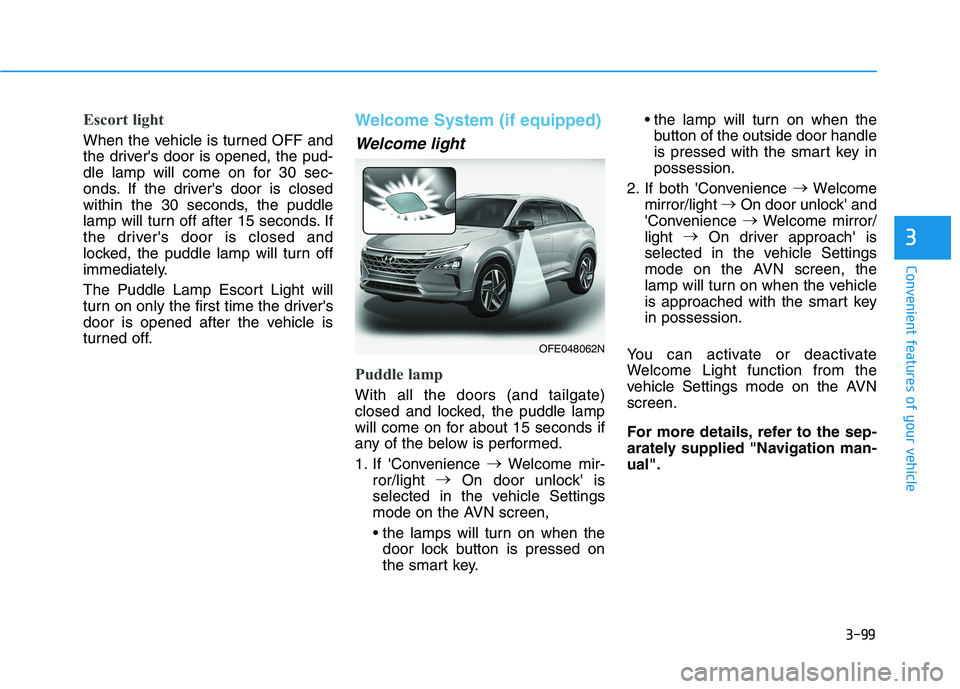
Welcome System (if equipped)
Welcome light
Puddle lamp
With all the doors (and tailgate)
closed and locked, the puddle lamp
will come on for about 15 seconds if
any of the below is performed.
1. If 'Convenience
Welcome mir-
ror/light
On door unlock' is
selected in the vehicle Settings
mode on the AVN screen,
door lock button is pressed on
the smart key. the lamp will turn on when the
button of the outside door handle
is pressed with the smart key inpossession.
2. If both 'Convenience
Welcome
mirror/light
On door unlock' and
'Convenience
Welcome mirror/
light
On driver approach' is
selected in the vehicle Settings
mode on the AVN screen, the
lamp will turn on when the vehicle
is approached with the smart keyin possession.
You can activate or deactivate
Welcome Light function from the
vehicle Settings mode on the AVNscreen.
For more details, refer to the sep-
arately supplied "Navigation man-ual".
OFE048062N
Page 187 of 558
3-100
Convenient features of your vehicle
Headlamp and parking lamp
When the headlamp (lamp switch in
the headlamp or AUTO position) is on
and all doors (and tailgate) are locked
and closed, the parking lamp and
headlamp will come on for 15 seconds
when the door unlock button is
pressed on the remote key or smart
key.
At this time, if you press the door lock
or unlock button, the parking lamp and
headlamp will turn off immediately.
Interior lamp
When the interior lamp switch is inthe DOOR position and all doors (and
tailgate) are closed and locked, the
room lamp will come on for 30 sec-
onds if any of the below is performed.
When the door unlock button ispressed on the remote key or
smart key.
When the button of the outside door handle is pressed with the
smart key in possession.
At this time, if you press the door lock
or unlock button on the smart key the
room lamp will turn off immediately.
Page 193 of 558
3-106
Convenient features of your vehicle
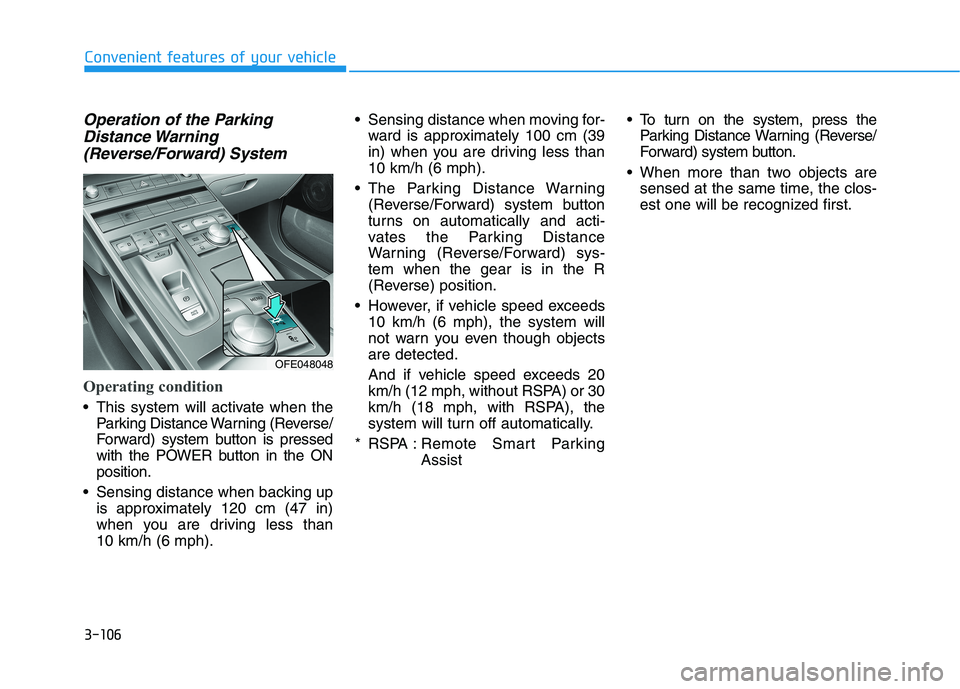
Operation of the ParkingDistance Warning
(Reverse/Forward) System
Operating condition
This system will activate when the Parking Distance Warning (Reverse/
Forward) system button is pressed
with the POWER button in the ONposition.
Sensing distance when backing up is approximately 120 cm (47 in)
when you are driving less than 10 km/h (6 mph). Sensing distance when moving for-
ward is approximately 100 cm (39
in) when you are driving less than10 km/h (6 mph).
The Parking Distance Warning (Reverse/Forward) system button
turns on automatically and acti-
vates the Parking Distance
Warning (Reverse/Forward) sys-tem when the gear is in the R
(Reverse) position.
However, if vehicle speed exceeds 10 km/h (6 mph), the system will
not warn you even though objectsare detected.
And if vehicle speed exceeds 20
km/h (12 mph, without RSPA) or 30
km/h (18 mph, with RSPA), the
system will turn off automatically.
* RSPA : Remote Smart Parking Assist To turn on the system, press the
Parking Distance Warning (Reverse/
Forward) system button.
When more than two objects are sensed at the same time, the clos-
est one will be recognized first.
OFE048048
Page 195 of 558
3-108
Convenient features of your vehicle
Any non-factory equipment oraccessories have been installed, or
if the vehicle bumper height or sen-sor installation has been modified.
Detecting range may decrease when:
Outside air temperature isextremely hot or cold.
Undetectable objects smaller than 1 m (40 inches) and narrower than
14 cm (6 inches) in diameter.
The following objects may not be
recognized by the sensor:
Sharp or slim objects such asropes, chains or small poles.
Objects, which tend to absorb sen- sor frequency such as clothes,
spongy material or snow.
Parking Distance Warning
(Reverse/Forward) system pre-
cautions
The Parking Distance Warning (Reverse/Forward) system may not
operate consistently in some cir-cumstances depending on the
speed of the vehicle and theshapes of the objects detected.
The Parking Distance Warning (Reverse/Forward) system may
malfunction if the vehicle bumperheight or sensor installation has
been modified or damaged. Any
non-factory installed equipment or
accessories may also interfere with
the sensor performance.
The sensor may not recognize objects less than 40 cm (15 in.)
from the sensor, or it may sense an
incorrect distance. Use caution.
When the sensor is blocked with snow, dirt, debris, or ice, the sys-
tem may be inoperative until the
snow or ice melts, or the debris is
removed. Use a soft cloth to wipe
debris away from the sensor. Do not push, scratch or strike the
sensor with any hard objects that
could damage the surface of the
sensor. Sensor damage could occur.
Do not spray the sensors or its sur- rounding area directly with a high
pressure washer. Doing so may
cause the sensors to fail to operate
normally.
Your new vehicle warranty does
not cover any accidents or dam-
age to the vehicle or injuries toits occupants related to a
Parking Distance Warning
(Reverse/Forward) system.
Always drive safely and cau-
tiously.
WARNING
Page 201 of 558
3-114
Convenient features of your vehicle
Operating Condition
Use the system when all the below conditions are met.
When the parking space is astraight line
When there is a parked vehicle next to the space where you want
to park
When there is enough space to move the vehicle
When you choose "Confirm" on AVN booting.
The RSPA system should only be considered as a supple-
mentary function. The driver
must check the front and rear
view for objects. The opera-tional function of the system
can be affected by many fac-
tors and conditions of the sur-
roundings, so the responsibili-
ty rests always with the driver.
The system may not operate
normally if the vehicle needswheel alignment adjustment.
Have the vehicle checked by
an authorized HYUNDAI deal-
er.
If you use a different tire or
wheel size rather than the size
recommended by the HYUNDAI
dealer, the system may not
work properly. Always use the
same size tire and wheel.
WARNING
Do not use the system when
in drunken state.
The system may not operate
properly depending on the
surrounding environment andother conditions.
The system may not recog-
nize the object too close to
the vehicle.
When operating the system, be careful of the objects locat-
ed above or below the sensor
position. Such object may
damage the vehicle or otherobjects.
Do not let children or other
person to use the smart key.
WARNING