ECO mode HYUNDAI NEXO 2023 User Guide
[x] Cancel search | Manufacturer: HYUNDAI, Model Year: 2023, Model line: NEXO, Model: HYUNDAI NEXO 2023Pages: 558, PDF Size: 35.01 MB
Page 135 of 558
3-48
Convenient features of your vehicle
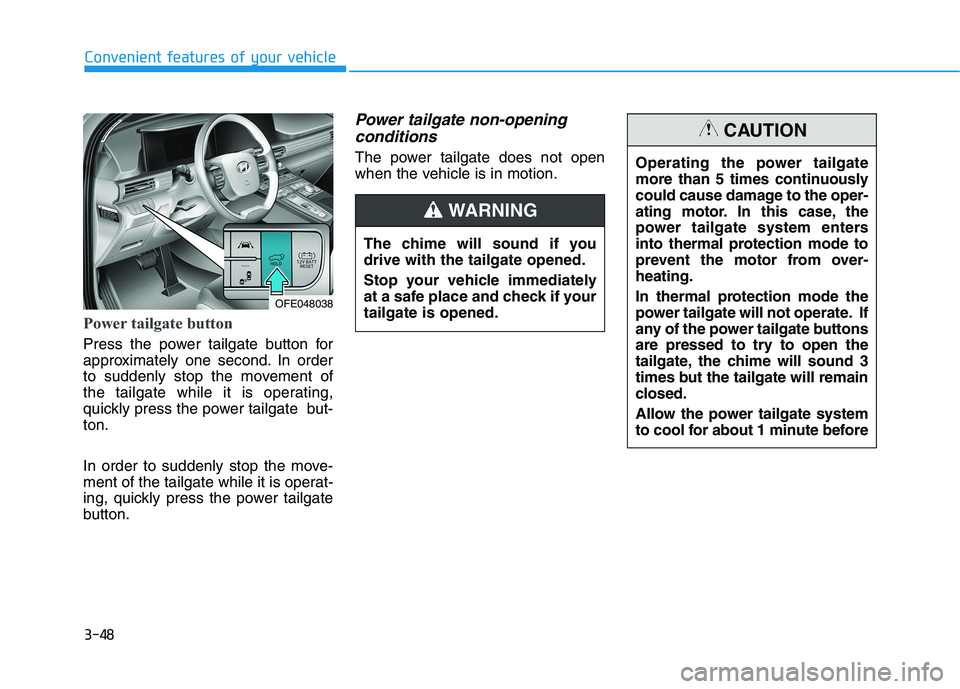
Power tailgate button
Press the power tailgate button for
approximately one second. In order
to suddenly stop the movement of
the tailgate while it is operating,
quickly press the power tailgate but-ton.
In order to suddenly stop the move-
ment of the tailgate while it is operat-
ing, quickly press the power tailgate
button.
Power tailgate non-openingconditions
The power tailgate does not open
when the vehicle is in motion.
The chime will sound if youdrive with the tailgate opened.
Stop your vehicle immediately
at a safe place and check if yourtailgate is opened.
WARNING
OFE048038 Operating the power tailgate
more than 5 times continuously
could cause damage to the oper-
ating motor. In this case, the
power tailgate system enters
into thermal protection mode to
prevent the motor from over-heating.
In thermal protection mode the
power tailgate will not operate. If
any of the power tailgate buttons
are pressed to try to open the
tailgate, the chime will sound 3
times but the tailgate will remain
closed.
Allow the power tailgate system
to cool for about 1 minute before
CAUTION
Page 149 of 558
3-62
Convenient features of your vehicle
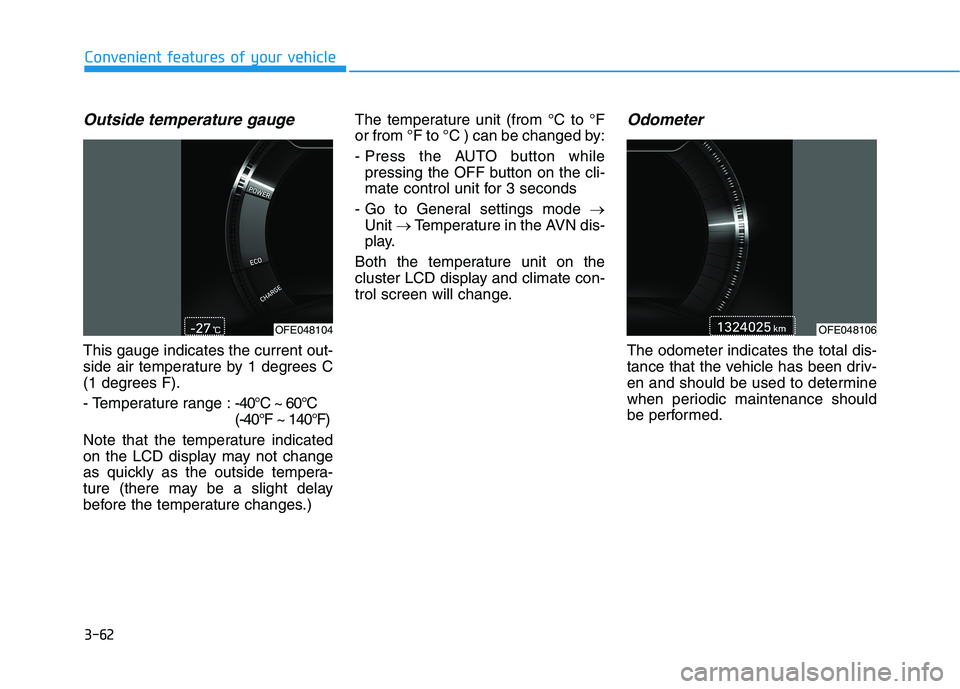
Outside temperature gauge
This gauge indicates the current out-
side air temperature by 1 degrees C
(1 degrees F).
- Temperature range :-40°C ~ 60°C (-40°F ~ 140°F)
Note that the temperature indicated
on the LCD display may not change
as quickly as the outside tempera-
ture (there may be a slight delay
before the temperature changes.) The temperature unit (from °C to °F
or from °F to °C ) can be changed by:
- Press the AUTO button while
pressing the OFF button on the cli-
mate control unit for 3 seconds
- Go to General settings mode
Unit Temperature in the AVN dis-
play.
Both the temperature unit on the
cluster LCD display and climate con-
trol screen will change.
Odometer
The odometer indicates the total dis-
tance that the vehicle has been driv-
en and should be used to determine
when periodic maintenance should
be performed.
OFE048106 OFE048104
Page 151 of 558
3-64
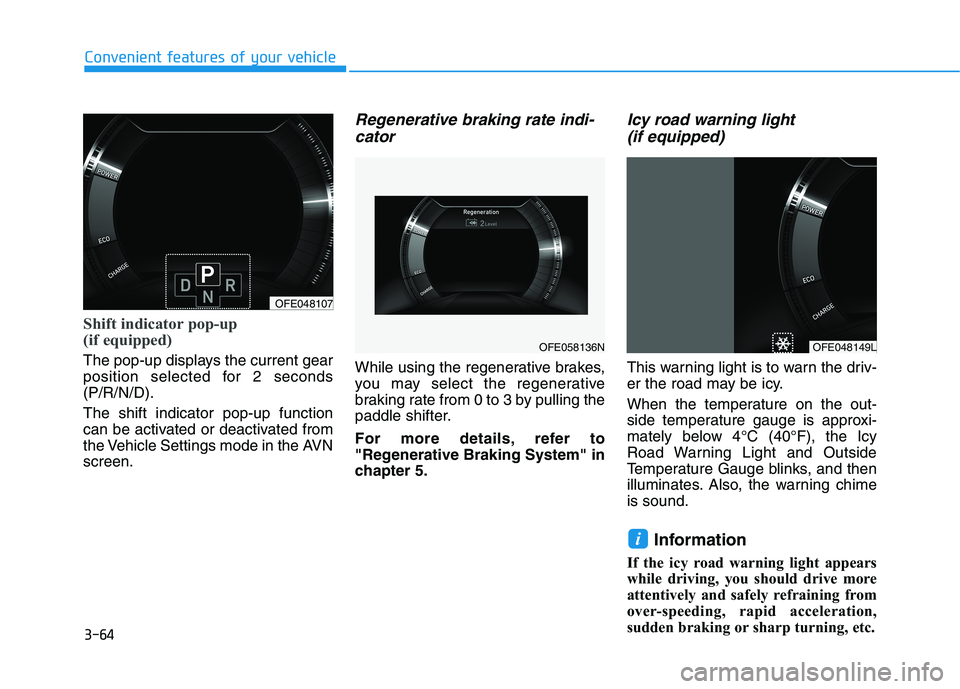
Shift indicator pop-up
(if equipped)
The pop-up displays the current gear
position selected for 2 seconds(P/R/N/D). The shift indicator pop-up function
can be activated or deactivated from
the Vehicle Settings mode in the AVNscreen.
Regenerative braking rate indi-cator
While using the regenerative brakes,
you may select the regenerative
braking rate from 0 to 3 by pulling the
paddle shifter.
For more details, refer to
"Regenerative Braking System" in
chapter 5.
Icy road warning light (if equipped)
This warning light is to warn the driv-
er the road may be icy.
When the temperature on the out-
side temperature gauge is approxi-
mately below 4°C (40°F), the Icy
Road Warning Light and Outside
Temperature Gauge blinks, and then
illuminates. Also, the warning chimeis sound.
Information
If the icy road warning light appears
while driving, you should drive more
attentively and safely refraining from
over-speeding, rapid acceleration,
sudden braking or sharp turning, etc.
i
Convenient features of your vehicle
OFE048107
OFE058136NOFE048149L
Page 162 of 558
3-75
Convenient features of your vehicle
High Beam IndicatorLight
This indicator light illuminates:
When the headlights are on and in the high beam position.
When the turn signal lever is pulled into the Flash-to-Pass position.
Light ON Indicator
Light
This indicator light illuminates:
When the tail lights or headlights are on.
ECO Mode IndicatorLight
This indicator light illuminates :
When you select "ECO" mode as
drive mode.
For more details, refer to "Drive
Mode Integrated Control System"
in this chapter.
3
Page 170 of 558
3-83
Convenient features of your vehicle
3
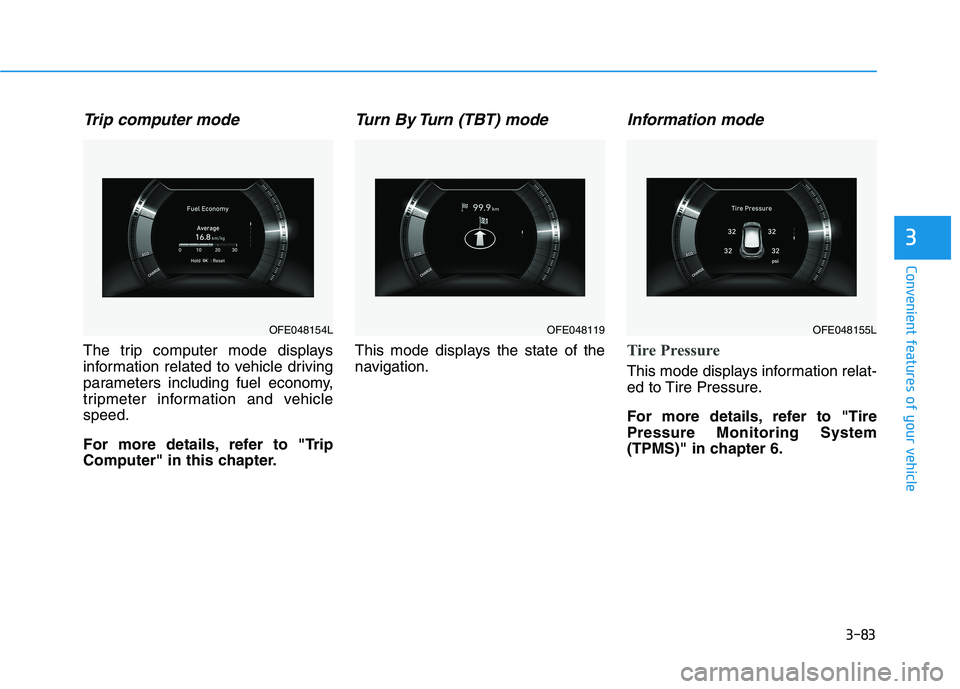
Trip computer mode
The trip computer mode displays
information related to vehicle driving
parameters including fuel economy,
tripmeter information and vehiclespeed.
For more details, refer to "Trip
Computer" in this chapter.
Turn By Turn (TBT) mode
This mode displays the state of the
navigation.
Information mode
Tire Pressure
This mode displays information relat-
ed to Tire Pressure.
For more details, refer to "Tire Pressure Monitoring System
(TPMS)" in chapter 6.
OFE048154LOFE048119 OFE048155L
Page 171 of 558
3-84
Convenient features of your vehicle
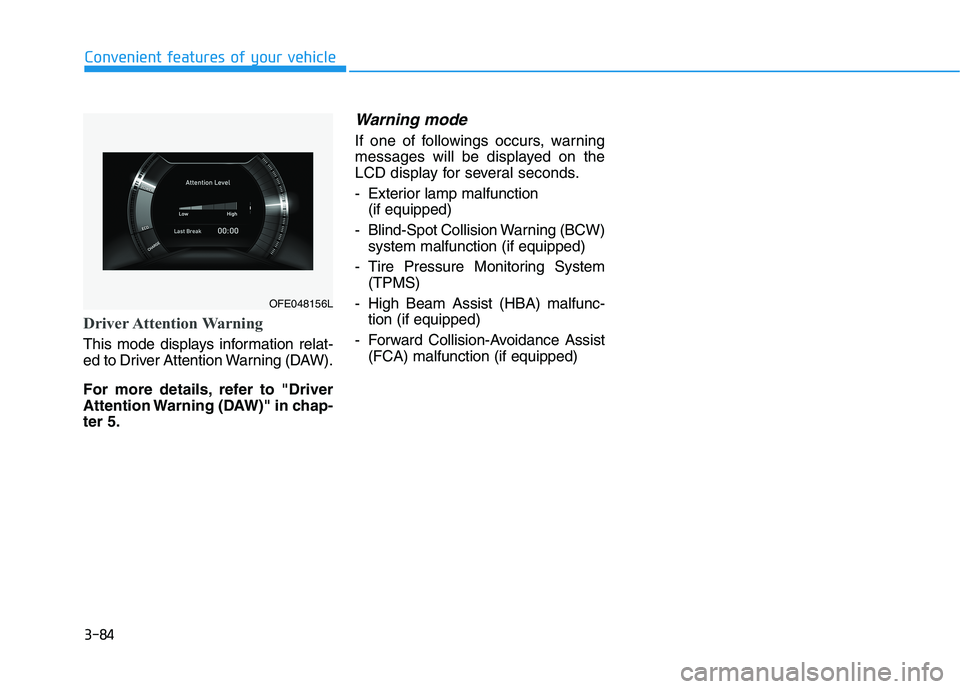
Driver Attention Warning
This mode displays information relat-
ed to Driver Attention Warning (DAW).
For more details, refer to "Driver
Attention Warning (DAW)" in chap-ter 5.
Warning mode
If one of followings occurs, warning
messages will be displayed on the
LCD display for several seconds.
- Exterior lamp malfunction(if equipped)
- Blind-Spot Collision Warning (BCW) system malfunction (if equipped)
- Tire Pressure Monitoring System (TPMS)
- High Beam Assist (HBA) malfunc- tion (if equipped)
- Forward Collision-Avoidance Assist (FCA) malfunction (if equipped)
OFE048156L
Page 172 of 558
3-85
Convenient features of your vehicle
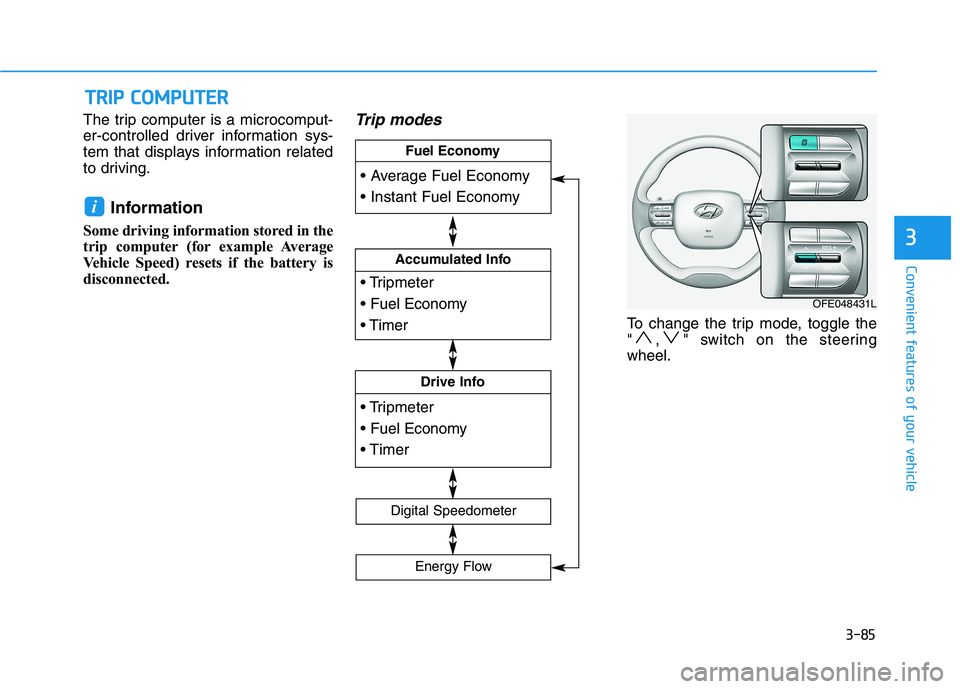
The trip computer is a microcomput-
er-controlled driver information sys-
tem that displays information related
to driving.Information
Some driving information stored in the
trip computer (for example Average
Vehicle Speed) resets if the battery is
disconnected.Trip modes
To change the trip mode, toggle the
" , " switch on the steeringwheel.
i
TT RR IIPP CC OO MM PPUU TTEERR
3
Accumulated Info
Drive Info
Fuel Economy
Digital Speedometer
Energy Flow
OFE048431L
Page 173 of 558
3-86
Convenient features of your vehicle
Average fuel economy/Instant fuel economy
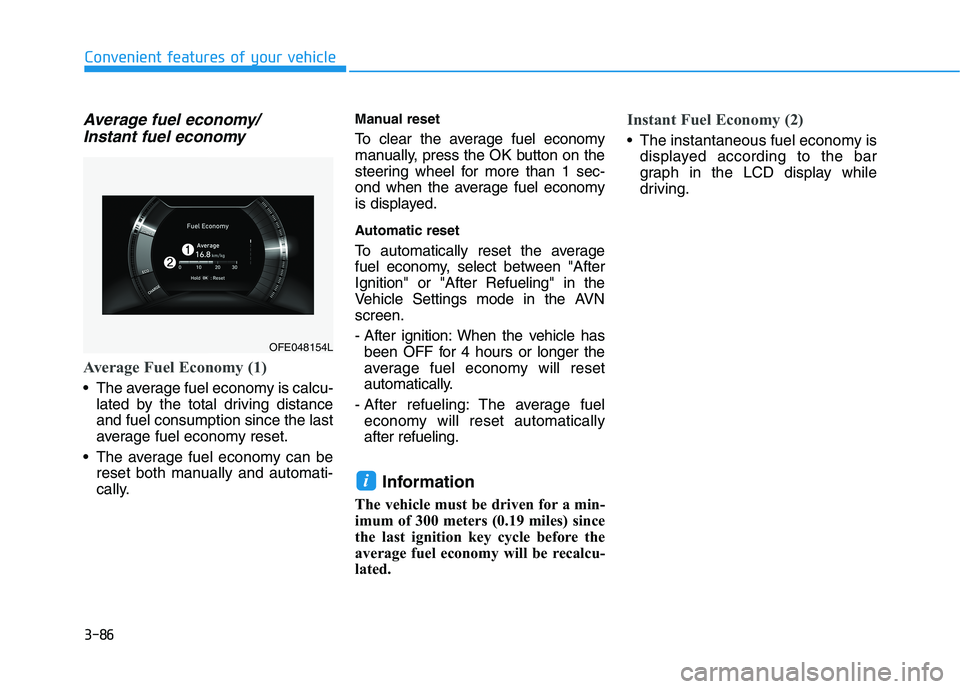
Average Fuel Economy (1)
The average fuel economy is calcu- lated by the total driving distance and fuel consumption since the last
average fuel economy reset.
The average fuel economy can be reset both manually and automati-
cally. Manual reset
To clear the average fuel economy
manually, press the OK button on the
steering wheel for more than 1 sec-
ond when the average fuel economy
is displayed.
Automatic reset
To automatically reset the average
fuel economy, select between "AfterIgnition" or "After Refueling" in the
Vehicle Settings mode in the AVNscreen.
- After ignition: When the vehicle has
been OFF for 4 hours or longer the
average fuel economy will reset
automatically.
- After refueling: The average fuel economy will reset automaticallyafter refueling.
Information
The vehicle must be driven for a min-
imum of 300 meters (0.19 miles) since
the last ignition key cycle before the
average fuel economy will be recalcu-
lated.
Instant Fuel Economy (2)
The instantaneous fuel economy is displayed according to the bar
graph in the LCD display while
driving.
i
OFE048154L
Page 175 of 558
3-88
Convenient features of your vehicle
The driving information will continue to
be counted while the vehicle is in the
ready ( ) mode. (for example, when
the vehicle is in traffic or stopped at astop light).Information
The vehicle must be driven for a mini-
mum of 300 meters (0.19 miles) since the
last ignition key cycle before the average
fuel economy will be recalculated.Digital speedometer
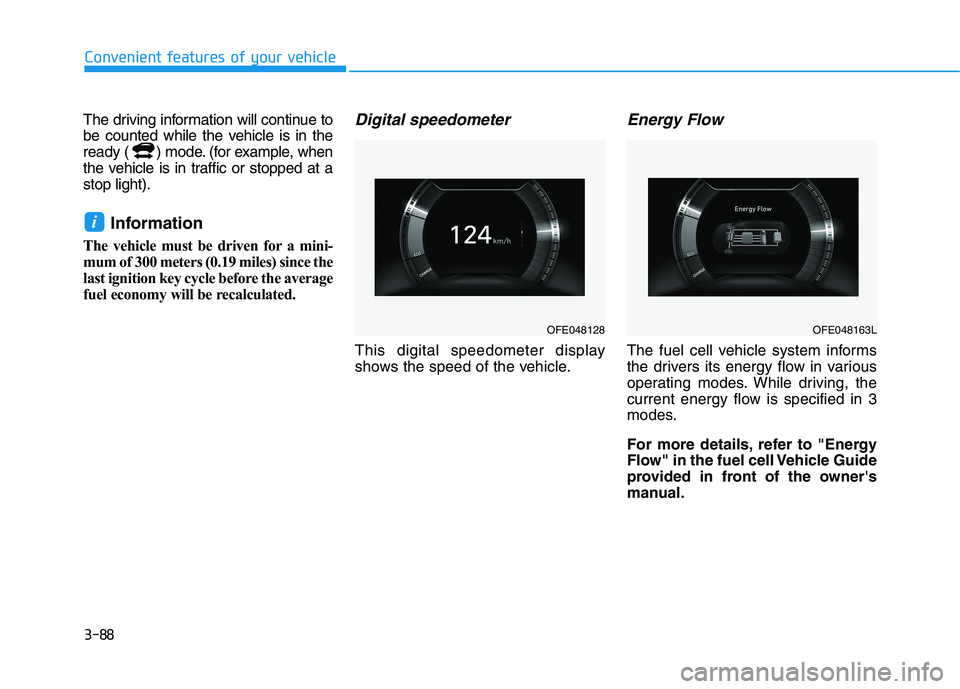
This digital speedometer display
shows the speed of the vehicle.
Energy Flow
The fuel cell vehicle system informs
the drivers its energy flow in various
operating modes. While driving, the
current energy flow is specified in 3
modes.
For more details, refer to "Energy
Flow" in the fuel cell Vehicle Guide
provided in front of the owner's
manual.
i
OFE048128OFE048163L
Page 182 of 558
3-95
Convenient features of your vehicle
3
One-touch turn signal function
To activate the One Touch Turn
Signal function, push the turn signal
lever up or down to position (B) andthen release it.
The lane change signals will blink 3,
5 or 7 times.
You can activate or deactivate the
One Touch Turn Signal function or
choose the number of blinks (3, 5, or
7) from the Vehicle Settings mode in
the AVN screen.
For more details, refer to the sepa-
rately supplied Navigation manual.
Battery saver function
The purpose of this feature is to pre-
vent the battery from being dis-
charged. The system automatically
turns off the parking lamp when the
driver turns the vehicle off and opens
the driver-side door.
With this feature, the parking lamps
will turn off automatically if the driver
parks on the side of road at night.
If necessary, to keep the lamps on
when the vehicle is turned off, perform
the following:
1) Open the driver-side door.
2) Turn the parking lamps OFF andON again using the headlamp
switch on the steering column.
Headlight time-out function
(if equipped)
If the POWER button is placed in the
ACC position or the OFF positionwith the headlamps ON, the head-
lamps (and/or parking lamps) remain
on for about 5 minutes. However, if
the driver's door is opened and
closed, the headlights are turned off
after 15 seconds. Also, with the vehi-
cle off if the driver's door is openedand closed, the headlamps (and/or
parking lamps) are turned off after 15
seconds.
The headlamps (and/or parking
lamps) can be turned off by pressing
the lock button on the smart key
twice or turning the light switch to the
OFF or AUTO position.
You can activate or deactivate the
Headlamp Delay function from the
Vehicle Settings mode (Light) on the
AVN screen.
For more details, refer to the sepa-
rately supplied Navigation manual.