mirror HYUNDAI NEXO 2023 Owner's Manual
[x] Cancel search | Manufacturer: HYUNDAI, Model Year: 2023, Model line: NEXO, Model: HYUNDAI NEXO 2023Pages: 558, PDF Size: 35.01 MB
Page 312 of 558
5-45
Driving your vehicle
5
NEVER install any accessoriesor stickers on the front wind-
shield, nor tint the front wind-shield.
NEVER locate any reflective objects (i.e. white paper, mirror)
over the dashboard. Any light
reflection may cause a malfunc-tion of the system.
Pay extreme caution to keep the camera out of water.
NEVER disassemble the camera assembly, nor apply any impact
on the camera assembly.
Playing the vehicle audio sys- tem at high volume may offsetthe system warning sounds.
Information
Have the system checked by an
authorized HYUNDAI dealer when:
The windshield glass is replaced.
The radar sensor or cover gets dam- aged or replaced.
Warning message and warning
light
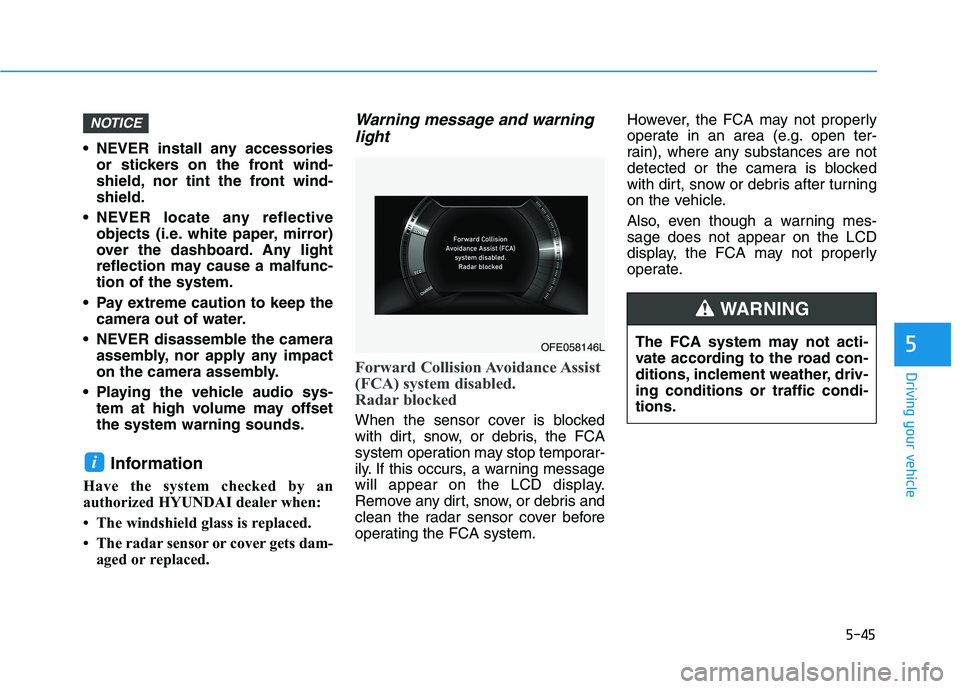
Forward Collision Avoidance Assist
(FCA) system disabled.
Radar blocked
When the sensor cover is blocked
with dirt, snow, or debris, the FCA
system operation may stop temporar-
ily. If this occurs, a warning message
will appear on the LCD display.
Remove any dirt, snow, or debris and
clean the radar sensor cover before
operating the FCA system. However, the FCA may not properly
operate in an area (e.g. open ter-
rain), where any substances are not
detected or the camera is blocked
with dirt, snow or debris after turning
on the vehicle.
Also, even though a warning mes- sage does not appear on the LCD
display, the FCA may not properly
operate.
i
NOTICE
OFE058146L
The FCA system may not acti-
vate according to the road con-
ditions, inclement weather, driv-ing conditions or traffic condi-tions.
WARNING
Page 322 of 558
5-55
Driving your vehicle
5
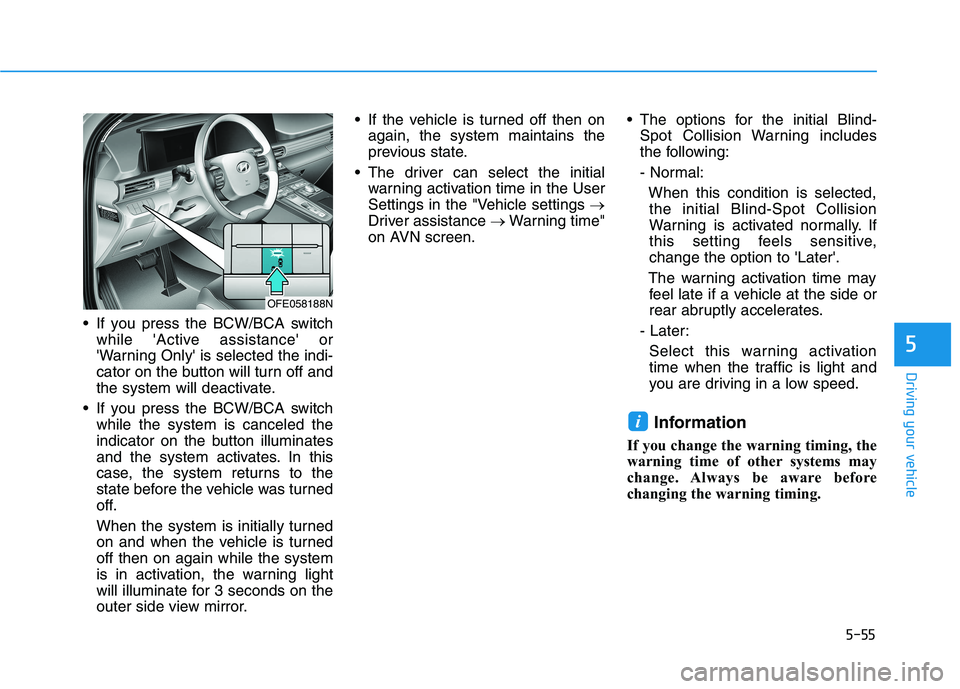
If you press the BCW/BCA switchwhile 'Active assistance' or
'Warning Only' is selected the indi-
cator on the button will turn off and
the system will deactivate.
If you press the BCW/BCA switch while the system is canceled the
indicator on the button illuminates
and the system activates. In this
case, the system returns to the
state before the vehicle was turned
off.
When the system is initially turned
on and when the vehicle is turnedoff then on again while the system
is in activation, the warning light
will illuminate for 3 seconds on the
outer side view mirror. If the vehicle is turned off then on
again, the system maintains the
previous state.
The driver can select the initial warning activation time in the User
Settings in the "Vehicle settings
Driver assistance Warning time"
on AVN screen. The options for the initial Blind-
Spot Collision Warning includes
the following:
- Normal:
When this condition is selected,the initial Blind-Spot Collision
Warning is activated normally. If
this setting feels sensitive,change the option to 'Later'.
The warning activation time may feel late if a vehicle at the side or
rear abruptly accelerates.
- Later:
Select this warning activation
time when the traffic is light and
you are driving in a low speed.
Information
If you change the warning timing, the
warning time of other systems may
change. Always be aware before
changing the warning timing.
i
OFE058188N
Page 324 of 558
5-57
Driving your vehicle
5
Warning and System Control
Blind-Spot Collision Warning(BCW) system
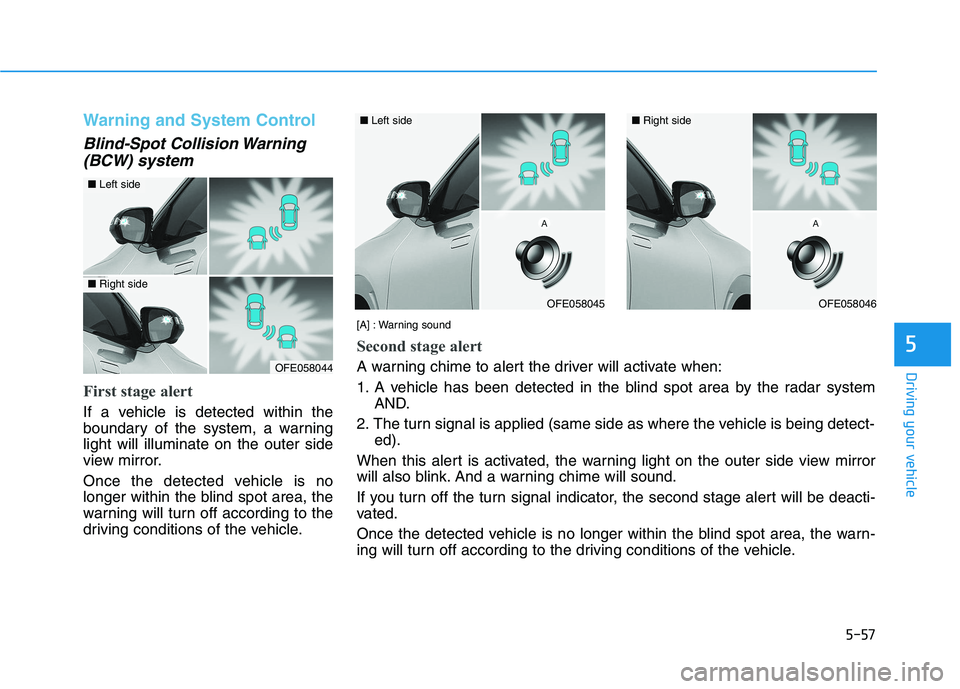
First stage alert
If a vehicle is detected within the
boundary of the system, a warninglight will illuminate on the outer side
view mirror.
Once the detected vehicle is no
longer within the blind spot area, the
warning will turn off according to the
driving conditions of the vehicle.
OFE058044
OFE058045
■ Left side
OFE058046
■Right side
[A] : Warning sound
Second stage alert
A warning chime to alert the driver will activate when:
1. A vehicle has been detected in the blind spot area by the radar systemAND.
2. The turn signal is applied (same side as where the vehicle is being detect- ed).
When this alert is activated, the warning light on the outer side view mirror
will also blink. And a warning chime will sound.
If you turn off the turn signal indicator, the second stage alert will be deacti-
vated.
Once the detected vehicle is no longer within the blind spot area, the warn-
ing will turn off according to the driving conditions of the vehicle.
■ Left side■ Right side
Page 325 of 558
5-58
Driving your vehicle
Blind-Spot Collision-AvoidanceAssist (BCA) system
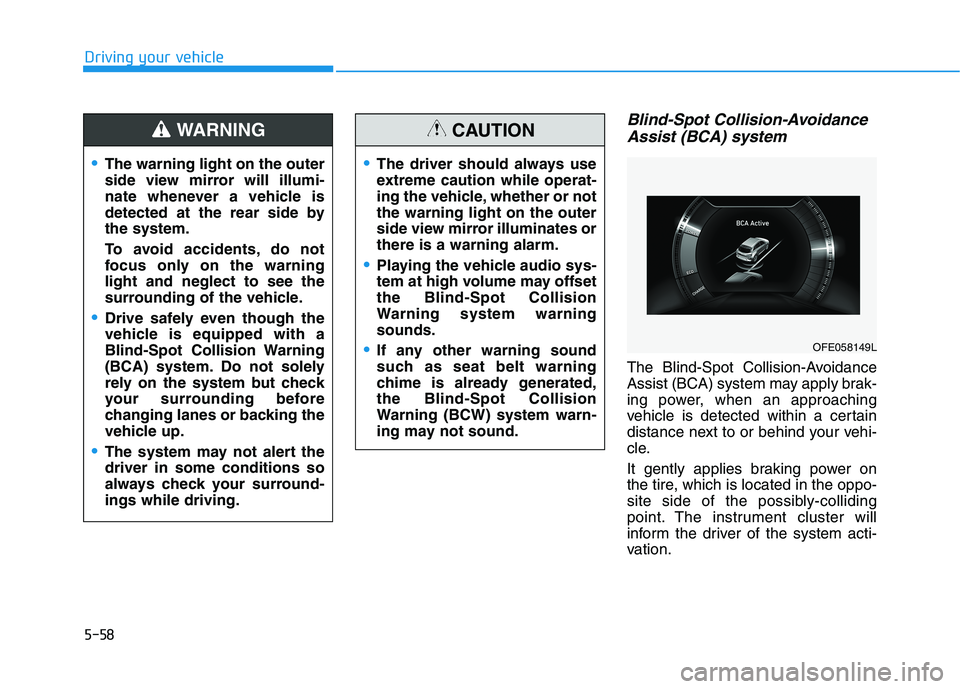
The Blind-Spot Collision-Avoidance
Assist (BCA) system may apply brak-
ing power, when an approaching
vehicle is detected within a certain
distance next to or behind your vehi-
cle.
It gently applies braking power on
the tire, which is located in the oppo-
site side of the possibly-colliding
point. The instrument cluster will
inform the driver of the system acti-
vation.
The warning light on the outer
side view mirror will illumi-
nate whenever a vehicle is
detected at the rear side bythe system.
To avoid accidents, do not
focus only on the warninglight and neglect to see the
surrounding of the vehicle.
Drive safely even though the
vehicle is equipped with a
Blind-Spot Collision Warning
(BCA) system. Do not solely
rely on the system but check
your surrounding before
changing lanes or backing the
vehicle up.
The system may not alert the driver in some conditions so
always check your surround-ings while driving.
WARNING
The driver should always use
extreme caution while operat-
ing the vehicle, whether or notthe warning light on the outer
side view mirror illuminates orthere is a warning alarm.
Playing the vehicle audio sys-
tem at high volume may offsetthe Blind-Spot Collision
Warning system warningsounds.
If any other warning sound
such as seat belt warning
chime is already generated,the Blind-Spot Collision
Warning (BCW) system warn-
ing may not sound.
CAUTION
OFE058149L
Page 335 of 558
5-68
Driving your vehicle
System Setting and Activation
System setting
The driver can activate the sys-tems by placing the power button
to the ON position and by selecting
"Vehicle settings Driver assis-
tance Blind-spot safety Rear
Cross-Traffic Safety" on AVN
screen. The RCCA and RCCW
turn on and get ready to be activat-
ed when 'Rear Cross-Traffic Safety'is selected.
When the vehicle is turned off then on again, the systems are always
ready to be activated.
When the system is initially turned on and when the vehicle is turned
off then on again, the warning light
will illuminate for 3 seconds on the
outer side view mirror. The driver can select the initial warn-
ing activation time in the User
Settings in the AVN screen by select-
ing 'Vehicle settings
Driver
Assistance Warning Timing'. The
options for the initial Rear Cross-
Traffic Collision Warning includes the
following:
- Normal:When this condition is selected, the
initial Rear Cross-Traffic Collision
Warning is activated normally. If this
setting feels sensitive, change theoption to 'Later'.
The warning activation time may feel
late if the a vehicle at the side or rear
abruptly accelerates.
- Later:
Select this warning activation time
when the traffic is light and you are
driving in a low speed.
Information
If you change the warning timing, the
warning time of other systems may
change. Always be aware before
changing the warning timing. The driver can select the warning
volume of the Rear Cross-Traffic
Collision Warning in the Vehicle
Settings in the AVN screen by select-
ing 'Vehicle settings
Driver
Assistance Warning Volume
High/Medium/Low'.
For more details refer to the sepa-
rately supplied Navigation manu-al.
Information
If you change the warning volume, the
warning volume of other systems may
change. Always be aware before
changing the warning volume.
i
i
Page 336 of 558
5-69
Driving your vehicle
5
Operating conditions
To operate:
Go to the 'Vehicle settings Driver
Assistance Blind-Spot Safety
Rear Cross-Traffic Safety' on the
AVN screen. The system will turn on
and standby to activate.
The system will activate when vehi-
cle speed is below 16 km/h (10 mph)
and with the gear in R (Reverse).
* The system will not activate when the vehicle speed exceeds 16 km/h
(10 mph). The system will activate
again when the speed is below 16km/h (10 mph).
The system's detecting range is
approximately 0.5 – 20 m (1 – 65 ft.).
An approaching vehicle will be
detected if the vehicle speed is with-in 8 – 36 km/h (5 – 22.5 mph).
Note that the detecting range may
vary under certain conditions. As
always, use caution and pay close
attention to your surroundings when
backing up your vehicle.
Warning and System Control
Rear Cross-Traffic Collision Warning (RCCW) system
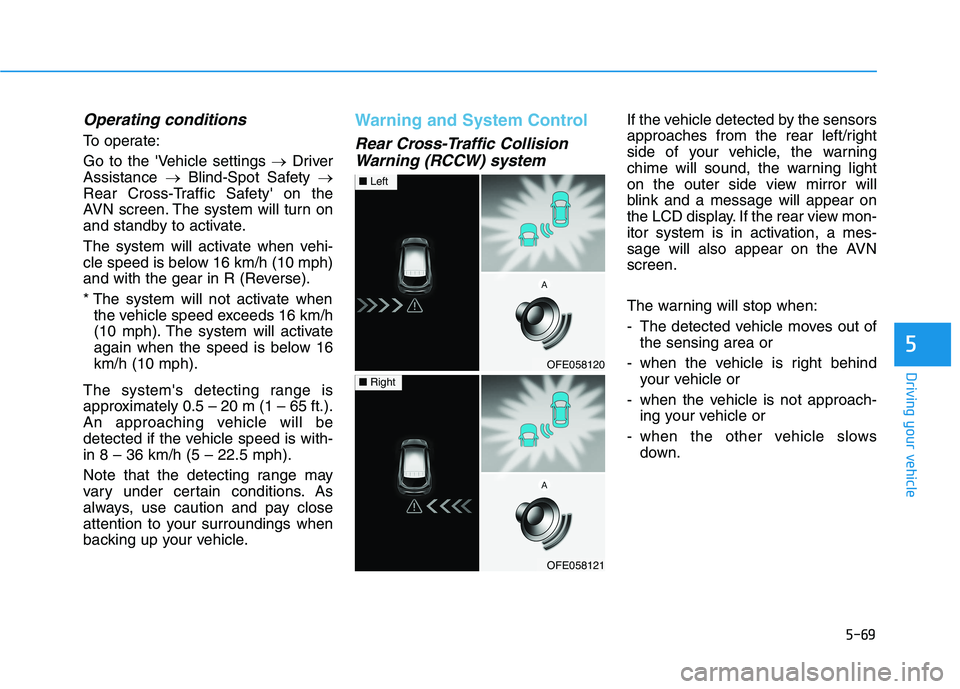
If the vehicle detected by the sensors
approaches from the rear left/right
side of your vehicle, the warning
chime will sound, the warning light
on the outer side view mirror will
blink and a message will appear on
the LCD display. If the rear view mon-
itor system is in activation, a mes-
sage will also appear on the AVNscreen.
The warning will stop when:
- The detected vehicle moves out of the sensing area or
- when the vehicle is right behind your vehicle or
- when the vehicle is not approach- ing your vehicle or
- when the other vehicle slows down.
OFE058120
■Left
OFE058121
■Right
Page 338 of 558
5-71
Driving your vehicle
5
Detecting Sensor
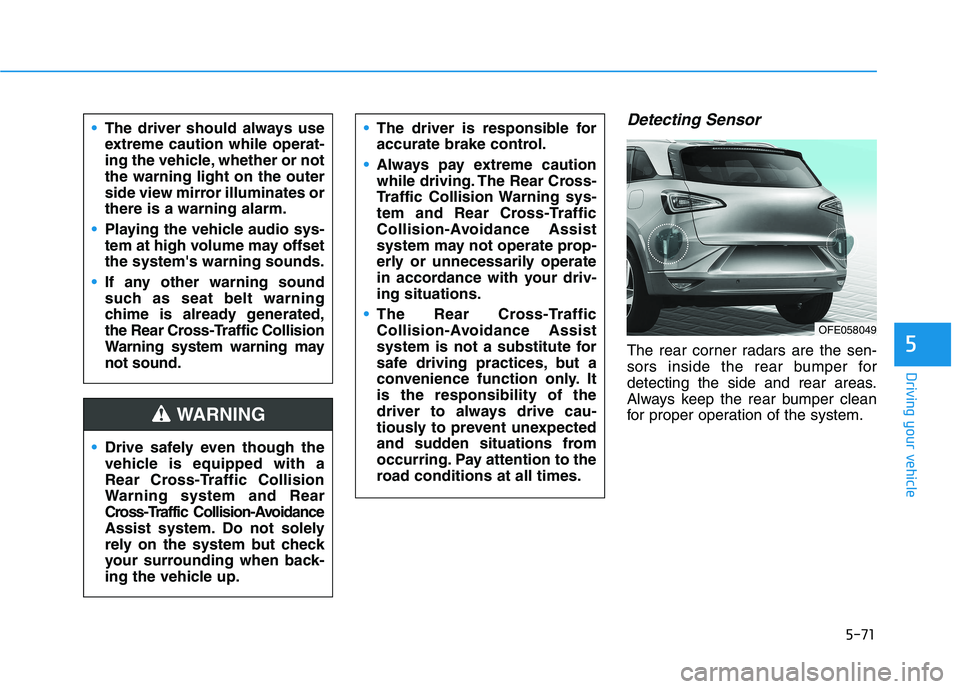
The rear corner radars are the sen-
sors inside the rear bumper for
detecting the side and rear areas.
Always keep the rear bumper clean
for proper operation of the system.
The driver should always use
extreme caution while operat-
ing the vehicle, whether or notthe warning light on the outer
side view mirror illuminates orthere is a warning alarm.
Playing the vehicle audio sys-
tem at high volume may offsetthe system's warning sounds.
If any other warning sound
such as seat belt warning
chime is already generated,
the Rear Cross-Traffic Collision
Warning system warning maynot sound.
Drive safely even though the
vehicle is equipped with a
Rear Cross-Traffic Collision
Warning system and Rear
Cross-Traffic Collision-Avoidance
Assist system. Do not solely
rely on the system but check
your surrounding when back-
ing the vehicle up.
The driver is responsible for
accurate brake control.
Always pay extreme caution
while driving. The Rear Cross-
Traffic Collision Warning sys-
tem and Rear Cross-Traffic
Collision-Avoidance Assist
system may not operate prop-
erly or unnecessarily operate
in accordance with your driv-ing situations.
The Rear Cross-Traffic
Collision-Avoidance Assist
system is not a substitute for
safe driving practices, but a
convenience function only. Itis the responsibility of the
driver to always drive cau-
tiously to prevent unexpected
and sudden situations from
occurring. Pay attention to the
road conditions at all times.
WARNING
OFE058049
Page 344 of 558
5-77
Driving your vehicle
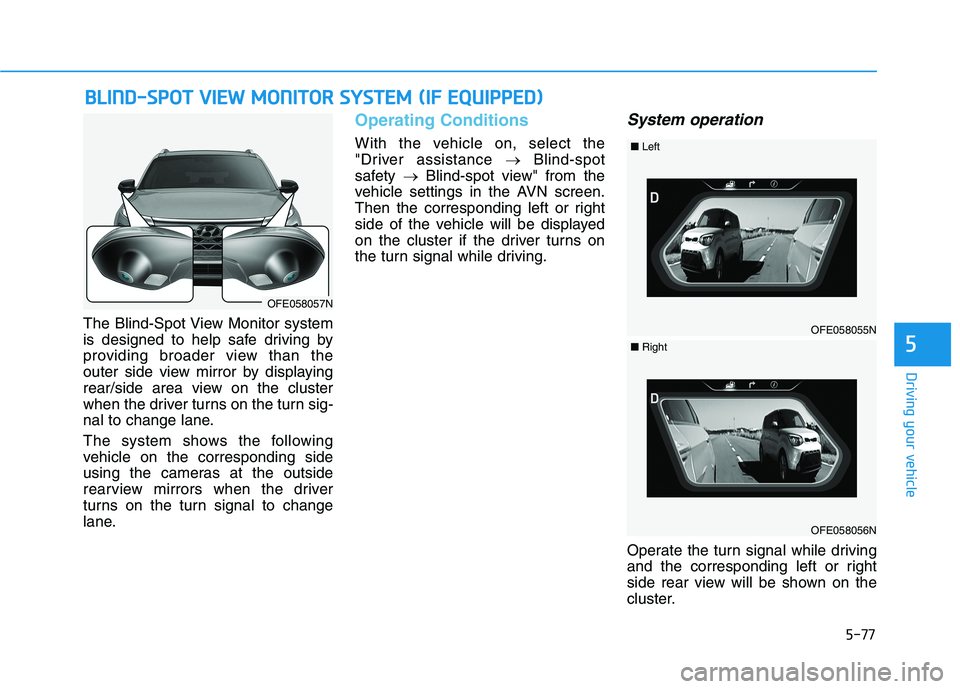
The Blind-Spot View Monitor system
is designed to help safe driving by
providing broader view than the
outer side view mirror by displaying
rear/side area view on the cluster
when the driver turns on the turn sig-
nal to change lane.
The system shows the following
vehicle on the corresponding side
using the cameras at the outside
rearview mirrors when the driver
turns on the turn signal to change
lane.
Operating Conditions
With the vehicle on, select the
"Driver assistance Blind-spot
safety Blind-spot view" from the
vehicle settings in the AVN screen.
Then the corresponding left or right
side of the vehicle will be displayed
on the cluster if the driver turns on
the turn signal while driving.
System operation
Operate the turn signal while driving
and the corresponding left or right
side rear view will be shown on the
cluster.
BB LLIINN DD--SS PP OO TT VV IIEE WW MM OONNIITT OO RR SS YY SSTT EEMM (( IIFF EE QQ UUIIPP PPEEDD ))
5
OFE058057N
OFE058055N
■Left
OFE058056N
■Right
Page 345 of 558
5-78
Blind-Spot View Monitor system warning
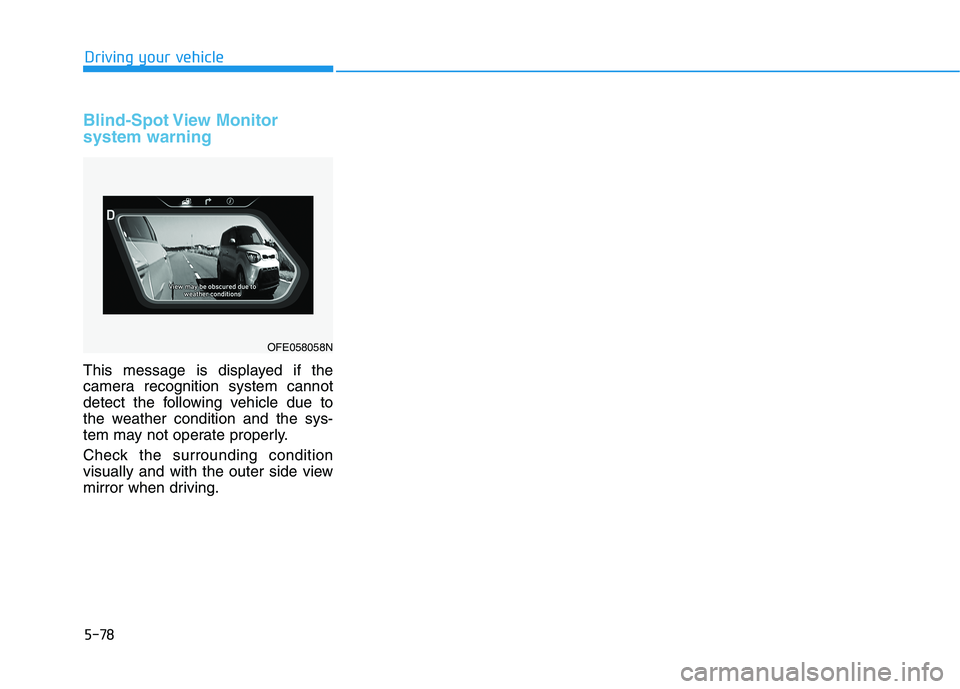
This message is displayed if the
camera recognition system cannot
detect the following vehicle due to
the weather condition and the sys-
tem may not operate properly.
Check the surrounding condition
visually and with the outer side view
mirror when driving.
Driving your vehicle
OFE058058N
Page 347 of 558
5-80
Driving your vehicle
Always have your hands on the steering wheel while the LKA
system is activated. Also, when
Active LKA is selected from the
User Settings mode and if you
continue to drive with yourhands off the steering wheel
after the "Keep hands on steer-
ing wheel" warning message
appears, the system will stop
controlling the steering wheel.
However, if the driver has theirhands on the steering wheel
again, the system will start con-
trolling the steering wheel.
The steering wheel is not con-
tinuously controlled so if the
vehicle speed is at a higher
speed when leaving a lane the
vehicle may not be able to be
controlled by the system. The
driver must always follow thespeed limit when using thesystem.
The system detects lane lines
and controls the steering
wheel by a camera, therefore,
if the lane lines are hard to
detect, the system may not
work properly.
Please refer to "Limitations of the system".
Do not remove or damage the
related parts of LKA system.
You may not hear a warning sound of LKA system because
of excessive audio sound.
If any other warning sound
such as seat belt warning
chime is already generated,
the Lane Keeping Assist (LKA)
system warning may notsound.
Do not place objects on the
dashboard that reflects light
such as mirrors, white paper,
etc. The system may malfunc-tion if the sunlight is reflected.
If you attach objects to the
steering wheel, the system
may not assist steering or the
hands off alarm may not work
properly. When you tow a trail-
er, make sure that you turn offthe LKA system.
When you tow a trailer, make
sure that you turn off the LKAsystem.