ESP HYUNDAI NEXO 2023 Owner's Guide
[x] Cancel search | Manufacturer: HYUNDAI, Model Year: 2023, Model line: NEXO, Model: HYUNDAI NEXO 2023Pages: 558, PDF Size: 35.01 MB
Page 296 of 558
5-29
Driving your vehicle
Anti-lock Brake System (ABS)
ABS is an electronic braking system
that helps prevent a braking skid.
ABS allows the driver to steer and
brake at the same time.
Using ABS
To obtain the maximum benefit from
your ABS in an emergency situation,
do not attempt to modulate your
brake pressure and do not try to
pump your brakes. Depress your
brake pedal as hard as possible.
When you apply your brakes under
conditions which may lock the
wheels, you may hear sounds from
the brakes, or feel a corresponding
sensation in the brake pedal. This is
normal and it means your ABS is
active. ABS does not reduce the time or dis-
tance it takes to stop the vehicle.
Always maintain a safe distance from
the vehicle in front of you.
ABS will not prevent a skid that results from sudden changes in
direction, such as trying to take a
corner too fast or making a sudden
lane change. Always drive at a safe
speed for the road and weather con-
ditions.
5
An Anti-Lock Braking System
(ABS) or an Electronic Stability
Control (ESC) system will not
prevent accidents due to
improper or dangerous driving
maneuvers. Even though vehi-
cle control is improved during
emergency braking, always
maintain a safe distance
between you and objects ahead
of you. Vehicle speeds should
always be reduced during
extreme road conditions. The
braking distance for cars
equipped with ABS or ESC may
be longer than for those without
these systems in the following
road conditions.
Drive your vehicle at reduced
speeds during the followingconditions:
Rough, gravel or snow-cov-
ered roads.
WARNING
On roads where the road sur-
face is pitted or has differentsurface height.
The safety features of an ABS
or ESC equipped vehicle should
not be tested by high speed
driving or cornering. This could
endanger the safety of yourself
or others.
Page 299 of 558
5-32
Driving your vehicle
When operating
When the ESC is in opera- tion, the ESC indicator light
blinks:
conditions which may lock the
wheels, you may hear sounds from
the brakes, or feel a corresponding
sensation in the brake pedal. This is
normal and it means your ESC is
active.
cle may not respond to the acceler-ator as it does under routine condi-
tions.
use when the ESC activates, the
Smart Cruise Control automatically
disengages. The Smart CruiseControl can be reenga ged when the
road conditions allow. See "Smart
cruise control with stop & go sys-
tem" later in this chapter.
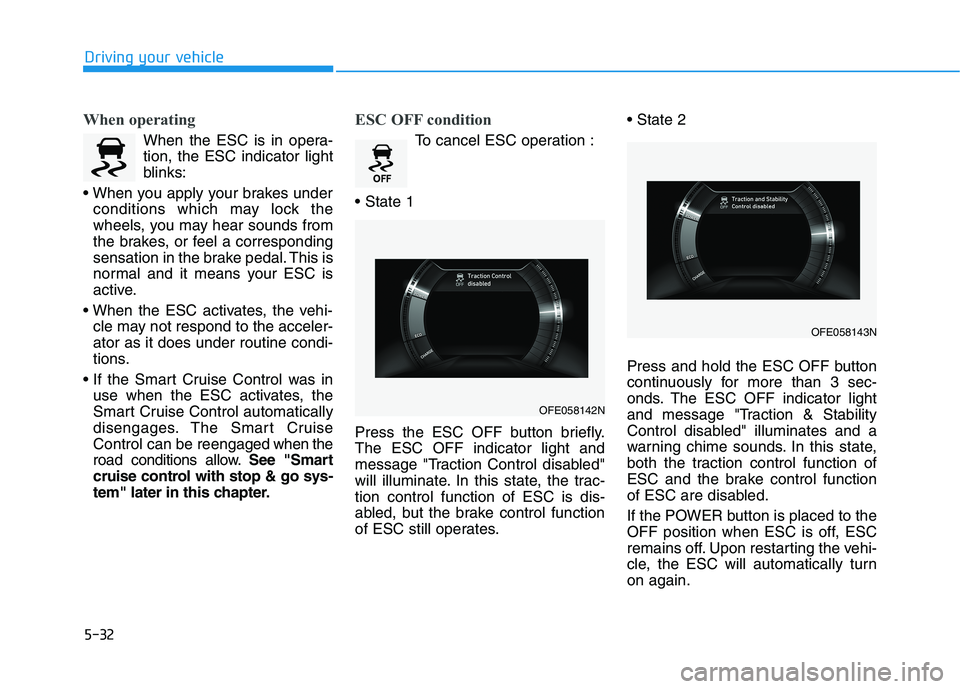
ESC OFF condition
To cancel ESC operation :
Press the ESC OFF button briefly. The ESC OFF indicator light and
message "Traction Control disabled"
will illuminate. In this state, the trac-tion control function of ESC is dis-
abled, but the brake control function
of ESC still operates.
Press and hold the ESC OFF button
continuously for more than 3 sec-
onds. The ESC OFF indicator light
and message "Traction & Stability
Control disabled" illuminates and a
warning chime sounds. In this state,
both the traction control function of
ESC and the brake control function
of ESC are disabled.
If the POWER button is placed to the
OFF position when ESC is off, ESC
remains off. Upon restarting the vehi-
cle, the ESC will automatically turnon again.
OFE058142N
OFE058143N
Page 301 of 558
5-34
Driving your vehicle
Do not allow wheel(s) of oneaxle to spin excessively while
the ESC, ABS, and parking brake
warning lights are displayed.
The repairs would not be cov-
ered by the vehicle warranty.
Reduce vehicle power and do
not spin the wheel(s) excessive-
ly while these lights are dis-
played.
When operating the vehicle on a dynamometer, make sure theESC is turned off (ESC OFF lightilluminated).
Information
Turning the ESC off does not affect
ABS or standard brake system opera-
tion.
Vehicle Stability Management (VSM)
The Vehicle Stability Management (VSM) is a function of the Electronic
Stability Control (ESC) system. It
helps ensure the vehicle stays stable
when accelerating or braking sud-
denly on wet, slippery and rough
roads where traction over the four
tires can suddenly become uneven.
VSM operation
VSM ON condition
The VSM operates when:
The Electronic Stability Control (ESC) is on.
Vehicle speed is approximately above 15 km/h (9 mph) on curve
roads.
Vehicle speed is approximately above 30 km/h (18 mph) when the
vehicle is braking on rough roads.
When operating
When you apply your brakes under
conditions which may activate the
ESC, you may hear sounds from the
brakes, or feel a corresponding sen-
sation in the brake pedal. This is nor-
mal and it means your VSM is active.
i
NOTICE
Take the following precautions
when using the Vehicle Stability
Management (VSM):
ALWAYS check the speed and
the distance to the vehicle
ahead. The VSM is not a substi-
tute for safe driving practices.
Never drive too fast for the
road conditions. The VSM sys-
tem will not prevent acci-
dents. Excessive speed in bad
weather, slippery and uneven
roads can result in severeaccidents.
WARNING
Page 304 of 558
5-37
Driving your vehicle
The drive mode may be selected
according to the driver's preferenceor road condition. The system resets to be in the NOR-
MAL mode (except if it is in ECO
mode), when the vehicle is restarted.Information
If there is a problem with the instru-
ment cluster, the drive mode will be in
NORMAL mode and may not change
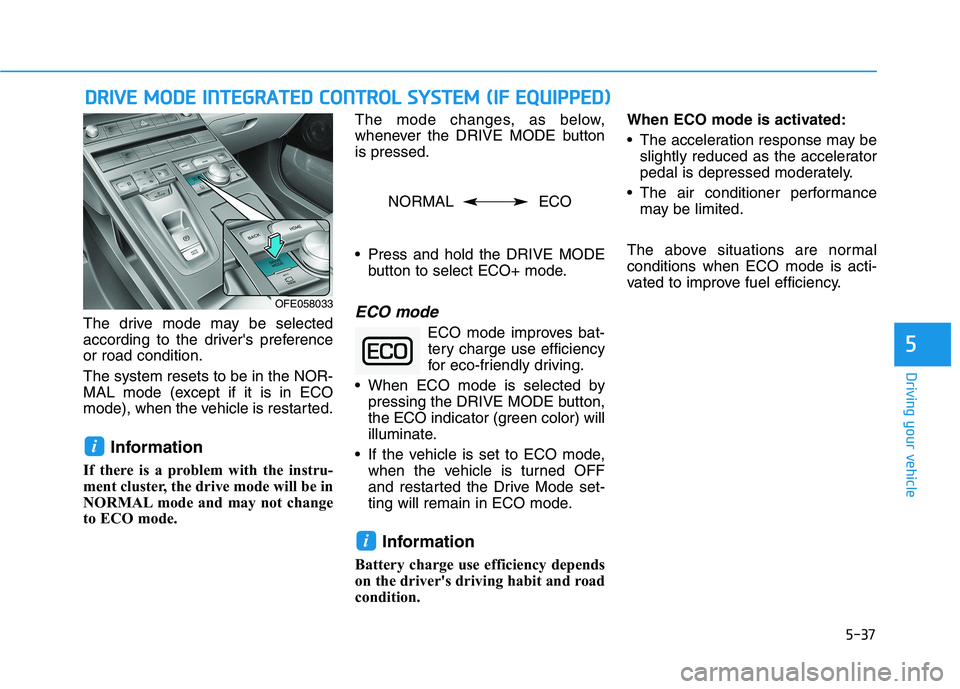
to ECO mode. The mode changes, as below,
whenever the DRIVE MODE buttonis pressed.
Press and hold the DRIVE MODE
button to select ECO+ mode.ECO mode
ECO mode improves bat-tery charge use efficiency
for eco-friendly driving.
When ECO mode is selected by pressing the DRIVE MODE button,
the ECO indicator (green color) will
illuminate.
If the vehicle is set to ECO mode, when the vehicle is turned OFF
and restarted the Drive Mode set-
ting will remain in ECO mode.
Information
Battery charge use efficiency depends
on the driver's driving habit and road
condition. When ECO mode is activated:
The acceleration response may be
slightly reduced as the accelerator
pedal is depressed moderately.
The air conditioner performance may be limited.
The above situations are normalconditions when ECO mode is acti-
vated to improve fuel efficiency.
i
i
DD RRIIVV EE MM OODDEE IINN TTEEGG RRAA TTEEDD CC OO NNTTRR OO LL SS YY SSTT EEMM (( IIFF EE QQ UUIIPP PPEEDD ))
5
OFE058033
NORMAL ECO
Page 310 of 558
5-43
Driving your vehicle
5
- If you select "Warning Only", theFCA system activates and pro-
duces only warning alarms in
accordance with the collision risk
levels. You should control the brakedirectly because the FCA system
do not control the brake.
Brake operation
In an urgent situation, the brakingsystem enters into the ready status
for prompt reaction against the dri-
ver's depressing the brake pedal.
The FCA provides additional brak- ing power for optimum braking per-
formance, when the driver
depresses the brake pedal.
The braking control is automatical- ly deactivated, when the driver
sharply depresses the accelerator
pedal, or when the driver abruptly
operates the steering wheel.
The FCA braking control is auto- matically canceled, when risk fac-
tors disappear.
The driver should always use
extreme caution while operat-
ing the vehicle, whether or not
there is a warning message or
alarm from the FCA system.
If any other warning sound
such as seat belt warning
chime is already generated,
the Forward Collision-
Avoidance Assist (FCA) sys-
tem warning may not sound.
CAUTION
The FCA system logic operates
within certain parameters, such
as the distance from the vehi-
cle, pedestrian or cyclists
ahead, the speed of the vehicle
ahead, and the driver's vehicle
speed. Certain conditions such
as inclement weather and road
conditions may affect the oper-ation of the FCA system.
WARNING
The FCA braking control cannot
completely stop the vehicle nor
avoid all collisions. The drivershould hold the responsibility
to safely drive and control the
vehicle.
WARNING Never deliberately drive danger-
ously to activate the system.
WARNING
Page 313 of 558
5-46
Driving your vehicle
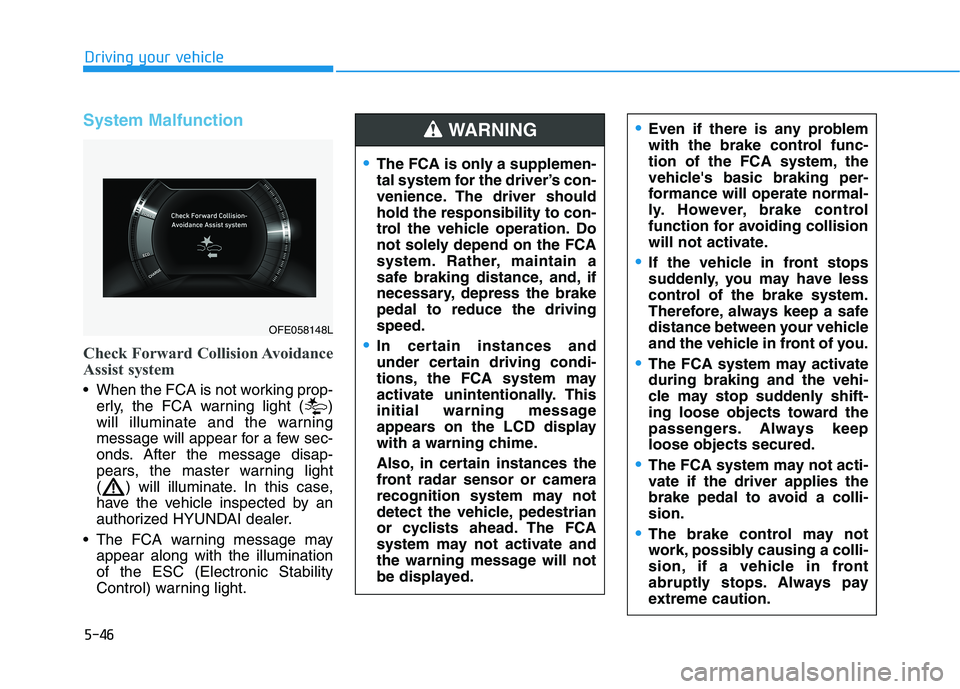
System Malfunction
Check Forward Collision Avoidance
Assist system
When the FCA is not working prop-erly, the FCA warning light ( )
will illuminate and the warning
message will appear for a few sec-
onds. After the message disap-
pears, the master warning light
( ) will illuminate. In this case,
have the vehicle inspected by an
authorized HYUNDAI dealer.
The FCA warning message may appear along with the illuminationof the ESC (Electronic Stability
Control) warning light.
The FCA is only a supplemen-
tal system for the driver’s con-
venience. The driver shouldhold the responsibility to con-
trol the vehicle operation. Do
not solely depend on the FCA
system. Rather, maintain a
safe braking distance, and, if
necessary, depress the brakepedal to reduce the drivingspeed.
In certain instances and
under certain driving condi-
tions, the FCA system may
activate unintentionally. This
initial warning message
appears on the LCD display
with a warning chime.
Also, in certain instances the
front radar sensor or camera
recognition system may not
detect the vehicle, pedestrian
or cyclists ahead. The FCA
system may not activate and
the warning message will not
be displayed.
WARNING Even if there is any problem
with the brake control func-
tion of the FCA system, the
vehicle's basic braking per-
formance will operate normal-
ly. However, brake control
function for avoiding collision
will not activate.
If the vehicle in front stops
suddenly, you may have less
control of the brake system.
Therefore, always keep a safe
distance between your vehicle
and the vehicle in front of you.
The FCA system may activate during braking and the vehi-
cle may stop suddenly shift-
ing loose objects toward the
passengers. Always keeploose objects secured.
The FCA system may not acti-
vate if the driver applies the
brake pedal to avoid a colli-sion.
The brake control may not
work, possibly causing a colli-
sion, if a vehicle in front
abruptly stops. Always pay
extreme caution.
OFE058148L
Page 317 of 558
5-50
Driving your vehicle
When the system suddenly recog-
nizes the vehicle, pedestrian or
cyclist in front while passing over a
slope, you may experience sharp
deceleration. Always keep your eyes
forward while driving upward or
downward on a slope and if neces-
sary depress the brake pedal to
reduce your driving speed in order to
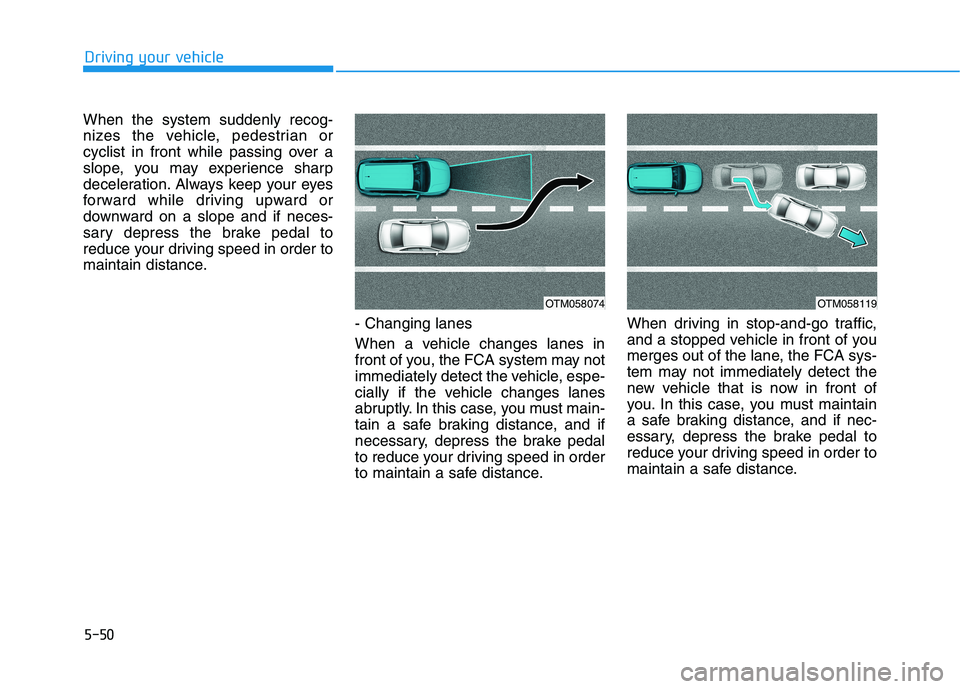
maintain distance.- Changing lanes
When a vehicle changes lanes in
front of you, the FCA system may not
immediately detect the vehicle, espe-
cially if the vehicle changes lanes
abruptly. In this case, you must main-
tain a safe braking distance, and if
necessary, depress the brake pedal
to reduce your driving speed in order
to maintain a safe distance.When driving in stop-and-go traffic,
and a stopped vehicle in front of you
merges out of the lane, the FCA sys-
tem may not immediately detect the
new vehicle that is now in front of
you. In this case, you must maintain
a safe braking distance, and if nec-
essary, depress the brake pedal to
reduce your driving speed in order to
maintain a safe distance.
OTM058074OTM058119
Page 326 of 558
5-59
Driving your vehicle
5
Blind-Spot Collision-Avoidance Assist (BCA) system is automatically deacti-
vated when:
- The vehicle drives a certain dis-tance away
- The vehicle direction is changed against the possible-colliding point
- The steering wheel is abruptly moved
- The brake pedal is depressed
- After a certain period of time
The driver should drive the vehicle in
the middle of the vehicle lanes to
keep the system in the ready status.
When the vehicle drives too close to
one side of the vehicle lanes, the
system may not properly operate.
In addition, the system may not prop-
erly control your vehicle in accor-
dance with driving situations. Thus,
always pay close attention to road
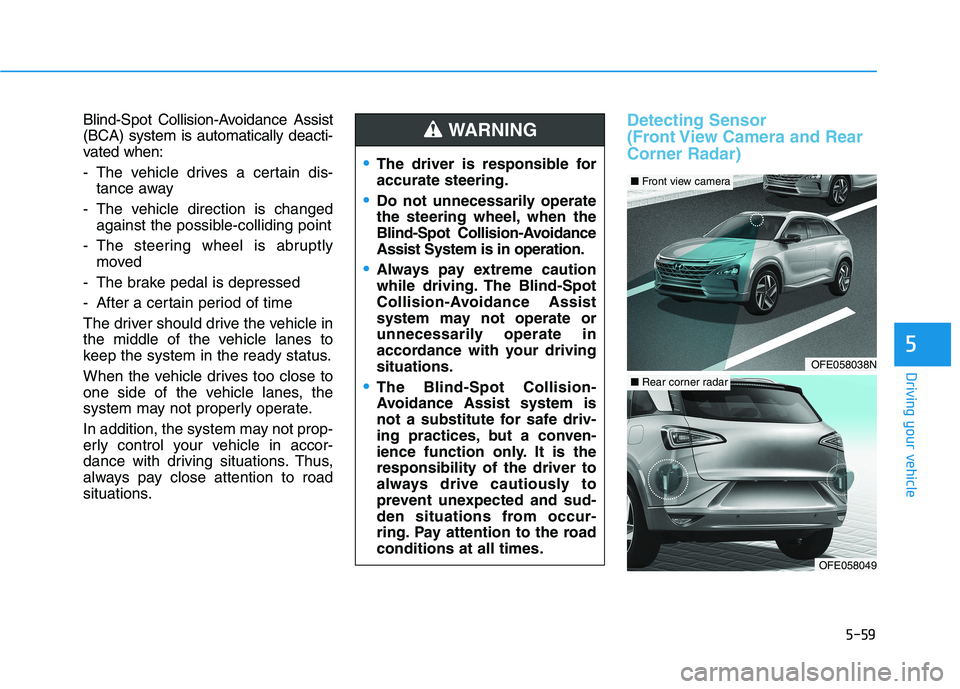
situations.Detecting Sensor
(Front View Camera and RearCorner Radar)
The driver is responsible for accurate steering.
Do not unnecessarily operate
the steering wheel, when the
Blind-Spot Collision-AvoidanceAssist System is in operation.
Always pay extreme caution
while driving. The Blind-Spot
Collision-Avoidance Assist
system may not operate or
unnecessarily operate in
accordance with your drivingsituations.
The Blind-Spot Collision-
Avoidance Assist system is
not a substitute for safe driv-
ing practices, but a conven-
ience function only. It is theresponsibility of the driver to
always drive cautiously to
prevent unexpected and sud-
den situations from occur-
ring. Pay attention to the roadconditions at all times.
WARNING
OFE058038N
■ Front view camera
OFE058049
■Rear corner radar
Page 334 of 558
5-67
Driving your vehicle
5
System Description
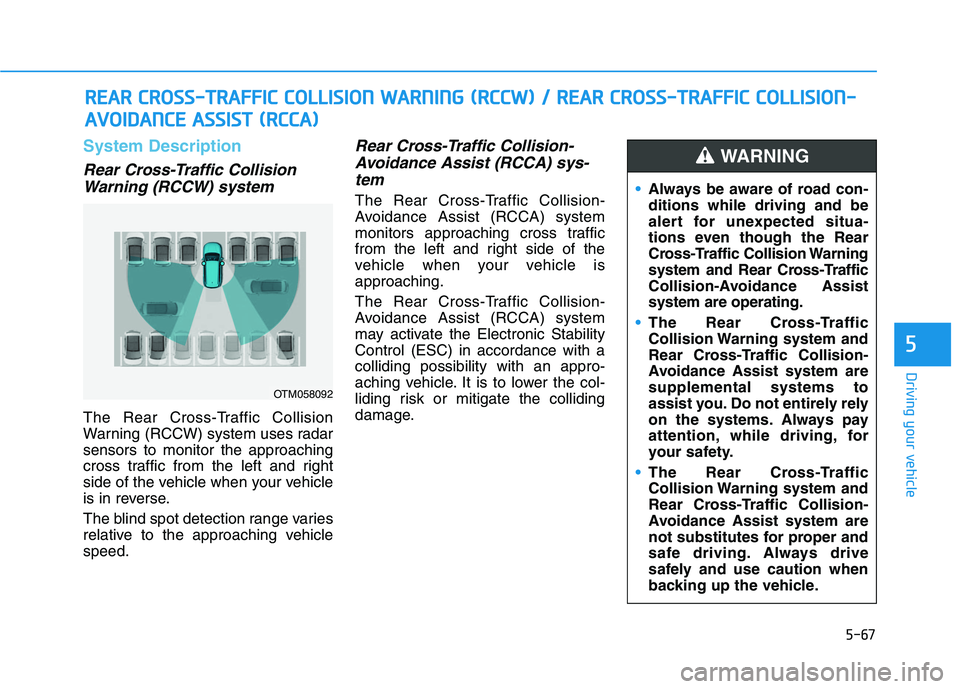
Rear Cross-Traffic CollisionWarning (RCCW) system
The Rear Cross-Traffic Collision
Warning (RCCW) system uses radarsensors to monitor the approaching
cross traffic from the left and right
side of the vehicle when your vehicle
is in reverse.
The blind spot detection range varies
relative to the approaching vehiclespeed.
Rear Cross-Traffic Collision-
Avoidance Assist (RCCA) sys-tem
The Rear Cross-Traffic Collision-
Avoidance Assist (RCCA) system
monitors approaching cross traffic
from the left and right side of the
vehicle when your vehicle isapproaching.
The Rear Cross-Traffic Collision-
Avoidance Assist (RCCA) system
may activate the Electronic StabilityControl (ESC) in accordance with acolliding possibility with an appro-
aching vehicle. It is to lower the col-
liding risk or mitigate the colliding
damage.
RR EEAA RR CC RR OO SSSS--TT RR AA FFFFIICC CC OO LLLLIISS IIOO NN WW AARRNN IINN GG (( RR CCCC WW )) // RR EEAA RR CC RR OO SSSS--TT RR AA FFFFIICC CC OO LLLL IISS IIOO NN--
A
A VVOO IIDD AA NN CCEE AA SSSSIISS TT (( RR CCCCAA ))
OTM058092
Always be aware of road con- ditions while driving and be
alert for unexpected situa-
tions even though the Rear
Cross-Traffic Collision Warning
system and Rear Cross-Traffic
Collision-Avoidance Assistsystem are operating.
The Rear Cross-Traffic
Collision Warning system and
Rear Cross-Traffic Collision-
Avoidance Assist system aresupplemental systems to
assist you. Do not entirely rely
on the systems. Always pay
attention, while driving, for
your safety.
The Rear Cross-Traffic
Collision Warning system and
Rear Cross-Traffic Collision-
Avoidance Assist system are
not substitutes for proper and
safe driving. Always drive
safely and use caution when
backing up the vehicle.
WARNING
Page 338 of 558
5-71
Driving your vehicle
5
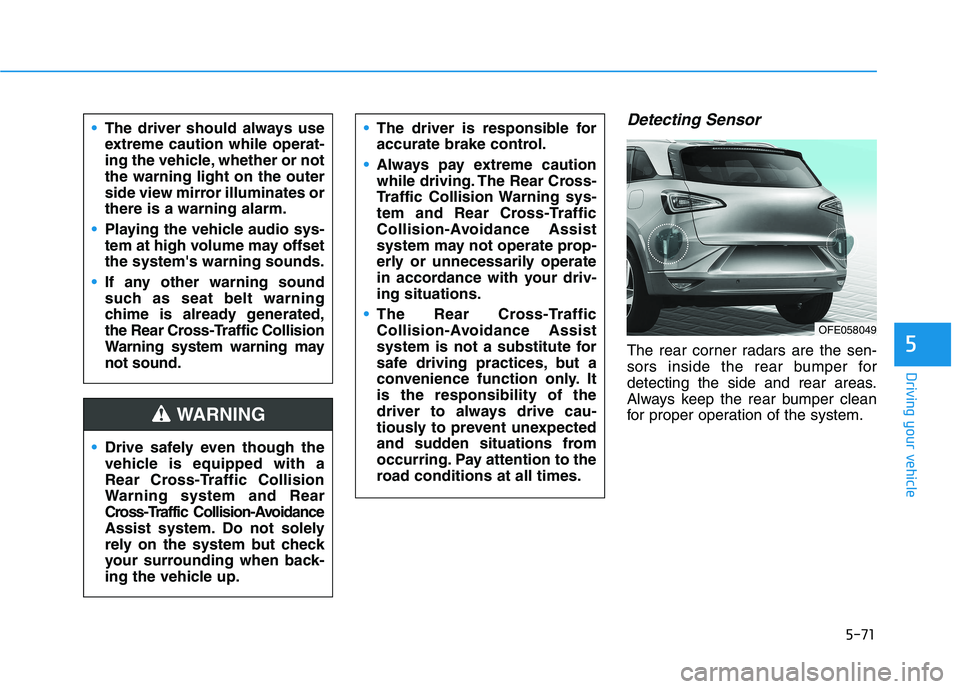
Detecting Sensor
The rear corner radars are the sen-
sors inside the rear bumper for
detecting the side and rear areas.
Always keep the rear bumper clean
for proper operation of the system.
The driver should always use
extreme caution while operat-
ing the vehicle, whether or notthe warning light on the outer
side view mirror illuminates orthere is a warning alarm.
Playing the vehicle audio sys-
tem at high volume may offsetthe system's warning sounds.
If any other warning sound
such as seat belt warning
chime is already generated,
the Rear Cross-Traffic Collision
Warning system warning maynot sound.
Drive safely even though the
vehicle is equipped with a
Rear Cross-Traffic Collision
Warning system and Rear
Cross-Traffic Collision-Avoidance
Assist system. Do not solely
rely on the system but check
your surrounding when back-
ing the vehicle up.
The driver is responsible for
accurate brake control.
Always pay extreme caution
while driving. The Rear Cross-
Traffic Collision Warning sys-
tem and Rear Cross-Traffic
Collision-Avoidance Assist
system may not operate prop-
erly or unnecessarily operate
in accordance with your driv-ing situations.
The Rear Cross-Traffic
Collision-Avoidance Assist
system is not a substitute for
safe driving practices, but a
convenience function only. Itis the responsibility of the
driver to always drive cau-
tiously to prevent unexpected
and sudden situations from
occurring. Pay attention to the
road conditions at all times.
WARNING
OFE058049