LKA Hyundai Palisade 2020 User Guide
[x] Cancel search | Manufacturer: HYUNDAI, Model Year: 2020, Model line: Palisade, Model: Hyundai Palisade 2020Pages: 611, PDF Size: 18.86 MB
Page 311 of 611
5
Blind-Spot Collision Warning/
Blind-Spot Collision-Avoidance Assist .............5-78
System Description .........................................................5-78
System Setting and Operation .....................................5-79
Warning and System Control .......................................5-82
Detecting Sensor (Camera and Radar) ......................5-84
Limitations of the System .............................................5-87
Rear Cross-Traffic Collision Warning (RCCW)/
Rear Cross-Traffic Collision-Avoidance Assist
(RCCA) ...................................................................5-92
System Description .........................................................5-92
System Setting and Operation .....................................5-93
Warning and System Control .......................................5-95
Detecting Sensor .............................................................5-98
Limitations of the System .............................................5-99
Lane Following Assist (LFA) system ...............5-103
LFA Setting and Operation .........................................5-104
Warning Message .........................................................5-105
Limitations of the System...........................................5-107
Lane Keeping Assist (LKA) system .................5-109
LKA System Operation.................................................5-110
Warning Light and Message ......................................5-112
Limitations of the System...........................................5-114
LKA System Function Change ...................................5-116
Driver Attention Warning (DAW) system .......5-117
System Setting and Operation...................................5-117
Resetting the System ...................................................5-118
System Standby.............................................................5-119
System Malfunction .....................................................5-119
Highway Driving Assist (HDA) system ............5-121
System Setting and Operation...................................5-121
Warning Message .........................................................5-124
Smart Cruise Control With Stop &
Go System ...........................................................5-128
Smart Cruise Control Switch ......................................5-129
Adjusting the Sensitivity of Smart Cruise
Control ........................................................................\
.....5-129
To Convert to Cruise Control Mode .........................5-130
Smart Cruise Control Speed .......................................5-131
Smart Cruise Control Vehicle-to-Vehicle
Distance ........................................................................\
...5-135
Sensor to Detect Distance to the
Vehicle Ahead ................................................................5-138
Limitations of the System...........................................5-140
Leading Vehicle Departure Alert .....................5-146
System Setting and Operation...................................5-146
Page 394 of 611
5-85
Driving your vehicle
5
Front camera
The front camera function as a sen-
sor detecting the lane. If the sensor is
covered with snow, rain or foreign
substance, the system may tem-
porarily be canceled and not work
properly. Always keep the sensor
clean.
Refer to Lane Keeping Assist (LKA)
System for cautions for the front
camera sensor.
Rear radar
The rear radars are located inside
the rear bumper for detecting the
side and rear areas. Always keep the
rear bumper clean for proper opera-
tion of the system. The system may not work prop-
erly when the bumper has been
damaged, or if the rear bumper
has been replaced or repaired.
The sensing range differs some- what according to the width of
the road. When the road is nar-
row, the system may detect
other vehicles in the next lane.
The system may turn off if inter- fered by strong electromagnetic
waves.
Always keep the sensors clean.
NEVER disassemble the sensor component or apply any impact
on the sensor component.
Be careful not to apply unneces- sary force on the radar sensor or
sensor cover. If the sensor is
forcibly moved out of proper
alignment, the system may not
operate correctly.
In this case, a warning message
may not be displayed. Have the
vehicle inspected by an author-
ized HYUNDAI dealer. Do not apply foreign objects
such as a bumper sticker or a
bumper guard near the radar
sensor or apply paint to the sen-
sor area. Doing so may adverse-
ly affect the performance of the
sensor.
NEVER install any accessories or stickers on the front wind-
shield, or tint the front wind-
shield.
Pay extreme caution to keep the camera sensor dry.
NEVER place any reflective objects (i.e. white paper, mirror)
over the crash pad. Any light
reflection may prevent the sys-
tem from functioning properly.
NOTICE
Page 397 of 611
5-88
Driving your vehicle
The vehicle is driven on a curved road.
The vehicle is driven through a toll- gate.
The road pavement (or the periph- eral ground) abnormally contains
metallic components (i.e. possibly
due to subway construction).
There is a fixed object near the vehicle, such as a guardrail.
While going down or up a steep road where the height of the lane is
different.
Driving on a narrow road where trees or grass or overgrown.
Driving in rural areas where the sensor does not detect another
vehicle or structure for an extended
period of time.
Driving on a wet road.
Driving on a road where the guardrail or wall is in double struc-
ture.
A big vehicle is near such as a bus or truck.
When the other vehicle approach- es very close. When the other vehicle passes at a
very fast speed.
While changing lanes.
If the vehicle has started at the same time as the vehicle next to
you and has accelerated.
When the vehicle in the next lane moves two lanes away from you
OR when the vehicle two lanes
away moves to the next lane from
you.
A motorcycle or bicycle is near.
A flat trailer is near.
If there are small objects in the detecting area such as a shopping
cart or a baby stroller.
If there is a low height vehicle such as a sports car.
The brake pedal is depressed.
ESC (Electronic Stability Control) is activated.
ESC (Electronic Stability Control) malfunctions.
The tire pressure is low or a tire is damaged.
The brake is reworked. The vehicle abruptly changes driv-
ing direction.
The vehicle makes sharp lane changes.
The vehicle sharply stops.
Temperature is extremely low around the vehicle.
The vehicle severely vibrates while driving over an uneven//bumpy
road, or concrete patch.
The vehicle drives on a slippery surface due to snow, water puddle,
or ice.
The Lane Keeping Assist (LKA) does not operate normally.
For more details refer to "Lane
Keeping Assist (LKA) system" in
this chapter.
Page 418 of 611
5-109
Driving your vehicle
5
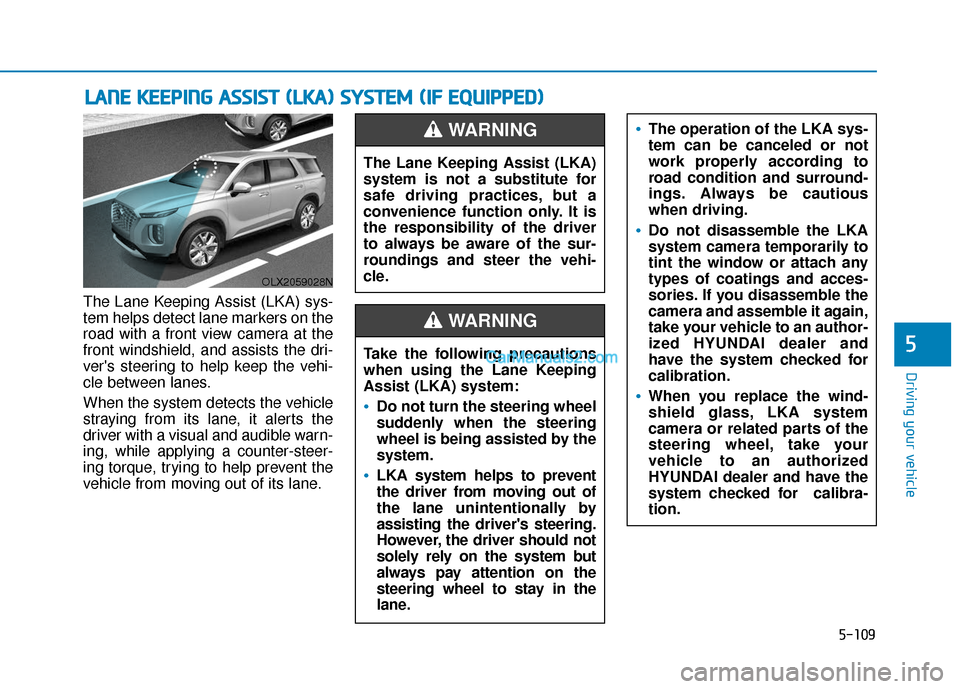
The Lane Keeping Assist (LKA) sys-
tem helps detect lane markers on the
road with a front view camera at the
front windshield, and assists the dri-
ver's steering to help keep the vehi-
cle between lanes.
When the system detects the vehicle
straying from its lane, it alerts the
driver with a visual and audible warn-
ing, while applying a counter-steer-
ing torque, trying to help prevent the
vehicle from moving out of its lane.
L LA
A N
N E
E
K
K E
EE
EP
P I
IN
N G
G
A
A S
SS
SI
IS
S T
T
(
( L
L K
K A
A )
)
S
S Y
Y S
ST
T E
EM
M
(
( I
IF
F
E
E Q
Q U
UI
IP
P P
PE
ED
D )
)
OLX2059028N
The Lane Keeping Assist (LKA)
system is not a substitute for
safe driving practices, but a
convenience function only. It is
the responsibility of the driver
to always be aware of the sur-
roundings and steer the vehi-
cle.
WARNING
Take the following precautions
when using the Lane Keeping
Assist (LKA) system:
Do not turn the steering wheel
suddenly when the steering
wheel is being assisted by the
system.
LKA system helps to prevent
the driver from moving out of
the lane unintentionally by
assisting the driver's steering.
However, the driver should not
solely rely on the system but
always pay attention on the
steering wheel to stay in the
lane.
WARNING
The operation of the LKA sys-
tem can be canceled or not
work properly according to
road condition and surround-
ings. Always be cautious
when driving.
Do not disassemble the LKA
system camera temporarily to
tint the window or attach any
types of coatings and acces-
sories. If you disassemble the
camera and assemble it again,
take your vehicle to an author-
ized HYUNDAI dealer and
have the system checked for
calibration.
When you replace the wind-
shield glass, LKA system
camera or related parts of the
steering wheel, take your
vehicle to an authorized
HYUNDAI dealer and have the
system checked for calibra-
tion.
Page 419 of 611
5-110
Driving your vehicle
LKA System Operation
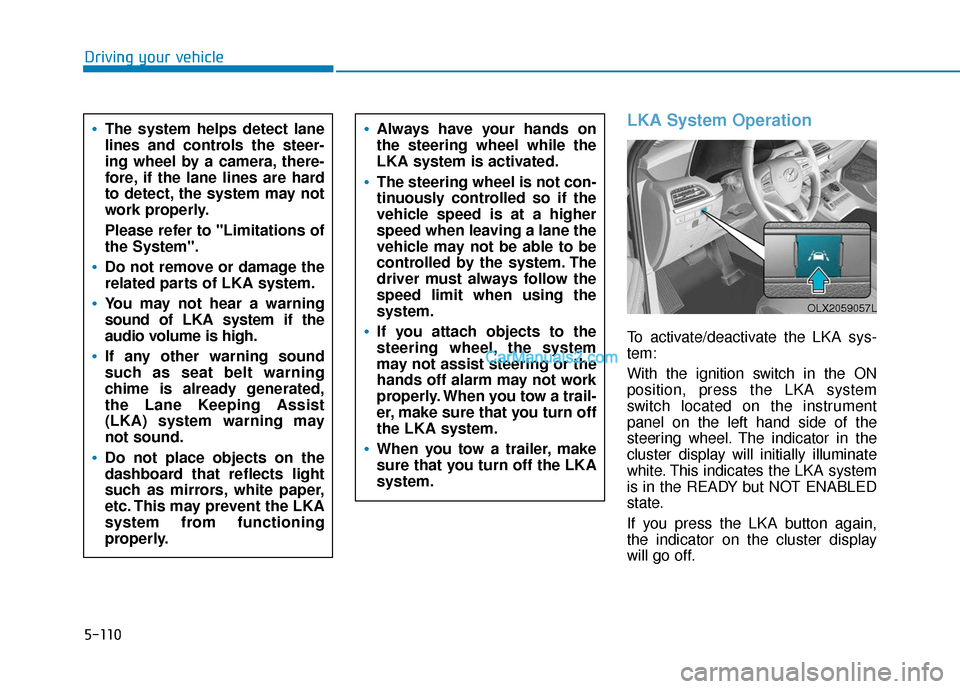
To activate/deactivate the LKA sys-
tem:
With the ignition switch in the ON
position, press the LKA system
switch located on the instrument
panel on the left hand side of the
steering wheel. The indicator in the
cluster display will initially illuminate
white. This indicates the LKA system
is in the READY but NOT ENABLED
state.
If you press the LKA button again,
the indicator on the cluster display
will go off.
The system helps detect lane
lines and controls the steer-
ing wheel by a camera, there-
fore, if the lane lines are hard
to detect, the system may not
work properly.
Please refer to "Limitations of
the System".
Do not remove or damage the
related parts of LKA system.
You may not hear a warning
sound of LKA system if the
audio volume is high.
If any other warning sound
such as seat belt warning
chime is already generated,
the Lane Keeping Assist
(LKA) system warning may
not sound.
Do not place objects on the
dashboard that reflects light
such as mirrors, white paper,
etc. This may prevent the LKA
system from functioning
properly.
Always have your hands on
the steering wheel while the
LKA system is activated.
The steering wheel is not con-
tinuously controlled so if the
vehicle speed is at a higher
speed when leaving a lane the
vehicle may not be able to be
controlled by the system. The
driver must always follow the
speed limit when using the
system.
If you attach objects to the
steering wheel, the system
may not assist steering or the
hands off alarm may not work
properly. When you tow a trail-
er, make sure that you turn off
the LKA system.
When you tow a trailer, make
sure that you turn off the LKA
system.
OLX2059057L
Page 420 of 611
5-111
Driving your vehicle
5
Note that the vehicle
speed must be at least
approximately 40 mph
(64 km/h) to ENABLE the
LKA system. The indicator in the
cluster will illuminate green.
The color of indicator will change
depending on the condition of LKA
system.
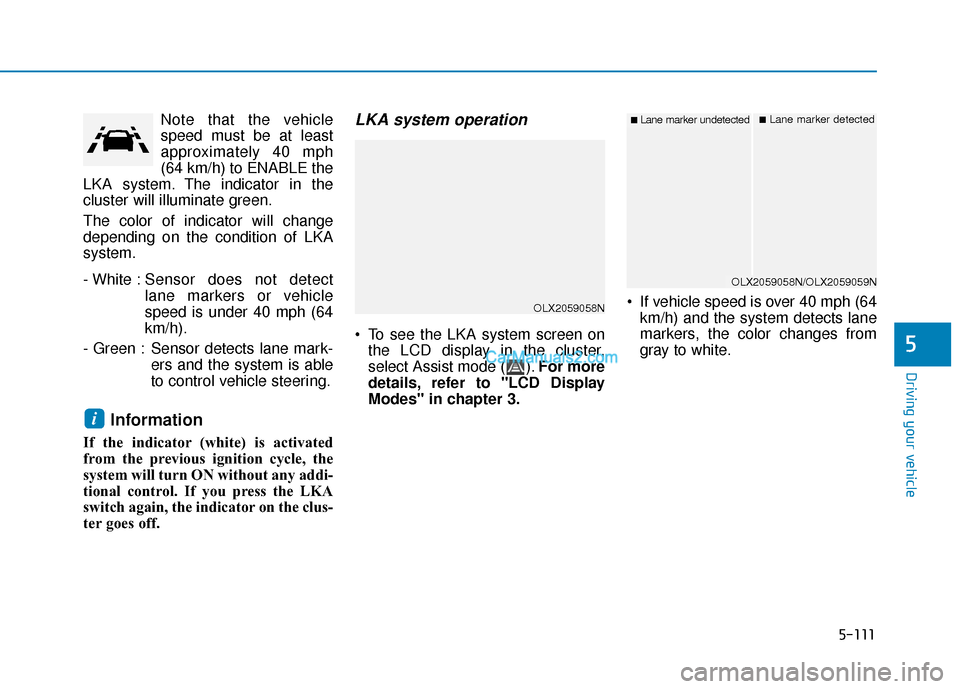
- White : Sensor does not detect
lane markers or vehicle
speed is under 40 mph (64
km/h).
- Green : Sensor detects lane mark- ers and the system is able
to control vehicle steering.
Information
If the indicator (white) is activated
from the previous ignition cycle, the
system will turn ON without any addi-
tional control. If you press the LKA
switch again, the indicator on the clus-
ter goes off.
LKA system operation
To see the LKA system screen onthe LCD display in the cluster,
select Assist mode ( ). For more
details, refer to "LCD Display
Modes" in chapter 3. If vehicle speed is over 40 mph (64
km/h) and the system detects lane
markers, the color changes from
gray to white.
i
OLX2059058N
■Lane marker undetected■Lane marker detected
OLX2059058N/OLX2059059N
Page 421 of 611
5-112
Driving your vehicle
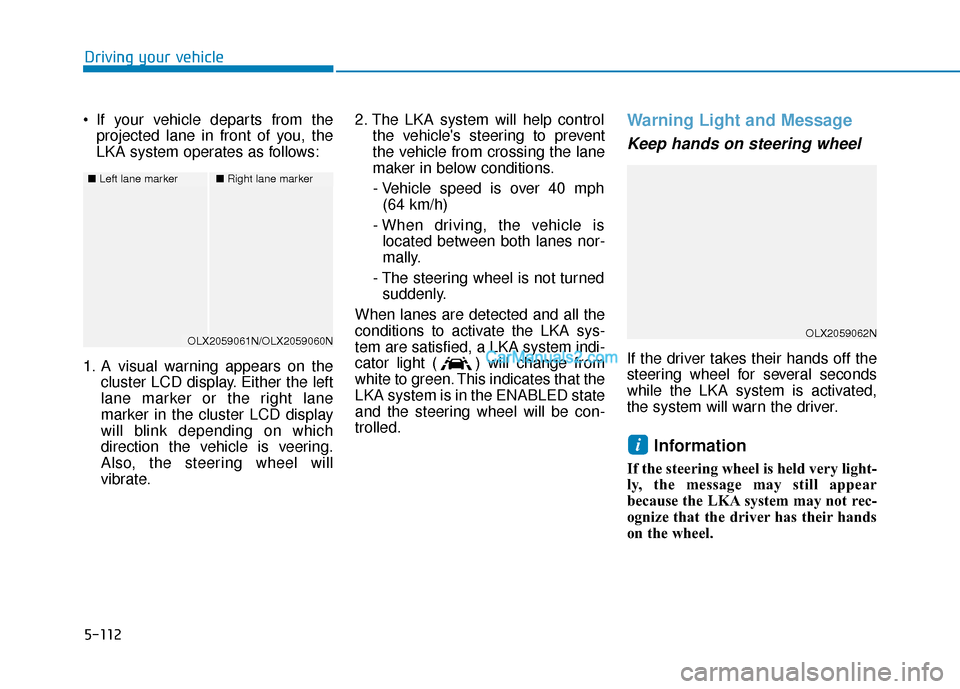
If your vehicle departs from the projected lane in front of you, the
LKA system operates as follows:
1. A visual warning appears on the cluster LCD display. Either the left
lane marker or the right lane
marker in the cluster LCD display
will blink depending on which
direction the vehicle is veering.
Also, the steering wheel will
vibrate. 2. The LKA system will help control
the vehicle's steering to prevent
the vehicle from crossing the lane
maker in below conditions.
- Vehicle speed is over 40 mph (64 km/h)
- When driving, the vehicle is located between both lanes nor-
mally.
- The steering wheel is not turned suddenly.
When lanes are detected and all the
conditions to activate the LKA sys-
tem are satisfied, a LKA system indi-
cator light ( ) will change from
white to green. This indicates that the
LKA system is in the ENABLED state
and the steering wheel will be con-
trolled.
Warning Light and Message
Keep hands on steering wheel
If the driver takes their hands off the
steering wheel for several seconds
while the LKA system is activated,
the system will warn the driver.
Information
If the steering wheel is held very light-
ly, the message may still appear
because the LKA system may not rec-
ognize that the driver has their hands
on the wheel.
i
■ Left lane marker■Right lane marker
OLX2059061N/OLX2059060NOLX2059062N
Page 422 of 611
5-113
Driving your vehicle
5
Information
• Even though the steering is assistedby the system, the driver can still
steer to control the steering wheel.
• The steering wheel may feel heavier when the steering wheel is assisted
by the system than when it is not.
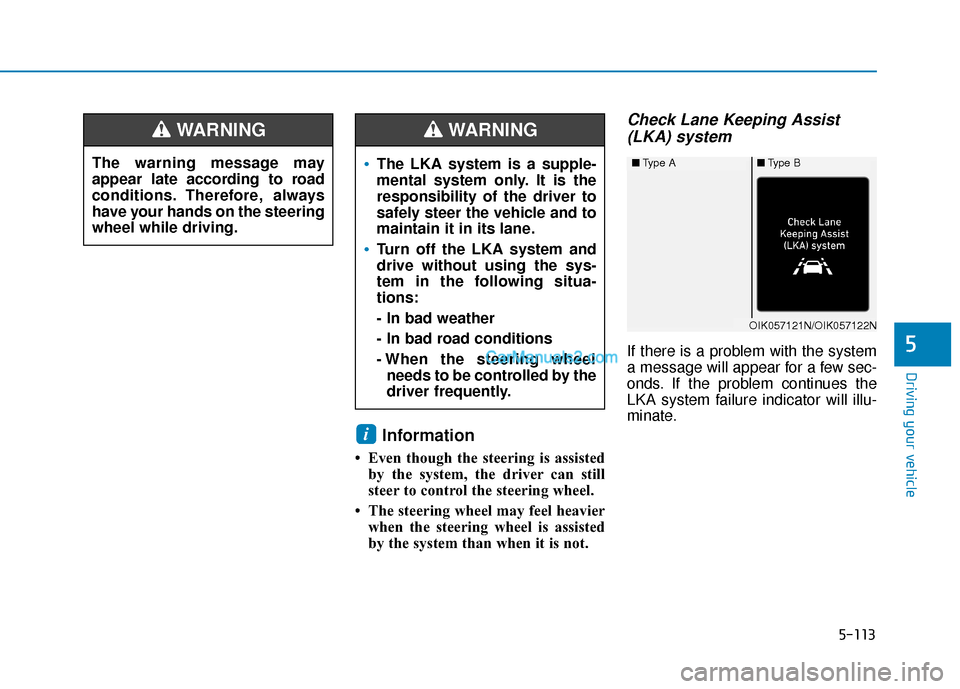
Check Lane Keeping Assist(LKA) system
If there is a problem with the system
a message will appear for a few sec-
onds. If the problem continues the
LKA system failure indicator will illu-
minate.
i
The warning message may
appear late according to road
conditions. Therefore, always
have your hands on the steering
wheel while driving.
WARNING
The LKA system is a supple-
mental system only. It is the
responsibility of the driver to
safely steer the vehicle and to
maintain it in its lane.
Turn off the LKA system and
drive without using the sys-
tem in the following situa-
tions:
- In bad weather
- In bad road conditions
- When the steering wheel
needs to be controlled by the
driver frequently.
WARNING
■ Type A■Type B
OIK057121N/OIK057122N
Page 423 of 611
5-114
Driving your vehicle
LKA system indicator
The LKA system indica-tor (yellow) will illuminate
if the LKA system is not
working properly. Have
your vehicle checked by an
authorized HYUNDAI deal-
er.
When there is a problem with the
system do one of the following:
Turn the system on after turning the engine off and on again.
Check if the ignition switch is in the ON position.
Check if the system is affected by the weather. (ex: fog, heavy rain,
etc.)
Check if there is foreign matter on the camera lens.
If the problem is not solved, have
your vehicle checked by an author-
ized HYUNDAI dealer.
The LKA system will not be in the
ENABLED state and/or the steering
wheel will not be assisted when:
The turn signal is turned on before changing a lane. If you change
lanes without the turn signal on, the
steering wheel might be controlled.
The vehicle is not driven in the mid- dle of the lane when the system is
turned on or right after changing a
lane.
ESC (Electronic Stability Control) or VSM (Vehicle Stability Management)
is activated.
The vehicle is driven on a sharp curve.
Vehicle speed is below 35 mph (56 km/h) and over 110 mph (177
km/h).
The vehicle makes sharp lane changes.
The vehicle brakes suddenly.
The lane is very wide or narrow.
There are more than two lane lines on the road. (e.g. construction area)
Radius of a curve is too small. The vehicle is driven on a steep
incline.
The steering wheel is turned sud- denly.
The system may not operate for 15 seconds after the engine is started
or the camera is initialized.
Limitations of the System
The LKA system may operate pre-
maturely even if the vehicle does not
depart from the intended lane, OR,
the LKA system may not warn you if
the vehicle leaves the intended lane
under the following circumstances:
When the lane and road condi-
tions are poor
It is difficult to distinguish the lanemarker from the road because the
lane marker is covered with dust or
sand.
It is difficult to distinguish the color of the lane marker from the road.
There are markings on the road surface that look like a lane marker
that is inadvertently being detected
by the camera.
Page 425 of 611
5-116
Driving your vehicle
LKA System Function Change
The driver can change LKA to Lane
Departure Warning from the LCD
display. Go to the 'User Settings →
Driver Assistance →Lane Safety →
Lane Keeping Assist (LKA)/Lane
Departure Warning (LDW)/Off'.
The system is automatically set to
Lane Keeping Assist(LKA) if a func-
tion is not selected.
- Lane Keeping Assist
Lane Keeping Assist guides the
driver to help keep the vehicle with-
in the lanes. It rarely controls the
steering wheel, when the vehicle
drives well inside the lanes.
However, it starts to control the
steering wheel, when the vehicle is
about to deviate out of the lane.
- Lane Departure Warning Lane Departure Warning alerts the
driver with a visual warning and a
warning alarm when the system
detects the vehicle departing the
lane. The steering wheel will not be
controlled. -Off
If you select 'off', the LKA system is
deactivated.