controls Hyundai Palisade 2020 User Guide
[x] Cancel search | Manufacturer: HYUNDAI, Model Year: 2020, Model line: Palisade, Model: Hyundai Palisade 2020Pages: 611, PDF Size: 18.86 MB
Page 241 of 611
3-145
Convenient features of your vehicle
3
LO : The wiper runs at a lower speed.
HI : The wiper runs at a higher speed.
Information
If there is heavy accumulation of snow
or ice on the windshield, defrost the
windshield for about 10 minutes, or
until the snow and/or ice is removed
before using the windshield wipers to
ensure proper operation.
If you do not remove the snow and/or
ice before using the wiper and washer,
it may damage the wiper and washer
system.
AUTO (Automatic) control (if equipped)
The rain sensor located on the upper
end of the windshield glass senses
the amount of rainfall and controls
the wiping cycle for the proper inter-
val.
The wiper operation time will be
automatically controlled depends on
rainfall.
When the rain stops, the wiper stops.
To vary the sensitivity setting, turn
the sensitivity control knob (1).
If the wiper switch is set in AUTO
mode when the ignition switch is in
the ON position, the wiper will oper-
ate once to perform a self-check of
the system. Set the wiper to OFF
position when the wiper is not in use.
i
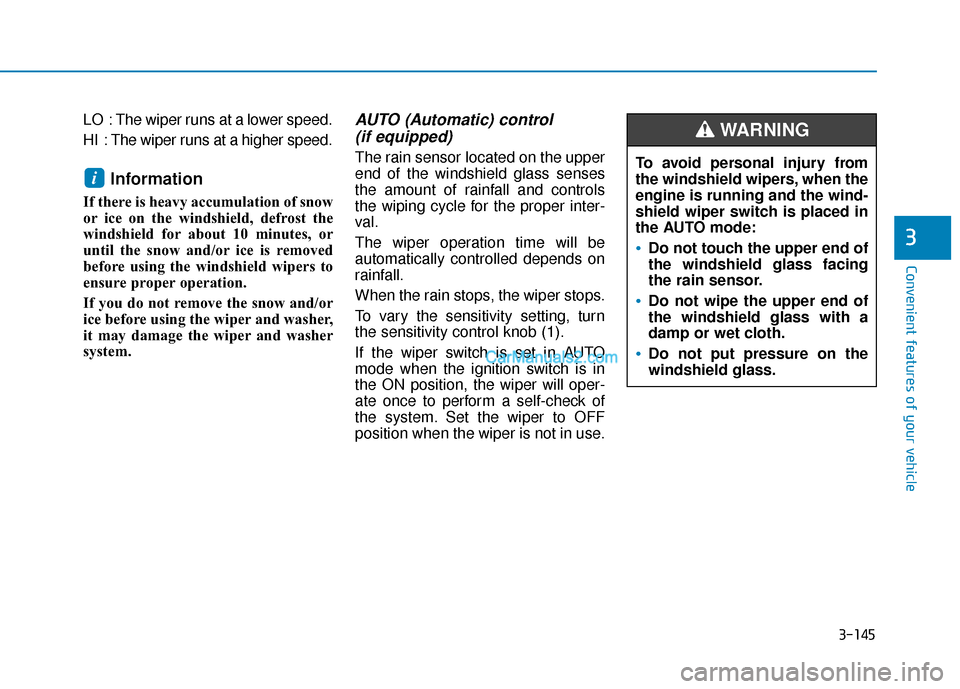
To avoid personal injury from
the windshield wipers, when the
engine is running and the wind-
shield wiper switch is placed in
the AUTO mode:
Do not touch the upper end of
the windshield glass facing
the rain sensor.
Do not wipe the upper end of
the windshield glass with a
damp or wet cloth.
Do not put pressure on the
windshield glass.
WARNING
Page 256 of 611
3-160
Convenient features of your vehicle
Heating and Air Conditioning
1. Start the engine.
2. Set the mode to the desired posi-tion.
To improve the effectiveness of heating and cooling, select the
mode according to the following:
- Heating:
- Cooling:
3. Set the temperature control to the desired position.
4. Set the air intake control to Fresh mode or Recirculation mode posi-
tion.
5. Set the fan speed control to the desired speed.
6. If air conditioning is desired, turn the air conditioning system on.
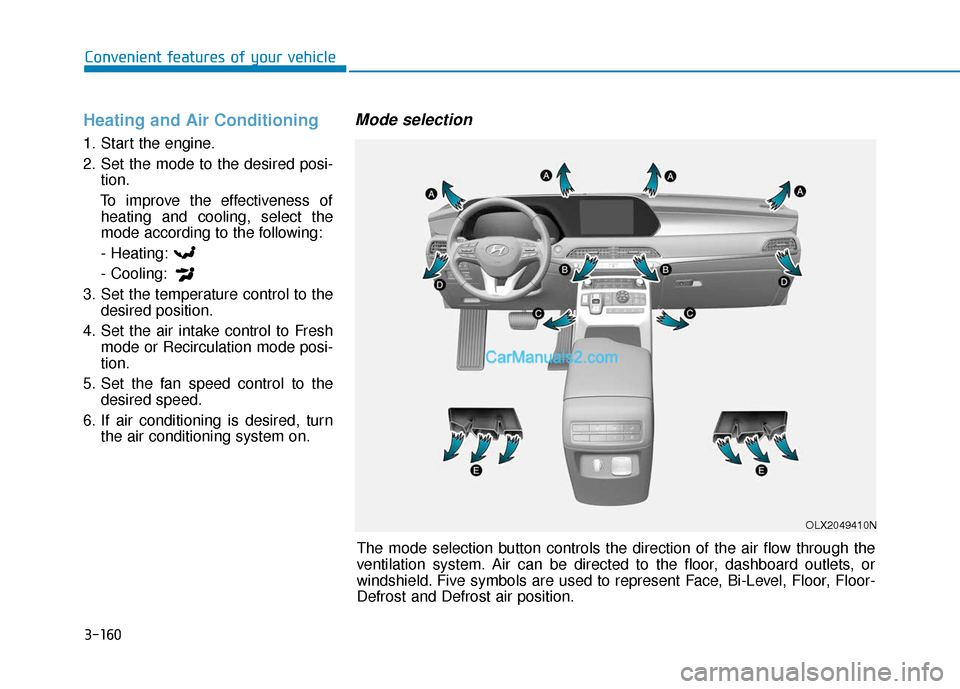
Mode selection
The mode selection button controls the direction of the air flow through the
ventilation system. Air can be directed to the floor, dashboard outlets, or
windshield. Five symbols are used to represent Face, Bi-Level, Floor, Floor-
Defrost and Defrost air position.
OLX2049410N
Page 270 of 611
3-174
Convenient features of your vehicle
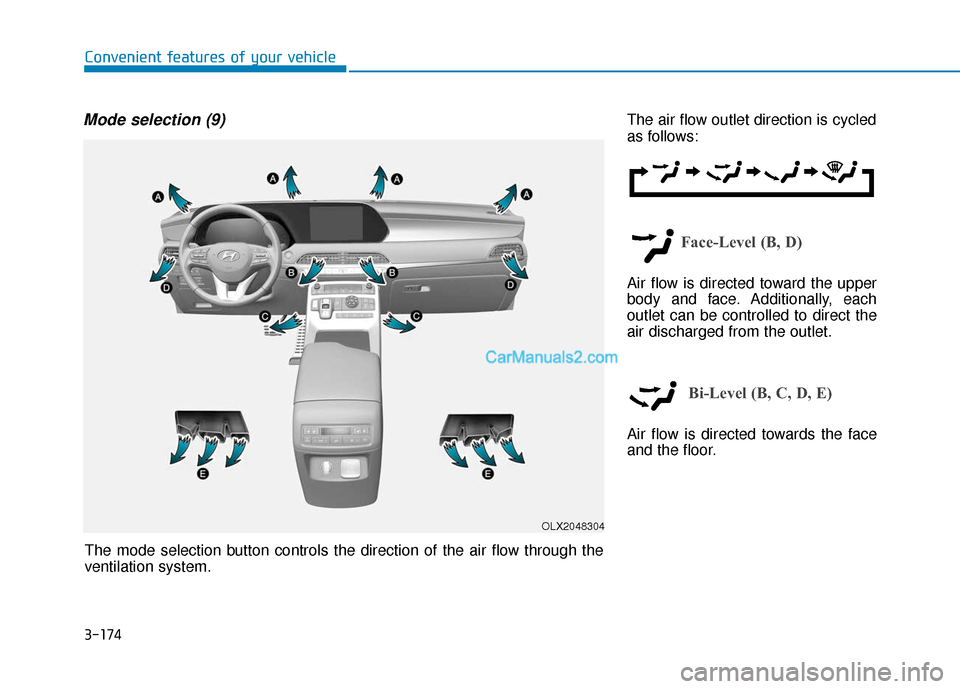
Mode selection (9)The air flow outlet direction is cycled
as follows:
Face-Level (B, D)
Air flow is directed toward the upper
body and face. Additionally, each
outlet can be controlled to direct the
air discharged from the outlet.
Bi-Level (B, C, D, E)
Air flow is directed towards the face
and the floor.
OLX2048304
The mode selection button controls the direction of the air flow through the
ventilation system.
Page 283 of 611
3-187
Convenient features of your vehicle
3
Check to make sure the air intake
control is in Fresh mode. If the air
intake control LED is illuminated,
press the button once to enable
Fresh mode (LED OFF).
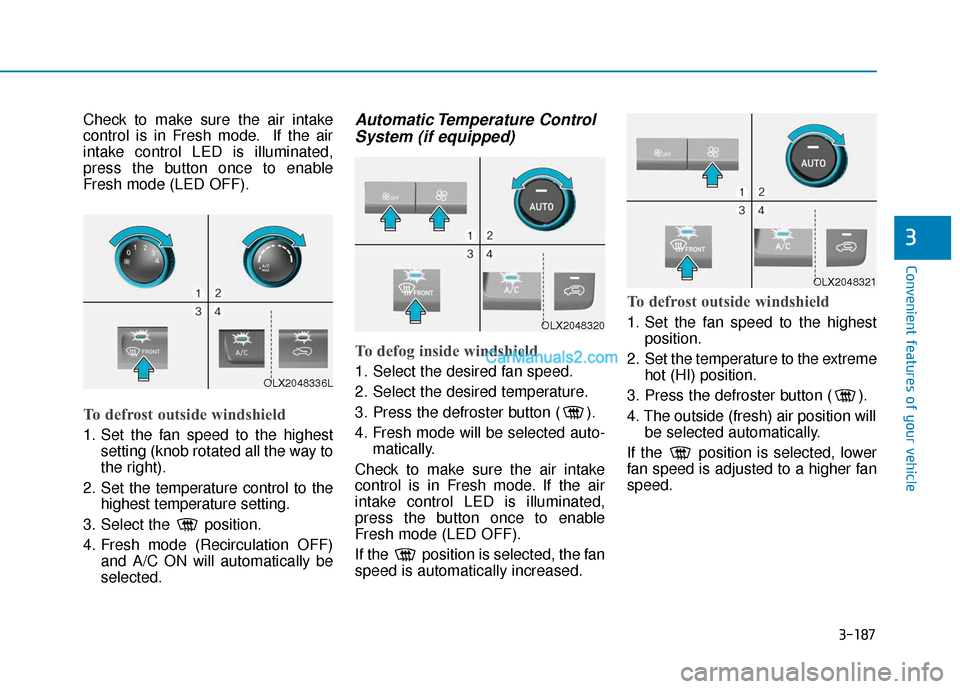
To defrost outside windshield
1. Set the fan speed to the highestsetting (knob rotated all the way to
the right).
2. Set the temperature control to the highest temperature setting.
3. Select the position.
4. Fresh mode (Recirculation OFF) and A/C ON will automatically be
selected.
Automatic Temperature ControlSystem (if equipped)
To defog inside windshield
1. Select the desired fan speed.
2. Select the desired temperature.
3. Press the defroster button ( ).
4. Fresh mode will be selected auto-
matically.
Check to make sure the air intake
control is in Fresh mode. If the air
intake control LED is illuminated,
press the button once to enable
Fresh mode (LED OFF).
If the position is selected, the fan
speed is automatically increased.
To defrost outside windshield
1. Set the fan speed to the highest position.
2. Set the temperature to the extreme hot (HI) position.
3. Press the defroster button ( ).
4. The outside (fresh) air position will be selected automatically.
If the position is selected, lower
fan speed is adjusted to a higher fan
speed.
OLX2048336L
OLX2048320
OLX2048321
Page 306 of 611

Multimedia System
Infotainment System..............................................4-2
USB Port ........................................................................\
......4-2
Antenna ........................................................................\
.......4-2
Steering Wheel Audio Controls ......................................4-3
Bluetooth®Wireless Technology ..................................4-4
Audio (Display Audio) / Video /
Navigation System (AVN).................................................4-4
4
Page 329 of 611
5-20
Driving your vehicle
Shift button held down
The warning message appears on
the LCD display, when the shift but-
ton is pressed continuously or the
shift button does not properly oper-
ate. Clean the surroundings of gear
shift button.
If this message appears again, we
recommend you to have the vehicle
inspected by an authorized
HYUNDAI dealer.
Shifter system malfunction
The warning message appears on
the LCD display, when the transmis-
sion or the shift button does not prop-
erly operate in the P (Park) position.
In this case, we recommend you to
immediately have the vehicle
inspected by an authorized
HYUNDAI dealer.
Check shift controls
The warning message appears on
the LCD display, when there is a mal-
function with transmission shift but-
ton.
In this case, we recommend you to
immediately have the vehicle
inspected by an authorized
HYUNDAI dealer.
Good driving practices
Never shift the gear from P (Park)or N (Neutral) to any other position
with the accelerator pedal
depressed.
Never shift the gear into P (Park) when the vehicle is in motion.
Be sure the vehicle is completely
stopped before you attempt to shift
into R (Reverse) or D (Drive).
Do not shift the gear to N (Neutral) when driving. Doing so may result
in an accident because of a loss of
engine braking and the transmis-
sion could be damaged.
Do not drive with your foot resting on the brake pedal. Even light, but
consistent pedal pressure can
result in the brakes overheating,
brake wear and possibly even
brake failure.
When driving in sports mode, slow down before shifting to a lower
gear. Otherwise, the lower gear
may not be engaged if the engine
rpms are outside of the allowable
range.
Page 412 of 611
5-103
Driving your vehicle
5
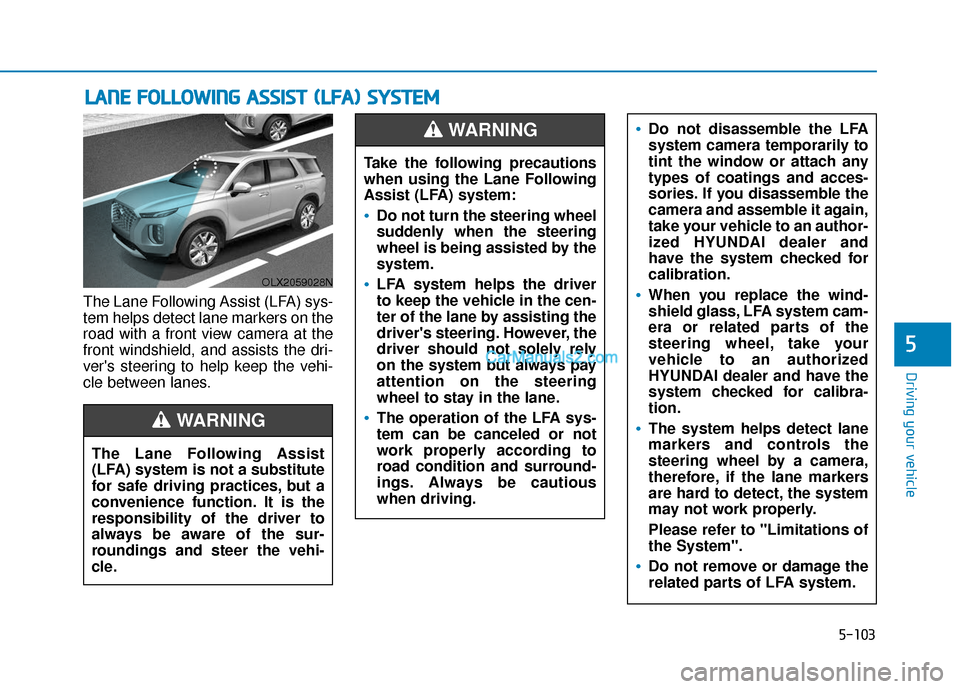
The Lane Following Assist (LFA) sys-
tem helps detect lane markers on the
road with a front view camera at the
front windshield, and assists the dri-
ver's steering to help keep the vehi-
cle between lanes.
L LA
A N
N E
E
F
F O
O L
LL
LO
O W
W I
IN
N G
G
A
A S
SS
SI
IS
S T
T
(
( L
L F
F A
A )
)
S
S Y
Y S
ST
T E
EM
M
OLX2059028N
The Lane Following Assist
(LFA) system is not a substitute
for safe driving practices, but a
convenience function. It is the
responsibility of the driver to
always be aware of the sur-
roundings and steer the vehi-
cle.
WARNING
Take the following precautions
when using the Lane Following
Assist (LFA) system:
Do not turn the steering wheel
suddenly when the steering
wheel is being assisted by the
system.
LFA system helps the driver
to keep the vehicle in the cen-
ter of the lane by assisting the
driver's steering. However, the
driver should not solely rely
on the system but always pay
attention on the steering
wheel to stay in the lane.
The operation of the LFA sys-
tem can be canceled or not
work properly according to
road condition and surround-
ings. Always be cautious
when driving.
Do not disassemble the LFA
system camera temporarily to
tint the window or attach any
types of coatings and acces-
sories. If you disassemble the
camera and assemble it again,
take your vehicle to an author-
ized HYUNDAI dealer and
have the system checked for
calibration.
When you replace the wind-
shield glass, LFA system cam-
era or related parts of the
steering wheel, take your
vehicle to an authorized
HYUNDAI dealer and have the
system checked for calibra-
tion.
The system helps detect lane
markers and controls the
steering wheel by a camera,
therefore, if the lane markers
are hard to detect, the system
may not work properly.
Please refer to "Limitations of
the System".
Do not remove or damage the
related parts of LFA system.
WARNING
Page 419 of 611
5-110
Driving your vehicle
LKA System Operation
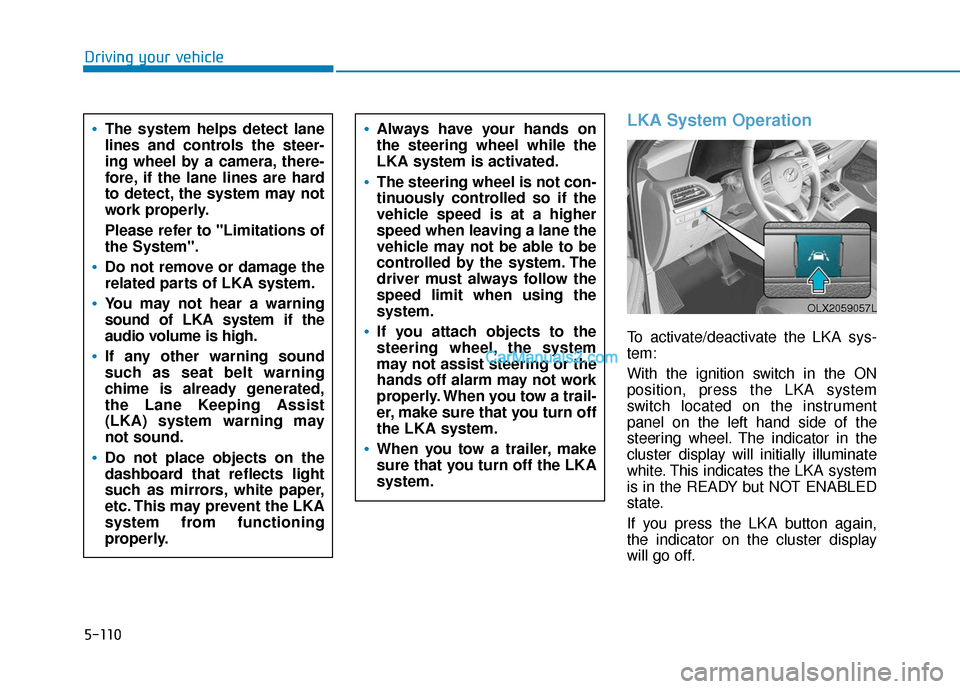
To activate/deactivate the LKA sys-
tem:
With the ignition switch in the ON
position, press the LKA system
switch located on the instrument
panel on the left hand side of the
steering wheel. The indicator in the
cluster display will initially illuminate
white. This indicates the LKA system
is in the READY but NOT ENABLED
state.
If you press the LKA button again,
the indicator on the cluster display
will go off.
The system helps detect lane
lines and controls the steer-
ing wheel by a camera, there-
fore, if the lane lines are hard
to detect, the system may not
work properly.
Please refer to "Limitations of
the System".
Do not remove or damage the
related parts of LKA system.
You may not hear a warning
sound of LKA system if the
audio volume is high.
If any other warning sound
such as seat belt warning
chime is already generated,
the Lane Keeping Assist
(LKA) system warning may
not sound.
Do not place objects on the
dashboard that reflects light
such as mirrors, white paper,
etc. This may prevent the LKA
system from functioning
properly.
Always have your hands on
the steering wheel while the
LKA system is activated.
The steering wheel is not con-
tinuously controlled so if the
vehicle speed is at a higher
speed when leaving a lane the
vehicle may not be able to be
controlled by the system. The
driver must always follow the
speed limit when using the
system.
If you attach objects to the
steering wheel, the system
may not assist steering or the
hands off alarm may not work
properly. When you tow a trail-
er, make sure that you turn off
the LKA system.
When you tow a trailer, make
sure that you turn off the LKA
system.
OLX2059057L
Page 425 of 611
5-116
Driving your vehicle
LKA System Function Change
The driver can change LKA to Lane
Departure Warning from the LCD
display. Go to the 'User Settings →
Driver Assistance →Lane Safety →
Lane Keeping Assist (LKA)/Lane
Departure Warning (LDW)/Off'.
The system is automatically set to
Lane Keeping Assist(LKA) if a func-
tion is not selected.
- Lane Keeping Assist
Lane Keeping Assist guides the
driver to help keep the vehicle with-
in the lanes. It rarely controls the
steering wheel, when the vehicle
drives well inside the lanes.
However, it starts to control the
steering wheel, when the vehicle is
about to deviate out of the lane.
- Lane Departure Warning Lane Departure Warning alerts the
driver with a visual warning and a
warning alarm when the system
detects the vehicle departing the
lane. The steering wheel will not be
controlled. -Off
If you select 'off', the LKA system is
deactivated.
Page 440 of 611
5-131
Driving your vehicle
5
Smart Cruise Control Speed
To set Smart Cruise Controlspeed
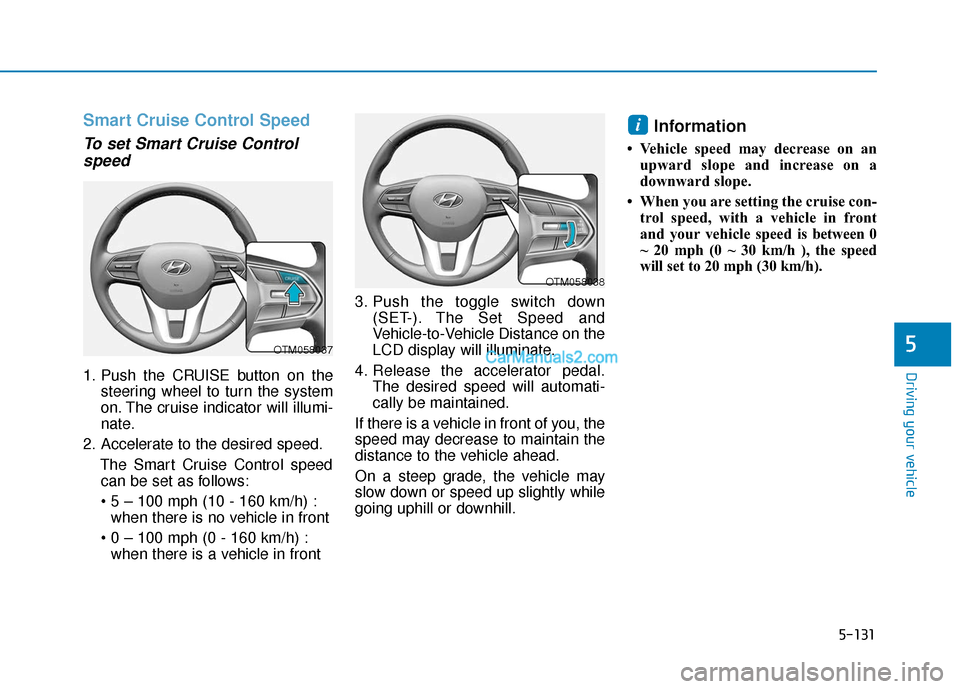
1. Push the CRUISE button on the
steering wheel to turn the system
on. The cruise indicator will illumi-
nate.
2. Accelerate to the desired speed. The Smart Cruise Control speedcan be set as follows:
when there is no vehicle in front
when there is a vehicle in front 3. Push the toggle switch down
(SET-). The Set Speed and
Vehicle-to-Vehicle Distance on the
LCD display will illuminate.
4. Release the accelerator pedal. The desired speed will automati-
cally be maintained.
If there is a vehicle in front of you, the
speed may decrease to maintain the
distance to the vehicle ahead.
On a steep grade, the vehicle may
slow down or speed up slightly while
going uphill or downhill.
Information
• Vehicle speed may decrease on an upward slope and increase on a
downward slope.
• When you are setting the cruise con- trol speed, with a vehicle in front
and your vehicle speed is between 0
~ 20 mph (0 ~ 30 km/h ), the speed
will set to 20 mph (30 km/h).
i
OTM058037
OTM058038