buttons HYUNDAI PALISADE 2021 User Guide
[x] Cancel search | Manufacturer: HYUNDAI, Model Year: 2021, Model line: PALISADE, Model: HYUNDAI PALISADE 2021Pages: 612, PDF Size: 33.36 MB
Page 236 of 612
3-140
Convenient features of your vehicle
Front Door Lamp (2) ( ) :
The front or rear room lamps come on
when the front or rear doors are
opened if the engine is running or not.
When doors are unlocked by the
remote key or smart key, the front and
rear lamps come on for approximate-
ly 30 seconds as long as any door is
not opened. The front and rear room
lamps go out gradually after approxi-
mately 30 seconds when the door is
closed. However, if the ignition switch
is in the ON position or all doors are
locked, the front and rear lamps will
turn off. If a door is opened with the
ignition switch in the ACC position or
the OFF position, the front and rear
lamps stay on for about 20 minutes.
Front Map Lamp (3) :
Press either or switches ( ) to
turn the map lamp on or off. This light
produces a spot beam for convenient
use as a map lamp at night or as a
personal lamp for the driver and the
front passenger.
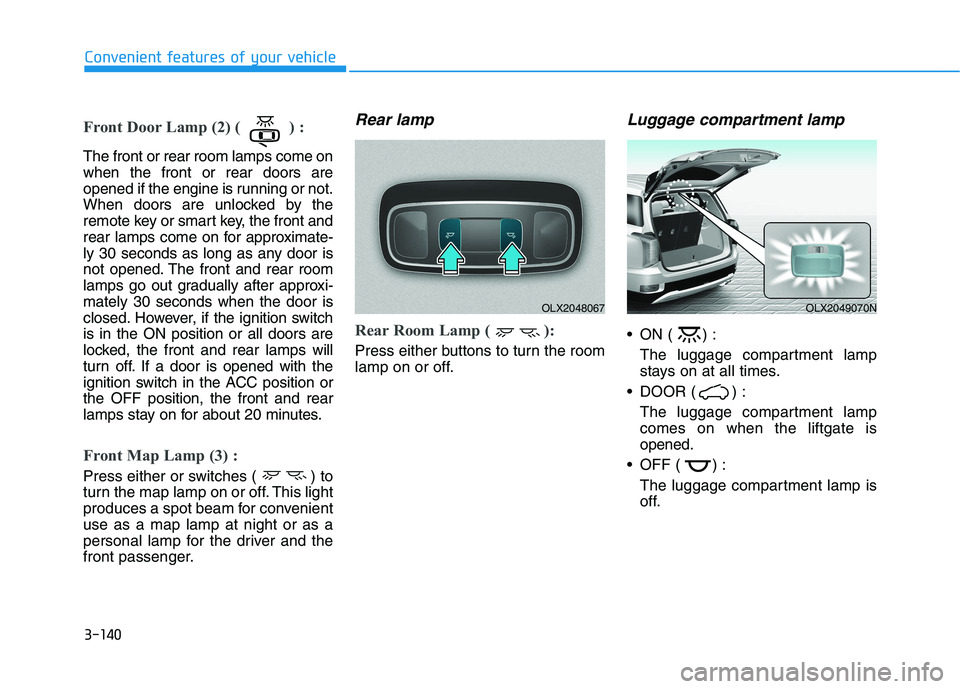
Rear lamp
Rear Room Lamp ( ):
Press either buttons to turn the room
lamp on or off.
Luggage compartment lamp
ON ( ) :
The luggage compartment lamp
stays on at all times.
DOOR ( ) :
The luggage compartment lamp
comes on when the liftgate is
opened.
OFF ( ) :
The luggage compartment lamp is
off.
OLX2048067OLX2049070N
Page 269 of 612
3-173
Convenient features of your vehicle
3
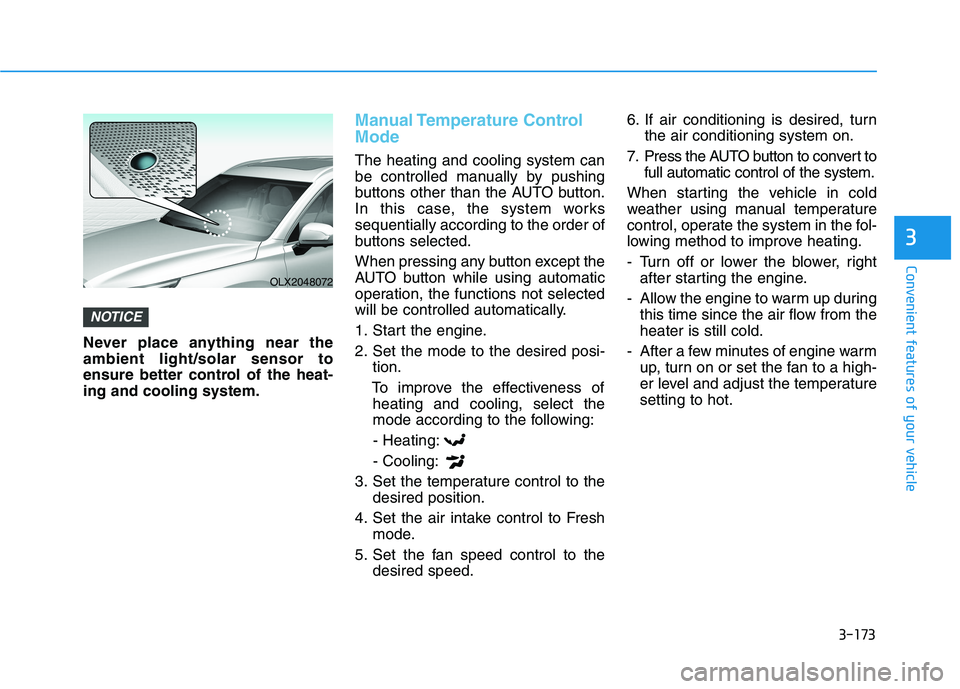
Never place anything near the
ambient light/solar sensor to
ensure better control of the heat-
ing and cooling system.
Manual Temperature Control
Mode
The heating and cooling system can
be controlled manually by pushing
buttons other than the AUTO button.
In this case, the system works
sequentially according to the order of
buttons selected.
When pressing any button except the
AUTO button while using automatic
operation, the functions not selected
will be controlled automatically.
1. Start the engine.
2. Set the mode to the desired posi-
tion.
To improve the effectiveness of
heating and cooling, select the
mode according to the following:
- Heating:
- Cooling:
3. Set the temperature control to the
desired position.
4. Set the air intake control to Fresh
mode.
5. Set the fan speed control to the
desired speed.6. If air conditioning is desired, turn
the air conditioning system on.
7. Press the AUTO button to convert to
full automatic control of the system.
When starting the vehicle in cold
weather using manual temperature
control, operate the system in the fol-
lowing method to improve heating.
- Turn off or lower the blower, right
after starting the engine.
- Allow the engine to warm up during
this time since the air flow from the
heater is still cold.
- After a few minutes of engine warm
up, turn on or set the fan to a high-
er level and adjust the temperature
setting to hot.
NOTICE
OLX2048072
Page 290 of 612
3-194
Convenient features of your vehicle
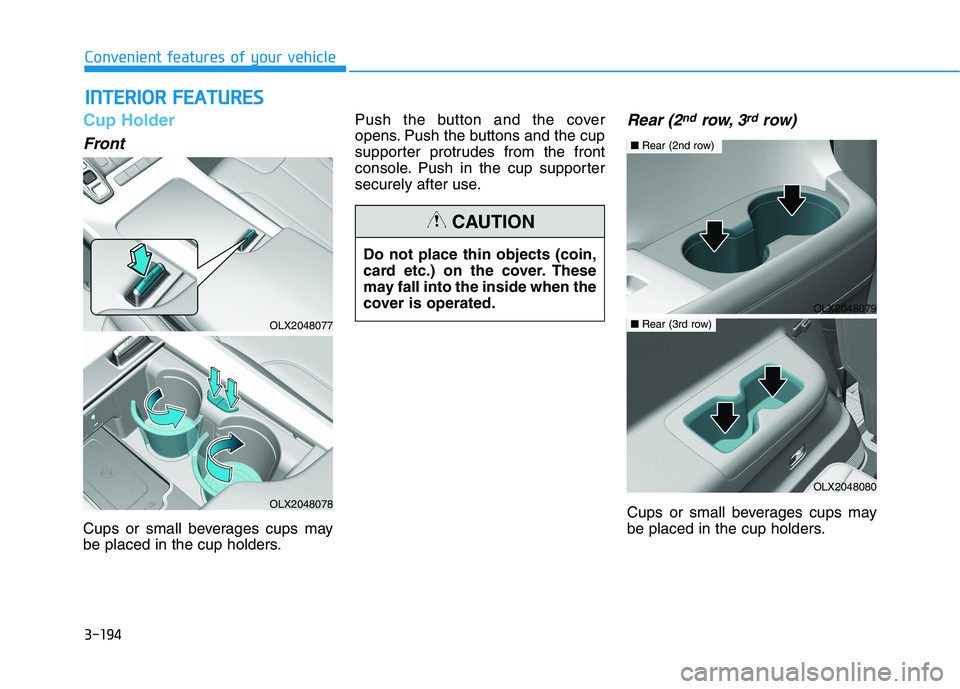
Cup Holder
Front
Cups or small beverages cups may
be placed in the cup holders.Push the button and the cover
opens. Push the buttons and the cup
supporter protrudes from the front
console. Push in the cup supporter
securely after use.
Rear (2ndrow, 3rdrow)
Cups or small beverages cups may
be placed in the cup holders.
I IN
NT
TE
ER
RI
IO
OR
R
F
FE
EA
AT
TU
UR
RE
ES
S
OLX2048077
OLX2048078
Do not place thin objects (coin,
card etc.) on the cover. These
may fall into the inside when the
cover is operated.
CAUTION
OLX2048079
■Rear (2nd row)
OLX2048080
■Rear (3rd row)
Page 308 of 612
• When reinstalling your roof anten-
na, it is important that it is fully
tightened and adjusted to the
upright position to ensure proper
reception.
When cargo is loaded on the roof
rack, do not place the cargo near
the antenna pole to ensure proper
reception.
Shark fin antenna (if equipped)
The shark fin antenna will receive the
AM, FM broadcast signals and trans-
mit data.
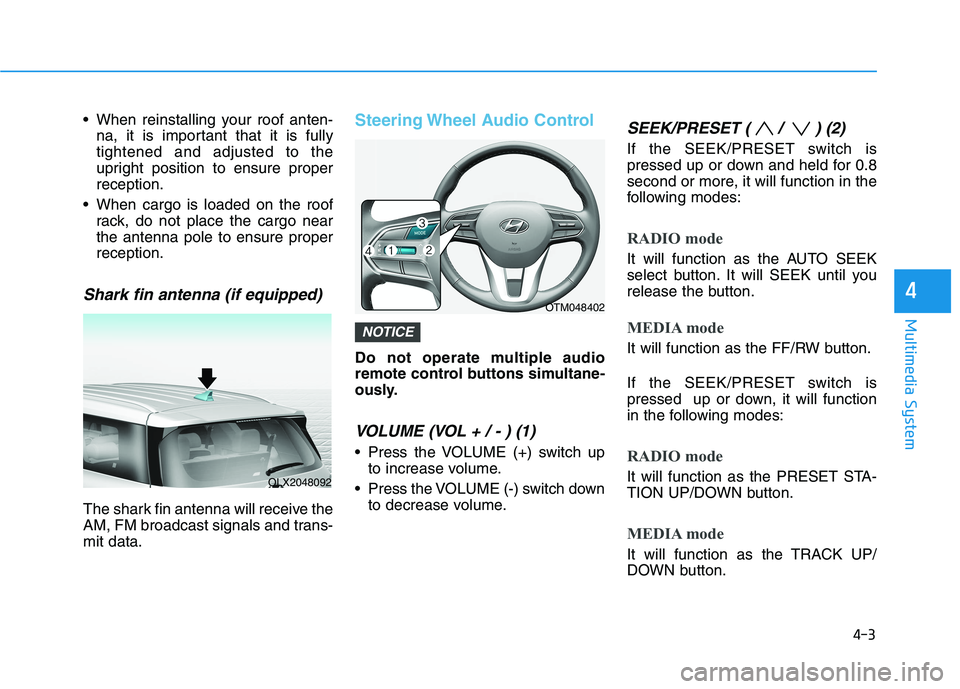
Steering Wheel Audio Control
Do not operate multiple audio
remote control buttons simultane-
ously.
VOLUME (VOL + / - ) (1)
Press the VOLUME (+) switch up
to increase volume.
Press the VOLUME (-) switch down
to decrease volume.
SEEK/PRESET ( / ) (2)
If the SEEK/PRESET switch is
pressed up or down and held for 0.8
second or more, it will function in the
following modes:
RADIO mode
It will function as the AUTO SEEK
select button. It will SEEK until you
release the button.
MEDIA mode
It will function as the FF/RW button.
If the SEEK/PRESET switch is
pressed up or down, it will function
in the following modes:
RADIO mode
It will function as the PRESET STA-
TION UP/DOWN button.
MEDIA mode
It will function as the TRACK UP/
DOWN button.
NOTICE
4-3
Multimedia System
4
OLX2048092
OTM048402
Page 309 of 612
4-4
Multimedia System
MODE (3)
Press the MODE button to select
Radio and Media.
MUTE ( ) (4)
Press the MUTE button to mute the
sound.
Press the MUTE button again to
activate the sound.
Information
Detailed information for audio control
buttons are described in the separately
supplied manual with the vehicle.
Bluetooth®Wireless
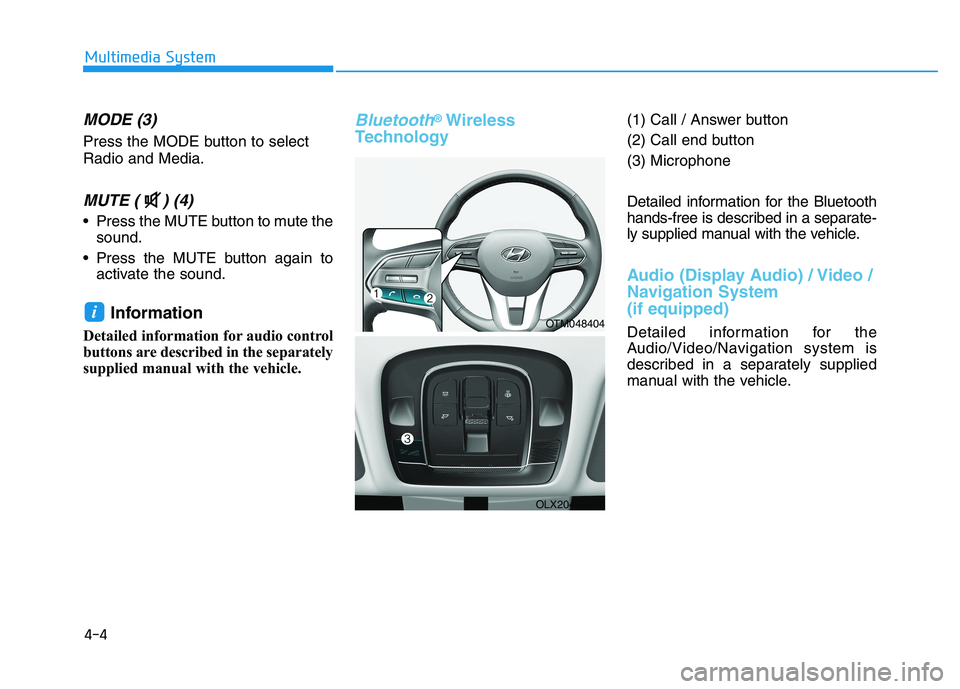
Technology(1) Call / Answer button
(2) Call end button
(3) Microphone
Detailed information for the Bluetooth
hands-free is described in a separate-
ly supplied manual with the vehicle.
Audio (Display Audio) / Video /
Navigation System
(if equipped)
Detailed information for the
Audio/Video/Navigation system is
described in a separately supplied
manual with the vehicle.
iOTM048404
OLX2049094L