sensor HYUNDAI PALISADE 2021 Workshop Manual
[x] Cancel search | Manufacturer: HYUNDAI, Model Year: 2021, Model line: PALISADE, Model: HYUNDAI PALISADE 2021Pages: 612, PDF Size: 33.36 MB
Page 409 of 612
5-100
Driving your vehicle
If any of these conditions occur, the
light on the BCW/BCA switch and the
system will turn off automatically.
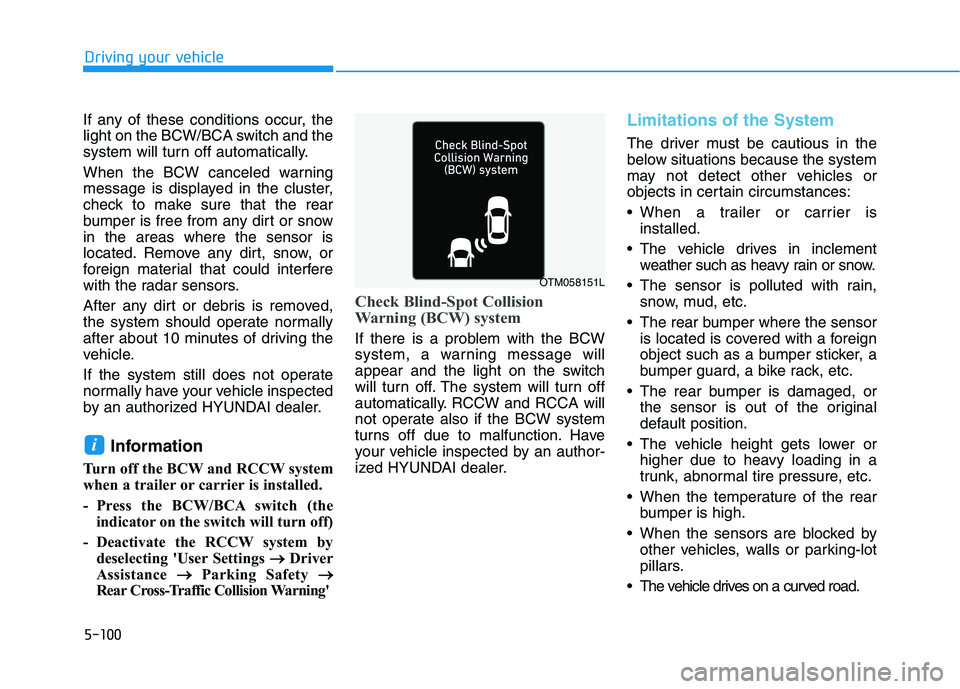
When the BCW canceled warning
message is displayed in the cluster,
check to make sure that the rear
bumper is free from any dirt or snow
in the areas where the sensor is
located. Remove any dirt, snow, or
foreign material that could interfere
with the radar sensors.
After any dirt or debris is removed,
the system should operate normally
after about 10 minutes of driving the
vehicle.
If the system still does not operate
normally have your vehicle inspected
by an authorized HYUNDAI dealer.
Information
Turn off the BCW and RCCW system
when a trailer or carrier is installed.
- Press the BCW/BCA switch (the
indicator on the switch will turn off)
- Deactivate the RCCW system by
deselecting 'User Settings → →
Driver
Assistance → →
Parking Safety → →
Rear Cross-Traffic Collision Warning'
Check Blind-Spot Collision
Warning (BCW) system
If there is a problem with the BCW
system, a warning message will
appear and the light on the switch
will turn off. The system will turn off
automatically. RCCW and RCCA will
not operate also if the BCW system
turns off due to malfunction. Have
your vehicle inspected by an author-
ized HYUNDAI dealer.
Limitations of the System
The driver must be cautious in the
below situations because the system
may not detect other vehicles or
objects in certain circumstances:
When a trailer or carrier is
installed.
The vehicle drives in inclement
weather such as heavy rain or snow.
The sensor is polluted with rain,
snow, mud, etc.
The rear bumper where the sensor
is located is covered with a foreign
object such as a bumper sticker, a
bumper guard, a bike rack, etc.
The rear bumper is damaged, or
the sensor is out of the original
default position.
The vehicle height gets lower or
higher due to heavy loading in a
trunk, abnormal tire pressure, etc.
When the temperature of the rear
bumper is high.
When the sensors are blocked by
other vehicles, walls or parking-lot
pillars.
The vehicle drives on a curved road.
i
OTM058151L
Page 410 of 612
5-101
Driving your vehicle
5
The road pavement (or the periph-
eral ground) abnormally contains
metallic components (i.e. possibly
due to subway construction).
There is a fixed object near the
vehicle, such as a guardrail.
While going down or up a steep
road where the height of the lane is
different.
Driving on a narrow road where
trees or grass or overgrown.
Driving in rural areas where the
sensor does not detect another
vehicle for an extended period of
time.
Driving on a wet road.
Driving on a road where the guardrail
or wall is in double structure.
A big vehicle is near such as a bus
or truck.
When the other vehicle approach-
es very close.
When the other vehicle passes at a
very fast speed.
While changing lanes.
If the vehicle has started at the
same time as the vehicle next to
you and has accelerated. When the vehicle in the next lane
moves two lanes away from you OR
when the vehicle two lanes away
moves to the next lane from you.
A motorcycle or bicycle is near.
A flat trailer is near.
If there are small objects in the
detecting area such as a shopping
cart or a baby stroller.
If there is a low height vehicle such
as a sports car.
The brake pedal is depressed.
ESC (Electronic Stability Control)
is activated.
ESC (Electronic Stability Control)
malfunctions.
The tire pressure is low or a tire is
damaged.
The brake is reworked.
The vehicle sharply stops.
Temperature is extremely low
around the vehicle.
The vehicle severely vibrates while
driving over an uneven/bumpy
road, or concrete patch.
The vehicle drives on a slippery
surface due to snow, water puddle,
or ice.
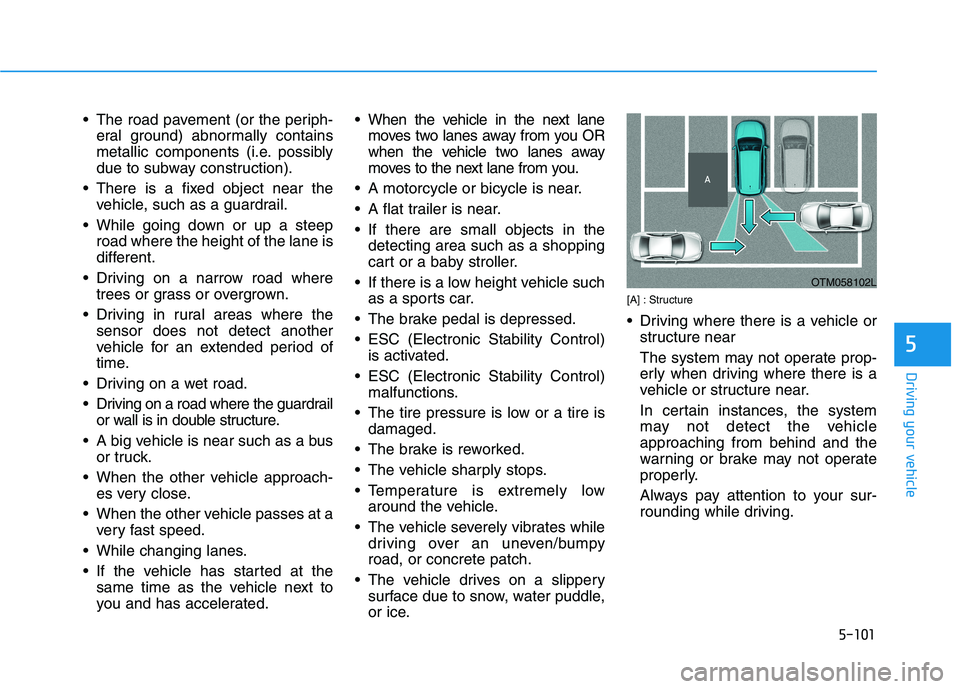
[A] : Structure
Driving where there is a vehicle or
structure near
The system may not operate prop-
erly when driving where there is a
vehicle or structure near.
In certain instances, the system
may not detect the vehicle
approaching from behind and the
warning or brake may not operate
properly.
Always pay attention to your sur-
rounding while driving.
OTM058102L
Page 412 of 612
![HYUNDAI PALISADE 2021 Workshop Manual 5-103
Driving your vehicle
5
[A] : Structure, [B] : Wall
Pulling into the parking space
where there is a structure
The system may not operate prop-
erly when pulling in the vehicle to
the parking sp](/img/35/41162/w960_41162-411.png "HYUNDAI PALISADE 2021 Workshop Manual 5-103
Driving your vehicle
5
[A] : Structure, [B] : Wall
Pulling into the parking space
where there is a structure
The system may not operate prop-
erly when pulling in the vehicle to
the parking sp")
5-103
Driving your vehicle
5
[A] : Structure, [B] : Wall
Pulling into the parking space
where there is a structure
The system may not operate prop-
erly when pulling in the vehicle to
the parking space where there is a
structure at the back or side of your
vehicle.
In certain instances, when backing
into the parking space, the system
may falsely detect the vehicle mov-
ing in front of your vehicle. In this
case, the warning or brake may
operate.
Always pay attention to the parking
space while driving. When the vehicle is parked rear-
ward
If the vehicle is parked rearward
and the sensor detects the another
vehicle in the rear area of the park-
ing space, the system can warn or
control braking. Always pay atten-
tion to the parking space while
driving.
Information
This device complies with Part 15 of
the FCC rules.
Operation is subject to the following
two conditions:
1. This device may not cause harmful
interference.
2. This device must accept any inter-
ference received, including interfer-
ence that may cause undesired
operation.
i
OTM058106LOTM058107
Page 418 of 612
5-109
Driving your vehicle
5
There are more than two lane
markers on the road in front of you.
The lane marker is very thick or
thin.
The lane is very wide or narrow.
The lane marker ahead is not visi-
ble due to rain, snow, water on the
road, damaged or stained road
surface, or other factors.
The shadow is on the lane marker
by a median strip, trees, guardrail,
noise barriers, etc.
The lane markers are complicated
or a structure substitutes for the
lines such as a construction area.
There are crosswalk signs or other
symbols on the road.
The lane marker in a tunnel is
stained with oil, etc.
The lane suddenly disappears
such as at the intersection.When external condition is inter-
vened
The brightness outside changes
suddenly such as when entering or
exiting a tunnel, or when passing
under a bridge.
The brightness outside is too low
such as when the headlamps are
not on at night or the vehicle is
going through a tunnel.
There is a boundary structure in
the roadway such as a concrete
barrier, guardrail and reflector post
that is inadvertently being detected
by the camera.
When light coming from a street
light or an oncoming vehicle is
reflected on a wet road surface
such as a puddle in the road.
The field of view in front is
obstructed by sun glare.
There is not enough distance
between you and the vehicle in
front to be able to detect the lane
marker or the vehicle ahead is driv-
ing on the lane marker. Driving on a steep grade, over a
hill, or when driving on a curved
road.
The adverse road conditions cause
excessive vehicle vibrations while
driving.
The surrounding of the inside rear
view mirror temperature is high
due to direct sunlight, etc.
The sensor recognition changes
suddenly when passing over a
speed bump or driving on a steep
up/down or right/left grade
When front visibility is poor
The windshield or the camera lens
is covered with dirt or debris.
The windshield glass is fogged up;
a clear view of the road is obstruct-
ed.
Placing objects on the dashboard,
etc.
The sensor cannot detect the lane
because of fog, heavy rain or snow.
Page 421 of 612
5-112
Driving your vehicle
Note that the vehicle
speed must be at least
approximately 40 mph
(64 km/h) to ENABLE the
LKA system. The indicator in the
cluster will illuminate green.
The color of indicator will change
depending on the condition of LKA
system.
- White :Sensor does not detect
lane markers or vehicle
speed is under 40 mph (64
km/h).
- Green : Sensor detects lane mark-
ers and the system is able
to control vehicle steering.
Information
If the indicator (white) is activated
from the previous ignition cycle, the
system will turn ON without any addi-
tional control. If you press the LKA
switch again, the indicator on the clus-
ter goes off.
LKA system operation
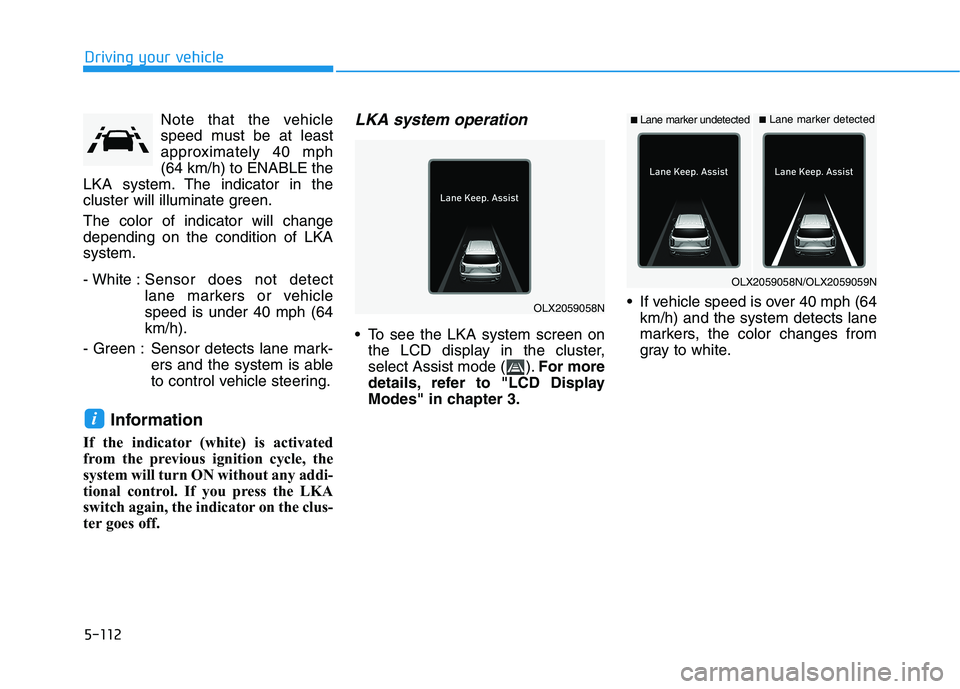
To see the LKA system screen on
the LCD display in the cluster,
select Assist mode ( ).For more
details, refer to "LCD Display
Modes" in chapter 3. If vehicle speed is over 40 mph (64
km/h) and the system detects lane
markers, the color changes from
gray to white.
i
OLX2059058N
■Lane marker undetected■Lane marker detected
OLX2059058N/OLX2059059N
Page 425 of 612
5-116
Driving your vehicle
The lane marker is indistinct or
damaged.
The lane marker is merged or
divided (e.g. tollgate).
The lane number increases or
decreases or the lane marker are
crossing complicatedly.
There are more than two lane
markers on the road in front of you.
The lane marker is very thick or
thin.
The lane is very wide or narrow.
The lane marker ahead is not visible
due to rain, snow, water on the
road, damaged or stained road sur-
face, or other factors.
The shadow is on the lane marker
by a median strip, trees, guardrail,
noise barriers, etc.
The lane markers are complicated
or a structure substitutes for the
lines such as a construction area.
There are crosswalk signs or other
symbols on the road.
The lane marker in a tunnel is
stained with oil, etc.
The lane suddenly disappears
such as at the intersection.When external condition is inter-
vened
The brightness outside changes
suddenly such as when entering or
exiting a tunnel, or when passing
under a bridge.
The brightness outside is too low
such as when the headlamps are
not on at night or the vehicle is
going through a tunnel.
There is a boundary structure in
the roadway such as a concrete
barrier, guardrail and reflector post
that is inadvertently being detected
by the camera.
When light coming from a street
light or an oncoming vehicle is
reflected on a wet road surface
such as a puddle in the road.
The field of view in front is
obstructed by sun glare.
There is not enough distance
between you and the vehicle in
front to be able to detect the lane
marker or the vehicle ahead is driv-
ing on the lane marker. Driving on a steep grade, over a
hill, or when driving on a curved
road.
The adverse road conditions cause
excessive vehicle vibrations while
driving.
The surrounding of the inside rear
view mirror temperature is high
due to direct sunlight, etc.
When front visibility is poor
The windshield or the camera lens
is blocked with dirt or debris.
The windshield glass is fogged up;
a clear view of the road is obstruct-
ed.
Placing objects on the dashboard,
etc.
The sensor cannot detect the lane
because of fog, heavy rain or snow.
Page 430 of 612
5-121
Driving your vehicle
5
The Driver Attention Warning sys-
tem utilizes the camera sensor on
the front windshield for its opera-
tion. To keep the camera sensor in
the best condition, you should
observe the followings:
NEVER install any accessories
or stickers on the front wind-
shield, or tint the front wind-
shield.
NEVER place any reflective
objects (i.e. white paper, mirror)
over the crash pad. Any light
reflection may prevent the sys-
tem from functioning properly.
Pay extreme caution to keep the
camera sensor dry.
Never disassemble the camera
assembly, or apply any impact
on the camera assembly.
If the sensor is forcibly moved
out of proper alignment, the sys-
tem may not operate correctly.
Take your vehicle to an author-
ized HYUNDAI dealer and have
the system checked for calibra-
tion.
NOTICE
The Driver Attention Warning
(DAW) system may not provide
alerts in the following situa-
tions:
The lane detection perform-
ance is limited. (For more
details, refer to "Lane Keeping
Assist (LKA) system" in this
chapter.)
The vehicle is erratically driv-
en or is abruptly turned for
obstacle avoidance (e.g. con-
struction area, other vehicles,
fallen objects, bumpy road).
Forward drivability of the vehi-
cle is severely undermined
(possibly due to wide variation
in tire pressures, uneven tire
wear-out, toe-in/toe-out align-
ment).
The vehicle drives on a curvy
road.
The vehicle drives on a bumpy
road.
The vehicle drives through a
windy area.
The vehicle is controlled by the
following driving assist sys-
tems:
- Forward Collision-avoidance
Assist (FCA)
- Smart Cruise Control (SCC)
- Lane Following Assist (LFA)
- Lane Keeping Assist (LKA)
- Blind-Spot Collision-
Avoidance Assist (BCA)
- Highway Driving Assist
(HDA)
CAUTION
Playing the vehicle audio sys-
tem at high volume may prevent
occupants from hearing the
Driver Attention Warning (DAW)
system warning sounds.
CAUTION
Page 443 of 612
5-134
Driving your vehicle
To temporarily accelerate with
the Smart Cruise Control on
If you want to speed up temporarily
when the Smart Cruise Control is on,
depress the accelerator pedal.
Increased speed will not interfere
with Smart Cruise Control operation
or change the set speed.
To return to the set speed, take your
foot off the accelerator pedal.
If you push the toggle switch down
(SET-) at increased speed, the cruis-
ing speed will be set again corre-
sponding to the pedal position.
Smart Cruise Control set speed
will be temporarily canceled
when:
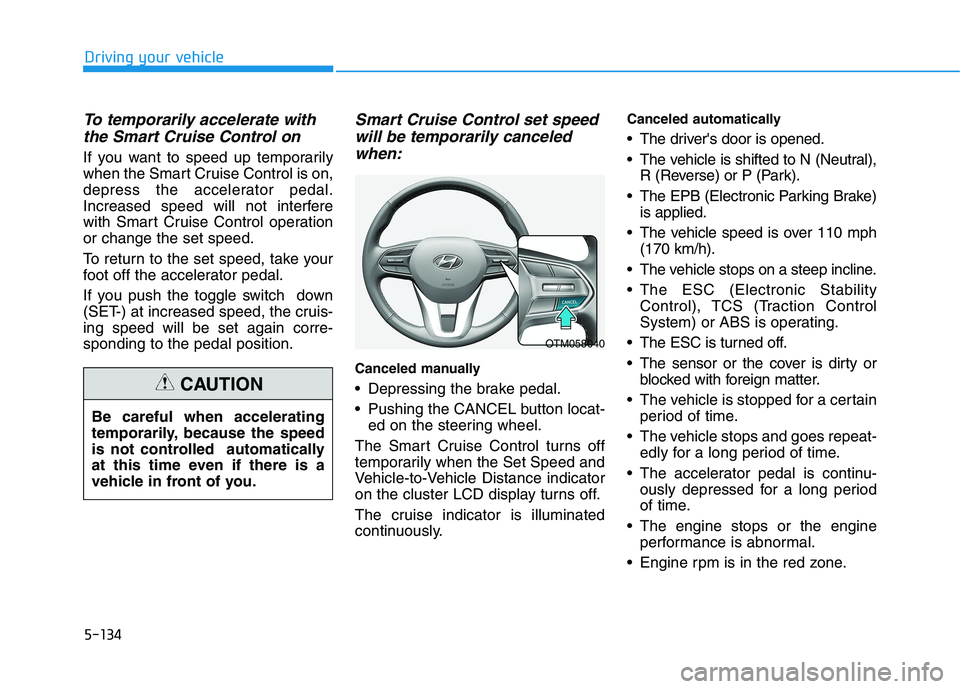
Canceled manually
Depressing the brake pedal.
Pushing the CANCEL button locat-
ed on the steering wheel.
The Smart Cruise Control turns off
temporarily when the Set Speed and
Vehicle-to-Vehicle Distance indicator
on the cluster LCD display turns off.
The cruise indicator is illuminated
continuously.
Canceled automatically
The driver's door is opened.
The vehicle is shifted to N (Neutral),
R (Reverse) or P (Park).
The EPB (Electronic Parking Brake)
is applied.
The vehicle speed is over 110 mph
(170 km/h).
The vehicle stops on a steep incline.
The ESC (Electronic Stability
Control), TCS (Traction Control
System) or ABS is operating.
The ESC is turned off.
The sensor or the cover is dirty or
blocked with foreign matter.
The vehicle is stopped for a certain
period of time.
The vehicle stops and goes repeat-
edly for a long period of time.
The accelerator pedal is continu-
ously depressed for a long period
of time.
The engine stops or the engine
performance is abnormal.
Engine rpm is in the red zone. Be careful when accelerating
temporarily, because the speed
is not controlled automatically
at this time even if there is a
vehicle in front of you.
CAUTION
OTM058040
Page 448 of 612
5-139
Driving your vehicle
5
In traffic situation
Use switch or pedal to accelerate
In traffic, your vehicle will stop if the
vehicle ahead of you stops. Also, if
the vehicle ahead of you starts
moving, your vehicle will start as
well. However, if the vehicle stops
for more than 3 seconds, you must
depress the accelerator pedal or
push up the toggle switch (RES+)
or push down the toggle switch
(SET-) to start driving. If you push the smart cruise control
toggle switch (RES+ or SET-) while
Auto Hold and smart cruise control
is operating the Auto Hold will be
released regardless of accelerator
pedal operation and the vehicle will
start to move. The AUTO HOLD
indicator changes from green to
white.
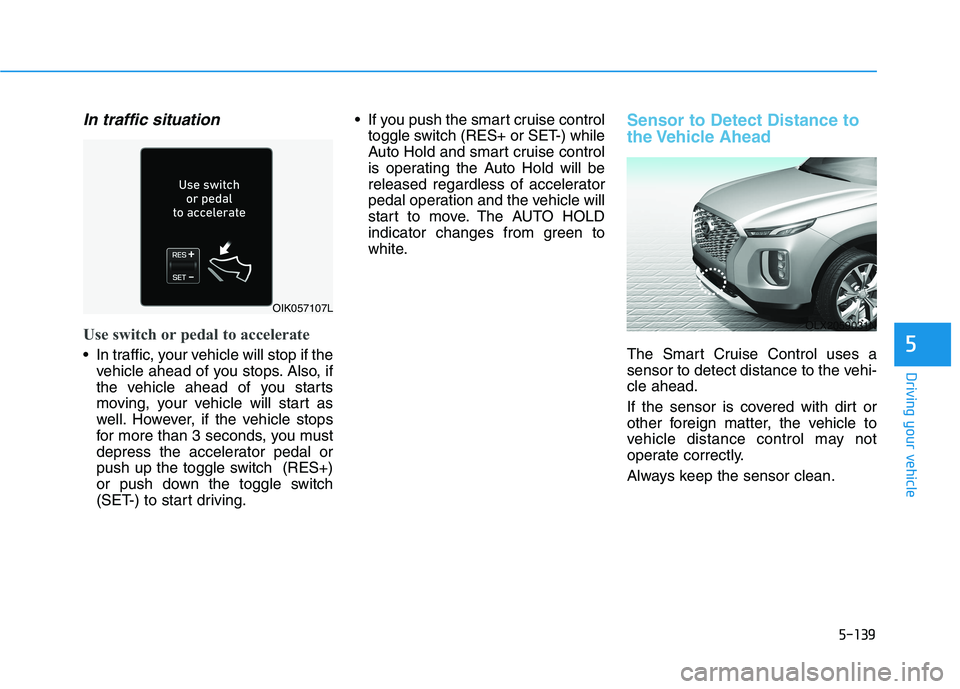
Sensor to Detect Distance to
the Vehicle Ahead
The Smart Cruise Control uses a
sensor to detect distance to the vehi-
cle ahead.
If the sensor is covered with dirt or
other foreign matter, the vehicle to
vehicle distance control may not
operate correctly.
Always keep the sensor clean.
OIK057107L
OLX2059031N
Page 449 of 612
5-140
Driving your vehicle
Warning message
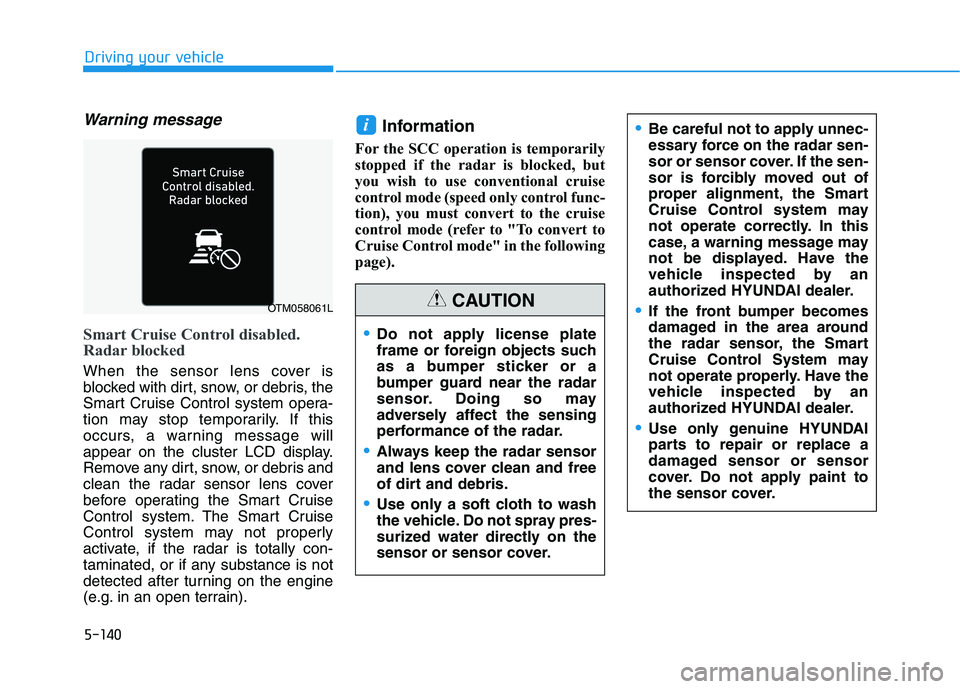
Smart Cruise Control disabled.
Radar blocked
When the sensor lens cover is
blocked with dirt, snow, or debris, the
Smart Cruise Control system opera-
tion may stop temporarily. If this
occurs, a warning message will
appear on the cluster LCD display.
Remove any dirt, snow, or debris and
clean the radar sensor lens cover
before operating the Smart Cruise
Control system. The Smart Cruise
Control system may not properly
activate, if the radar is totally con-
taminated, or if any substance is not
detected after turning on the engine
(e.g. in an open terrain).
Information
For the SCC operation is temporarily
stopped if the radar is blocked, but
you wish to use conventional cruise
control mode (speed only control func-
tion), you must convert to the cruise
control mode (refer to "To convert to
Cruise Control mode" in the following
page).
i
OTM058061L
Do not apply license plate
frame or foreign objects such
as a bumper sticker or a
bumper guard near the radar
sensor. Doing so may
adversely affect the sensing
performance of the radar.
Always keep the radar sensor
and lens cover clean and free
of dirt and debris.
Use only a soft cloth to wash
the vehicle. Do not spray pres-
surized water directly on the
sensor or sensor cover.
CAUTION
Be careful not to apply unnec-
essary force on the radar sen-
sor or sensor cover. If the sen-
sor is forcibly moved out of
proper alignment, the Smart
Cruise Control system may
not operate correctly. In this
case, a warning message may
not be displayed. Have the
vehicle inspected by an
authorized HYUNDAI dealer.
If the front bumper becomes
damaged in the area around
the radar sensor, the Smart
Cruise Control System may
not operate properly. Have the
vehicle inspected by an
authorized HYUNDAI dealer.
Use only genuine HYUNDAI
parts to repair or replace a
damaged sensor or sensor
cover. Do not apply paint to
the sensor cover.