esc off button HYUNDAI PALISADE 2022 User Guide
[x] Cancel search | Manufacturer: HYUNDAI, Model Year: 2022, Model line: PALISADE, Model: HYUNDAI PALISADE 2022Pages: 663, PDF Size: 15.74 MB
Page 373 of 663
5-39
Driving your vehicle
5
Driving with wheels and tires with dif-
ferent sizes may cause the ESC sys-
tem to malfunction. Before replacing
tires, make sure all four tires and
wheels are the same size. Never
drive the vehicle with different sized
tires and wheels installed.Hill-Start Assist Control (HAC)
The Hill-Start Assist Control (HAC)
helps prevent the vehicle from rolling
backwards when starting a vehicle
from a stop on a hill. The system
operates the brakes automatically for
approximately 2 seconds and releas-
es the brake after 2 seconds or when
the accelerator pedal is depressed.
The HAC does not operate whenthe vehicle is shifted to P (Park)
or N (Neutral)
The HAC activates even though the ESC (Electronic Stability
Control) is off but does not acti-
vate when the ESC has malfunc-
tioned.
Downhill Brake Control (DBC)
(if equipped)
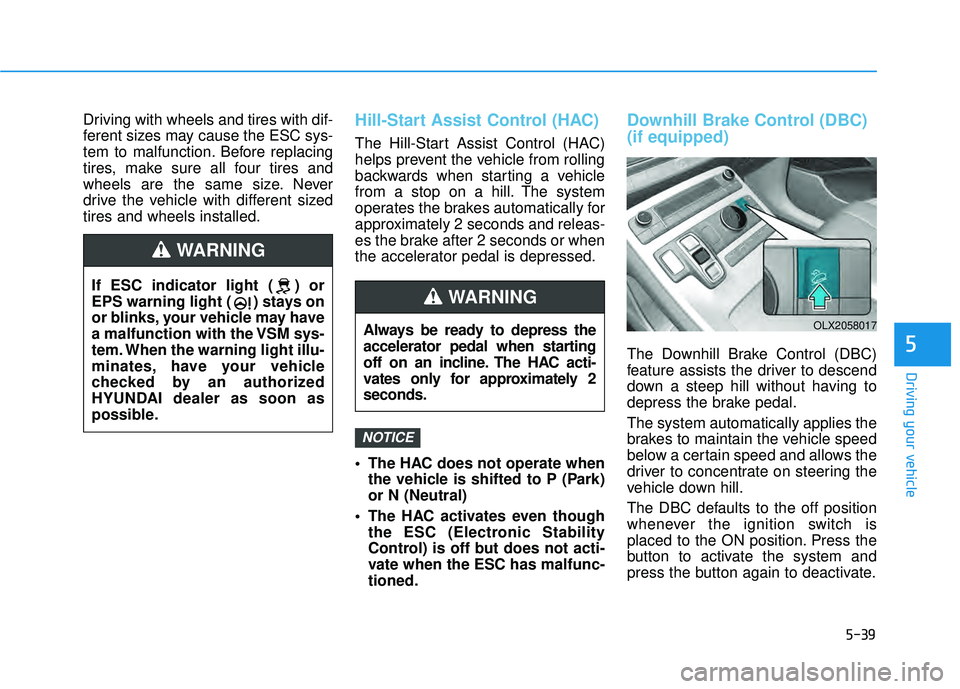
The Downhill Brake Control (DBC)
feature assists the driver to descend
down a steep hill without having to
depress the brake pedal.
The system automatically applies the
brakes to maintain the vehicle speed
below a certain speed and allows the
driver to concentrate on steering the
vehicle down hill.
The DBC defaults to the off position
whenever the ignition switch is
placed to the ON position. Press the
button to activate the system and
press the button again to deactivate.
NOTICE
Always be ready to depress the
accelerator pedal when starting
off on an incline. The HAC acti-
vates only for approximately 2
seconds.
WARNING
OLX2058017
If ESC indicator light ( ) or
EPS warning light ( ) stays on
or blinks, your vehicle may have
a malfunction with the VSM sys-
tem. When the warning light illu-
minates, have your vehicle
checked by an authorized
HYUNDAI dealer as soon as
possible.
WARNING
Page 374 of 663
5-40
Driving your vehicle
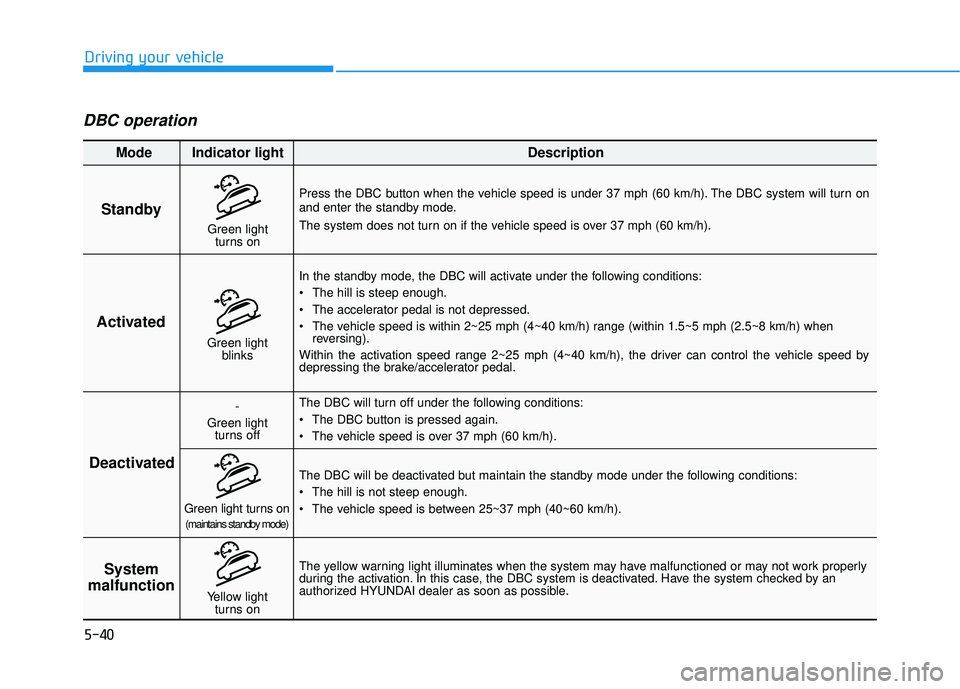
DBC operation
Standby
Press the DBC button when the vehicle speed is under 37 mph (60 km/h). The DBC system will turn on
and enter the standby mode.
The system does not turn on if the vehicle speed is over 37 mph (60 km/h).In the standby mode, the DBC will activate under the following conditions:
The hill is steep enough.
The accelerator pedal is not depressed.
The vehicle speed is within 2~25 mph (4~40 km/h) range (within 1.5~5 mph (2.5~8 km/h) when reversing).
Within the activation speed range 2~25 mph (4~40 km/h), the driver can control the vehicle speed by
depressing the brake/accelerator pedal.
The DBC will turn off under the following conditions:
The DBC button is pressed again.
The vehicle speed is over 37 mph (60 km/h).
The yellow warning light illuminates when the system may have malfunctioned or may not work properly
during the activation. In this case, the DBC system is deactivated. Have the system checked by an
authorized HYUNDAI dealer as soon as possible. The DBC will be deactivated but maintain the standby mode under the following conditions:
The hill is not steep enough.
The vehicle speed is between 25~37 mph (40~60 km/h).
Activated
Deactivated System
malfunction
Mode Indicator light Description
Green light
blinks
-
Green light turns off
Green light turns on(maintains standby mode)
Yellow light turns on
Green lightturns on
Page 384 of 663
5-50
Driving your vehicle
The Idle Stop and Go (ISG) system
automatically and temporarily shuts
down the engine when the vehicle is
stopped and idling to improve fuel
efficiency and reduce exhaust gas
emissions. (i.e. red stop light, stop
sign, and traffic jam).
The engine is automatically started
upon satisfying the starting condi-
tions.
The ISG system is always active,
when the engine is running.
Information
When the engine is automatically
started by the ISG system, some warn-
ing lights (i.e. ABS, ESC, ESC OFF,
EPS, and parking brake warning
light) may illuminate for a few sec-
onds due to the low battery voltage.
However, it does not indicate a mal-
function with the ISG system.
To Activate the ISG System
Prerequisite for activation
The ISG system operates in the fol-
lowing situations.
The driver's seatbelt is fastened
The driver's door and hood are closed
The brake vacuum pressure is adequate
The battery sensor is activated and the battery is sufficiently charged
Outside temperature is not too low or too high
The vehicle is driven over a con- stant speed and stops
The climate control system satis- fies the conditions
The vehicle is sufficiently warmed up
The incline is gradual
The steering wheel is turned less than 180 degrees and then the
vehicle stops
Information
The ISG system is
not activated, when
the prerequisites to
activate the ISG sys-
tem are unsatisfied.
In this case, the ISG
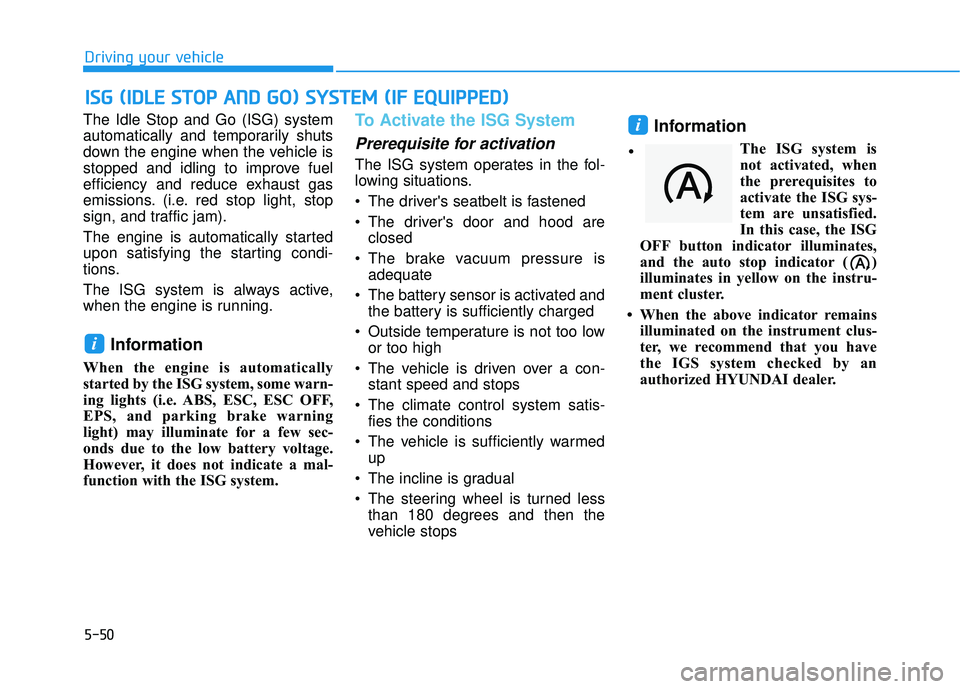
OFF button indicator illuminates,
and the auto stop indicator ( )
illuminates in yellow on the instru-
ment cluster.
• When the above indicator remains illuminated on the instrument clus-
ter, we recommend that you have
the IGS system checked by an
authorized HYUNDAI dealer.
i
i
I IS S G G ( ( I ID D L LE E S S T T O O P P A A N N D D G G O O ) ) S S Y Y S ST T E EM M ( ( I IF F E E Q Q U UI IP P P PE ED D ) )
•
Page 399 of 663
5-65
Driving your vehicle
5
- If 'Warning Only' is selected, thefunction will warn the driver with a
warning message and an audible
warning depending on the collision
risk levels. Braking will not be
assisted.
- If 'Off' is selected, the function will turn off. The warning light will
illuminate on the cluster.
The driver can monitor Forward
Collision-Avoidance Assist ON/OFF
status from the Settings menu. If the warning light remains ON when
the function is ON, have the vehicle
inspected by an authorized
HYUNDAI dealer.
Information
Forward Collision-Avoidance Assist
will turn off when ESC is turned off
by pressing and holding the ESC OFF
button. The warning light will
illuminate on the instrument cluster.
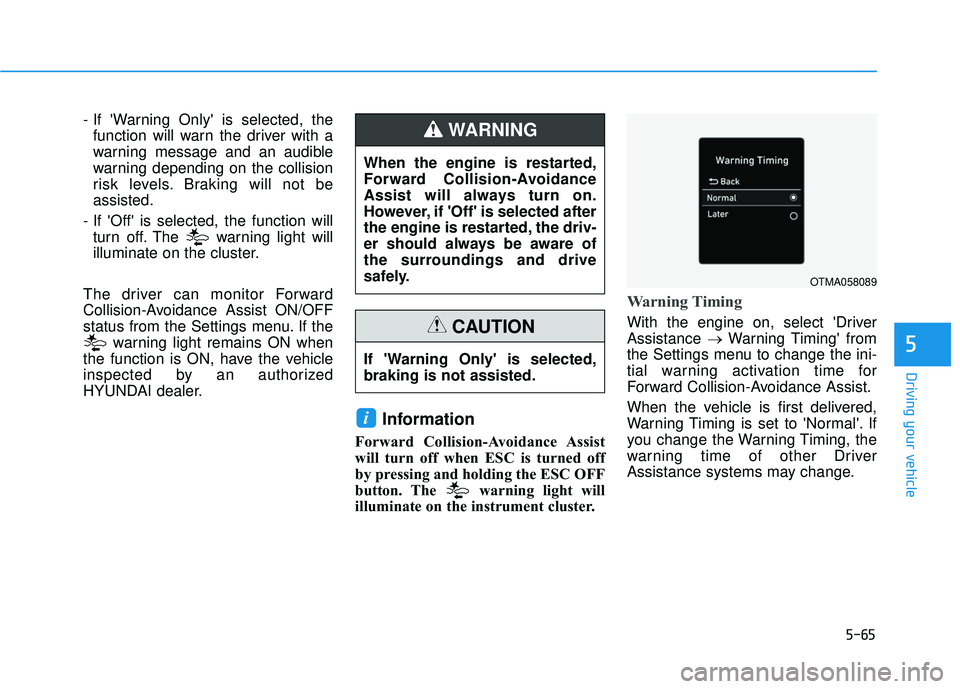
Warning Timing
With the engine on, select 'Driver
Assistance →Warning Timing' from
the Settings menu to change the ini-
tial warning activation time for
Forward Collision-Avoidance Assist.
When the vehicle is first delivered,
Warning Timing is set to 'Normal'. If
you change the Warning Timing, the
warning time of other Driver
Assistance systems may change.
i
When the engine is restarted,
Forward Collision-Avoidance
Assist will always turn on.
However, if 'Off' is selected after
the engine is restarted, the driv-
er should always be aware of
the surroundings and drive
safely.
WARNING
If 'Warning Only' is selected,
braking is not assisted.
CAUTION
OTMA058089
Page 402 of 663
5-68
Driving your vehicle
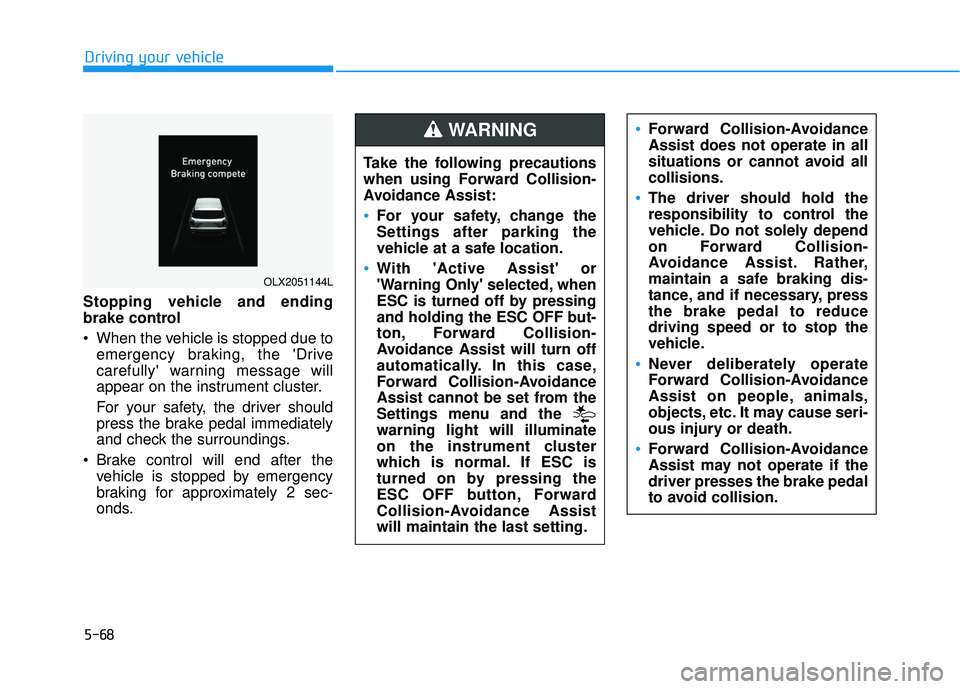
Stopping vehicle and ending
brake control
When the vehicle is stopped due to emergency braking, the 'Drive
carefully' warning message will
appear on the instrument cluster.
For your safety, the driver should
press the brake pedal immediately
and check the surroundings.
Brake control will end after the vehicle is stopped by emergency
braking for approximately 2 sec-
onds.
OLX2051144L
Take the following precautions
when using Forward Collision-
Avoidance Assist:
For your safety, change the
Settings after parking the
vehicle at a safe location.
With 'Active Assist' or
'Warning Only' selected, when
ESC is turned off by pressing
and holding the ESC OFF but-
ton, Forward Collision-
Avoidance Assist will turn off
automatically. In this case,
Forward Collision-Avoidance
Assist cannot be set from the
Settings menu and the
warning light will illuminate
on the instrument cluster
which is normal. If ESC is
turned on by pressing the
ESC OFF button, Forward
Collision-Avoidance Assist
will maintain the last setting.
Forward Collision-Avoidance
Assist does not operate in all
situations or cannot avoid all
collisions.
The driver should hold the
responsibility to control the
vehicle. Do not solely depend
on Forward Collision-
Avoidance Assist. Rather,
maintain a safe braking dis-
tance, and if necessary, press
the brake pedal to reduce
driving speed or to stop the
vehicle.
Never deliberately operate
Forward Collision-Avoidance
Assist on people, animals,
objects, etc. It may cause seri-
ous injury or death.
Forward Collision-Avoidance
Assist may not operate if the
driver presses the brake pedal
to avoid collision.
WARNING