display HYUNDAI PALISADE 2022 Owners Manual
[x] Cancel search | Manufacturer: HYUNDAI, Model Year: 2022, Model line: PALISADE, Model: HYUNDAI PALISADE 2022Pages: 663, PDF Size: 15.74 MB
Page 80 of 663
2-63
Safety system of your vehicle
2
How Does the Air Bag System
Operate?
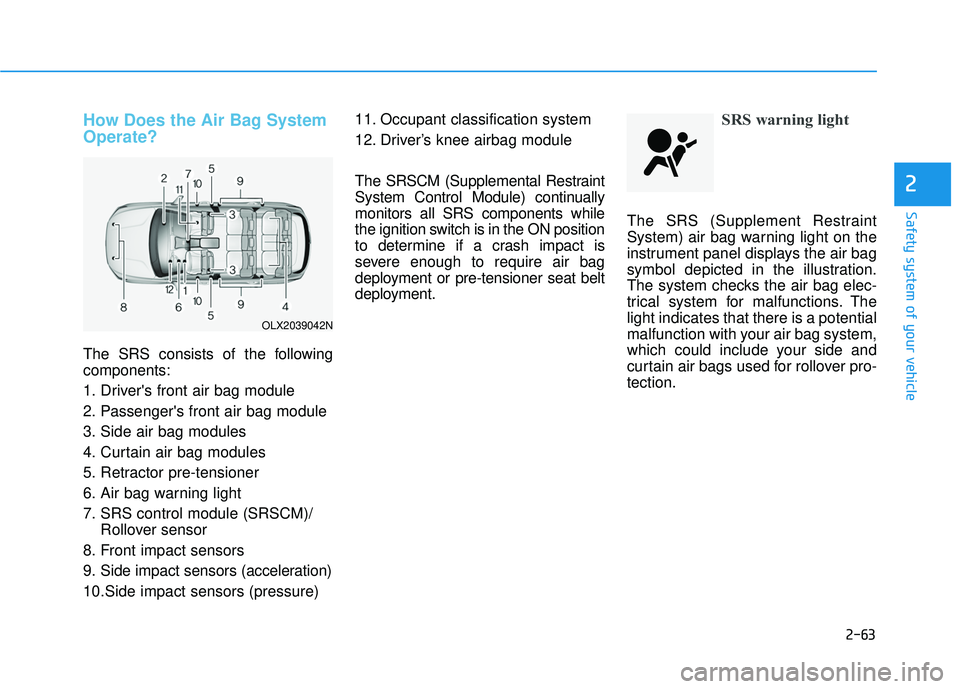
The SRS consists of the following
components:
1. Driver's front air bag module
2. Passenger's front air bag module
3. Side air bag modules
4. Curtain air bag modules
5. Retractor pre-tensioner
6. Air bag warning light
7. SRS control module (SRSCM)/Rollover sensor
8. Front impact sensors
9. Side impact sensors (acceleration)
10.Side impact sensors (pressure) 11. Occupant classification system
12. Driver’s knee airbag module
The SRSCM (Supplemental Restraint
System Control Module) continually
monitors all SRS components while
the ignition switch is in the ON position
to determine if a crash impact is
severe enough to require air bag
deployment or pre-tensioner seat belt
deployment.
SRS warning light
The SRS (Supplement Restraint
System) air bag warning light on the
instrument panel displays the air bag
symbol depicted in the illustration.
The system checks the air bag elec-
trical system for malfunctions. The
light indicates that there is a potential
malfunction with your air bag system,
which could include your side and
curtain air bags used for rollover pro-
tection.
OLX2039042N
Page 98 of 663
Instrument Cluster ...............................................3-82
Instrument Cluster Control............................................3-84
Gauges and Meters ........................................................3-84
Transmission Shift Indicator .........................................3-89
Warning and Indicator Lights .......................................3-89
LCD Display Messages .................................................3-103
LCD Display (Cluster type A and type B) .......3-109
LCD Display Control......................................................3-109
LCD Display Modes .....................................................3-110
Trip Computer (Cluster type A and type B) ...3-123
Trip modes ......................................................................3-\
123
LCD Display (Cluster type C)............................3-127
LCD Display Control......................................................3-127
View Modes ..................................................................3-128
Option Menu (Cluster type C) ..........................3-132
Head Up Display (HUD).....................................3-143
Lighting................................................................3-145
Exterior Lights ...............................................................3-145
Interior Lights ................................................................3-149
Welcome System ..........................................................3-152
High Beam Assist (HBA) ..................................3-154
High Beam Assist setting ............................................3-154
High Beam Assist operation .......................................3-155
High Beam Assist malfunction and limitations ......3-156
Wipers and washers .........................................3-158
Front Windshield Wipers ...........................................3-158
Front Windshield Washers ........................................3-160
Rear Window Wiper and Washer..............................3-161
Rear View Monitor (RVM) ................................3-162
Rear View Monitor settings .......................................3-162
Rear View Monitor operation ....................................3-163
Rear View Monitor malfunction and limitations ...3-165
Reverse Parking Distance Warning (PDW) ....3-166
Reverse Parking Distance Warning settings ..........3-166
Reverse Parking Distance Warning operation .......3-166
Reverse Parking Distance Warning malfunction
and precautions.............................................................3-167
Forward/Reverse Parking Distance
Warning (PDW) .................................................3-170
Reverse Parking Distance Warning settings ..........3-170
Forward/Reverse Parking Distance Warning
operation ........................................................................\
.3-171
Forward/Reverse Parking Distance Warning
malfunction and precautions .....................................3-173
Surround View Monitor (SVM) .......................3-176
Surround View Monitor settings ...............................3-176
Surround View Monitor operation............................3-178
Surround View Monitor malfunction and
limitations ........................................................................\
3-180
3
Page 101 of 663
3-5
Convenience Features
3
Unlocking your vehicle
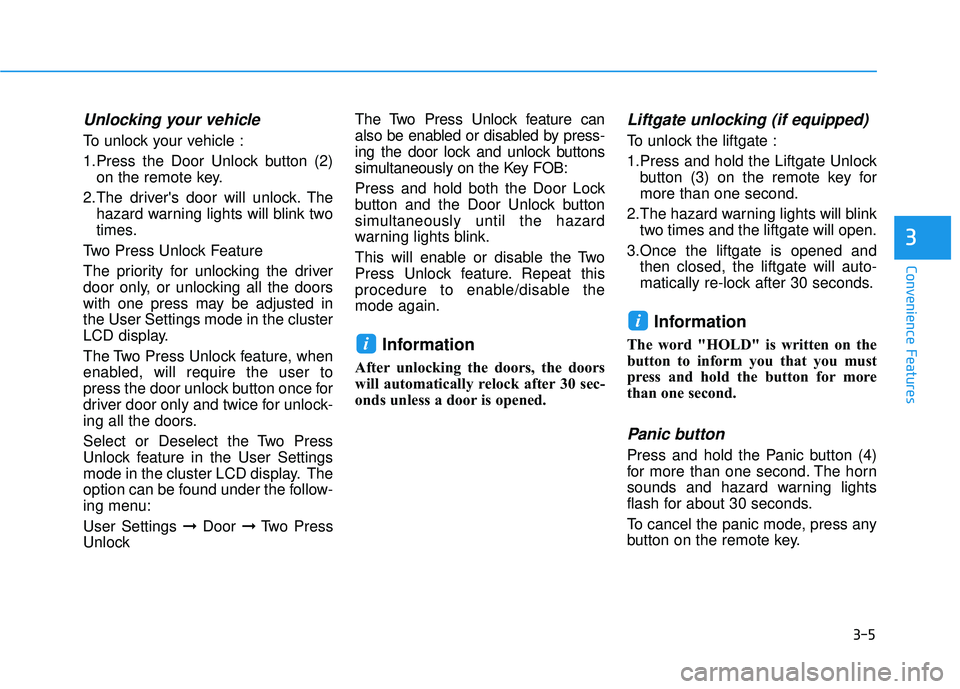
To unlock your vehicle :
1.Press the Door Unlock button (2)on the remote key.
2.The driver's door will unlock. The hazard warning lights will blink two
times.
Two Press Unlock Feature
The priority for unlocking the driver
door only, or unlocking all the doors
with one press may be adjusted in
the User Settings mode in the cluster
LCD display.
The Two Press Unlock feature, when
enabled, will require the user to
press the door unlock button once for
driver door only and twice for unlock-
ing all the doors.
Select or Deselect the Two Press
Unlock feature in the User Settings
mode in the cluster LCD display. The
option can be found under the follow-
ing menu:
User Settings ➞ Door ➞Two Press
Unlock The Two Press Unlock feature can
also be enabled or disabled by press-
ing the door lock and unlock buttons
simultaneously on the Key FOB:
Press and hold both the Door Lock
button and the Door Unlock button
simultaneously until the hazard
warning lights blink.
This will enable or disable the Two
Press Unlock feature. Repeat this
procedure to enable/disable the
mode again.
Information
After unlocking the doors, the doors
will automatically relock after 30 sec-
onds unless a door is opened.
Liftgate unlocking (if equipped)
To unlock the liftgate :
1.Press and hold the Liftgate Unlock
button (3) on the remote key for
more than one second.
2.The hazard warning lights will blink two times and the liftgate will open.
3.Once the liftgate is opened and then closed, the liftgate will auto-
matically re-lock after 30 seconds.
Information
The word "HOLD" is written on the
button to inform you that you must
press and hold the button for more
than one second.
Panic button
Press and hold the Panic button (4)
for more than one second. The horn
sounds and hazard warning lights
flash for about 30 seconds.
To cancel the panic mode, press any
button on the remote key.
i
i
Page 105 of 663
3-9
Convenience Features
3
3.Press either the button on the doorhandle or the Door Lock button (1)
on the smart key. The chime will
sound once and the hazard warn-
ing lights will blink.
4.Make sure the doors are locked by checking the position of the door
lock button inside the vehicle.
Information
The door handle button will only
operate when the smart key is within
28~40 inches (0.7~1 m) from the out-
side door handle.
Note that you cannot lock your vehi-
cle using the door handle button if
any of the following occur:
The Smart Key is in the vehicle.
The Engine Start/Stop button is inACC or ON position.
Any of the doors are open except for the liftgate.
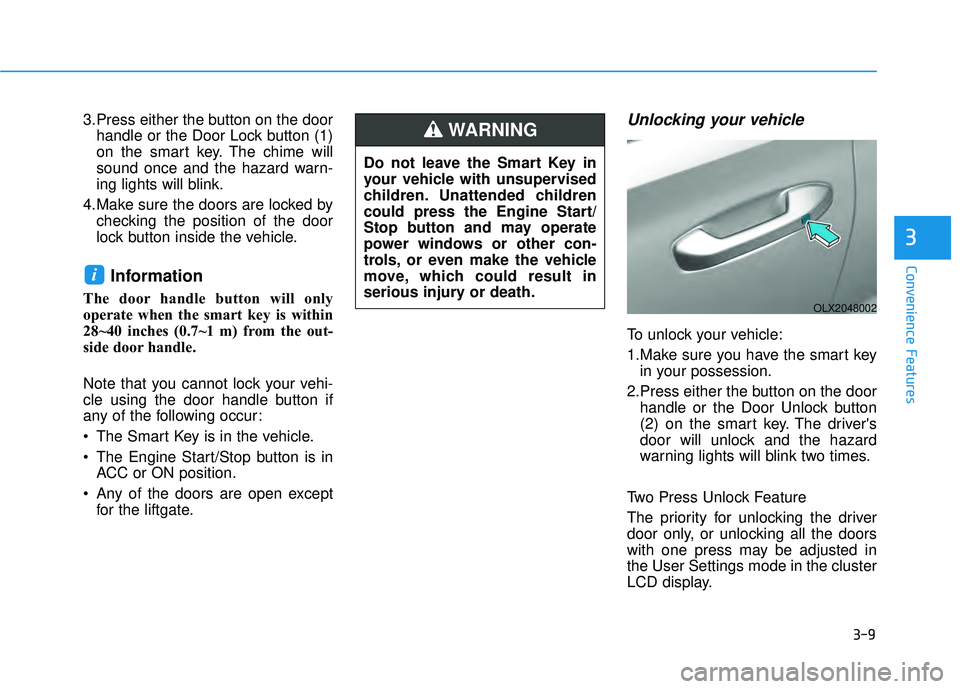
Unlocking your vehicle
To unlock your vehicle:
1.Make sure you have the smart keyin your possession.
2.Press either the button on the door handle or the Door Unlock button
(2) on the smart key. The driver's
door will unlock and the hazard
warning lights will blink two times.
Two Press Unlock Feature
The priority for unlocking the driver
door only, or unlocking all the doors
with one press may be adjusted in
the User Settings mode in the cluster
LCD display.
i
Do not leave the Smart Key in
your vehicle with unsupervised
children. Unattended children
could press the Engine Start/
Stop button and may operate
power windows or other con-
trols, or even make the vehicle
move, which could result in
serious injury or death.
WARNING
OLX2048002
Page 106 of 663
3-10
Convenience Features
The Two Press Unlock feature, when
enabled, will require the user to
press the door unlock button once for
driver door only and twice for unlock-
ing all the doors.
Select or Deselect the Two Press
Unlock feature in the User Settings
mode in the cluster LCD display. The
option can be found under the follow-
ing menu:
User Settings ➞ Door ➞Two Press
Unlock
The Two Press Unlock feature can
also be enabled or disabled by
pressing the door lock and unlock
buttons simultaneously on the Key
FOB:
Press and hold both the Door Lock
button and the Door Unlock button
simultaneously until the hazard
warning lights blink.
This will enable or disable the Two
Press Unlock feature. Repeat this
procedure to enable/disable the
mode again.
Information
• The door handle buttons will only operate when the smart key is with-
in 28-40 inches (0.7~1m) from the
outside door handle.
• Either the driver or front passenger door can be opened with the door
handle button when the smart key is
within this range.
• If you press the front passenger out- side door handle with the smart key
in your possession, all the doors will
unlock.
Remote start (if equipped)
You can start the vehicle using the
remote start button (4) of the smart
key.
To start the vehicle remotely :
- Lock the doors by pressing thedoor lock button (1) within 32 ft (10
m) distance from the vehicle.
- Press the remote start button for over 2 seconds within 4 seconds
after locking the doors. The engine
will start. Press the remote start button once to
turn off the vehicle.
Air conditioner/heater system main-
tains the status before turning off the
vehicle.
If no further action for operating/driv-
ing the vehicle is taken, the vehicle
will be turned off 10 minutes after
starting the vehicle remotely.
i
Laws in your country may
restrict the use of remote start.
You should check country reg-
ulations before using this
remote starting system.
It is only possible to start the
vehicle remotely when shifted
to P (Park).
If the hood or the liftgate is
opened, you cannot start the
vehicle remotely.
The Remote start function
works the same as Blue Link
remote start. For further cau-
tion information, refer to the
separately supplied "Blue
Link (Infotainment system)
manual".
CAUTION
Page 116 of 663
3-20
Convenience Features
Automatic Door Lock and
Unlock Features
Your vehicle is equipped with fea-
tures that will automatically lock or
unlock your vehicle based on set-
tings you select in the cluster LCD
display.
Auto LOCK - Enable on Speed
When this feature is set in the cluster
LCD display, all the doors will be
locked automatically when the vehi-
cle exceeds 9 mph (15 kph).
Auto LOCK - Enable on Shift
When this feature is set in the cluster
LCD display, all the doors will be
locked automatically when the vehi-
cle is shifted out of P (Park) while the
engine is running.
Auto UNLOCK - On shift to P
When this feature is set in the LCD
cluster display, all the doors will be
unlocked automatically when the
vehicle is shifted back into P (Park).
Auto UNLOCK - On key out (if equipped with remote key)
When this feature is set in the LCD
cluster display, all the doors will be
unlocked automatically when the
ignition key is removed from the key
ignition switch.
Auto UNLOCK - Vehicle Off (if equipped with smart key)
When this feature is set in the LCD
cluster display, all the doors will be
unlocked automatically when the
vehicle is off.
For more information on these
features, refer to the LCD Display
section later in this chapter.
Additional Unlock SafetyFeature - Air Bag Deployment
As an additional safety feature, all
doors will be automatically unlocked
when an impact causes the air bags
to deploy.
Opening a door when something
is approaching may cause dam-
age or injury. Be careful when
opening doors and watch for
vehicles, motorcycles, bicycles
or pedestrians approaching the
vehicle in the path of the door.
CAUTION
If you stay in the vehicle for a
long time while the weather is
very hot or cold, there are risks
of injuries or danger to life. Do
not lock the vehicle from the
outside when someone is in the
vehicle.
WARNING
Page 118 of 663
3-22
Convenience Features
The Electronic child safety lock sys-
tem can be operated for approxi-
mately 10 minutes after the engine is
turned off.
If your vehicle is equipped with the
Electronic child safety lock system,
the Child-protector rear door locks
which is manually operated is not
provided.
If Electronic child safety lock system
is activated, rear passenger cannot
open or close the rear window also.
For more details, refer to “Windows”
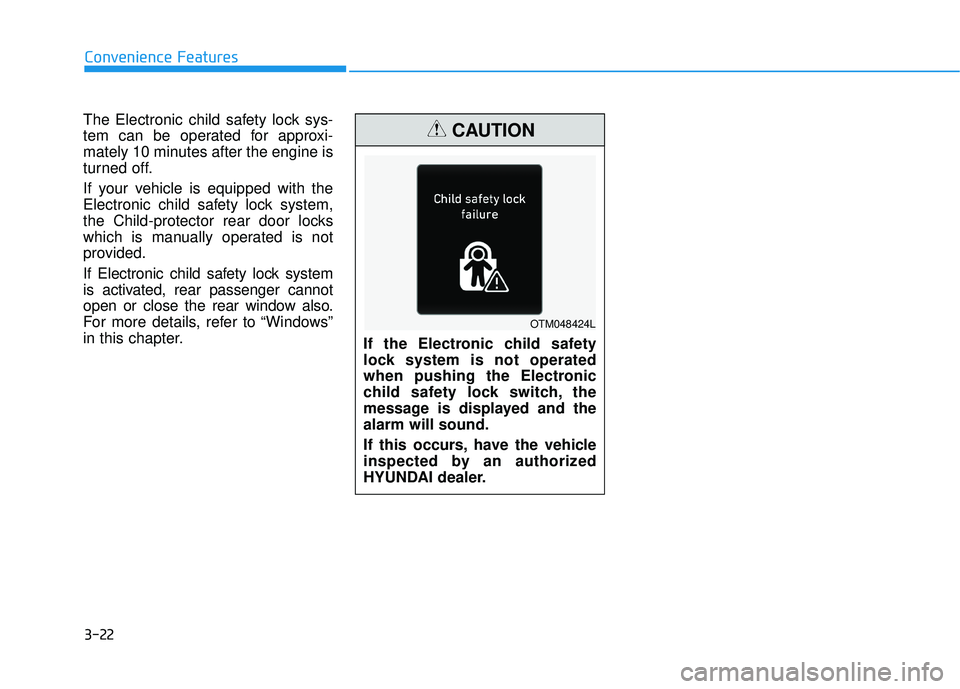
in this chapter. If the Electronic child safety
lock system is not operated
when pushing the Electronic
child safety lock switch, the
message is displayed and the
alarm will sound.
If this occurs, have the vehicle
inspected by an authorized
HYUNDAI dealer.
CAUTION
OTM048424L
Page 122 of 663
3-26
Safe Exit Assist linked with
Electronic child safety lock
When Electric child safety lock isoperating and an approaching
vehicle from the rear area is
detected, the rear doors cannot be
unlocked even if the driver tries to
unlock the rear doors using the
electronic child safety lock button.
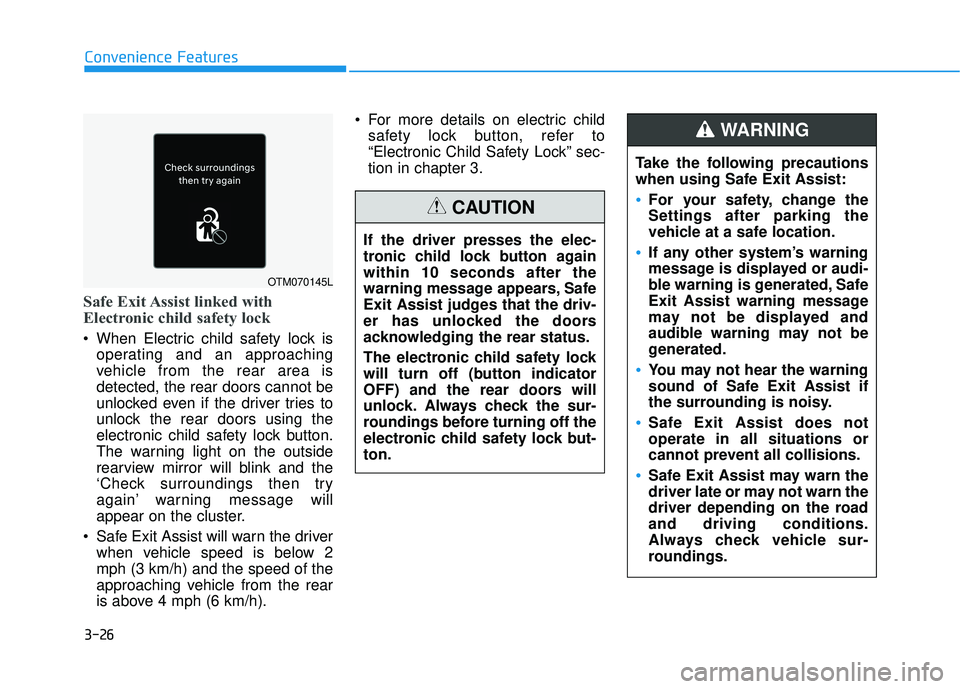
The warning light on the outside
rearview mirror will blink and the
‘Check surroundings then try
again’ warning message will
appear on the cluster.
Safe Exit Assist will warn the driver when vehicle speed is below 2
mph (3 km/h) and the speed of the
approaching vehicle from the rear
is above 4 mph (6 km/h). For more details on electric child
safety lock button, refer to
“Electronic Child Safety Lock” sec-
tion in chapter 3.
Convenience Features
OTM070145L
Take the following precautions
when using Safe Exit Assist:
For your safety, change the
Settings after parking the
vehicle at a safe location.
If any other system’s warning
message is displayed or audi-
ble warning is generated, Safe
Exit Assist warning message
may not be displayed and
audible warning may not be
generated.
You may not hear the warning
sound of Safe Exit Assist if
the surrounding is noisy.
Safe Exit Assist does not
operate in all situations or
cannot prevent all collisions.
Safe Exit Assist may warn the
driver late or may not warn the
driver depending on the road
and driving conditions.
Always check vehicle sur-
roundings.
WARNING
If the driver presses the elec-
tronic child lock button again
within 10 seconds after the
warning message appears, Safe
Exit Assist judges that the driv-
er has unlocked the doors
acknowledging the rear status.
The electronic child safety lock
will turn off (button indicator
OFF) and the rear doors will
unlock. Always check the sur-
roundings before turning off the
electronic child safety lock but-
ton.
CAUTION
Page 125 of 663
3-29
Convenience Features
Rear Occupant Alert (ROA)
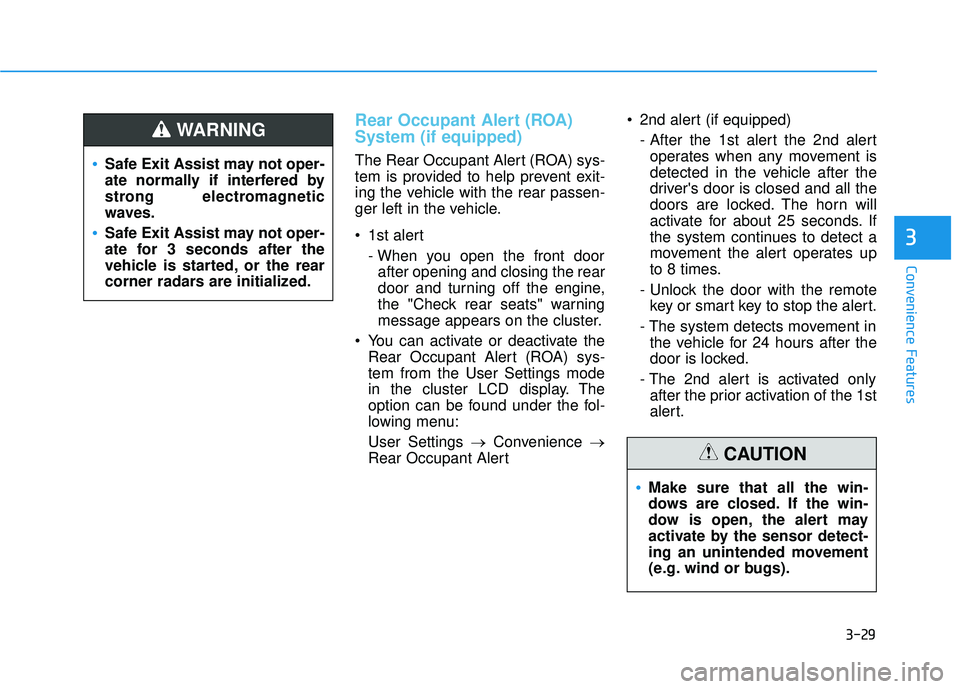
System (if equipped)
The Rear Occupant Alert (ROA) sys-
tem is provided to help prevent exit-
ing the vehicle with the rear passen-
ger left in the vehicle.
1st alert- When you open the front doorafter opening and closing the rear
door and turning off the engine,
the "Check rear seats" warning
message appears on the cluster.
You can activate or deactivate the Rear Occupant Alert (ROA) sys-
tem from the User Settings mode
in the cluster LCD display. The
option can be found under the fol-
lowing menu:
User Settings → Convenience →
Rear Occupant Alert 2nd alert (if equipped)
- After the 1st alert the 2nd alertoperates when any movement is
detected in the vehicle after the
driver's door is closed and all the
doors are locked. The horn will
activate for about 25 seconds. If
the system continues to detect a
movement the alert operates up
to 8 times.
- Unlock the door with the remote key or smart key to stop the alert.
- The system detects movement in the vehicle for 24 hours after the
door is locked.
- The 2nd alert is activated only after the prior activation of the 1st
alert.
3
Safe Exit Assist may not oper-
ate normally if interfered by
strong electromagnetic
waves.
Safe Exit Assist may not oper-
ate for 3 seconds after the
vehicle is started, or the rear
corner radars are initialized.
WARNING
Make sure that all the win-
dows are closed. If the win-
dow is open, the alert may
activate by the sensor detect-
ing an unintended movement
(e.g. wind or bugs).
CAUTION
Page 126 of 663
3-30
Convenience Features
Even if your vehicle is
equipped with the Rear
Occupant Alert (ROA) system,
always make sure you check
the rear seat before you get
off the vehicle.
The alert may not operate if:
- The movement does notcontinue for a certain period
of time or the movement is
small.
- The rear passenger is cov- ered with an obstacle such
as a blanket.
- Also, always be cautious of the passenger’s safety as
the detection function and
2nd alert may not operate
according to the surround-
ing environment and certain
conditions.
- If a child sits on a vehicle seat without a child restraint
system.
WARNING
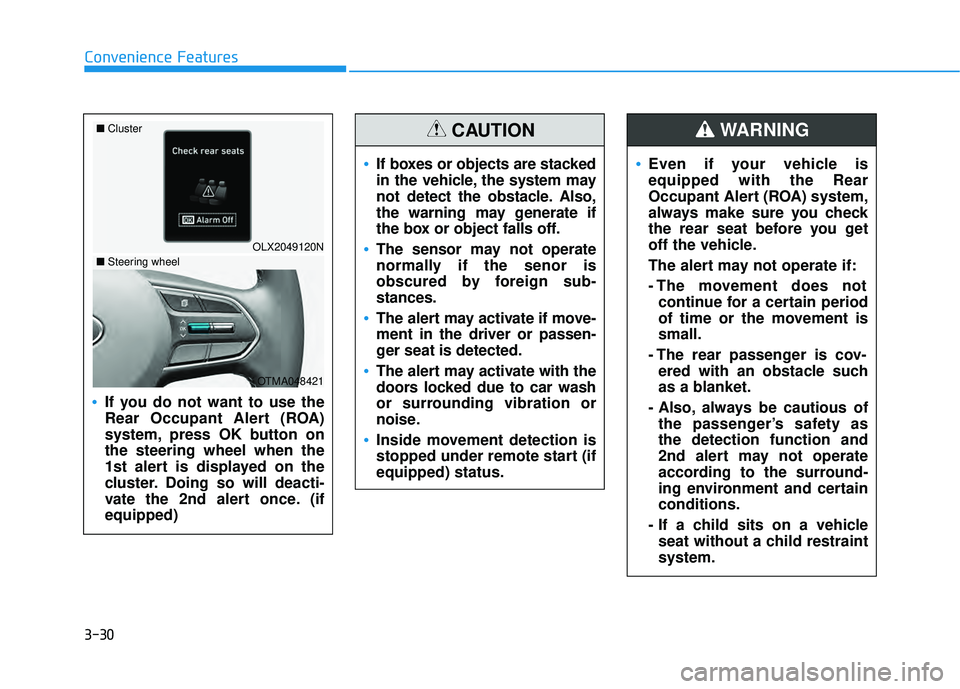
If you do not want to use the
Rear Occupant Alert (ROA)
system, press OK button on
the steering wheel when the
1st alert is displayed on the
cluster. Doing so will deacti-
vate the 2nd alert once. (if
equipped)
OLX2049120N
■
Cluster
OTMA048421
■Steering wheel
If boxes or objects are stacked
in the vehicle, the system may
not detect the obstacle. Also,
the warning may generate if
the box or object falls off.
The sensor may not operate
normally if the senor is
obscured by foreign sub-
stances.
The alert may activate if move-
ment in the driver or passen-
ger seat is detected.
The alert may activate with the
doors locked due to car wash
or surrounding vibration or
noise.
Inside movement detection is
stopped under remote start (if
equipped) status.
CAUTION