sel HYUNDAI PALISADE 2022 User Guide
[x] Cancel search | Manufacturer: HYUNDAI, Model Year: 2022, Model line: PALISADE, Model: HYUNDAI PALISADE 2022Pages: 663, PDF Size: 15.74 MB
Page 89 of 663
2-72
Safety system of your vehicle
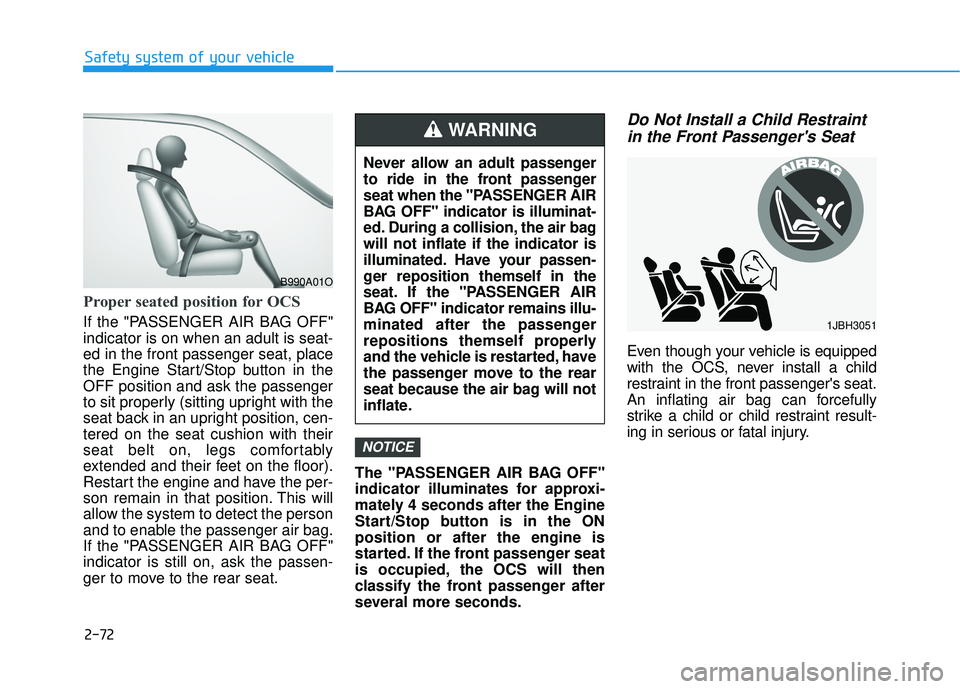
Proper seated position for OCS
If the "PASSENGER AIR BAG OFF"
indicator is on when an adult is seat-
ed in the front passenger seat, place
the Engine Start/Stop button in the
OFF position and ask the passenger
to sit properly (sitting upright with the
seat back in an upright position, cen-
tered on the seat cushion with their
seat belt on, legs comfortably
extended and their feet on the floor).
Restart the engine and have the per-
son remain in that position. This will
allow the system to detect the person
and to enable the passenger air bag.
If the "PASSENGER AIR BAG OFF"
indicator is still on, ask the passen-
ger to move to the rear seat.The "PASSENGER AIR BAG OFF"
indicator illuminates for approxi-
mately 4 seconds after the Engine
Start/Stop button is in the ON
position or after the engine is
started. If the front passenger seat
is occupied, the OCS will then
classify the front passenger after
several more seconds.
Do Not Install a Child Restraint
in the Front Passenger's Seat
Even though your vehicle is equipped
with the OCS, never install a child
restraint in the front passenger's seat.
An inflating air bag can forcefully
strike a child or child restraint result-
ing in serious or fatal injury.
NOTICE
B990A01O
Never allow an adult passenger
to ride in the front passenger
seat when the "PASSENGER AIR
BAG OFF" indicator is illuminat-
ed. During a collision, the air bag
will not inflate if the indicator is
illuminated. Have your passen-
ger reposition themself in the
seat. If the "PASSENGER AIR
BAG OFF" indicator remains illu-
minated after the passenger
repositions themself properly
and the vehicle is restarted, have
the passenger move to the rear
seat because the air bag will not
inflate.
WARNING
1JBH3051
Page 90 of 663
2-73
Safety system of your vehicle
2
Why Didn't My Air Bag Go Off
in a Collision?
Air bags are not designed to inflate in
every collision.There are certain
types of accidents in which the air bag
would not be expected to provide
additional protection. These include
rear impacts, second or third colli-
sions in multiple impact accidents, as
well as low speed impacts. Damage
to the vehicle indicates a collision
energy absorption, and is not an indi-
cator of whether or not an air bag
should have inflated.
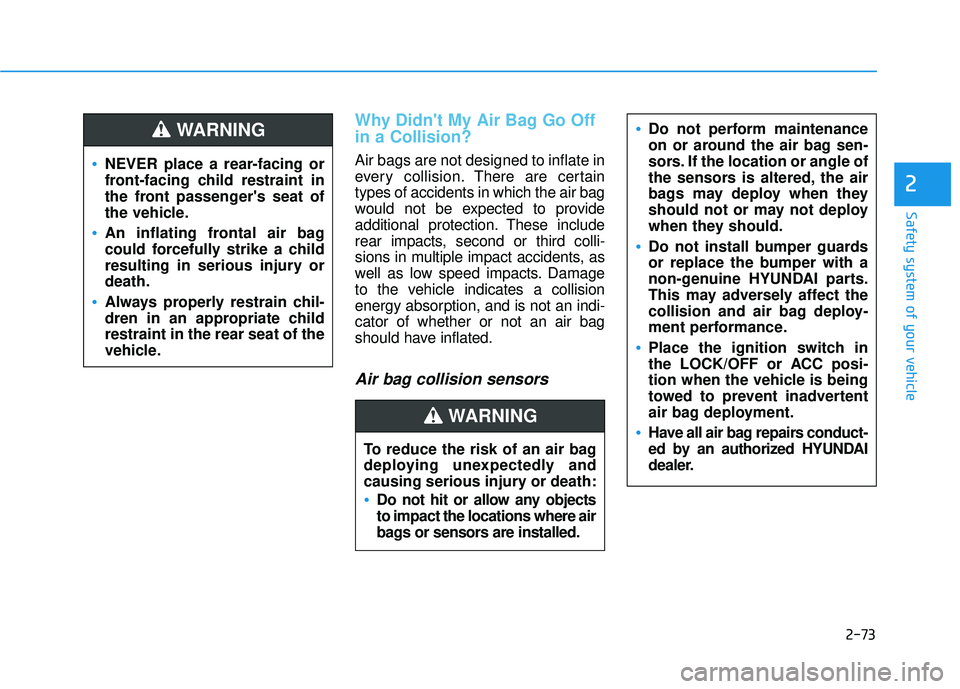
Air bag collision sensors
NEVER place a rear-facing or
front-facing child restraint in
the front passenger's seat of
the vehicle.
An inflating frontal air bag
could forcefully strike a child
resulting in serious injury or
death.
Always properly restrain chil-
dren in an appropriate child
restraint in the rear seat of the
vehicle.
WARNING
To reduce the risk of an air bag
deploying unexpectedly and
causing serious injury or death:
Do not hit or allow any objects
to impact the locations where air
bags or sensors are installed.
WARNING
Do not perform maintenance
on or around the air bag sen-
sors. If the location or angle of
the sensors is altered, the air
bags may deploy when they
should not or may not deploy
when they should.
Do not install bumper guards
or replace the bumper with a
non-genuine HYUNDAI parts.
This may adversely affect the
collision and air bag deploy-
ment performance.
Place the ignition switch in
the LOCK/OFF or ACC posi-
tion when the vehicle is being
towed to prevent inadvertent
air bag deployment.
Have all air bag repairs conduct-
ed by an authorized HYUNDAI
dealer.
Page 95 of 663
2-78
Safety system of your vehicle
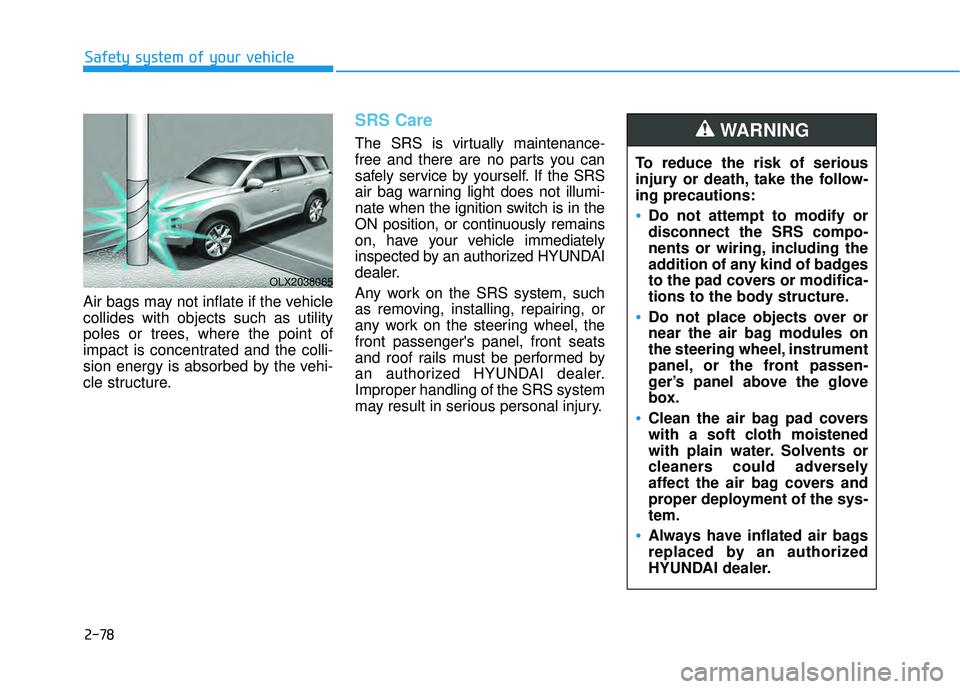
Air bags may not inflate if the vehicle
collides with objects such as utility
poles or trees, where the point of
impact is concentrated and the colli-
sion energy is absorbed by the vehi-
cle structure.
SRS Care
The SRS is virtually maintenance-
free and there are no parts you can
safely service by yourself. If the SRS
air bag warning light does not illumi-
nate when the ignition switch is in the
ON position, or continuously remains
on, have your vehicle immediately
inspected by an authorized HYUNDAI
dealer.
Any work on the SRS system, such
as removing, installing, repairing, or
any work on the steering wheel, the
front passenger's panel, front seats
and roof rails must be performed by
an authorized HYUNDAI dealer.
Improper handling of the SRS system
may result in serious personal injury. To reduce the risk of serious
injury or death, take the follow-
ing precautions:
Do not attempt to modify or
disconnect the SRS compo-
nents or wiring, including the
addition of any kind of badges
to the pad covers or modifica-
tions to the body structure.
Do not place objects over or
near the air bag modules on
the steering wheel, instrument
panel, or the front passen-
ger’s panel above the glove
box.
Clean the air bag pad covers
with a soft cloth moistened
with plain water. Solvents or
cleaners could adversely
affect the air bag covers and
proper deployment of the sys-
tem.
Always have inflated air bags
replaced by an authorized
HYUNDAI dealer.
WARNING
OLX2038065
Page 101 of 663
3-5
Convenience Features
3
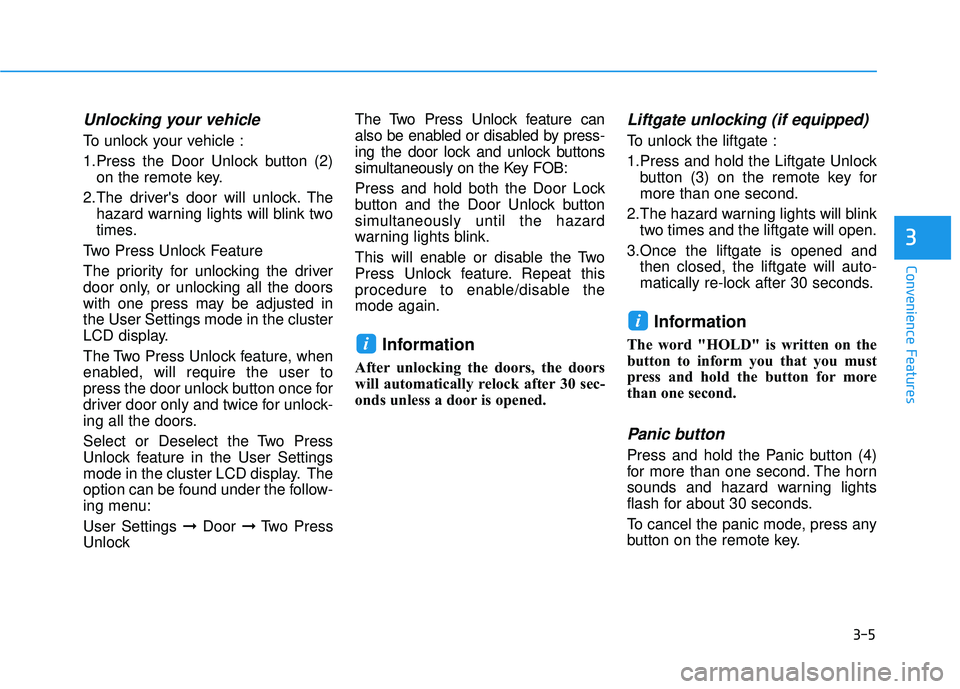
Unlocking your vehicle
To unlock your vehicle :
1.Press the Door Unlock button (2)on the remote key.
2.The driver's door will unlock. The hazard warning lights will blink two
times.
Two Press Unlock Feature
The priority for unlocking the driver
door only, or unlocking all the doors
with one press may be adjusted in
the User Settings mode in the cluster
LCD display.
The Two Press Unlock feature, when
enabled, will require the user to
press the door unlock button once for
driver door only and twice for unlock-
ing all the doors.
Select or Deselect the Two Press
Unlock feature in the User Settings
mode in the cluster LCD display. The
option can be found under the follow-
ing menu:
User Settings ➞ Door ➞Two Press
Unlock The Two Press Unlock feature can
also be enabled or disabled by press-
ing the door lock and unlock buttons
simultaneously on the Key FOB:
Press and hold both the Door Lock
button and the Door Unlock button
simultaneously until the hazard
warning lights blink.
This will enable or disable the Two
Press Unlock feature. Repeat this
procedure to enable/disable the
mode again.
Information
After unlocking the doors, the doors
will automatically relock after 30 sec-
onds unless a door is opened.
Liftgate unlocking (if equipped)
To unlock the liftgate :
1.Press and hold the Liftgate Unlock
button (3) on the remote key for
more than one second.
2.The hazard warning lights will blink two times and the liftgate will open.
3.Once the liftgate is opened and then closed, the liftgate will auto-
matically re-lock after 30 seconds.
Information
The word "HOLD" is written on the
button to inform you that you must
press and hold the button for more
than one second.
Panic button
Press and hold the Panic button (4)
for more than one second. The horn
sounds and hazard warning lights
flash for about 30 seconds.
To cancel the panic mode, press any
button on the remote key.
i
i
Page 106 of 663
3-10
Convenience Features
The Two Press Unlock feature, when
enabled, will require the user to
press the door unlock button once for
driver door only and twice for unlock-
ing all the doors.
Select or Deselect the Two Press
Unlock feature in the User Settings
mode in the cluster LCD display. The
option can be found under the follow-
ing menu:
User Settings ➞ Door ➞Two Press
Unlock
The Two Press Unlock feature can
also be enabled or disabled by
pressing the door lock and unlock
buttons simultaneously on the Key
FOB:
Press and hold both the Door Lock
button and the Door Unlock button
simultaneously until the hazard
warning lights blink.
This will enable or disable the Two
Press Unlock feature. Repeat this
procedure to enable/disable the
mode again.
Information
• The door handle buttons will only operate when the smart key is with-
in 28-40 inches (0.7~1m) from the
outside door handle.
• Either the driver or front passenger door can be opened with the door
handle button when the smart key is
within this range.
• If you press the front passenger out- side door handle with the smart key
in your possession, all the doors will
unlock.
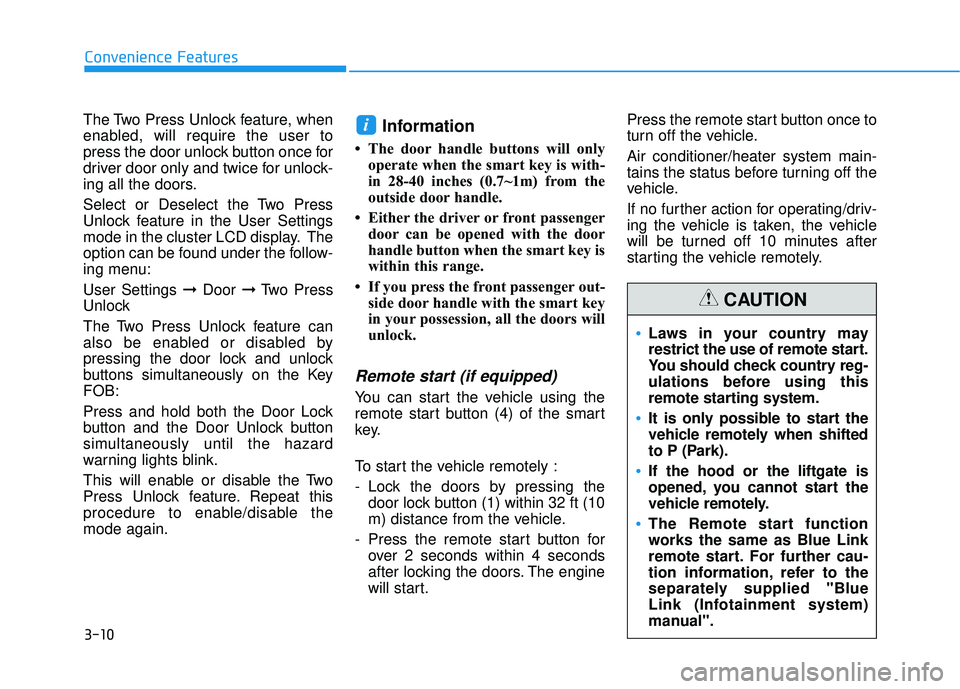
Remote start (if equipped)
You can start the vehicle using the
remote start button (4) of the smart
key.
To start the vehicle remotely :
- Lock the doors by pressing thedoor lock button (1) within 32 ft (10
m) distance from the vehicle.
- Press the remote start button for over 2 seconds within 4 seconds
after locking the doors. The engine
will start. Press the remote start button once to
turn off the vehicle.
Air conditioner/heater system main-
tains the status before turning off the
vehicle.
If no further action for operating/driv-
ing the vehicle is taken, the vehicle
will be turned off 10 minutes after
starting the vehicle remotely.
i
Laws in your country may
restrict the use of remote start.
You should check country reg-
ulations before using this
remote starting system.
It is only possible to start the
vehicle remotely when shifted
to P (Park).
If the hood or the liftgate is
opened, you cannot start the
vehicle remotely.
The Remote start function
works the same as Blue Link
remote start. For further cau-
tion information, refer to the
separately supplied "Blue
Link (Infotainment system)
manual".
CAUTION
Page 116 of 663
3-20
Convenience Features
Automatic Door Lock and
Unlock Features
Your vehicle is equipped with fea-
tures that will automatically lock or
unlock your vehicle based on set-
tings you select in the cluster LCD
display.
Auto LOCK - Enable on Speed
When this feature is set in the cluster
LCD display, all the doors will be
locked automatically when the vehi-
cle exceeds 9 mph (15 kph).
Auto LOCK - Enable on Shift
When this feature is set in the cluster
LCD display, all the doors will be
locked automatically when the vehi-
cle is shifted out of P (Park) while the
engine is running.
Auto UNLOCK - On shift to P
When this feature is set in the LCD
cluster display, all the doors will be
unlocked automatically when the
vehicle is shifted back into P (Park).
Auto UNLOCK - On key out (if equipped with remote key)
When this feature is set in the LCD
cluster display, all the doors will be
unlocked automatically when the
ignition key is removed from the key
ignition switch.
Auto UNLOCK - Vehicle Off (if equipped with smart key)
When this feature is set in the LCD
cluster display, all the doors will be
unlocked automatically when the
vehicle is off.
For more information on these
features, refer to the LCD Display
section later in this chapter.
Additional Unlock SafetyFeature - Air Bag Deployment
As an additional safety feature, all
doors will be automatically unlocked
when an impact causes the air bags
to deploy.
Opening a door when something
is approaching may cause dam-
age or injury. Be careful when
opening doors and watch for
vehicles, motorcycles, bicycles
or pedestrians approaching the
vehicle in the path of the door.
CAUTION
If you stay in the vehicle for a
long time while the weather is
very hot or cold, there are risks
of injuries or danger to life. Do
not lock the vehicle from the
outside when someone is in the
vehicle.
WARNING
Page 117 of 663
3-21
Convenience Features
3
Child-Protector Rear Door
Locks (if equipped)
The child safety lock is provided to
help prevent children seated in the
rear from accidentally opening the
rear doors. The rear door safety locks
should be used whenever children
are in the vehicle.
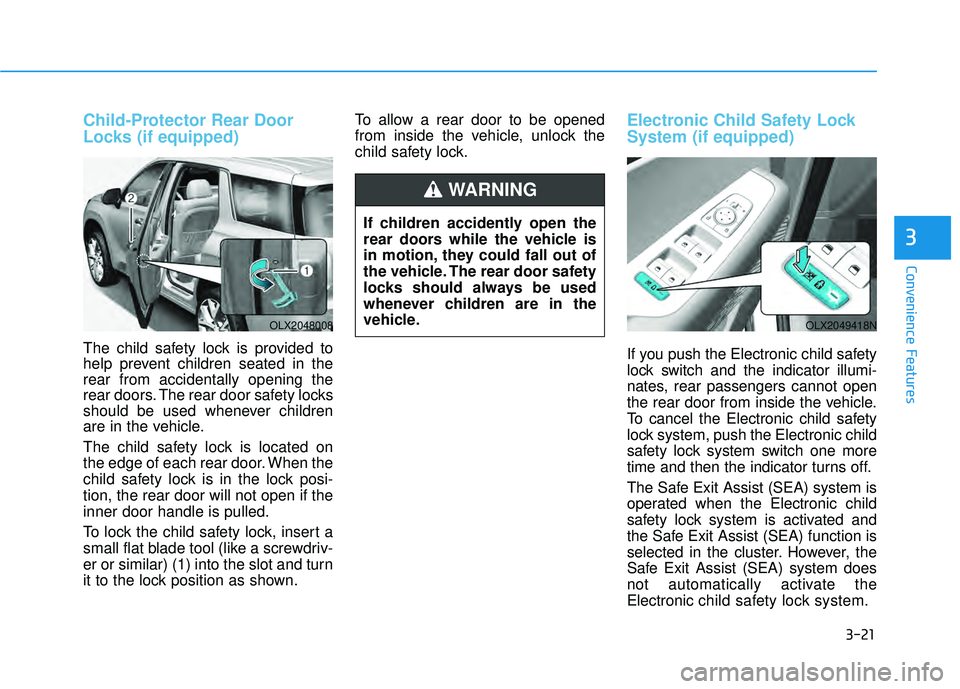
The child safety lock is located on
the edge of each rear door. When the
child safety lock is in the lock posi-
tion, the rear door will not open if the
inner door handle is pulled.
To lock the child safety lock, insert a
small flat blade tool (like a screwdriv-
er or similar) (1) into the slot and turn
it to the lock position as shown.To allow a rear door to be opened
from inside the vehicle, unlock the
child safety lock.
Electronic Child Safety Lock
System (if equipped)
If you push the Electronic child safety
lock switch and the indicator illumi-
nates, rear passengers cannot open
the rear door from inside the vehicle.
To cancel the Electronic child safety
lock system, push the Electronic child
safety lock system switch one more
time and then the indicator turns off.
The Safe Exit Assist (SEA) system is
operated when the Electronic child
safety lock system is activated and
the Safe Exit Assist (SEA) function is
selected in the cluster. However, the
Safe Exit Assist (SEA) system does
not automatically activate the
Electronic
child safety lock system.
OLX2048008OLX2049418N
If children accidently open the
rear doors while the vehicle is
in motion, they could fall out of
the vehicle. The rear door safety
locks should always be used
whenever children are in the
vehicle.
WARNING
Page 120 of 663
3-24
Safe Exit Assist settings
Setting features
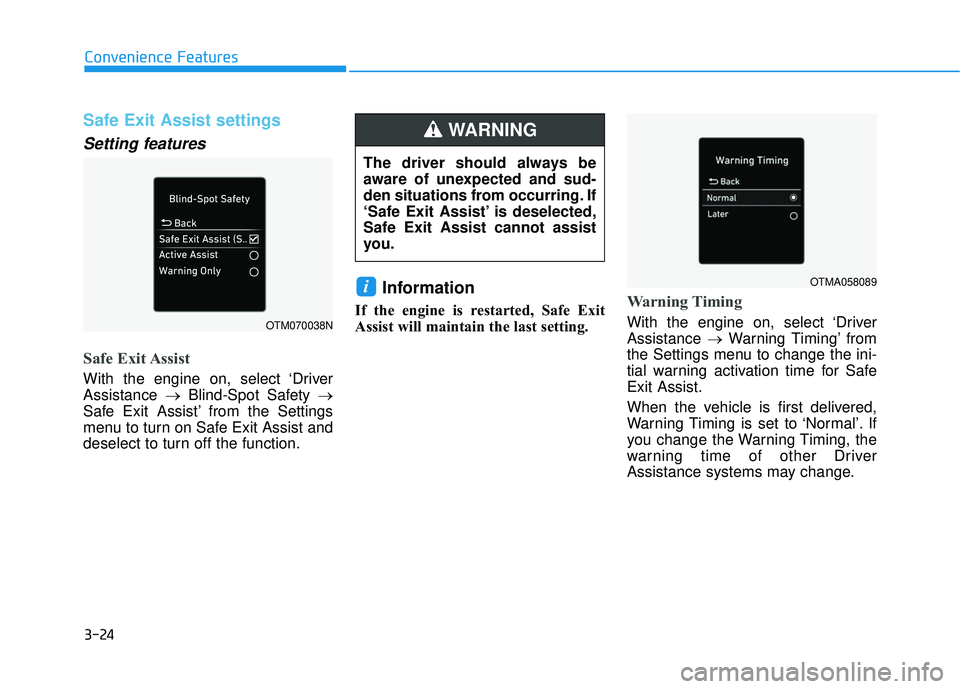
Safe Exit Assist
With the engine on, select ‘Driver
Assistance →Blind-Spot Safety →
Safe Exit Assist’ from the Settings
menu to turn on Safe Exit Assist and
deselect to turn off the function.
Information
If the engine is restarted, Safe Exit
Assist will maintain the last setting.Warning Timing
With the engine on, select ‘Driver
Assistance →Warning Timing’ from
the Settings menu to change the ini-
tial warning activation time for Safe
Exit Assist.
When the vehicle is first delivered,
Warning Timing is set to ‘Normal’. If
you change the Warning Timing, the
warning time of other Driver
Assistance systems may change.
i
Convenience Features
OTM070038N
OTMA058089
The driver should always be
aware of unexpected and sud-
den situations from occurring. If
‘Safe Exit Assist’ is deselected,
Safe Exit Assist cannot assist
you.
WARNING
Page 121 of 663
3-25
Convenience Features
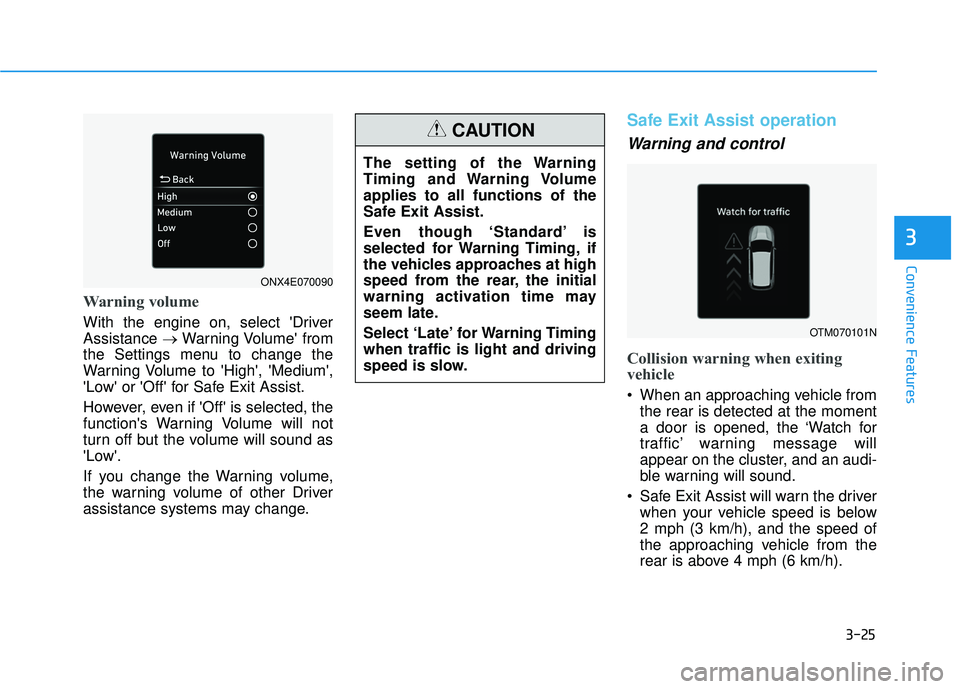
Warning volume
With the engine on, select 'Driver
Assistance →Warning Volume' from
the Settings menu to change the
Warning Volume to 'High', 'Medium',
'Low' or 'Off' for Safe Exit Assist.
However, even if 'Off' is selected, the
function's Warning Volume will not
turn off but the volume will sound as
'Low'.
If you change the Warning volume,
the warning volume of other Driver
assistance systems may change.
Safe Exit Assist operation
Warning and control
Collision warning when exiting
vehicle
When an approaching vehicle from the rear is detected at the moment
a door is opened, the ‘Watch for
traffic’ warning message will
appear on the cluster, and an audi-
ble warning will sound.
Safe Exit Assist will warn the driver when your vehicle speed is below
2 mph (3 km/h), and the speed of
the approaching vehicle from the
rear is above 4 mph (6 km/h).
3
The setting of the Warning
Timing and Warning Volume
applies to all functions of the
Safe Exit Assist.
Even though ‘Standard’ is
selected for Warning Timing, if
the vehicles approaches at high
speed from the rear, the initial
warning activation time may
seem late.
Select ‘Late’ for Warning Timing
when traffic is light and driving
speed is slow.
CAUTION
OTM070101N
ONX4E070090
Page 123 of 663
3-27
Convenience Features
Information
After the engine is turned off, Safe
Exit Assist operates approximately for
3 minutes, but turns off immediately if
the doors are locked.
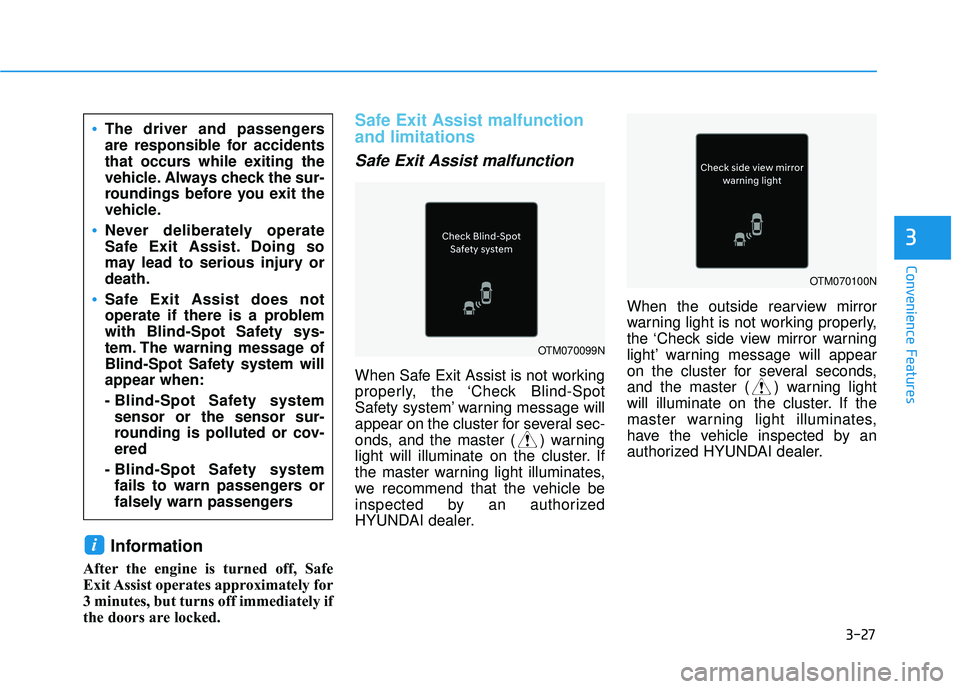
Safe Exit Assist malfunction
and limitations
Safe Exit Assist malfunction
When Safe Exit Assist is not working
properly, the ‘Check Blind-Spot
Safety system’ warning message will
appear on the cluster for several sec-
onds, and the master ( ) warning
light will illuminate on the cluster. If
the master warning light illuminates,
we recommend that the vehicle be
inspected by an authorized
HYUNDAI dealer.When the outside rearview mirror
warning light is not working properly,
the ‘Check side view mirror warning
light’ warning message will appear
on the cluster for several seconds,
and the master ( ) warning light
will illuminate on the cluster. If the
master warning light illuminates,
have the vehicle inspected by an
authorized HYUNDAI dealer.
i
3
The driver and passengers
are responsible for accidents
that occurs while exiting the
vehicle. Always check the sur-
roundings before you exit the
vehicle.
Never deliberately operate
Safe Exit Assist. Doing so
may lead to serious injury or
death.
Safe Exit Assist does not
operate if there is a problem
with Blind-Spot Safety sys-
tem. The warning message of
Blind-Spot Safety system will
appear when:
- Blind-Spot Safety system
sensor or the sensor sur-
rounding is polluted or cov-
ered
- Blind-Spot Safety system fails to warn passengers or
falsely warn passengers
OTM070099N
OTM070100N