sel HYUNDAI PALISADE 2022 Workshop Manual
[x] Cancel search | Manufacturer: HYUNDAI, Model Year: 2022, Model line: PALISADE, Model: HYUNDAI PALISADE 2022Pages: 663, PDF Size: 15.74 MB
Page 250 of 663
3-154
Convenience Features
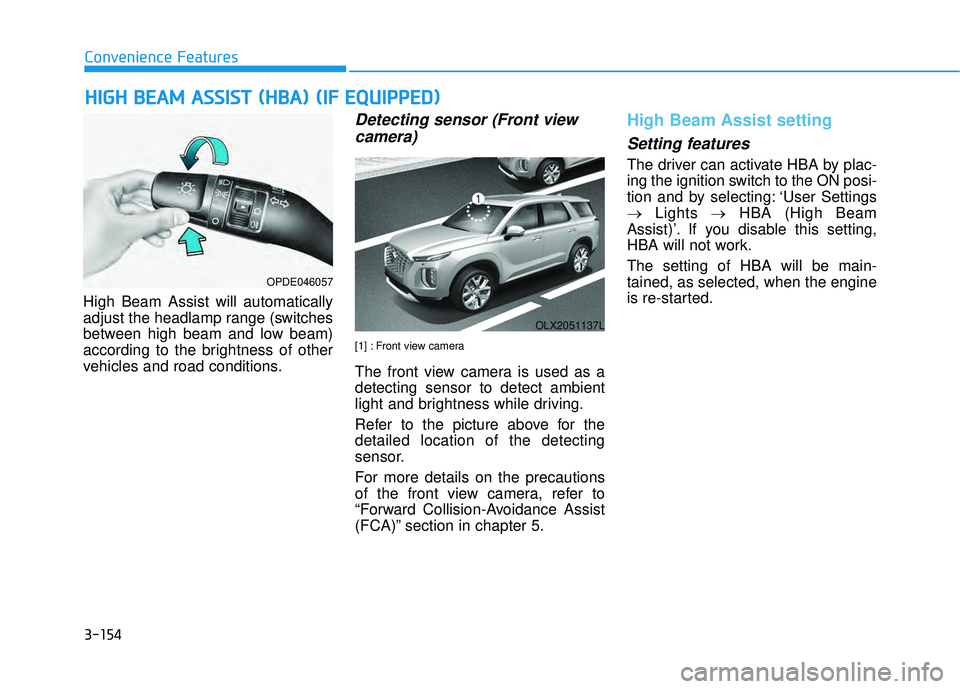
High Beam Assist will automatically
adjust the headlamp range (switches
between high beam and low beam)
according to the brightness of other
vehicles and road conditions.
Detecting sensor (Front view camera)
[1] : Front view camera
The front view camera is used as a
detecting sensor to detect ambient
light and brightness while driving.
Refer to the picture above for the
detailed location of the detecting
sensor.
For more details on the precautions
of the front view camera, refer to
“Forward Collision-Avoidance Assist
(FCA)” section in chapter 5.
High Beam Assist setting
Setting features
The driver can activate HBA by plac-
ing the ignition switch to the ON posi-
tion and by selecting: ‘User Settings
→ Lights →HBA (High Beam
Assist)’. If you disable this setting,
HBA will not work.
The setting of HBA will be main-
tained, as selected, when the engine
is re-started.
H H I IG G H H B B E EA A M M A A S SS SI IS S T T ( ( H H B BA A ) ) ( ( I IF F E E Q Q U UI IP P P PE ED D ) )
OPDE046057
OLX2051137L
Page 251 of 663
3-155
Convenience Features
3
High Beam Assist operation
Display and control
After selecting ‘High Beam Assist’in the Settings menu, High Beam
Assist will operate by following the
procedure below.
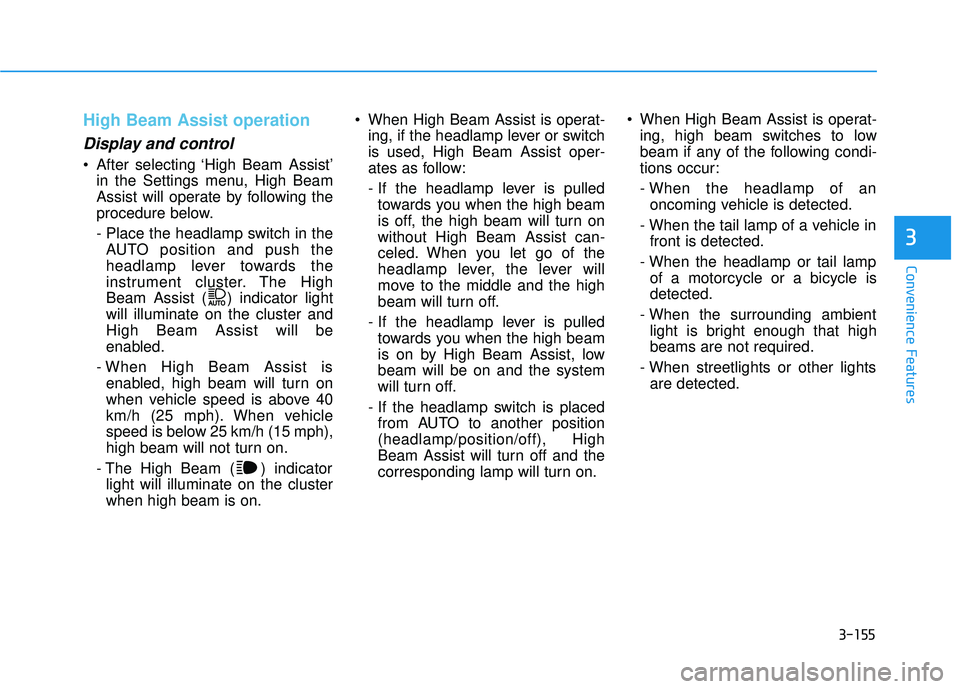
- Place the headlamp switch in theAUTO position and push the
headlamp lever towards the
instrument cluster. The High
Beam Assist ( ) indicator light
will illuminate on the cluster and
High Beam Assist will be
enabled.
- When High Beam Assist is enabled, high beam will turn on
when vehicle speed is above 40
km/h (25 mph). When vehicle
speed is below 25 km/h (15 mph),
high beam will not turn on.
- The High Beam ( ) indicator light will illuminate on the cluster
when high beam is on. When High Beam Assist is operat-
ing, if the headlamp lever or switch
is used, High Beam Assist oper-
ates as follow:
- If the headlamp lever is pulledtowards you when the high beam
is off, the high beam will turn on
without High Beam Assist can-
celed. When you let go of the
headlamp lever, the lever will
move to the middle and the high
beam will turn off.
- If the headlamp lever is pulled towards you when the high beam
is on by High Beam Assist, low
beam will be on and the system
will turn off.
- If the headlamp switch is placed from AUTO to another position
(headlamp/position/off), High
Beam Assist will turn off and the
corresponding lamp will turn on. When High Beam Assist is operat-
ing, high beam switches to low
beam if any of the following condi-
tions occur:
- When the headlamp of anoncoming vehicle is detected.
- When the tail lamp of a vehicle in front is detected.
- When the headlamp or tail lamp of a motorcycle or a bicycle is
detected.
- When the surrounding ambient light is bright enough that high
beams are not required.
- When streetlights or other lights are detected.
Page 255 of 663
3-159
Convenience Features
3
LO : The wiper runs at a lower speed.
HI : The wiper runs at a higher speed.
Information
If there is heavy accumulation of snow
or ice on the windshield, defrost the
windshield for about 10 minutes, or
until the snow and/or ice is removed
before using the windshield wipers to
ensure proper operation.
If you do not remove the snow and/or
ice before using the wiper and washer,
it may damage the wiper and washer
system.
AUTO (Automatic) control (if equipped)
The rain sensor located on the upper
end of the windshield glass senses
the amount of rainfall and controls
the wiping cycle for the proper inter-
val.
The wiper operation time will be
automatically controlled depends on
rainfall.
When the rain stops, the wiper stops.
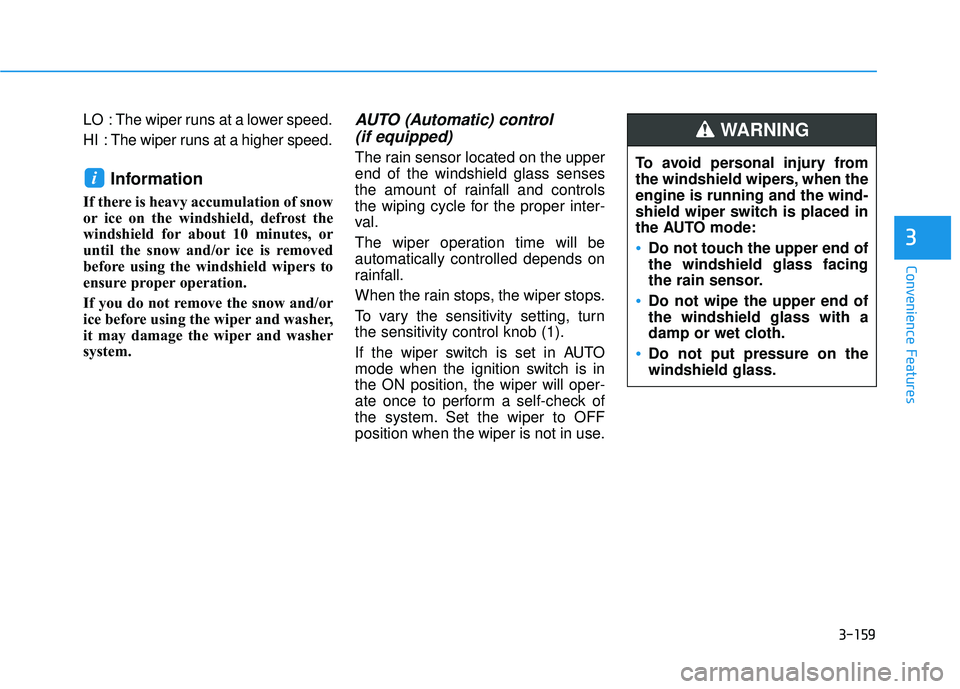
To vary the sensitivity setting, turn
the sensitivity control knob (1).
If the wiper switch is set in AUTO
mode when the ignition switch is in
the ON position, the wiper will oper-
ate once to perform a self-check of
the system. Set the wiper to OFF
position when the wiper is not in use.
i
To avoid personal injury from
the windshield wipers, when the
engine is running and the wind-
shield wiper switch is placed in
the AUTO mode:
Do not touch the upper end of
the windshield glass facing
the rain sensor.
Do not wipe the upper end of
the windshield glass with a
damp or wet cloth.
Do not put pressure on the
windshield glass.
WARNING
Page 257 of 663
3-161
Convenience Features
3
To prevent possible damage tothe washer pump, do not oper-
ate the washer when the fluid
reservoir is empty.
To prevent possible damage to the wipers or windshield, do not
operate the wipers when the
windshield is dry.
To prevent damage to the wiper arms and other components, do
not attempt to move the wipers
manually.
To prevent possible damage to the wipers and washer system,
use anti-freezing washer fluids
in the winter season or cold
weather.
Rear Window Wiper and Washer
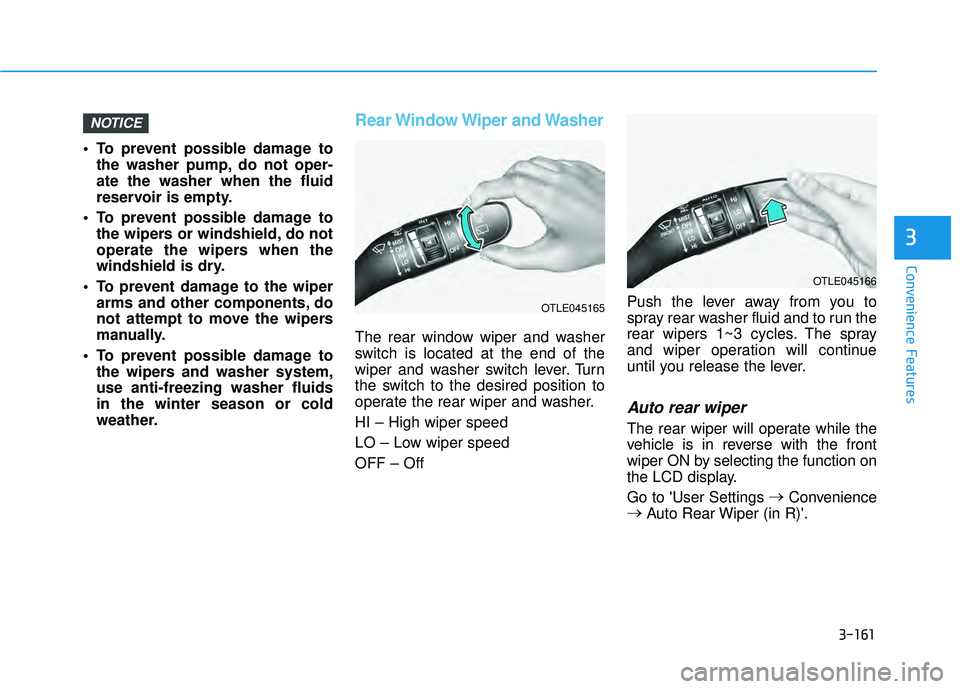
The rear window wiper and washer
switch is located at the end of the
wiper and washer switch lever. Turn
the switch to the desired position to
operate the rear wiper and washer.
HI – High wiper speed
LO – Low wiper speed
OFF – Off Push the lever away from you to
spray rear washer fluid and to run the
rear wipers 1~3 cycles. The spray
and wiper operation will continue
until you release the lever.
Auto rear wiper
The rear wiper will operate while the
vehicle is in reverse with the front
wiper ON by selecting the function on
the LCD display.
Go to 'User Settings
→
Convenience
→ Auto Rear Wiper (in R)'.
NOTICE
OTLE045166
OTLE045165
Page 258 of 663
3-162
Convenience features
R RE EA A R R V V I IE E W W M M O ON NI IT T O O R R ( ( R R V V M M ) ) ( ( I IF F E E Q Q U UI IP P P PE ED D ) )
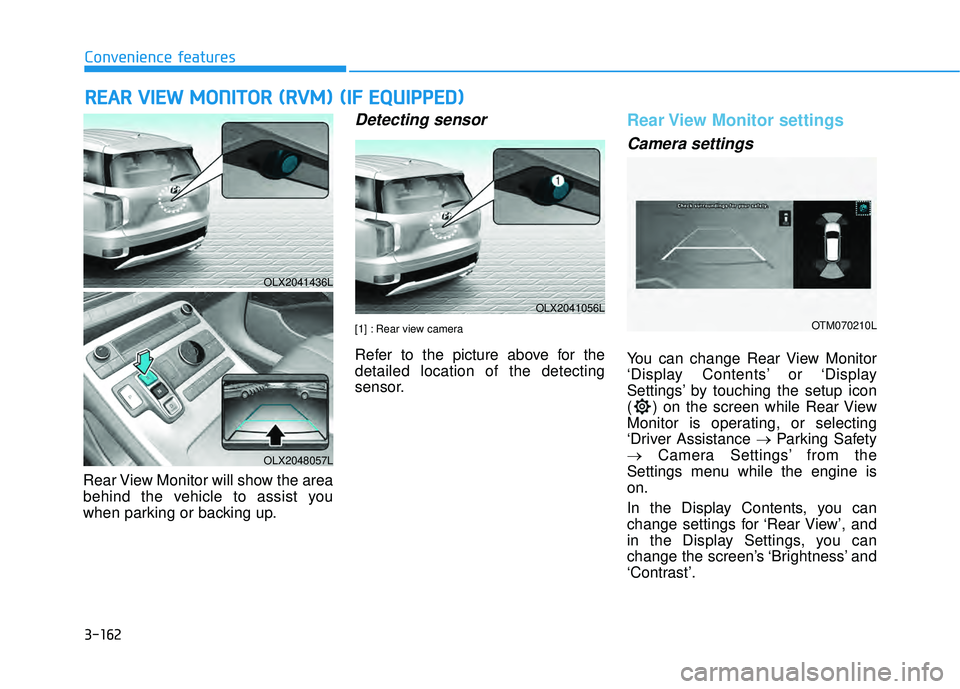
Rear View Monitor will show the area
behind the vehicle to assist you
when parking or backing up.
Detecting sensor
[1] : Rear view camera
Refer to the picture above for the
detailed location of the detecting
sensor.
Rear View Monitor settings
Camera settings
You can change Rear View Monitor
‘Display Contents’ or ‘Display
Settings’ by touching the setup icon
( ) on the screen while Rear View
Monitor is operating, or selecting
‘Driver Assistance → Parking Safety
→ Camera Settings’ from the
Settings menu while the engine is
on.
In the Display Contents, you can
change settings for ‘Rear View’, and
in the Display Settings, you can
change the screen’s ‘Brightness’ and
‘Contrast’.
OLX2041436L
OLX2048057L
OLX2041056L
OTM070210L
Page 261 of 663
3-165
Convenience features
3
Rear View Monitor malfunction
and limitations
Rear View Monitor malfunction
When Rear View Monitor is not work-
ing properly, or the screen flickers, or
the camera image does not display
normally, have the vehicle inspected
by an authorized HYUNDAI dealer.
Limitations of Rear ViewMonitor
When the vehicle is stopped for a
long time in winter or when the vehi-
cle is parked in an indoor parking lot,
the exhaust fumes may temporarily
blur the image.
The rear view camera does
not cover the complete area
behind the vehicle. The driver
should always check the rear
area directly through the
inside and outside rearview
mirror before parking or back-
ing up.
The image shown on the
screen may differ from the
actual distance of the object.
Make sure to directly check
the vehicle's surroundings for
safety.
Always keep the rear view
camera lens clean. If the lens
is covered with foreign mate-
rial, it may adversely affect
camera performance and Rear
View Monitor may not operate
normally. However, do not use
chemical solvents such as
strong detergents containing
high alkaline or volatile organ-
ic solvents (gasoline, acetone
etc.). This may damage the
camera lens.
WARNING
Page 262 of 663
3-166
Convenience features
Reverse Parking Distance Warning
will help warn the driver if an obsta-
cle is detected within a certain dis-
tance when the vehicle is moving in
reverse at low speeds.
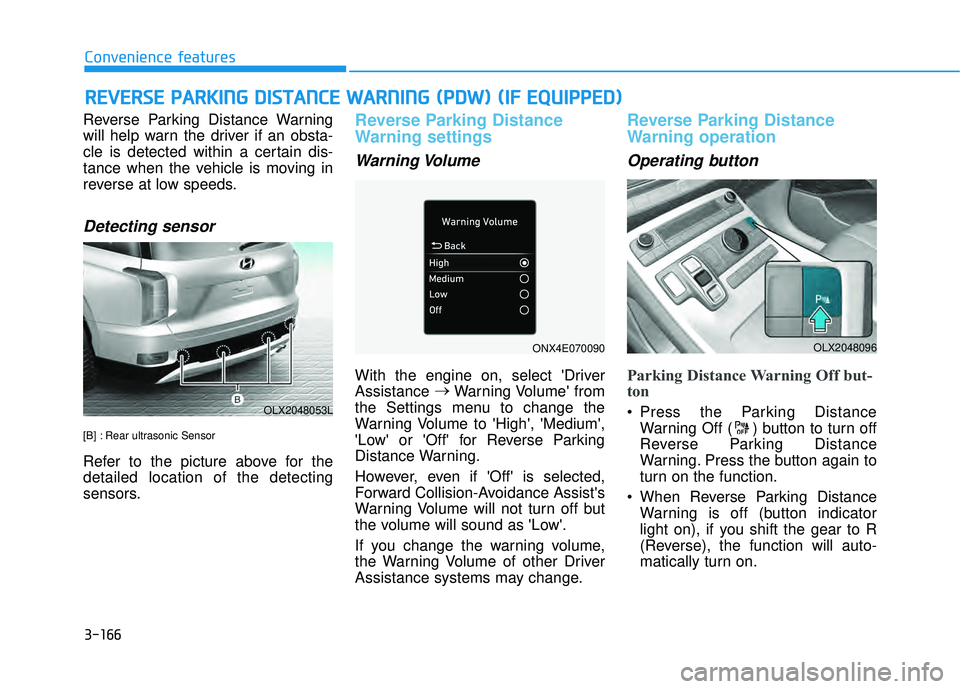
Detecting sensor
[B] : Rear ultrasonic Sensor
Refer to the picture above for the
detailed location of the detecting
sensors.
Reverse Parking Distance
Warning settings
Warning Volume
With the engine on, select 'Driver
Assistance →
Warning Volume' from
the Settings menu to change the
Warning Volume to 'High', 'Medium',
'Low' or 'Off' for Reverse Parking
Distance Warning.
However, even if 'Off' is selected,
Forward Collision-Avoidance Assist's
Warning Volume will not turn off but
the volume will sound as 'Low'.
If you change the warning volume,
the Warning Volume of other Driver
Assistance systems may change.
Reverse Parking Distance
Warning operation
Operating button
Parking Distance Warning Off but-
ton
Press the Parking Distance Warning Off ( ) button to turn off
Reverse Parking Distance
Warning. Press the button again to
turn on the function.
When Reverse Parking Distance Warning is off (button indicator
light on), if you shift the gear to R
(Reverse), the function will auto-
matically turn on.
R RE EV V E ER R S SE E P P A A R RK K I IN N G G D D I IS S T T A A N N C CE E W W A AR RN N I IN N G G ( ( P P D D W W ) ) ( ( I IF F E E Q Q U UI IP P P PE ED D ) )
OLX2048053L
OLX2048096ONX4E070090
Page 266 of 663
3-170
Convenience features
Forward/Reverse Parking Distance
Warning will help warn the driver if
an obstacle is detected within a cer-
tain distance when the vehicle is
moving forward or in reverse at low
speeds.
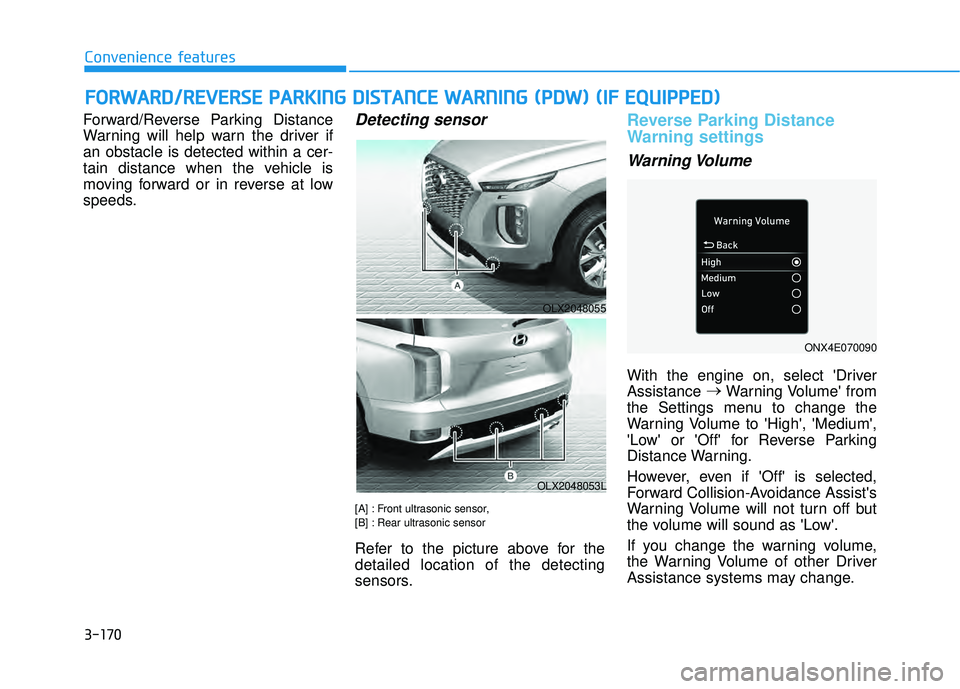
Detecting sensor
[A] : Front ultrasonic sensor,
[B] : Rear ultrasonic sensor
Refer to the picture above for the
detailed location of the detecting
sensors.
Reverse Parking Distance
Warning settings
Warning Volume
With the engine on, select 'Driver
Assistance →
Warning Volume' from
the Settings menu to change the
Warning Volume to 'High', 'Medium',
'Low' or 'Off' for Reverse Parking
Distance Warning.
However, even if 'Off' is selected,
Forward Collision-Avoidance Assist's
Warning Volume will not turn off but
the volume will sound as 'Low'.
If you change the warning volume,
the Warning Volume of other Driver
Assistance systems may change.
F F O O R RW W A AR RD D / /R R E EV V E ER R S SE E P P A A R RK K I IN N G G D D I IS S T T A A N N C CE E W W A AR RN N I IN N G G ( ( P P D D W W ) ) ( ( I IF F E E Q Q U UI IP P P PE ED D ) )
OLX2048055
OLX2048053L
ONX4E070090
Page 267 of 663
3-171
Convenience features
3
Parking Distance Warning AutoOn
To use Parking Distance Warning
Auto On function, select ‘Driver
Assistance →Parking Safety →
Parking Distance Warning Auto On’
from the cluster or infotainment sys-
tem Settings menu.
Forward/Reverse Parking
Distance Warning operation
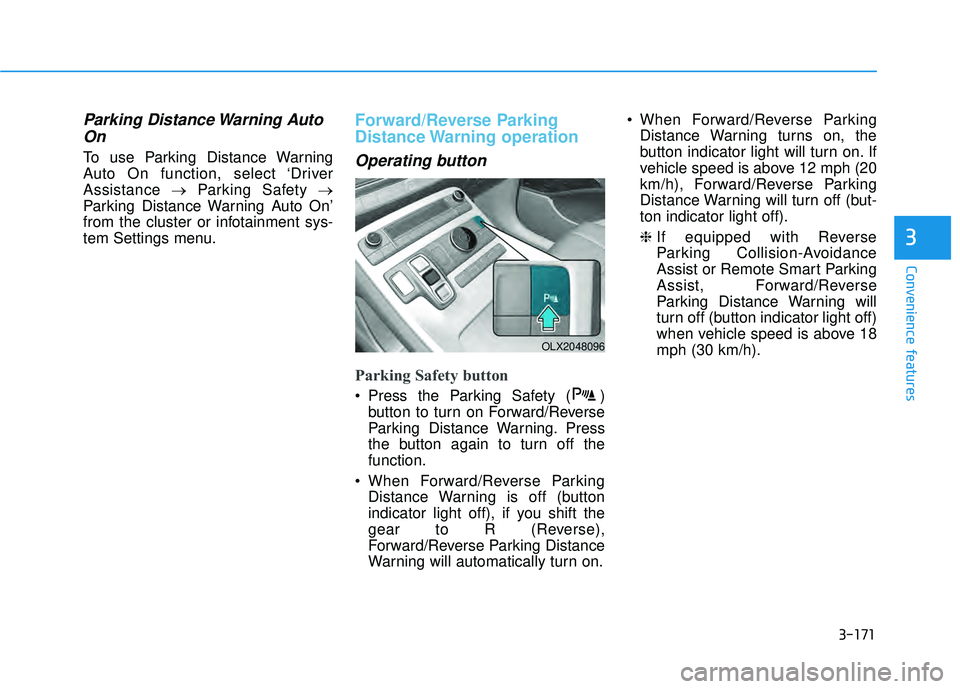
Operating button
Parking Safety button
Press the Parking Safety ( ) button to turn on Forward/Reverse
Parking Distance Warning. Press
the button again to turn off the
function.
When Forward/Reverse Parking Distance Warning is off (button
indicator light off), if you shift the
gear to R (Reverse),
Forward/Reverse Parking Distance
Warning will automatically turn on. When Forward/Reverse Parking
Distance Warning turns on, the
button indicator light will turn on. If
vehicle speed is above 12 mph (20
km/h), Forward/Reverse Parking
Distance Warning will turn off (but-
ton indicator light off).
❈ If equipped with Reverse
Parking Collision-Avoidance
Assist or Remote Smart Parking
Assist, Forward/Reverse
Parking Distance Warning will
turn off (button indicator light off)
when vehicle speed is above 18
mph (30 km/h).
OLX2048096
Page 268 of 663
3-172
Convenience features
Forward Parking DistanceWarning
Forward Parking Distance Warning
will operate when one of the condi-
tion is satisfied.
- The gear is shifted from R(Reverse) to D (Drive) with
Reverse Parking Distance
Warning on
- The gear is in D (Drive) and the Parking Safety button indicator
light is on
- ‘Parking Distance Warning Auto On’ is selected from the Settings
menu and the gear is in D (Drive)
Forward Parking Distance Warning detects a person, animal or object
in front when the vehicle’s forward
speed is below 6 mph (10 km/h).
Forward Parking Distance Warning does not operate when the vehi-
cle's forward speed is above 6 mph
(10 km/h) even when the Parking
Safety button indicator is on.
Forward Parking Distance Warning
will operate again when the vehi-
cle's forward speed decreases
below 6 mph (10 km/h) while the
Parking Safety button indicator is
on. When ‘Parking Distance Warning
Auto On’ is selected, the Parking
Safety button indicator light stays
on.
When ‘Parking Distance Warning Auto On’ is deselected, and the
vehicle’s forward speed is above
12 mph (20 km/h), the Parking
Safety button indicator will turn off.
Although you drive below 6 mph
(10 km/h), Forward Parking
Distance Warning will not turn on.
❈ If equipped with Reverse
Parking Collision-Avoidance
Assist or Remote Smart Parking
Assist, Forward/Reverse
Parking Distance Warning will
turn off when vehicle speed is
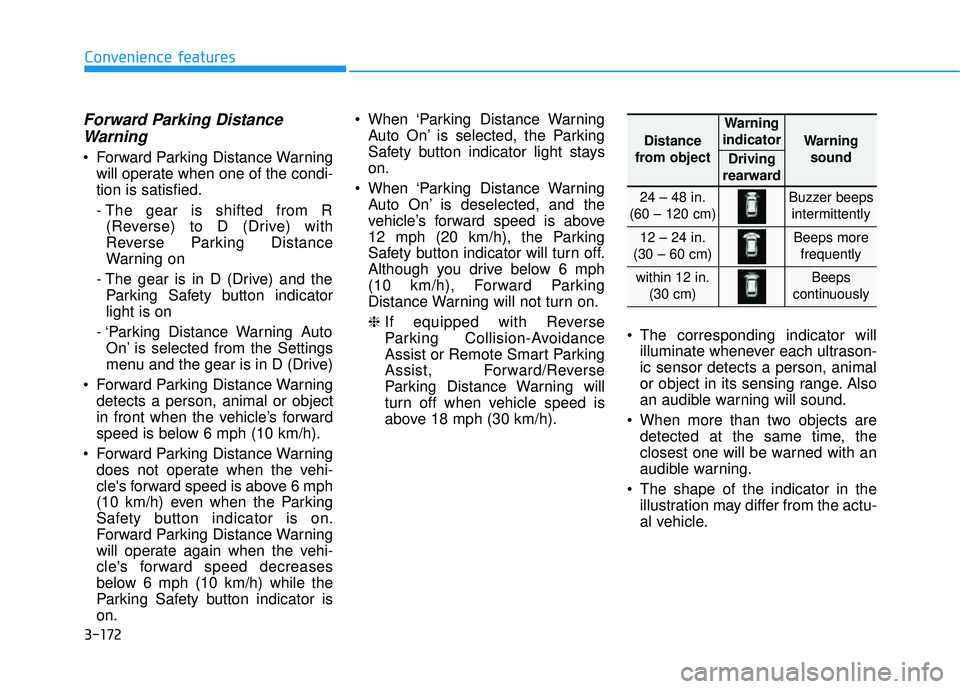
above 18 mph (30 km/h). The corresponding indicator will
illuminate whenever each ultrason-
ic sensor detects a person, animal
or object in its sensing range. Also
an audible warning will sound.
When more than two objects are detected at the same time, the
closest one will be warned with an
audible warning.
The shape of the indicator in the illustration may differ from the actu-
al vehicle.
Distance
from object
Warning
indicator
Warning sound
Driving
rearward
24 – 48 in.
(60 – 120 cm)Buzzer beeps intermittently
12 – 24 in.
(30 – 60 cm)Beeps more frequently
within 12 in. (30 cm)Beeps
continuously