lights HYUNDAI PALISADE 2022 Owner's Manual
[x] Cancel search | Manufacturer: HYUNDAI, Model Year: 2022, Model line: PALISADE, Model: HYUNDAI PALISADE 2022Pages: 663, PDF Size: 15.74 MB
Page 187 of 663
3-91
Convenience Features
3
Also, the vehicle will not stop in as
short a distance with only a portion
of the brake system working.
If the brakes fail while you are driv-
ing, shift to a lower gear for addition-
al engine braking and stop the vehi-
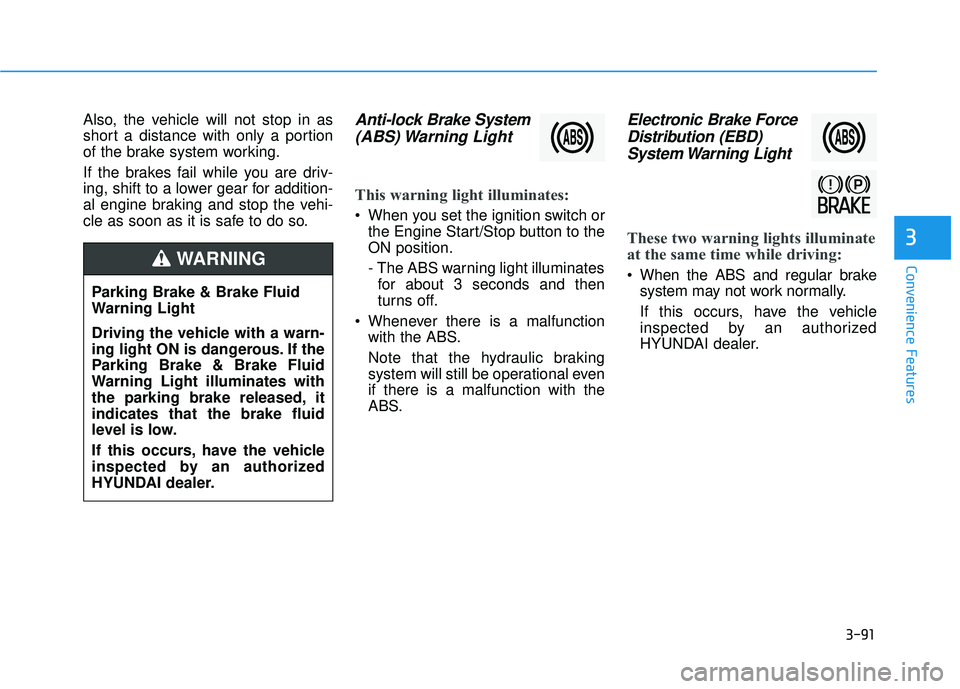
cle as soon as it is safe to do so.Anti-lock Brake System(ABS) Warning Light
This warning light illuminates:
When you set the ignition switch or
the Engine Start/Stop button to the
ON position.
- The ABS warning light illuminatesfor about 3 seconds and then
turns off.
Whenever there is a malfunction with the ABS.
Note that the hydraulic braking
system will still be operational even
if there is a malfunction with the
ABS.
Electronic Brake ForceDistribution (EBD) System Warning Light
These two warning lights illuminate
at the same time while driving:
When the ABS and regular brake
system may not work normally.
If this occurs, have the vehicle
inspected by an authorized
HYUNDAI dealer.
Parking Brake & Brake Fluid
Warning Light
Driving the vehicle with a warn-
ing light ON is dangerous. If the
Parking Brake & Brake Fluid
Warning Light illuminates with
the parking brake released, it
indicates that the brake fluid
level is low.
If this occurs, have the vehicle
inspected by an authorized
HYUNDAI dealer.WARNING
Page 188 of 663
3-92
Convenience Features
Information - Electronic
Brake Force Distribution
(EBD) System Warning Light
When the ABS Warning Light is on or
both ABS and Parking Brake & Brake
Fluid Warning Lights are on, the
speedometer, odometer, or tripmeter
may not work. Also, the EPS Warning
Light may illuminate and the steering
effort may increase or decrease.
If this occurs, have the vehicle inspect-
ed by an authorized HYUNDAI deal-
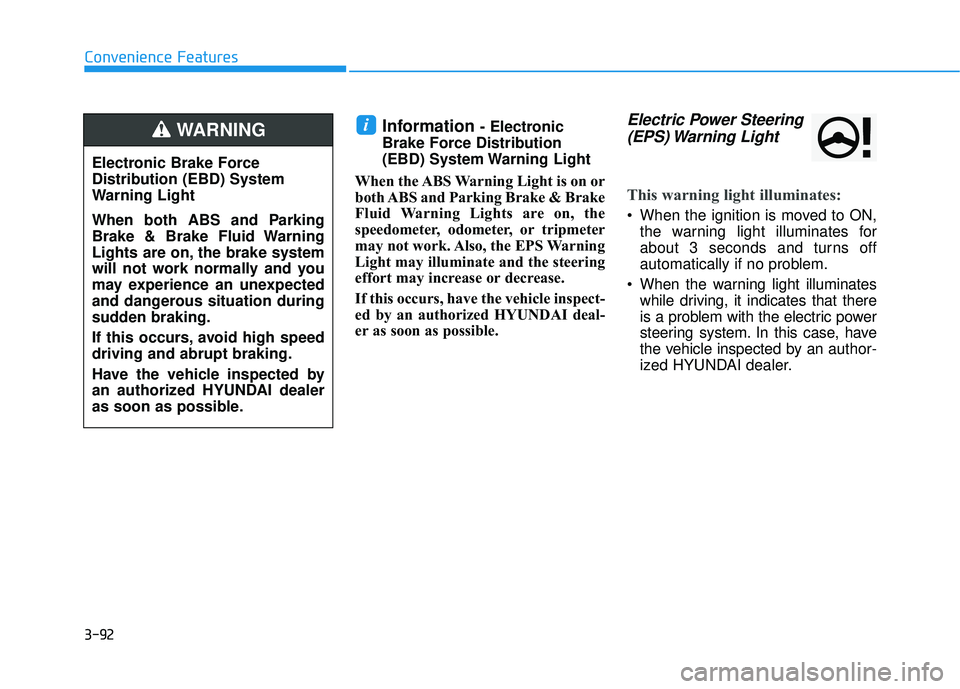
er as soon as possible.Electric Power Steering (EPS) Warning Light
This warning light illuminates:
When the ignition is moved to ON,
the warning light illuminates for
about 3 seconds and turns off
automatically if no problem.
When the warning light illuminates while driving, it indicates that there
is a problem with the electric power
steering system. In this case, have
the vehicle inspected by an author-
ized HYUNDAI dealer.
i
Electronic Brake Force
Distribution (EBD) System
Warning Light
When both ABS and Parking
Brake & Brake Fluid Warning
Lights are on, the brake system
will not work normally and you
may experience an unexpected
and dangerous situation during
sudden braking.
If this occurs, avoid high speed
driving and abrupt braking.
Have the vehicle inspected by
an authorized HYUNDAI dealer
as soon as possible.
WARNING
Page 194 of 663
3-98
Convenience Features
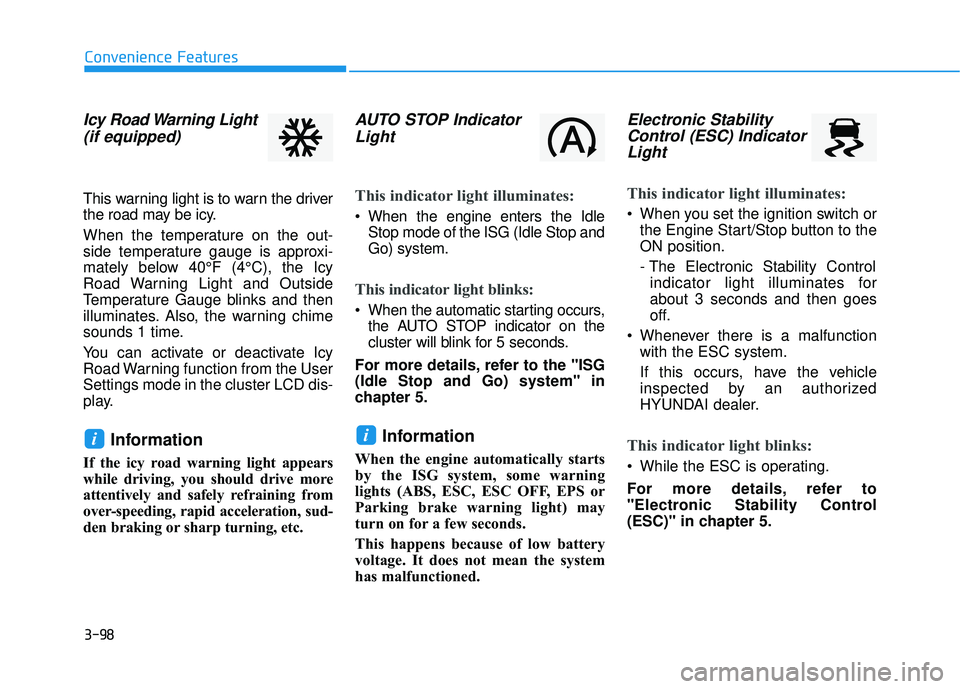
Icy Road Warning Light(if equipped)
This warning light is to warn the driver
the road may be icy.
When the temperature on the out-
side temperature gauge is approxi-
mately below 40°F (4°C), the Icy
Road Warning Light and Outside
Temperature Gauge blinks and then
illuminates. Also, the warning chime
sounds 1 time.
You can activate or deactivate Icy
Road Warning function from the User
Settings mode in the cluster LCD dis-
play.
Information
If the icy road warning light appears
while driving, you should drive more
attentively and safely refraining from
over-speeding, rapid acceleration, sud-
den braking or sharp turning, etc.
AUTO STOP IndicatorLight
This indicator light illuminates:
When the engine enters the Idle
Stop mode of the ISG (Idle Stop and
Go) system.
This indicator light blinks:
When the automatic starting occurs,the AUTO STOP indicator on the
cluster will blink for 5 seconds.
For more details, refer to the "ISG
(Idle Stop and Go) system" in
chapter 5.
Information
When the engine automatically starts
by the ISG system, some warning
lights (ABS, ESC, ESC OFF, EPS or
Parking brake warning light) may
turn on for a few seconds.
This happens because of low battery
voltage. It does not mean the system
has malfunctioned.
Electronic Stability Control (ESC) IndicatorLight
This indicator light illuminates:
When you set the ignition switch or
the Engine Start/Stop button to the
ON position.
- The Electronic Stability Controlindicator light illuminates for
about 3 seconds and then goes
off.
Whenever there is a malfunction with the ESC system.
If this occurs, have the vehicle
inspected by an authorized
HYUNDAI dealer.
This indicator light blinks:
While the ESC is operating.
For more details, refer to
"Electronic Stability Control
(ESC)" in chapter 5.
ii
Page 196 of 663
3-100
Convenience Features
This indicator light illuminates for
2 seconds and goes off:
If the smart key is in the vehicleand the Engine Start/Stop button is
ON, but the vehicle cannot detect
the smart key.
If this occurs, have the vehicle
inspected by an authorized
HYUNDAI dealer.
This indicator light blinks:
When there is a malfunction withthe immobilizer system.
If this occurs, have the vehicle
inspected by an authorized
HYUNDAI dealer.
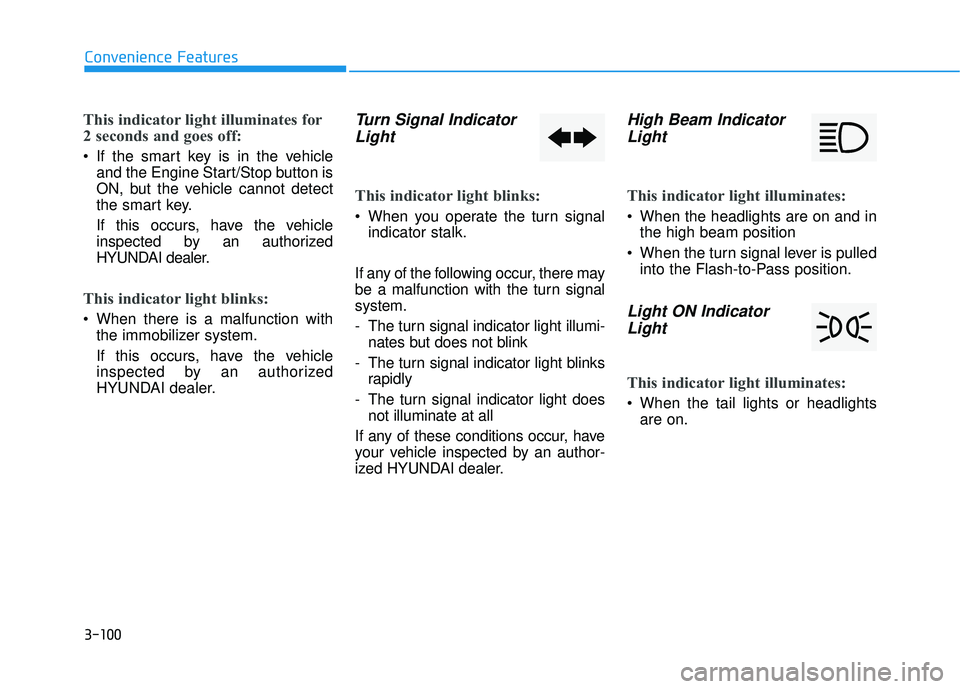
Turn Signal IndicatorLight
This indicator light blinks:
When you operate the turn signal
indicator stalk.
If any of the following occur, there may
be a malfunction with the turn signal
system.
- The turn signal indicator light illumi- nates but does not blink
- The turn signal indicator light blinks rapidly
- The turn signal indicator light does not illuminate at all
If any of these conditions occur, have
your vehicle inspected by an author-
ized HYUNDAI dealer.
High Beam Indicator Light
This indicator light illuminates:
When the headlights are on and in
the high beam position
When the turn signal lever is pulled into the Flash-to-Pass position.
Light ON IndicatorLight
This indicator light illuminates:
When the tail lights or headlights
are on.
Page 202 of 663
3-106
Convenience Features
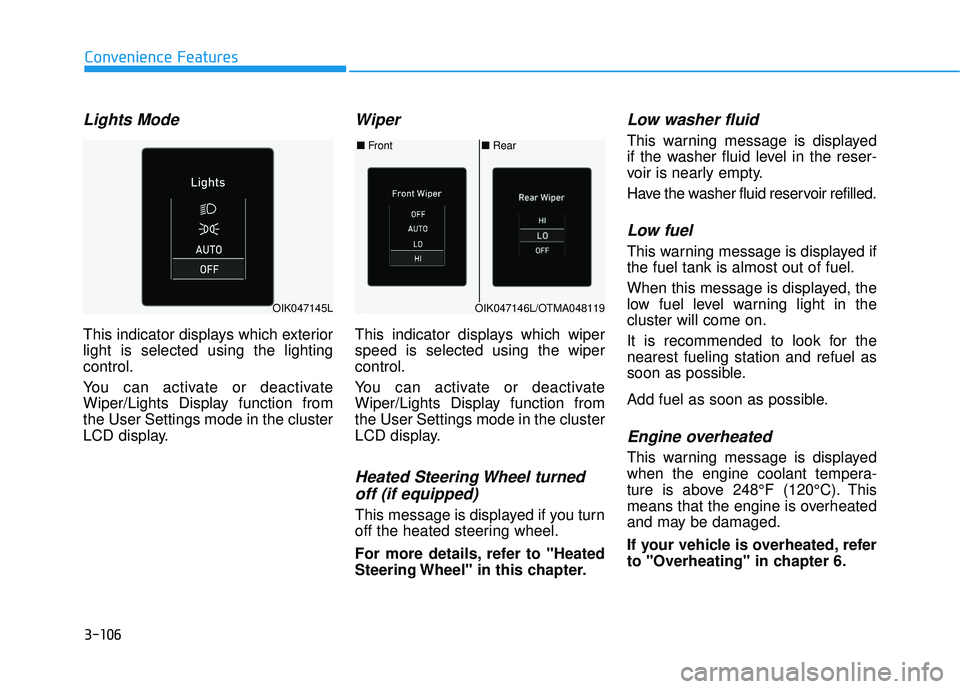
Lights Mode
This indicator displays which exterior
light is selected using the lighting
control.
You can activate or deactivate
Wiper/Lights Display function from
the User Settings mode in the cluster
LCD display.
Wiper
This indicator displays which wiper
speed is selected using the wiper
control.
You can activate or deactivate
Wiper/Lights Display function from
the User Settings mode in the cluster
LCD display.
Heated Steering Wheel turnedoff (if equipped)
This message is displayed if you turn
off the heated steering wheel.
For more details, refer to "Heated
Steering Wheel" in this chapter.
Low washer fluid
This warning message is displayed
if the washer fluid level in the reser-
voir is nearly empty.
Have the washer fluid reservoir refilled.
Low fuel
This warning message is displayed if
the fuel tank is almost out of fuel.
When this message is displayed, the
low fuel level warning light in the
cluster will come on.
It is recommended to look for the
nearest fueling station and refuel as
soon as possible.
Add fuel as soon as possible.
Engine overheated
This warning message is displayed
when the engine coolant tempera-
ture is above 248°F (120°C). This
means that the engine is overheated
and may be damaged.
If your vehicle is overheated, refer
to "Overheating" in chapter 6.
■ Rear
■ Front
OIK047146L/OTMA048119OIK047145L
Page 203 of 663
3-107
Convenience Features
3
Check headlight (if equipped)
This warning message is displayed if
the headlights are not operating
properly. A headlight bulb may need
to be replaced.
Information
Make sure to replace the burned out
bulb with a new one of the same
wattage rating.
Check turn signal (if equipped)
This warning message is displayed if
the turn signal lamps are not operat-
ing properly. A lamp may need to be
replaced.
Information
Make sure to replace the burned out
bulb with a new one of the same wattage
rating.
Check High Beam Assist (HBA)system (if equipped)
This warning message is displayed if
there is a problem with the High Beam
Assist (HBA) system. Have the vehi-
cle inspected by an authorized
HYUNDAI dealer.
For more details, refer to "High
Beam Assist (HBA) system" in
chapter 3.
Check headlight LED (if equipped)
This warning message is displayed if
there is a problem with the LED
headlight. Have the vehicle inspected
by an authorized HYUNDAI dealer.
Check Forward Collision-Avoidance Assist system(if equipped)
This warning message is displayed if
there is a problem with the Forward
Collision-Avoidance Assist (FCA)
system. Have the vehicle inspected
by an authorized HYUNDAI dealer.
For more details, refer to "Forward
Collision-Avoidance Assist (FCA)
system" in chapter 5.
Check Blind-Spot CollisionWarning (BCW) system (if equipped)
This warning message is displayed if
there is a problem with the Blind-
Spot Collision Warning system. Have
the vehicle inspected by an author-
ized HYUNDAI dealer.
For more details, refer to "Blind-
Spot Collision Warning (BCW)/
Blind-Spot Collision-Avoidance
Assist (BCA)" or "Rear Cross-
Traffic Collision Warning (RCCW)/
Rear Cross-Traffic Collision-
Avoidance Assist (RCCA)"
System in chapter 5.
i
i
Page 209 of 663
3-113
Convenience Features
3
The Master Warning Light illumi-
nates if one or more of the above
warning situations occur. At this time,
the LCD Modes Icon will change
from ( ) to ( ).
If the warning situation is solved, the
master warning light will be turned
off and the LCD Modes Icon will be
changed back to its previous icon
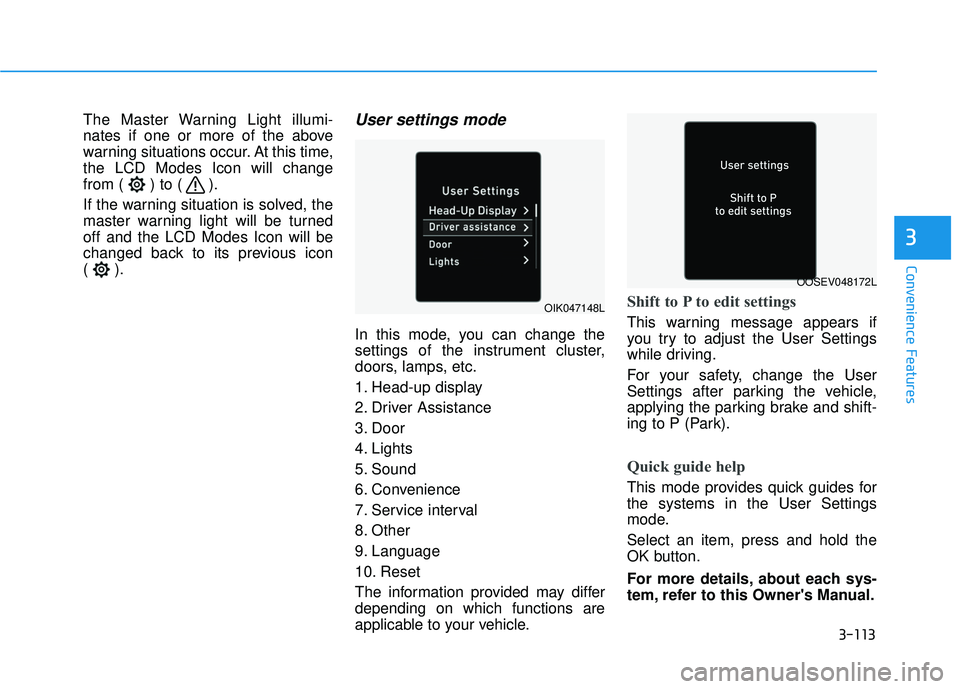
().User settings mode
In this mode, you can change the
settings of the instrument cluster,
doors, lamps, etc.
1. Head-up display
2. Driver Assistance
3. Door
4. Lights
5. Sound
6. Convenience
7. Service interval
8. Other
9. Language
10. Reset
The information provided may differ
depending on which functions are
applicable to your vehicle.
Shift to P to edit settings
This warning message appears if
you try to adjust the User Settings
while driving.
For your safety, change the User
Settings after parking the vehicle,
applying the parking brake and shift-
ing to P (Park).
Quick guide help
This mode provides quick guides for
the systems in the User Settings
mode.
Select an item, press and hold the
OK button.
For more details, about each sys-
tem, refer to this Owner's Manual.
OIK047148L
OOSEV048172L
Page 215 of 663
3-119
Convenience Features
3
ItemsExplanation
One Touch Turn Signal
The one touch turn signal function will be deactivated.
The turn signal indicator will blink 3, 5, or 7 times when the turn signal lever ismoved slightly.
For more details, refer to "Lighting" in this chapter.
Headlight DelayTo activate or deactivate the headlight delay function.
For more details, refer to "Lighting" in this chapter.
4. Lights
6. Convenience
❈ The information provided may differ depending on which functions are applicable to your vehicle.
5. Sound
ItemsExplanation
Welcome SoundTo activate or deactivate the welcome sound function.
❈The information provided may differ depending on which functions are applicable to your vehicle.
ItemsExplanation
Seat Slide Easy Access
The seat easy access function is deactivated.
When you turn off the engine, the driver's seat will automatically move rear-
ward short (Normal) or long (Extended) for you to enter or exit the vehicle more comfortably.
For more details, refer to "Driver Position Memory System" in this chapter.
Page 216 of 663
3-120
Convenience Features
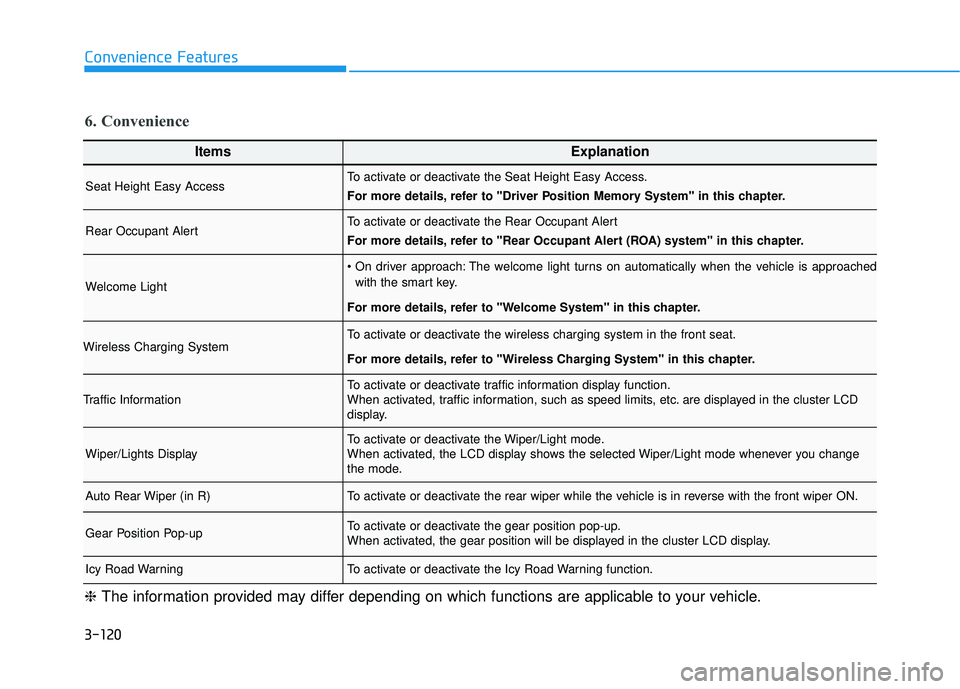
ItemsExplanation
Seat Height Easy AccessTo activate or deactivate the Seat Height Easy Access.
For more details, refer to "Driver Position Memory System" in this chapter.
Rear Occupant AlertTo activate or deactivate the Rear Occupant Alert
For more details, refer to "Rear Occupant Alert (ROA) system" in this chapter.
Welcome Light
The welcome light turns on automatically when the vehicle is approachedwith the smart key.
For more details, refer to ''Welcome System'' in this chapter.
Wireless Charging SystemTo activate or deactivate the wireless charging system in the front seat.
For more details, refer to "Wireless Charging System" in this chapter.
Traffic InformationTo activate or deactivate traffic information display function.
When activated, traffic information, such as speed limits, etc. are displayed in the cluster LCD
display.
Wiper/Lights DisplayTo activate or deactivate the Wiper/Light mode.
When activated, the LCD display shows the selected Wiper/Light mode whenever you change
the mode.
Auto Rear Wiper (in R)To activate or deactivate the rear wiper while the vehicle is in reverse with the front wiper ON.
Gear Position Pop-upTo activate or deactivate the gear position pop-up.
When activated, the gear position will be displayed in the cluster LCD display.
Icy Road WarningTo activate or deactivate the Icy Road Warning function.
6. Convenience
❈ The information provided may differ depending on which functions are applicable to your vehicle.
Page 229 of 663
3-133
Convenience Features
3
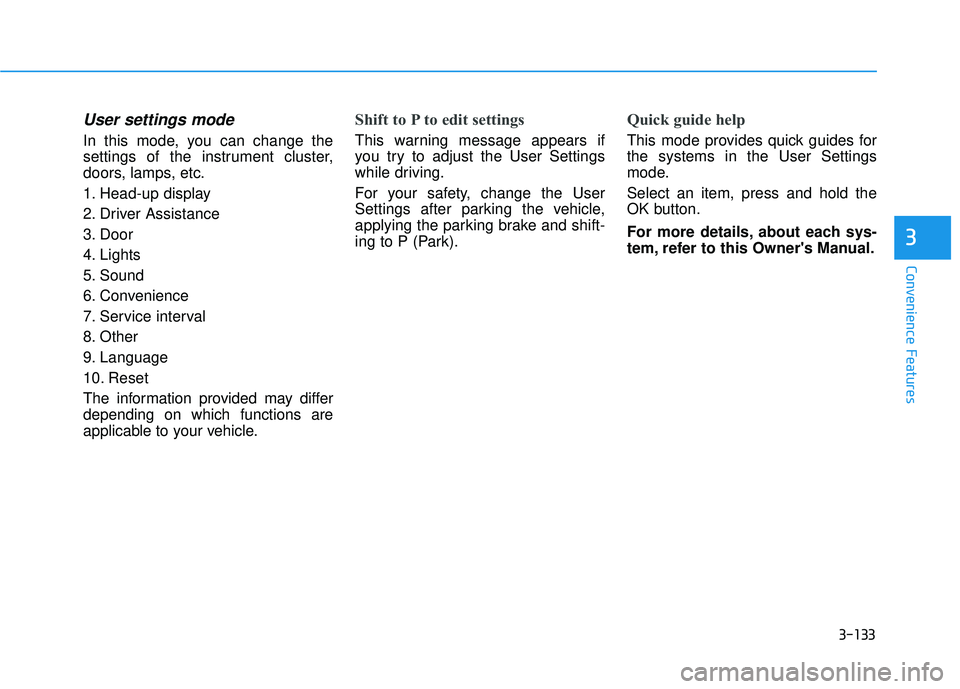
User settings mode
In this mode, you can change the
settings of the instrument cluster,
doors, lamps, etc.
1. Head-up display
2. Driver Assistance
3. Door
4. Lights
5. Sound
6. Convenience
7. Service interval
8. Other
9. Language
10. Reset
The information provided may differ
depending on which functions are
applicable to your vehicle.
Shift to P to edit settings
This warning message appears if
you try to adjust the User Settings
while driving.
For your safety, change the User
Settings after parking the vehicle,
applying the parking brake and shift-
ing to P (Park).
Quick guide help
This mode provides quick guides for
the systems in the User Settings
mode.
Select an item, press and hold the
OK button.
For more details, about each sys-
tem, refer to this Owner's Manual.