warning HYUNDAI PALISADE 2022 Owners Manual
[x] Cancel search | Manufacturer: HYUNDAI, Model Year: 2022, Model line: PALISADE, Model: HYUNDAI PALISADE 2022Pages: 663, PDF Size: 15.74 MB
Page 468 of 663
5-134
Driving your vehicle
Information
• You may change settings from theinstrument cluster (User Settings)
or infotainment system (Vehicle
Settings), whichever option that is
provided with your vehicle. For
more details, see "User Settings"
section in chapter 4, or "Vehicle
Settings" section in supplied
Infotainment Manual.
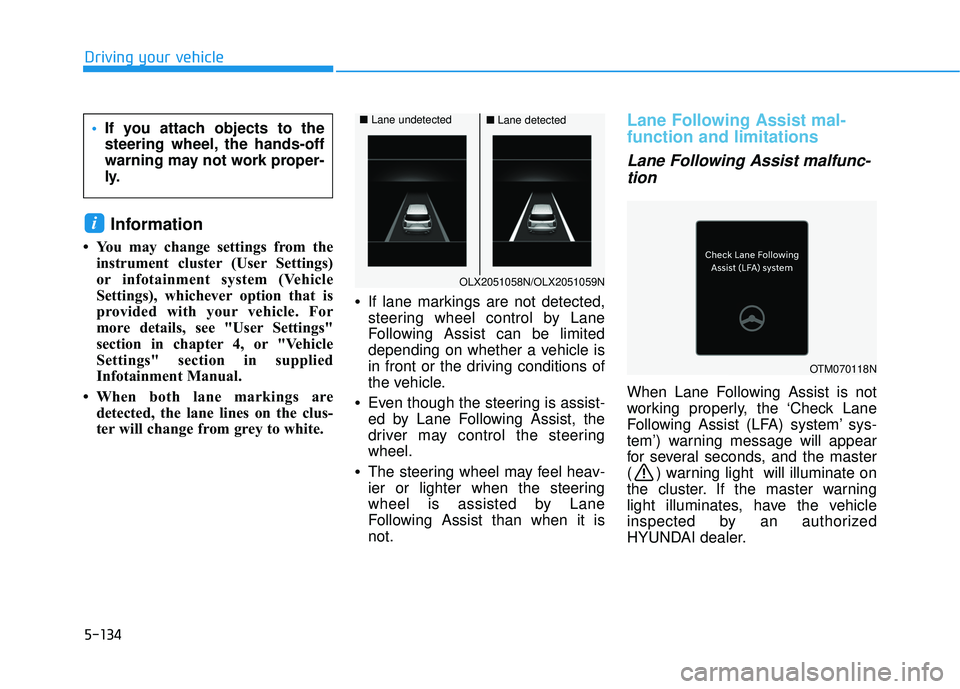
• When both lane markings are detected, the lane lines on the clus-
ter will change from grey to white. •
If lane markings are not detected,
steering wheel control by Lane
Following Assist can be limited
depending on whether a vehicle is
in front or the driving conditions of
the vehicle.
• Even though the steering is assist-
ed by Lane Following Assist, the
driver may control the steering
wheel.
• The steering wheel may feel heav-
ier or lighter when the steering
wheel is assisted by Lane
Following Assist than when it is
not.
Lane Following Assist mal-
function and limitations
Lane Following Assist malfunc-
tion
When Lane Following Assist is not
working properly, the ‘Check Lane
Following Assist (LFA) system’ sys-
tem’) warning message will appear
for several seconds, and the master
( ) warning light will illuminate on
the cluster. If the master warning
light illuminates, have the vehicle
inspected by an authorized
HYUNDAI dealer.
i
If you attach objects to the
steering wheel, the hands-off
warning may not work proper-
ly.
OLX2051058N/OLX2051059N
■ Lane undetected■Lane detected
OTM070118N
Page 469 of 663
5-135
Driving your vehicle
5
Limitations of Lane FollowingAssist
For more details on Lane Following
Assist limitations, refer to “Lane
Keeping Assist (LKA)” section in this
chapter.
For more details on Lane
Following Assist precautions,
refer to “Lane Keeping Assist
(LKA)” section in this chapter.
WARNING
Page 470 of 663
5-136
Driving your vehicle
Basic function
Driver Attention Warning will help
determine the driver's attention level
by analyzing driving pattern, driving
time, etc. while vehicle is being driv-
en. Driver Attention Warning will rec-
ommend a break when the driver’s
attention level falls below a certain
level.
Leading vehicle departure alert
function
Leading Vehicle Departure Alert
function will inform the driver when
the front vehicle departs from a stop.
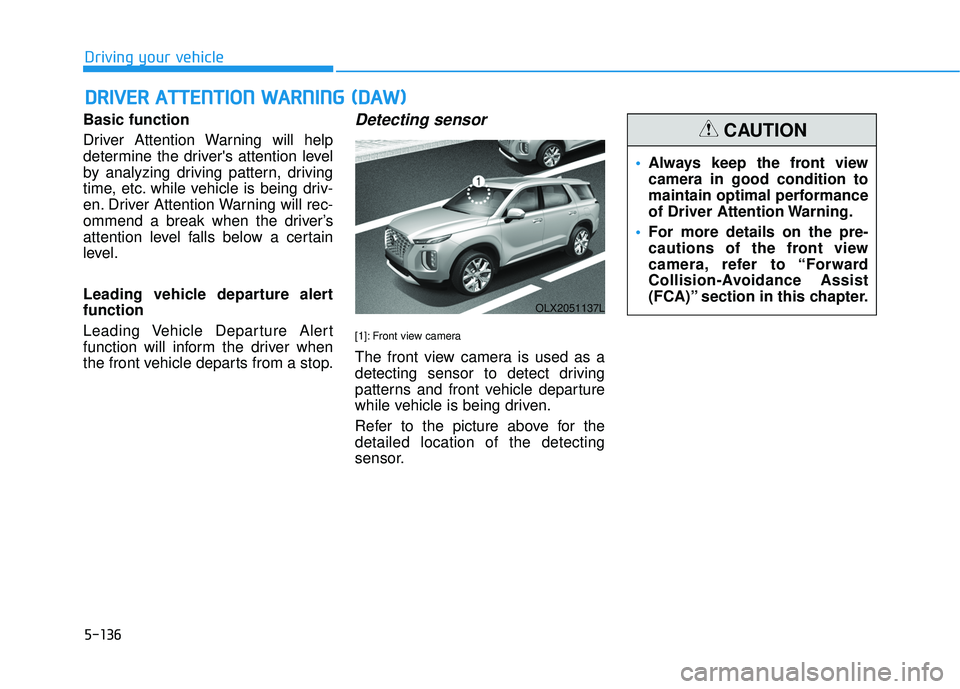
Detecting sensor
[1]: Front view camera
The front view camera is used as a
detecting sensor to detect driving
patterns and front vehicle departure
while vehicle is being driven.
Refer to the picture above for the
detailed location of the detecting
sensor.
D D R RI IV V E ER R A A T TT TE EN N T TI IO O N N W W A AR RN N I IN N G G ( ( D D A A W W ) )
OLX2051137L
Always keep the front view
camera in good condition to
maintain optimal performance
of Driver Attention Warning.
For more details on the pre-
cautions of the front view
camera, refer to “Forward
Collision-Avoidance Assist
(FCA)” section in this chapter.
CAUTION
Page 471 of 663
5-137
Driving your vehicle
5
Driver Attention Warning set-
tings
Setting features
To turn ON the Driver AttentionWarning (DAW) system, turn on
the engine, and then select "User
Settings → Driver Assistance →
Driver Attention Warning" on the
LCD display. If you deselect "User
Settings → Driver Assistance →
Driver Attention Warning" on LCD
display, Driver Attention Warning
turns off.
The set-up of the Driver Attention Warning will be maintained, as
selected, when theengine is re-
started.
Leading Vehicle Departure Alert
With the engine ON, the Leading
Vehicle Departure Alert system turn-
son and gets ready to be activated-
when the 'User Settings → Driver
Assistance → Driving Convenience
→ Leading vehicle departure alert'
isselected on the cluster. The func-
tion stops operation when the setting
is deactivated. However, if the engine
isturned off then on again, the func-
tion maintains the previous state.
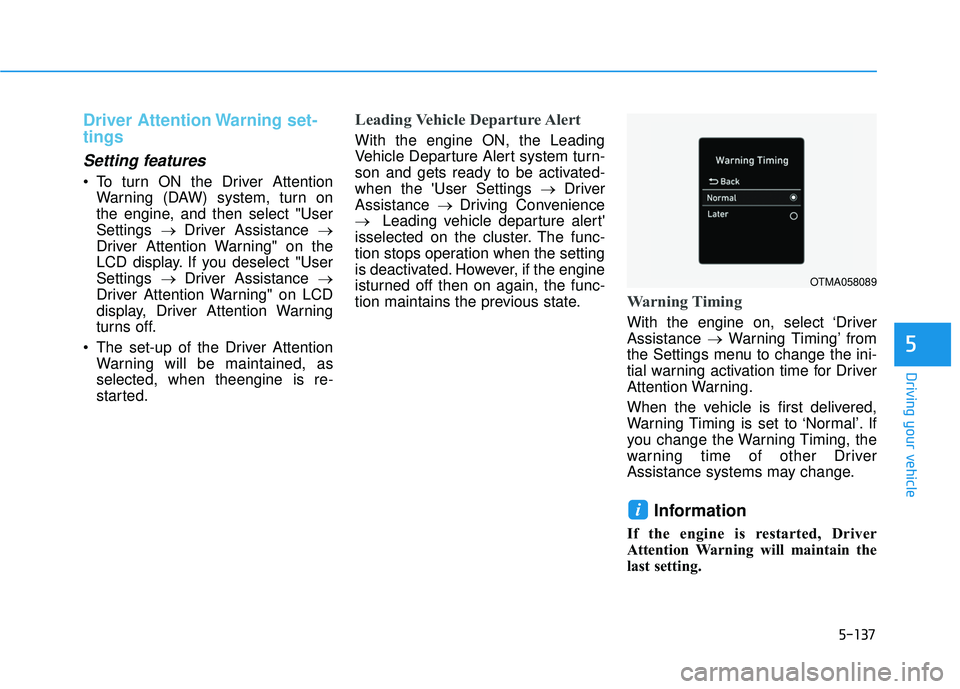
Warning Timing
With the engine on, select ‘Driver
Assistance →Warning Timing’ from
the Settings menu to change the ini-
tial warning activation time for Driver
Attention Warning.
When the vehicle is first delivered,
Warning Timing is set to ‘Normal’. If
you change the Warning Timing, the
warning time of other Driver
Assistance systems may change.
Information
If the engine is restarted, Driver
Attention Warning will maintain the
last setting.
i
OTMA058089
Page 472 of 663
5-138
Driving your vehicle
Driver Attention Warning oper-
ation
Basic function
Display and warning
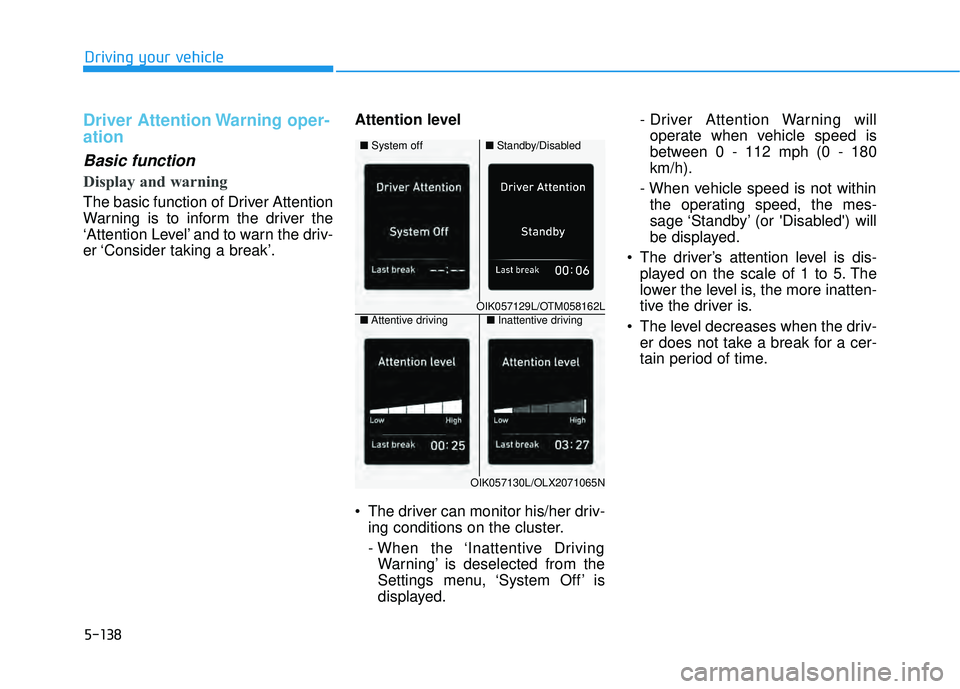
The basic function of Driver Attention
Warning is to inform the driver the
‘Attention Level’ and to warn the driv-
er ‘Consider taking a break’.Attention level
The driver can monitor his/her driv-
ing conditions on the cluster.
- When the ‘Inattentive DrivingWarning’ is deselected from the
Settings menu, ‘System Off’ is
displayed. - Driver Attention Warning will
operate when vehicle speed is
between 0 - 112 mph (0 - 180
km/h).
- When vehicle speed is not within the operating speed, the mes-
sage ‘Standby’ (or 'Disabled') will
be displayed.
The driver’s attention level is dis- played on the scale of 1 to 5. The
lower the level is, the more inatten-
tive the driver is.
The level decreases when the driv- er does not take a break for a cer-
tain period of time.
OIK057129L/OTM058162L
■ Standby/Disabled
■
System off
OIK057130L/OLX2071065N
■Inattentive driving
■ Attentive driving
Page 473 of 663
5-139
Driving your vehicle
5
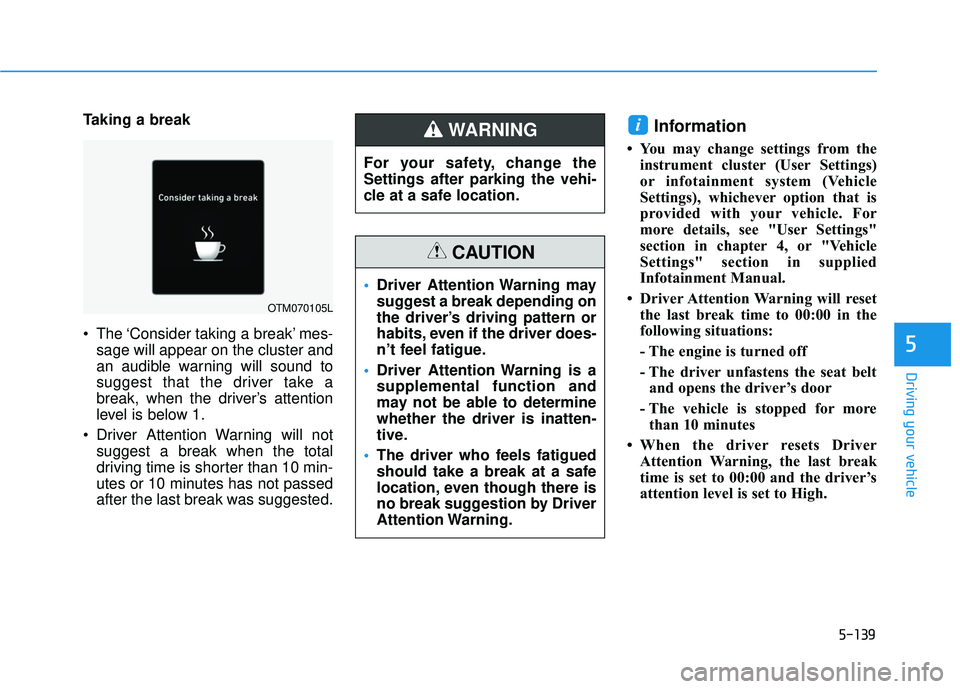
Taking a break
The ‘Consider taking a break’ mes-sage will appear on the cluster and
an audible warning will sound to
suggest that the driver take a
break, when the driver’s attention
level is below 1.
Driver Attention Warning will not suggest a break when the total
driving time is shorter than 10 min-
utes or 10 minutes has not passed
after the last break was suggested.Information
• You may change settings from theinstrument cluster (User Settings)
or infotainment system (Vehicle
Settings), whichever option that is
provided with your vehicle. For
more details, see "User Settings"
section in chapter 4, or "Vehicle
Settings" section in supplied
Infotainment Manual.
• Driver Attention Warning will reset the last break time to 00:00 in the
following situations:
- The engine is turned off
- The driver unfastens the seat beltand opens the driver’s door
- The vehicle is stopped for more than 10 minutes
• When the driver resets Driver Attention Warning, the last break
time is set to 00:00 and the driver’s
attention level is set to High.
i
OTM070105L
For your safety, change the
Settings after parking the vehi-
cle at a safe location.
WARNING
Driver Attention Warning may
suggest a break depending on
the driver’s driving pattern or
habits, even if the driver does-
n’t feel fatigue.
Driver Attention Warning is a
supplemental function and
may not be able to determine
whether the driver is inatten-
tive.
The driver who feels fatigued
should take a break at a safe
location, even though there is
no break suggestion by Driver
Attention Warning.
CAUTION
Page 474 of 663
5-140
Driving your vehicle
Leading vehicle departure alertfunction
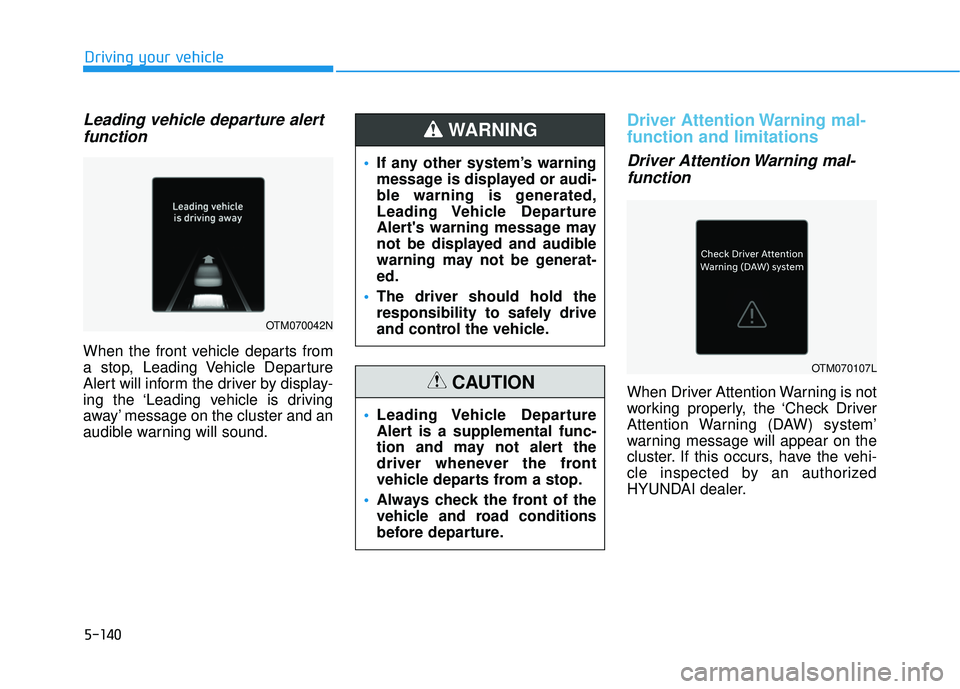
When the front vehicle departs from
a stop, Leading Vehicle Departure
Alert will inform the driver by display-
ing the ‘Leading vehicle is driving
away’ message on the cluster and an
audible warning will sound.
Driver Attention Warning mal-
function and limitations
Driver Attention Warning mal-function
When Driver Attention Warning is not
working properly, the ‘Check Driver
Attention Warning (DAW) system’
warning message will appear on the
cluster. If this occurs, have the vehi-
cle inspected by an authorized
HYUNDAI dealer.
If any other system’s warning
message is displayed or audi-
ble warning is generated,
Leading Vehicle Departure
Alert's warning message may
not be displayed and audible
warning may not be generat-
ed.
The driver should hold the
responsibility to safely drive
and control the vehicle.
WARNING
Leading Vehicle Departure
Alert is a supplemental func-
tion and may not alert the
driver whenever the front
vehicle departs from a stop.
Always check the front of the
vehicle and road conditions
before departure.
CAUTION
OTM070042N
OTM070107L
Page 475 of 663
5-141
Driving your vehicle
5
Limitations of Driver AttentionWarning
Driver Attention Warning may not
work properly in the following situa-
tions:
The vehicle is driven violently
The vehicle intentionally crosses
over lanes frequently
The vehicle is controlled by Driver Assistance system, such as Lane
Keeping Assist
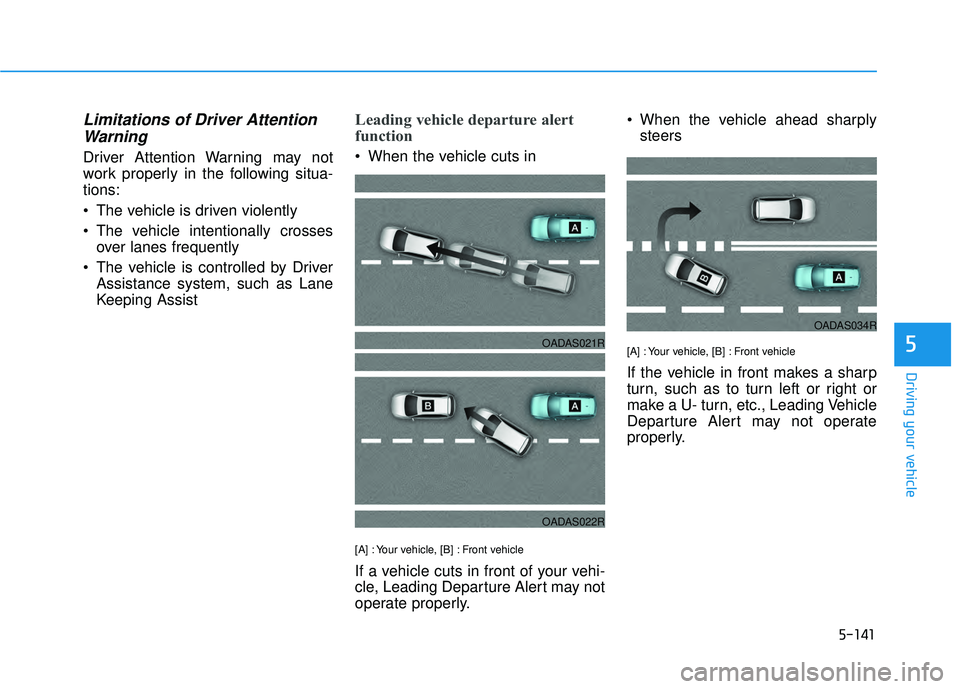
Leading vehicle departure alert
function
When the vehicle cuts in
[A] : Your vehicle, [B] : Front vehicle
If a vehicle cuts in front of your vehi-
cle, Leading Departure Alert may not
operate properly. When the vehicle ahead sharply
steers
[A] : Your vehicle, [B] : Front vehicle
If the vehicle in front makes a sharp
turn, such as to turn left or right or
make a U- turn, etc., Leading Vehicle
Departure Alert may not operate
properly.
OADAS021R
OADAS022R
OADAS034R
Page 479 of 663
5-145
Driving your vehicle
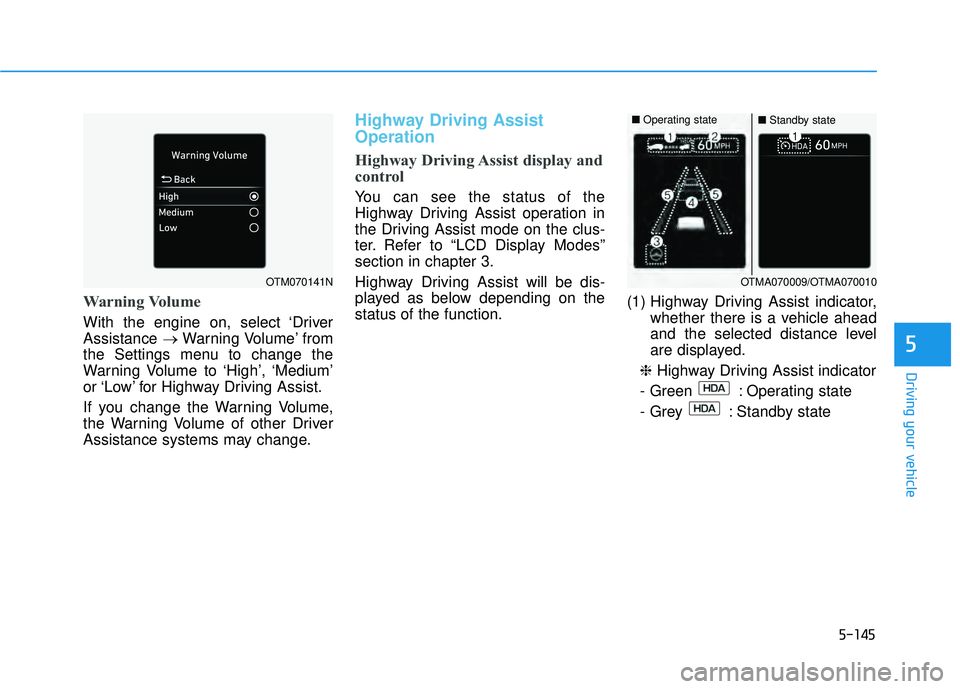
Warning Volume
With the engine on, select ‘Driver
Assistance →Warning Volume’ from
the Settings menu to change the
Warning Volume to ‘High’, ‘Medium’
or ‘Low’ for Highway Driving Assist.
If you change the Warning Volume,
the Warning Volume of other Driver
Assistance systems may change.
Highway Driving Assist
Operation
Highway Driving Assist display and
control
You can see the status of the
Highway Driving Assist operation in
the Driving Assist mode on the clus-
ter. Refer to “LCD Display Modes”
section in chapter 3.
Highway Driving Assist will be dis-
played as below depending on the
status of the function. (1) Highway Driving Assist indicator,
whether there is a vehicle ahead
and the selected distance level
are displayed.
❈ Highway Driving Assist indicator
- Green : Operating state
- Grey : Standby state
5
OTM070141NOTMA070009/OTMA070010
■ Operating state■Standby state
Page 481 of 663
5-147
Driving your vehicle
Hands-off warning
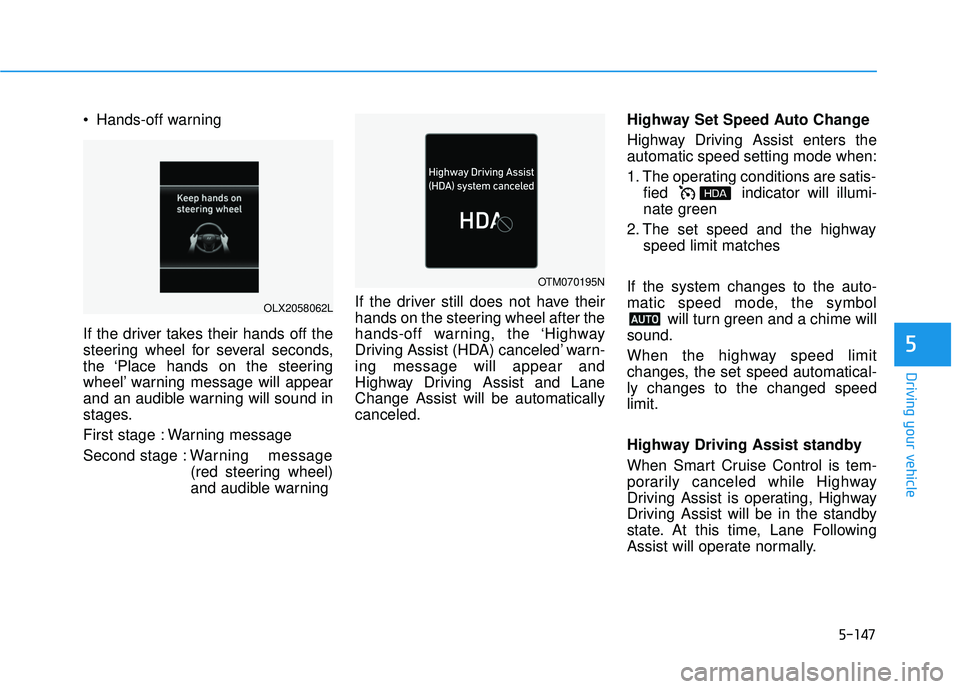
If the driver takes their hands off the
steering wheel for several seconds,
the ‘Place hands on the steering
wheel’ warning message will appear
and an audible warning will sound in
stages.
First stage : Warning message
Second stage : Warning message
(red steering wheel)
and audible warning If the driver still does not have their
hands on the steering wheel after the
hands-off warning, the ‘Highway
Driving Assist (HDA) canceled’ warn-
ing message will appear and
Highway Driving Assist and Lane
Change Assist will be automatically
canceled. Highway Set Speed Auto Change
Highway Driving Assist enters the
automatic speed setting mode when:
1. The operating conditions are satis-
fied indicator will illumi-
nate green
2. The set speed and the highway speed limit matches
If the system changes to the auto-
matic speed mode, the symbol will turn green and a chime will
sound.
When the highway speed limit
changes, the set speed automatical-
ly changes to the changed speed
limit.
Highway Driving Assist standby
When Smart Cruise Control is tem-
porarily canceled while Highway
Driving Assist is operating, Highway
Driving Assist will be in the standby
state. At this time, Lane Following
Assist will operate normally.
5
OLX2058062L
OTM070195N