warning HYUNDAI PALISADE 2022 Owners Manual
[x] Cancel search | Manufacturer: HYUNDAI, Model Year: 2022, Model line: PALISADE, Model: HYUNDAI PALISADE 2022Pages: 663, PDF Size: 15.74 MB
Page 482 of 663
5-148
Highway Driving Assist
Malfunction and Limitations
Highway Driving Assist mal-function
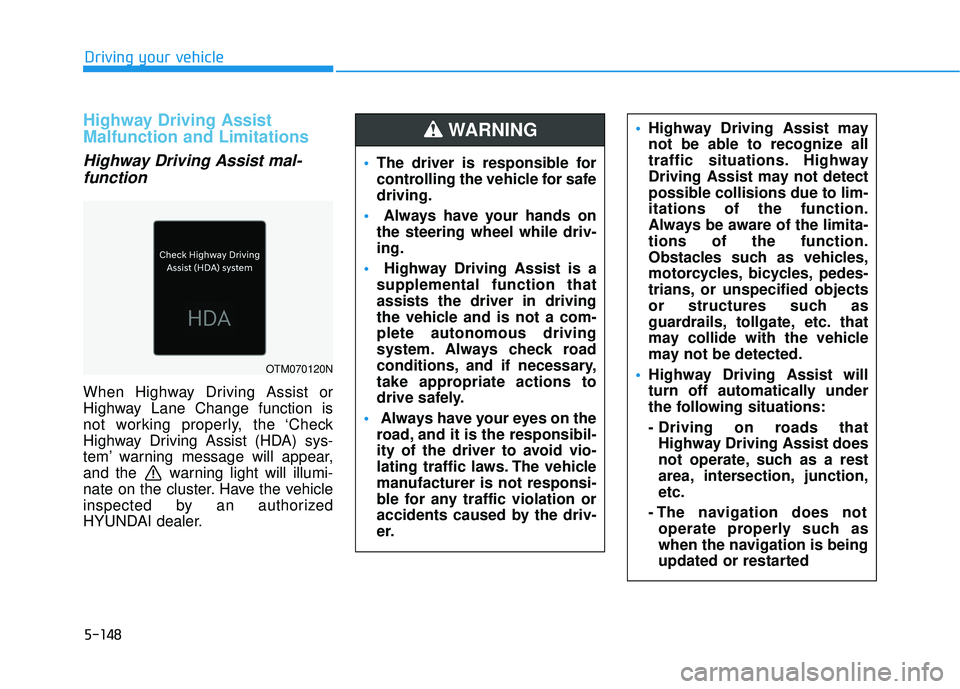
When Highway Driving Assist or
Highway Lane Change function is
not working properly, the ‘Check
Highway Driving Assist (HDA) sys-
tem’ warning message will appear,
and the warning light will illumi-
nate on the cluster. Have the vehicle
inspected by an authorized
HYUNDAI dealer.
Driving your vehicle
OTM070120N
The driver is responsible for
controlling the vehicle for safe
driving.
Always have your hands on
the steering wheel while driv-
ing.
Highway Driving Assist is a
supplemental function that
assists the driver in driving
the vehicle and is not a com-
plete autonomous driving
system. Always check road
conditions, and if necessary,
take appropriate actions to
drive safely.
Always have your eyes on the
road, and it is the responsibil-
ity of the driver to avoid vio-
lating traffic laws. The vehicle
manufacturer is not responsi-
ble for any traffic violation or
accidents caused by the driv-
er.
Highway Driving Assist may
not be able to recognize all
traffic situations. Highway
Driving Assist may not detect
possible collisions due to lim-
itations of the function.
Always be aware of the limita-
tions of the function.
Obstacles such as vehicles,
motorcycles, bicycles, pedes-
trians, or unspecified objects
or structures such as
guardrails, tollgate, etc. that
may collide with the vehicle
may not be detected.
Highway Driving Assist will
turn off automatically under
the following situations:
- Driving on roads that
Highway Driving Assist does
not operate, such as a rest
area, intersection, junction,
etc.
- The navigation does not operate properly such as
when the navigation is being
updated or restarted WARNING
Page 483 of 663
5-149
Driving your vehicle
Limitations of Highway DrivingAssist
Highway Driving Assist may not
operate normally, or may not operate
under the following circumstances:
The map information and the actu-
al road is different because the
navigation is not updated
The map information and the actu- al road is different because of real-
time GPS data or map information
error
The infotainment system is over- loaded by simultaneously perform-
ing functions such as route search,
video playback, voice recognition,
etc.
GPS signals are blocked in areas such as a tunnel
The driver goes off course or the route to the destination is changed
or canceled by resetting the navi-
gation
The vehicle enters a service sta- tion or rest area
Android Auto or Car Play is operat- ing
5
Highway Driving Assist may
inadvertently operate or turn
off depending on road condi-
tions (navigation information)
and surroundings.
Lane Following Assist func-
tion may be temporarily dis-
abled when the front view
camera cannot detect lanes
properly or the hands-off
warning is on.
You may not hear the warning
sound of Highway Driving
Assist if the surrounding is
noisy.
If the vehicle is driven at high
speed above a certain speed
at a curve, your vehicle may
drive to one side or may
depart from the driving lane.
When you are towing a trailer
or another vehicle, we recom-
mend that Highway Driving
Assist is turned off due to
safety reasons.The hands–off warning mes-
sage may appear early or late
depending on how the steer-
ing wheel is held or road con-
ditions. Always have your
hands on the steering wheel
while driving.
For your safety, please read
the owner's manual before
using the Highway Driving
Assist.
Highway Driving Assist will
not operate when the engine
is started, or when the detect-
ing sensors or navigation is
being initialized.
Page 488 of 663
5-154
Driving your vehicle
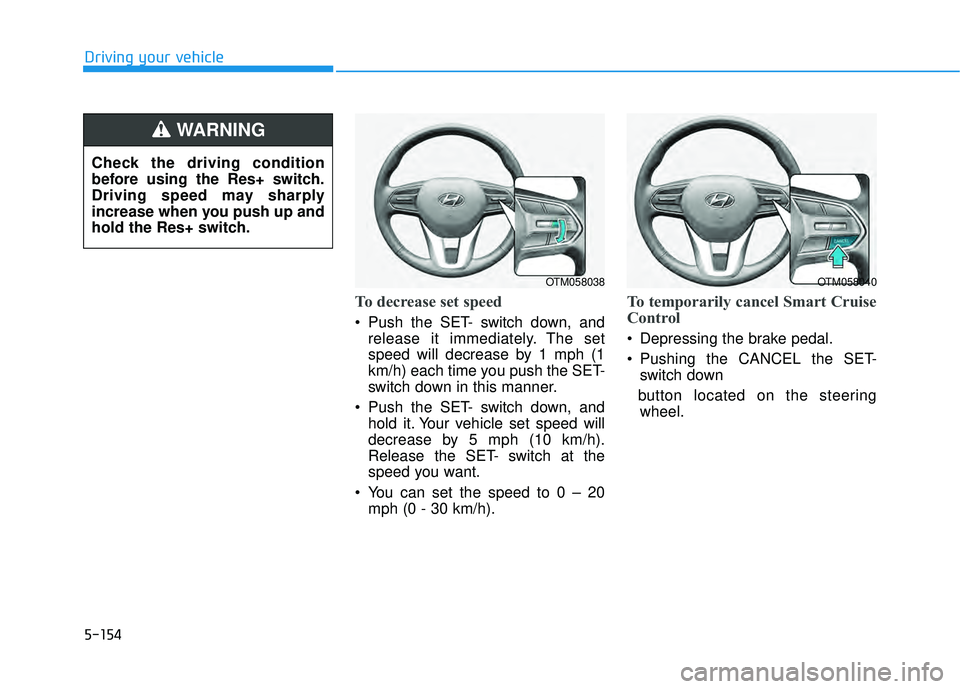
To decrease set speed
Push the SET- switch down, andrelease it immediately. The set
speed will decrease by 1 mph (1
km/h) each time you push the SET-
switch down in this manner.
Push the SET- switch down, and hold it. Your vehicle set speed will
decrease by 5 mph (10 km/h).
Release the SET- switch at the
speed you want.
You can set the speed to 0 – 20 mph (0 - 30 km/h).
To temporarily cancel Smart Cruise
Control
Depressing the brake pedal.
Pushing the CANCEL the SET-switch down
button located on the steering wheel.
OTM058038OTM058040
Check the driving condition
before using the Res+ switch.
Driving speed may sharply
increase when you push up and
hold the Res+ switch.
WARNING
Page 490 of 663
5-156
Driving your vehicle
Warning Volume
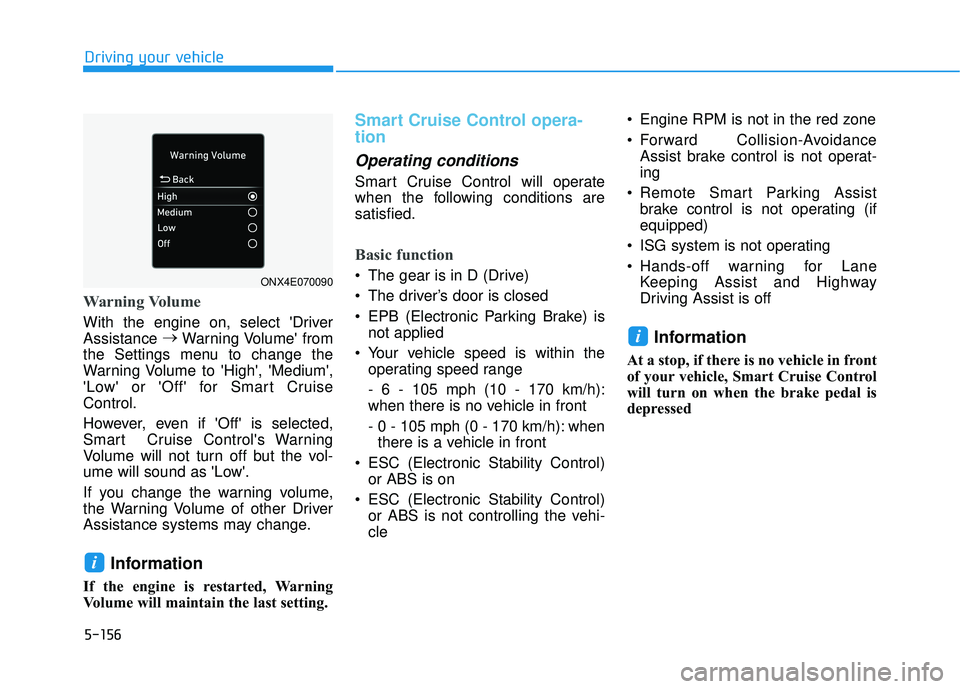
With the engine on, select 'Driver
Assistance →
Warning Volume' from
the Settings menu to change the
Warning Volume to 'High', 'Medium',
'Low' or 'Off' for Smart Cruise
Control.
However, even if 'Off' is selected,
Smart Cruise Control's Warning
Volume will not turn off but the vol-
ume will sound as 'Low'.
If you change the warning volume,
the Warning Volume of other Driver
Assistance systems may change.
Information
If the engine is restarted, Warning
Volume will maintain the last setting.
Smart Cruise Control opera-
tion
Operating conditions
Smart Cruise Control will operate
when the following conditions are
satisfied.
Basic function
The gear is in D (Drive)
The driver’s door is closed
EPB (Electronic Parking Brake) is not applied
Your vehicle speed is within the operating speed range
- 6 - 105 mph (10 - 170 km/h):
when there is no vehicle in front
- 0 - 105 mph (0 - 170 km/h): whenthere is a vehicle in front
ESC (Electronic Stability Control) or ABS is on
ESC (Electronic Stability Control) or ABS is not controlling the vehi-
cle Engine RPM is not in the red zone
Forward Collision-Avoidance
Assist brake control is not operat-
ing
Remote Smart Parking Assist brake control is not operating (if
equipped)
ISG system is not operating
Hands-off warning for Lane Keeping Assist and Highway
Driving Assist is off
Information
At a stop, if there is no vehicle in front
of your vehicle, Smart Cruise Control
will turn on when the brake pedal is
depressed
i
i
ONX4E070090
Page 491 of 663
5-157
Driving your vehicle
5
Overtaking Acceleration Assist
Overtaking Acceleration Assist will
operate when the turn signal indica-
tor is turned on to the left (left-hand
drive) or turned on to the right (right-
hand drive) while Smart Cruise
Control is operating, and the follow-
ing conditions are satisfied:
Your vehicle speed is above 40mph (60 km/h)
The hazard warning flasher is off
A vehicle is detected in front of your vehicle
Deceleration is not needed to maintain distance with the vehicle
in front
Smart Cruise Control display
and control
Basic function
You can see the status of the Smart
Cruise Control operation in the
Driving Assist view on the cluster.
Refer to “LCD Display Modes” sec-
tion in chapter 4.
Smart Cruise Control will be dis-
played as below depending on the
status of the function.
When the turn signal indicator
is turned on to the left (left-
hand drive) or turned on to
the right (right-hand drive)
while there is a vehicle ahead,
the vehicle may accelerate
temporarily. Pay attention to
the road conditions at all
times.
Regardless of your countries
driving direction, Overtaking
Acceleration Assist will oper-
ate when the conditions are
satisfied. When using the
function in countries with dif-
ferent driving direction,
always check the road condi-
tions at all times.
WARNING
Page 492 of 663
5-158
Driving your vehicle
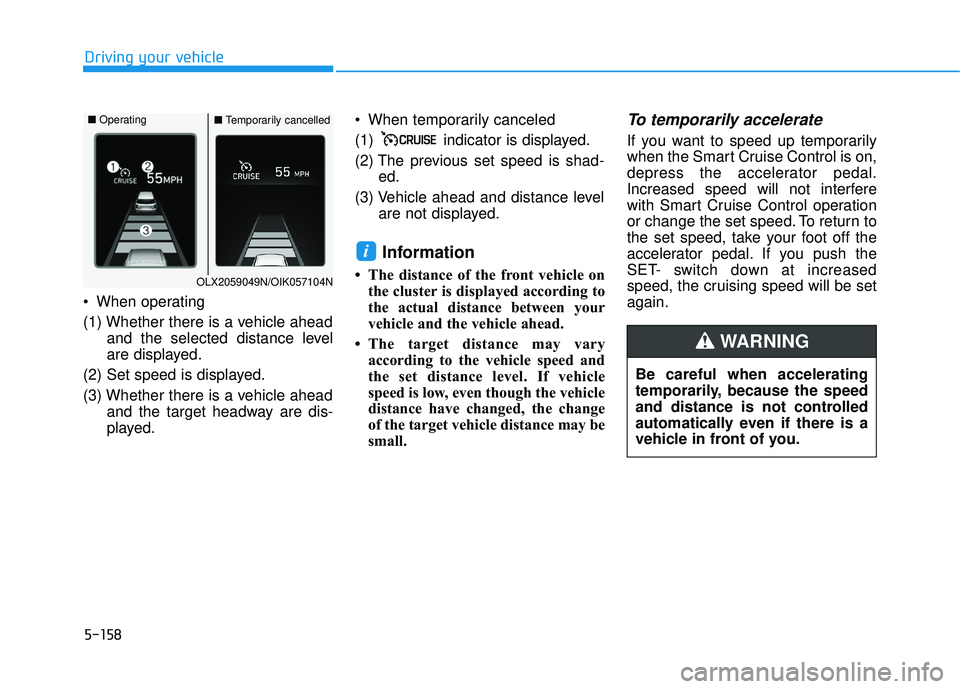
When operating
(1) Whether there is a vehicle ahead and the selected distance level
are displayed.
(2) Set speed is displayed.
(3) Whether there is a vehicle ahead and the target headway are dis-
played. When temporarily canceled
(1) indicator is displayed.
(2) The previous set speed is shad-
ed.
(3) Vehicle ahead and distance level are not displayed.
Information
• The distance of the front vehicle onthe cluster is displayed according to
the actual distance between your
vehicle and the vehicle ahead.
• The target distance may vary according to the vehicle speed and
the set distance level. If vehicle
speed is low, even though the vehicle
distance have changed, the change
of the target vehicle distance may be
small.
To temporarily accelerate
If you want to speed up temporarily
when the Smart Cruise Control is on,
depress the accelerator pedal.
Increased speed will not interfere
with Smart Cruise Control operation
or change the set speed. To return to
the set speed, take your foot off the
accelerator pedal. If you push the
SET- switch down at increased
speed, the cruising speed will be set
again.
i
Be careful when accelerating
temporarily, because the speed
and distance is not controlled
automatically even if there is a
vehicle in front of you.
WARNING
OLX2059049N/OIK057104N
■ Operating■Temporarily cancelled
Page 493 of 663
5-159
Driving your vehicle
5
Smart Cruise Control temporari-ly canceled
Smart Cruise Control will be tem-
porarily canceled automatically
when:
The vehicle speed is above 105
mph (170 km/h)
The vehicle is stopped for a certain period of time
The accelerator pedal is continu- ously depressed for a certain peri-
od of time
The conditions for the Smart Cruise Control to operate is not
satisfied If Smart Cruise Control is temporari-
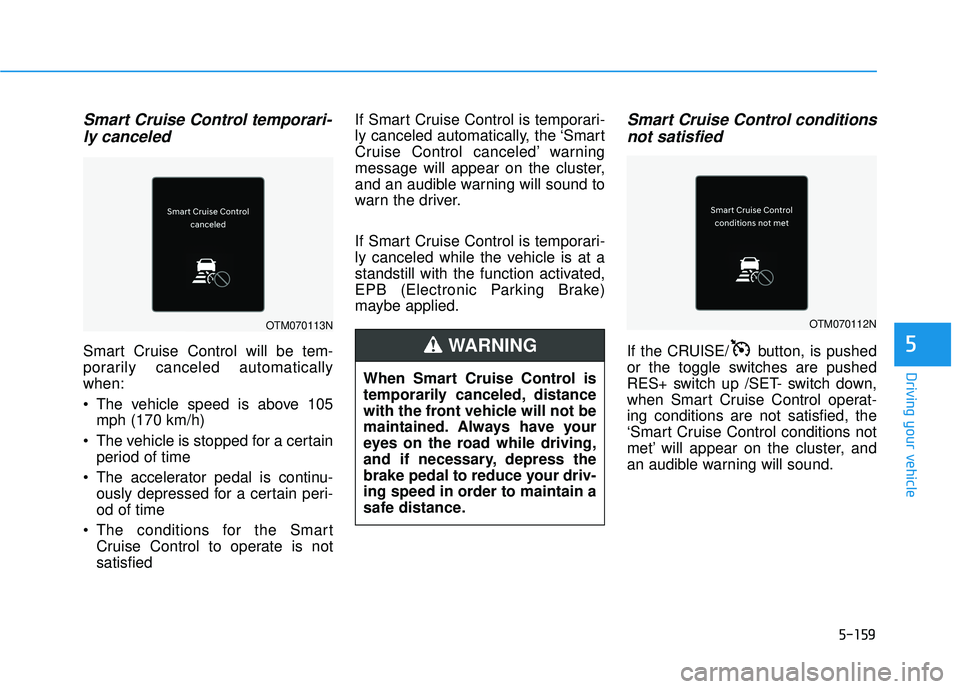
ly canceled automatically, the ‘Smart
Cruise Control canceled’ warning
message will appear on the cluster,
and an audible warning will sound to
warn the driver.
If Smart Cruise Control is temporari-
ly canceled while the vehicle is at a
standstill with the function activated,
EPB (Electronic Parking Brake)
maybe applied.
Smart Cruise Control conditions
not satisfied
If the CRUISE/ button, is pushed
or the toggle switches are pushed
RES+ switch up /SET- switch down,
when Smart Cruise Control operat-
ing conditions are not satisfied, the
‘Smart Cruise Control conditions not
met’ will appear on the cluster, and
an audible warning will sound.
When Smart Cruise Control is
temporarily canceled, distance
with the front vehicle will not be
maintained. Always have your
eyes on the road while driving,
and if necessary, depress the
brake pedal to reduce your driv-
ing speed in order to maintain a
safe distance.
WARNING
OTM070112NOTM070113N
Page 494 of 663
5-160
Driving your vehicle
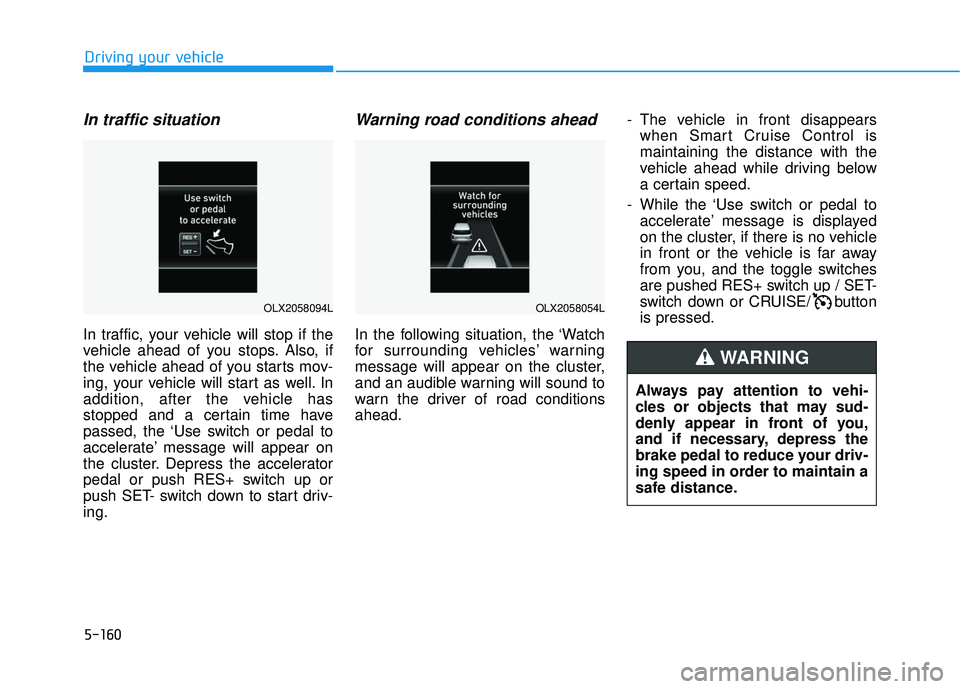
In traffic situation
In traffic, your vehicle will stop if the
vehicle ahead of you stops. Also, if
the vehicle ahead of you starts mov-
ing, your vehicle will start as well. In
addition, after the vehicle has
stopped and a certain time have
passed, the ‘Use switch or pedal to
accelerate’ message will appear on
the cluster. Depress the accelerator
pedal or push RES+ switch up or
push SET- switch down to start driv-
ing.
Warning road conditions ahead
In the following situation, the ‘Watch
for surrounding vehicles’ warning
message will appear on the cluster,
and an audible warning will sound to
warn the driver of road conditions
ahead.- The vehicle in front disappears
when Smart Cruise Control is
maintaining the distance with the
vehicle ahead while driving below
a certain speed.
- While the ‘Use switch or pedal to accelerate’ message is displayed
on the cluster, if there is no vehicle
in front or the vehicle is far away
from you, and the toggle switches
are pushed RES+ switch up / SET-
switch down or CRUISE/ button
is pressed.
Always pay attention to vehi-
cles or objects that may sud-
denly appear in front of you,
and if necessary, depress the
brake pedal to reduce your driv-
ing speed in order to maintain a
safe distance.
WARNING
OLX2058054LOLX2058094L
Page 495 of 663
5-161
Driving your vehicle
5
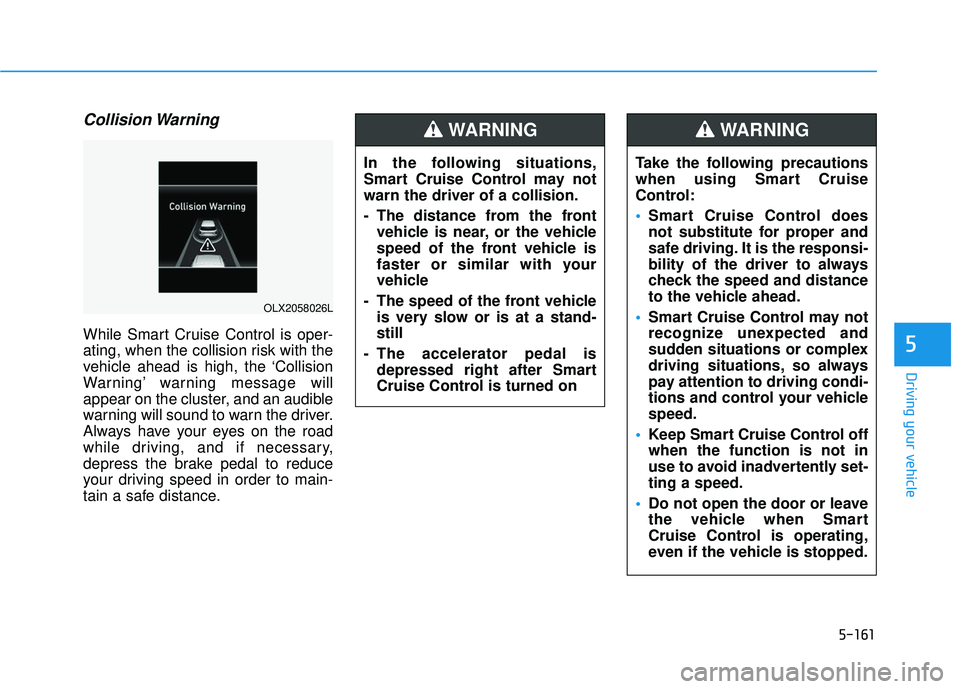
Collision Warning
While Smart Cruise Control is oper-
ating, when the collision risk with the
vehicle ahead is high, the ‘Collision
Warning’ warning message will
appear on the cluster, and an audible
warning will sound to warn the driver.
Always have your eyes on the road
while driving, and if necessary,
depress the brake pedal to reduce
your driving speed in order to main-
tain a safe distance.In the following situations,
Smart Cruise Control may not
warn the driver of a collision.
- The distance from the front
vehicle is near, or the vehicle
speed of the front vehicle is
faster or similar with your
vehicle
- The speed of the front vehicle is very slow or is at a stand-
still
- The accelerator pedal is depressed right after Smart
Cruise Control is turned on
WARNING
OLX2058026L
Take the following precautions
when using Smart Cruise
Control:
Smart Cruise Control does
not substitute for proper and
safe driving. It is the responsi-
bility of the driver to always
check the speed and distance
to the vehicle ahead.
Smart Cruise Control may not
recognize unexpected and
sudden situations or complex
driving situations, so always
pay attention to driving condi-
tions and control your vehicle
speed.
Keep Smart Cruise Control off
when the function is not in
use to avoid inadvertently set-
ting a speed.
Do not open the door or leave
the vehicle when Smart
Cruise Control is operating,
even if the vehicle is stopped.
WARNING
Page 496 of 663
5-162
Driving your vehicleTurn off Smart Cruise Control
when your vehicle is being
towed.
Smart Cruise Control may not
operate normally if interfered
by strong electromagnetic
waves.
Smart Cruise Control may not
detect an obstacle in front and
lead to a collision. Always
look ahead cautiously to pre-
vent unexpected and sudden
situations from occurring.
Vehicles moving in front of
you with a frequent lane
change may cause a delay in
Smart Cruise Control reaction
or may cause Smart Cruise
Control to react to a vehicle
actually in an adjacent lane.
Always drive cautiously to
prevent unexpected and sud-
den situations from occur-
ring.
Always be aware of the sur-
roundings and drive safely,
even though a warning mes-
sage does not appear or an
audible warning does not
sound.
If any other system’s warning
message is displayed or
warning sound is generated,
Smart Cruise Control warning
message may not be dis-
played and warning sound
may not be generated.
You may not hear the warning
sound of Forward Collision-
Avoidance Assist if the sur-
rounding is noisy.
The vehicle manufacturer is
not responsible for any traffic
violation or accidents caused
by the driver.
Always set the vehicle speed
under the speed limit in your
country.Always be aware of the select-
ed speed and headway dis-
tance.
Keep a safe distance accord-
ing to road conditions and
vehicle speed. If the headway
distance is too close during
high-speed driving, a serious
collision may result.
When maintaining distance
with the vehicle ahead, if the
front vehicle disappears,
Smart Cruise Control may
suddenly accelerate to the set
speed. Always be aware of
unexpected and sudden situa-
tions from occurring.
Vehicle speed may decrease
on an upward slope and
increase on a downward
slope.
Always be aware of situations
such as when a vehicle cuts in
suddenly.
When you are towing a trailer
or another vehicle, we recom-
mend that Smart Cruise
Control is turned off due to
safety reasons.