lane assist HYUNDAI PALISADE 2022 Service Manual
[x] Cancel search | Manufacturer: HYUNDAI, Model Year: 2022, Model line: PALISADE, Model: HYUNDAI PALISADE 2022Pages: 663, PDF Size: 15.74 MB
Page 477 of 663
5-143
Driving your vehicle
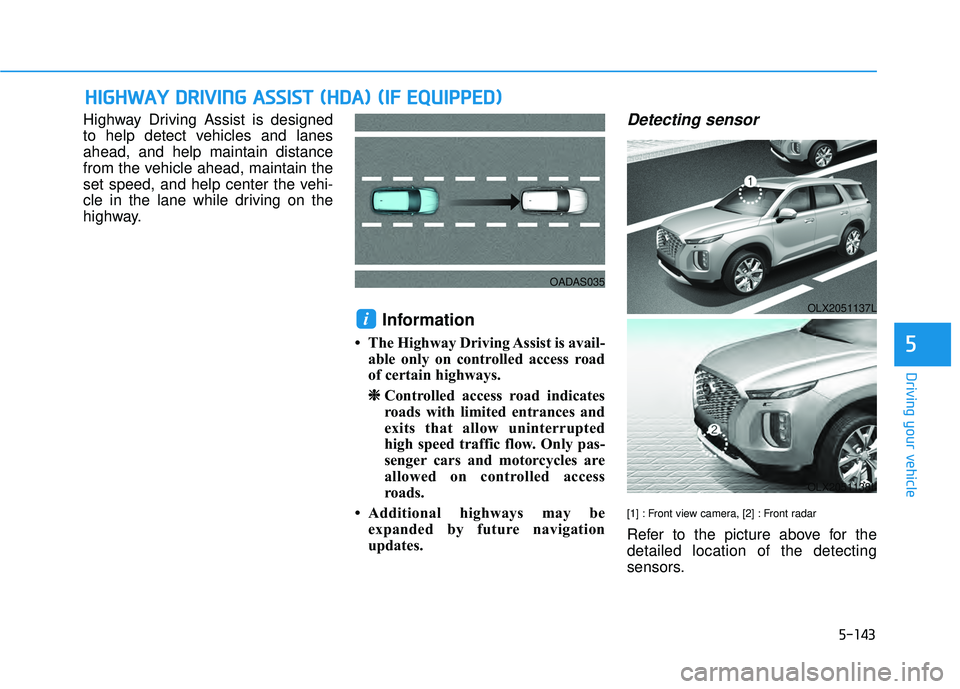
Highway Driving Assist is designed
to help detect vehicles and lanes
ahead, and help maintain distance
from the vehicle ahead, maintain the
set speed, and help center the vehi-
cle in the lane while driving on the
highway.
Information
• The Highway Driving Assist is avail-able only on controlled access road
of certain highways.
❈ ❈ Controlled access road indicates
roads with limited entrances and
exits that allow uninterrupted
high speed traffic flow. Only pas-
senger cars and motorcycles are
allowed on controlled access
roads.
• Additional highways may be expanded by future navigation
updates.
Detecting sensor
[1] : Front view camera, [2] : Front radar
Refer to the picture above for the
detailed location of the detecting
sensors.
i
H HI IG G H H W W A AY Y D D R RI IV V I IN N G G A A S SS SI IS S T T ( ( H H D DA A ) ) ( ( I IF F E E Q Q U UI IP P P PE ED D ) )
5
OADAS035
OLX2051137L
OLX2051138L
Page 478 of 663
5-144
Highway Driving Assist
Settings
Setting features
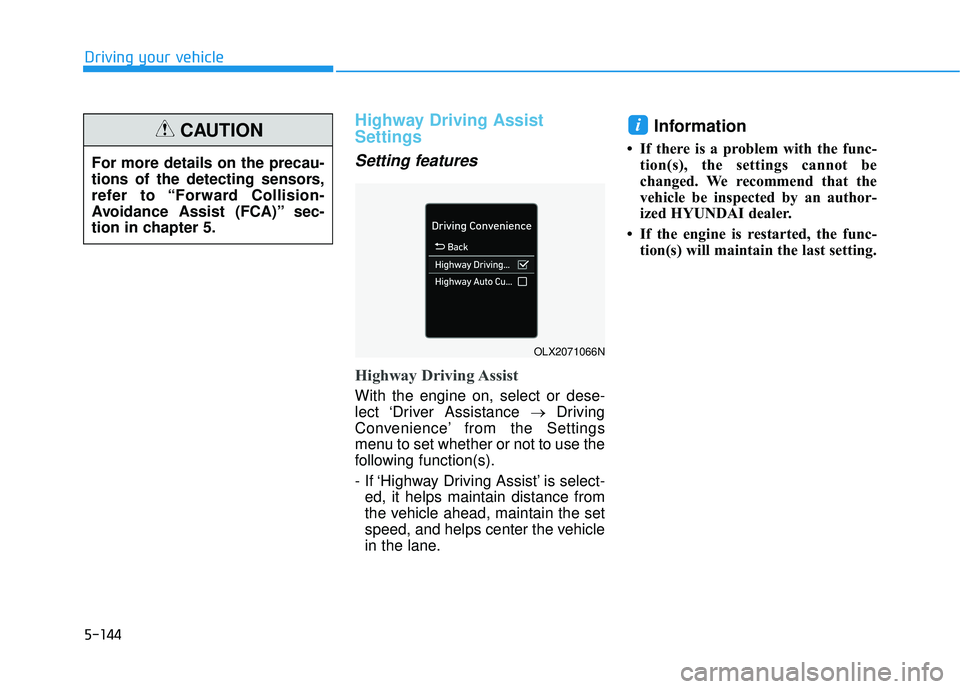
Highway Driving Assist
With the engine on, select or dese-
lect ‘Driver Assistance →Driving
Convenience’ from the Settings
menu to set whether or not to use the
following function(s).
- If ‘Highway Driving Assist’ is select- ed, it helps maintain distance from
the vehicle ahead, maintain the set
speed, and helps center the vehicle
in the lane.
Information
• If there is a problem with the func- tion(s), the settings cannot be
changed. We recommend that the
vehicle be inspected by an author-
ized HYUNDAI dealer.
• If the engine is restarted, the func- tion(s) will maintain the last setting.
i
Driving your vehicle
For more details on the precau-
tions of the detecting sensors,
refer to “Forward Collision-
Avoidance Assist (FCA)” sec-
tion in chapter 5.
CAUTION
OLX2071066N
Page 480 of 663
5-146
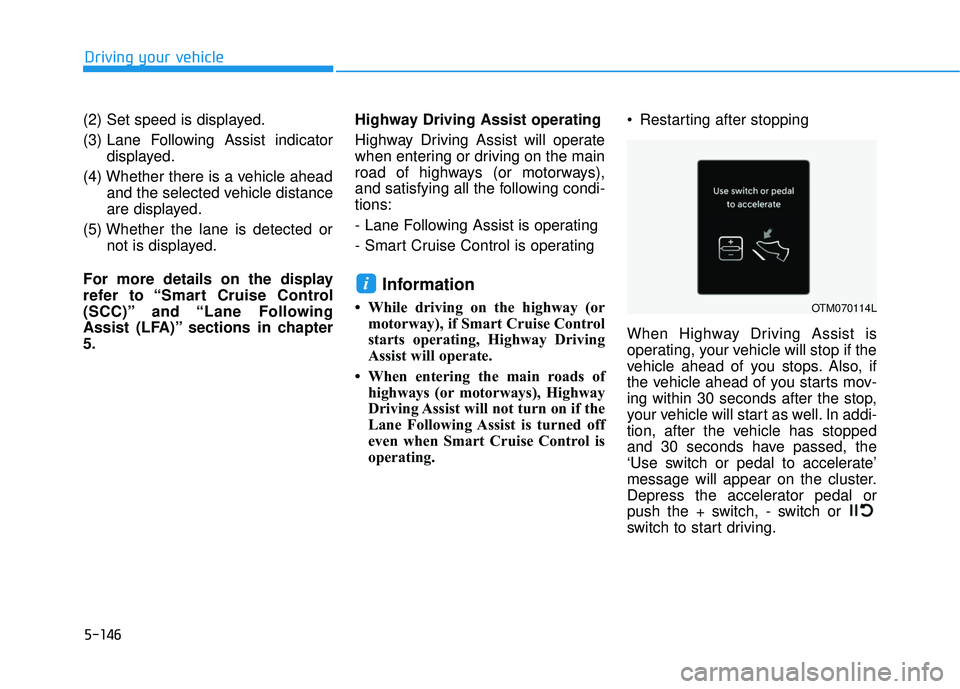
(2) Set speed is displayed.
(3) Lane Following Assist indicatordisplayed.
(4) Whether there is a vehicle ahead and the selected vehicle distance
are displayed.
(5) Whether the lane is detected or not is displayed.
For more details on the display
refer to “Smart Cruise Control
(SCC)” and “Lane Following
Assist (LFA)” sections in chapter
5. Highway Driving Assist operating
Highway Driving Assist will operate
when entering or driving on the main
road of highways (or motorways),
and satisfying all the following condi-
tions:
- Lane Following Assist is operating
- Smart Cruise Control is operating
Information
• While driving on the highway (or
motorway), if Smart Cruise Control
starts operating, Highway Driving
Assist will operate.
• When entering the main roads of highways (or motorways), Highway
Driving Assist will not turn on if the
Lane Following Assist is turned off
even when Smart Cruise Control is
operating. Restarting after stopping
When Highway Driving Assist is
operating, your vehicle will stop if the
vehicle ahead of you stops. Also, if
the vehicle ahead of you starts mov-
ing within 30 seconds after the stop,
your vehicle will start as well. In addi-
tion, after the vehicle has stopped
and 30 seconds have passed, the
‘Use switch or pedal to accelerate’
message will appear on the cluster.
Depress the accelerator pedal or
push the + switch, - switch or
switch to start driving.
i
Driving your vehicle
OTM070114L
Page 481 of 663
5-147
Driving your vehicle
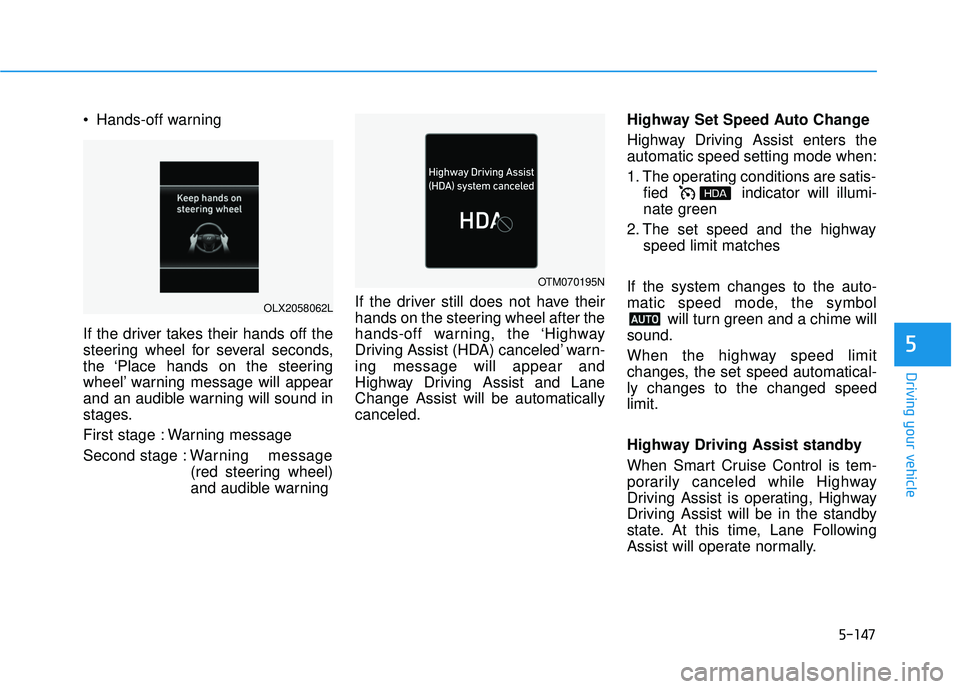
Hands-off warning
If the driver takes their hands off the
steering wheel for several seconds,
the ‘Place hands on the steering
wheel’ warning message will appear
and an audible warning will sound in
stages.
First stage : Warning message
Second stage : Warning message
(red steering wheel)
and audible warning If the driver still does not have their
hands on the steering wheel after the
hands-off warning, the ‘Highway
Driving Assist (HDA) canceled’ warn-
ing message will appear and
Highway Driving Assist and Lane
Change Assist will be automatically
canceled. Highway Set Speed Auto Change
Highway Driving Assist enters the
automatic speed setting mode when:
1. The operating conditions are satis-
fied indicator will illumi-
nate green
2. The set speed and the highway speed limit matches
If the system changes to the auto-
matic speed mode, the symbol will turn green and a chime will
sound.
When the highway speed limit
changes, the set speed automatical-
ly changes to the changed speed
limit.
Highway Driving Assist standby
When Smart Cruise Control is tem-
porarily canceled while Highway
Driving Assist is operating, Highway
Driving Assist will be in the standby
state. At this time, Lane Following
Assist will operate normally.
5
OLX2058062L
OTM070195N
Page 482 of 663
5-148
Highway Driving Assist
Malfunction and Limitations
Highway Driving Assist mal-function
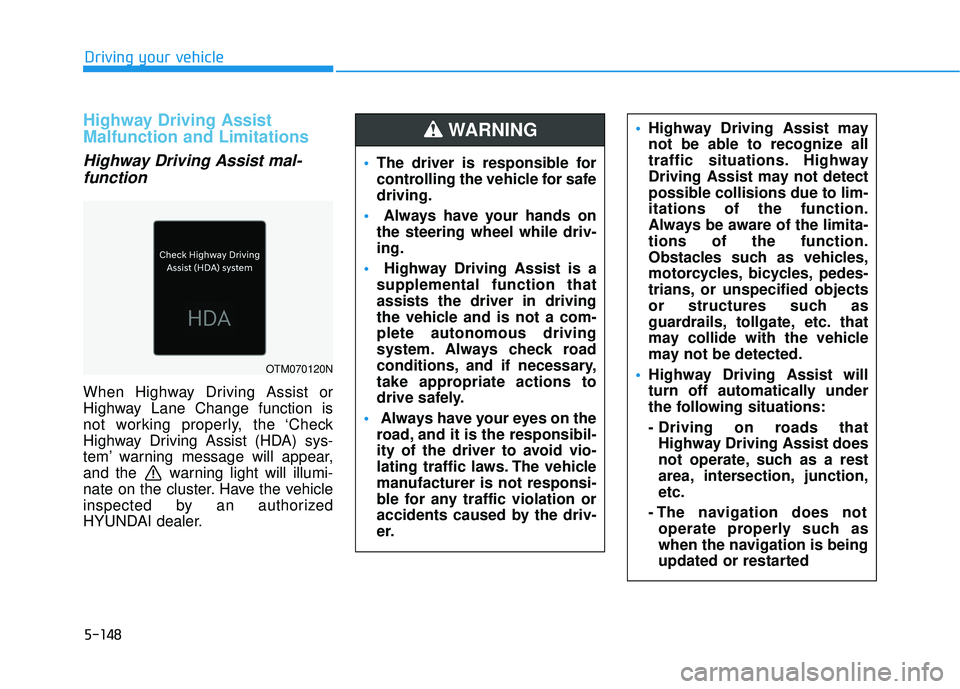
When Highway Driving Assist or
Highway Lane Change function is
not working properly, the ‘Check
Highway Driving Assist (HDA) sys-
tem’ warning message will appear,
and the warning light will illumi-
nate on the cluster. Have the vehicle
inspected by an authorized
HYUNDAI dealer.
Driving your vehicle
OTM070120N
The driver is responsible for
controlling the vehicle for safe
driving.
Always have your hands on
the steering wheel while driv-
ing.
Highway Driving Assist is a
supplemental function that
assists the driver in driving
the vehicle and is not a com-
plete autonomous driving
system. Always check road
conditions, and if necessary,
take appropriate actions to
drive safely.
Always have your eyes on the
road, and it is the responsibil-
ity of the driver to avoid vio-
lating traffic laws. The vehicle
manufacturer is not responsi-
ble for any traffic violation or
accidents caused by the driv-
er.
Highway Driving Assist may
not be able to recognize all
traffic situations. Highway
Driving Assist may not detect
possible collisions due to lim-
itations of the function.
Always be aware of the limita-
tions of the function.
Obstacles such as vehicles,
motorcycles, bicycles, pedes-
trians, or unspecified objects
or structures such as
guardrails, tollgate, etc. that
may collide with the vehicle
may not be detected.
Highway Driving Assist will
turn off automatically under
the following situations:
- Driving on roads that
Highway Driving Assist does
not operate, such as a rest
area, intersection, junction,
etc.
- The navigation does not operate properly such as
when the navigation is being
updated or restarted WARNING
Page 483 of 663
5-149
Driving your vehicle
Limitations of Highway DrivingAssist
Highway Driving Assist may not
operate normally, or may not operate
under the following circumstances:
The map information and the actu-
al road is different because the
navigation is not updated
The map information and the actu- al road is different because of real-
time GPS data or map information
error
The infotainment system is over- loaded by simultaneously perform-
ing functions such as route search,
video playback, voice recognition,
etc.
GPS signals are blocked in areas such as a tunnel
The driver goes off course or the route to the destination is changed
or canceled by resetting the navi-
gation
The vehicle enters a service sta- tion or rest area
Android Auto or Car Play is operat- ing
5
Highway Driving Assist may
inadvertently operate or turn
off depending on road condi-
tions (navigation information)
and surroundings.
Lane Following Assist func-
tion may be temporarily dis-
abled when the front view
camera cannot detect lanes
properly or the hands-off
warning is on.
You may not hear the warning
sound of Highway Driving
Assist if the surrounding is
noisy.
If the vehicle is driven at high
speed above a certain speed
at a curve, your vehicle may
drive to one side or may
depart from the driving lane.
When you are towing a trailer
or another vehicle, we recom-
mend that Highway Driving
Assist is turned off due to
safety reasons.The hands–off warning mes-
sage may appear early or late
depending on how the steer-
ing wheel is held or road con-
ditions. Always have your
hands on the steering wheel
while driving.
For your safety, please read
the owner's manual before
using the Highway Driving
Assist.
Highway Driving Assist will
not operate when the engine
is started, or when the detect-
ing sensors or navigation is
being initialized.
Page 490 of 663
5-156
Driving your vehicle
Warning Volume
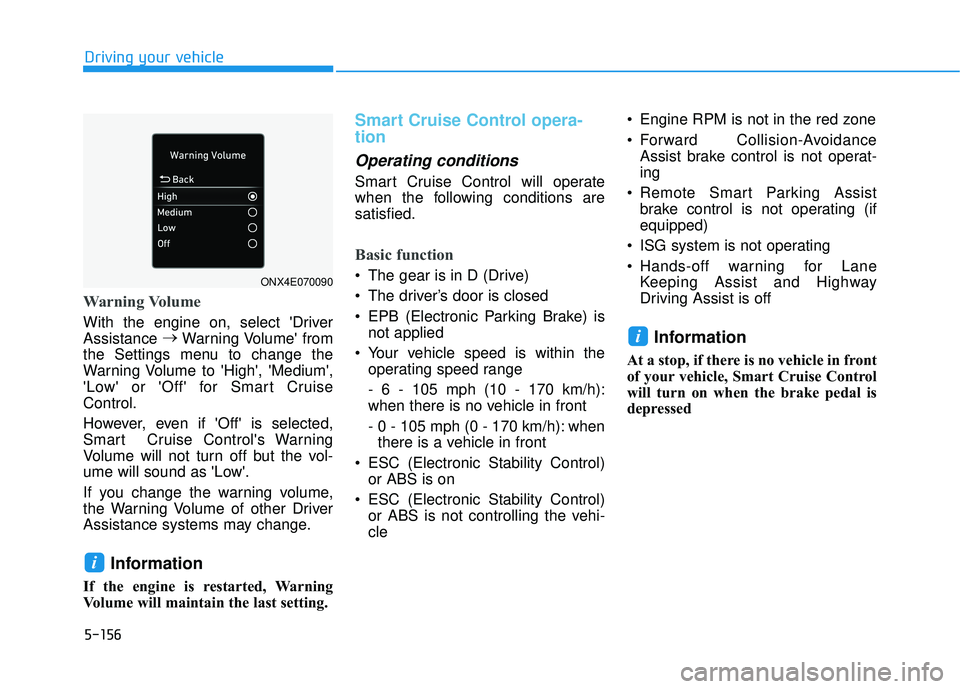
With the engine on, select 'Driver
Assistance →
Warning Volume' from
the Settings menu to change the
Warning Volume to 'High', 'Medium',
'Low' or 'Off' for Smart Cruise
Control.
However, even if 'Off' is selected,
Smart Cruise Control's Warning
Volume will not turn off but the vol-
ume will sound as 'Low'.
If you change the warning volume,
the Warning Volume of other Driver
Assistance systems may change.
Information
If the engine is restarted, Warning
Volume will maintain the last setting.
Smart Cruise Control opera-
tion
Operating conditions
Smart Cruise Control will operate
when the following conditions are
satisfied.
Basic function
The gear is in D (Drive)
The driver’s door is closed
EPB (Electronic Parking Brake) is not applied
Your vehicle speed is within the operating speed range
- 6 - 105 mph (10 - 170 km/h):
when there is no vehicle in front
- 0 - 105 mph (0 - 170 km/h): whenthere is a vehicle in front
ESC (Electronic Stability Control) or ABS is on
ESC (Electronic Stability Control) or ABS is not controlling the vehi-
cle Engine RPM is not in the red zone
Forward Collision-Avoidance
Assist brake control is not operat-
ing
Remote Smart Parking Assist brake control is not operating (if
equipped)
ISG system is not operating
Hands-off warning for Lane Keeping Assist and Highway
Driving Assist is off
Information
At a stop, if there is no vehicle in front
of your vehicle, Smart Cruise Control
will turn on when the brake pedal is
depressed
i
i
ONX4E070090
Page 496 of 663
5-162
Driving your vehicleTurn off Smart Cruise Control
when your vehicle is being
towed.
Smart Cruise Control may not
operate normally if interfered
by strong electromagnetic
waves.
Smart Cruise Control may not
detect an obstacle in front and
lead to a collision. Always
look ahead cautiously to pre-
vent unexpected and sudden
situations from occurring.
Vehicles moving in front of
you with a frequent lane
change may cause a delay in
Smart Cruise Control reaction
or may cause Smart Cruise
Control to react to a vehicle
actually in an adjacent lane.
Always drive cautiously to
prevent unexpected and sud-
den situations from occur-
ring.
Always be aware of the sur-
roundings and drive safely,
even though a warning mes-
sage does not appear or an
audible warning does not
sound.
If any other system’s warning
message is displayed or
warning sound is generated,
Smart Cruise Control warning
message may not be dis-
played and warning sound
may not be generated.
You may not hear the warning
sound of Forward Collision-
Avoidance Assist if the sur-
rounding is noisy.
The vehicle manufacturer is
not responsible for any traffic
violation or accidents caused
by the driver.
Always set the vehicle speed
under the speed limit in your
country.Always be aware of the select-
ed speed and headway dis-
tance.
Keep a safe distance accord-
ing to road conditions and
vehicle speed. If the headway
distance is too close during
high-speed driving, a serious
collision may result.
When maintaining distance
with the vehicle ahead, if the
front vehicle disappears,
Smart Cruise Control may
suddenly accelerate to the set
speed. Always be aware of
unexpected and sudden situa-
tions from occurring.
Vehicle speed may decrease
on an upward slope and
increase on a downward
slope.
Always be aware of situations
such as when a vehicle cuts in
suddenly.
When you are towing a trailer
or another vehicle, we recom-
mend that Smart Cruise
Control is turned off due to
safety reasons.
Page 524 of 663
5-190
Driving your vehicle
Distance
Stay at least twice as far behind the
vehicle ahead as you would when
driving your vehicle without a trailer.
This can help you avoid situations
that require heavy braking and sud-
den turns.
Passing
You will need more passing distance
up ahead when you’re towing a trail-
er. And, because of the increased
vehicle length, you’ll need to go
much farther beyond the passed
vehicle before you can return to your
lane.
Backing up
Hold the bottom of the steering
wheel with one hand. Then, to move
the trailer to the left, move your hand
to the left. To move the trailer to the
right, move your hand to the right.
Always back up slowly and, if possi-
ble, have someone guide you.
Making turns
When you're turning with a trailer,
make wider turns than normal. Do
this so your trailer won't strike soft
shoulders, curbs, road signs, trees, or
other objects. Avoid jerky or sudden
maneuvers. Signal well in advance.
Turn signals
When you tow a trailer, your vehicle
has to have a different turn signal
flasher and extra wiring. The green
arrows on your instrument panel will
flash whenever you signal a turn or
lane change. Properly connected,
the trailer lights will also flash to alert
other drivers you're about to turn,
change lanes, or stop.
When towing a trailer, the green
arrows on your instrument panel will
flash for turns even if the bulbs on the
trailer are burned out. Thus, you may
think drivers behind you are seeing
your signals when, in fact, they are
not. It's important to check periodical-
ly to be sure the trailer bulbs are still
working. You must also check the
lights every time you disconnect and
then reconnect the wires.Do not connect a trailer lighting
system directly to your vehi-
cle's lighting system. Use an
approved trailer wiring harness.
Failure to do so could result in
damage to the vehicle electrical
system and/or personal injury.
Consult an authorized HYUNDAI
dealer for assistance.
WARNING
Page 550 of 663
6-16
What to do in an emergency
To store the spare tire:
1. Lay the tire on the ground with the valve stem facing up.
2. Place the wheel under the vehicle and install the retainer guide and
chain through the wheel center.
3. Turn the wrench clockwise until it clicks.
Changing Tires
Follow these steps to change your
vehicle's tire:
1. Park on a level, firm surface.
2. Move the shift button into P (Park), apply the parking brake,
and place the ignition switch in the
OFF position.
3. Press the hazard warning flasher button.
4. Remove the wheel lug nut wrench, jack, jack handle, wheel
cap remover (big cap only) and
spare tire from the vehicle.
5. Block both the front and rear of the tire diagonally opposite of the
tire you are changing.
A vehicle can slip or roll off of a
jack causing serious injury or
death to you or those nearby.
Take the following safety pre-
cautions:
Never place any portion of
your body under a vehicle that
is supported by a jack.
NEVER attempt to change a
tire in the lane of traffic.
ALWAYS move the vehicle
completely off the road on
level, firm ground away from
traffic before trying to change
a tire. If you cannot find a level,
firm place off the road, call a
towing service for assistance.
Be sure to use the jack pro-
vided with the vehicle.
ALWAYS place the jack on the
designated jacking positions
on the vehicle and NEVER on
the bumpers or any other part
of the vehicle for jacking sup-
port.
Do not start or run the engine
while the vehicle is on the
jack.
Do not allow anyone to remain
in the vehicle while it is on the
jack.
Keep children away from the
road and the vehicle.
WARNING
Ensure the spare tire retainer
guide is properly aligned with
the center of the spare tire to
prevent the spare tire from "rat-
tling".
Otherwise, it may cause the
spare tire to fall off the carrier
and lead to an accident.
CAUTION